
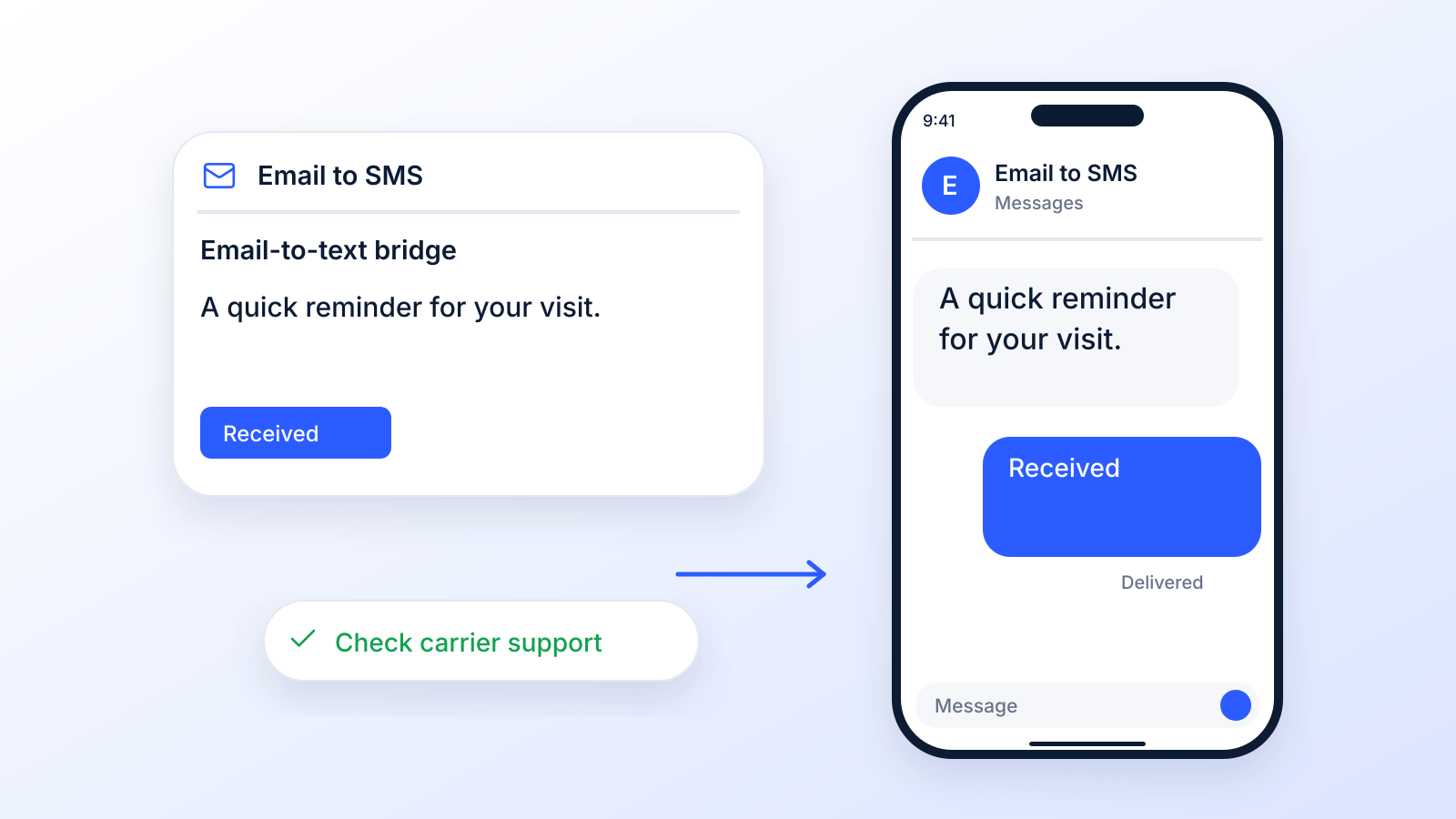
So, can you actually send a text message from your email?
The short answer is yes, with a big caveat. It's a surprisingly old-school trick, bridging the gap between two of the most dominant ways we communicate. For years, this has been a reliable way to get a message from an email inbox straight to someone's phone. That is changing: the big US carriers are retiring their free email-to-text gateways (AT&T already has, and Verizon is in the process), so it matters which path you pick.
You've got two main ways to pull this off, each with its own quirks.
The Two Paths for Sending Texts From Email
This whole idea of email-to-SMS isn't new; it's been around for many years. The magic happens when you send an email to a special address called an SMS gateway. This gateway takes your email, strips it down, and reformats it into a text message that pops up on a mobile device.
This process gives you two very different options for getting your message out there. Let's break down what they are and why you might choose one over the other.
Two Paths for Sending Texts From Email
| Feature | Free Carrier Gateway | Business Messaging Platform |
|---|---|---|
| Availability (Oct 2026) | Closing: AT&T ended it June 17, 2025; Verizon ends it by March 31, 2027 | Available; business numbers need registration |
| Cost | Free (for basic use) | Paid subscription |
| Sender ID | Random, jumbled address | Professional, consistent number |
| Reliability | Hit or miss, no tracking | High deliverability, with delivery reports |
| Features | Basic text sending only | Scheduling, automation, ringless voicemail |
| Compliance | DIY, high risk | Built-in opt-out management |
| Best For | Quick, one-off personal messages | Scalable business communication |
As you can see, while both get a message from point A to point B, how they do it is worlds apart. Your choice has a real impact on everything from whether your message even arrives to how professional your business looks.
Breaking Down Your Two Main Options
The first route is using a free SMS gateway that mobile carriers provide. Think of this like the public postal service: it’s functional for sending a single letter, but it's not built for speed, tracking, or a professional look. It gets the job done in a pinch, but it can feel clunky and unreliable.
Your second, much more powerful option is to use a professional business messaging platform. This is like hiring a dedicated courier service. You get speed, reliability, and a whole suite of tools designed to make sure your messages are delivered efficiently and professionally, every single time.
While both methods can send a text from your email, they are fundamentally different tools. Choosing between a free gateway and a dedicated platform will shape your deliverability, branding, compliance, and the overall customer experience.
Here’s a quick rundown of the key differences:
- Reliability and Delivery: Professional platforms are built for business and give you delivery receipts and much higher success rates. Free gateways? They can be a black box; you never know if your message actually made it.
- Branding and Professionalism: Messages from a platform like Broadcast come from a consistent, recognizable phone number. Gateway messages often show up from a long, confusing email address that looks like spam.
- Advanced Features: Paid services come loaded with tools businesses need, like message scheduling, contact management, and even powerful extras like ringless voicemail drops.
- Compliance Management: This is a big one. Platforms have built-in tools to manage opt-ins and opt-outs, which is absolutely critical for staying on the right side of the law.
Getting a handle on these differences is the first real step. It helps you decide whether you just need a quick, one-off solution or a serious tool for your business communication strategy.
How Free Email to SMS Gateways Actually Work
So, how does this whole "free text from your email" thing even work?
Think of every major mobile carrier (Verizon, AT&T and T-Mobile all ran one) as having its own special digital mailroom. This mailroom is technically an email to SMS gateway, and its only job is to catch specially addressed emails, tear them open, and turn them into text messages. Those mailrooms are now closing; see does email to SMS still work below.
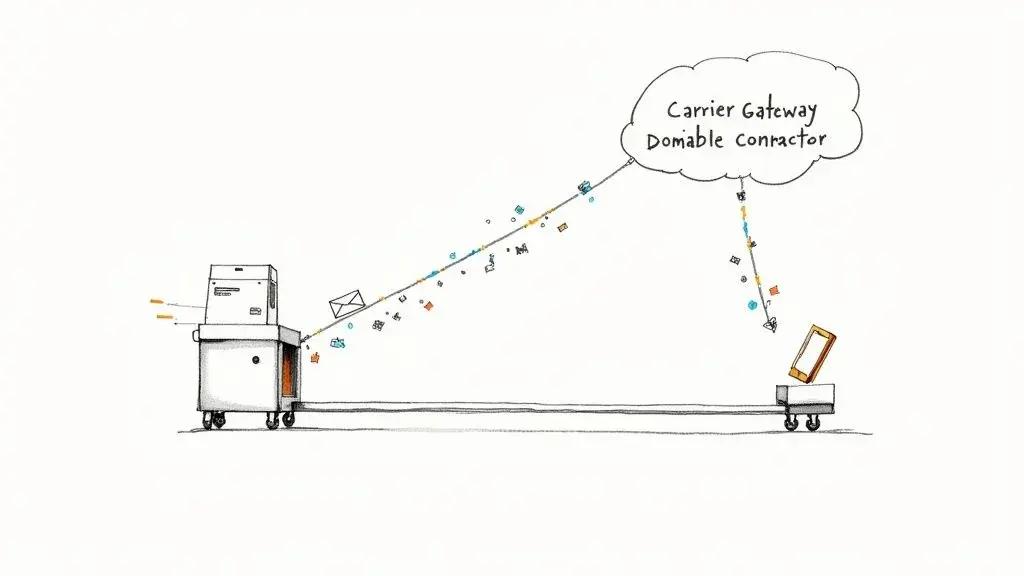
When you want to send a text message from your email, you aren't actually sending it straight to a phone. You’re sending it to one of these gateways, which acts like a translator between two completely different systems.
The Translation Process Explained
The process itself is surprisingly simple, though it does need a bit of manual legwork. You’re basically tricking the mobile network into treating your email like a text message by formatting the "To" address in a very specific way.
Here’s the breakdown:
- Find the Gateway Address: First, you have to know which mobile carrier your recipient uses. Each carrier has a unique gateway domain (like
@vtext.comfor Verizon or@txt.att.netfor AT&T). - Format the Recipient's Address: Next, you combine the person’s 10-digit phone number with that carrier’s gateway domain. The final address looks something like this:
1234567890@vtext.com(a Verizon address, which Verizon is retiring). - Compose and Send Your Email: You just open a new email, pop that special address into the "To" field, and type out your message. Once you hit send, the gateway takes it from there.
The gateway receives your email, strips away the subject line, your signature, and any fancy formatting. It then forwards only the plain text body as an SMS to the destination phone number. For other ways to text from a computer, and where each one stops, see our guide to sending bulk text messages from a computer for free.
The Hidden Drawbacks of the Free Method
While sending a quick text from your email for free sounds great on the surface, this method is riddled with limitations that make it a terrible choice for almost any business use. It’s like using a walkie-talkie for a conference call: it might get a short message across, but it’s nowhere near reliable or professional enough.
One of the biggest headaches is the 160-character limit of a single SMS (70 characters if the text contains an emoji or other special character, per Twilio). Go over that, and a long email may be cut off or split into several texts, leaving your recipient confused.
Using a free gateway means you get what you pay for. There are no delivery confirmations, so you’ll never actually know if your message was received. That lack of feedback is a massive risk for anything time-sensitive or important.
Even worse, when someone replies, their message lands back in your email inbox as a jumbled mess from a cryptic-looking address. Trying to manage a real conversation this way is nearly impossible and looks incredibly unprofessional.
For any business that needs organized, two-way chats and professional features like scheduling or even ringless voicemail drops, this free method just doesn't cut it. It’s a neat trick for a personal, one-off message but falls flat for any serious, scalable communication.
Does Email to SMS Still Work in 2026?
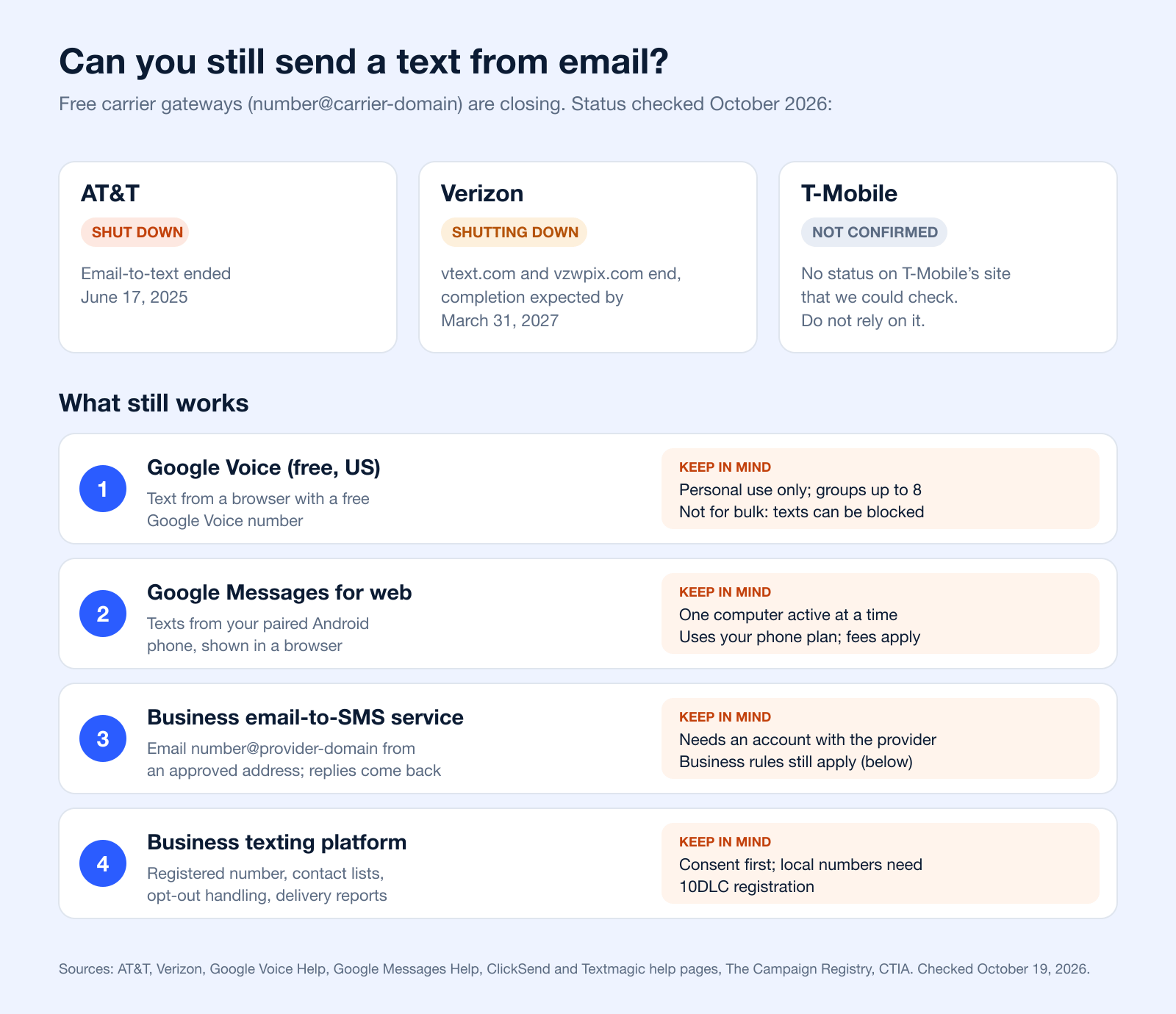
Not for long, at least through the carriers. The free gateways were built for low-volume personal use, and the largest US carriers are now switching them off. Here is the status of the three big ones, checked on their own support pages in October 2026.
| Carrier | Gateway address | Status | Source |
|---|---|---|---|
| AT&T | number@txt.att.net | Shut down. "Effective June 17, 2025, you can no longer send or receive texts using email." | AT&T support |
| Verizon | number@vtext.com and number@vzwpix.com | Shutting down. Completion expected by March 31, 2027; some senders may lose access earlier. Verizon points businesses to its Enterprise Messaging (EMAG) service. | Verizon support |
| T-Mobile | number@tmomail.net | Not confirmed. T-Mobile's support site could not be checked, and no official status was found. Do not rely on it. | Not verified |
What Still Works if You Want to Text From Email or a Computer
| Option | How it works | Good for | Limits | Source |
|---|---|---|---|---|
| Google Voice | Free Google Voice number; text from voice.google.com or the app | Personal texts in the US | Personal use only; group messages up to 8 people; "not intended for bulk messaging" | Google Voice Help, plans |
| Google Messages for web | Pair your Android phone with a browser on your computer | Personal texts from your own number | One computer active at a time; uses your phone, so carrier fees apply | Google Messages Help |
| Business email-to-SMS service | Email number@provider-domain from an approved address; replies come back to your inbox | Teams that live in email | Needs an account and an allowed sender address; business texting rules apply | ClickSend, Textmagic |
| Business texting platform | Send from a registered business number with contact lists and opt-out handling | Campaigns, reminders, two-way business texting | Consent first; local (10DLC) numbers must be registered | The Campaign Registry, CTIA |
Two examples of business email-to-SMS services: ClickSend has you email mobile-number@sms.clicksend.com after you register your address as an "Allowed Address" (ClickSend), and Textmagic uses phonenumber@textmagic.com from authorized addresses, with replies delivered by email (Textmagic). Verizon's own replacement for business senders is Verizon Enterprise Messaging. Whichever you choose, the text still counts as business messaging, so the consent rules below apply.
If what you really want is the reverse (getting texts into your inbox), see our guide on how to forward a text message to email.
The Smarter Way: Unlocking Potential with Business Messaging Platforms
While tinkering with free carrier gateways is a neat trick, it's a dead end for any serious business. When you need your messages to actually land, scale up your efforts, and look professional, you need a dedicated business messaging platform. These services aren't just another way to send texts from email; they are complete communication hubs built for getting results.
Instead of gambling on those unpredictable carrier gateways, these platforms use application programming interfaces (APIs) and registered business numbers to connect to mobile networks. Think of it like this: the free method is like sending a message in a bottle and hoping it arrives. Using a platform is like hiring a professional courier with tracking. You get delivery reports, so you know what arrived and what did not.
More Than Just Texting: A Full Suite of Business Tools
Professional platforms turn text messaging from a simple alert system into a powerhouse for your marketing and customer communication. You get a central dashboard to manage contacts, see conversations, and analyze what's working, all in one place. This is absolutely essential for any business that wants to build real, lasting relationships with its customers.
Here's what you can typically expect:
- Automated Contact Management: Forget manual data entry. You can easily import, segment, and manage your contact lists.
- Advanced Campaign Scheduling: Plan your text campaigns days, weeks, or even months ahead of time to hit your customers at the perfect moment.
- Message Personalization: Use merge tags to address people by name or reference their interests. This is a small touch that makes a huge difference in engagement.
- Detailed Analytics and Reporting: Get real data on delivery rates, open rates, and click-throughs to measure your ROI and make your next campaign even better.
These tools let you go way beyond one-off texts. You can build smart, automated communication flows that actually drive your business forward.
Expanding Your Reach with Advanced Features
The best platforms don't just stop at SMS. They pull in other communication tools to help you create a multi-channel strategy. One of the most powerful additions is ringless voicemail. This cool tech lets you drop a pre-recorded audio message directly into someone's voicemail box without their phone ever ringing. A ringless voicemail drop is a super personal, high-impact way to deliver a message without interrupting someone's day.
This technology is incredibly powerful. When you pair a ringless voicemail message with a follow-up text, you create a one-two punch that grabs attention and gets a response.
This combo allows you to connect with customers on multiple fronts, respecting their time while making sure your message gets through. For things like appointment reminders, special offers, or important updates, this integrated approach is a game-changer. The first step to building more effective campaigns like this is exploring a dedicated SMS messaging service.
One rule to know: since 2022 the FCC treats a ringless voicemail as a call that needs the recipient's consent (FCC). Our ringless voicemail compliance guide covers the details.
Text is where people already are: Americans exchanged nearly 2.2 trillion SMS and MMS messages in 2024 (CTIA). Getting your message into a customer's text inbox, with their permission, is one of the most direct ways to make sure it's seen and acted on.
Choosing the Right Method for Your Business
So, you're deciding between a free carrier gateway and a professional messaging platform. It really boils down to your goals. For a quick, one-off text to a friend, the free route is probably fine.
But for any business that depends on communication to grow, this isn't just a technical choice; it's a strategic one. Getting it wrong can have real consequences.
To make the right call, you need to see a direct, head-to-head comparison. Let's break down how these two methods really stack up across the criteria that matter for your business, from cost and reliability to the crucial stuff like compliance and branding.
Carrier Gateway vs. Business Platform: A Detailed Comparison
On the surface, "free" always sounds better. But when you dig into what each method actually delivers (or fails to deliver), the picture gets a lot clearer. This table lays out the pros and cons to help you see the full story.
| Criteria | Free Carrier Gateway | Business Messaging Platform |
|---|---|---|
| Availability | Closing: AT&T ended it in 2025 and Verizon ends it by March 31, 2027. | Available; business numbers need registration. |
| Total Cost | Free to send, but has hidden costs in time, errors, and lost opportunities. | Paid subscription, but offers a clear return on investment through efficiency and results. |
| Scalability | Extremely limited. Manually sending to even a small list is impractical and error-prone. | Highly scalable. Built to handle thousands of messages for large-scale campaigns. |
| Branding Control | Non-existent. Messages arrive from a confusing, unprofessional email address. | Complete control. Messages come from a consistent, dedicated, and professional phone number. |
| Compliance | Entirely manual. You are responsible for managing opt-outs, risking costly TCPA violations. | Automated. Manages opt-outs and consent records automatically, protecting your business. |
| Advanced Features | Plain text only. No scheduling, personalization, or additional communication tools. | Full suite of tools, including scheduling, analytics, and advanced options like ringless voicemail drops. |
| Reliability | A black box. No delivery confirmations mean you never know if a message was received. | Delivery reports and real-time analytics, so you can see what arrived. |
This comparison highlights a critical point: while one option costs money and the other doesn't upfront, the value and security they offer are worlds apart. A dedicated platform is an investment in doing things right.
The Real-World Impact on Your Business
That table gives you a snapshot, but the real difference is what happens day-to-day. Take compliance, for instance. Trying to manually track who has opted out of your messages on a spreadsheet is a recipe for disaster. A single mistake can lead to massive TCPA fines. Professional platforms like Broadcast automate this, giving you an essential safety net.
Reliability is another huge deal. With a free gateway, you’re basically sending a message into a black hole: you have no idea if it ever arrived, and on AT&T the gateway no longer exists. For a time-sensitive alert or a flash sale, that’s just not acceptable. A paid service gives you delivery reports and the infrastructure built for business volume. This is how you can truly send text messages from email with confidence.
Business messaging platforms give you the tools to automate, schedule, and analyze your campaigns for maximum impact.
This shows how a dedicated platform turns simple messaging into a smart, data-driven operation.
Ultimately, the "free" method often costs you more in the long run through lost customers, wasted time, and legal risks. Investing in a dedicated platform is a strategic move that pays for itself in efficiency, professionalism, and peace of mind.
For any serious business looking to grow, the choice is clear. The limitations of carrier gateways create bottlenecks and risks. A professional platform, on the other hand, provides the power, reliability, and advanced features you need to build a real communication strategy. It’s the difference between a temporary workaround and a permanent, scalable solution.
Navigating Compliance and Texting Best Practices
When you decide to send text messages from email for your business, you're officially stepping into a regulated arena. This isn't like firing off a quick text to a buddy; business messaging is governed by some pretty strict laws, especially the Telephone Consumer Protection Act (TCPA) in the U.S.
Ignoring these rules isn't just a slap on the wrist. The TCPA lets people sue for $500 per violation, and a court can triple that if the violation was willful or knowing (47 U.S.C. 227).

The number one rule is getting permission before you text. Carrier guidelines expect every business sender to get consent, and express written consent for promotional messages (CTIA Messaging Principles). Federal rules require prior express written consent for many marketing texts (47 CFR 64.1200). Without it, you’re putting your whole operation at risk. See our guide to express written consent. This is general information, not legal advice.
Essential Texting Best Practices
Staying on the right side of the law means more than just getting permission upfront. You need a disciplined, thoughtful approach to every message you send out. Trying to juggle all these rules manually with a free email-to-SMS gateway is a disaster waiting to happen, because all the responsibility lands squarely on your shoulders.
Here’s a quick checklist of must-follow practices:
- Always Provide a Clear Opt-Out: Every single message has to include simple instructions for unsubscribing, like "Reply STOP to cancel." Make it easy, and honor replies such as STOP, QUIT or UNSUBSCRIBE (federal rules give you 10 business days, 47 CFR 64.1200(a)(10)).
- Identify Your Business: Don't be a stranger. Clearly state who you are in your first message so people know exactly who's contacting them.
- Respect Time Zones: Sending a promo text at 3 AM is the fastest way to get an angry customer and a compliance complaint. Federal rules bar telephone solicitations before 8 a.m. or after 9 p.m. in the recipient's local time (47 CFR 64.1200(c)(1)), and some states, such as Florida and Oklahoma, end at 8 p.m.
- Maintain Meticulous Records: You absolutely must keep detailed records of who gave you consent, plus when and how they gave it. This is your get-out-of-jail-free card if your methods are ever questioned.
The big problem with free gateways is they offer zero tools to manage these critical compliance tasks. Professional platforms, on the other hand, are built from the ground up to automate these processes, protecting your business from costly human error.
Why Professional Platforms Are Safer
Imagine trying to manage opt-outs and consent records manually across a bunch of spreadsheets. It’s incredibly risky. One tiny mistake (like sending a message to someone who already opted out) can trigger a TCPA violation. A real business messaging platform handles all of this automatically. Our SMS compliance checklist lists what to check.
Done right, texting is a huge opportunity: it is the channel people use most on their phones, with nearly 2.2 trillion SMS and MMS messages exchanged in the US in 2024 (CTIA). The demand is there, you just have to meet it correctly.
Platforms automatically process opt-out requests, maintain compliant consent records, and give you the infrastructure to operate safely as you grow. They also help you stick to a solid anti-spam policy, which is vital for keeping your sender reputation clean.
This built-in safety net is probably the biggest advantage over any free method. It turns a high-risk activity into a secure, reliable, and incredibly effective way to connect with your customers.
Common Questions About Sending Texts From Email
As you start figuring out how to send texts from your email, a few questions always seem to pop up. Answering these is key to understanding the huge difference between a quick-and-dirty workaround and a real business strategy. Let's dig into what most people ask.
Is It Free to Send a Text From Email
Technically, yes. Using a carrier's email-to-SMS gateway doesn't cost any money to hit 'send.' But that's where the "free" part ends, and the free gateways are closing (AT&T ended its service on June 17, 2025). This method has a ton of hidden costs, mostly in your time, the lack of reliability, and how unprofessional it can look. You really get what you pay for: zero insight into whether your message even arrived and a clunky experience for both you and your recipient.
Professional business messaging platforms, on the other hand, do have a subscription fee. But that investment pays for itself with sky-high deliverability, detailed analytics, automated compliance tools, and features that actually drive business results.
How Do I Find a Person's Mobile Carrier
This is the big one. For the free gateway method to work, you absolutely have to know the recipient's mobile carrier to get the email address right (like 1234567890@vtext.com for Verizon, a gateway Verizon is retiring). The number alone won't tell you, because people can keep their number when they switch carriers (47 CFR 52.31). There are some lookup tools online, but they add yet another manual step to the whole process.
This single requirement is what makes the free method a non-starter for any serious business use. Dedicated business platforms completely get rid of this headache. You just provide the phone number, and the platform handles all the carrier routing on the backend. No guesswork needed.
The fact that you have to manually hunt for carrier information is the clearest sign that free gateways were never built for efficient, scalable communication. A professional platform just makes this friction disappear.
Can People Reply to My Email-to-SMS Text
Yes, people can reply to texts sent either way, but the experience is night and day. When someone replies to a text sent through a free gateway, that message just dumps back into your email inbox. It usually comes from a bizarre, auto-generated address, making it a nightmare to track conversations or manage any kind of follow-up.
With a business platform, replies are neatly organized into clean conversation threads inside a central dashboard. It turns a messy email chain into a manageable, two-way communication channel that feels like a professional sales or support interaction.
Does Email to SMS Still Work?
Through the carriers, less and less. AT&T ended email-to-text on June 17, 2025 (AT&T), and Verizon expects to finish shutting down vtext.com and vzwpix.com by March 31, 2027 (Verizon). Business email-to-SMS services still work because they send through their own messaging connections. See the status table above.
Can I Send an Email as an SMS Message?
Yes, if something converts it. A carrier gateway used to do that for free, but those are closing. Today the reliable way is a business email-to-SMS service: you email the recipient's number at the provider's domain (for example mobile-number@sms.clicksend.com at ClickSend) from an approved address, and the service sends the text and routes replies back to your inbox. Keep it short: one SMS holds 160 characters (Twilio).
How Do I Send a Text From Gmail or Outlook?
The same way as any email: put the address in the "To" field. With a carrier gateway that was number@carrier-domain, which no longer works on AT&T and is ending on Verizon. With a business email-to-SMS service it is the provider's address format, sent from an email account you have approved with that provider. Gmail and Outlook have no built-in texting of their own.
How Can I Send SMS Without a Phone Number?
Every text needs a sending number; the question is whose. Google Voice gives you a free number for personal use in the US, and texting only works once you have it (Google Voice Help). Business email-to-SMS services and texting platforms send from a number they provide, which for local (10DLC) numbers must be registered through The Campaign Registry. Carrier gateways sent from your email address, but they are closing.
What Exactly Is Ringless Voicemail
Beyond just sending texts, many business platforms offer other powerful tools to round out your communication. Ringless voicemail is a perfect example: it's a technology that lets you drop a pre-recorded audio message directly into someone's voicemail box without their phone ever ringing. Like a text, it needs the recipient's consent (FCC).
It’s a super effective, non-intrusive way to deliver a personal message. Think about it: you could send a ringless voicemail drop with a special offer and immediately follow it up with a text that has a link to your website. This kind of multi-channel approach, combining SMS and a ringless voicemail message, is a massive advantage you only get with a dedicated communication platform.
Ready to stop messing with workarounds and build a real, multi-channel messaging strategy that actually works? Broadcast gives you the tools to automate SMS, voice, and ringless voicemail campaigns that drive results. Start your free trial with Broadcast today and see the difference for yourself.


