
Need a free group text messaging service, but not sure which kind of "free" you are getting?
That question matters more than the feature list. Some tools offer a real trial with enough access to test opt-ins, scheduling, replies, and reporting. Others give you a developer tier that works only if your team can handle APIs, routing, and compliance setup. Some look free until you hit contact limits, carrier filtering, shared numbers, or weak deliverability.
Texting earns attention quickly, which is why businesses keep testing it first: Americans exchanged nearly 2.2 trillion SMS and MMS messages in 2024, according to the CTIA 2025 Annual Survey. The distinction is important because fast reach only helps if your messages are delivered, compliant, and tied to a workflow your team can manage.
Free plans also hide different risks.
A trial can be useful for a small campaign launch. A sandbox can be useful for product teams building custom flows. Neither automatically fits a business that needs consent records, team inboxes, segmentation, number reputation, and clear upgrade options once volume starts growing. That is where many roundup articles fall short. They lump every "free" option together and skip the operational differences that decide whether a tool helps or creates rework.
This guide separates those options clearly. It covers free trials, developer-friendly tiers, and lightweight plans, then looks at the trade-offs around compliance, deliverability, and scaling. If your goal is serious outbound growth, SMS alone is rarely the end state. The stronger path is usually a platform that can expand into voice and ringless voicemail without forcing a full rebuild later.
Every free offer below was checked on the vendor's own pricing page (checked October 19, 2026). Jump to what "free" really means, the comparison table or the FAQ.
What "Free" Really Means for Group Texting
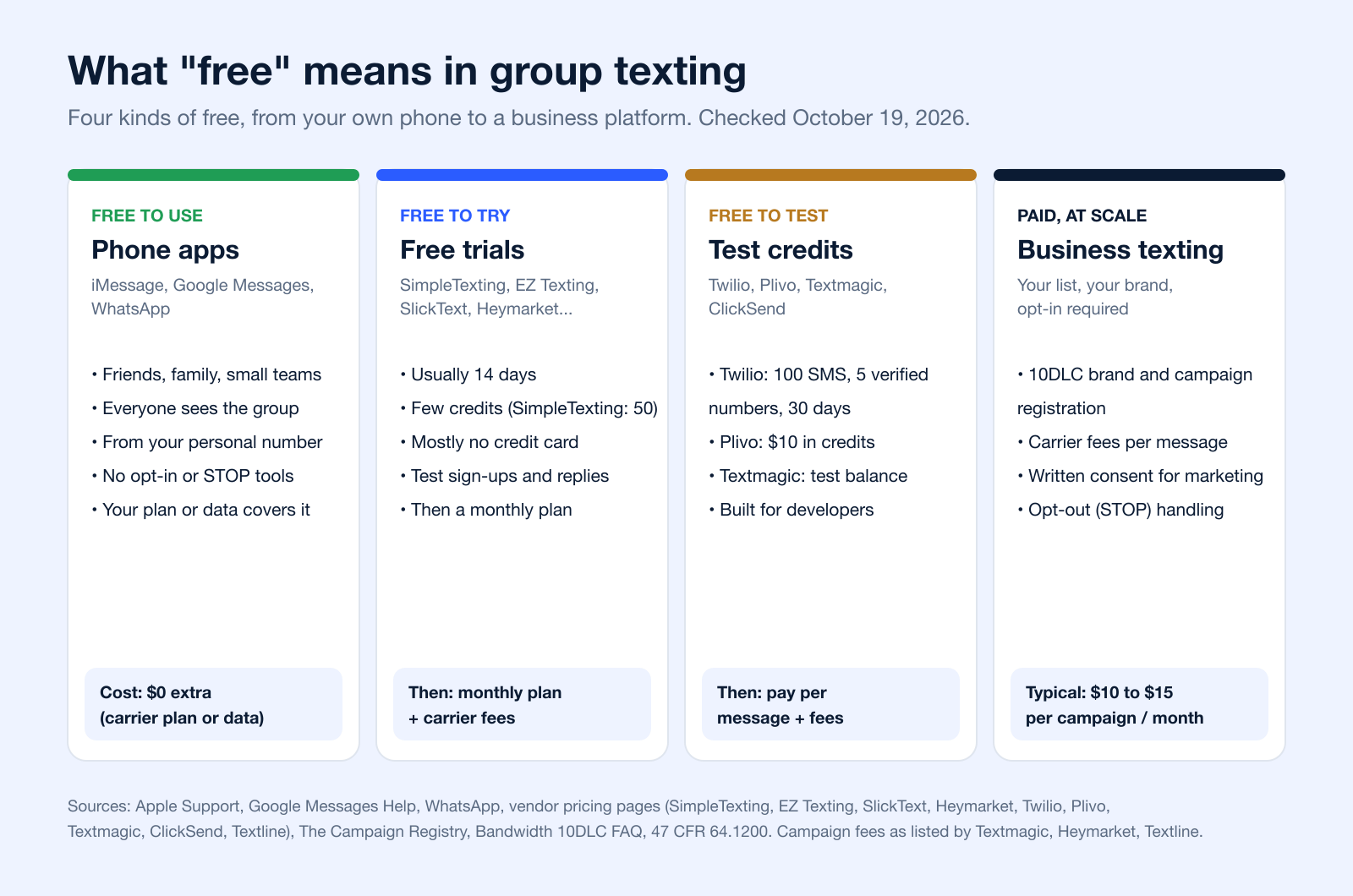
"Free" covers four very different things in this category. None of the business services in this list has a free-forever SMS plan in October 2026: SlickText calls its entry tier "Free", but it is a 14-day trial (SlickText pricing). Here is how the four kinds of free compare.
Free Group Texting Apps on Your Phone
If you are texting friends, family, a team or a small club, the free option is already on your phone. On iPhone, a group goes as iMessage when everyone uses an Apple device with iMessage on; otherwise it goes as RCS (iOS 18 or later), MMS or SMS. In group iMessage and MMS everyone sees every reply; in group SMS, replies come back to you one by one and photos are not supported (Apple Support). See our guide to the group texting app for iPhone.
On Android, Google Messages lets you choose between a group conversation and a "mass text", which sends an SMS to everyone and brings replies back individually (Google Messages Help). You can do the same from a computer with Google Messages for web, but it uses your phone's connection, "so carrier fees will apply" (Google). More options are in how to send bulk text messages from a computer for free.
WhatsApp is free messaging over the internet ("data charges may apply"), but everyone in the group needs the app (WhatsApp).
Free Trials vs. Test Credits: What Each Service Gives You
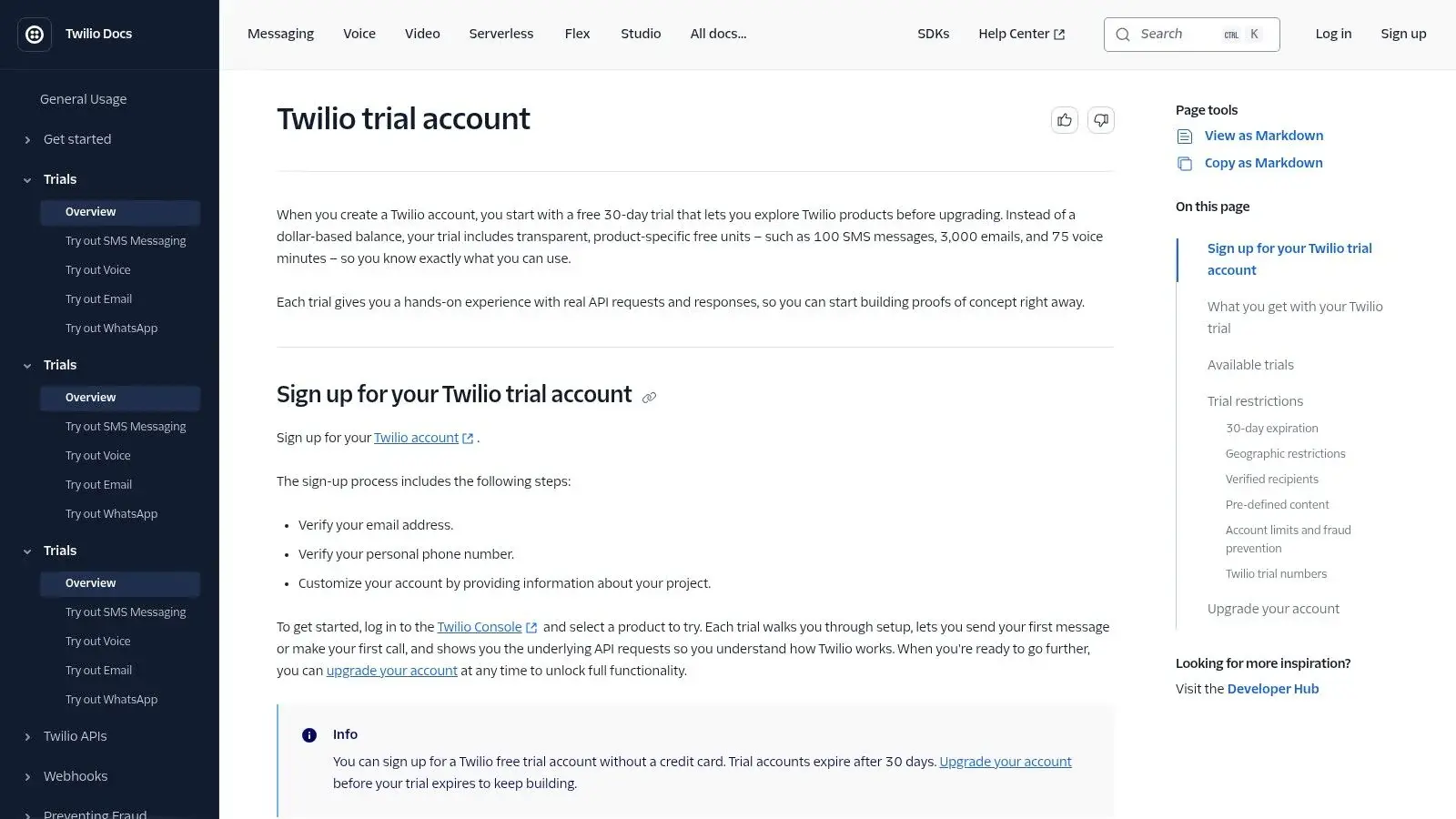
Business services give you either a time-limited trial (most SMB tools) or a small balance to test with (developer platforms). Twilio's trial, for example, sends to up to five verified numbers and only with Twilio's message templates, so you cannot text a real list with it (Twilio docs). The table lists what each option in this guide gives for free and what it costs after, from each vendor's own page.
| Option | Type of free | What you get free | After that | Source |
|---|---|---|---|---|
| iMessage / Google Messages groups | Free app | Group texts from your own number | Covered by your phone plan or data | Apple, Google |
| Free app | Group chats over the internet; everyone needs the app | "Data charges may apply" | ||
| 1. Broadcast | Trial | See section 1 | See section 1 | Broadcast |
| 2. SimpleTexting | Trial | 14 days, a text-enabled number and 50 free messages; no credit card | Plans from $39/month billed yearly; carrier fees about $0.0025 per US message | SimpleTexting, pricing |
| 3. EZ Texting | Trial | 14 days, all features; no credit card | Launch plan from $25/month (500 credits) plus $5/month telecom fee; registration included | EZ Texting pricing |
| 4. SlickText | Trial | "Free" tier = 14 days of every feature; no credit card | Starter $29/month (500 credits); carrier fees passed through | SlickText pricing |
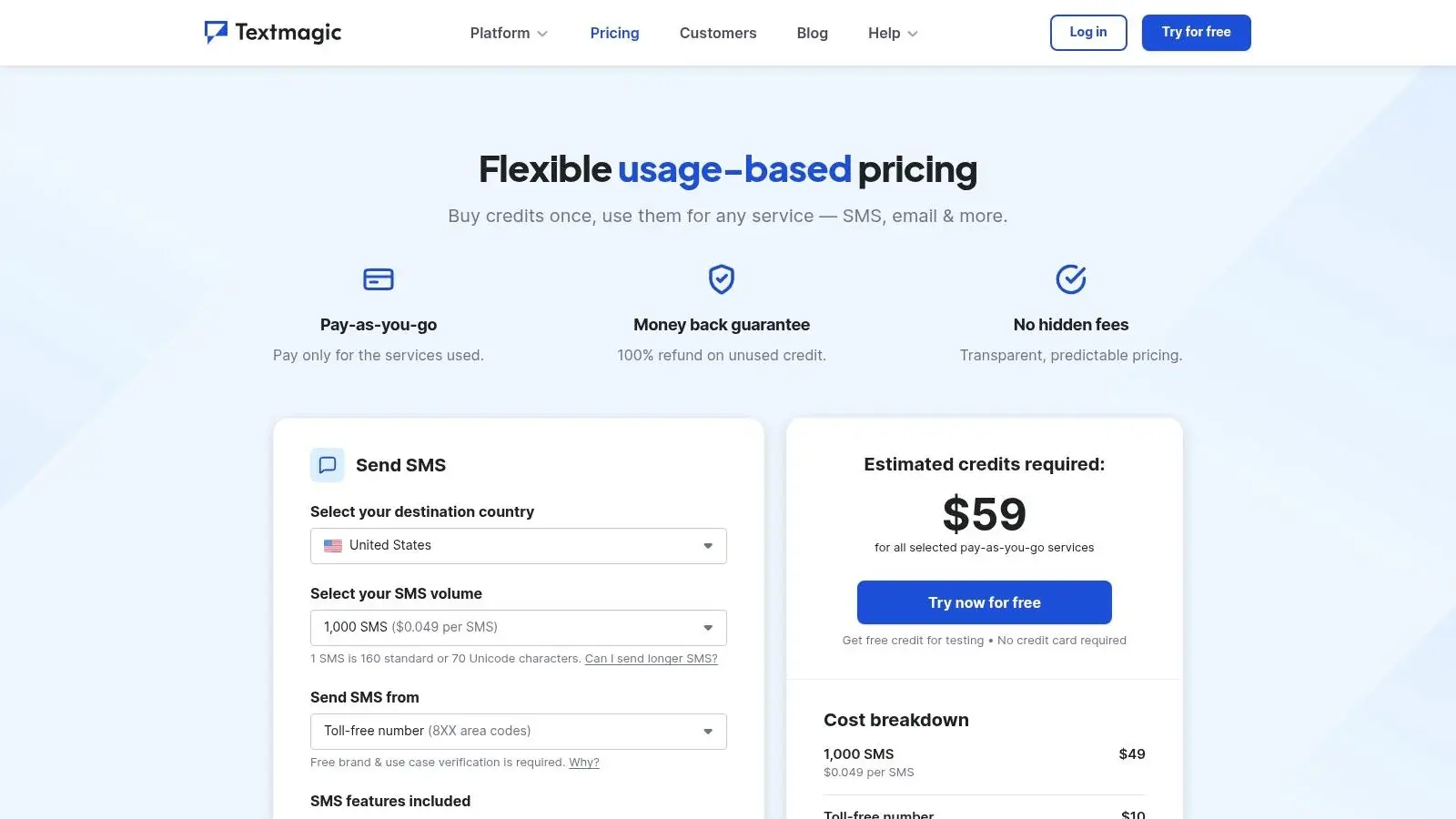
| 5. Textmagic | Test credits | Free test balance | $0.049 per US SMS; number $10/month and 10DLC campaign $10/month (first month free) | Textmagic pricing |
| 6. Twilio | Developer trial | 100 SMS, up to 5 verified recipients, templates only, 30 days | Pay per use after upgrading | Twilio docs |
| 7. ClickSend | Trial | Free trial, no credit card (length not stated) | Pay as you go, no subscription; carrier fees apply | ClickSend, pricing |
| 8. Plivo | Test credits | $10 in free credits; no credit card | Messages "start at $0.0077" | Plivo pricing |
| 9. Heymarket | Trial | 14 days, includes group/mass texting; no credit card | Standard $49/user/month billed annually (2 users minimum); $10/month per 10DLC campaign | Heymarket, pricing |
| 10. Textline | Trial | Free account, no credit card (length not stated) | Essentials by quote (600 credits, 3 agents); $15/month 10DLC campaign fee | Textline, pricing |
Prices and trial terms change often. Treat the table as a starting point and confirm on the vendor's page before you sign up.
Why Business Group Texting at Scale Costs Money
Texting a list from a business number is not the same as texting friends. In the US, anyone sending SMS or MMS from an application over a local 10-digit number (10DLC) must register for A2P 10DLC (Twilio). Brands and campaigns are verified in The Campaign Registry through a messaging provider before they can send, and since February 1, 2025, unregistered traffic "is being blocked in the industry" (Bandwidth).
That registration, and the per-message fees carriers charge, is why "free" ends after the trial. Fees listed on vendor pricing pages (checked October 19, 2026):
- SimpleTexting: "$4 one-time carrier registration" and carrier fees of about $0.0025 per US message (pricing)
- Textmagic: $10 per 10DLC campaign per month, first month free (pricing)
- Heymarket: $10 per month per campaign (pricing)
- Textline: $15 monthly campaign fee for 10DLC numbers (pricing)
- EZ Texting: registration included; $5/month telecom fee on the Launch plan (pricing)
For the registration steps, see our 10DLC compliance guide.
Consent Comes Before the First Text
Under the TCPA, a text to a cell phone counts as a call (Campbell-Ewald Co. v. Gomez, 2016). Marketing texts sent with an autodialer need the recipient's prior express written consent, and a reply such as "stop," "quit," "end," "revoke," "opt out," "cancel," or "unsubscribe" revokes it (47 CFR 64.1200(a)(2) and (a)(10)). CTIA's Messaging Principles and Best Practices also expect consent and a clear opt-out for business messages. A free trial does not change any of this. More in express written consent.
1. Broadcast
If you're serious about outreach, Broadcast stands out because it doesn't trap you in SMS-only thinking. That is a common weakness of many “free” tools. They let you test group texts, but once you need voice broadcasting, ringless voicemail, better sequencing, or tighter compliance controls, you end up rebuilding your workflow from scratch.
Broadcast is built for outbound messaging across SMS, MMS, voice, and ringless voicemail. That matters for businesses that don't all respond the same way. Some contacts answer texts. Some respond better to voicemail reminders. Some need a voice broadcast for urgency. Free SMS comparisons rarely explain when single-channel tools become limiting, especially once campaign complexity rises.
Where Broadcast is strongest
The platform combines list growth tools, segmentation, custom fields, scheduling, drip sequences, and tracking in one place. It also supports compliance-focused workflows like double opt-in, DNC management, number validation, and toll-free setup. For healthcare teams, that HIPAA-ready positioning matters. For agencies and event teams, the bigger win is operational simplicity.
Ringless voicemail is the feature that changes the conversation. Instead of forcing every reminder or follow-up through SMS, you can add voicemail drops into the same broader outreach strategy. That's useful when you want a message to feel more personal, or when a text-only cadence starts fatiguing your list.
Practical rule: If your campaign needs reminders, follow-ups, missed-call recovery, and segmented outreach, SMS-only free tiers stop being “free” once your team starts patching together extra tools.
A few details worth knowing:
- Multi-channel execution: You can run SMS, voice broadcasting, and ringless voicemail from one system instead of splitting them across vendors.
- Workflow depth: Drips, scheduling, merge fields, and segmentation give you room to move beyond one-off blasts.
- Integration fit: Broadcast connects with ActiveCampaign, HubSpot, Keap, and more apps through Zapier, so it can sit inside an existing stack.
- Scaling path: You can start with the free trial, then expand into heavier use without migrating contacts or rebuilding automations.
Trade-offs
Broadcast isn't the cheapest-looking option at first glance because public pricing details are limited. If you're a buyer who wants to compare costs line by line before talking to anyone, that's friction. Also, ringless voicemail and voice campaigns bring legal and regional compliance questions, so you need to verify fit before scaling sends.
Still, this is the most practical pick for teams that know “group text messaging service free” is only step one. If you want to test and then grow into a real outbound system, Broadcast gives you a cleaner path than trial-only SMS tools.
2. SimpleTexting
Need a free group text messaging option that a non-technical team can start using today? SimpleTexting is one of the cleaner trial-based choices for that job.
It belongs in the "trial for operators" category, not the "free long-term" category. That distinction matters. If your goal is to test opt-ins, send a few broadcasts, and confirm that staff can handle replies without training on APIs or routing logic, SimpleTexting does that well. If your goal is ongoing low-cost outreach, the free angle fades fast once the trial ends.
Best fit
SimpleTexting makes sense for teams that want a quick proof of concept and care more about usability than customization:
- Fast setup: Mass texts, MMS, shared inbox workflows, and replies are easy to get running.
- List growth tools: Keywords, signup forms, and click-to-text options give small businesses a practical way to collect consent.
- Basic campaign control: Templates, scheduling, and simple automations cover reminders, promos, and follow-ups.
The primary trade-off is scope. This is an SMS-focused platform. That is fine for many local businesses, service teams, and event-driven campaigns. It becomes limiting if you later need voice drops, ringless voicemail, or a broader outbound system without stitching together more tools.
Compliance is also where buyers need to stay realistic. Free trials are useful for testing the interface, but they do not remove the work around consent, sender registration, and deliverability. A team can like the dashboard and still hit friction once it starts sending at business volume.
SimpleTexting is a solid fit for businesses that want clarity fast and are still validating whether texting belongs in the mix. Teams that already know they want multi-channel outreach should treat it as a short-term test platform, not the final setup.
For current plans and trial details, review SimpleTexting.
3. EZ Texting
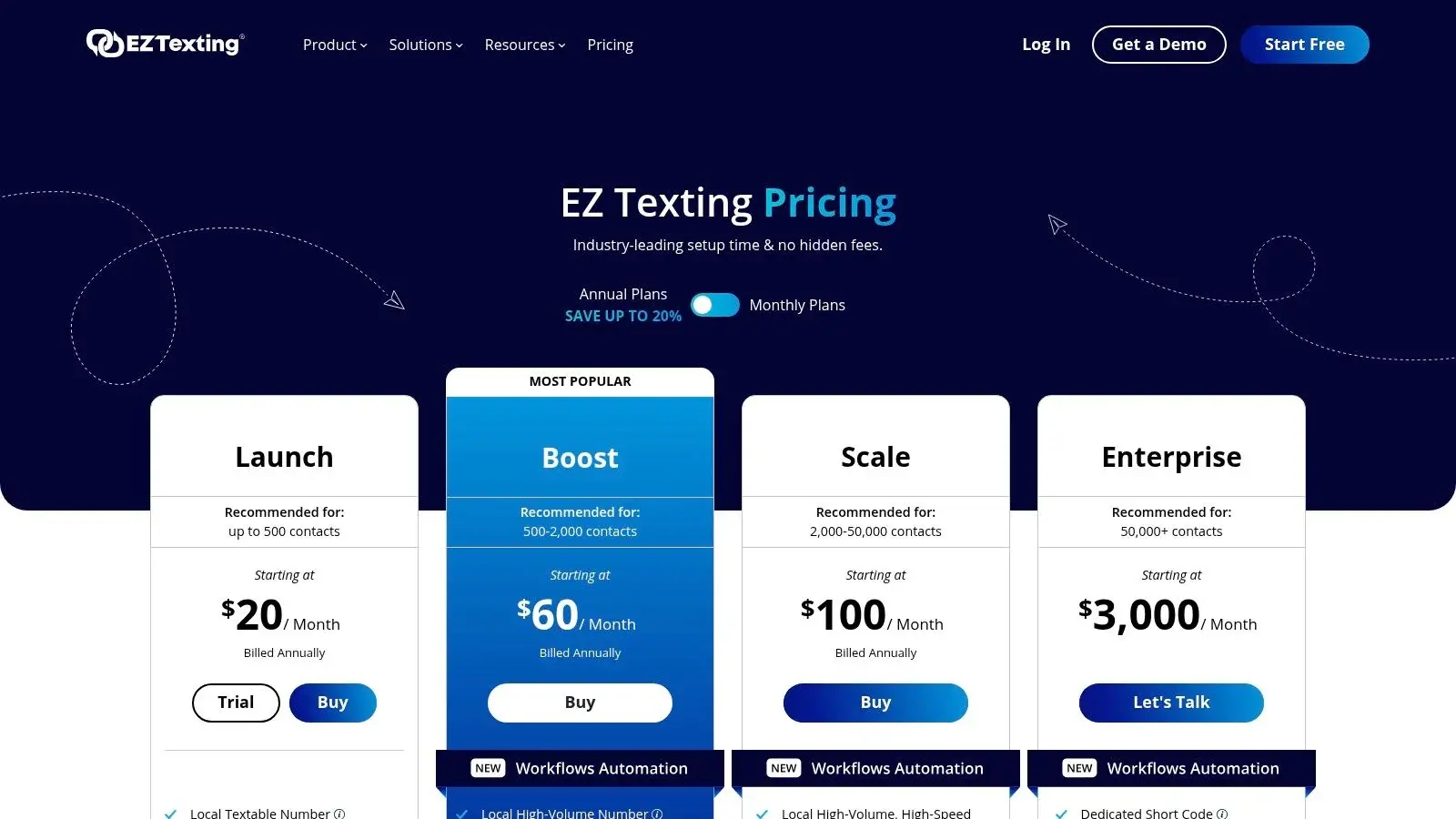
Need a group texting tool your staff can start using without calling a developer? EZ Texting is one of the clearer options in that category. It is built for small business operators, franchise teams, nonprofits, and local service brands that want guided setup, familiar campaign tools, and less technical friction on day one.
Its free angle sits in the trial camp, not the true free-forever camp. That distinction matters. If you are comparing platforms, EZ Texting is better viewed as a fast way to test workflows and team adoption than as a long-term free messaging service.
Where EZ Texting fits
EZ Texting does a good job with the parts that usually slow down non-technical teams:
- Quick campaign setup: Group texts, templates, contact imports, signup forms, and basic list management are easy to configure.
- Onboarding support: Teams that are still sorting out sender types and registration steps usually get a more guided experience here than they would on a developer platform.
- Low training burden: Front desk staff, marketers, and owners can generally use it without much ramp-up time.
The trade-off shows up after the trial. If your sending volume grows, or if you need deeper automation and reporting, costs can climb faster than expected. That is common with beginner-friendly tools. Ease of use often comes with less pricing flexibility for heavier programs.
There is also a strategic limit to keep in mind. EZ Texting is strongest as an SMS and MMS platform. Businesses that expect to add voice broadcasting, ringless voicemail, or a broader multi-channel outbound system will likely outgrow it and need a more connected setup later.
For businesses still validating text messaging, that can be fine. For businesses already planning serious outreach at scale, treat EZ Texting as a practical test platform, then map the upgrade path before your list, compliance workload, and channel mix get more complex. You can review current trial and pricing details at EZ Texting.
4. SlickText
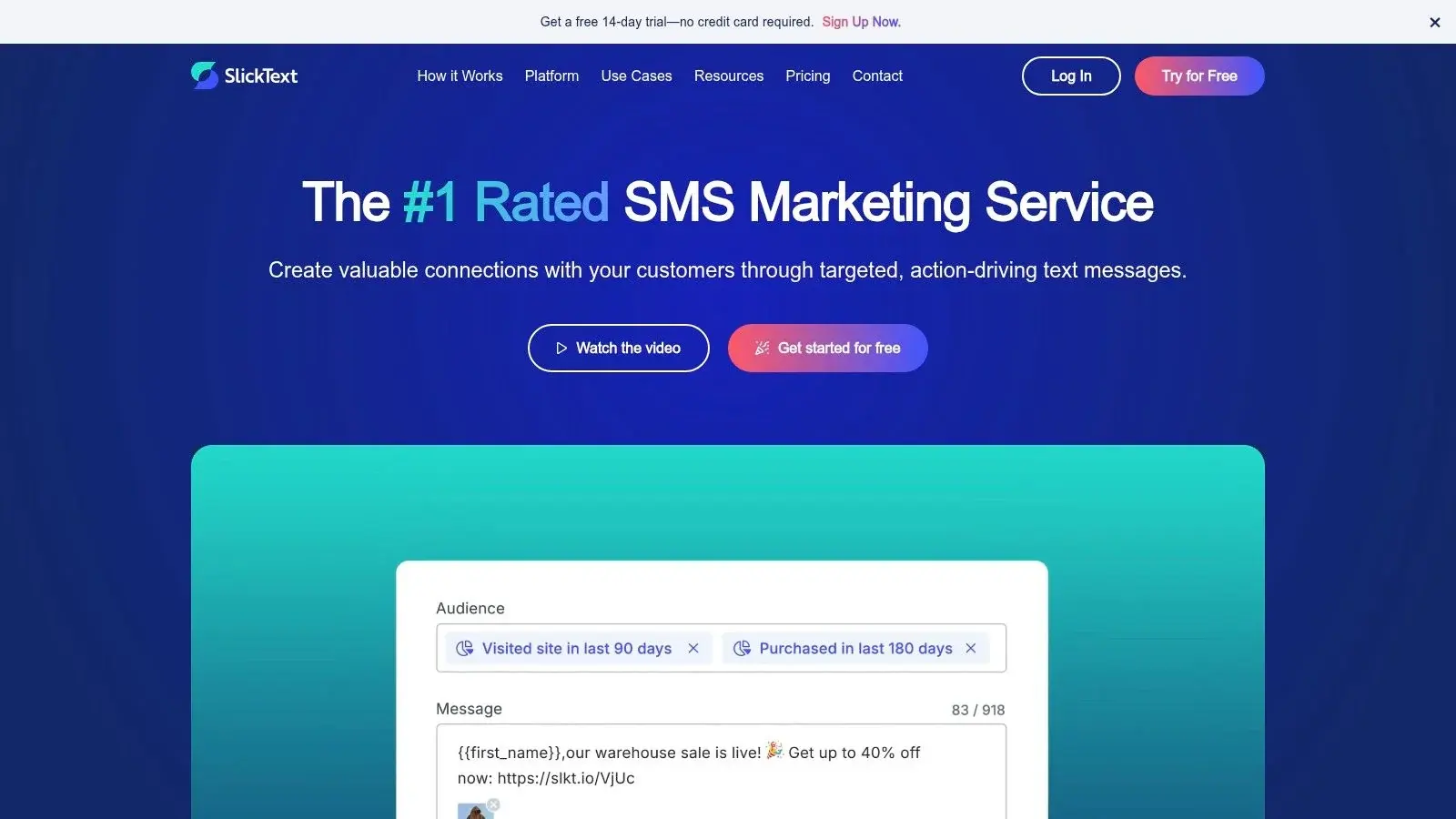
SlickText is a practical choice when compliance and list-building sit near the top of your checklist. It's one of the better picks for businesses that need web opt-ins, keyword workflows, segmentation, and simple promotional execution without sending their staff through a technical setup project.
Its trial is useful because it exposes most of the workflow, not just a bare demo. That makes it easier to judge how your team would use it day to day.
Where it earns its spot
SlickText tends to fit teams that want structure. You can build segments, create campaigns quickly, use templates, and track links without a lot of friction. For promotions, event notices, and recurring customer alerts, that's enough for many small businesses.
The limitation is familiar. It's still mostly an SMS and MMS play. If your outreach strategy later needs voice calls or ringless voicemail, SlickText won't solve that broader orchestration problem by itself.
A free trial is available, and the platform leans into onboarding support. That's helpful for businesses that want guidance while setting up opt-in language, basic automations, and segmentation. You can check the current offer at SlickText.
5. TextMagic
TextMagic makes sense for teams that hate subscriptions more than they need deep marketing features. Its pay-as-you-go structure is the appeal. You can start small, test real sending, and avoid committing to a larger monthly plan before you know your usage pattern.
That's especially useful for seasonal senders, occasional campaigns, or organizations that send alerts rather than constant promos.
Best for variable volume
The main reason to choose TextMagic is pricing flexibility. Textmagic lists $0.049 per SMS to the US (160 characters), plus $10 per month for a number and $10 per month per 10DLC campaign, each with the first month free (Textmagic pricing, checked October 19, 2026). If your volume fluctuates, that simplicity can beat a monthly credit package that you either outgrow or underuse.
A few strengths stand out:
- Usage-based billing: Good for irregular senders.
- Team inbox and two-way messaging: Practical for support and operational texting.
- Compliance helpers: Opt-in forms and SMS terms are useful if you're getting your process in order.
If you send in bursts instead of every week, pay-as-you-go often beats an attractive-looking monthly plan that leaves unused credits sitting around.
The trade-off is feature depth. TextMagic is effective, but it feels more utilitarian than a platform built around full campaign orchestration. For plain business texting, that's fine. For multi-step marketing journeys, it starts to feel narrower. You can review the service at TextMagic.
6. Twilio
Need a free group text messaging service, or do you need messaging infrastructure? Twilio sits in the second category.
That difference matters. Twilio is not a plug-and-play SMS marketing tool for a front-desk team or a local business owner who wants to send a campaign in ten minutes. It is a developer platform with a trial tier, APIs, and room to build custom messaging flows across SMS and other channels.
When Twilio makes sense
Twilio fits teams that want control more than convenience:
- Developer-first setup: APIs, webhooks, and programmable messaging for custom use cases
- Custom workflows: Useful for product notifications, operational alerts, appointment flows, and internal systems
- Room to expand: Twilio can support more than basic SMS if you plan to build a broader communications stack over time
The trade-off is setup overhead, and the trial is narrow: 100 SMS, sent only to up to five verified phone numbers in your sign-up country, using Twilio-provided templates (no custom message text), and the trial expires 30 days after sign-up (Twilio docs, updated September 23, 2026).
Free access here usually means a trial environment for testing, not a finished group texting app for non-technical staff. You still need to configure sender details, handle opt-in and opt-out rules, and prepare for carrier compliance requirements before real production use. In the US, that work can be the difference between messages that go through and messages that stall in review or get filtered.
Free options generally split into two categories. Some tools give you a simple trial so you can send a few campaigns. Twilio gives you building blocks. If your team has engineering support, that can be a smart long-term choice. If not, the hidden cost shows up in implementation time, compliance work, and the lack of a polished marketing interface.
For businesses that are serious about growth, Twilio often works best as a backend layer, not the whole solution. If you need fast execution, easier list management, and a clearer path into SMS, voice, and ringless voicemail campaigns, a platform built for business users will usually get you there faster. You can review Twilio's trial terms and product docs at Twilio.
7. ClickSend
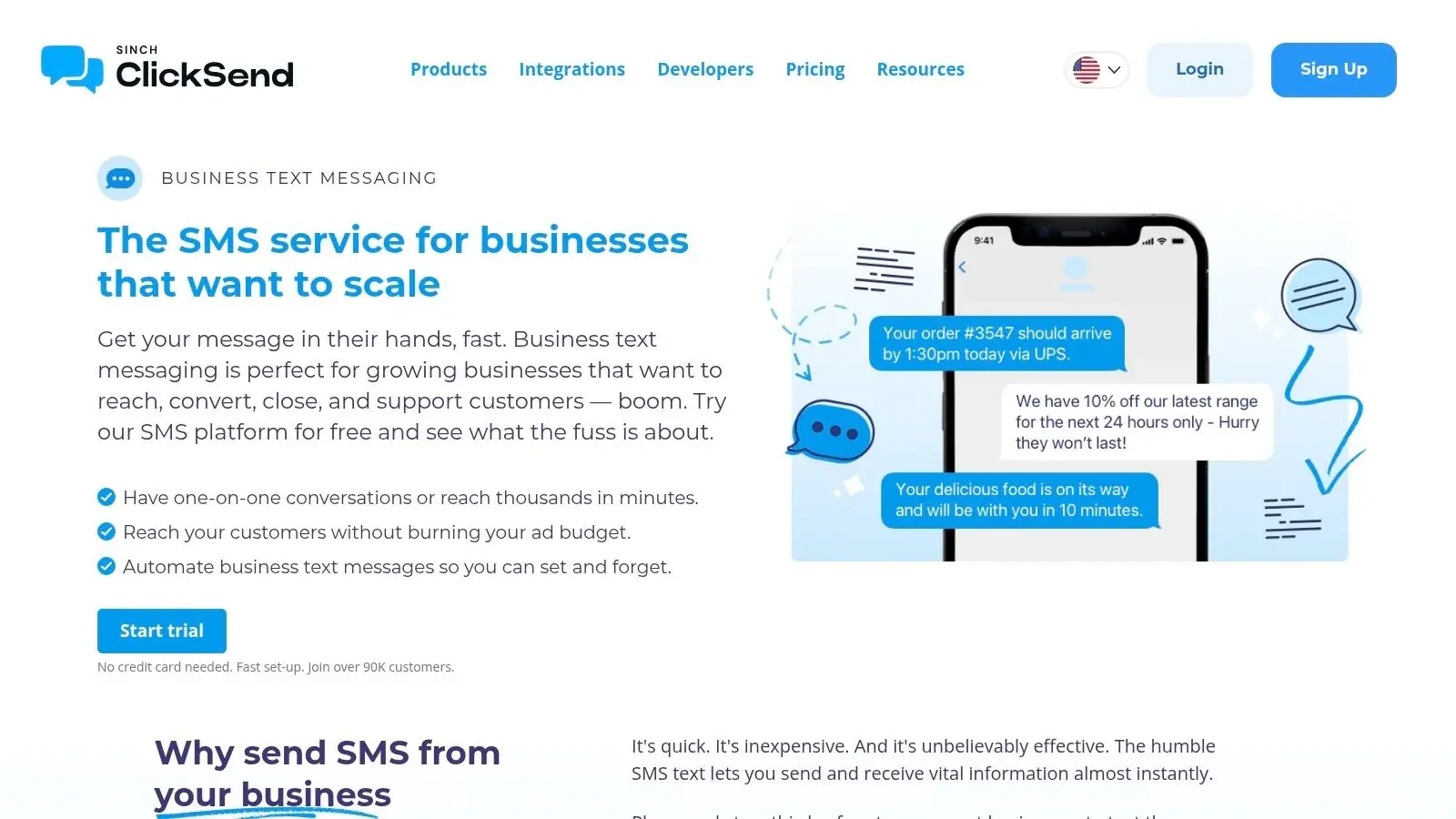
ClickSend is a useful middle ground. It gives you a web app for broadcasts, APIs if you need them, and messaging beyond SMS in the broader product family. If you want to test business texting without locking yourself into a long contract, it's a practical option.
Its biggest strength is that it serves both simple and technical teams reasonably well. You can use the dashboard, or wire it into workflows later.
Why teams pick it
ClickSend is often a good proof-of-concept platform for businesses that want basic bulk texting with room to expand. Contact uploads, scheduling, automations, MMS support, and two-way messaging cover most short-term needs.
The biggest caution is analytics depth. It's fine for sending and tracking basics, but if you want more advanced campaign analysis and richer marketing-layer features, the platform won't feel as specialized as some dedicated SMS suites.
For organizations that want to test first, the free trial helps. After that, you'll still need to account for compliance setup before serious US sending. You can explore it at ClickSend.
8. Plivo
Plivo is another API-first option, and in practice it competes less with polished SMB texting dashboards and more with infrastructure platforms. If your team has a developer or technical admin and wants to manage sending logic more directly, Plivo is worth a look.
It's a strong candidate for alerts, transactional messages, and custom messaging flows where control matters more than built-in campaign convenience.
Where Plivo fits
Plivo tends to work best for:
- Technical teams: SDKs, webhooks, and programmable messaging are the core value.
- Cost-sensitive builds: Usage-based pricing; Plivo says messages "start at $0.0077".
- High-volume operational use cases: Alerts, notifications, and transactional sends are natural fits.
What you give up is the easy SMB packaging found in tools with built-in templates, popups, and campaign UX. That doesn't mean Plivo is weaker. It means your team needs to know what it's doing.
The free trial lowers the risk, but this is still a build-oriented product. If your staff wants to send a campaign today without involving technical help, pick something else. If your team wants infrastructure with room to shape workflows over time, look at Plivo.
9. Heymarket
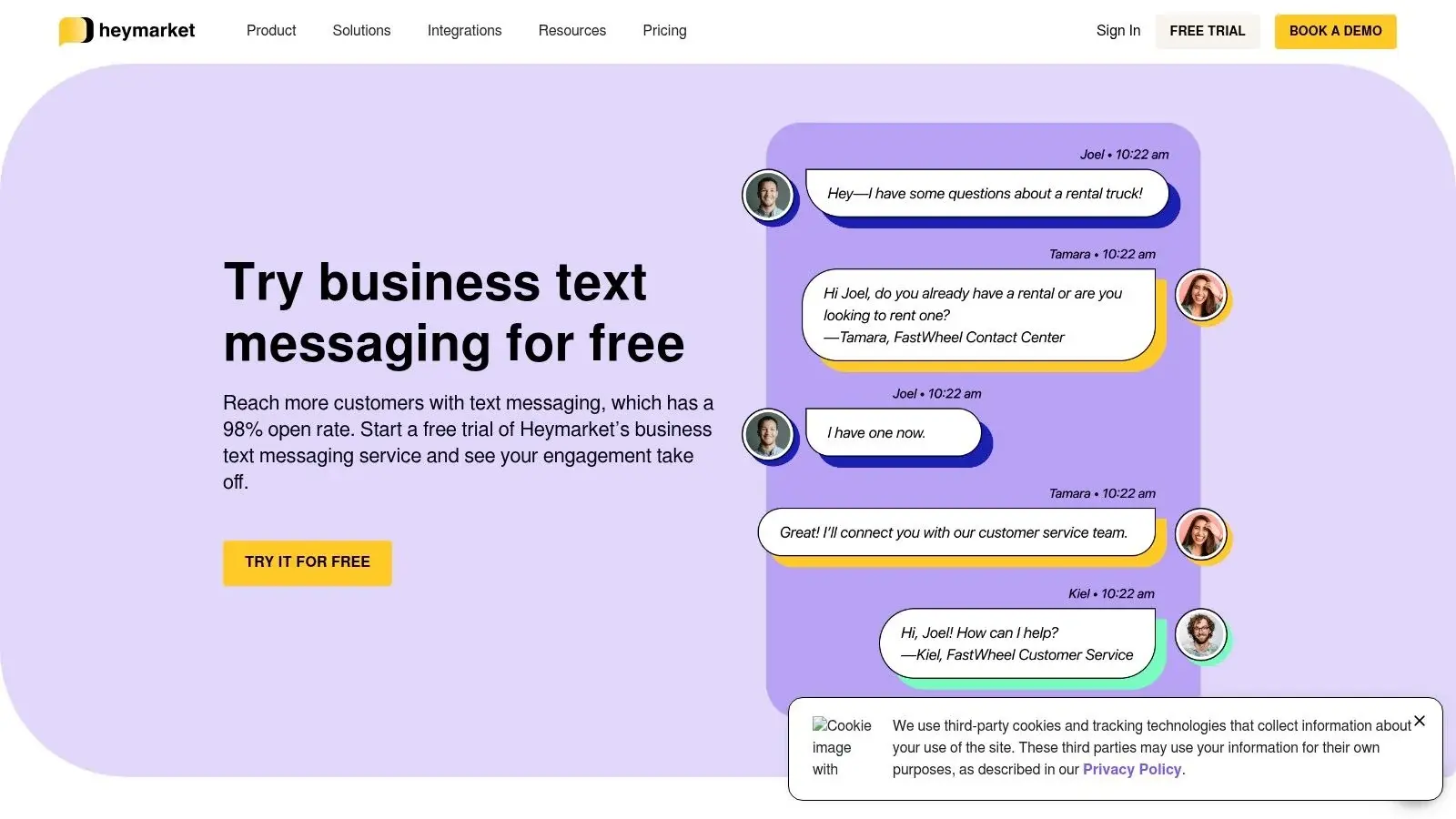
Heymarket makes more sense when texting is part of team communication, not just campaign broadcasting. The shared inbox, assignments, comments, and collaboration features are the point. If multiple people need to manage replies, it's easier to run than a platform built mainly for one-way sends.
That makes it attractive for support, sales, front-desk operations, and service teams that need context inside conversations.
Collaboration first
Heymarket stands out because it combines mass texting with an omnichannel inbox. SMS is there, but so are other messaging surfaces. That's useful when your team wants one place to coordinate replies instead of bouncing between disconnected inboxes.
It still has the usual free-trial logic. You can provision a number, test group messaging, and see whether the inbox model matches your workflow. The compromise is lighter marketing automation compared with more campaign-focused tools.
For teams that answer messages together, collaboration features matter more than a few extra broadcast options.
Heymarket's free trial runs 14 days, needs no credit card and includes group and mass texting and the shared inbox (Heymarket). After that, the Standard plan is $49 per user per month billed annually with a two-user minimum, plus $0.03 per message credit and $10 per month per 10DLC campaign (Heymarket pricing).
10. Textline
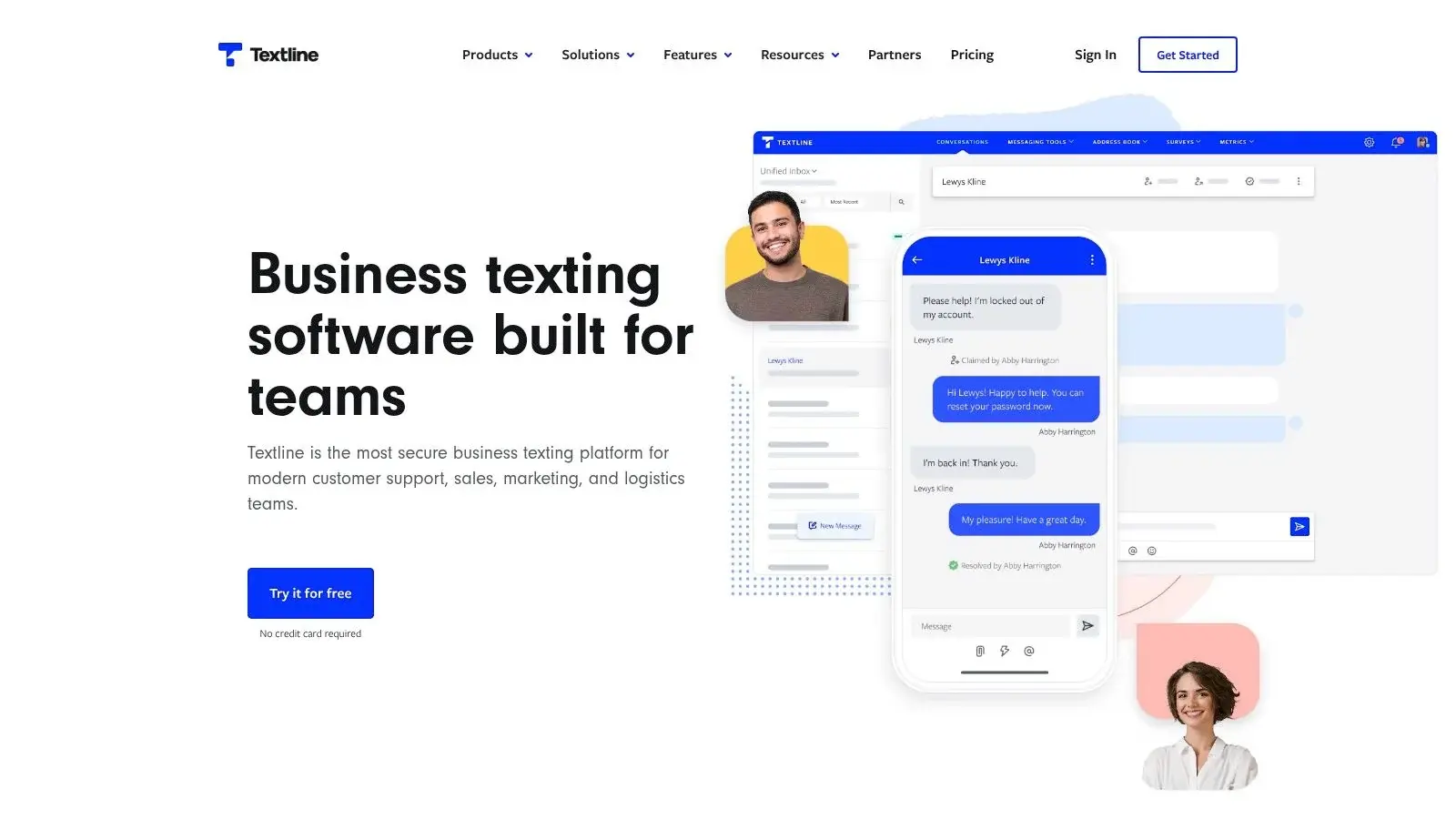
Textline is best thought of as business texting software for conversation-heavy teams. If your work revolves around support, sales follow-up, appointment coordination, or service conversations, Textline's shared inbox model feels natural.
It's less of a pure marketing tool and more of a texting workspace. That distinction matters.
Strong for support and sales workflows
Textline's strengths are clean collaboration, roles and permissions, scheduled messages, and enough list functionality to support group sends when needed. If your team needs to manage replies well, it does the job.
What it doesn't try to be is a full outbound growth engine with voice, ringless voicemail, and deep campaign orchestration. So if your roadmap includes layered follow-up sequences across multiple channels, you'll likely outgrow it.
That said, free trials are useful here because the primary test is workflow fit. Can your team handle inbound and outbound communication faster in this inbox? If yes, Textline may be enough. If no, you'll know quickly. Review the platform at Textline.
10 Group Text Messaging Services Compared: Free Trials and Pricing
| Platform | Core features | Target audience & use cases | Key strengths (USPs) | Pricing & trial |
|---|---|---|---|---|
| Broadcast (Recommended) | SMS/MMS, voice broadcasting, ringless voicemail, drips, segmentation, integrations | SMBs & mid-market needing multi-channel outreach, healthcare (HIPAA) | Unified SMS+voice+ringless, HIPAA-ready, deliverability tools, 4,000+ app integrations | Try free; per-drop ringless billing; contact sales for volume pricing |
| SimpleTexting | Mass SMS/MMS, keywords, 2‑way inbox, scheduling | Small businesses, marketers testing group messaging | Fast to test (number + starter credits), strong list growth tools, easy UI | 14‑day free trial with number + 50 messages; carrier fees apply |
| EZ Texting | Group texting, sign‑up forms, templates, 10DLC support | SMBs & agencies needing quick onboarding and compliance help | Quick setup, helpful onboarding, clear number guidance | 14-day free trial, no credit card; Launch plan from $25/month plus $5 telecom fee |
| SlickText | Mass texting, keywords, segmentation, automations | SMBs running promotions, alerts, local marketing | Full‑feature trial (no card), strong support and onboarding | "Free" tier is a 14-day trial, no card; from $29/month; carrier pass-through fees |
| TextMagic | Bulk SMS/MMS, 2‑way messaging, team inbox, BYOC | Small teams that prefer pay‑as‑you‑go and simple scaling | Transparent per-message pricing ($0.049 per US SMS), free test balance | Free test balance; pay as you go; number and 10DLC campaign $10/month each (first month free) |
| Twilio | Programmable SMS/MMS, phone types, Flows/Studio, APIs | Developers and platforms needing API control and scale | Highly flexible, extensive docs/ecosystem, scalable | Trial: 100 SMS to up to 5 verified numbers, templates only, 30 days |
| ClickSend | Web app + APIs for bulk SMS/MMS, scheduling, 2‑way | Teams wanting quick proofs of concept or easy web broadcasts | Easy web UI + API option, pay as you go with no subscription | Free trial, no credit card (length not stated); pay as you go; A2P registration needed |
| Plivo | Programmable SMS/MMS, direct carrier routes, webhooks | Developers and high‑volume senders focused on cost | API-first, usage-based pricing, good docs | $10 in free credits, no card; messages "start at $0.0077" |
| Heymarket | Shared inbox, omnichannel (SMS + apps), templates | Support/sales teams needing team collaboration & messaging | Strong teamwork features, omnichannel in one UI, easy number setup | 14-day trial, no card; from $49/user/month (annual, 2 users min); $10/month per 10DLC campaign |
| Textline | Shared inbox, 2‑way messaging, integrations, campaigns | Support and sales teams handling conversational workflows | Clean UI for support/sales, solid collaboration tools | Free account, no card; Essentials by quote; $15/month 10DLC campaign fee |
Sources for every trial and price: see the verified table with links to each vendor's page. Broadcast's row is the original description.
Start smart, scale with a strategy
Want to test a group text messaging service free option without backing your team into the wrong system six weeks later?
Start by sorting free options into the right bucket. Some are short trials built for SMB operators. Some are developer credits meant to validate API workflows. Some are collaboration tools that let a support or sales team test shared inboxes before paying for more seats. Those paths solve different problems, so the best choice depends on what you need to prove first.
For a local business, the first goal is usually simple. Can text drive confirmations, reminders, offers, or replies faster than email or phone calls alone? For a product team, the question is different. Can the API support the workflows, routing, and reporting you need? For a customer-facing team, the definitive test is whether agents can manage conversations without creating inbox chaos.
Free plans also hide the problems that show up after the pilot.
The common failure points are predictable: carrier registration, consent records, throughput limits, weak segmentation, and deliverability issues that do not matter on day one but matter a lot once message volume rises. A free trial can make sending easy. It does not guarantee that your setup will hold up once compliance requirements tighten or multiple teammates need access.
That is why the upgrade path matters as much as the free offer. SimpleTexting, EZ Texting, and SlickText make sense for businesses that want a fast, low-friction way to launch campaigns. Twilio and Plivo fit teams that need API control and can handle more technical setup. Heymarket and Textline are better choices when the job is managing ongoing two-way conversations across a team.
Businesses that expect to grow beyond basic SMS should plan for that early. SMS works well for many campaigns, but it is not the right tool for every contact or every moment. Voice broadcasting can work better for urgent alerts. Ringless voicemail can help with follow-ups that need a more personal tone. Running those channels in separate tools creates extra list management, duplicate reporting, and more room for mistakes.
Broadcast stands out for teams that want that expansion path without replacing their system later. You can start with texting, confirm that the channel works, then add voice broadcasting and ringless voicemail inside the same platform. That matters for healthcare practices, agencies, event teams, ecommerce brands, and local service businesses that need one place to run outreach instead of patching together separate apps.
Use the free tier or trial to answer a narrow question. Does the audience respond? Can the team handle replies? Does the platform support compliant growth? Once you know that, pay for the system that fits your next stage, not just the cheapest starting point.
If you want to test texting without getting stuck in an SMS-only setup, Broadcast is the strongest option here. You can start with a free trial, validate your outreach, and then expand into voice broadcasting, ringless voicemail, segmentation, drip campaigns, and compliance-focused workflows in one system.
If you are choosing for a specific situation, see our guides to the mass texting service for nonprofits, group texting on iPhone and group messaging in Broadcast.
Frequently Asked Questions
Is There a Free App That Can Send Bulk SMS Messages?
For people you know, yes: the messaging app on your phone. Google Messages can send a "mass text" that delivers an SMS to everyone and brings replies back individually (Google), and iPhone group SMS also returns replies one by one (Apple). For a business list there is no free-forever option in this guide; you get a trial or test credits, then a paid plan.
What Is the Best Free App for Group Chats?
It depends on who is in the group. If everyone has an iPhone, iMessage groups work with no extra cost. Mixed iPhone and Android groups can use RCS (iOS 18 or later and Google Messages) or WhatsApp, where everyone needs the app. For a business talking to customers, a free chat app is the wrong tool: you need consent records and opt-out handling.
How Do I Send a Mass Group Text?
From your phone: open Messages, start a new message, add every recipient and send. On Android, choose "mass text" in Google Messages settings if you want private, individual replies (Google). For a business list: import contacts who opted in, register your number (10DLC), write the message with opt-out instructions and send from a texting platform. See group messaging.
How Do I Send 100 Text Messages at Once for Free?
From your own phone, a group or mass text to 100 people costs nothing beyond your plan. Through a business service, free trials rarely cover it: SimpleTexting's trial includes 50 messages (SimpleTexting) and Twilio's trial sends only to five verified numbers (Twilio). At Textmagic's listed $0.049 per US SMS, 100 texts cost $4.90 before number and campaign fees (Textmagic).
Is There a Free Mass Texting Service for Nonprofits?
Nonprofits get the same trials as everyone else, and texting supporters from a 10DLC number still needs registration. Some providers offer nonprofit pricing; check their pages. Read our guide to choosing a mass texting service for nonprofits.
Do I Need to Register to Send Group Texts?
Not for personal group texts from your phone. Yes for business texts sent from an application over a local 10-digit number in the US: they must be registered for A2P 10DLC (Twilio), and unregistered traffic is blocked (Bandwidth).


