
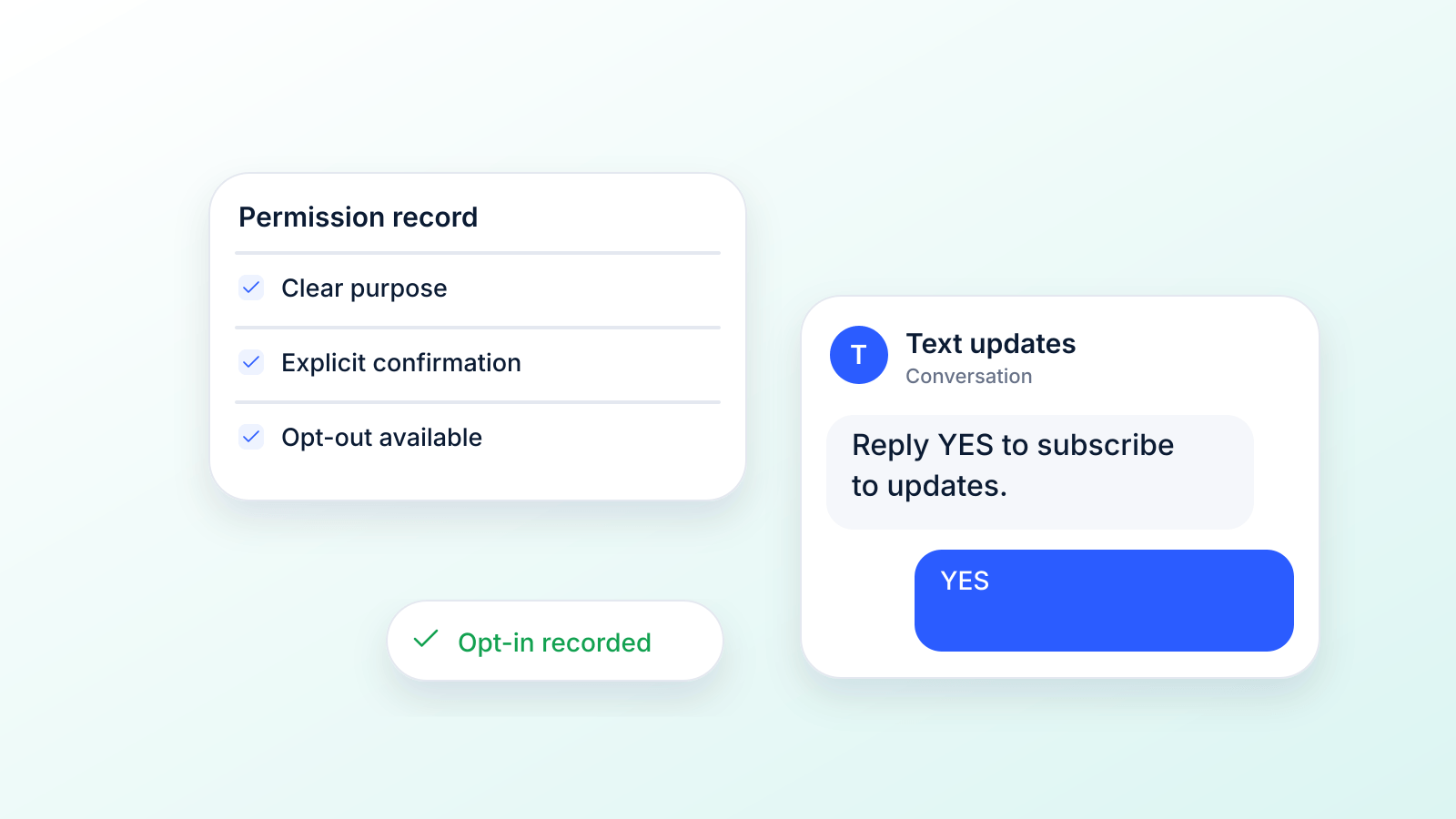
An opt-in text is simply a message where a customer gives you their explicit permission to send them marketing messages via SMS. Think of it as the digital version of a friendly handshake: it establishes consent before you even start the conversation. This permission isn't just a nice-to-have; it's a legal and practical must for any successful text message marketing.
What Is an Opt-In Text and Why Does It Matter?
Picture your customer's phone as their personal space, almost like their home. Sending a text out of the blue is like knocking on their door unannounced to make a sales pitch. It feels intrusive, it's usually unwelcome, and it's quickly ignored.
An opt-in text, on the other hand, is like being invited in. The customer has willingly opened the door, showing you they're actually interested in what you have to say. This permission-first approach is the bedrock of respectful, and seriously effective, communication.
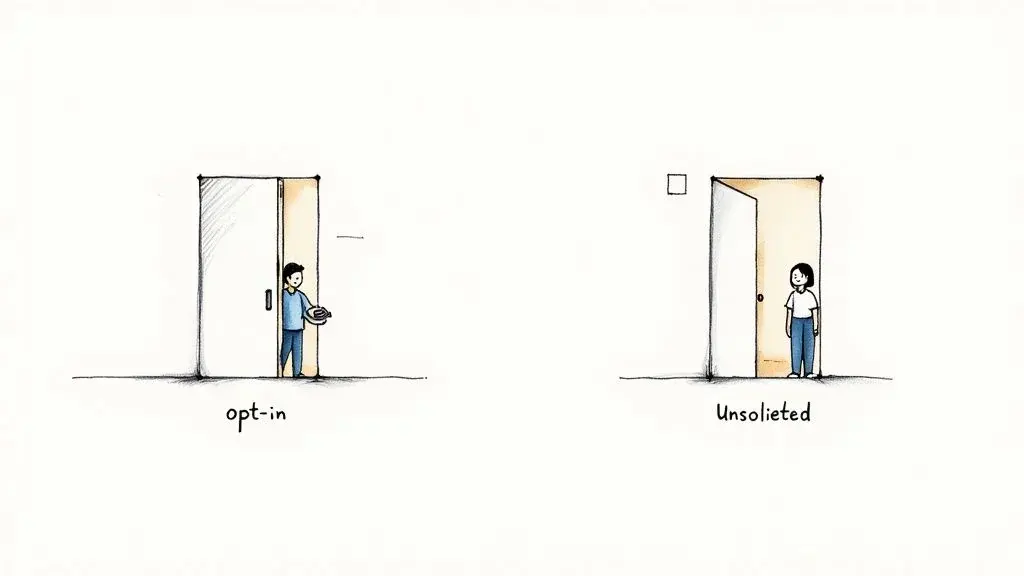
This move from interruption to invitation is exactly why SMS text messaging has such ridiculously high engagement rates. When people agree to hear from you, they're way more likely to open, read, and act on your messages. It’s a strategy built on trust, not annoyance.
The Power of Permission
Getting that opt-in does more than just keep you on the right side of the law; it completely changes the quality of your marketing for the better. When you focus only on people who've raised their hands and said "yes," you guarantee your messages are hitting a receptive audience.
This leads to some huge benefits:
- Higher Engagement: Subscribers who opt in are genuinely interested in your brand, which translates to more replies and more clicks.
- Increased Trust: Simply asking for permission shows you respect your customers' privacy. That goes a long way in building a positive brand reputation.
- Better ROI: You stop wasting money and effort on people who don't care. Every single message you send has a much higher chance of converting.
The big idea behind opt-in text is simple: marketing should feel like a welcome conversation, not an unwanted interruption. Earning the privilege to talk to customers on their most personal device is a game-changer when you treat it with respect.
Text messaging reaches almost everyone: 98% of U.S. adults own a cellphone and 91% own a smartphone, according to the Pew Research Center (2026 fact sheet). That reach is exactly why consent matters so much. If you also run other messaging channels, such as WhatsApp or email, keep a separate consent record for each one, because a yes to one channel is not a yes to another.
Proven Ways to Grow Your SMS Subscriber List
Once you’ve got the rules down, it's time for the fun part: growing a list of subscribers who are genuinely excited to hear from you. Building your audience isn't about casting the widest net possible. It’s about creating clear, compelling invitations for the right people to join your conversation.
Effective list growth comes down to making the opt-in text process simple, valuable, and easy to find at every customer touchpoint. Your goal is to weave SMS sign-up opportunities into the places where your audience already hangs out, from your website to your physical storefront. The key is to always offer a clear incentive: what’s in it for them?
This visual guide breaks down the absolute core principle of compliant messaging: before you send a single text, you must have consent. Period.
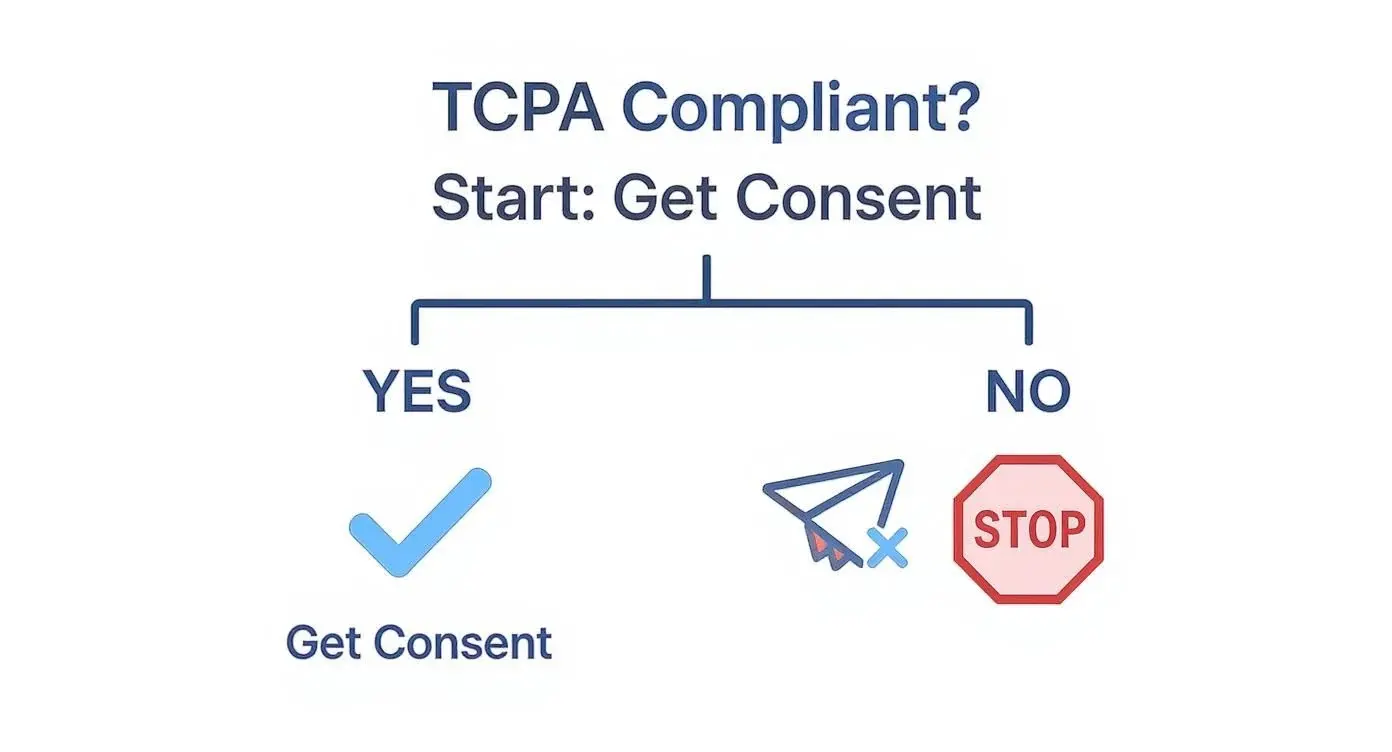
This simple decision tree highlights a non-negotiable rule. If you haven't secured consent, all messaging activities must stop to stay compliant.
Key Strategies for SMS List Growth
To get customers to opt in, you need to offer real value right out of the gate. A powerful incentive can turn a moment of hesitation into a decisive "yes." Think about what would make your ideal customer instantly reach for their phone.
Here are a few proven methods that just plain work:
- Keyword Opt-Ins: A classic for a reason. Promote a simple keyword (like "JOIN" or "DEALS") that customers can text to your number. Plaster it everywhere: on social media, in email newsletters, on podcasts, or even on your product packaging.
- Website Pop-Ups and Forms: Grab the attention of engaged website visitors with a pop-up offering an exclusive discount. Something like, "Get 15% off your first order! Enter your number to get the code," is hard to resist.
- QR Codes in Physical Locations: For brick-and-mortar businesses, QR codes are a game-changer. Stick them on menus, flyers, or at the checkout counter. A quick scan can take customers straight to a sign-up page or even pre-populate a text message with your keyword.
- Point-of-Sale (POS) Invitations: This is where the human touch works wonders. Train your staff to ask customers at checkout if they’d like to join your VIP text club for exclusive deals. It’s incredibly effective.
For even more creative ideas, check out our guide on 5 ways to grow your SMS marketing list starting today.
Whichever entry point you use, print the full call to action next to it: your brand, what people will get, how often, "Msg & data rates may apply", how to opt out, and a link to your terms and privacy policy (CTIA 5.1.1). Keyword sign-ups are covered in this guide to keyword text messaging, and text-to-join shows how the keyword flow works.
Single Opt-In vs. Double Opt-In
When someone subscribes, you have two main ways to confirm their consent: single opt-in and double opt-in. With double opt-in, the person signs up and then replies YES to a text to confirm. It is not required: CTIA's Short Code Monitoring Handbook says recurring programs "must send one message confirming opt-in consent" and that "double opt-in is optional." Still, double opt-in is a strong choice for web forms, where a typo can put someone else's number on your list, because it builds a list of people who confirmed from their own phone.
Let’s break down the two approaches.
Single Opt-In vs Double Opt-In Comparison
This table lays out the core differences between single and double opt-in. Choosing the right method is crucial for balancing list growth speed with list quality and legal compliance.
| Feature | Single Opt-In | Double Opt-In |
|---|---|---|
| Process | User provides their number and is instantly subscribed. | User provides their number, then receives a text asking them to reply to confirm. |
| Subscriber Quality | Lower. Prone to typos, fake numbers, and less engaged contacts. | Higher. Verifies the number is real and the person is truly interested. |
| List Growth Speed | Fast. The path of least resistance for new sign-ups. | Slower. Some users won't complete the final confirmation step. |
| Engagement Rate | Can include people who signed up by mistake or with a typo. | Often higher, since every subscriber confirmed from their own phone (no standard industry figure). |
| Compliance Risk | Fine for compliance when the sign-up has the right disclosures and you keep the record. | Adds a second, timestamped record: the YES reply from the phone itself. |
| Required? | One opt-in confirmation text is expected for recurring programs. | No. CTIA calls double opt-in optional. |
While the extra step in double opt-in might seem like a barrier, it's your best defense against compliance headaches and list fatigue. It confirms that the person who owns the phone actually wants to be there. This quality-over-quantity approach pays off big time in the long run.
Crafting Text Messages That People Want to Read
Getting the opt in text is the first big hurdle, but it’s really just the starting line. Now the real work begins: proving to your new subscribers that giving you their number was a smart move. The messages you send next will decide if you build a loyal community or just a list of people scrambling to text "STOP."
The goal here is to move past that initial permission slip and earn genuine, lasting engagement. That means every single text needs to be built around your subscriber's interests, delivering real value without wasting their time. It’s all about turning that first "yes" into a profitable, long-term relationship.
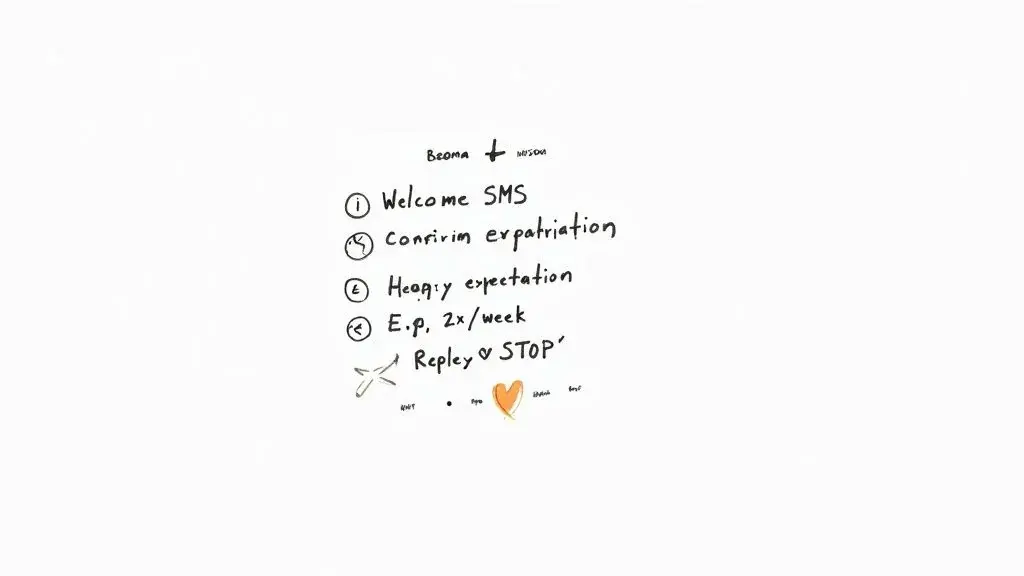
This kind of planning shows the level of thought that should go into every campaign, from that first hello to your ongoing promos.
The Anatomy of a Perfect Welcome Message
Pay attention here, because your very first text after someone opts in is the most important one you'll ever send. It sets the tone for everything that follows and, just as crucially, it keeps you legally compliant. A solid welcome message works as both a confirmation and a roadmap, telling subscribers exactly what they signed up for.
A great welcome text has to nail these five things (the items CTIA lists in section 5.1.2.1):
- Subscription Confirmation: Kick things off by welcoming them to the club. Something as simple as "Welcome to the [Your Brand] VIP list!" confirms their signup was successful and lets them know they’re in the right place.
- Expectation Setting: Be upfront about how often you'll be texting. Are they going to hear from you daily, weekly, or only when something big is happening? Telling them "You'll get about 4 msgs/month" avoids any nasty surprises and keeps people from unsubscribing down the road.
- Clear Opt-Out Instructions: This is completely non-negotiable. Every welcome message has to give them an easy way out, like "Reply STOP to cancel at any time."
- Customer Care Contact: Tell people how to get help, such as "Reply HELP for help" or a support number.
- Fees: Include "Msg & data rates may apply" so nobody is surprised by a charge from their carrier.
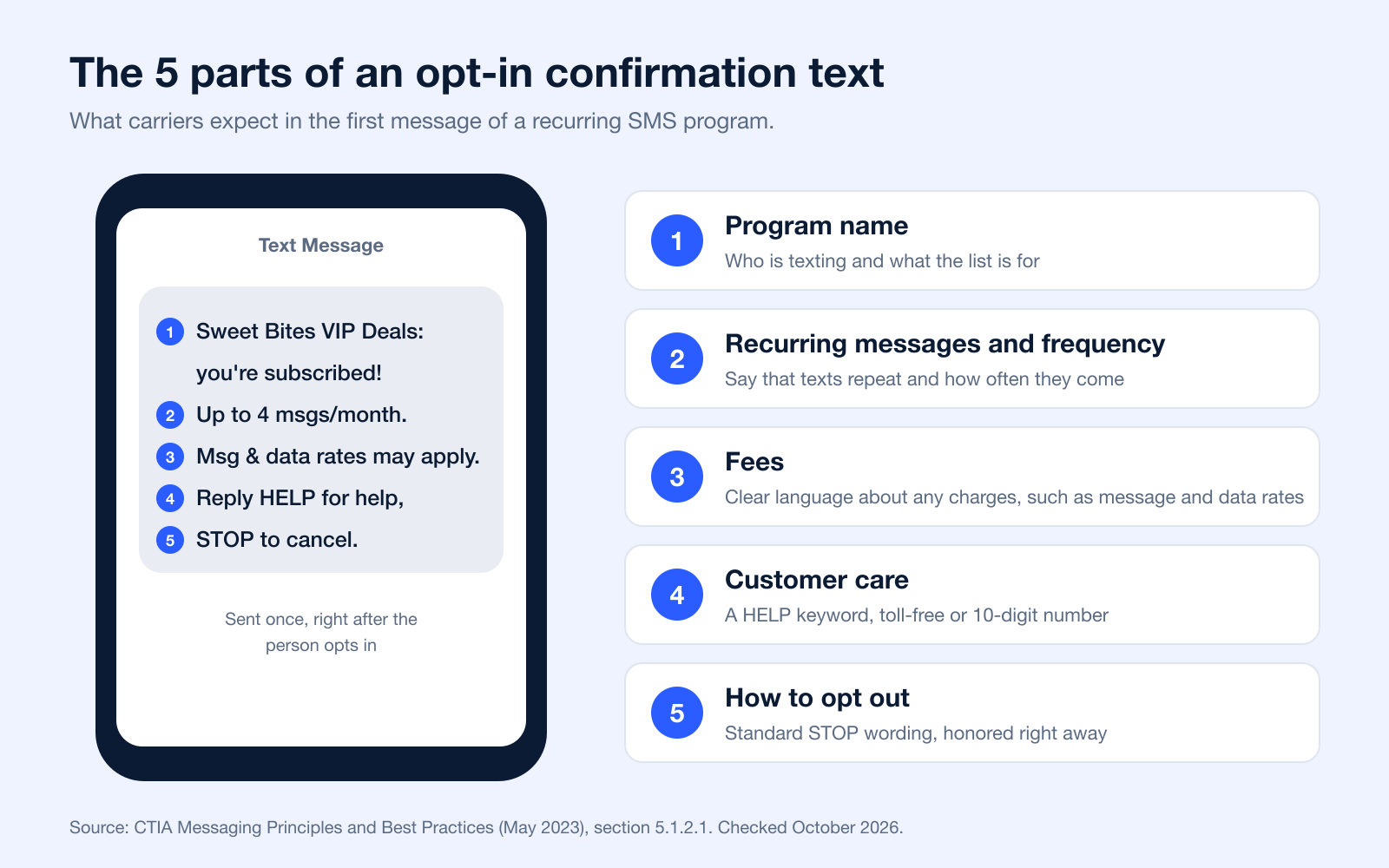
Remember, the main job of this first message is to be helpful and transparent. When you clearly confirm the subscription and set expectations, you build trust from day one and show you respect their inbox.
If you skip these details, you're not just damaging trust; you're also risking having carriers filter your messages. That’ll kill your deliverability before you even get a chance to get started.
Strategies for Long-Term Engagement
Once you’ve sent that perfect welcome, the game shifts to keeping your audience hooked for the long haul. This takes more than just blasting out discounts whenever you feel like it. You need to consistently provide value that makes subscribers feel like they're part of an exclusive group.
Think of your text list as a VIP club. The stuff they get should feel special, better than what you post on your public social media channels. That’s how you build loyalty and keep them from hitting that opt-out button.
Here are a few strategies that flat-out work:
- Deliver Genuine Value: Your texts should either solve a problem, offer an irresistible deal, or provide genuinely useful info. A restaurant might text a secret menu item, while a clothing store could offer early access to a new collection.
- Personalize Your Content: Use the data you have (like a subscriber's name or purchase history) to make your messages hit home. A text that says, "Hey Sarah, we saw you love our running shoes. Check out this new model!" will always outperform a generic blast.
- Time Your Messages Perfectly: Don't send a lunch special at 8 PM. It sounds obvious, but you have to pay attention to time zones and people's daily routines. Federal rules also set quiet hours: no telephone solicitations before 8 a.m. or after 9 p.m. in the recipient's local time (47 CFR 64.1200(c)(1)), and some states set shorter windows. Test send times on your own list rather than relying on a general rule.
- Incorporate Ringless Voicemail: For things that aren't straight-up promotions, like an appointment reminder or a shipping update, think about using ringless voicemail drops. This lets you send a personal audio message right to their voicemail without their phone ever ringing. It's a less intrusive way to get important info across, but it still needs consent (see the next section).
By mixing your promos with helpful, personalized updates, and using smart tools like ringless voicemail when it makes sense, you create a communication strategy that people actually appreciate. This approach positions your brand as a helpful resource, not just another company trying to sell them something. The result? A super-engaged list that drives real business.
Using Ringless Voicemail in Your Strategy
While opt-in text messaging is an absolute powerhouse for getting in front of your audience, it’s not the only tool you have for reaching their phones. Ringless voicemail offers a completely different, much more specialized way to connect. This technology lets you drop a pre-recorded audio message straight into someone's voicemail box without their phone ever ringing.
Think of it like this: if an SMS message is a direct, real-time conversation, ringless voicemail is like leaving a carefully crafted, personal note for them to listen to on their own time. It’s less immediate than a text, sure, but it can also feel more personal and allows you to convey more detail and tone. This difference is critical for knowing when to pull this tool out of your toolbox.
It's also important to know how ringless voicemail is regulated. The FCC ruled in FCC 22-85 (November 2022) that a ringless voicemail is a "call" under the TCPA, so it needs the same consent as a prerecorded call to a cell phone: prior express written consent for marketing messages. The big takeaway here is that you should reserve this for informational messages to people who are already customers and gave you consent. This guide to ringless voicemail compliance has the details.
Ideal Use Cases for Ringless Voicemail
Because it’s so much less disruptive, ringless voicemail really shines when you need to share important info without demanding someone stop what they're doing. It’s not for blasting out sales announcements; it's a precision tool meant for specific, high-value communications. Using it this way keeps it effective and keeps you on the right side of the law.
Here are a few scenarios where ringless voicemail is a perfect fit:
- Appointment Reminders: A friendly, pre-recorded voice reminding a client about their upcoming appointment is a fantastic personal touch that helps slash no-show rates.
- Service Updates: Need to let customers know about a scheduled maintenance window or a temporary outage? A quick voicemail drop is a professional way to keep them in the loop.
- Shipping and Delivery Notifications: Letting a customer know their order has shipped or is out for delivery with a quick voicemail adds a premium, high-touch feel to their experience.
- Event Information: For anyone who bought a ticket to your event, a message with key details like parking info or a last-minute schedule change is incredibly helpful.
The core idea is to use ringless voicemail to serve your existing relationship with a customer, not to try and create a new one. It works alongside your opt-in text strategy, handling very specific informational jobs.
When you reserve this channel for non-promotional updates, it feels like a helpful service, not an advertisement. This builds trust and ensures that when you do send a marketing text, it gets the full attention of a subscriber who has given you their consent. It’s all about letting each channel do what it does best.
Launch Your First Opt In Text Campaign
Alright, enough theory. The best part of learning anything new is putting it into practice. You know the rules, you’ve seen what a solid message looks like; now it's time to roll up your sleeves and build your own compliant opt in text campaign.
This isn't as complicated as it sounds. I'm going to walk you through the entire setup in Broadcast, step-by-step. No guesswork, just a clear path to getting your campaign live and ready to grow.
Let’s get it done.
Step 1: Create Your Subscriber Group
First things first: before you get a single phone number, you need a home for it. In Broadcast, we call this a "Group." Think of a Group as a dedicated contact list for a specific purpose, like "VIP Customer Alerts" or "Weekly Deals Club."
Creating one is simple:
- Head to the "Contacts" section in your Broadcast dashboard.
- Click on "Create a New Group."
- Give it a name you'll actually remember, something that clearly describes who is on that list.
This little bit of organization upfront is a game-changer. It means you can send super-relevant messages later on instead of blasting everyone with the same text.
Step 2: Choose a Memorable Keyword
Next up, you need a trigger: the magic word people will text to join your list. This is your keyword. Keep it short, simple, and relevant to your brand. The easier it is to remember and type, the more people will use it.
A local coffee shop could use "COFFEE." A clothing store might go with "DEALS" or "STYLE." You get the idea.
Once you've got your keyword, you’ll link it directly to the Group you just made. This tells Broadcast, "Hey, when someone texts this word, stick them on this specific list." This is the engine that drives your entire list-building machine, all on autopilot.
This direct link from keyword-to-group is what makes the whole process so smooth. No manual entry, no messy spreadsheets, just a clean, automated way to welcome new subscribers.
Step 3: Craft Your Automated Messages
With your group and keyword locked in, the final piece is writing the automatic texts that go out the second someone subscribes. This is your first impression and your chance to get all the legal stuff out of the way. You'll need two main messages.
The Confirmation Message (for Double Opt-In) This is the immediate reply someone gets after texting your keyword. Its only job is to get them to confirm they really want to hear from you.
- Example: "Reply YES to join the [Your Brand] VIP list & get 15% off. Msg&data rates may apply. Msgs are recurring. Reply HELP for help, STOP to cancel."
The Welcome Message After they text back "YES," this is the message that delivers the goods and officially welcomes them to your list.
- Example: "[Your Brand] VIP: Welcome to the club! Here is your 15% off code: SAVE15. Show this at checkout. About 1 msg/week. Msg & data rates may apply. Reply HELP for help, STOP to cancel."
And that's it. Your campaign is built, compliant, and ready for action. Now you can start plastering that keyword everywhere (on your website, in your store, on social media) and watch your list start to grow.
7 Copyable Opt-In Text Message Templates
Replace the brackets and the frequency with your own. Each confirmation includes the items in CTIA section 5.1.2.1, the web form line includes the disclosures in 47 CFR 64.1200(f)(9), and the STOP reply follows the FCC rule that allows one confirmation text with no marketing (47 CFR 64.1200(a)(12)).
More ideas for the sign-up side are in this guide to the subscribe text message.
Got Questions About Opt-In Text Messaging?
Even when you think you've got a handle on opt-in text messaging, a few tricky questions always seem to pop up. It's totally normal. Getting clear on these common points of confusion is the key to running a program that’s not just effective, but also confident and compliant. Let's dig into some of the questions we hear all the time.
One of the biggest gray areas for people is the whole transactional versus promotional text thing. It’s actually pretty simple when you break it down. Transactional texts are purely informational and are sent because a customer did something: think a shipping confirmation or a password reset link. Promotional texts, on the other hand, are all about driving a sale, like blasting out a flash sale announcement or a juicy discount code.
Can I Text Someone Who Gave Me a Business Card?
Let me make this easy for you: Nope. Absolutely not.
Think of a business card as an invitation for a professional chat, usually over the phone or email. It is not a permission slip to start sending automated marketing texts. If you add that number to your bulk SMS list without that person taking a specific action to opt in, you’re walking right into a TCPA violation.
You need undeniable, documented proof that someone specifically agreed to get marketing texts from you. That means they texted your keyword to join your list or checked a clearly-worded, compliant box on a web form.
The golden rule here is that consent has to be crystal clear for the exact type of communication you’re sending. Trying to stretch permission from another context, like getting a business card, just doesn't fly for text marketing and puts your business in a seriously risky spot.
What Is the Difference Between Promotional and Transactional Texts?
Getting this right is non-negotiable for staying compliant.
- Transactional Texts: These are functional, not persuasive. They help a customer complete a transaction they already agreed to. Think order confirmations, appointment reminders, or those two-factor authentication codes. They still need consent, but it can be lighter: CTIA calls this express consent, which the customer can give over text, on a form or even verbally when they hand over their number for that purpose.
- Promotional Texts: These messages are designed to get someone to buy something. We're talking flash sales, new product alerts, or special discounts. For these, you absolutely need express written consent before that first message ever goes out.
Where people get into trouble is when they blur the lines. A message that starts as a friendly shipping update but sneakily ends with a sales pitch is almost always considered promotional in the eyes of the law.
CTIA says the same thing in its guidelines: adding a call to action, like a coupon code, to an informational text "may place the message in the promotional category" (CTIA 5.1).
What Is Double Opt-In?
Double opt-in means a person signs up (with a keyword, a form or a checkbox) and then confirms by replying YES to a text from you. Only after that reply do they get marketing messages. It proves the phone's owner wants the texts.
Is Double Opt-In Required for SMS?
No. CTIA's Short Code Monitoring Handbook says recurring programs must send one message confirming opt-in and that "double opt-in is optional." Federal law requires prior express written consent for marketing texts, not a second confirmation.
What Should an Opt-In Text Message Say?
The confirmation should include the program name, how often you will text, that message and data rates may apply, how to get help (HELP or a support number), and how to opt out (STOP), per CTIA section 5.1.2.1. The templates above include all five.
How Do Home Service Companies Get Opt-In Consent for SMS Marketing?
The same way as any business: an unchecked SMS consent box on the booking form or estimate, a keyword printed on the invoice, truck or yard sign, or a signed line on the work order. Texts about the job itself (scheduling, arrival times) are informational; seasonal offers or maintenance promotions are marketing and need prior express written consent with the disclosures in 47 CFR 64.1200(f)(9).
Why Did I Get a Text Asking Me to Reply YES?
If you just signed up for a list or requested a code, it is probably a double opt-in or verification step. If you did not ask for anything, such as an unexpected "password reset, reply YES" text, do not reply or click links. The FCC advises not responding to texts from unknown or questionable sources and notes that most carriers let you report spam by forwarding it to 7726 (SPAM) (FCC consumer guide). Contact the company through its official app or website instead.
How Fast Do I Have to Honor a STOP Reply?
Under the FCC rule, within a reasonable time not to exceed 10 business days, and you may send one confirmation text with no marketing (47 CFR 64.1200(a)(10) and (a)(12)). Stopping right away is the safer practice.
Ready to manage your opt-in text campaigns without the guesswork? Broadcast gives you the tools for compliant list growth, automated messaging, and powerful features like ringless voicemail. See how we can help by visiting Broadcast.


