
Ever feel like you need to be a town crier, shouting a message from the rooftops to make sure everyone hears it? What if, instead of shouting, you could deliver a crystal-clear message directly to thousands of people at once?
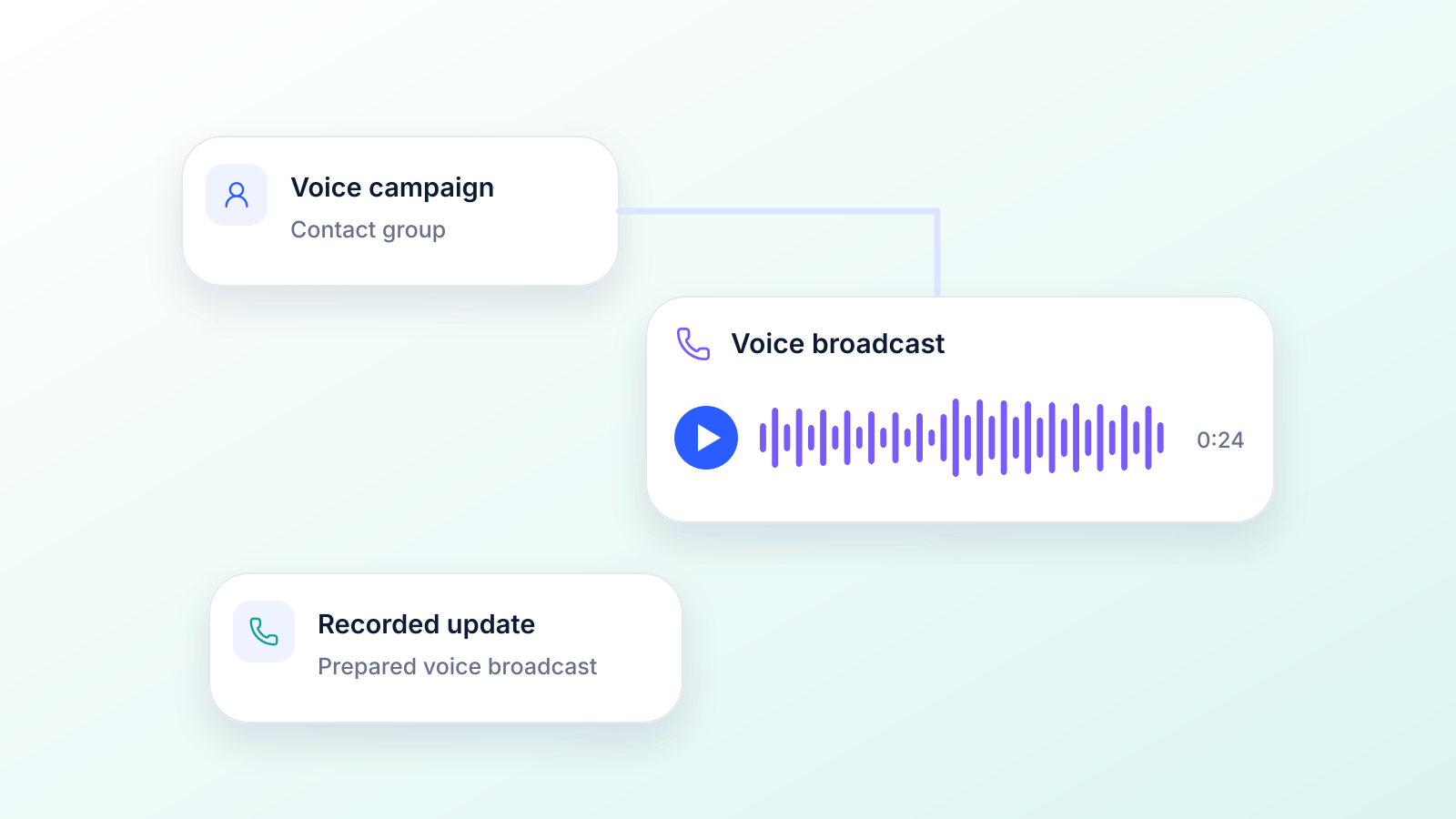
That’s the big idea behind voice broadcasting software. It’s a tool that automates the whole process of making outbound calls, turning a massive, time-sucking task into a quick campaign you can set up in minutes. You get to send a pre-recorded audio message to a whole list of phone numbers simultaneously, without dialing a single one by hand.
Understanding Voice Broadcasting
At its core, this software closes the gap between personal, one-on-one calls and mass communication. Think about it: manual calls are personal, but you can't scale them. Voice broadcasting, on the other hand, lets you send a consistent message to a huge audience while keeping that personal touch of a human voice.
It’s an incredibly powerful way for any organization to get information out the door, fast.
The Basic Workflow
Getting started is surprisingly simple, which is a big reason why it's catching on in so many industries. You can break the whole process down into just a few steps.
- Upload Your Contacts: First, you’ll import a list of phone numbers into the software. This is usually as easy as uploading a CSV or Excel file with everyone you want to reach.
- Create Your Message: Next up is the audio. You can record a message in your own voice and upload the file, or you can use a text-to-speech (TTS) feature that turns your written script into a natural-sounding voice.
- Schedule and Launch: Finally, you decide when the calls should go out. You can fire off the campaign right away or schedule it for a specific date and time to make sure your message lands when it will have the most impact. The software takes it from there, dialing every number and playing your message.
This technology allows a business to send the same voice message to thousands of customers with zero chances of consistency failure. It helps marketers maintain uniformity and consistency in their campaign message, a crucial factor for brand trust.
Why It's Gaining Traction
The appeal is pretty obvious: it’s a massive time and resource saver. Instead of tying up your team for hours (or even days) with manual dialing, a single person can launch and manage a campaign that reaches thousands.
This kind of efficiency is why the channel is used by everyone from healthcare providers and schools to event promoters.
For businesses, this opens up a more direct and engaging line of communication. Whether you’re sending out emergency alerts, appointment reminders, or special offers, a good voice broadcast ensures your message doesn't just get sent; it gets heard. It cuts through the noise of a crowded email inbox and delivers your information in a way that people actually pay attention to.
Voice Broadcasting vs. Ringless Voicemail vs. Dialers
"Voice broadcasting" gets used for several different tools. They overlap, but they deliver the call differently and serve different jobs. In legal terms, the FCC uses "robocalls" for calls made with an autodialer or with a prerecorded or artificial voice (FCC 16-88, footnote 1), so a voice broadcast falls under the same federal rules as any other robocall.
| Method | How it reaches people | Typical use | Key federal rule (source) |
|---|---|---|---|
| Voice broadcast (ringing call) | Dials each number; plays the recording to a person or leaves it on voicemail. | Alerts, reminders, announcements, get-out-the-vote calls | Prerecorded voice: consent, caller identification and callback number (47 CFR 64.1200(a), (b)) |
| Ringless voicemail | Places the message in the voicemail box without making the phone ring. | Non-urgent follow-ups and reminders | Still a call that needs consent (FCC 22-85, 2022) |
| Interactive voice broadcast (press 1) | Plays a recording and lets the listener press keys to confirm, answer a survey or reach a person. | Confirmations, surveys, callbacks | Same prerecorded rules; marketing calls need a key-press opt-out (47 CFR 64.1200(b)(3)) |
| Power or predictive dialer | Dials automatically and connects answered calls to live agents. | Sales and collections teams | Telemarketing: abandon no more than 3% of live-answered calls per 30-day campaign (47 CFR 64.1200(a)(7)) |
If you are comparing these channels for reminders and alerts, our guide to automatic voice messaging goes deeper on how each one works.
A Look Under the Hood: Core Features of Voice Broadcasting Software
Voice broadcasting software is so much more than a simple auto-dialer. Think of it as a complete communication engine. Once you understand the core features, you'll see how it gives you surgical precision over your outreach, turning a basic message into a powerful, personalized experience for everyone you contact. These tools all work in concert to make sure your campaigns hit the mark, stay compliant, and actually get people to listen.
At its heart, the software boils the entire campaign process down into three simple stages. This diagram gives you a birds-eye view of how you can go from a list of contacts to a fully launched broadcast in just a few clicks.
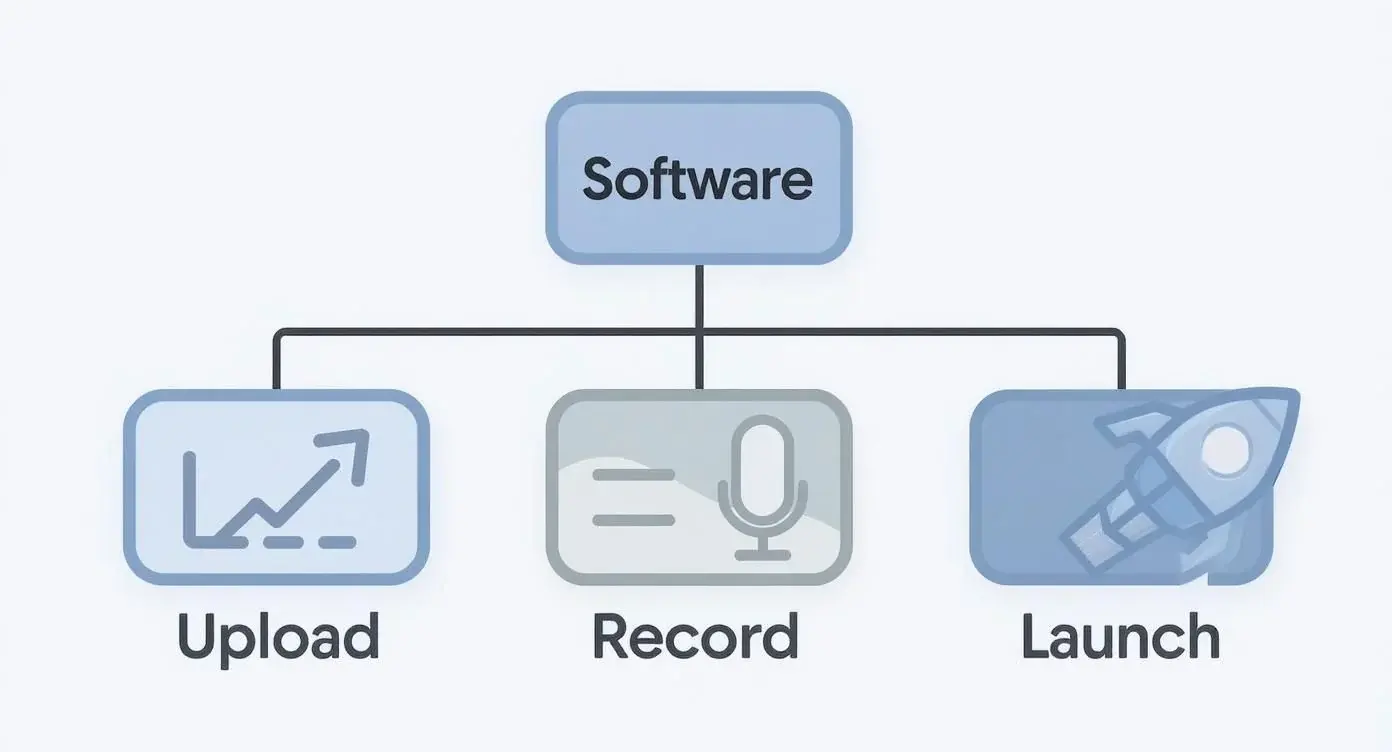
As you can see, the workflow is dead simple: upload your contacts, create your audio message, and launch your campaign. It makes a complex process feel easy.
The Power of Ringless Voicemail Delivery
One of the most powerful tools in the toolkit is ringless voicemail. This technology is pretty clever: it delivers your pre-recorded message straight to someone's voicemail inbox without their phone ever ringing. It’s the digital version of slipping a note under their door instead of banging on it. A ringless voicemail drop is a non-intrusive method perfect for marketing messages, follow-ups, and gentle reminders. Because you aren't interrupting their day with an unexpected call, it feels less like a sales pitch and more like a helpful heads-up they can check out when they have a minute. That level of respect for their time can do wonders for how people see your brand.
Ringless voicemail is all about delivering a message without the disruption. It’s incredibly effective for non-urgent updates where you want to share information without demanding immediate attention, making it a favorite for marketers and sales teams.
Skipping the ring does not skip the rules, though. In November 2022 the FCC ruled that ringless voicemail to wireless phones is a call made with a prerecorded voice under the TCPA, so it needs the same consent as any other voice broadcast (FCC 22-85). This ringless voicemail compliance guide covers the details.
Dynamic Messaging with Text-to-Speech
Next up is Text-to-Speech (TTS). This feature takes written text and converts it into a natural-sounding audio message on the fly. Its real magic is in creating personalization at a massive scale. By using simple merge tags (think placeholders like {first_name} or {appointment_date}), the software can generate a completely unique audio file for every single person on your list.
So, instead of a generic "This is a reminder about your appointment," you can send a message that says, "Hi Sarah, this is a reminder about your appointment on Tuesday at 2 PM." That personal touch makes the message far more relevant and engaging, which can lift listen-through rates and results.
One rule to know: a text-to-speech voice is an "artificial" voice under the TCPA, and in February 2024 the FCC confirmed the same applies to AI-generated voices, including cloned ones. Those calls need the same prior express consent as a recorded message (FCC 24-17).
Intelligent Call Handling and Scheduling
To really get the most out of your campaigns, the software needs to be smart about how and when it delivers calls. Two features are absolutely critical here: Live Answer Detection and Campaign Scheduling.
- Live Answer vs. Answering Machine Detection: This tool figures out if a live person or a voicemail system picked up the phone. Based on what it detects, it can play different messages. For instance, a live person might get your main message, while an answering machine gets a shorter prompt to check their voicemail for more details. This ensures the right message gets delivered in the right context.
- Campaign Scheduling: We all know timing is everything. Blasting out a marketing message at 3 AM is a fantastic way to make enemies, and federal rules only allow telephone solicitations between 8 a.m. and 9 p.m. in the recipient’s local time (47 CFR 64.1200(c)(1)). Campaign scheduling lets you plan your broadcasts for the perfect time and day, based on where your audience is and when they're most likely to listen. You can set campaigns to run during business hours, on specific dates, or even have them triggered by a user's action.
To help you see how these tools fit together, here’s a quick breakdown of the essentials you should look for in any modern voice broadcasting platform.
Essential Features of Modern Voice Broadcasting Software
| Feature | What It Does | Why It Matters |
|---|---|---|
| Ringless Voicemail | Delivers audio messages directly to voicemail without the phone ringing. | Offers a non-intrusive way to communicate, increasing receptiveness for marketing and reminders. |
| Text-to-Speech (TTS) | Converts written text into a spoken audio message, often with personalization. | Allows you to create unique, personalized messages for thousands of contacts automatically. |
| Live/Machine Detection | Identifies whether a live person or an answering machine answers the call. | Ensures the correct message is played, improving campaign efficiency and user experience. |
| Campaign Scheduling | Lets you set specific dates and times for your voice broadcasts to be sent. | Maximizes engagement by reaching your audience at the most opportune times. |
| DNC List Scrubbing | Automatically checks your contact lists against Do Not Call registries. | Supports compliance with federal do-not-call rules (TCPA, 47 CFR 64.1200(c)) and your own opt-out list. |
| Interactive Voice Response (IVR) | Allows listeners to interact with the call by pressing keys on their phone. | Gathers immediate feedback, routes calls, or lets users opt-in to further communication. |
| Real-Time Analytics | Provides live data on call delivery, listen rates, and campaign performance. | Gives you the insights needed to measure ROI and optimize future campaigns on the fly. |
These features, plus many others, are what give you total control over your outreach. To get a feel for the full range of capabilities, you can explore the complete feature set of modern voice broadcasting tools.
Maintaining Compliance Automatically
Finally, a non-negotiable component of any professional voice broadcasting software is its built-in compliance management. This absolutely has to include tools for managing a Do Not Call (DNC) list. When you upload your contacts, the software should automatically scrub them against both the National DNC Registry and your own internal list of opt-outs.
This automated check is your safety net. It removes any numbers that shouldn't be contacted, protecting you from potentially massive TCPA fines. It’s an essential feature that lets you run campaigns with confidence, knowing you’re respecting consumer privacy and following the law. Trying to manage compliance on a large scale without it would be a nightmare.
Two numbers worth knowing: under the FTC’s Telemarketing Sales Rule, the safe harbor for do-not-call mistakes expects sellers to use a version of the registry obtained no more than 31 days before the call (16 CFR 310.4(b)(3)), and under the TCPA people can sue for $500 per violation, which a court can triple to $1,500 if the violation was willful or knowing (47 U.S.C. 227(b)(3)).
How Voice Broadcasting Is Used in the Real World
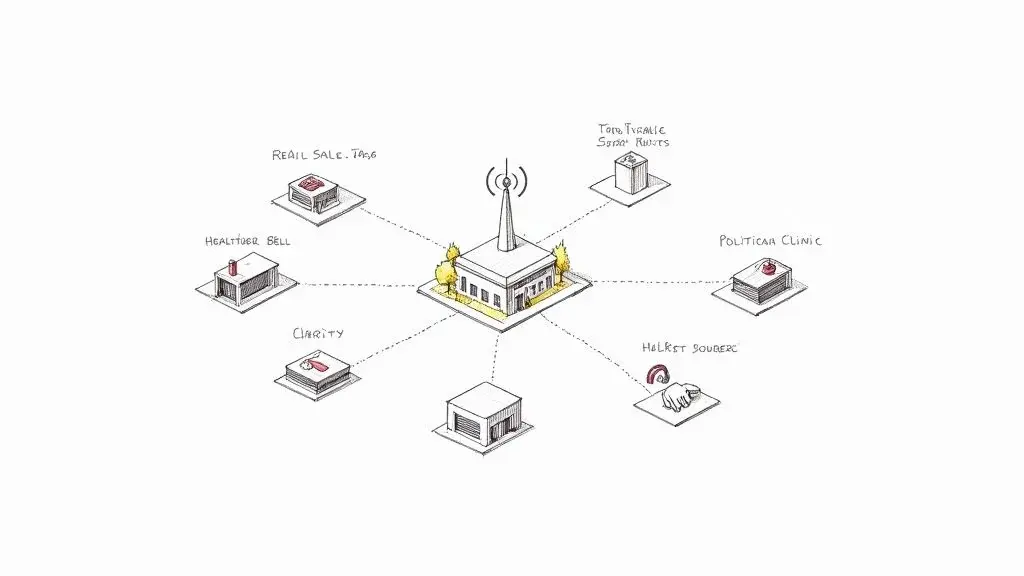
All the features in the world don't mean much until you see how they solve real, everyday problems for businesses and organizations. The true power of voice broadcasting software isn't just in sending a bunch of calls at once; it's about driving action, saving time, and creating a genuine connection with customers, patients, and supporters.
Let's dig into how different industries are using this technology to get things done. From Main Street shops to major healthcare providers, the applications are as varied as the problems they solve.
Driving Foot Traffic for Retail and Local Businesses
Picture a local boutique stuck with last season's inventory. A rainy Saturday has killed foot traffic, and the owner needs to turn the day around, fast. Calling their list of loyal customers one by one would take hours they just don't have.
This is where a voice broadcast campaign becomes a lifesaver.
- The Challenge: Get people into the store now for a last-minute sale.
- The Solution: The owner quickly records an energetic message announcing a "Rainy Day Flash Sale" with a special 30% discount for the next three hours only.
- The Result: That message hits the phones of hundreds of local customers in minutes. Hearing the owner's actual voice, combined with a great deal, is enough to get people off their couches and into the store. The boutique gets a rush of afternoon sales, clearing out old stock and saving the day.
This same idea works wonders for restaurants pushing a daily special, spas filling open appointment slots, or gyms trying to pack a new fitness class.
One caution for promotions like this: a flash-sale call is telemarketing, so it should only go to customers who gave prior express written consent to receive prerecorded marketing calls (47 CFR 64.1200(a)(2) and (a)(3)).
Reducing No-Shows in Healthcare
For any clinic, doctor's office, or hospital, patient no-shows are a killer. They drain resources, waste a provider's valuable time, and delay care for others who need it. Manual reminder calls work, but they tie up administrative staff for hours every day.
This is where automated voice reminders completely change the game.
By automating appointment confirmations, clinics can cut no-shows. In a Cochrane review of healthcare appointment reminders, attendance across the studies was 80.3% in the phone call reminder groups and 67.8% with no reminders (Gurol-Urganci et al., 2013). This isn’t just a small tweak; it directly improves scheduling, helps patients get the care they need, and boosts the bottom line.
A dental office, for instance, can set up a broadcast to automatically call patients two days before their visit. Using text-to-speech, every message is personalized: "Hi David, this is a friendly reminder of your appointment with Dr. Allen on Wednesday at 10 AM." It's a simple, automated touchpoint that keeps the schedule full without burning out the front desk staff.
For more ways to keep the schedule full, see our guide on how to reduce patient no-shows.
Mobilizing Supporters for Political and Non-Profit Campaigns
When it's crunch time for an election or a big fundraising drive, you need to reach a lot of people quickly. Political campaigns and non-profits lean heavily on voice broadcasting to get their message out and rally support when it counts.
- Get-Out-the-Vote (GOTV): On election day, a pre-recorded message from the candidate can go out to every registered supporter, reminding them to head to the polls. That personal, last-minute push can be the difference-maker in a tight race.
- Fundraising Drives: A non-profit can send a broadcast featuring a powerful, heartfelt story from someone they’ve helped, followed by a direct appeal for donations. The emotion in a real human voice is often far more moving than an email or text.
- Volunteer Coordination: Need volunteers for a weekend event? A quick voice blast can alert the entire list with all the details and instructions on how to sign up, filling slots in a fraction of the time.
Political and nonprofit callers have their own exemptions, but not from everything: tax-exempt nonprofits do not need written consent for their calls, yet prerecorded calls to cell phones, including campaign calls, still need the recipient’s prior express consent (47 CFR 64.1200(a)(1) and (a)(2)).
Beyond these classic uses, the technology also powers interactive phone surveys, where listeners answer by pressing keys; our guide to automatic voice messaging explains how these IVR calls work.
Issuing Urgent Alerts and Notifications
For schools, city governments, and large companies, keeping everyone safe and informed is priority number one. Voice broadcasting is a non-negotiable tool for getting urgent information out to thousands of people instantly.
Think about a school district dealing with a sudden snowstorm.
- The Trigger: The superintendent decides to close schools for the day because of dangerous road conditions.
- The Action: An administrator logs in from home and launches a pre-written voice broadcast campaign.
- The Outcome: Within minutes, every parent and staff member gets a phone call with a clear, calm message about the closure. This rapid-fire communication prevents confusion and ensures everyone stays safe.
This is one of the clearest legal cases for voice broadcasting. In 2016 the FCC confirmed that school calls about weather closures and other health and safety situations fall under the TCPA’s emergency-purpose exception, and that utilities may call customers about outages and service interruptions because customers consented when they gave their number to the utility (FCC 16-88). More on building one in our emergency notification system guide.
The same process is critical for utility companies announcing a power outage, community groups sharing a last-minute event change, or property managers sending a building-wide alert. The incredible speed and reach of voice broadcasting software make it a cornerstone of any modern communication strategy.
Navigating TCPA Compliance and Deliverability
Using voice broadcasting software isn't just about crafting a great message; it's about delivering it the right way. The power to contact thousands of people at once comes with some serious responsibilities, mainly designed to protect consumers. Getting a handle on these rules is the difference between a successful campaign that builds trust and one that burns bridges.
The big one you need to know is the Telephone Consumer Protection Act (TCPA). This federal law is the rulebook for any kind of automated calling. Ignoring it is a fast track to hefty financial penalties, so think of TCPA compliance as a non-negotiable part of your strategy.
This section is general information about U.S. federal rules, not legal advice; states can add their own rules, so check with counsel for your campaign.
Understanding TCPA and Express Written Consent
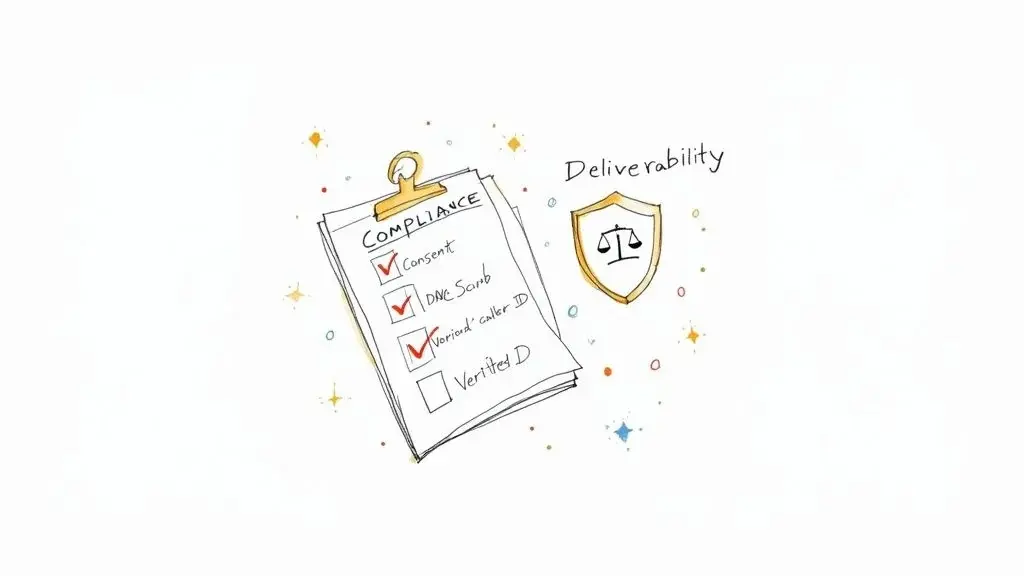
If there's one TCPA concept to burn into your memory, it's express written consent. For most marketing calls, you absolutely must have clear, documented permission from people before you dial their number. They have to actively agree to get automated marketing calls from you.
Here is how the federal rules break it down. Prerecorded or artificial-voice calls that advertise or telemarket need prior express written consent for both mobile and residential numbers; non-marketing prerecorded calls to mobile phones, like reminders, need prior express consent; and calls made for emergency purposes are exempt (47 CFR 64.1200(a)). The FTC adds that a written agreement for prerecorded sales calls must follow a clear disclosure, show the person’s number and signature, and cannot be a condition of purchase (16 CFR 310.4(b)(1)(v)).
Think of it like a digital handshake. A person filling out a form on your site and ticking a box that explicitly says, "I agree to receive automated marketing calls" is giving you that consent. Just grabbing a phone number from a business card or a public directory? That won't cut it.
The burden of proof is always on you, the sender. Keeping meticulous records of how and when each contact opted in is crucial for protecting your business and keeping your campaigns on the right side of the law.
The National Do Not Call Registry
The next layer you can't ignore is the National Do Not Call (DNC) Registry. Before you launch any telemarketing campaign, you are required to scrub your contact list against this federal database and pull out any numbers registered on it, unless the person gave you signed, written permission or another exception applies (47 CFR 64.1200(c)(2)). Our Do Not Call list compliance guide covers the details.
Good voice broadcasting software handles this for you. When you upload a list, the platform should automatically check it against both the DNC registry and your own internal list of people who've opted out. It's a fundamental safeguard that protects you from expensive mistakes.
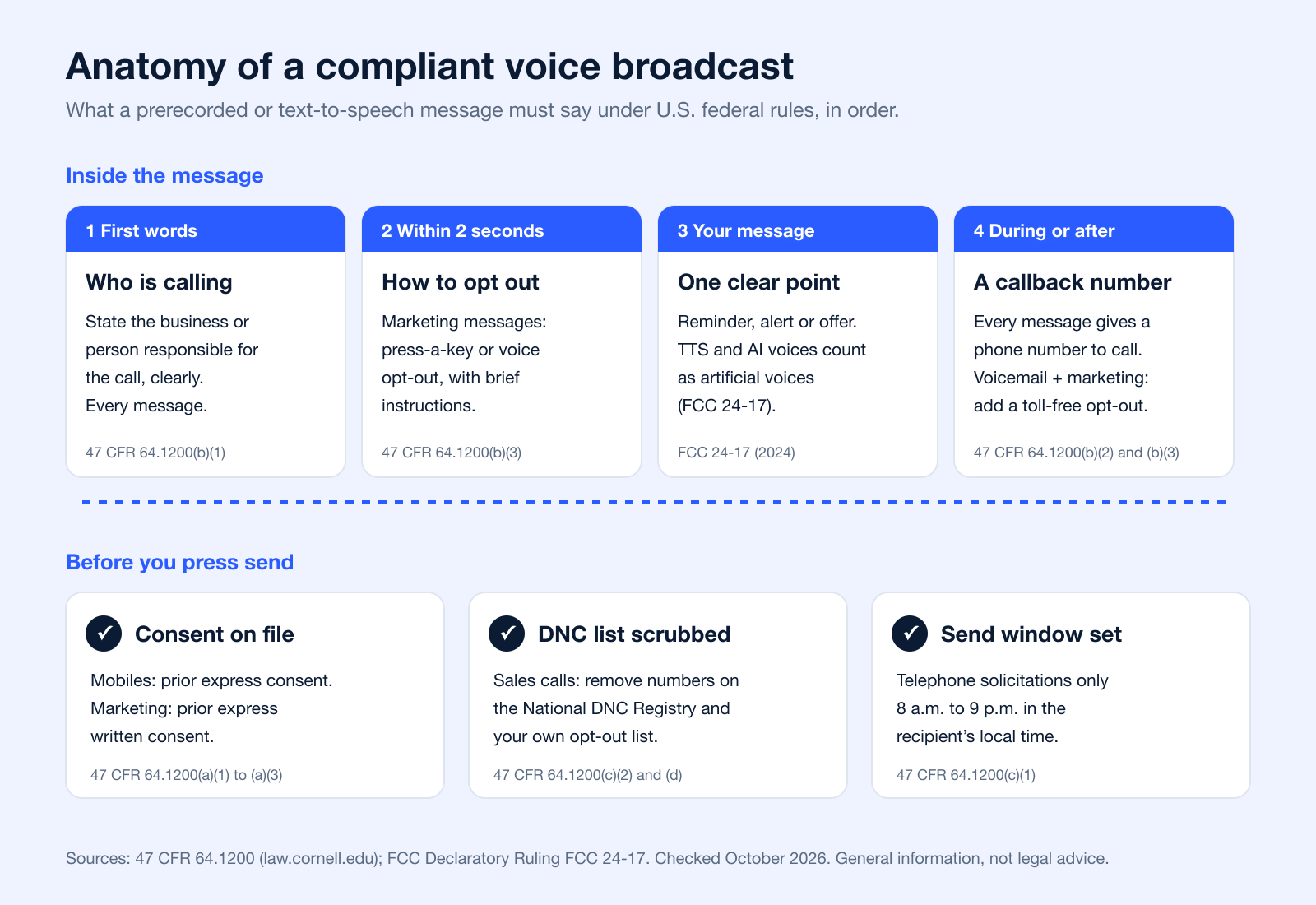
What Every Voice Broadcast Must Include
Consent decides who you can call. The message itself also has to follow a few rules, and they apply whether you record your own voice or use text-to-speech.
| Rule | What it means for your campaign | Source |
|---|---|---|
| Identify the caller | State the business or person responsible for the call at the beginning of the message. | 47 CFR 64.1200(b)(1) |
| Give a callback number | State a phone number for that business during or after the message (not a 900 number). | 47 CFR 64.1200(b)(2) |
| Offer an automated opt-out | Marketing messages need a press-a-key or voice opt-out, explained within 2 seconds of the identification, that adds the number to your do-not-call list. | 47 CFR 64.1200(b)(3) |
| Voicemail version | If a marketing message is left on voicemail, include a toll-free number that reaches the same opt-out. | 47 CFR 64.1200(b)(3) |
| Calling hours | Telephone solicitations only from 8 a.m. to 9 p.m. in the recipient’s local time. | 47 CFR 64.1200(c)(1) |
| Ringless voicemail | Counts as a call; same consent rules. | FCC 22-85 (2022) |
| AI and synthetic voices | Count as artificial voices; same consent rules. | FCC 24-17 (2024) |
| Damages | $500 per violation in private lawsuits, up to $1,500 if willful or knowing. | 47 U.S.C. 227(b)(3) |
Boosting Your Deliverability Rate
Beyond staying legal, there's the practical hurdle of deliverability. A perfectly compliant call is worthless if it gets flagged as spam or never even rings. A few key things determine whether your messages actually get through.
- Verified Caller ID: Using a generic or blocked number is a huge red flag for phone carriers. A verified, consistent caller ID builds trust and makes it far less likely that your calls will be blocked automatically.
- Clean Contact Lists: Don't just upload and forget. Regularly clean your lists to get rid of invalid, disconnected, or wrong numbers. Blasting calls to a list full of bad numbers tanks your sender reputation with the carriers.
- Message Quality: Avoid that classic, aggressive "robocall" sound. A clear, valuable message is less likely to get reported as spam by the people you call, which helps you maintain a positive reputation.
Behind the scenes, carriers also check caller ID authentication: the FCC requires voice providers to implement the STIR/SHAKEN framework in their IP networks so the source of calls can be identified (FCC call authentication). Using a real number you own, and keeping it consistent, works with that system rather than against it.
As more businesses rely on voice and text broadcasts, getting compliance and deliverability right becomes even more critical.
At the end of the day, mastering compliance and deliverability boils down to a simple principle: respect the person on the other end of the line. Get proper consent, honor opt-outs, and deliver something of value. Do that, and your voice broadcasting software will be a powerful asset, not a legal headache.
Choosing the Right Voice Broadcasting Software
Picking the right voice broadcasting software can feel like a huge task, but if you break it down into a few key areas, the whole process gets a lot easier. You're not just buying a tool that sends out calls. You're looking for a platform that slots right into your workflow, grows with you, and has your back when you need support. Think of it like bringing on a new team member: you need the right fit for the job.
Let's start with the basics: user experience. The most feature-packed software in the world is useless if it’s a nightmare to use. A clean, intuitive interface means your team can get campaigns up and running fast without weeks of training, saving you time and a whole lot of headaches.
Evaluate Scalability and Growth Potential
The campaigns you're running today might look very different a year from now. A platform that handles your list of 500 contacts should work just as smoothly when that list balloons to 50,000. True scalability means the software can take on way more volume without crashing or becoming overly complicated.
Look for a provider that’s built to grow with your business. This way, you won't find yourself in the painful position of having to switch platforms and migrate all your data right when your marketing is starting to hit its stride. The goal is to find a long-term partner, not just a short-term fix.
Compare Pricing Models
Voice broadcasting software usually comes in a few different pricing flavors. The best one for you really just depends on how you plan to use it.
- Pay-Per-Call/Minute: This is perfect if your needs are unpredictable. You only pay for what you actually use, which makes it a smart choice for one-off campaigns like event announcements or a big seasonal sale.
- Monthly Subscription: If you're going to be running campaigns regularly, a monthly subscription almost always offers better value. These plans give you a set number of calls or minutes for a flat fee, so your costs are predictable and easy to budget for.
When you're shopping around, it's a good idea to see a detailed breakdown of what each plan includes. You can see how different tiers work for different business sizes by checking out Broadcast's clear pricing plans.
Prioritize Seamless Integrations
Your voice broadcasting software shouldn't be on an island. It absolutely needs to connect with the other tools you rely on every day, especially your Customer Relationship Management (CRM) system. A solid integration lets data flow freely, so you can trigger automated calls based on actions your customers take.
For instance, when a new lead pops into your CRM, an integration could automatically add them to a welcome call sequence. This kind of automation gets rid of tedious manual entry and makes sure your follow-up is always on time. When looking for a solution, it's also smart to check how it fits with your lead scoring, so you can focus your efforts on the most promising contacts.
A platform that integrates smoothly with your existing tech stack transforms from a simple broadcasting tool into a central hub of your automated communication strategy, making every part of your workflow smarter and more connected.
Don’t Overlook Support and Compliance
Last but not least are two things that are easy to forget until it's too late: customer support and compliance. When something goes wrong mid-campaign, you need responsive, knowledgeable support that can actually solve your problem. See if providers offer help through live chat, email, and phone.
Just as critical are the platform's built-in compliance features. The software should have automated tools, like DNC list scrubbing, that help you stick to TCPA regulations without even thinking about it. This isn't just a nice-to-have; it's a must-have for protecting your business. Making a smart investment now will set you up for secure and successful campaigns down the road.
Questions to Ask a Voice Broadcasting Provider
Before you sign up, run every option through the same short list. These questions come from the features above and the federal rules in the compliance section.
- Consent records: Can you import and store when and how each contact opted in, and keep marketing and reminder lists separate?
- Do-not-call handling: Does it scrub against the National DNC Registry and your internal list, and add key-press opt-outs to that list automatically?
- Send windows by time zone: Can it hold calls to 8 a.m. to 9 p.m. in each recipient’s local time?
- Message requirements: Is it easy to put your business name first, a callback number in every message, and a toll-free opt-out number in voicemail versions?
- Answering machine detection: Can you record a separate voicemail version of the message?
- Caller ID: Can you call from numbers you own, and how does the provider handle STIR/SHAKEN authentication?
- Text-to-speech and personalization: Which voices and merge fields are available?
- Reporting and integrations: Delivery, listen and key-press reports, plus a CRM integration or API.
- Pricing model: Per call or minute, or a monthly plan, and what counts as one call.
Got Questions About Voice Broadcasting?
When you're diving into any new way of reaching people, you're bound to have questions. That's a good thing. Getting solid answers is the key to using voice broadcasting software the right way, confidently and effectively.
Let's clear up some of the most common questions so you can build a communication strategy that works.
Is Voice Broadcasting Legal for Businesses?
Yes, absolutely, as long as you play by the rules. The big one you need to know is the Telephone Consumer Protection Act (TCPA). The most important thing to understand is what kind of message you're sending and who you're sending it to.
For any marketing-related message, you almost always need prior express written consent before you send an automated call. Purely informational messages, like appointment reminders, still need prior express consent when they go to mobile phones (often given when a customer shares their number for that purpose); non-marketing prerecorded calls to residential landlines are allowed without consent only within limits, such as three calls in 30 days; and true emergency calls are exempt (47 CFR 64.1200(a)).
The smartest approach is to always use a platform with compliance tools built right in, like DNC list scrubbing. It's also wise to chat with legal counsel to make sure your specific plan checks all the federal and state boxes. This keeps your business safe and builds trust with your audience.
What's the Difference Between Ringless Voicemail and a Standard Broadcast?
This one trips people up all the time, but the difference is pretty simple. "Voice broadcasting" is the umbrella term for sending any automated voice call to a list of phone numbers. A "standard broadcast" is what you probably think of first: it actively dials a number and makes the phone ring.
Ringless voicemail, on the other hand, is a specific method of delivery. It uses some clever tech to drop your audio message directly into someone's voicemail box without their phone ever ringing. It's a much less intrusive way to get your message across, making it perfect for marketing follow-ups or non-urgent updates.
Both need consent: since the FCC’s 2022 ruling, ringless voicemail to a mobile phone is treated as a prerecorded call under the TCPA (FCC 22-85).
How Do You Know if a Campaign is Working?
Sending the calls is just the first step. To figure out if it's actually working, you need to look at the numbers. The analytics dashboard in your software is your mission control for tracking performance and figuring out your return on investment.
Here are a few key metrics to keep an eye on:
- Delivery Rate: This is the percentage of your calls that actually made it to a valid phone number. If this number is low, your contact list probably needs a good cleaning.
- Listen-Through Rate: This tells you what percentage of people listened to your entire message. A high rate is a great sign that your message is hitting the mark.
- Response Rate: If you have a call-to-action in your message (like "press 1 to talk to our team"), this tracks how many people actually did it. It’s the most direct way to measure engagement.
By watching these numbers, you can start testing different messages, call times, and offers to see what gets you the best results.
Can I Make the Messages Personal for Each Person?
Not only can you, but you absolutely should. A generic, one-size-fits-all message just doesn't cut it anymore. Good voice broadcasting software uses Text-to-Speech (TTS) technology along with merge tags to create a unique message for every single person on your list.
Think of it like a mail merge for your voice. You upload your contact list with columns for names, appointment times, or any other detail you want to include. The system then dynamically pulls that data to create a personalized audio message, like, "Hi Jessica, this is a reminder of your meeting on Friday at 3 PM."
This one small step makes your outreach feel more human and relevant, which can raise the chances that your audience will listen and act. It turns a mass broadcast into something that feels like a one-on-one conversation.
What Is a Voice Broadcast Dialer?
It is the part of the software that dials your list automatically and plays the recorded message when the call connects, instead of passing the call to an agent. A predictive or power dialer, by contrast, connects answered calls to live people; for telemarketing it must not abandon more than 3% of live-answered calls per 30-day campaign (47 CFR 64.1200(a)(7)).
What Is Voicemail Broadcasting?
Voicemail broadcasting sends a recorded message to many people's voicemail at once, either with ringless voicemail or with a voice broadcast that leaves the message when an answering machine picks up. The same consent and identification rules apply, and a marketing message left on voicemail must include a toll-free number for opting out (47 CFR 64.1200(b)(3)).
Does Voice Broadcasting Work?
It works best for messages people expect and want: reminders, alerts and updates to contacts who agreed to hear from you. For healthcare appointments, a Cochrane review found attendance of 80.3% in phone call reminder groups against 67.8% with no reminders (Gurol-Urganci et al., 2013). Cold, unwanted calls are the opposite case: they draw complaints and, without consent, legal risk.
What Must a Voice Broadcast Message Say?
At the start, the name of the business or person responsible for the call; during or after the message, a phone number to call back. Marketing messages also need an automated opt-out explained within two seconds of the identification (47 CFR 64.1200(b)). The table in the compliance section lists each rule.
Can I Use an AI Voice for Voice Broadcasting?
Yes, but the law treats it like a recording. The FCC confirmed in February 2024 that AI-generated voices are "artificial" voices under the TCPA, so the calls need the same prior express consent as any prerecorded call (FCC 24-17).
What Hours Can I Send Voice Broadcasts?
Federal rules allow telephone solicitations only between 8 a.m. and 9 p.m. in the recipient’s local time (47 CFR 64.1200(c)(1)). Some states set narrower windows, so schedule by time zone and check the states you call.
Ready to see how simple and effective your outreach can be? Broadcast provides a powerful, multi-channel messaging platform with robust tools for voice broadcasting, ringless voicemail, and SMS campaigns, all built with compliance in mind. Start automating your communication with Broadcast today.


