
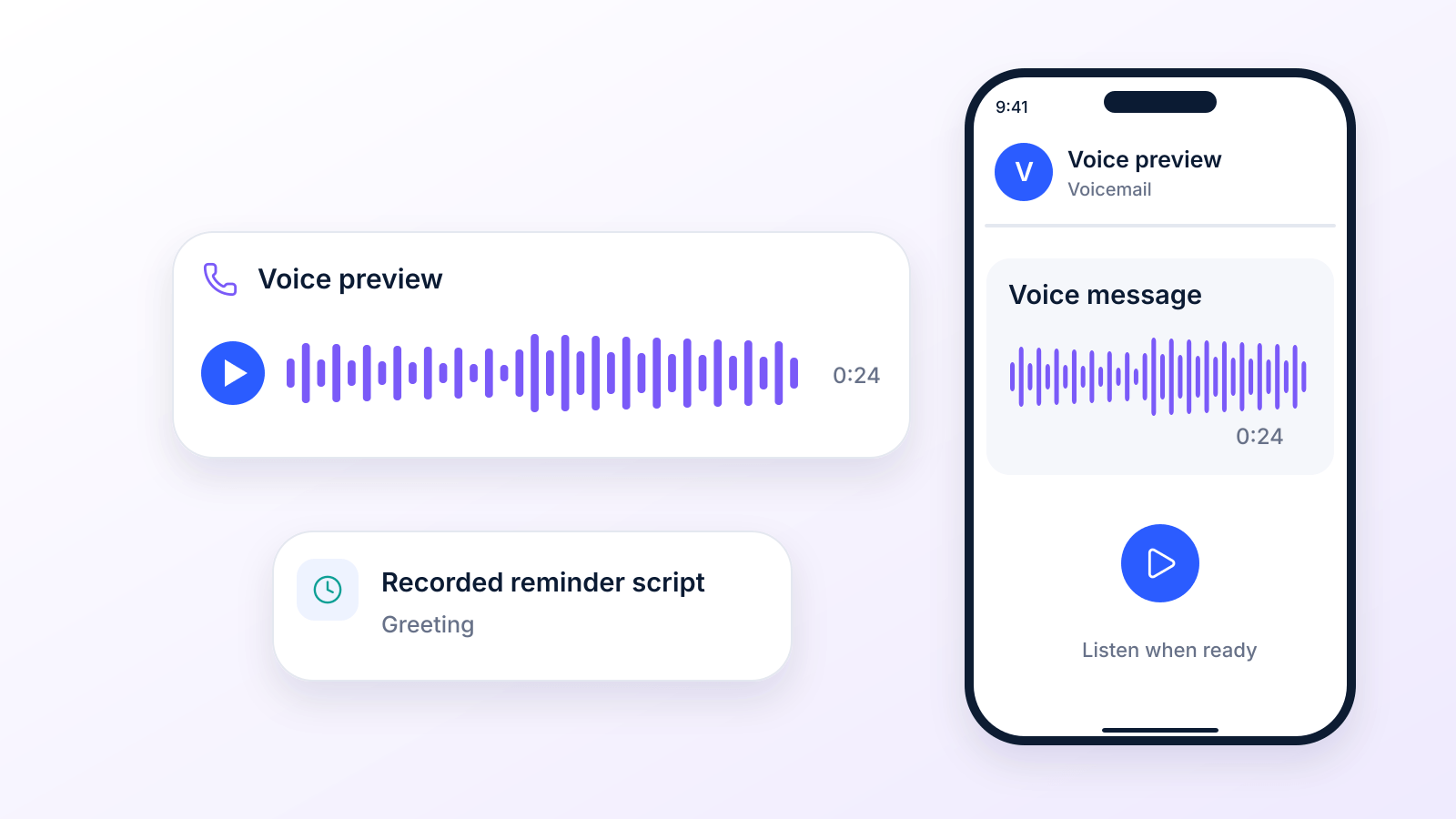
Beyond the Ring: Scripts That Get Results
If most outbound calls never reach a live person, why are so many teams still treating voicemail like an afterthought instead of a primary channel?
That gap matters. A widely repeated figure says 80% of calls to smartphones and mobile phones go straight to voicemail, and only 20% of callers who hit voicemail leave a message, as compiled in SellCell's voicemail statistics roundup (which draws on vendor sources). In practice, that means your team can either lose the moment or design for it. Voice message templates do the second. They turn inconsistent, improvised outreach into a repeatable system that works for appointment reminders, follow-ups, payment nudges, promotions, and reactivation campaigns.
Ringless voicemail makes that system even stronger because it deposits the message directly into the recipient's voicemail inbox, usually without ringing the phone. Under US rules it is still a call made with a prerecorded voice, so it needs the recipient's consent, as the FCC ruled in November 2022. That's why ringless voicemail is useful when you need consistency, timing control, and less friction than repeated live call attempts, as long as your list is opted in.
The most effective voice message templates don't stop at the audio file. They include personalization fields, machine-answer logic, compliance guardrails, and an SMS follow-up that gives the recipient an easy next step. That's where teams usually struggle. They have a rough script, but not a usable workflow.
The eight templates below fix that. Each one includes the message, the delivery strategy, the timing cadence, and the SMS follow-up approach that makes it practical in actual situations. If you are new to the channel, start with our ringless voicemail guide.
1. Professional Service Appointment Reminder
Appointment reminders work best when they sound calm, precise, and easy to act on. Healthcare clinics, dental offices, salons, fitness studios, and physical therapy practices all need the same core structure. State who you are, confirm the appointment details, and tell the customer exactly how to confirm or reschedule.
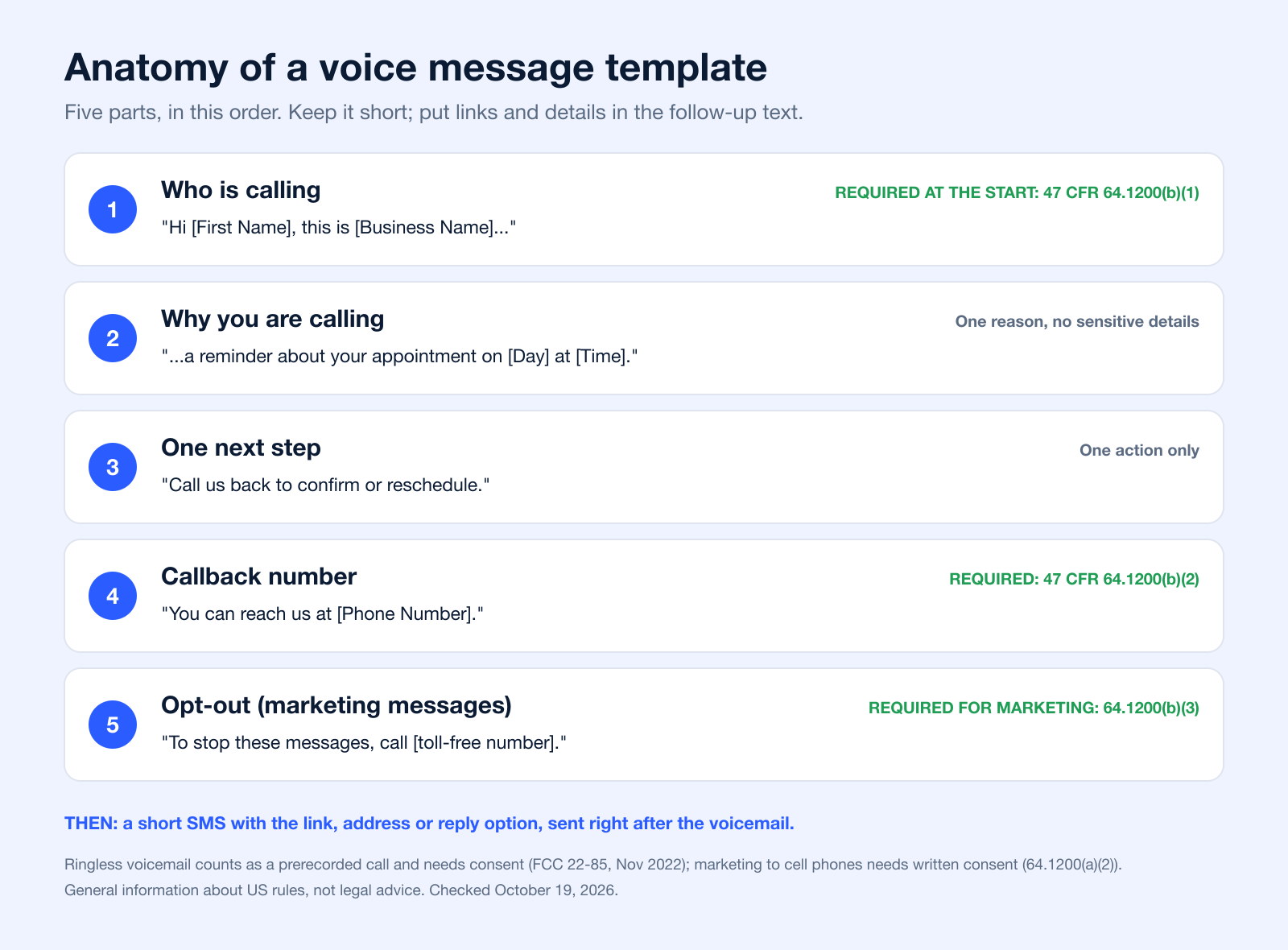
A strong reminder script sounds like this:
“Hi [First Name], this is [Business Name] calling to remind you about your appointment on [Day] at [Time]. If you need to confirm or reschedule, please call us back at [Phone Number]. We look forward to seeing you.”
That format is simple on purpose. In healthcare and any privacy-sensitive environment, simplicity lowers risk. You don't need to explain the reason for the visit in the voicemail. You need to help the patient or customer take the next step.
How to make the reminder usable at scale
When teams build appointment voice message templates, the biggest mistake is overloading the script with detail. Long reminders sound bureaucratic, and recipients stop listening. Keep the audio clean, natural, and short enough that the key details aren't buried.
For healthcare teams, there's also a real compliance gap. General business voicemail advice often tells you what not to say, but not what safe phrasing looks like. That's why HIPAA-conscious templates matter. This guide on reducing patient no-shows is a practical next read if you're building a reminder flow for clinics or medical offices.
- Use merge fields carefully: Insert first name, date, time, provider name, or location only if your compliance rules allow it.
- Record for clarity: Use a steady human voice or AI text-to-speech if you need consistency across many locations.
- Add one action only: “Call us back to confirm or reschedule” is enough. Don't stack multiple instructions.
Timing and follow-up
A reminder sent about a day before the appointment usually gives people enough time to act without forgetting again. For higher-friction appointments, add a same-day SMS after the voicemail with the callback number, address, or a confirmation prompt.
Practical rule: In HIPAA-sensitive outreach, don't put diagnosis, treatment details, test results, or medication specifics into voicemail unless your legal and compliance team has explicitly approved the wording. HHS guidance allows appointment reminders on voicemail but asks providers to limit the information they leave.
A dental office might use ringless voicemail for tomorrow's schedule, then send a text with “Reply C to confirm or call us if you need to reschedule.” A salon might use the same template but include the stylist name. A physical therapy clinic might split reminders by new patient versus ongoing care, because those groups often need different instructions.
2. Sales Follow-Up After Initial Contact
Sales voicemails fail when they sound like mini pitches. They work when they restore context fast and make the callback feel worthwhile.
More voicemail touches are not automatically better. Plan a short cadence (the templates below use two messages) and give each one a clear job. The tactical lesson is clear. Don't keep adding more voicemail touches just because automation makes it easy.
Here's the first template:
“Hi [First Name], this is [Rep Name] from [Company]. We spoke about [topic] and I wanted to follow up with one idea that may help with [specific problem]. Call or text me at [number] when you have a minute. To stop these messages, call [toll-free number].”
The two-voicemail cadence that actually works
The first voicemail should be brief and contextual. The second can add a little more proof or specificity. Don't use either one to dump a full value proposition. That's where reps lose people.
A clean second-touch version sounds like this:
“Hi [First Name], it's [Rep Name] again from [Company]. Reaching back out because teams in [industry or role] often run into [pain point], and we've helped simplify that process. If it's still relevant, call or text me at [number]. To stop these messages, call [toll-free number].”
Use ringless voicemail when you want predictable delivery into voicemail boxes and less dependence on pickup behavior. For lead follow-up systems, the best setup is voicemail first, then a short SMS that references the message and offers a reply path. These lead follow-up tactics from Broadcast fit well with this sequence.
- First touch: Reference the original conversation or trigger event.
- Second touch: Add relevance, not pressure.
- SMS follow-up: “Just left you a voicemail. Happy to send details by text if easier.”
What to avoid
Don't say “just checking in.” Don't ask for “a quick 15 minutes” in every message. Don't sound disappointed that they haven't replied. Prospects hear that tone immediately, and it hurts your position.
A SaaS rep might mention the demo topic. A real estate agent might reference the property range or neighborhood discussed. A consulting firm might point back to the proposal they sent. The common thread is specific context, not a generic nudge.
3. Event Attendance and Registration Confirmation
Event reminders should sound energetic, but they still need operational precision. If the voicemail creates excitement and the follow-up text removes friction, attendance improves because registrants don't have to hunt for details.
A registration confirmation script can be as direct as this:
“Hi [First Name], this is [Business Name]. You're confirmed for [Event Name] on [Day] at [Time Zone Time]. We're looking forward to having you join us. Watch for a text from us with your access details and event link, or call us at [Phone Number] with any questions.”
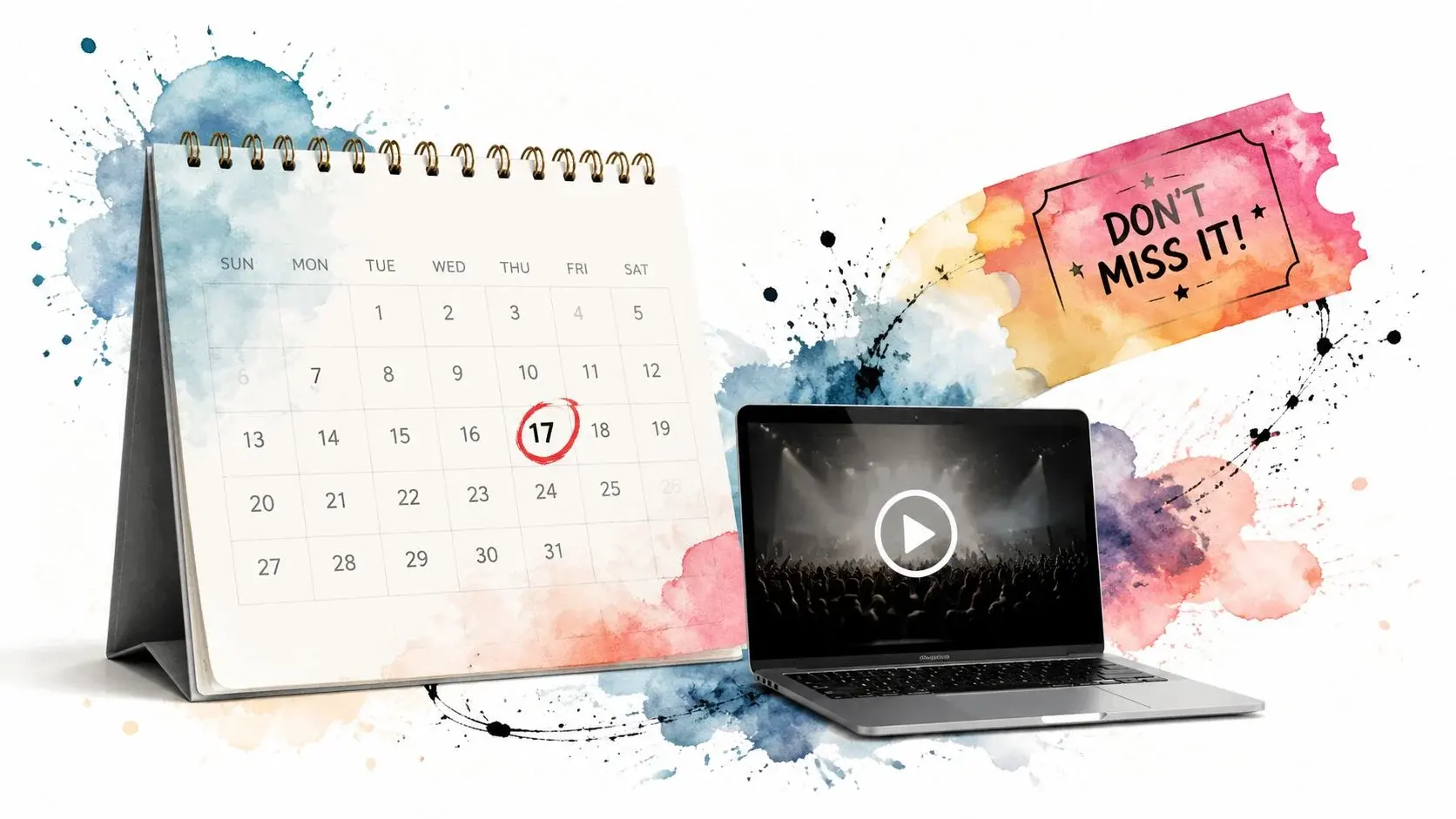
That structure works for webinars, paid workshops, school events, studio classes, and conferences. The voicemail gives reassurance and urgency. The text delivers the practical link or venue detail.
A simple reminder sequence
Send the first confirmation soon after registration so the person knows the signup worked. Then use staged reminders based on the event type. Virtual events usually benefit from a tighter cadence because access links get buried in inboxes fast.
- Registration confirmation: Sent shortly after sign-up, with a follow-up SMS containing the access link or ticket details.
- Pre-event reminder: Sent before the event with date, time zone, and one reason to attend live.
- Final reminder: Sent close to start time, paired with an SMS containing the join link.
For webinar hosts, the SMS should contain the Zoom or Teams link. For in-person classes, include the address and parking or arrival note. For multi-session events, segment by ticket type so VIPs, speakers, and general attendees don't all get the same language.
Tone matters more than most teams think
An event reminder shouldn't sound like a utility notice. It should sound like someone wants you there. That's especially true for education programs, paid seminars, and local studio events where attendance often depends on momentum.
Keep the voicemail focused on confirmation and anticipation. Put the logistics in the SMS where the recipient can tap, save, or forward them.
A karate studio can use this format to remind parents about trial classes and send a text with the address and what to bring. A conference organizer can voice-drop a “see you tomorrow” reminder, then text the check-in QR code. An educator running an online workshop can use one version for live attendees and a different one for registrants who haven't opened earlier reminders.
For more ways to fill the room, see our guide on how to increase event attendance.
4. Payment Reminder and Invoice Follow-Up
Payment reminders need a neutral tone. If the message sounds accusatory, people avoid it. If it sounds too vague, they ignore it because it doesn't feel actionable.
A due-soon template should sound like this:
“Hi [First Name], this is [Business Name] with a reminder that invoice [Invoice Number] is due on [Due Date]. If you have any questions or need the payment link resent, call us at [Phone Number]. We'll also text you the payment details.”
For past-due follow-up, tighten the wording without getting combative:
“Hi [First Name], this is [Business Name] regarding invoice [Invoice Number], which is still outstanding. Please review the payment options in the text we're sending, or call us at [Phone Number] if you need help.”
Build separate templates for due soon and past due
Many teams make the mistake of using one voice message template for every stage of collections. That weakens the message. The tone and urgency should change as the invoice ages.
A B2B service provider might mention the invoice number and due date. A healthcare practice might keep the voicemail more general and move payment specifics to a secure channel. A consultant might use a personal voice recording for late-stage accounts where relationship tone matters.
- Due soon message: Friendly reminder, low friction, offer help.
- Past due message: Clear status, direct request, simple payment path.
- Escalation message: Professional, firm, and limited to the minimum needed to prompt action.
Pair voice with a payment-ready text
Voice gets attention. Text closes the loop. The voicemail tells the customer this matters. The SMS gives them the exact link, portal, or phone number to resolve it.
If you're building an accounts receivable workflow, Broadcast's bill payment reminder guide is a practical model for combining reminders with faster payment actions.
A payment reminder should reduce friction, not create a debate. Give the recipient one simple route to pay and one simple route to ask for help.
This approach works for annual service renewals, unpaid retainers, missed copays, and recurring subscription invoices. Keep the script short, include the invoice reference if appropriate, and always follow with a text that contains the usable next step.
5. Product Launch and Feature Announcement
Launch messaging fails when it starts with the product. It works when it starts with the customer benefit.
That matters even more in voice, where the listener decides within seconds whether to keep listening. Speech is close to 3x faster than typing on a phone (2.93x for English in a Stanford and University of Washington study), and people already use voice heavily: WhatsApp users send 7 billion voice messages a day on average, according to WhatsApp (2022). That makes voice a natural fit for launches, especially when you want more nuance and personality than a standard text blast.
A launch voicemail should sound like this:
“Hi [First Name], this is [Brand Name]. We've just released [product or feature], built to help you [main benefit]. We're sending you a text now with the details and your link to check it out. Questions? Call us at [Phone Number]. To stop these messages, call [toll-free number].”
Lead with benefit, not specs
Customers don't care that you shipped version 3.2 or added six toggles to the dashboard. They care whether the change saves time, reduces hassle, improves performance, or enables something they desired.
For ecommerce, use product category relevance. If someone buys supplements, don't send them a generic gear launch message. For SaaS, segment by feature eligibility or plan type. For subscription brands, a VIP list can get early access language while the main list gets a broader announcement.
- Open with the payoff: “Built to help you book faster,” “Made to simplify reporting,” or “Designed for easier recovery at home.”
- Keep the audio short: Save the details for the SMS or landing page.
- Use the text as the conversion layer: Include the product link, code, or early access page.
Where ringless voicemail fits in a launch stack
Ringless voicemail is useful when you want your launch message to feel more human than email and more expressive than plain SMS. It's especially effective for launches tied to existing customer relationships, such as a feature release for users, a restock announcement, or a loyalty-tier preview.
A fitness equipment retailer might voice-drop a new model preview to prior buyers. A SaaS company might send a feature rollout message only to active admins. A subscription service might record a founder-style announcement for annual members and follow it with a text link to the upgrade or preview page.
Don't stack voicemail, SMS, and email with the same wording. Use each channel for a different job. Voice creates attention. SMS creates action. Email can carry the long-form detail for people who want it.
6. Customer Satisfaction Survey and Feedback Request
Feedback requests work best when they arrive while the experience is still fresh. Wait too long and the message feels like admin. Send it too early and the customer hasn't formed an opinion yet.
A clean survey request sounds like this:
“Hi [First Name], this is [Business Name]. Thanks again for choosing us. We'd love your quick feedback, and we're texting you a short survey now. It only takes a moment, and your input helps us improve. You can also reach us at [Phone Number].”
This is one of the easiest places to overbuild. You don't need a long message, three questions, and a branded intro track. You need a polite ask and a text link.
Make the ask feel easy
The best voice message templates for surveys remove effort. Tell the customer the request is short. Offer one response path. If you have a customer support manager or account lead, mention that replies are reviewed by a real person.
A service company can ask for a satisfaction rating after a completed job. A healthcare practice can request general feedback on the visit experience without putting sensitive care details into the voicemail. An ecommerce brand can ask for a product review after delivery.
- Use one core question: Satisfaction rating, quick feedback, or review request.
- Send the text immediately after the voicemail: Don't make people search for the survey.
- Route unhappy responses fast: If someone signals dissatisfaction, trigger a human follow-up instead of another automated ask.
Why voice helps here
Voice is useful for feedback collection because the ask is simple and time-sensitive. The voicemail gets heard by people who already know your business. The text gives them the place to respond.
“We value your input” is weak. “We're texting you a short survey now” is stronger because it tells the customer exactly what happens next.
If you want more responses, don't complicate the message. Keep the audio short, send the survey link immediately, and make sure the form works well on mobile.
7. Promotional Offer and Limited-Time Deal Alert
Promotional voicemails only work when the offer is clear enough to repeat back in one sentence. If the customer can't explain it after hearing it once, the message is too busy.
A simple limited-time script sounds like this:
“Hi [First Name], this is [Business Name]. We're running a limited-time offer on [product or service] through [end time or day]. Check the text we're sending now for the details and how to claim it, or call us at [Phone Number]. To stop these messages, call [toll-free number].”
This format works for restaurants, local retailers, studios, and ecommerce brands because it keeps the voicemail focused on urgency and moves the exact redemption step into SMS.
Urgency without sounding spammy
The mistake here is trying to sound loud instead of clear. Fast delivery helps, but clutter hurts. Name the offer category, tell them when it ends, and direct them to the text for the code or link.
Ringless voicemail can help because it delivers directly to the voicemail inbox. Vendors publish strong numbers, for example Robotalker cites delivery rates of 87% to 92% and listen rates of 65% to 78%, but without a published method, so treat them as a vendor claim and measure your own campaigns. That makes it a strong fit for short-lived promotions where timing matters.
- State the offer plainly: Discount, bundle, trial, or member special.
- Give a real deadline: End of day, this weekend, or a named date.
- Use the text for redemption: Promo code, purchase link, booking page, or in-store instruction.
Good fits for this template
Restaurants can promote weekend specials or event nights. Retail stores can move seasonal inventory. Fitness and karate studios can advertise intro packages, free trial classes, or short enrollment windows.
Promotional voice drops work best when the recipient already knows your brand. Cold promotional voicemail is far harder to pull off than customer-list promotions tied to prior interest or purchase history, and in the US a marketing voicemail to a cell phone needs prior express written consent (47 CFR 64.1200(a)(2)). Our ringless voicemail compliance guide covers the rules.
Space out these campaigns. If every offer feels urgent, none of them will.
8. Account Reactivation and Win-Back Campaign
Win-back messages need restraint. If the script sounds defensive or desperate, former customers tune out. If it sounds thoughtful and specific, it can reopen the relationship.
A strong reactivation script sounds like this:
“Hi [First Name], this is [Company Name]. We noticed your account hasn't been active lately, and we wanted to reach out because we've made some useful updates since you last used us. We're sending you a text with the details and an easy way to come back if it's a fit. You can reach us at [Phone Number]. To stop these messages, call [toll-free number].”
This works for SaaS, memberships, subscription boxes, local studios, and professional service firms. The message acknowledges the lapse without making assumptions about why they left.
Match the message to the reason they left
Segmentation is critical. A former customer who churned because of pricing should not get the same voicemail as someone who left because they didn't finish onboarding. A paused gym member might respond to convenience or schedule language. A former software customer might care more about new capabilities or easier implementation.
There's another practical reason to build distinct templates here. In outbound calling, a large share of calls are answered by machines, and the industry still has a gap in resources designed for machine-answer versus live-answer logic, as noted in Ringy's voicemail discussion tied to machine-answer scenarios. For reactivation campaigns, that means your machine-answer voice message template should be deliberate, not an afterthought.
- Reference change: New feature set, service improvement, broader schedule, or better onboarding.
- Lower the friction: One-click return link, short callback number, or direct reply option.
- Stay warm: The message should invite, not pressure.
A practical cadence for win-backs
Use a sequence, not a single touch. Start with a gentle reminder, then send a stronger benefit-based message later, then close with an incentive if that fits your model. Pair each voicemail with a text that gives the customer a direct path back.
A SaaS company might text a reactivation link and product updates. A fitness studio might send a class schedule and a returning-member offer. A professional service firm might ask if priorities have shifted and invite a quick reply.
Don't overtalk the comeback. Give them one reason to care and one easy action to take.
8-Point Comparison of Voice Message Templates
| Item | Implementation complexity | Resource requirements | Expected outcomes | Ideal use cases | Key advantages |
|---|---|---|---|---|---|
| Professional Service Appointment Reminder | Low–Moderate: simple scripts + scheduling, need compliance checks | Contact database, voicemail recording/ TTS, ringless platform, scheduling integration, HIPAA controls for healthcare | Fewer no-shows, higher confirmation rates, smoother operations | Healthcare, dental, salons, fitness studios, appointment-driven SMBs | Reduces no-shows, HIPAA-compliant option, automated timing |
| Sales Follow-Up After Initial Contact | Moderate: personalization, sequencing and A/B testing | CRM integration, dynamic merge tags, sales recordings, ringless delivery, analytics | Increased callbacks, faster sales cycles, improved lead conversion | B2B sales teams, real estate, insurance, consulting | Personalized scalable outreach, measurable improvements in callbacks |
| Event Attendance and Registration Confirmation | Moderate: sync with registration systems and timed reminder series | Event platform integration, recordings, ringless + SMS coordination, calendar links | Higher attendance, reduced abandonment, clearer access info | Webinars, conferences, workshops, classes | Boosts turnout, scalable multi-touch reminders, timezone-aware messaging |
| Payment Reminder and Invoice Follow-Up | Moderate–High: billing integration and escalation workflows | Accounting/billing integration, professional scripts, ringless + payment SMS links | Reduced DSO, improved cash flow, fewer late payments | AR teams, B2B service providers, healthcare billing | Non-confrontational collections, automation reduces manual AR workload |
| Product Launch and Feature Announcement | Low–Moderate: campaign coordination and segmentation | Marketing lists, creative recordings, ringless + email/SMS coordination, promo codes | Increased launch engagement, higher conversions among existing customers | Ecommerce, SaaS, product marketing teams | Drives urgency and exclusivity, complements omnichannel launches |
| Customer Satisfaction Survey and Feedback Request | Low: short scripts with simple response mechanisms | Transactional data, survey links, incentives, ringless + follow-up SMS | More feedback, early issue detection, testimonial generation | Post-purchase, service completions, healthcare follow-ups | Non-intrusive feedback collection, increases response rates vs cold outreach |
| Promotional Offer and Limited-Time Deal Alert | Low–Moderate: timing and segmentation critical | Customer segments, promo codes, inventory sync, ringless + SMS follow-up | Immediate sales lift, traffic spikes, faster inventory turnover | Retailers, restaurants, fitness studios, seasonal promotions | Urgency-driven conversions, cost-effective for warm audiences |
| Account Reactivation and Win-Back Campaign | Moderate: personalized multi-touch sequences and incentives | Churn data, CRM, tailored offers, ringless + SMS, tracking for cohorts | Recover lapsed customers, recover MRR, improved customer lifetime value | SaaS, subscriptions, fitness memberships, lapsed-account programs | Cost-effective reacquisition, higher win-back rate than cold outreach |
Automate Your Outreach and Maximize Impact
The difference between an average voice campaign and a strong one usually isn't the script alone. It's the system behind it. Teams get better results when they match the message to the moment, choose the right delivery method, and make the follow-up easy.
That's why voice message templates matter. They give your team consistency, but they also create room for smarter execution. The template handles the structure. Your workflow handles timing, segmentation, compliance, and escalation. When those pieces work together, ringless voicemail stops being a novelty and becomes a dependable outreach channel.
That matters because voicemail is already where so much real-world communication ends up. SellCell's data points to a daily volume of voicemail opportunities on a massive global scale, and that should change how teams think about outbound contact. Instead of treating voicemail as what happens when a call fails, we should treat it as a designed touchpoint. For many use cases, especially reminders, follow-ups, promotions, and reactivation, it's one of the most controllable channels you have.
The same principle applies to channel pairing. Voice is strong at tone, authority, and urgency. SMS is strong at links, confirmation steps, and short replies. Used together, they solve different parts of the same problem. The voicemail gets attention and context. The text removes friction. That's a much better system than asking one channel to do everything.
Healthcare teams need another layer. They can't improvise sensitive messages and hope they're safe. They need approved voice message templates that respect HIPAA boundaries, especially for appointment reminders, billing outreach, and any workflow that might drift into protected information. Sales teams need a different discipline. They need a cadence that doesn't overcall and scripts that sound relevant, not needy. Marketing teams need list hygiene, segmentation, and offers that are clear enough to act on immediately.
Ringless voicemail also deserves a strategic place in that mix. Because it deposits audio directly into the voicemail inbox, it gives you more control over delivery and lets you plan machine-answer outreach intentionally. That's especially useful for businesses sending recurring reminders, time-sensitive promotions, and customer reactivation campaigns where consistency matters more than live conversation on the first touch.
Start small. Pick one of the templates above that maps directly to a current problem. Build the voicemail version, write the paired SMS, decide the timing, and test it on a clean segment. Listen to your own recordings before you launch. Tighten any sentence that feels slow, vague, or overloaded. Then track response patterns and keep refining.
Good voice messaging doesn't sound clever. It sounds clear, timely, and easy to respond to. That's what gets results.
Broadcast gives you the infrastructure to turn these voice message templates into repeatable campaigns with ringless voicemail, SMS follow-ups, merge fields, scheduling, machine-answer logic, drip sequences, and HIPAA-ready workflows. If you're ready to automate outreach without losing the personal feel, explore Broadcast and build a voice strategy your team can run.
Frequently asked questions
What should a voice message template include?
Your business name at the start, the reason for the call, one next step and a callback number. US rules require the name at the beginning and a phone number during or after any prerecorded message (47 CFR 64.1200(b)). Marketing messages also need an opt-out.
How long should a voicemail message be?
Short enough that the key details are not buried: a few sentences with one action. Put links, addresses and codes in a follow-up text instead of reading them out.
Do ringless voicemail templates need consent?
Yes in the US. The FCC ruled in 2022 (FCC 22-85) that ringless voicemail to wireless phones is a call made with a prerecorded voice and requires consent; marketing messages need prior express written consent (FCC). This is general information, not legal advice.
Can healthcare offices leave appointment reminders on voicemail?
Yes. HHS guidance allows providers to leave appointment reminders on voicemail but asks them to limit the information, so leave out diagnosis, treatment and test details. Broadcast's ringless voicemail page explains how the channel works.


