
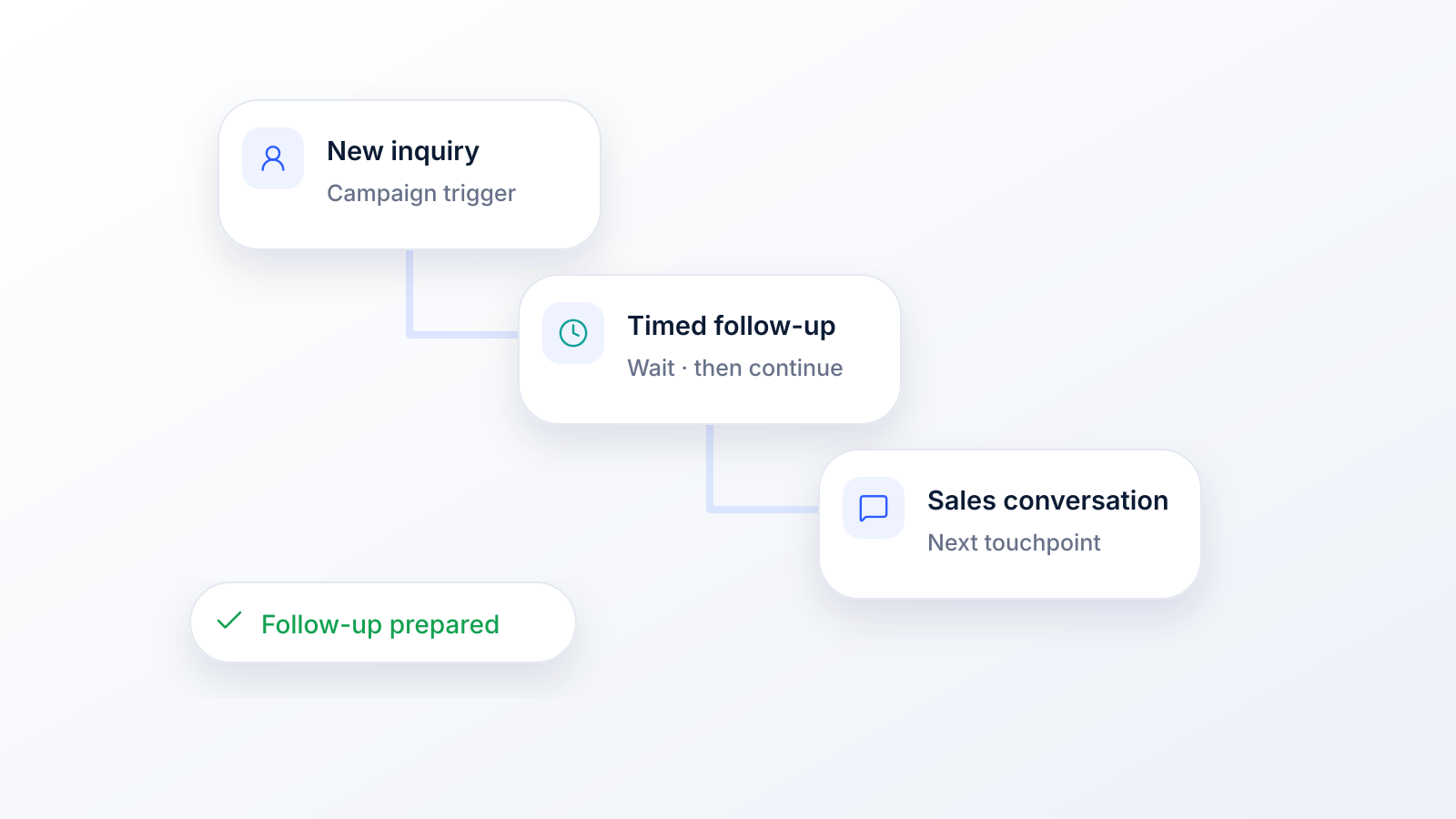
A lot of lead follow-up fails for boring reasons. Someone gets busy. A rep plans to call after lunch. A form submission lands in a shared inbox and sits there while the team handles live work. By the time anyone responds, the lead has cooled off, forgotten the context, or already booked with somebody else.
That’s why an automated lead follow up system matters. Not as a nice-to-have email autoresponder, but as a working process that responds fast, routes people correctly, and keeps the conversation moving across SMS, voice, and ringless voicemail without creating a compliance mess.
Why Your Best Leads Are Slipping Away
Most SMBs don’t lose leads because the offer is weak. They lose them because the follow-up is late, inconsistent, or stuck in one channel.
A lead fills out a form when intent is high. That moment is short. If your process depends on a person seeing a notification, opening the CRM, deciding what to say, and remembering to send the next touch, you're asking a manual workflow to win a speed game.
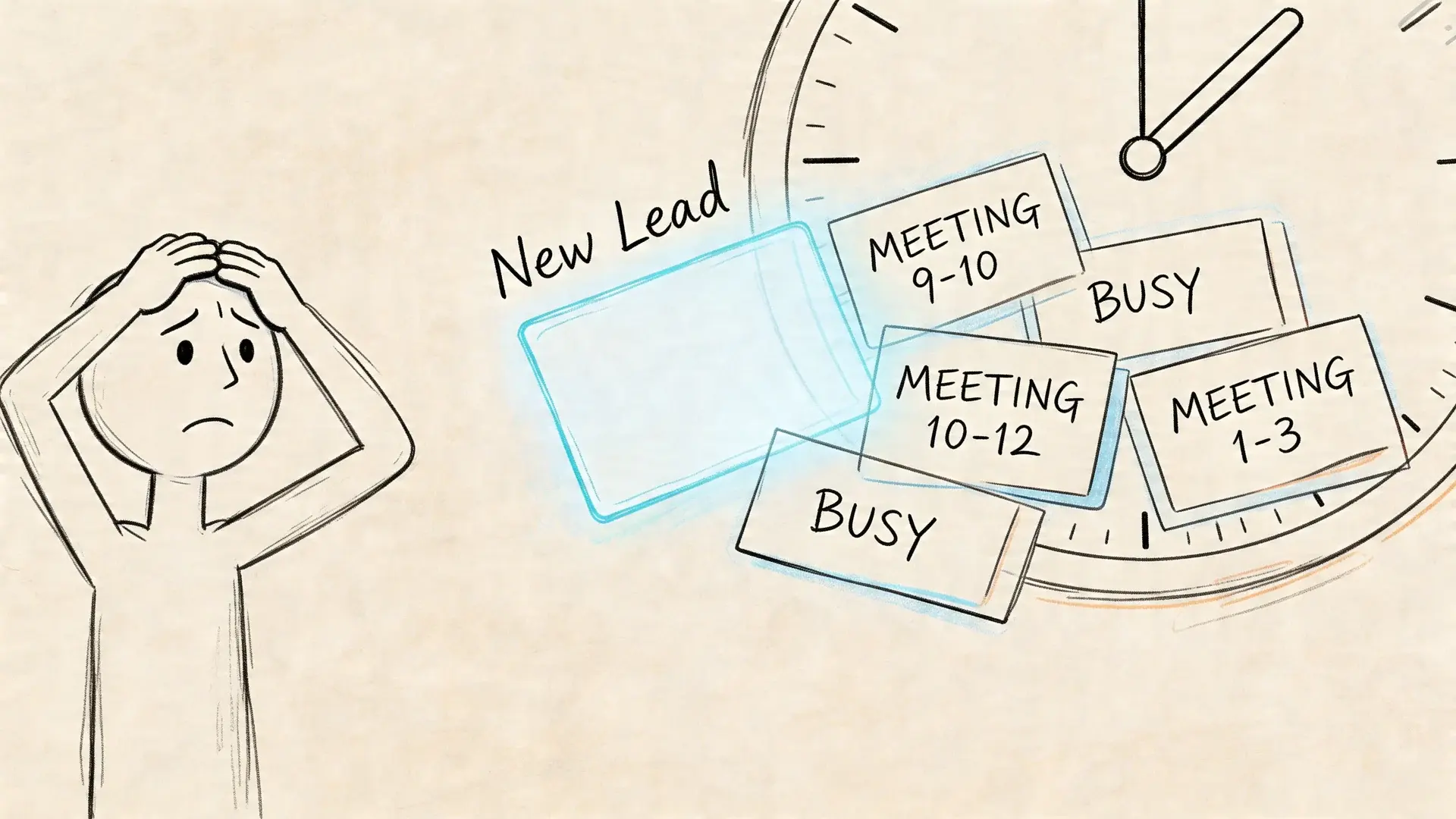
Speed decides who gets the conversation
The gap between a hot lead and a stale lead is often measured in minutes, not days. In a study published in Harvard Business Review, researchers audited 2,241 US companies with a web test lead: only 37% responded within an hour, 23% never responded, and the average response time among those that did respond was 42 hours. In a separate analysis of 1.25 million leads at 42 companies, firms that tried to contact a lead within an hour were nearly seven times as likely to qualify it as firms that waited even one more hour, and more than 60 times as likely as firms that waited 24 hours or longer (Oldroyd, McElheran and Elkington, HBR, 2011).
The study is from 2011, but the logic has not changed. The first few minutes are when the lead still remembers the page they were on, the question they had, and why they reached out. After that, urgency fades and distractions win.
Practical rule: If your system can't react while your team is busy, you don't have a follow-up system. You have a reminder system.
Manual follow-up breaks under normal business conditions
Manual outreach sounds personal, but in practice it often creates uneven coverage:
- Busy days kill response time: Reps naturally prioritize meetings, calls, and active deals over brand-new inquiries.
- The second touch gets forgotten: Even solid teams tend to send the first response and miss the structured follow-up after that.
- Email-only workflows miss people: Some leads reply to text. Some answer calls. Some listen to voicemail and call back later.
An automated lead follow up system fixes the operational problem. It doesn't replace judgment. It handles the parts that shouldn't depend on memory: immediate acknowledgment, timed follow-ups, channel switching, routing, logging, and opt-out handling.
The point isn't to automate everything. The point is to automate the parts that should happen every single time.
Understanding Your Automated Follow Up System
A lot of people hear the phrase and think of a basic autoresponder: “Thanks, we got your message.” That’s not a system. That’s an answering machine.
A real automated lead follow up system works more like a digital sales assistant. It notices when a lead comes in, starts the right conversation, adjusts based on behavior, and hands the lead to a human when the signal is strong enough.
The difference between a tool and a system
A tool sends a message.
A system decides:
- when to send it,
- which channel to use,
- what happens if the lead replies,
- what happens if they don't,
- and when a person should step in.
That shift matters. If you're building from a tool mindset, you end up with disconnected automations. One email here, one text there, maybe a missed task in the CRM. If you're building from a system mindset, each step has a job and each channel supports the others.
If you want a broader foundation before you build, these lead nurturing best practices are useful because they frame follow-up as a process, not just software.
Why multi-channel beats email-only follow-up
Email still has a place, but many businesses rely on it too heavily. That's where response quality drops.
A better system uses the channel mix intentionally:
- SMS works well for speed, confirmations, short nudges, and appointment-style next steps.
- Voice works well when urgency matters or when the lead expects a real conversation.
- Ringless voicemail works well when you want a personal touch without forcing a live answer in the moment.
It's like knocking on the front door, ringing the side bell, and leaving a note in the mailbox. You’re not repeating yourself for the sake of it. You’re creating more than one legitimate way for the lead to respond.
A weak system repeats the same message on the same channel. A strong system changes the format while keeping the intent consistent.
Static automation versus responsive automation
Static automation is linear. Day 1 email. Day 3 email. Day 7 email. It runs no matter what the lead does.
Responsive automation watches for signals. A reply stops the sequence. A click triggers a stronger ask. A missed SMS can trigger a voice touch later. A booked meeting can launch reminders automatically. With these capabilities, automation starts to feel useful instead of robotic.
In day-to-day operations, that difference shows up fast. Static flows create noise. Responsive flows create momentum.
The Six Pillars of an Unbeatable Follow Up System
The strongest systems are built on a few connected parts. Miss one, and the rest start working against each other. You can have fast outreach with poor segmentation and annoy the wrong people. You can have beautiful messaging with weak timing and still lose the lead.
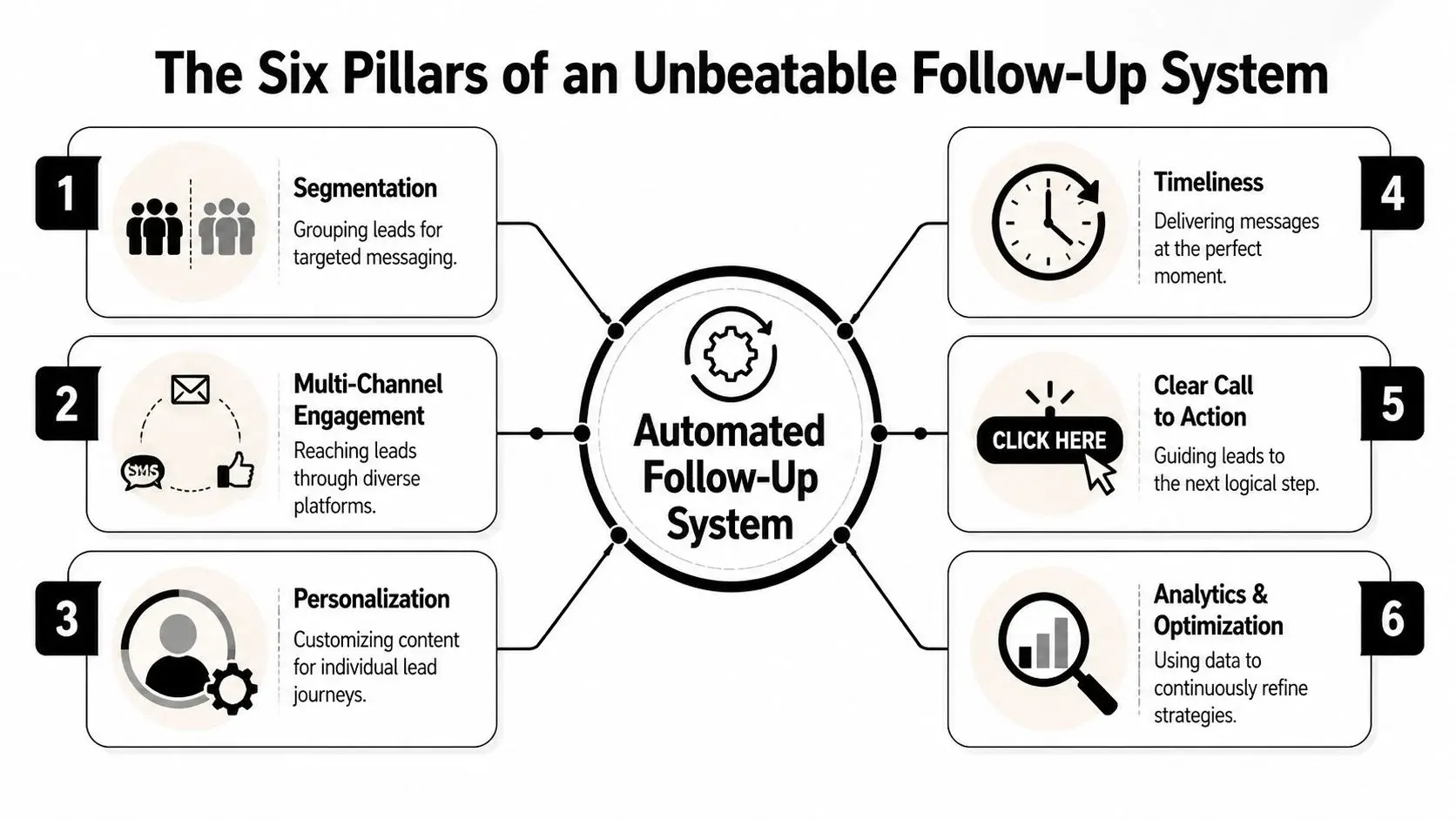
Multi-channel messaging
Definition: Use more than one contact method so the system matches how people respond.
Example: A new lead gets a confirmation text first, then a voice follow-up later if there’s no reply, then a ringless voicemail that gives them a simple callback path.
Many businesses underbuild their follow-up systems. They typically create a single email drip, then assume a lack of response indicates low intent. However, sometimes it merely means the lead did not want another email.
Intelligent sequencing
Definition: Sequence logic controls timing, spacing, and escalation so touches feel coordinated instead of random.
Example: A lead receives a short SMS immediately, a voicemail the next day if there’s still no response, and a rep task only after the sequence has done its first layer of work.
Good sequencing is what turns separate messages into one follow-up: the first touch goes out while the lead is still paying attention, a reply or a booking stops the rest, and a silent lead moves to the next channel instead of getting the same message again. That’s why sequencing isn’t just timing. It’s response orchestration.
Personalization that survives scale
Definition: Personalization means using real context, not just dropping a first name into a template.
Example: A message references the exact form topic, appointment type, service line, location, or event the lead asked about.
At scale, this depends on clean fields and merge tags. If your forms collect vague information, your personalization will sound vague too.
Behavior-based triggers
Definition: Triggers let the system react to what the lead does.
Example: If someone clicks a scheduling link but doesn’t complete booking, the system sends a short reminder by text instead of another generic intro.
Automation starts acting less like a drip and more like a traffic controller. It routes by signal.
Operational insight: Triggers should answer one question only. “What happened, and what should happen next?”
Built-in compliance
Definition: Compliance rules should be part of the workflow logic, not a manual cleanup task after launch.
Example: The system checks consent status before sending SMS, honors STOP replies on every channel, checks voice numbers against the National Do Not Call Registry and your internal do-not-call list, and limits protected health information in messages for HIPAA-sensitive workflows.
This is especially important in SMS, voice broadcasting, and ringless voicemail. If your team treats TCPA or HIPAA as an afterthought, the system may scale risk faster than it scales results.
In the US, automated marketing texts and prerecorded calls to cell phones need the lead’s prior express written consent (47 CFR 64.1200(a)(2)), and the FCC ruled in 2022 that ringless voicemail to a cell phone counts as a call under the same rules (FCC 22-85). A form fill is not consent by itself: the form needs a clear consent statement the lead agrees to. Our guide to express written consent shows what that wording covers.
Actionable analytics
Definition: Analytics should tell you what to change, not just what happened.
Example: You review response timing, channel-level engagement, reply patterns, and sequence drop-off points, then adjust the weak step instead of rewriting everything.
Useful analytics create operational decisions. If texts get replies but voicemails drive callbacks, keep both. If one branch never produces meetings, cut it or rewrite it.
Here’s the simple version:
| Pillar | What it does | What good looks like |
|---|---|---|
| Multi-channel messaging | Expands reach | SMS, voice, and ringless voicemail work together |
| Intelligent sequencing | Controls timing | Touches are spaced and purposeful |
| Personalization | Adds relevance | Messages reflect actual lead context |
| Behavior-based triggers | Reacts to signals | Sequence changes when leads act |
| Built-in compliance | Reduces risk | Consent and opt-outs are enforced in workflow |
| Actionable analytics | Drives improvement | Teams can see where sequences break |
One practical option in this category is Broadcast, which supports SMS, voice broadcasting, ringless voicemail, drip campaigns, press-1 transfers, merge tags, and HIPAA-oriented workflows. The key point isn’t the brand. It’s choosing a platform that can execute these pillars in one operating model instead of forcing your team to stitch them together manually.
How to Build Your Automated Follow Up Machine
Don’t start by writing messages. Start by drawing the blueprint.
When teams skip this part, they build a pile of automations instead of a coherent machine. The workflow may technically run, but it won't reflect buyer intent, handoff rules, or channel fit. Good follow-up architecture is less about software setup and more about deciding what should happen in specific situations.
Start with one job per sequence
Every sequence needs a single purpose. Not three.
A lot of SMB follow-up goes wrong because one automation tries to educate, qualify, schedule, recover abandoned leads, and upsell at the same time. That creates mixed signals. One sequence should aim to do one clear thing, such as:
- get a reply,
- get a booking,
- confirm attendance,
- revive a stalled inquiry,
- or route a hot lead to a rep.
If you need help shaping the first email in that flow, these sales follow-up email templates can help you draft something clean before you adapt it for SMS and voice.
Map the lead journey before you map the tech
Think in moments, not tools.
Write down the common entry points first. Website form. Missed call. Keyword opt-in. Event registration. Pricing inquiry. Consultation request. Then define what should happen in the first few touches for each.
A practical planning sheet usually includes:
- Entry trigger: What starts the sequence
- Intent level: High, medium, or low
- Primary channel: SMS, voice, ringless voicemail, or email
- Fallback channel: What happens if the first touch gets no response
- Human handoff rule: When a rep takes over
- Stop rule: Reply, booking, opt-out, or disqualification
For more workflow design ideas, this guide on marketing automation workflow is useful because it focuses on how triggers and actions connect across systems.
Build branches, not just drips
Linear drips are easy to launch and easy to outgrow. Better systems branch.
Dynamic nurturing paths use conditional logic based on behavior. For example, if a lead opens an email but doesn’t click, the system sends a reminder, while a pricing page visit or a whitepaper download can raise the lead’s status in the CRM and bring a rep in sooner.
That matters because the system should respond differently to silence, curiosity, and intent. A lead who ignored everything shouldn’t get the same next step as a lead who clicked but didn’t book.
Build the branch around behavior, not around hope.
Choosing Your Follow-Up Channel
| Channel | Strength | Best For | Example Use Case |
|---|---|---|---|
| SMS | Qualitatively high and fast for short messages | Immediate acknowledgment, reminders, simple replies | “Thanks for reaching out. Want a quick callback today?” |
| Voice | Strong when urgency or explanation matters | Qualification, live transfer, urgent response | Calling a high-intent form submission |
| Ringless voicemail | Useful for personal, non-intrusive follow-up | Reaching busy leads without forcing a live pickup | Leaving a callback message after no SMS reply |
| Good for longer detail and documents | Resources, recaps, longer explanations | Sending pricing info or next-step summary |
A simple sequence that works
You don’t need a giant build to start. A practical SMB flow can look like this:
- Trigger the sequence immediately: The lead submits a form or texts a keyword.
- Send a short acknowledgment: Confirm receipt and set a next step.
- Wait for a signal: Reply, click, call back, or booking.
- Switch channels if needed: If there’s no response, move from text to voice or ringless voicemail.
- Create a human task only when justified: Reps should enter when the lead shows intent, not when the system is doing basic chasing.
- Stop cleanly: A reply or opt-out should halt the right branches automatically.
That’s the machine. Not glamorous, but effective.
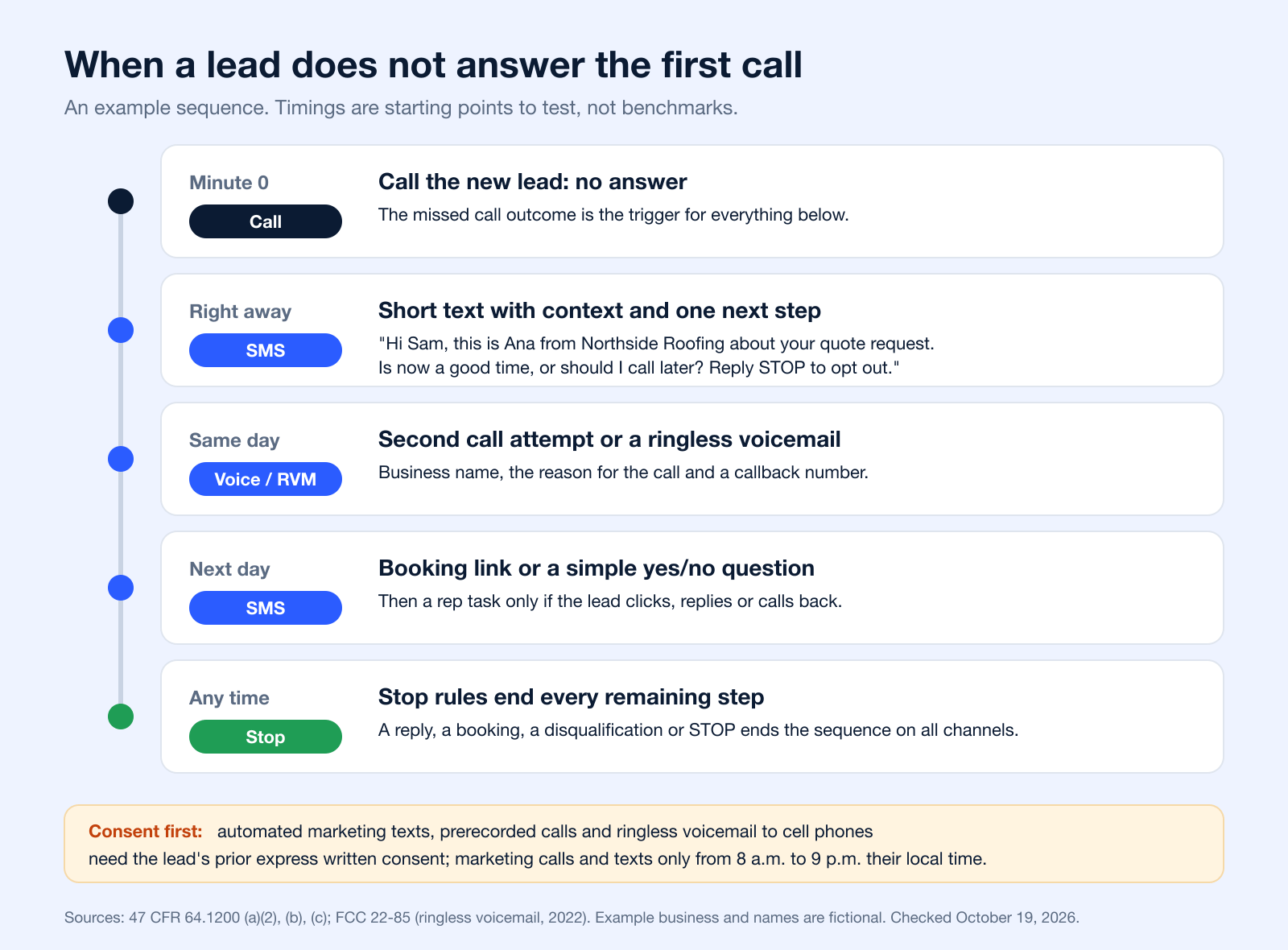
How to Follow Up When a Lead Doesn’t Answer the First Call
The most common question people ask before landing here is which tools set up automated follow-up for leads who don’t answer a call. The answer is less about one tool and more about connecting the call outcome to the rest of the sequence: a missed call should start the next step automatically, not wait for a rep to notice it.
| Tool | Its job in the sequence | What to check before you buy |
|---|---|---|
| CRM or lead inbox | Holds the lead, its source and its consent record; assigns the rep | Can it start an automation from a new lead or a call outcome? |
| Phone system or dialer | Places the first call and logs the outcome (answered, no answer, voicemail) | Does it pass "no answer" to other tools, natively or through a webhook? |
| Messaging platform | Sends the follow-up texts, voice messages and ringless voicemail on a schedule | Drip or autoresponder steps, STOP handling on every channel, quiet hours, reply alerts |
| Connector | Moves data between the three tools when there is no native integration | Zapier, Make or a webhook; test that each lead triggers the sequence only once |
| Calendar | Lets the lead book without a phone call | A booking link you can drop into a text; a booking should stop the sequence |
What the first text after a missed call should say
Keep it short and specific: who is texting, why, and one easy next step. Name the business, mention what the lead asked about, and ask a question they can answer in one word. Include an opt-out line such as “Reply STOP to opt out”; carriers expect it, and STOP, END, UNSUBSCRIBE, CANCEL and QUIT should all work (CTIA Messaging Principles). For ready-made wording, see these follow-up texts for leads who haven’t replied.
When to stop calling and texting
Decide the stop rules before you switch the sequence on. A reply, a booking, a disqualification or an opt-out should end every remaining step on every channel, not only the channel where it happened. If the lead never responds, end with a final message that leaves the door open, then move them to a slower nurture list instead of calling again next week. In the US, marketing calls and texts are allowed only between 8 a.m. and 9 p.m. in the lead’s local time (47 CFR 64.1200(c)(1)), so schedule steps by the lead’s time zone.
Platforms that combine texts, voice broadcasts and ringless voicemail can run these steps from one place; Broadcast’s SMS autoresponders are one way to start the first text automatically.
Advanced Tactics for Smarter Lead Follow Up
The basics get you running. The edge comes from tuning the system so it feels timely, human, and disciplined.
Write messages that sound like a person under time pressure
The first SMS matters more than many realize. If it sounds automated, people treat it like an automated message. Short beats clever. Clear beats polished.
Good opening messages usually do three things:
- State context: Why the lead is hearing from you
- Offer one next step: Reply, book, or call back
- Keep the ask small: Don’t force a long decision in touch one
A weak message reads like a campaign. A strong message reads like a helpful follow-up from a real business.
Use channel handoffs on purpose
Don’t stack channels just because you can. Sequence them so each one does a different job.
A simple rule:
- use SMS for immediacy,
- use voice when a real conversation can move things forward,
- use ringless voicemail when you want a personal nudge without interrupting the lead at the wrong time.
If you're refining timing and touch structure, these drip campaign best practices are worth reviewing because cadence errors usually hurt more than copy errors.
The smartest follow-up systems don't shout louder. They change format at the right moment.
Protect deliverability and trust
List hygiene isn't admin work. It's performance work.
Make sure your process removes bad numbers, respects opt-outs quickly, and avoids pushing the same stale record through the same sequence over and over. A dirty list makes every channel worse. It lowers response quality, increases complaints, and muddies your reporting.
Compliance belongs here too. TCPA rules (47 CFR 64.1200) control how you contact people through calls, texts and ringless voicemail. HIPAA matters if your workflow touches protected health information or patient communications; HHS advises providers to limit what they leave in messages, for example only a name, a number and what is needed to confirm an appointment (HHS HIPAA FAQ 198). In practice, that means using consent-aware messaging, limiting sensitive details in messages, and keeping audit-friendly records of who received what and when. Our ringless voicemail compliance guide covers the voicemail side.
Test the first move, not just the whole sequence
Teams often A/B test the fourth message when the primary impact is in touch one. If the opener is weak, the rest of the sequence inherits that weakness.
Test:
- Opening line: direct versus conversational
- CTA style: reply-based versus booking-based
- Channel first: SMS first versus voice first for high-intent leads
You don't need a lab. You need discipline. One controlled change at a time.
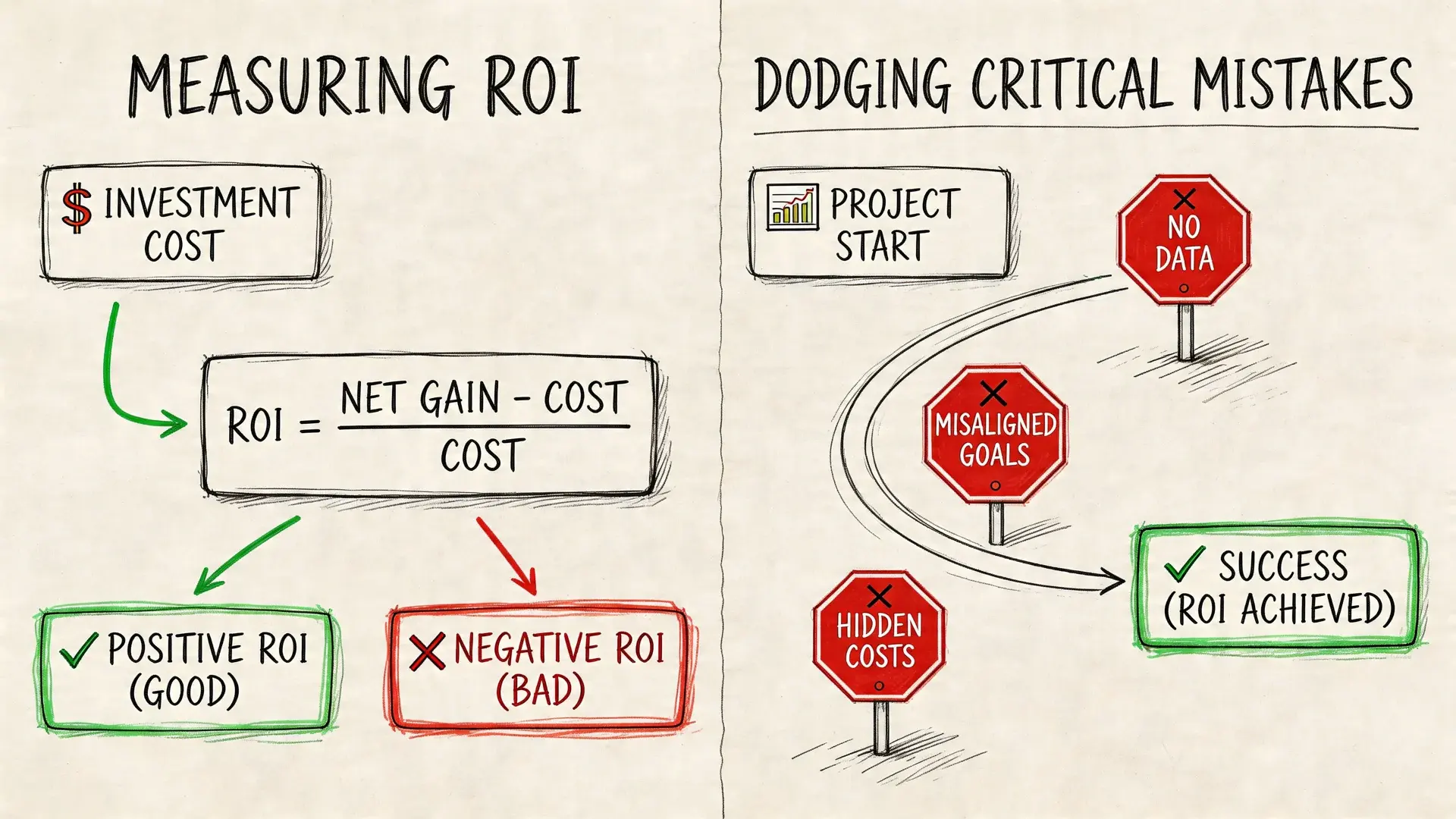
Measuring ROI and Dodging Critical Mistakes
If you can’t prove the system changed pipeline behavior, it’s hard to justify the time, software, and operational effort behind it.
That doesn’t mean you need a giant dashboard. It means you need a few metrics that tell the truth about whether the machine is doing useful work.
What to track if you want credible answers
Start with operational metrics first, then business outcomes.
Track:
- Lead response time: How fast the first touch happens. The HBR study above is a useful yardstick: the companies it audited took 42 hours on average.
- Contact rate: How many leads receive at least one successful touch
- Reply rate by channel: Which medium gets conversations started
- Booking or handoff rate: How many leads reach a qualified next step
- Lead-to-customer conversion rate: The metric that matters most in the end
This article on measuring marketing campaign effectiveness is a good reference point if you need a cleaner way to connect channel activity with business impact.
Don’t do this. Do this instead.
A lot of follow-up systems fail because teams optimize for activity instead of usefulness.
- Don’t blast every lead the same way. Do segment by intent, source, and likely preferred channel.
- Don’t keep messaging after obvious disinterest. Do set stop rules for non-response, opt-out, and disqualification.
- Don’t “set it and forget it.” Do review live workflows regularly and fix weak branches.
- Don’t hide opt-outs or make them hard. Do make exit paths simple and immediate.
A healthy follow-up system creates clarity. An unhealthy one creates volume.
The hard problem most teams ignore
Long-dormant leads are where simplistic automation breaks down.
A blind spot in a lot of follow-up guidance is lead scoring decay: there is rarely a rule for when a lead has gone stale enough to need a different re-engagement approach. A lead dormant for 30 days and a lead dormant for 6 months should not get the same message, and pushing hard on very old leads can backfire with complaints and opt-outs.
That’s a useful warning. A lead who stopped responding last month may deserve a soft check-in. A lead untouched for much longer may need a reset message, a different offer, or no outreach at all. Treating both the same usually produces bad signal and unnecessary annoyance.
Consent matters here too. If a lead asked you to stop, they are out of every sequence, old or new. And a lead who agreed to texts about one quote has not agreed to every future promotion: check what your consent language covered before you bring a dormant list back.
Your Automated Follow Up System Questions Answered
Is this only for bigger teams with dedicated ops support
No. Smaller teams often benefit first because they have less margin for missed follow-up.
The trick is to start narrow. Build one sequence for one lead source with one clear goal. Once that works, expand. Most SMBs get into trouble when they try to automate every path at once.
Will it feel robotic to leads
It will if you write robotic messages and ignore behavior.
Automation doesn't create stiff communication by itself. Bad templates do. So does poor timing. If your messages are short, contextual, and tied to real actions, people usually experience the system as responsive, not mechanical.
Should I use SMS, voice, or ringless voicemail first
It depends on the type of inquiry and the urgency behind it.
SMS is often the cleanest first move for speed. Voice is stronger when qualification matters quickly. Ringless voicemail works well when you want a personal follow-up without forcing a live conversation right away. The right answer usually isn't one channel. It's a sequence that uses each channel for a specific purpose.
What is a lead automation system?
It is the set of rules and tools that captures a new lead, responds right away, and runs the next steps without someone remembering to do them: timed messages, channel switches, CRM updates, rep tasks and stop rules. The six pillars above (channels, sequencing, personalization, triggers, compliance and analytics) are its parts.
How do you automate follow-ups?
Pick one lead source and one goal, then build a short sequence: a trigger (form, missed call or keyword), an instant acknowledgment, waits, a second channel if there is no reply, and stop rules for replies, bookings and opt-outs. Test it on your own number before real leads enter it. Our guide to marketing automation workflows has full examples.
What is the best way to follow up with a lead?
Fast, short and on the channel the lead is most likely to answer. Contact them within the hour if you can (the HBR study above found a sharp drop after that), reference what they asked for, offer one next step, and switch channels instead of repeating the same message.
What tools help automate follow-up for leads who don’t answer a call?
Usually four working together: a CRM, a phone system that logs the call outcome, a messaging platform for texts, voice and ringless voicemail, and a connector such as a native integration, Zapier or a webhook. See the tools table in the section on leads who don’t answer the first call.
What are the top marketing automation tools?
There is no official top 5. For lead follow-up, choose by the channels you need (email, SMS, voice), whether it connects to your CRM and phone system, and how it handles consent and opt-outs. Our comparison of drip campaign software lists the main options with pricing from each vendor’s own page.
How do I keep automation from becoming a compliance risk
Build compliance into the workflow itself.
That means using consent-aware sending rules, honoring opt-outs right away (the FCC rule allows at most 10 business days, 47 CFR 64.1200(a)(10)), applying DNC logic to voice outreach, and being careful with message content in HIPAA-sensitive use cases. If your team has to remember those steps manually, the process will eventually fail under pressure.
If you want a practical platform for building an automated lead follow up system across SMS, voice, and ringless voicemail, take a look at Broadcast. It’s built for multi-channel outreach, supports drip campaigns and press-1 transfers, integrates with common tools, and includes features that help teams manage consent, deliverability, and HIPAA-sensitive workflows without stitching everything together by hand.


