
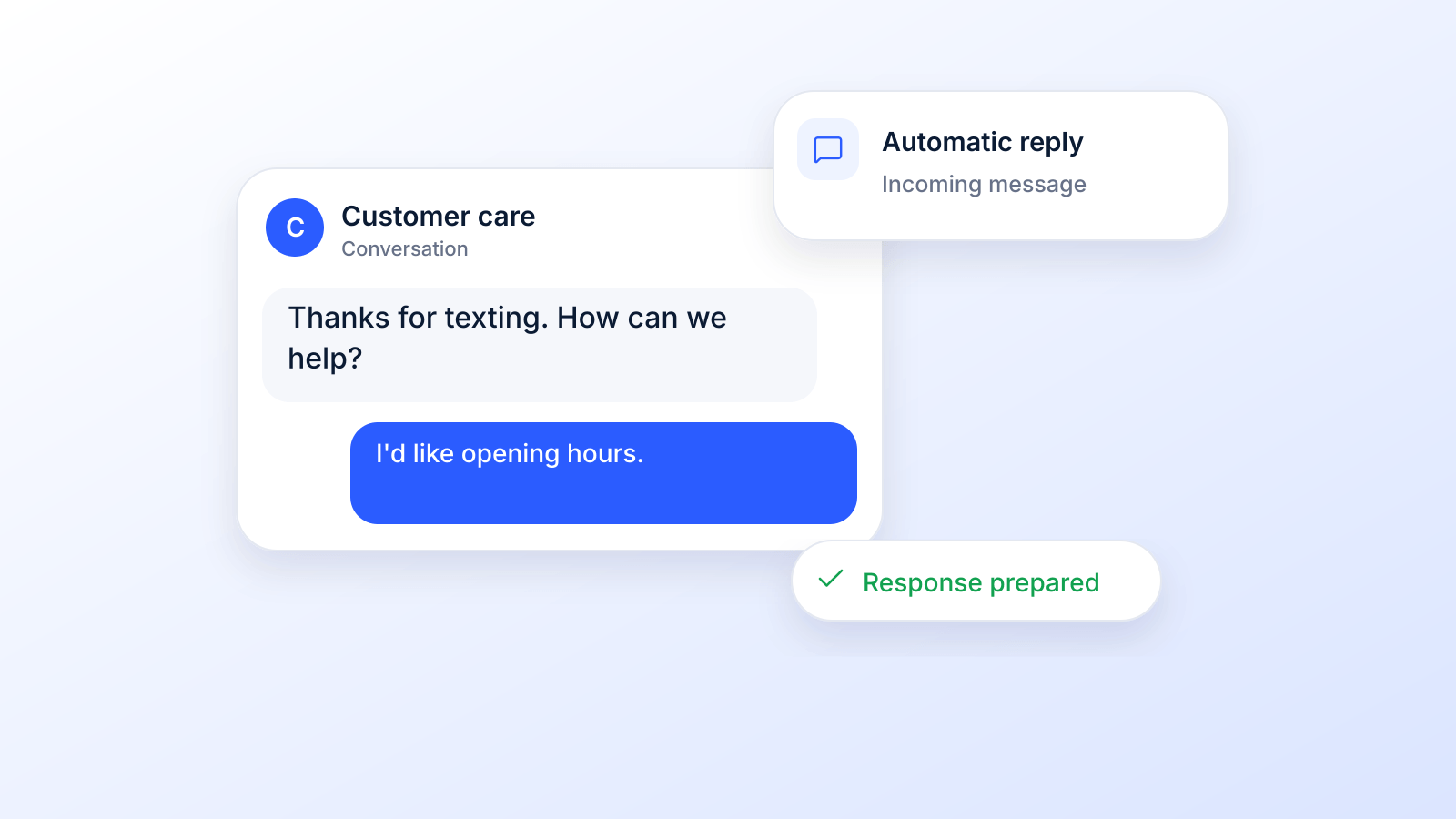
Think of an auto SMS reply as your digital receptionist, always on, instantly responding to every inquiry. It's a pre-written text message that automatically fires off when a specific trigger occurs, like when someone texts you, you miss a call, or they fill out a form on your website. This isn't just a nifty feature; it's a foundational tool for any business that wants to provide instant acknowledgment, manage customer expectations, and capture leads without a human having to lift a finger.
Why Auto SMS Replies Are Essential for Modern Business
In a world where everyone wants everything yesterday, speed is the new currency. When a potential customer reaches out, they expect an immediate response, not one that trickles in hours (or worse, days) later. This is where a sharp, well-crafted auto SMS reply becomes a game-changer. It's your first line of defense against lost opportunities and your first step in building trust.
That immediate, automated text does one simple but critical thing: it confirms you received their message. It tells them they haven't been shouting into the void. This single act can be the difference between a warm, engaged lead and someone who's already moved on to your more responsive competitor.
Before we dive into the setup, let’s look at the real-world difference an automated system makes compared to leaving things to chance.
The Immediate Impact of an Auto SMS Reply System
It's easy to think, "I'll just get back to them when I can." But the gap between an instant automated response and a delayed manual one is where revenue and relationships are lost. Here's a quick breakdown of what's at stake:
| Business Metric | With Auto SMS Reply | Without Auto SMS Reply |
|---|---|---|
| Lead Capture | 24/7 capture, instantly engaging every inquiry. | Leads lost after-hours, on weekends, or during busy periods. |
| Customer Experience | Instant acknowledgment, setting clear expectations. | Customers feel ignored, leading to frustration. |
| Response Time | Seconds. | Hours, or even days. |
| Competitiveness | Stay ahead by being the first to respond. | Competitors who respond faster win the business. |
| Efficiency | Frees up your team for high-value tasks. | Team is bogged down with repetitive follow-ups. |
As you can see, the choice isn't just about convenience; it's about fundamentally changing how you engage with your audience and protect your bottom line.
Capture Every Opportunity
Picture this: a hot lead texts your business at 9 PM on a Friday. Without an auto-reply, that message just sits there, getting colder by the minute, until Monday morning. By then? That lead has probably already found someone else.
An auto SMS reply completely salvages this situation.
- For After-Hours Inquiries: "Thanks for contacting us! We've received your message. Our office is closed for the weekend, but we'll get back to you first thing Monday morning."
- For Sales Questions: "Hi [FirstName], thanks for your interest! We got your message and a specialist will text you back within 15 minutes to answer your questions."
This is how you professionally manage expectations and keep the conversation going, even when you’re not physically there. You never miss a chance to connect just because you're offline.
Enhance Your Communication Strategy
But auto-replies are more than just a simple "got your message" confirmation. They're the starting point for much deeper, more engaging communication workflows.
Think of it as the first domino. A new lead's text can trigger an initial SMS reply, which then kicks off other automated actions. Maybe a few hours later, a ringless voicemail gets dropped into their inbox, delivering a personal-sounding message without their phone ever ringing. This kind of multi-channel follow-up creates a high-touch experience that makes you stand out.
The real power here comes from how much people still rely on text messaging. According to CTIA, Americans exchanged nearly 2.2 trillion SMS and MMS messages in 2024. When a customer texts your business, they expect the same speed they get from friends and family, and an instant automatic reply is how you meet that expectation even when nobody is at the desk.
Alright, let's get into the good stuff. Moving from theory to actually building your first auto sms reply campaign is where you'll see the magic happen. Don't worry, it isn't complex. It’s really just about making smart choices that help your customers and, in turn, help your business.
The absolute foundation of any solid automated workflow is the trigger: that specific event that tells your system, "Hey, send this message now!"
Think of triggers as the simple "if this happens, then do that" logic for your text messages. Getting these right is crucial because it creates a system that feels responsive and genuinely helpful, not robotic.
This whole process, from a new lead reaching out to them becoming an engaged customer, gets a massive boost from instant replies.
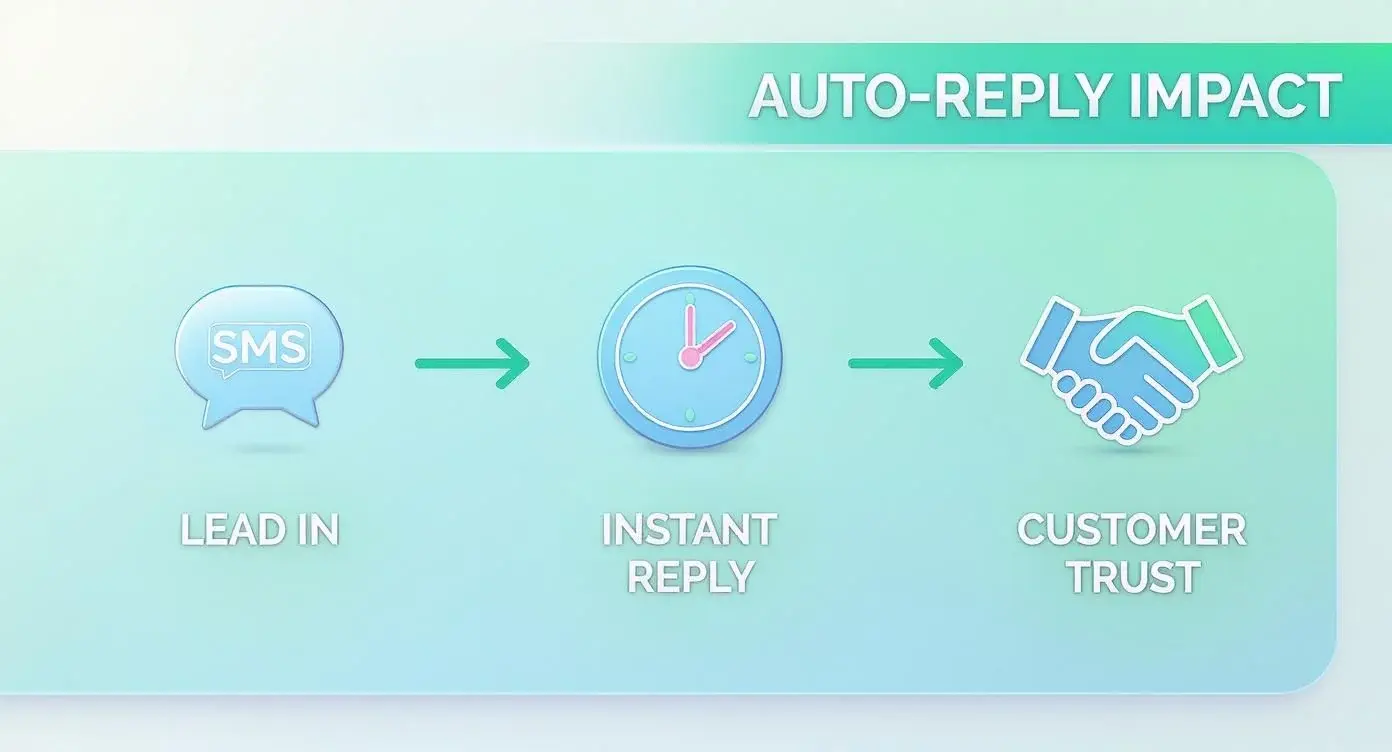
This simple flow (a person inquires, they get an instant reply, and trust begins to build) is the engine that drives engagement and loyalty right from that very first text.
Defining Your Campaign Triggers
First things first, you need to decide what specific actions will fire off an automatic response. Your goals will ultimately guide this, but most businesses start with three core types of triggers.
- Keyword-Based Triggers: This is your go-to for inbound questions. When a potential customer texts a specific word like "PRICE," "INFO," or "HOURS," the system zaps back a pre-written message with that exact information. It's a fantastic way to deliver instant answers 24/7.
- Time-Based Triggers: Let's be real, your business isn't open all the time, but leads can pop up at 2 a.m. A time-based trigger sends a friendly "after-hours" message to anyone who texts you outside of your business hours. This simple touch lets them know you got their message and you'll get back to them, so they don't feel ignored.
- New Contact Triggers: When someone new joins your list or texts you for the first time, a welcome message is non-negotiable. This trigger confirms their subscription or inquiry and immediately sets a positive, professional tone for the relationship.
Setting these up is what an autoresponder in a business texting platform is for. For a deeper look at keyword programs, see our guide to keyword text messaging. One rule for every keyword you choose: never use STOP, END, QUIT, CANCEL, UNSUBSCRIBE, REVOKE or OPT OUT as a trigger, because the FCC rules treat those replies as a request to stop all texts.
Writing Effective Message Templates
Once your triggers are locked in, it's time to write the actual messages. A great auto-reply is short, genuinely helpful, and sounds like your brand. The key here is making these automated texts feel as human as possible.
Using personalization tags like [FirstName] is a simple but incredibly powerful trick. Think about it: a message starting with "Hi Chris," is way more engaging than a generic "Hello."
Pro Tip: Always try to keep your auto-replies under the 160-character limit of a standard SMS. One emoji or curly quote switches the message to Unicode and drops the limit to 70 characters (Twilio). If you need to share more info, just drop in a shortened link to a page on your website. This keeps the text message clean and drives traffic right where you want it.
For example, let's say you set up a keyword trigger for "PRICE." Your template could be:
"Hi [FirstName], thanks for asking! You can see all our pricing details right here: [shortened link]. Let us know if any other questions pop up!"
This message is direct, helpful, and friendly. And if you really want to make sure your auto SMS campaigns are firing on all cylinders, you should be automated lead follow-up, as the strategies there can seriously boost your conversion rates. When you combine smart triggers with thoughtful, personalized messages, you build a reliable system that works for you around the clock.
Auto-Reply on Your Phone vs. a Business Autoresponder
"Auto reply text" means two different things depending on who is asking. A person usually wants their own phone to answer while they drive or rest. A business wants every text to its number answered, day and night, with replies that depend on what the customer wrote. The tools are different.
How to Set Up an Auto-Reply on iPhone
On iPhone, Auto-Reply is part of the Driving Focus. Apple's iPhone User Guide (checked October 19, 2026) gives these steps:
- Open the Settings app and tap Focus, then Driving (if it is not listed, tap the add button, then Driving).
- Tap Auto-Reply and choose who should receive an auto-reply when they try to contact you while Driving is on.
- Edit the auto-reply message if you want to customize it.
- Under Turn On Automatically, tap While Driving and pick Automatically, When Connected to Car Bluetooth, Manually (from Control Center) or Activate With CarPlay.
Other Focus modes (Work, Personal, Sleep, custom) silence notifications and can let people know you are busy, but Apple's Focus setup guide does not list an auto-reply option for them; Auto-Reply is documented only for Driving.
Auto-Reply on Android
Google's Messages Help Center (checked October 19, 2026) does not describe a built-in auto-reply in Google Messages. Its Suggested actions offer shortcuts such as calendar invites and location sharing, but nothing sends a reply on its own. On Android, automatic replies depend on your phone maker's own driving or routine features, where they exist, or on a third-party app, so check your phone maker's help pages.
When You Need a Business Autoresponder
Phone auto-replies are built for one person. They answer everyone with the same message and cannot react to keywords, business hours or missed calls. Once texts to a business number need different answers, a team inbox, opt-in records and STOP handling, you need a business texting platform.
| Phone auto-reply (iPhone Driving Focus) | Business autoresponder | |
|---|---|---|
| Who it is for | One person on their own phone | A business number shared by a team |
| What triggers it | Driving Focus turning on | Keywords, business hours, missed calls, new contacts, web forms |
| Message | One editable message | A different message for each trigger, with personalization |
| Opt-in, HELP and STOP | Not needed for personal replies | Expected by carriers and CTIA; STOP is required by FCC rules |
| Number registration | Not needed | 10DLC, toll-free verification or a short code for business texting |
12 Auto SMS Reply Templates You Can Copy
Here are 12 auto-replies for the most common triggers. Each one fits in a single 160-character SMS with plain characters (no emoji or curly quotes), before you fill in the placeholders, so check the length again after you add your business name and links.
| Trigger | Template | Note |
|---|---|---|
| After hours | Thanks for texting [Business]! We are closed right now and will reply when we open at 9 a.m. For anything urgent, call [phone]. | Time-based trigger outside business hours |
| Missed call | Sorry we missed your call! This is [Business]. Text us here and we will get back to you within [time]. | Sent after a missed call to a text-enabled number |
| Busy, during hours | Got your message! Someone from the [Business] team will text you back within [time]. | Sets a response time you can keep |
| Keyword: PRICE | Hi [FirstName], thanks for asking! See our current pricing here: [link]. Questions? Just reply to this text. | Use a link on your own domain |
| Keyword: HOURS | [Business] is open Mon-Fri 9 a.m. to 5 p.m. and Sat 10 a.m. to 2 p.m. Find us at [address]. | Plain facts, no promotion |
| New web lead | Hi [FirstName], this is [Name] from [Business]. Thanks for your request on our website. When is a good time for a quick call? | Only to numbers that opted in on the form |
| Booking request | Thanks! Pick a time that works for you here: [link]. Need to change an existing visit? Reply R and we will help. | Avoid CANCEL as a keyword: it is an opt-out word |
| Holiday or vacation | [Business] is closed for the holiday until [date]. We will answer your message when we are back. Thanks for your patience! | Turn it off when you reopen |
| Opt-in confirmation | [Brand] Alerts: You are subscribed to [program], up to [N] msgs/mo. Msg&data rates may apply. Reply HELP for help, STOP to end. | CTIA 5.1.2.1 elements |
| HELP reply | [Brand]: For help, call [phone] or email [email]. Reply STOP to opt out. | Program name and contact (CTIA) |
| STOP confirmation | [Brand]: You are unsubscribed and will receive no more messages. | One final text, no marketing |
| Personal, while driving | I am driving right now and will see your message when I arrive. | iPhone Driving Focus Auto-Reply (editable) |
The last three business templates (opt-in, HELP and STOP) are not optional extras: carriers expect them on every recurring program. The next section explains why.
Advanced Tactics to Enhance Your Automated Messaging
Once you've got the basics down, like keyword replies and after-hours messages, it's time to build more powerful workflows. This is where an auto sms reply system really starts to shine, turning simple acknowledgments into a proactive tool that nurtures leads and creates genuinely memorable customer experiences.
Let's dive into how you can layer in some more advanced strategies.
Go Beyond Single Messages with Automated Sequences
A single auto-reply is good. A thoughtful sequence of messages is so much better.
Instead of just one touchpoint, you can create a simple drip campaign that keeps your leads warm over several hours or even days. This multi-step approach ensures your brand stays top-of-mind without you having to manually track every single follow-up.
Imagine a real estate agent using a sequence for their "HOMEINFO" keyword trigger:
- Immediate SMS Reply: "Hi [FirstName], thanks for your interest in 123 Maple St! Here's the link to the virtual tour: [link]. A specialist will call you shortly."
- Follow-Up SMS (24 hours later): "Hope you enjoyed the virtual tour of 123 Maple St! Do you have 5 minutes for a quick chat about the property this afternoon?"
This kind of automated nurturing gently guides the prospect through the first steps of their journey. A well-designed workflow might even mix in different communication channels to create a richer experience.
Create a Premium Experience with Ringless Voicemail
One of the most effective ways to stand out is by combining your auto SMS reply with other channels. Picture this: a prospect texts you for information and instantly gets a helpful text back. A few hours later, they receive a pre-recorded voicemail from your team, but their phone never actually rang.
That’s the magic of ringless voicemail. It delivers a personal-sounding message straight to their voicemail inbox, creating a high-touch experience that feels premium and attentive. This is a killer strategy for high-value leads where a personal connection can make all the difference.
One legal note: the FCC ruled in 2022 that a ringless voicemail is a call under the TCPA, so it needs the same consent as a prerecorded call (FCC 22-85). See our ringless voicemail compliance guide.
A great multi-channel sequence could look like this: An initial auto-reply text confirms their inquiry, a ringless voicemail a few hours later offers a personal welcome, and a follow-up text the next day checks in to see if they have questions.
Segment Your Audience for Targeted Auto-Replies
Not all customers are the same, so why should their automated messages be identical? By using customer lists and segmentation, you can send different auto-replies to different groups of people. A brand-new lead might get a welcome message with a special first-time offer, while a loyal customer could receive a reply that acknowledges their VIP status.
This level of personalization makes your communication feel far more relevant and impactful. You can segment based on all sorts of things:
- Purchase History: Send unique offers or updates to past buyers.
- Lead Source: Customize replies based on whether they came from your website, a social media ad, or an in-person event.
- Customer Status: Differentiate between new prospects, active customers, and clients who haven't engaged in a while.
The future of automated messaging, including auto SMS, is being shaped by generative AI, which is making more personalized replies possible at scale. Whatever tools you use, the same rules apply: an AI-written reply is still a text from your business, so consent, HELP and STOP handling work exactly as described below.
Playing by the Rules: SMS Automation and Compliance
Automated SMS is an incredibly powerful tool, but that power comes with some serious responsibility. While spinning up an auto sms reply is easy enough, making sure it’s compliant is absolutely non-negotiable. This isn’t just about dodging massive fines; it’s about building trust with your audience from the very first text.
The main idea is simple: you need permission before sending automated messages, and marketing texts generally need prior express written consent under the FCC's TCPA rules (47 CFR 64.1200(a)(2)). That’s not a friendly suggestion; it’s the law. This section is general information, not legal advice.
Is an Auto-Reply to an Incoming Text Allowed?
Generally, yes. CTIA, the wireless industry group whose guidelines carriers enforce, calls this conversational messaging: "If the Consumer initiates the conversation and the Non-Consumer simply responds, then no additional permission is expected" (CTIA Messaging Principles, Exhibit II). The same guidelines warn that adding a call-to-action such as a coupon code "may place the message in the promotional category," which needs written consent. So keep after-hours and missed-text replies informational, and save offers for people who opted in.
The Golden Rule: Consent Is Everything
Before a single automated text goes out (whether it’s a welcome message or even a ringless voicemail drop), you need clear, undeniable consent. We call this an "opt-in." It means a person knowingly and willingly agreed to get text messages from your business.
This consent has to be documented. You can't just bury it in the fine print of your terms and conditions. It needs to be right there, front and center, so people know exactly what they’re signing up for.
Building a compliant SMS list is all about quality over quantity. A smaller list of engaged subscribers who actually want to hear from you is way more valuable than a huge list of people who don't. This approach protects your brand and makes your campaigns perform better.
A solid opt-in process is your first line of defense and the cornerstone of ethical marketing.
How to Get Clear Consent
So, how do you get this permission the right way? It all boils down to transparency. The language you use has to be unmistakable, whether it's on a web form, a physical sign-up sheet, or a text-to-join keyword campaign.
Here’s what compliant language looks like in the wild:
- On a Web Form: "By providing your phone number, you agree to receive text messages from [Your Company Name]. Message and data rates may apply. Reply STOP to opt out."
- For a Keyword Campaign: Your flyers or social media posts should say something like: "Text DEALS to 12345 to join our VIP list and get exclusive offers. Msg&data rates may apply. Reply HELP for help, STOP to cancel."
CTIA also expects the call-to-action to name your brand, describe the program and its message frequency, and link your terms and privacy policy (CTIA 5.1.1). For marketing texts, the FCC rule adds that agreeing cannot be a condition of purchase (47 CFR 64.1200(f)(9)). More examples are in our guide to opt-in texts.
This kind of wording leaves no room for confusion and gives you a clear record of their consent.
Making Opt-Outs Simple and Immediate
Getting consent is crucial, but honoring someone's request to withdraw it is just as important. Every single automated messaging campaign you run must have a clear and dead-simple way for people to opt out. The industry standard is universal: reply with the keyword "STOP."
The moment someone texts "STOP," your system should automatically remove them from that list and send one final confirmation with no marketing in it. No follow-up questions asking "are you sure?" No manual work for you to do later. Treat normal-language replies the same way: the FCC rules list stop, quit, end, revoke, opt out, cancel and unsubscribe as reasonable ways to revoke consent (47 CFR 64.1200(a)(10)), and CTIA asks senders to honor them too (CTIA 5.1.3).
This isn’t just a best practice; it's a legal requirement. Federal rules require opt-out requests to be honored within a reasonable time, not more than ten business days (47 CFR 64.1200(a)(10)), and processing them right away is the safe default. On September 30, 2026 the FCC adopted further changes to how consumers revoke consent (FCC 26-67), so check the current rules before you launch. A good system, like Broadcast, handles this for you automatically, ensuring you always respect your contacts' wishes.
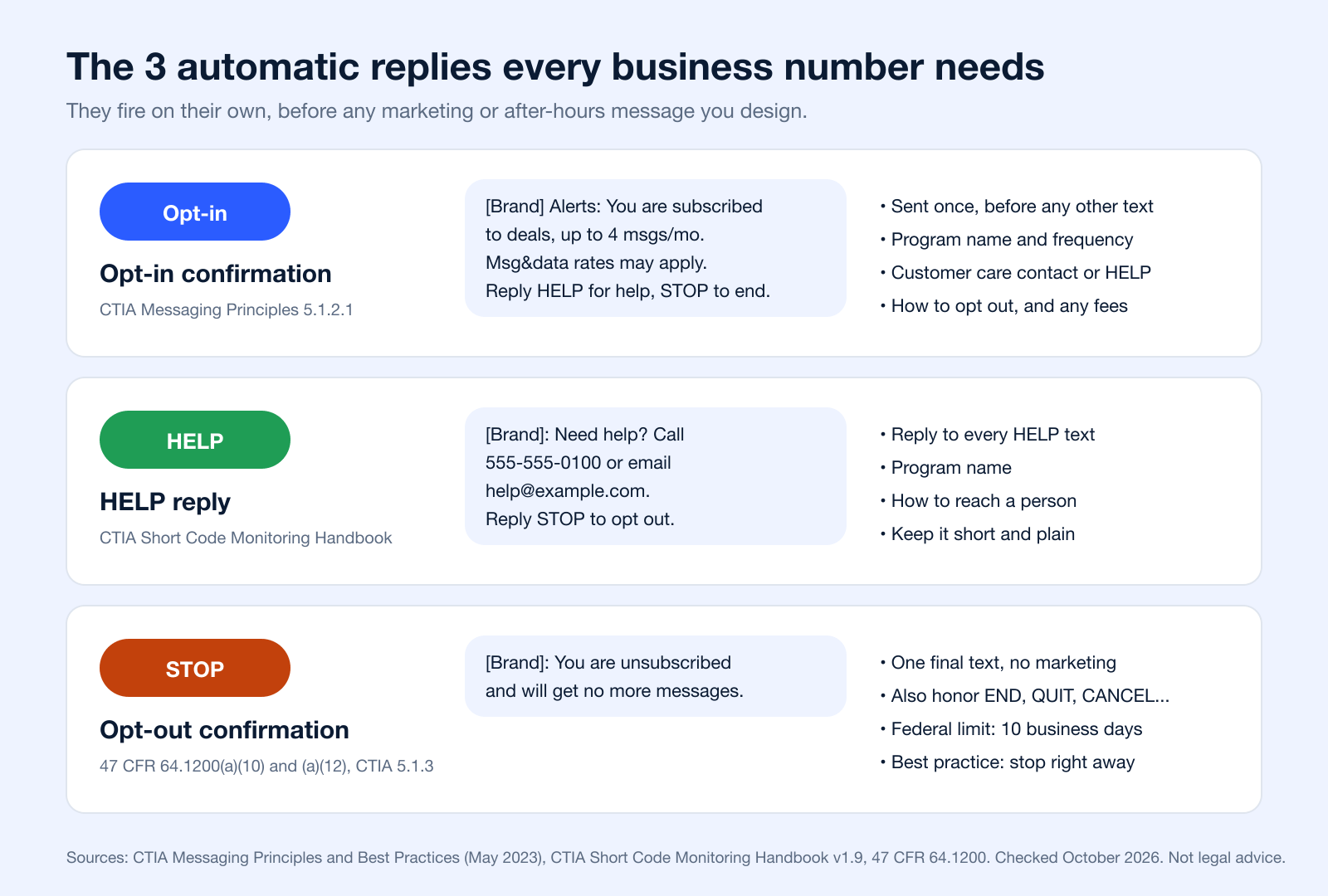
The Three Automatic Replies Every Program Needs
Beyond the replies you design, three automatic messages are expected on every recurring text program: an opt-in confirmation sent before anything else (CTIA 5.1.2.1), a reply to HELP with your program name and how to reach you (CTIA Short Code Monitoring Handbook), and a single STOP confirmation. Our SMS compliance checklist covers the rest.
How to Measure and Optimize Your Auto-Reply Performance
Getting your automated SMS replies up and running is just the first step. The real magic (and growth) happens when you start digging into the data to see what’s actually working. Without that insight, you’re just flying blind.
A data-driven strategy is what turns a simple auto-reply into a powerful engine for real engagement.
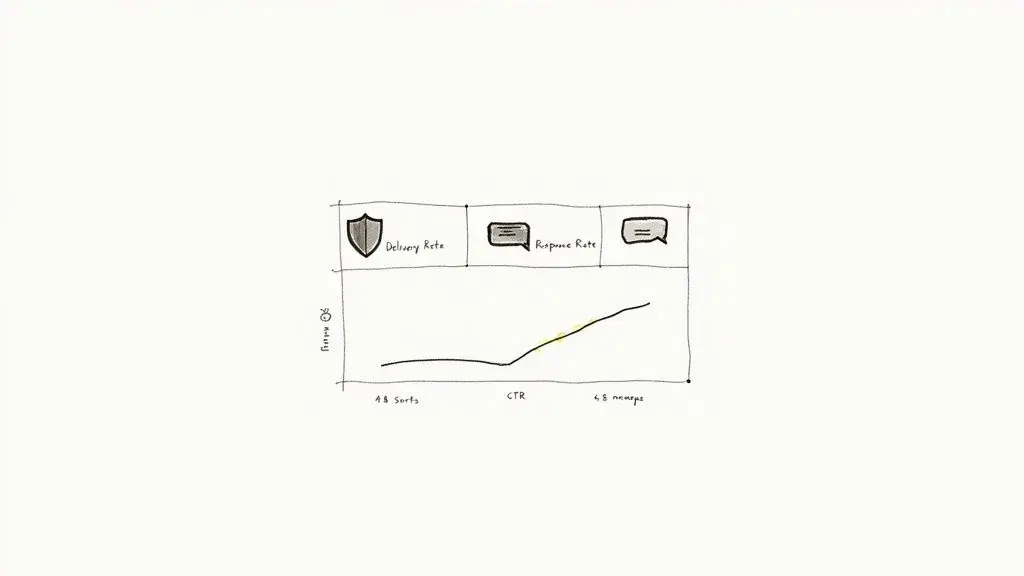
True optimization starts with tracking the right metrics. This isn't about vanity numbers; it's about understanding precisely how your audience interacts with your messages and making smart decisions based on that behavior.
Find Your Key Performance Metrics
You need to zero in on the data points that directly impact your goals. Platforms with detailed analytics make this easy, giving you a clear window into how your campaigns are doing. You can explore Broadcast’s robust reporting and analytics features to see this in action.
Here are the essentials you should be watching:
- Delivery Rate: This is the percentage of texts that actually made it to your contacts' phones. If this number is low, it’s a red flag that you might have invalid or old numbers clogging up your list.
- Response Rate: This is your golden metric for engagement. It tells you what percentage of people replied to your automated message, showing you if the conversation is actually starting.
- Click-Through Rate (CTR): If you've included a link in your auto-reply, the CTR shows how many people cared enough to click it. This is mission-critical for measuring how well you’re driving traffic to landing pages, offers, or your website.
When you're trying to figure out what's working and what's not, it's helpful to organize your thinking around these key metrics.
Key Metrics for Auto SMS Reply Optimization
Here's a quick breakdown of what these numbers tell you and how you can start improving them.
| Metric | What It Tells You | How to Improve It |
|---|---|---|
| Delivery Rate | The health of your contact list. | Regularly clean your list to remove invalid numbers. Use a double opt-in to confirm numbers are correct from the start. |
| Response Rate | How engaging your message is. | Ask an open-ended question. Make your call-to-action conversational. Personalize the message with the contact's name. |
| Click-Through Rate (CTR) | The effectiveness of your offer or link. | Create a more compelling offer. Shorten your link using a URL shortener. Make the call-to-action crystal clear. |
| Opt-Out Rate | The relevance and frequency of your messages. | Make sure your content is valuable. Don't send too many messages. Segment your list to send more targeted texts. |
By keeping an eye on these four areas, you'll have a much clearer picture of what needs tweaking to get better results.
A/B Test for Non-Stop Improvement
Never assume your first draft is the best one. A/B testing is a simple but incredibly powerful way to figure out what your audience truly responds to. The concept is straightforward: create two slightly different versions of a message and send them to separate segments of your list.
For instance, you could test:
- Different Calls-to-Action: Try "Click for details" vs. "See the full menu."
- Message Tone: Pit a professional, buttoned-up tone against a casual, friendly one.
- Link Placement: Does placing the link at the very beginning of the message outperform one at the end?
By comparing how each version performs, you can make informed, data-backed decisions that will boost your results over time.
A tiny change can sometimes lead to a lift in engagement, even something as small as adding an emoji. Remember that one emoji also cuts the single-message limit from 160 to 70 characters. The trick is to test only one thing at a time so you know exactly what caused the shift in performance.
Troubleshoot Common Roadblocks
As you start monitoring performance, you might hit a few common snags.
If a trigger keyword doesn't seem to be firing correctly, double-check your settings. Make sure your system is looking for a broad match (like "contains 'SUPPORT'") instead of an exact one ("is exactly 'Support'"). That one small tweak can solve a ton of workflow headaches. Just keep broad matching away from opt-out words, so a customer who writes "please stop" is unsubscribed rather than answered by another trigger.
Also, keep a close watch on your opt-out rate. A few unsubscribes are perfectly normal, but a sudden spike is a clear signal that something is off. It could mean you're sending messages too often or the content just isn't hitting the mark.
There is no universal benchmark for opt-out rates, so set your own baseline from your first few weeks and watch for changes by trigger. If one auto-reply drives more opt-outs than the others, rewrite it or send it less often. Our SMS compliance checklist helps you keep opt-outs clean.
Common Questions About Auto SMS Reply Systems
Once you start digging into automated SMS replies, a few questions always seem to pop up. It's totally normal. Getting those questions answered is the key to building out your system with confidence. Let's tackle some of the most common ones we hear from folks just like you.
Can I Set Up Different Replies for Different Keywords?
Yes, and honestly, you absolutely should. This isn't just a feature; it's a core strategy. A good SMS platform is built to let you create unique, automated responses for as many keywords as you need. This is how you deliver instant, relevant info based on exactly what someone is asking for.
A real estate agent, for instance, could have a few keywords working at once:
- "INFO" could trigger a message with property details and a virtual tour link.
- "TOUR" might send back a link to their calendar to book a showing on the spot.
- "VALUE" could direct a potential seller straight to a home valuation landing page.
See how that works? You're immediately segmenting requests and providing value, which makes your whole system feel smarter and way more helpful.
What’s the Difference Between an Auto-Reply and a Chatbot?
Great question. Think of an auto SMS reply as a simple, powerful, pre-written response that fires off when a specific trigger happens. It’s perfect for instant confirmations ("Got it!"), answering a direct keyword request, or sending a quick after-hours message. It follows a straightforward, one-step "if this, then that" logic.
A chatbot is a different beast entirely. It’s designed to simulate a real conversation, often using AI to understand different phrases, ask follow-up questions, and guide a user through a more complex back-and-forth.
An auto-reply is like a super-efficient, instant FAQ response. A chatbot is more like a digital assistant that can hold an actual conversation. Both are incredibly useful, but they solve different problems.
Many businesses get huge value from starting with effective auto-replies and only explore chatbots as their needs get more complex.
How Do I Set Up an After-Hours Auto SMS Reply?
This is easily one of the most popular and practical uses for an automated system. Inside your messaging platform, you'll look for a "time-based" or "scheduled" trigger. From there, it's as simple as defining your business hours, say, 9 AM to 5 PM, Monday through Friday.
Any text that comes in outside that window will automatically get your custom "after-hours" reply.
For example: "Thanks for your message! Our team is out for the day, but we'll get back to you first thing in the morning."
This little trick is a game-changer for managing expectations. It guarantees that no lead or customer ever feels ignored, even if they text you at midnight on a Saturday.
Is There a Character Limit for an Auto-Reply?
Yep, there is. A standard SMS message is capped at 160 characters (70 if it contains an emoji or other Unicode character). If you go over that limit, the message is split into segments of 153 characters that the recipient's phone reassembles into one message (Twilio). Most providers bill each segment, so long replies cost more.
The best practice is to keep your auto-replies short, sweet, and to the point. If you need to share more info, use a shortened link that points them to a webpage. CTIA asks senders to use a shortener with a domain dedicated to their own business rather than a shared public one (CTIA 5.3.2), so use a short domain of your own: Bitly, for example, offers custom domains on its paid plans. This keeps the text clean and cost-effective while still driving that valuable traffic where you want it to go.
What Is an Auto-Reply Text Message?
It is a text your phone or texting platform sends automatically, without anyone typing it, when a set event happens: you are driving, it is after hours, someone texts a keyword, or a call is missed. It confirms the message arrived and tells the person what happens next.
How Do I Set an Automatic Reply in SMS?
On iPhone, go to Settings > Focus > Driving > Auto-Reply (Apple). Google Messages has no built-in auto-reply, so on Android use your phone maker's features or an app. For a business number, create autoresponders in your texting platform: pick the trigger, write the reply, and test it from your own phone.
How Do I Automate SMS Messages?
Use a business texting platform with triggers (keywords, schedules, missed calls, form sign-ups) and sequences. Start with one auto-reply, add follow-ups, and keep consent records for everyone who receives marketing. Our automated lead follow-up guide shows how the pieces fit.
Is Mass Texting Legal?
Yes, when you follow the rules: get consent (prior express written consent for marketing texts under 47 CFR 64.1200), honor STOP and other opt-out words, send telephone solicitations only between 8 a.m. and 9 p.m. in the recipient's time zone, and register your number with carriers. This is general information, not legal advice.
Ready to turn these insights into action? Broadcast gives you all the tools to build powerful, compliant, and genuinely effective auto SMS reply campaigns. You can even integrate ringless voicemail and create automated sequences that nurture leads without you lifting a finger.
Start your free trial of Broadcast today and see how easy it is to automate your outreach


