
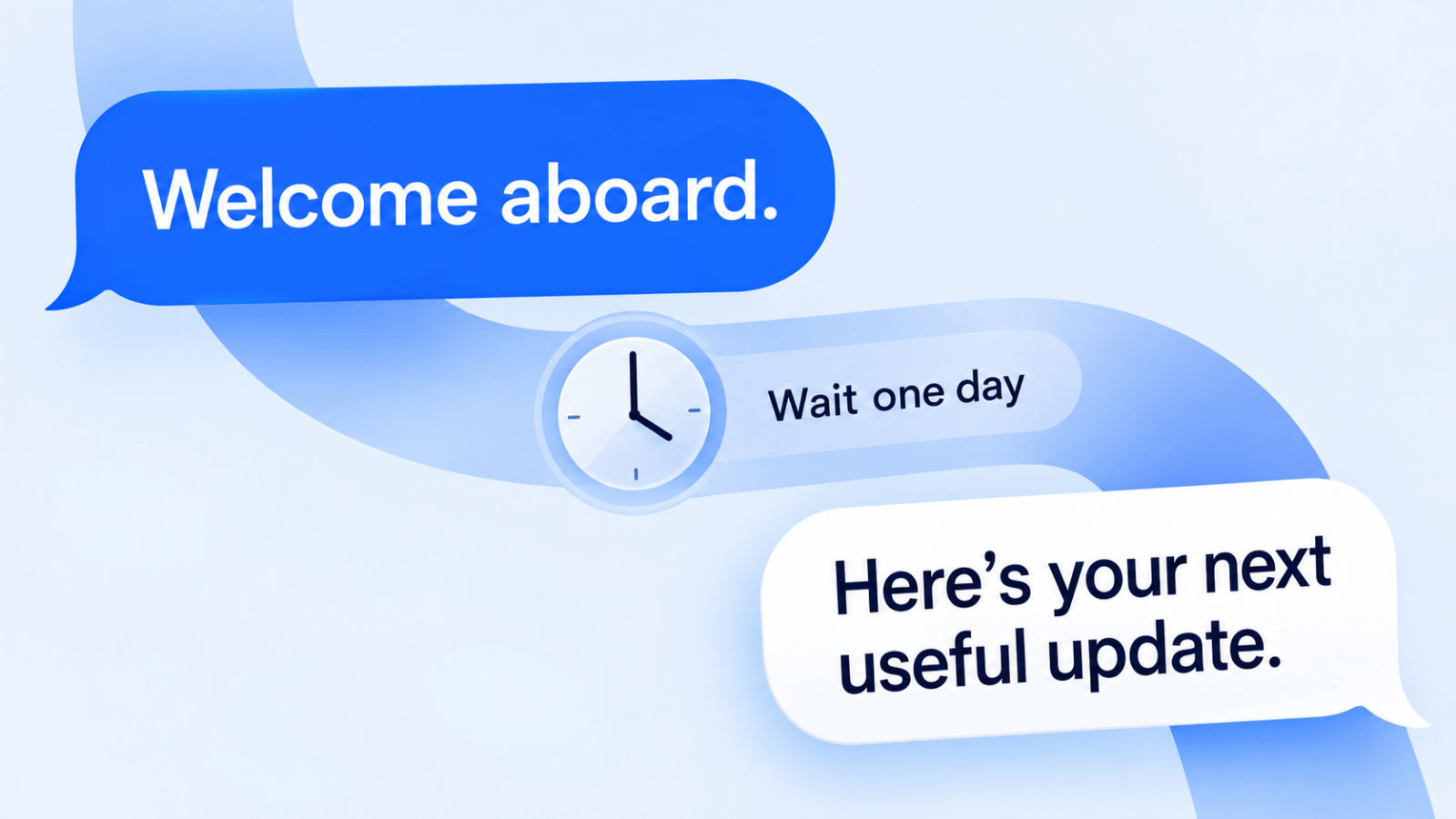
Drip campaigns work best when they react to customer behavior instead of firing on a fixed calendar. The practical question is not which platform sends emails, but which one can reliably trigger the next message from the right data source, on the right channel, at a price your team can sustain. That is what separates lightweight newsletter tools from software that can run lead nurture, onboarding, cart recovery, appointment reminders, and lifecycle messaging.
This comparison focuses on tools that solve real automation problems: CRM-connected follow-up, ecommerce revenue flows, multi-channel outreach, and event-triggered messaging. Some platforms here are broad marketing suites, some are ecommerce specialists, and some are better for SMS, voice, or push-driven workflows than email-first competitors. The goal is to help you narrow the field quickly, not admire feature lists.
How These Drip Campaign Software Options Were Picked
The six criteria were: automation depth, trigger flexibility, channel support, CRM and data integration quality, pricing transparency, and compliance readiness. In practice, that means a platform needed to do more than schedule a welcome series. Workflow builders should be able to branch based on behavior, accept usable customer data from a CRM or commerce stack, and support the kinds of triggers teams depend on: form fills, purchases, page views, appointments, trial starts, inactivity, and abandoned carts.
Channel support was also weighted differently depending on the product category. For an ecommerce brand, email and SMS depth mattered more than outbound voice. For healthcare or local-service teams, SMS, calling, and compliance controls mattered much more. For product-led companies, extra weight went to event-based messaging and push capabilities because broad lifecycle automation is hard to fake with an email-only tool. Current vendor pages for HubSpot pricing, ActiveCampaign pricing, Brevo pricing, and Customer.io pricing were especially useful for separating headline pricing from what teams need to enable automation.
Tools that were too thin on automation logic, too vague on pricing, or too limited in integration depth to support serious drip campaigns were left out. The rule is simple: if a platform cannot connect customer data to triggered messaging in a way a small team can realistically operate, it does not belong on a shortlist for the best drip campaign software. Every price in this guide comes from the vendor's own pricing page, checked on October 19, 2026; vendors change plans and promotions often, so confirm before you buy.
1. Broadcast
Broadcast earns the top spot in our roundup of the best drip campaign software by offering a powerful, unified platform that masters multi-channel outreach. While many tools focus on a single communication method, Broadcast orchestrates advanced sequences across SMS, voice calls, and ringless voicemail from a single dashboard. This integrated approach allows businesses to build adaptive, wide-ranging follow-up campaigns that connect with leads and customers on their preferred channels, driving significantly higher engagement and conversion rates.
Its strength lies in combining enterprise-grade features with practical, user-friendly execution. Whether you're a small business owner, a marketing agency, or a healthcare provider, the platform provides the tools needed to scale communication reliably and compliantly. With a proven track record trusted by over 45,000 organizations, Broadcast is a well-rounded solution for automating and personalizing outbound messaging.
Key Strengths & Use Cases
Broadcast excels with its versatile feature set, making it a go-to choice for diverse industries and objectives.
- True Multi-Channel Orchestration: Build drip campaigns that intelligently combine SMS messages with a follow-up ringless voicemail drop and then a triggered voice broadcast. This layered approach is ideal for webinar hosts boosting attendance or sales teams ensuring critical follow-ups are never missed.
- HIPAA-Compliant Healthcare Communication: For healthcare providers, Broadcast is one of the few platforms offering HIPAA-compliant messaging. This enables clinics and hospitals to securely automate appointment reminders, patient follow-ups, and health announcements, reducing no-shows and improving patient outcomes.
- Advanced Deliverability & Compliance: The platform includes critical tools for maintaining high deliverability, such as number validation, fast toll-free number compliance setup, and DNC list management. These features ensure your messages reach their intended recipients while adhering to communication regulations.
- Cost-Effective Ringless Voicemail: A standout feature is its pay-per-successful-drop model for ringless voicemail. This means you only pay when a message is successfully delivered to a voicemail inbox, making it a highly efficient tool for sales prospecting, event reminders, or non-intrusive customer updates without incurring costs for failed attempts. This type of voicemail marketing can dramatically improve outreach effectiveness.
Platform Highlights
| Feature | Description | Best For |
|---|---|---|
| Unified Drip Campaigns | Design sequences across SMS, voice, and ringless voicemail with precise timers and custom date triggers. | Sales follow-up, webinar reminders, onboarding sequences. |
| SMS/MMS Marketing | Send bulk texts with rich media, segmentation, merge fields, link tracking, and text-to-join keywords. | Ecommerce promotions, list building, event engagement. |
| Voice & Ringless Voicemail | Automate voice calls with press-1 transfers and deliver pre-recorded messages directly to voicemail. | Lead generation, customer service alerts, event promotion. |
| Deep Integrations | Connects natively with ActiveCampaign, HubSpot, and Keap, plus 9,000+ apps via Zapier (per Zapier). | Automating workflows and syncing contact data across your tech stack. |
| HIPAA Compliance | Provides a secure messaging environment for healthcare-related communications. | Medical practices, clinics, hospitals, and other covered entities. |
Practical Considerations
While Broadcast offers extensive capabilities, its pricing structure for high-volume campaigns, especially for voice and ringless voicemail drops, may require direct contact with their sales team for a precise quote. Users must be mindful of local and federal regulations surrounding automated calling and messaging, as compliance is a shared responsibility.
Website: broadcast.so
2. HubSpot Marketing Hub
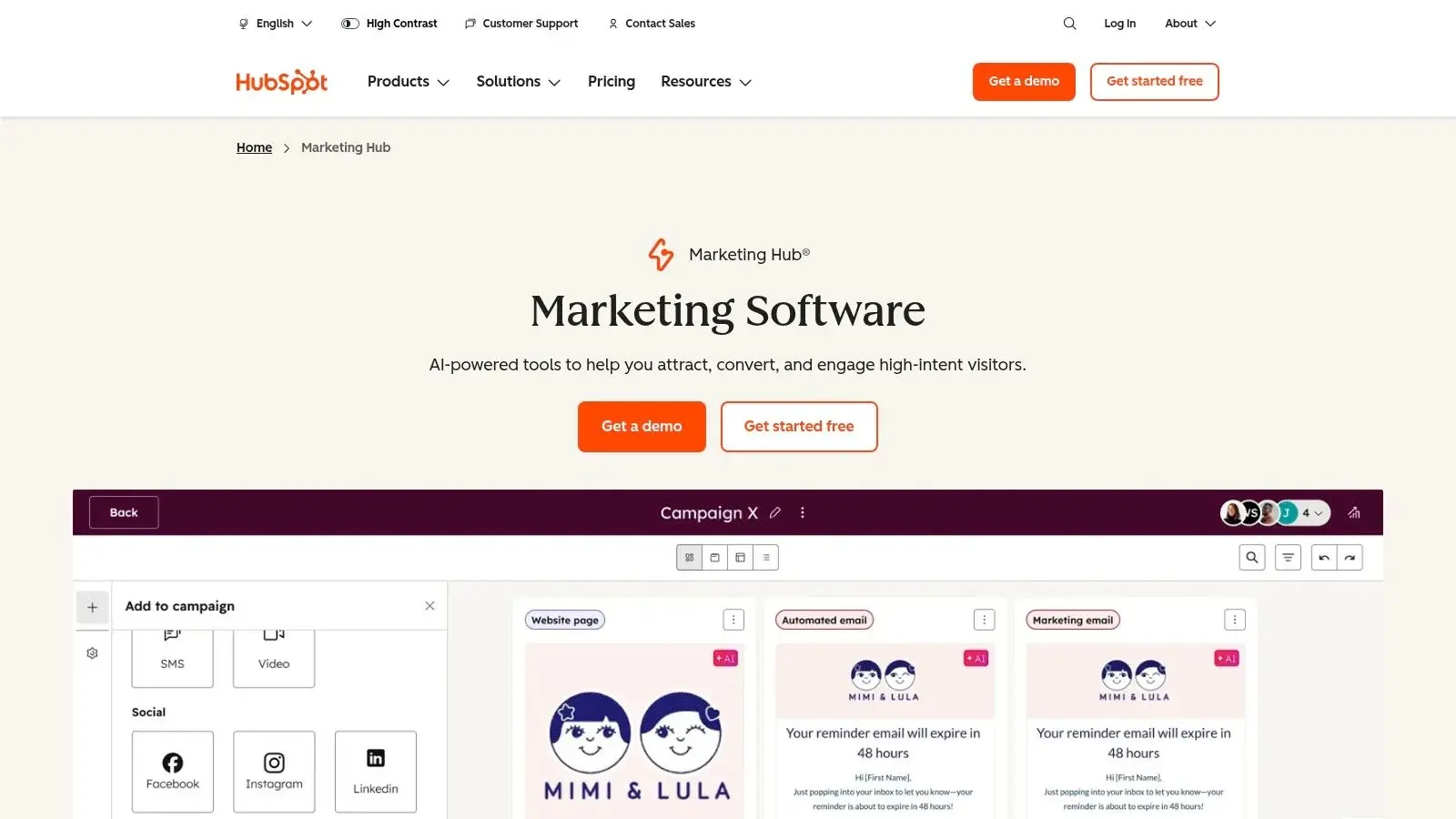
HubSpot Marketing Hub is strongest when your marketing automation needs to live inside a CRM-led operating system rather than beside it. Its workflow builder can trigger from form activity, lifecycle stage changes, sales updates, deal activity, website behavior, and handoffs between teams, which makes it particularly useful for B2B nurturing and service-heavy funnels where the sales process is not linear.
Where HubSpot Wins
HubSpot’s advantage is visibility. Because marketing, sales, and service data can sit in the same record, a team can build automations around full-funnel context instead of isolated email engagement. A rep can see what a lead downloaded, which pages they viewed, whether they booked a meeting, and what campaign influenced the conversion. For organizations that run lead scoring, hand-raisers, MQL-to-SQL routing, or territory-based assignment, that shared data model is hard to beat. HubSpot also supports WhatsApp as a channel through supported tooling and partner ecosystem options, while its native automation depth is documented across its workflow automation tools.
Tradeoffs to Know Before You Buy
For smaller teams, HubSpot often becomes expensive right at the point where it becomes most useful. The free and lower-tier entry points are fine for simple capture and email, but the meaningful automation features live further up the stack, and current Marketing Hub pricing still places professional-grade automation well above lightweight SMB tools. HubSpot makes financial sense when the CRM itself is central to your go-to-market motion; it is much harder to justify if you mainly need email drips plus a few behavioral triggers.
On HubSpot's pricing page (checked October 19, 2026), Marketing Hub Starter starts at $7 per seat a month (billed annually) and allows up to 10 automated email actions. Professional starts at $800 a month with 3 core seats and 2,000 marketing contacts, adds unlimited actions and omni-channel workflows, and requires a one-time $3,000 onboarding fee. The WhatsApp integration (up to 1,000 messages a month) is listed on Professional and Enterprise, which starts at $3,600 a month (HubSpot pricing).
Best Fit for Teams With a CRM-Led Process
HubSpot is ideal when deal stages, lifecycle stages, lead scoring, and service follow-up all need to feed the same automations. That CRM dependence is a strength if you want a complete contact timeline, but it is also the lock-in point. Lighter tools like MailerLite or Kit are faster to adopt if your process is content-led rather than CRM-led, and ActiveCampaign usually gives smaller businesses more automation flexibility per dollar. If you want a broader framework for building these systems, our marketing automation workflows guide is a useful primer on workflow design beyond a single vendor.
While HubSpot is a marketing powerhouse, teams also weighing enterprise suites such as Salesforce should compare each vendor's own plan and feature pages side by side, because both change packaging often.
3. ActiveCampaign
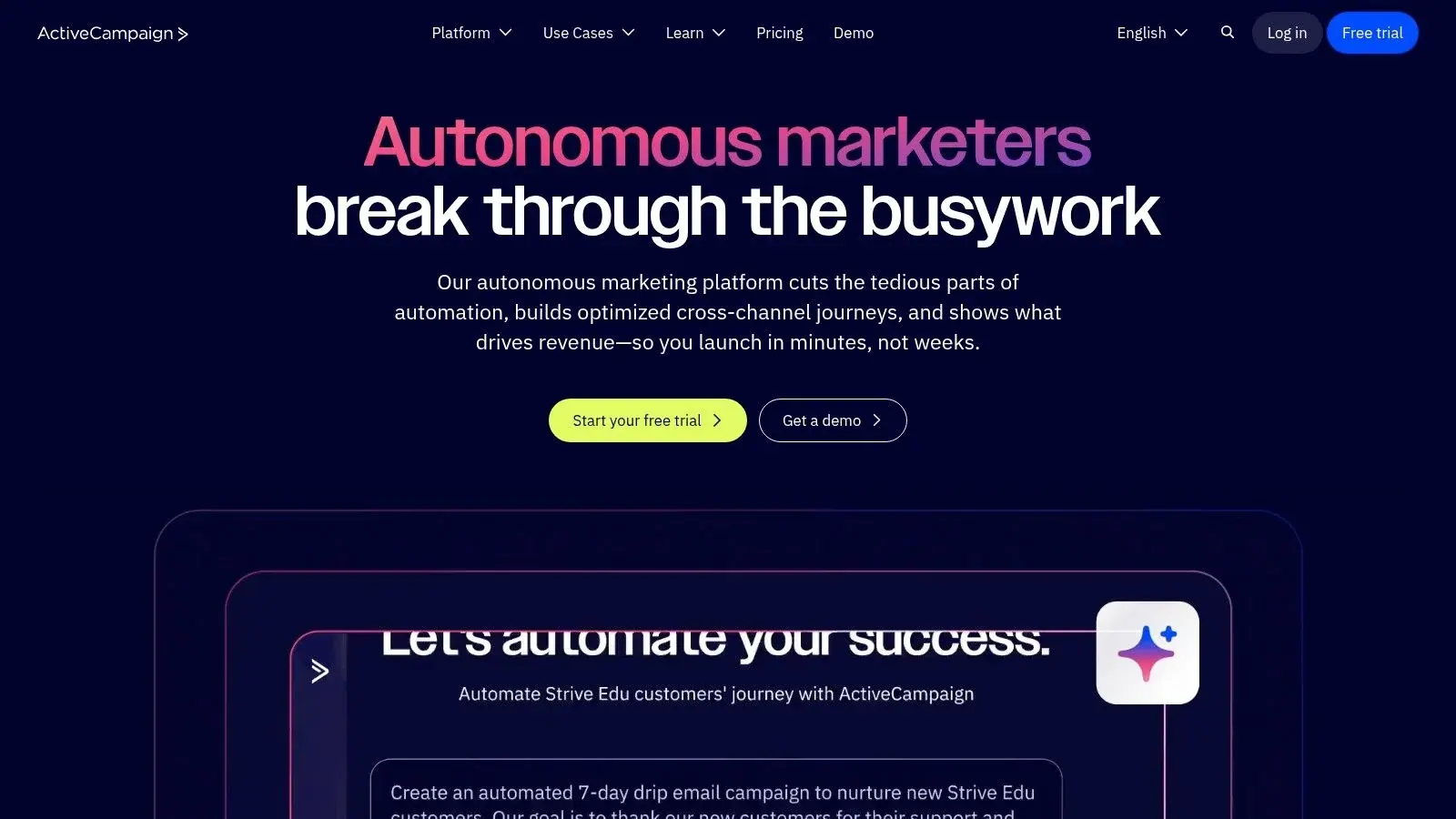
ActiveCampaign is a customer experience automation platform celebrated for its powerful and accessible drip campaign capabilities. It hits a sweet spot for businesses that have outgrown simple email autoresponders and require advanced logic, segmentation, and multi-channel communication without the enterprise-level price tag.
The platform's core is a visual automation builder that lets users create intricate drip sequences based on a vast array of triggers, including site visits, event tracking, and contact engagement. This granular control makes ActiveCampaign one of the best drip campaign software choices for marketers focused on delivering highly personalized experiences at scale, blending marketing automation with a sales CRM.
Why It Makes So Many Shortlists
ActiveCampaign remains one of the easiest recommendations for SMBs that need serious automation without stepping into enterprise pricing. Its automation builder is deep enough for lead scoring, nurture branching, deal updates, wait conditions, tagging, site tracking, and cross-step goals, and current plan details still make it far more approachable than CRM-heavy suites.
Current pricing (ActiveCampaign pricing, checked October 19, 2026, 1,000 contacts): Starter is $15 a month billed annually ($19 monthly) but limits automations to 5 actions each; Plus is $49 a month billed annually ($59 monthly) with unlimited automation actions. SMS and WhatsApp are add-ons. There is no free plan; the trial is 14 days with no credit card.
Where It Beats HubSpot and Where It Doesn't
Against HubSpot, ActiveCampaign usually wins on automation value for smaller teams. You can build complex nurture, reactivation, and sales-assist sequences without paying for a full revenue platform. The tradeoff is that the CRM and reporting environment feel less unified than HubSpot’s all-in-one model, so companies that need broad cross-team visibility may outgrow it.
Best for SMB Automation Without Enterprise Overhead
ActiveCampaign is often the most balanced option for small and midsize companies that want behavioral email automation plus a usable CRM layer. For those looking to extend their drip campaigns beyond email, ActiveCampaign supports multi-channel outreach. For instance, you can trigger SMS messages at key points in your automation workflows; you can explore the Broadcast and ActiveCampaign integration to see how this works in practice.
Website: https://www.activecampaign.com
4. Mailchimp (Intuit Mailchimp)
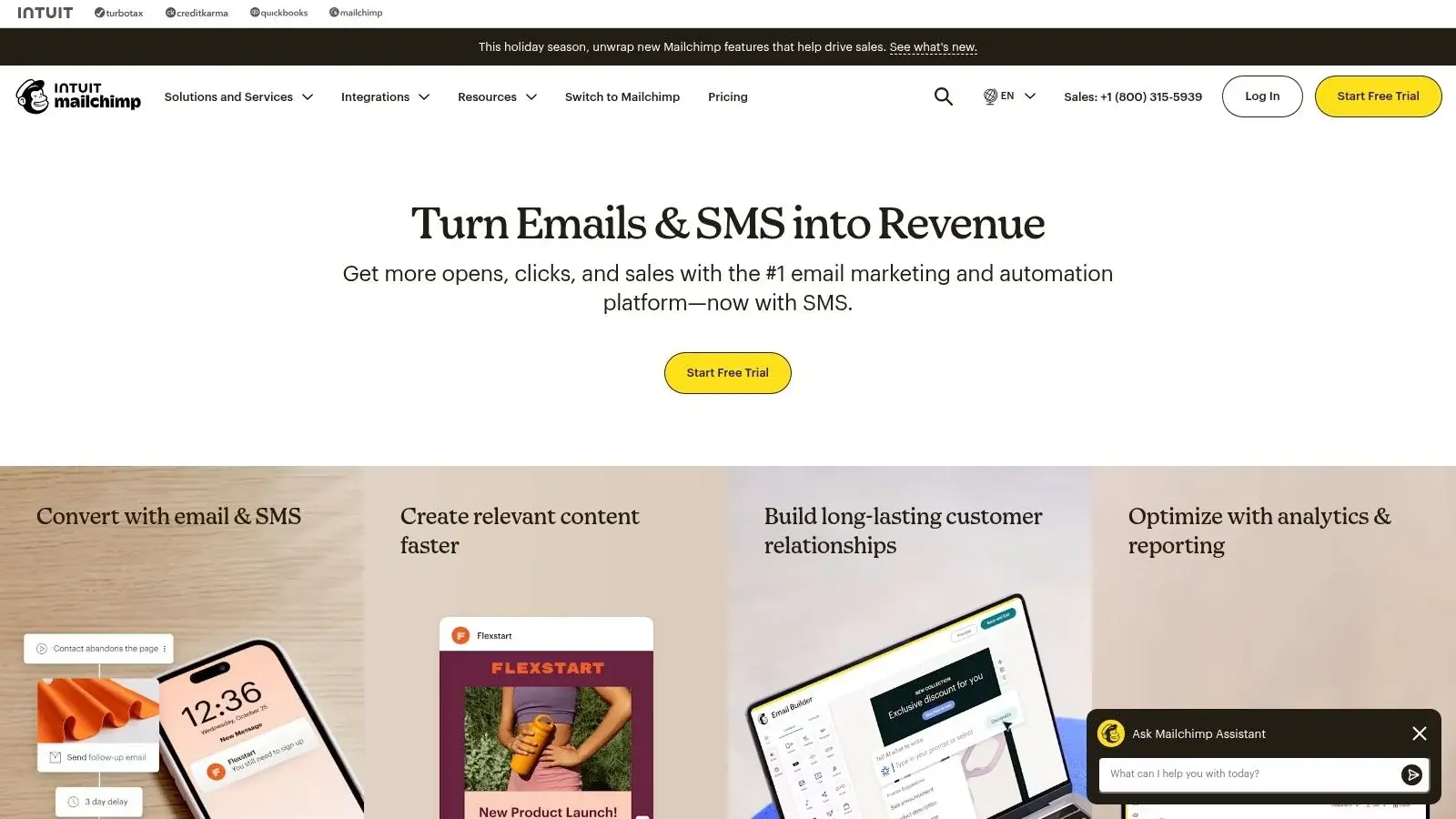
Mailchimp is a household name in email marketing, renowned for its user-friendly interface that makes it easy for small businesses and solo entrepreneurs to get started. It offers powerful tools for creating drip campaigns through its "Customer Journeys" feature, providing pre-built templates and a visual builder to automate communication based on user behavior or specific triggers.
The platform’s major appeal is its accessibility, offering a large template library and a clear path from simple newsletters to more complex, automated sequences. For those seeking some of the best drip campaign software without a steep learning curve or significant upfront investment, Mailchimp provides a balanced and scalable solution. Its flexibility and extensive integration library make it a go-to for teams that want to set up effective campaigns quickly.
Key Drip Campaign Features & Use Cases
Mailchimp simplifies automation with its visual journey builder while offering options to expand campaign reach beyond just email.
- Best For: Small to mid-sized businesses, startups, and content creators who need an easy-to-use platform with reliable email automation and a great user experience.
- Unique Feature: The Pay-As-You-Go credit system offers an excellent alternative for businesses with infrequent sending needs, allowing them to pay for campaigns on-demand instead of committing to a monthly subscription.
- Pricing: The free plan covers up to 250 contacts and 500 email sends a month and does not include automation flows. Essentials is shown at $13 a month for the first 12 months (a 50% off offer) with flows of up to 4 steps; Standard ($20 a month for 12 months under the same offer) allows up to 200 flows. SMS is an add-on to paid plans in select countries (Mailchimp pricing, checked October 19, 2026).
For users looking to enhance their Mailchimp drip campaigns with powerful SMS marketing, exploring the Broadcast and Mailchimp integration enables a more effective multi-channel approach.
Website: https://mailchimp.com
5. Klaviyo
Klaviyo is an ecommerce-first marketing automation platform, laser-focused on helping online stores drive revenue through highly targeted email and SMS drip campaigns. It excels by integrating with platforms like Shopify and BigCommerce, pulling in rich customer data like purchase history, browsing behavior, and cart contents to trigger automated, personalized sequences.
The platform’s core strength is its powerful, event-driven automation builder combined with advanced segmentation. This allows retailers to create a wide range of drip flows, from welcome series and abandoned cart reminders to post-purchase follow-ups and win-back campaigns, making it one of the best drip campaign software choices for maximizing customer lifetime value in an ecommerce setting.
Key Drip Campaign Features & Use Cases
Klaviyo goes beyond basic emails, enabling multi-channel (email, SMS, WhatsApp) campaigns that are directly tied to store performance and customer actions.
- Best For: Ecommerce businesses, particularly those on Shopify, BigCommerce, or Magento, that need to automate communication based on real-time customer and transactional data.
- Unique Feature: The deep, native ecommerce integration and advanced segmentation allow for predictive analytics. This lets you forecast metrics like churn risk, lifetime value, and optimal send times, enabling smarter, more proactive drip campaigns.
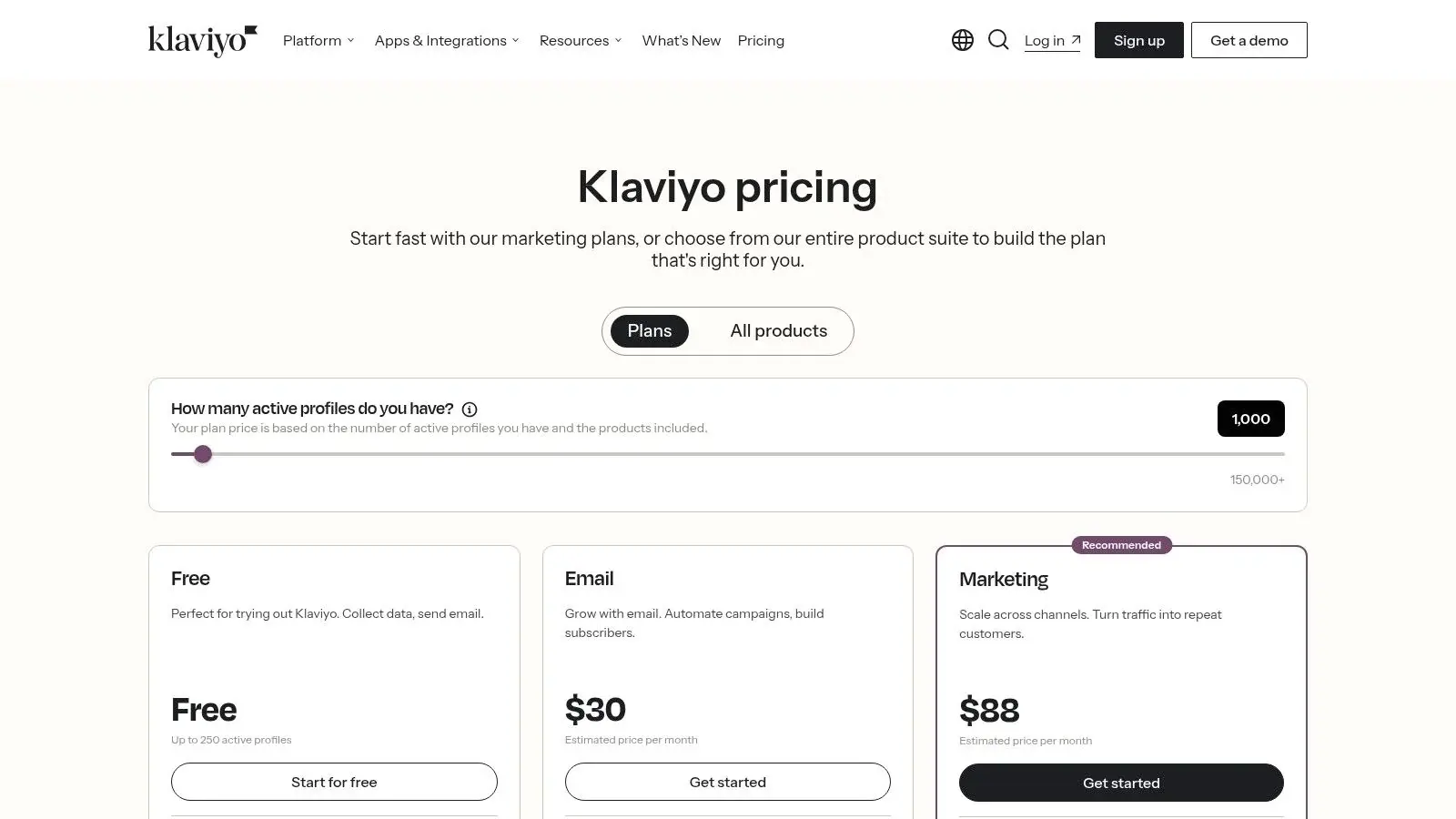
- Pricing: The free plan covers up to 250 active profiles, 500 email sends a month and $5 of mobile messages a month. Paid plans scale with active profiles: Email starts at $20 a month and Email and SMS at $35 a month, both for 251 to 500 active profiles (Klaviyo pricing, checked October 19, 2026). Costs can grow quickly as your list and sending increase, and add-ons such as reviews or advanced analytics raise the total.
Website: https://www.klaviyo.com/pricing
6. Drip
Drip is a marketing automation platform built from the ground up for ecommerce brands and online retailers. It moves beyond generic email marketing, providing powerful tools to create customer lifecycle drip campaigns that are directly tied to shopping behavior and revenue generation. It’s an excellent choice for businesses that want to automate personalized communication based on what customers buy, browse, or abandon.
The platform’s core strength is its deep integration with ecommerce platforms like Shopify, BigCommerce, and WooCommerce. This allows for hyper-targeted segmentation and triggers, making Drip one of the best drip campaign software options for online stores aiming to increase customer lifetime value through targeted, automated messaging.
Key Drip Campaign Features & Use Cases
Drip excels at turning customer data into automated revenue streams with minimal manual effort, offering advanced workflows designed for commerce.
- Best For: Ecommerce businesses of all sizes, from small online shops to large direct-to-consumer brands that need to automate communication based on purchase history and on-site behavior.
- Unique Feature: Its revenue-focused analytics and dashboards provide clear insights into how each drip campaign and email directly contributes to sales, attributing specific dollar amounts to your marketing automation efforts.
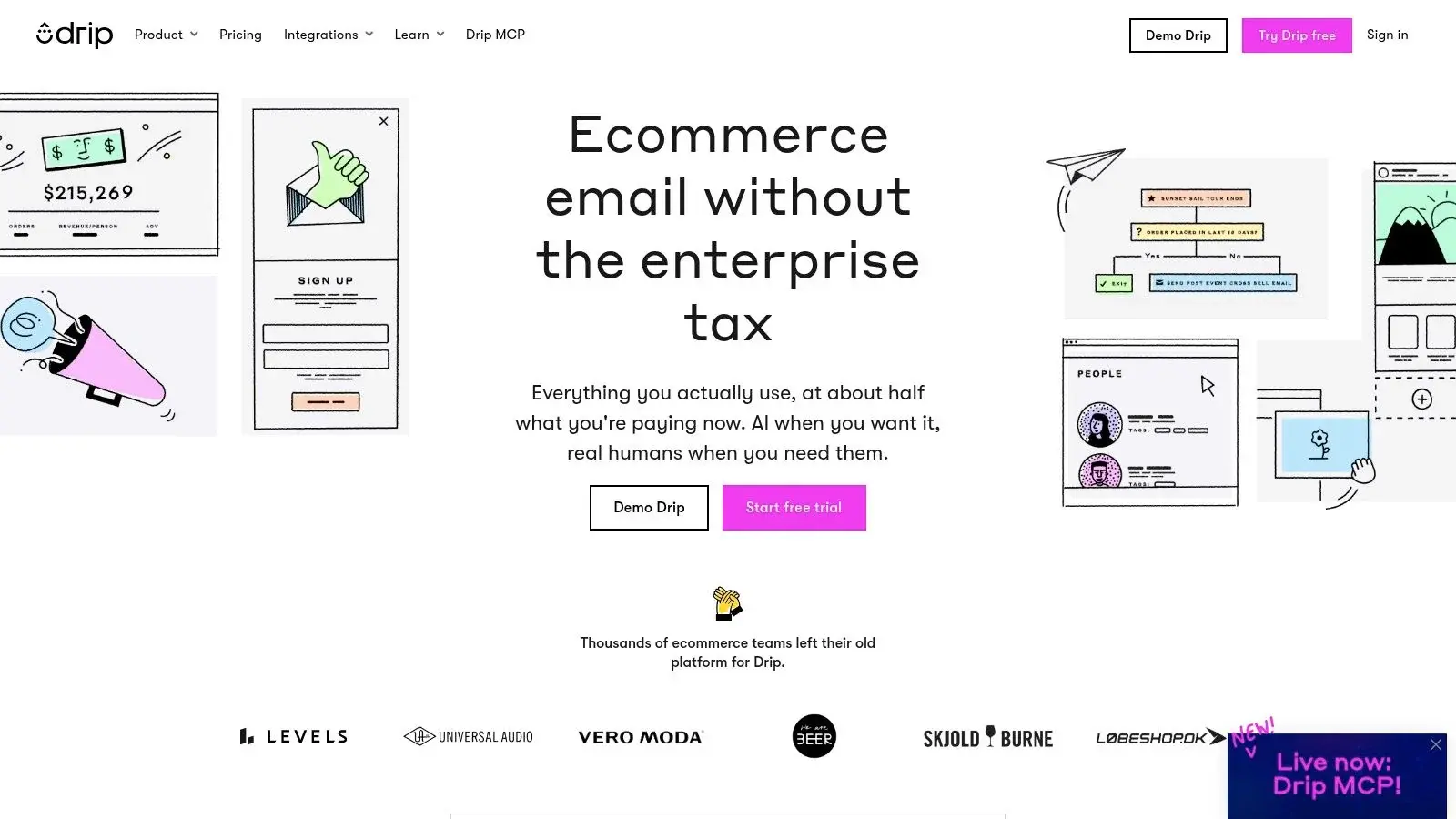
- Pricing: Drip prices by list size. The entry tier is $39 a month for up to 2,500 people with unlimited email sends, and there is a 14-day free trial with no credit card (Drip pricing, checked October 19, 2026). The price rises as your list grows.
For those looking to build advanced sequences, Drip's visual builder is a key asset. You can design complex journeys that react to customer actions, a core principle covered in our drip campaign best practices guide. Understanding these workflows is essential for maximizing your ROI with any platform.
Channel note: Drip's current product and pricing pages list email, onsite pop-ups and social channels; SMS is not listed (checked October 19, 2026). If texts are part of your store flows, confirm SMS support with Drip or compare Klaviyo.
Website: https://www.drip.com
7. ConvertKit (now branded "Kit")
ConvertKit, now known as Kit, is an email marketing platform built specifically for creators like bloggers, artists, and podcasters. It combines intuitive email automation with tools to sell digital products and subscriptions, making it a powerful engine for building and monetizing an audience. The platform is designed to get out of the way, allowing creators to focus on their content rather than complex software configurations.
Its visual automation builder is a standout feature, providing a simple yet effective way to map out drip campaigns. Users can easily create rules that segment subscribers based on link clicks, purchases, or form completions, ensuring each follower receives a relevant, personalized journey. This makes it one of the best drip campaign software choices for creators who need to nurture an audience from a free subscriber into a paying customer.
Key Drip Campaign Features & Use Cases
Kit focuses on the core needs of the creator economy: audience growth, engagement, and direct monetization, all driven by automated email sequences.
- Best For: Solo creators, course builders, and small online businesses that want to build a subscriber list and sell digital products without a steep learning curve.
- Unique Feature: The seamless integration of commerce and email automation is its biggest strength. You can trigger a drip campaign instantly after a digital product purchase or when a subscriber signs up for a paid newsletter, all within one platform.
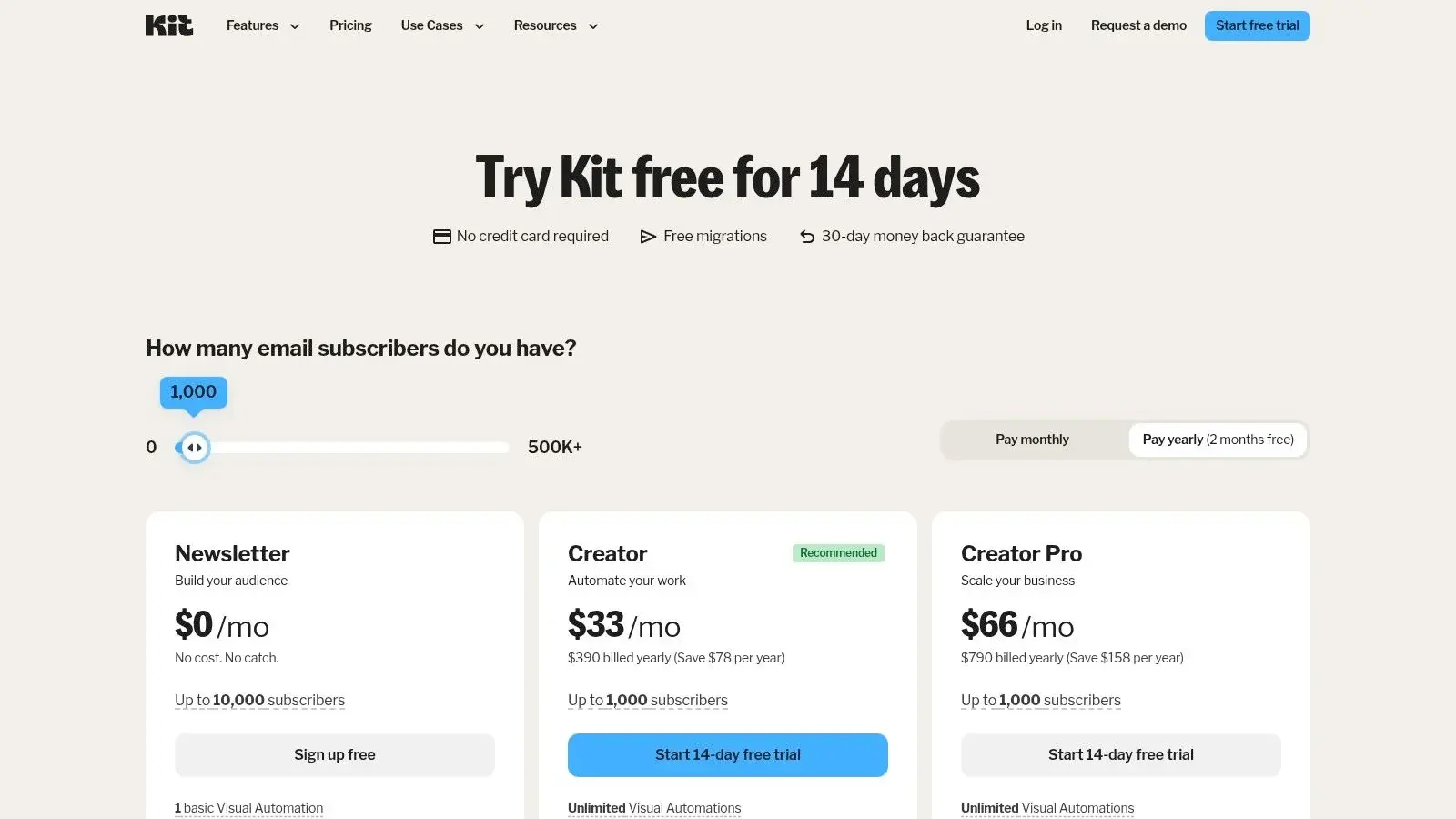
- Pricing: Kit's free plan now covers up to 10,000 subscribers with unlimited landing pages, forms and email broadcasts. Visual automations and email sequences start on the Creator plan: $33 a month, or $390 a year billed yearly, for 1,000 subscribers, and it also includes SMS marketing. Pro is $66 a month (discounted in the first year when checked) and adds subscriber signals and engagement analytics; both paid plans have a 14-day free trial (Kit pricing, checked October 19, 2026).
Website: https://kit.com/pricing
8. Brevo (formerly Sendinblue)
Brevo, formerly known as Sendinblue, offers a robust suite of marketing and sales tools with a strong emphasis on affordability and multi-channel communication. It stands out as an excellent choice for small to mid-sized businesses looking for a cost-effective solution that combines email marketing, SMS, chat, and CRM functionalities in a single, unified platform.
The platform’s automation workflow builder is the core of its drip campaign capabilities, allowing users to create sequences based on subscriber behavior, contact data, or e-commerce activity. This makes Brevo one of the best drip campaign software options for businesses that need comprehensive automation features without the enterprise-level price tag, providing a powerful yet accessible entry point into advanced marketing.
Best for Budget Multichannel Campaigns
Brevo is one of the better fits for smaller companies that want email, SMS, WhatsApp, and transactional messaging without assembling multiple tools. Its pricing page and WhatsApp campaign documentation make that positioning clear: it is built for practical multichannel use, not just email with a few add-ons.
What You Gain and What You Give Up
The upside is flexibility. The downside is depth. Brevo covers a lot of channels and basic automation well, but it does not match ActiveCampaign for workflow sophistication or HubSpot for CRM-centric visibility. It fits best when a small business needs simple nurture plus transactional or mobile messaging and wants one bill instead of a stitched-together stack.
Pricing Reality for SMBs
Brevo’s free tier and volume-based model are attractive, but advanced needs still push teams upward. For SMBs, it remains one of the cleaner low-cost entries into multichannel drip automation, especially if WhatsApp and SMS matter more than advanced branching logic.
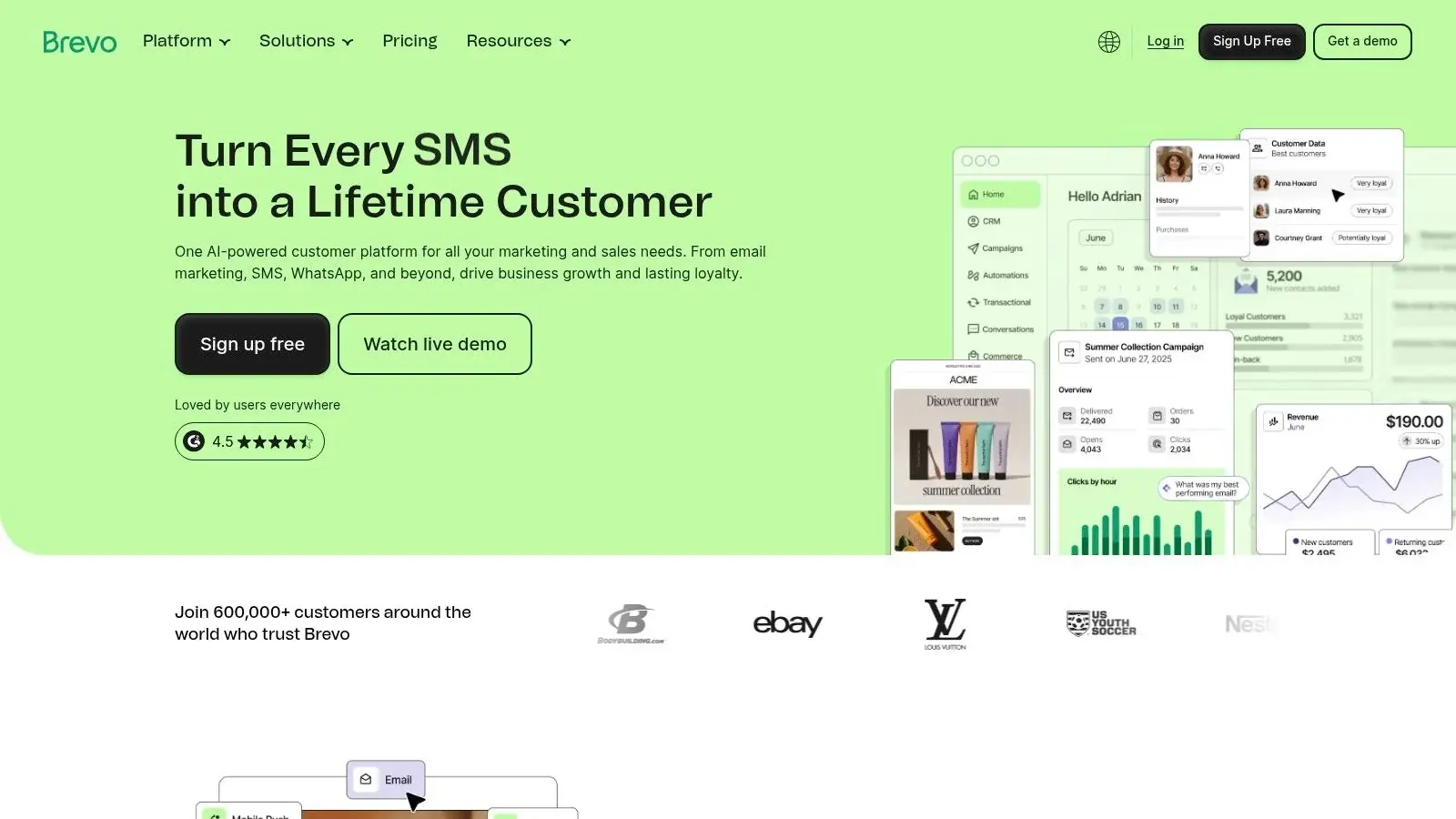
Current numbers (Brevo pricing, checked October 19, 2026, US dollars): the free plan sends up to 300 emails a day; Starter is $9 a month and Standard is $18 a month (about 10% less billed yearly). Standard is the plan that adds marketing automation with unlimited multi-step workflows. SMS credits are sold separately, and the pricing page lists WhatsApp, popups and push among the extra channels of the Professional plan ($350 a month).
Website: https://www.brevo.com
9. MailerLite
MailerLite is a lightweight email marketing platform that shines with its simplicity and user-friendly approach to automation. It provides all the essential tools for creating effective drip campaigns without the complexity of larger, enterprise-level systems, making it a great starting point for creators, bloggers, and small businesses. Its clean interface and straightforward workflow builder lets users quickly set up welcome series, nurture sequences, and re-engagement campaigns.
The platform's value proposition is its blend of core marketing features like landing pages, websites, and even digital product sales with its email automation capabilities. This makes MailerLite one of the best drip campaign software choices for users who need an all-in-one solution for building their online presence and nurturing their audience from a single, affordable dashboard.
Key Drip Campaign Features & Use Cases
MailerLite focuses on providing a powerful yet accessible automation experience, bundling it with tools to grow your list.
- Best For: Solopreneurs, creators, and small businesses looking for an affordable, easy-to-use platform with solid automation fundamentals. It's ideal for those who value a clean user experience over an exhaustive feature list.
- Unique Feature: Its integrated suite of tools, including a website builder and the ability to sell digital products, allows users to manage the entire customer journey-from initial lead capture on a landing page to follow-up drip sequences-all within one ecosystem.
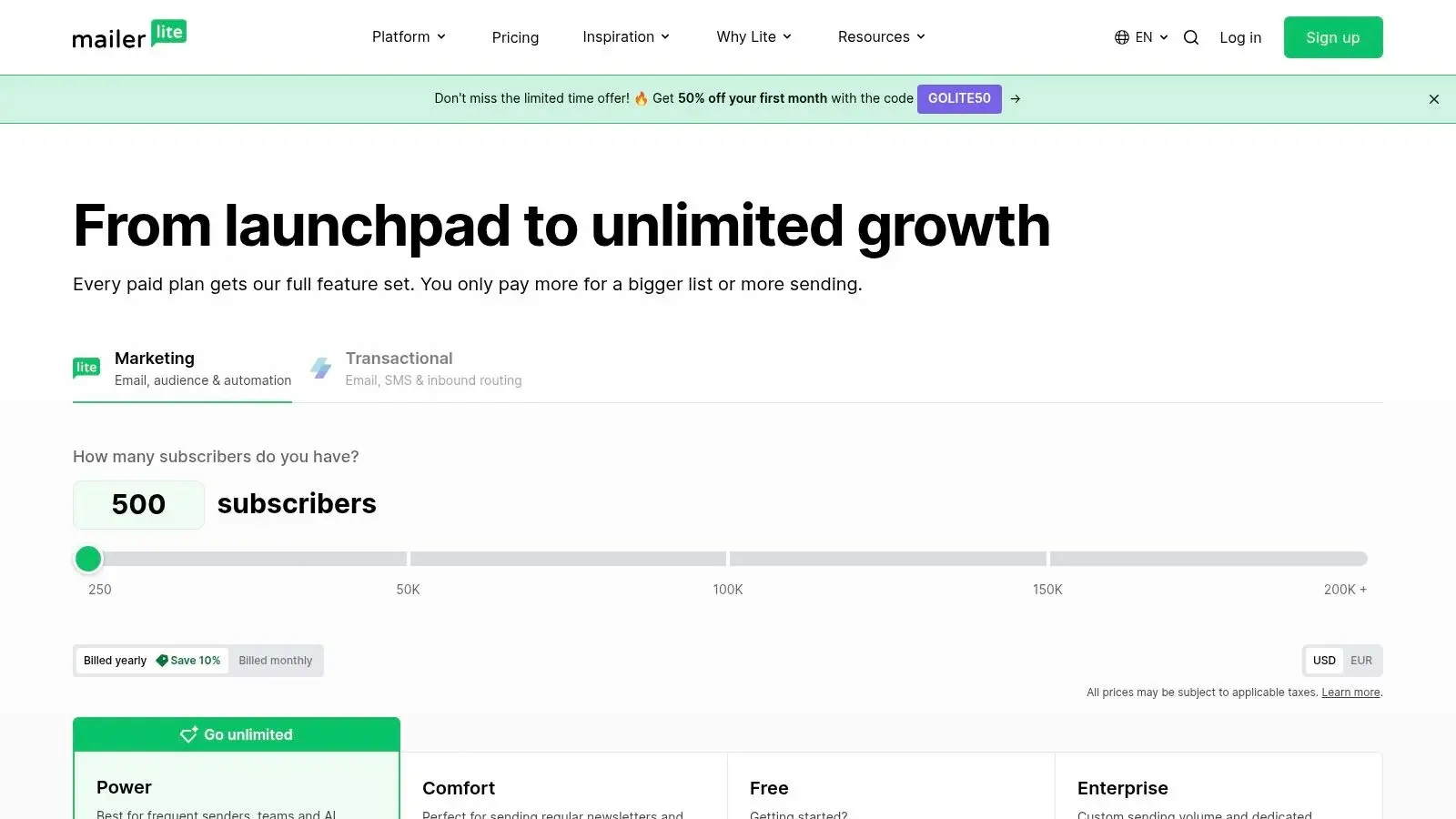
- Pricing: The free plan covers up to 250 subscribers, 2,500 emails a month and up to 3 active automations. Paid plans start with Comfort (from $12 a month) and Power (from $25 a month), and the price scales with your list size (MailerLite pricing, checked October 19, 2026).
Website: https://www.mailerlite.com/pricing
10. GetResponse
GetResponse sits in an interesting middle ground. It is broader than a pure email automation tool because it also includes landing pages, conversion funnels, and webinars, yet it is usually more affordable for small teams than a CRM-first suite like HubSpot. That makes it a realistic option for businesses that want one platform to capture leads, nurture them, and run occasional events without buying several separate products.
Where GetResponse Is the Better Buy
Against HubSpot, GetResponse is often the easier recommendation for budget-conscious teams that care more about campaign execution than full-funnel CRM unification. Its pricing structure is easier for smaller businesses to stomach, and you can still build solid automated nurture paths, list-growth funnels, and conversion sequences. If your team does not need sales pipelines, service objects, or extensive deal-based reporting, GetResponse can cover a lot of ground for less money.
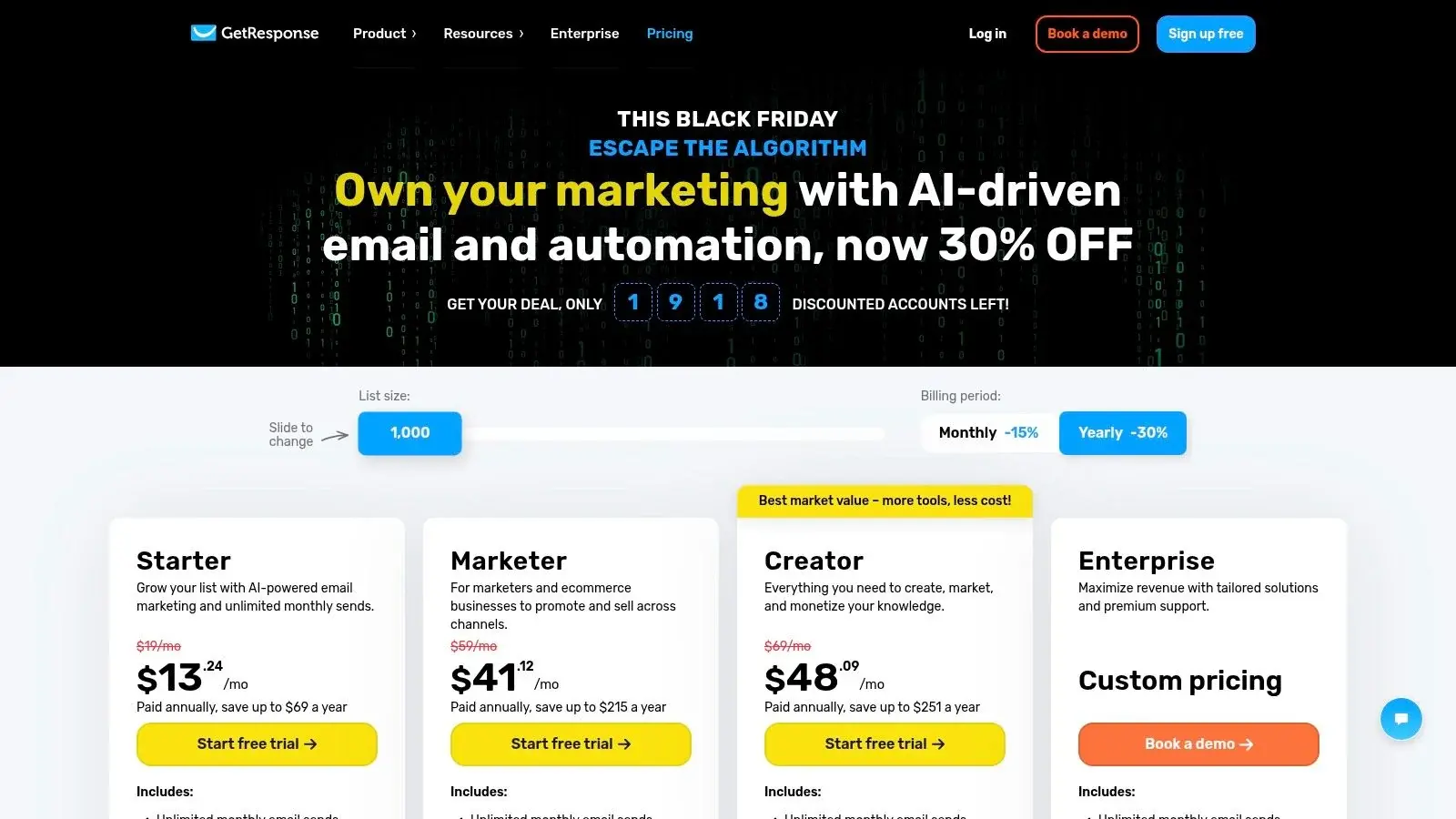
GetResponse says monthly plans "start at $19 per month for unlimited messages to 1,000 subscribers," with a 14-day free trial; webinars come with its Creator plan, and prices can display in your local currency (GetResponse pricing, checked October 19, 2026).
Where ActiveCampaign and Drip Still Pull Ahead
ActiveCampaign is stronger if your priority is automation depth. Its tagging, goal logic, and workflow flexibility make it better for intricate branching and lead qualification. Drip is stronger for ecommerce revenue workflows because its automation model is more directly tied to store behavior, purchase events, and revenue attribution. In other words, GetResponse is versatile, but it is not the specialist pick for the deepest automation logic or the most commerce-specific lifecycle flows.
Strong for Funnels and Webinars, Not Always Pure Automation
One of GetResponse’s real differentiators is webinars and guided funnel-building. That is useful for coaches, educators, B2B marketers, and businesses running live demos or lead magnets where registration, reminder, follow-up, and replay emails all live in one system. It belongs on the shortlist sooner for webinar-led acquisition than for a product company that needs event-level lifecycle messaging.
When GetResponse Is Not the Best Fit
If you need a CRM-centered process, HubSpot is the stronger platform. If you need ecommerce-specific flows, Drip or Klaviyo usually fit better. If you need the deepest behavioral automation for SMB budgets, ActiveCampaign still has the edge. GetResponse is best when “good automation plus funnels and webinars” is exactly the requirement; it is less compelling when your use case is highly specialized.
Website: https://www.getresponse.com/pricing
11. Customer.io
Customer.io is a powerful, developer-friendly messaging platform designed for creating advanced, behavior-driven drip campaigns. It stands out by enabling businesses, especially product-led and SaaS companies, to trigger multi-channel automations based on real-time user actions and event data rather than just static contact properties. This makes it an excellent choice for teams needing deep technical integration and highly personalized user journeys.
The platform's strength is its data-first approach, using a flexible event-based model that allows for complex segmentation and triggers. This architecture makes it one of the best drip campaign software options for companies wanting to automate communication based on what users do inside their app or on their website, from completing a signup to using a specific feature.
Key Drip Campaign Features & Use Cases
Customer.io excels at orchestrating messages across email, SMS, push notifications, and in-app messages from a single workflow.
- Best For: Tech-savvy SaaS, mobile app, and product-led companies that need to build complex, event-based onboarding, engagement, and retention campaigns. It's also suitable for regulated industries like healthcare that require HIPAA compliance.
- Unique Feature: The platform's API-first design and ability to handle "objects" (like subscriptions or orders) alongside user profiles allow for incredibly nuanced and context-aware messaging that most email marketing tools cannot support.
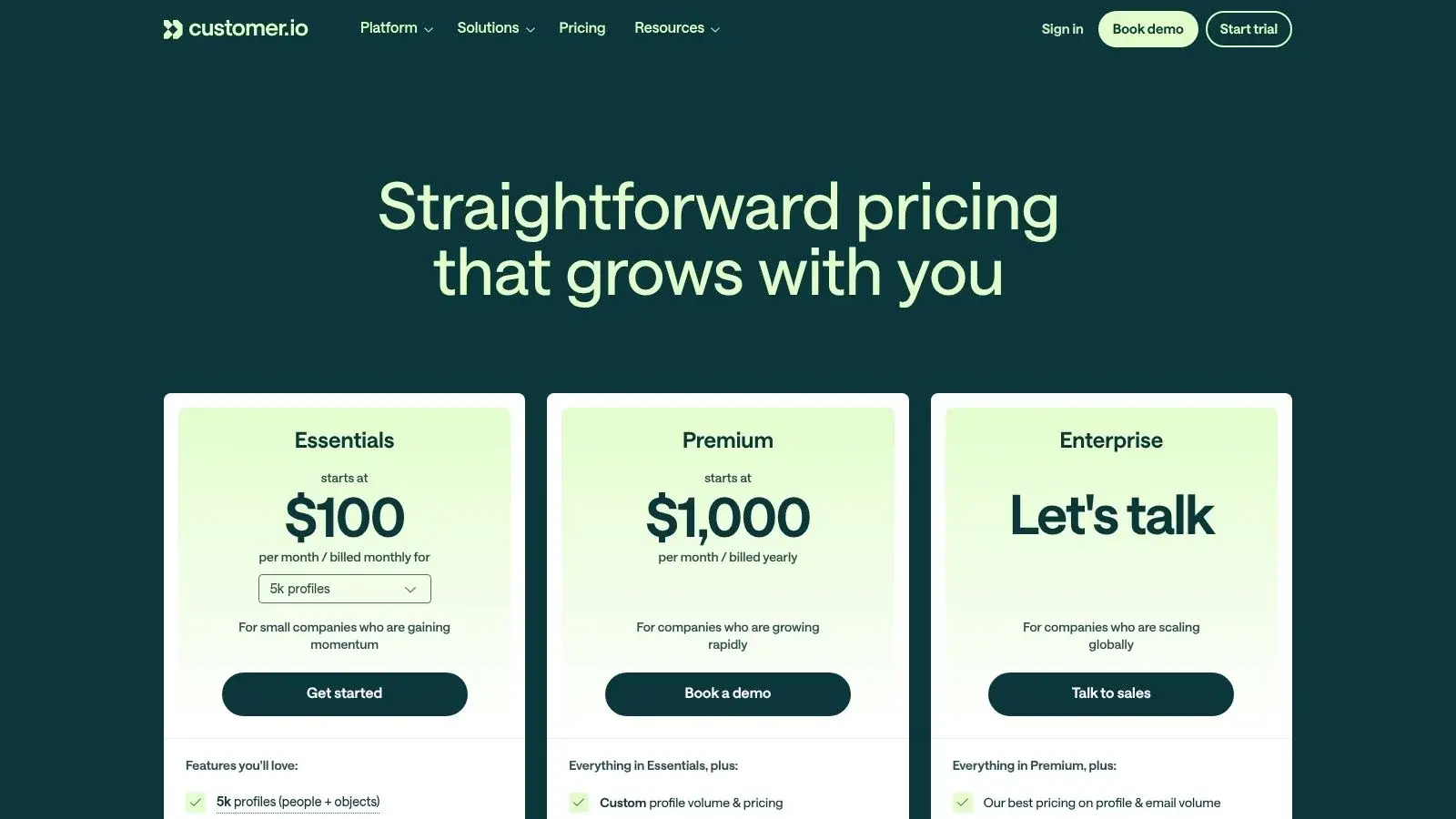
- Pricing: No free plan is listed. Essentials starts at $100 a month, billed monthly, for 5,000 profiles and 1 million emails a month; Premium starts at $1,000 a month on an annual term and adds HIPAA compliance. Push and in-app messages are unlimited on every plan, while SMS volume is custom. Early-stage companies that raised under $10M can apply for 12 months free (Customer.io pricing, checked October 19, 2026).
Website: https://customer.io/pricing
Bonus: G2 Email Marketing Category (Research Tool)
G2 is a peer-to-peer review marketplace, and its Email Marketing category serves as a powerful research hub rather than a direct software tool. It aggregates and validates user reviews, rankings, and feature data, making it an essential first stop for any business evaluating the best drip campaign software. It allows you to filter options by company size, user satisfaction, and specific features to create a customized shortlist.
The platform’s core strength is its comparison grid, which lets you see how different drip marketing tools stack up side-by-side based on verified user ratings for key attributes like ease of use, quality of support, and deliverability. This data-driven approach helps you cut through marketing claims and understand how tools perform in real-world scenarios, preventing costly mistakes before you commit to a subscription.
Key Drip Campaign Features & Use Cases
G2 helps you analyze the market and find the right fit for your specific drip campaign needs, from simple sequences to complex, multi-channel workflows.
- Best For: Any business in the initial research or final validation phase of selecting new marketing software. It's especially useful for comparing pricing and feature sets of top contenders.
- Unique Feature: The G2 Grid® for Email Marketing provides a live, visual snapshot of the market, plotting vendors based on market presence and customer satisfaction, which helps identify both established leaders and emerging innovators.
- Pricing: G2 is free to use for research and reviews. Pricing for the software listed varies by vendor; G2 provides links directly to vendor pricing pages but always verify costs directly as they can change.
Top 11 Drip Campaign Software Comparison
If you only compare “features,” most of these tools start to look interchangeable. They are not. The faster way to shortlist is to ask three questions: how deep does the automation builder go, how well does the platform use CRM or customer data, and which channels matter most to your actual customer journey. Asking them exposes sharp differences between CRM-led platforms like HubSpot, automation-first SMB tools like ActiveCampaign, ecommerce specialists like Drip and Klaviyo, and multichannel communication tools like Broadcast and Brevo.
Start with the verified numbers: free plan or trial, the entry price that includes automation, and the channels each tool sends. Prices come from each vendor's pricing page on October 19, 2026 (US dollars; promotions and local currency can change what you see).
| Tool | Free plan or trial | Starting paid price | Drip channels | Source |
|---|---|---|---|---|
| Broadcast | See section 1 | See section 1 | SMS/MMS, voice, ringless voicemail | Section 1 |
| HubSpot Marketing Hub | Free tools | Starter from $7/seat/month (annual); Professional from $800/month plus $3,000 onboarding | Email; WhatsApp on Professional and up | HubSpot pricing |
| ActiveCampaign | 14-day trial, no free plan | Starter $15/month (annual) for 1,000 contacts; Plus $49/month | Email; SMS and WhatsApp add-ons | ActiveCampaign pricing |
| Mailchimp | Free up to 250 contacts (no flows) | Essentials $13/month for 12 months (offer); Standard $20/month for 12 months | Email; SMS add-on in select countries | Mailchimp pricing |
| Klaviyo | Free up to 250 active profiles | Email from $20/month; Email and SMS from $35/month | Email, SMS | Klaviyo pricing |
| Drip | 14-day trial | $39/month for up to 2,500 people | Email, onsite pop-ups | Drip pricing |
| Kit (formerly ConvertKit) | Free up to 10,000 subscribers (no automations) | Creator $33/month or $390/year for 1,000 subscribers | Email; SMS on Creator | Kit pricing |
| Brevo | Free, 300 emails/day | Starter $9/month; Standard (automation) $18/month | Email, SMS credits; WhatsApp on Professional | Brevo pricing |
| MailerLite | Free up to 250 subscribers, 3 automations | Comfort from $12/month; Power from $25/month | MailerLite pricing | |
| GetResponse | 14-day trial | From $19/month for 1,000 subscribers (monthly) | Email, web push; webinars on Creator | GetResponse pricing |
| Customer.io | No free plan listed | Essentials from $100/month; Premium from $1,000/month | Email, push, in-app, SMS, WhatsApp | Customer.io pricing |
| Product | Automation builder depth | CRM / data integration quality | Channels | Small-business fit | Starting price reality | Best fit | Worst fit |
|---|---|---|---|---|---|---|---|
| Broadcast (Recommended) | Strong for sequenced outreach and trigger-based follow-up across messaging and voice | Good native integrations plus Zapier-based expansion | SMS/MMS, voice, ringless voicemail | High for service businesses, agencies, healthcare, events | Custom depending on usage mix | Teams that need outreach beyond email | Brands wanting deep ecommerce email analytics |
| HubSpot Marketing Hub | Advanced branching workflows with strong lifecycle automation | Excellent if HubSpot CRM is central | Email, CRM-driven automation, add-on channel expansion | Moderate; better once budget and process maturity increase | Robust automation typically requires higher-tier plans on HubSpot pricing | B2B and CRM-led revenue teams | Small teams needing only low-cost nurture |
| ActiveCampaign | Deep automation with goals, tags, scoring, and event logic | Strong for SMBs; good built-in CRM but less unified than HubSpot | Email, SMS, integrations | Very high for growing SMBs | Automation is realistic from lower tiers on ActiveCampaign pricing | SMBs needing sophisticated nurture | Enterprises wanting one native revenue platform |
| Mailchimp | Moderate; good journey builder, less advanced than top automation tools | Good app ecosystem, lighter CRM depth | Email; SMS add-on in select countries | High for beginners | Cheap to start, but advanced automation rises with tier | Small teams prioritizing ease | Teams needing serious branching logic |
| Klaviyo | Deep ecommerce event automation | Excellent for store data, especially Shopify | Email, SMS, WhatsApp | Moderate to high for ecommerce | Affordable to start, can climb with active profiles on Klaviyo pricing | Revenue-focused ecommerce brands | Non-commerce teams |
| Drip | Deep for ecommerce lifecycle workflows | Strong commerce integrations and revenue visibility | Email and onsite pop-ups (SMS not listed on current pages) | Good for stores, less broad outside ecommerce | Single-plan simplicity from Drip but list growth raises cost | DTC and online retail | B2B CRM-centric teams |
| Kit (formerly ConvertKit) | Light to moderate | Good for creator workflows, not CRM-heavy sales processes | Email, SMS (Creator plan), creator commerce | Very high for solo creators | Low starting cost | Creators and digital products | Teams needing advanced sales automation |
| Brevo (Sendinblue) | Moderate | Good enough for SMB use, lighter than CRM leaders | Email, SMS, WhatsApp, chat | High | Budget-friendly entry on Brevo pricing | Cost-conscious multichannel SMBs | Teams needing advanced logic at scale |
| MailerLite | Light to moderate | Basic but clean | Very high | One of the lowest-friction entries | Small lists and simple nurture | Complex event-driven workflows | |
| GetResponse | Moderate to strong | Good for marketing stack consolidation, not deep CRM dependence | Email, funnels, webinars, integrations | High | Broad feature set for the price on GetResponse pricing | SMBs wanting funnels and webinars in one tool | Teams needing best-in-class automation depth |
| Customer.io | Very deep, event- and object-driven | Excellent for technical teams with first-party data | Email, SMS, push, in-app | Lower for non-technical SMBs | Entry price is higher on Customer.io pricing | SaaS, apps, product-led lifecycle messaging | Teams wanting plug-and-play simplicity |
| G2 Email Marketing category (bonus) | Research only | Research only | N/A | Useful to all buyers | Free research tool | Validating shortlist decisions | Running campaigns |
| Product | Core features | UX & quality metrics | Value proposition | Target audience | Unique selling points & pricing |
|---|---|---|---|---|---|
| Broadcast (Recommended) | SMS/MMS, voice broadcasting, ringless voicemail, multi-channel drips, integrations | Deliverability tools, robust analytics, customer-reported wins (opt-ins, attendance, close-rate lifts) | Unified, compliant multi-channel outreach with automation and measurement | Marketers, sales/CS, agencies, event orgs, ecommerce, HIPAA-covered healthcare | True multi-channel orchestration, HIPAA support, pay-per-successful-drop ringless voicemail, deep integrations, free trial; pricing on vendor page |
| HubSpot Marketing Hub | Visual workflows, native CRM, attribution, A/B testing | Polished UI, strong analytics and onboarding | All-in-one marketing + CRM for revenue-aligned teams | Scaling marketing & sales teams, enterprises | Large ecosystem, training/academy; tiered pricing, can be costly at scale |
| ActiveCampaign | Visual automations, tagging/scoring, site & event tracking, CRM | Powerful automation depth, good deliverability metrics | Deep automation and segmentation for budget-conscious teams | SMBs needing advanced automations & CRM | Strong automation features vs price; SMS and WhatsApp as add-ons, tiered pricing |
| Mailchimp | Customer journeys, templates, A/B testing, SMS add-on | Very approachable UI, large template library | Easy setup and flexible payment (monthly or credits) | Small businesses, occasional senders | Pay-as-you-go credits option; overages possible as list grows |
| Klaviyo | Event-driven ecommerce flows, advanced segmentation, SMS | Real-time segmentation, predictive analytics, ROI reporting | Ecommerce-focused revenue attribution and personalized flows | Retailers and online stores (Shopify, BigCommerce) | Deep ecommerce integrations, strong ROI reporting; pricing by active profiles |
| Drip | Visual workflows, ecommerce triggers, revenue dashboards | Ecommerce templates, clear workflows | Lifecycle automation for online stores with revenue insights | Digital sellers and ecommerce merchants | Ecommerce-first features on unified plan; pricing scales by list size |
| Kit (formerly ConvertKit) | Visual automations, landing pages/forms, commerce for creators | Intuitive UI, simple setup, free newsletter tier | Creator-focused email + commerce with easy monetization | Solo creators, bloggers, small teams selling digital products | Generous free tier, commerce tools; pricing rises with subscribers |
| Brevo (Sendinblue) | Automation workflows, email/SMS/WhatsApp, transactional email | Budget-friendly UI, volume-based options | Flexible volume pricing and multichannel in one account | Cost-conscious SMBs needing multichannel | Pay-as-you-go credits, free plan with daily send cap; tier-dependent features |
| MailerLite | Automation builder, landing pages, ecommerce add-ons | Clean UI, straightforward pricing and support | Simple, affordable email automation for small lists | Small to midsize lists and startups | Unlimited emails on paid plans, good value at low list sizes |
| GetResponse | Visual workflows, funnels, landing pages, webinars | Integrated funnel & webinar tools, visual builder | All-in-one marketing + funnel + webinar solution | Teams needing funnels, webinars and email in one tool | Broad toolset in one platform; competitive pricing, regional display differences |
| Customer.io | API-first automations, event/object-driven journeys, multi-channel | Developer-friendly, high send limits, behavior-driven metrics | Advanced, data-driven messaging for product teams | Product-led/SaaS teams and technical teams | Deep technical integrations, HIPAA on Premium and Enterprise; Essentials from $100/month |
| G2 Email Marketing category (bonus) | Verified reviews, comparison grids, category rankings | Fresh user reviews, feature filters, vendor momentum | Shortlist vendors, validate user sentiment before buying | Buyers researching email/drip tools | Large review marketplace, direct vendor links; marketplace, no pricing (varies) |
Quick side-by-side: HubSpot vs ActiveCampaign vs GetResponse vs Drip
- Choose HubSpot if your workflows depend on CRM visibility, deal stages, lead scoring, and handoffs between marketing and sales. It is the best fit when the CRM is the center of the process.
- Choose ActiveCampaign if you want the deepest automation builder for an SMB-friendly budget. It is usually the best value when your main need is advanced nurture and segmentation.
- Choose GetResponse if you want decent automation plus landing pages, funnels, and webinars in one account. It is a practical consolidation play, not the absolute leader in workflow depth.
- Choose Drip if your revenue model is ecommerce and you want workflows tied closely to products, carts, purchases, and post-purchase behavior.
In short: HubSpot wins the CRM battle, ActiveCampaign wins the SMB automation battle, GetResponse wins on breadth-for-price, and Drip wins for ecommerce lifecycle revenue.
Choosing Your Drip Campaign Engine
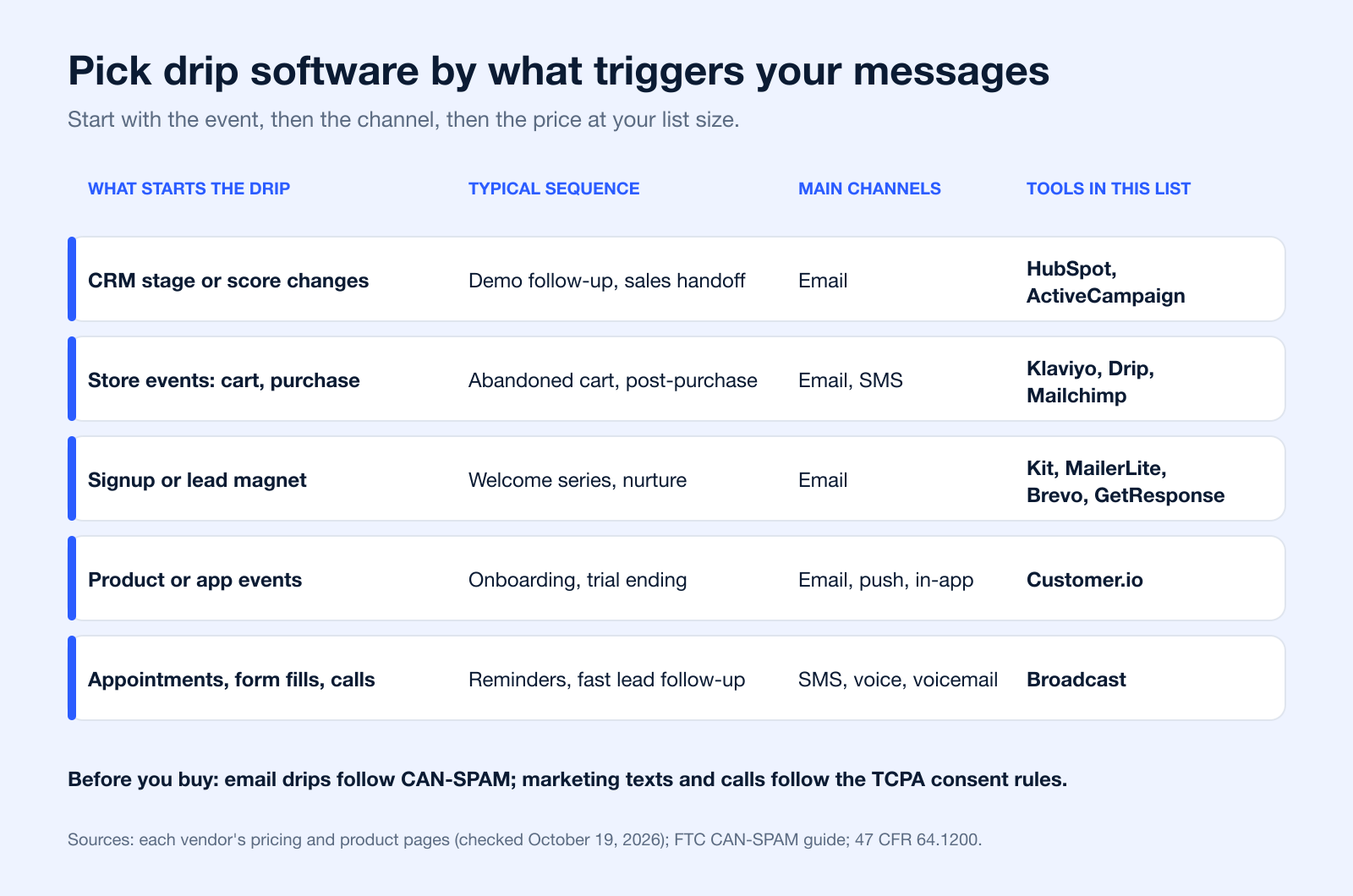
The right platform depends less on feature count than on what triggers your campaigns and which channels your customers respond to. A lead-nurture sequence for a B2B sales team, a cart-recovery flow for a store, an appointment reminder for a clinic, and an onboarding path for a SaaS app may all be called “drip campaigns,” but they depend on very different data and delivery channels.
Best picks for small businesses on limited budgets
If budget is the biggest constraint, start with the simplest platform that still supports the triggers you need. MailerLite, Kit, Brevo, and Mailchimp all make sense when your core workflows are welcome emails, lead-magnet follow-up, basic re-engagement, and occasional promotions. ActiveCampaign is the step up when a small business needs more than timers and autoresponders. That is where many teams save money long term: not by choosing the cheapest plan, but by avoiding an early tool that cannot handle segmentation, scoring, or conditional paths once lead volume grows.
For local businesses and appointment-driven teams, the triggers that matter are often form submission, booked appointment, no-show risk, reschedule, and follow-up after service. That is where text and voice can outperform email alone, which is why Broadcast stands out for those use cases. If email remains a major part of your mix, our SMS vs email marketing comparison helps you decide which channel each step of the sequence should use before you commit to an automation stack.
When you need CRM-driven automation
Choose a CRM-led platform when the key trigger is not a click or an open, but a change in account status, pipeline stage, owner assignment, deal amount, or lifecycle stage. HubSpot is strongest here because the workflow logic and the contact record live in the same system. ActiveCampaign can also support CRM-linked automation well for SMBs, but HubSpot is better for organizations where sales and marketing need one shared source of truth.
Typical workflows in this category include lead nurture after a demo request, deal-stage reminders, handoff emails after qualification, and customer success follow-up after onboarding milestones. If sales visibility matters as much as messaging, your CRM should drive the automation, not just feed it.
When you need multi-channel outreach across WhatsApp, email, SMS, and voice
Some businesses cannot rely on the inbox. Service businesses, healthcare practices, event marketers, and field-sales teams often get better results when they mix channels. Brevo is a reasonable budget option for email, SMS, and WhatsApp. Klaviyo can work well for ecommerce brands using email and SMS with commerce triggers. Broadcast is the stronger fit when the workflow needs SMS, voice broadcasting, and ringless voicemail as part of the same follow-up path.
Concrete examples matter here. Appointment reminders work better with SMS and voice than long emails. Webinar attendance flows often benefit from email plus day-of text reminders. Lead follow-up after a form fill may start with email, escalate to SMS, and then use voicemail for unresponsive but high-value prospects. For WhatsApp-specific execution, vendor support and template approval workflows matter just as much as the automation builder itself.
When product-led or app businesses should prioritize push and event-triggered workflows
If your product has a login, app session, feature usage event, subscription state, or cart object, push and event-based messaging can become more valuable than broad email drips. Customer.io is purpose-built for that environment, and this is also where teams should think carefully about event schemas before shopping for software.
The reason is reach: push only works for people who allow it. On iPhone, an app must ask permission before it can show alerts (Apple Developer documentation), and on Android 13 and later, notifications from a newly installed app are off by default until the user grants the permission (Android Developers). Opt-in design therefore decides how much of a push drip anyone sees, so plan the permission prompt as carefully as the messages.
For SaaS and app workflows, the most important triggers are usually signup completion, activation milestones, feature adoption, trial expiration, inactivity, payment failure, upgrade intent, and churn-risk behavior. Prioritize push and in-app messaging only when the product can reliably generate those events; otherwise, email-first automation is usually easier to run well.
Ultimately, the best drip campaign software is the one whose data model matches your business. Reduced to one rule: pick the platform based on your triggering events first, then your channels, then your budget.
For sequence ideas you can copy, see these drip marketing examples. If your drips include texts, Broadcast's autoresponders page shows how its text sequences are set up.
Consent Rules for Email and SMS Drip Campaigns
The software sends the messages, but you own the consent. In the US, email drips and text or voice drips fall under different federal rules, so check both before you add a channel.
Email drips: CAN-SPAM
The FTC says CAN-SPAM "doesn't apply just to bulk email": it covers every commercial message. Headers and subject lines cannot mislead, the email must identify itself as an ad, include a valid physical postal address and a clear way to opt out, and opt-outs must be honored within 10 business days. Each violating email can draw penalties of up to $53,088 (FTC CAN-SPAM compliance guide, checked October 19, 2026).
Text and voice drips: the TCPA
Marketing texts and prerecorded calls to cell phones sent with an autodialer or an artificial or prerecorded voice need the recipient's prior express written consent, and that consent cannot be a condition of purchase. People can revoke consent by any reasonable means, such as replying STOP, and the request must be honored within 10 business days (47 CFR 64.1200). The FCC has also ruled that ringless voicemail counts as a call under the TCPA, so it needs the same consent (FCC 22-85). Our guide to TCPA compliance covers the details.
| Channel | Main federal rule | What your drip tool should support | Source |
|---|---|---|---|
| CAN-SPAM Act | Unsubscribe link in every email, postal address in the footer, suppression of opt-outs within 10 business days | FTC | |
| SMS/MMS | TCPA (47 CFR 64.1200) | Recorded written consent for marketing texts, automatic STOP handling, opt-out suppression across sequences | 47 CFR 64.1200 |
| Voice broadcast and ringless voicemail | TCPA; FCC 22-85 for ringless voicemail | Consent records for prerecorded messages, opt-out handling, calling-time controls | FCC 22-85 |
Frequently Asked Questions
What is the best drip campaign software for small businesses?
For many small businesses, ActiveCampaign is the best balance of price, automation depth, and usability. MailerLite, Brevo, and Mailchimp are easier starting points for simpler needs, while Broadcast is a better fit when a small business depends on SMS, voice, or appointment-style follow-up instead of email alone.
Which drip campaign tools support CRM integration?
HubSpot and ActiveCampaign are the strongest mainstream options if CRM-connected automation is central to your process. HubSpot is more CRM-native and better for full-funnel visibility, while ActiveCampaign gives smaller teams more affordability. Broadcast also integrates with CRM and email platforms, including Broadcast and ActiveCampaign integration.
Do drip campaign platforms support WhatsApp and push notifications?
Some do, but not all. Brevo and Klaviyo support WhatsApp-oriented use cases, while Customer.io is one of the stronger options for push notifications, in-app messaging, and event-triggered lifecycle flows. If those channels are important, verify the exact implementation details before buying because support often depends on plan level, integrations, or channel approvals.
How do I choose between HubSpot, ActiveCampaign, GetResponse, and Drip?
Start with your operating model. HubSpot is best for CRM-led teams, ActiveCampaign is best for SMBs that need deep automation, GetResponse is strong when you want funnels and webinars in the same platform, and Drip is best for ecommerce stores focused on revenue workflows tied to shopping behavior.
What workflow triggers matter most in a drip campaign?
The answer depends on the business model. Common high-value triggers include form submissions, demo requests, cart abandonment, purchases, appointment bookings, onboarding milestones, inactivity windows, and subscription changes. The better the trigger reflects real buying or usage intent, the more effective the workflow tends to be.
Is email enough for a modern drip campaign?
Sometimes, but not always. Email is still the foundation for many nurture sequences, yet service businesses, healthcare teams, event marketers, and product-led companies often get better results by adding SMS, voice, WhatsApp, push, or in-app messages. Channel choice should follow customer behavior, not habit.
What is drip campaign software?
Drip campaign software sends a planned series of messages automatically, with each step started by a time delay or by something the contact does, such as signing up, buying, booking or going quiet. Most tools in this list send email; some add SMS, WhatsApp, push, voice or voicemail steps.
Is there free drip campaign software?
Yes, with limits. As of October 19, 2026, MailerLite's free plan includes up to 3 active automations for 250 subscribers, Klaviyo's free plan covers 250 active profiles, and Brevo has a free plan with 300 emails a day. Kit's and Mailchimp's free plans do not include automation flows; you need a paid plan for sequences.
How much does drip campaign software cost?
Entry plans that include automation start around $9 to $40 a month for a small list (for example Brevo Standard $18, ActiveCampaign Starter $15 billed annually, Drip $39 for up to 2,500 people), while CRM and product-led platforms start much higher: HubSpot Marketing Hub Professional from $800 a month and Customer.io Essentials from $100 a month. Prices checked October 19, 2026.
Brevo vs Mailchimp: which is better for drip campaigns?
Brevo prices by email volume and adds automation with unlimited workflows on its $18 Standard plan; Mailchimp prices by contacts and limits flows to 4 steps on Essentials and 200 flows on Standard. Brevo tends to suit budget multichannel senders; Mailchimp suits teams that want an easy builder and a large template library. Check both pricing pages at your list size.
What features should I look for in a drip campaign tool?
Behavior-based triggers (signup, purchase, booking, inactivity), branching and goals, segmentation, an integration with your CRM or store, the channels your customers answer, reporting per step, and built-in consent tools: unsubscribe and STOP handling, plus records of when and how each contact opted in.
What are the main types of drip campaigns?
Common types are welcome series, lead nurture, onboarding, abandoned cart, post-purchase, appointment reminders, re-engagement and renewal or upgrade sequences. Our drip campaign best practices guide covers timing and message count for each.
Do I need consent to send drip emails or texts?
For marketing texts and prerecorded calls in the US, yes: the TCPA requires prior express written consent (47 CFR 64.1200). Commercial email does not need prior consent under CAN-SPAM, but every email needs a working opt-out that you honor within 10 business days. See the consent section above. This is general information, not legal advice.
Ready to move beyond basic email drips and build powerful, multi-channel campaigns? See how Broadcast makes it easy to integrate SMS, voice, and ringless voicemails into your marketing automation. Start your free trial of Broadcast today and connect with your audience in a more meaningful way.


