
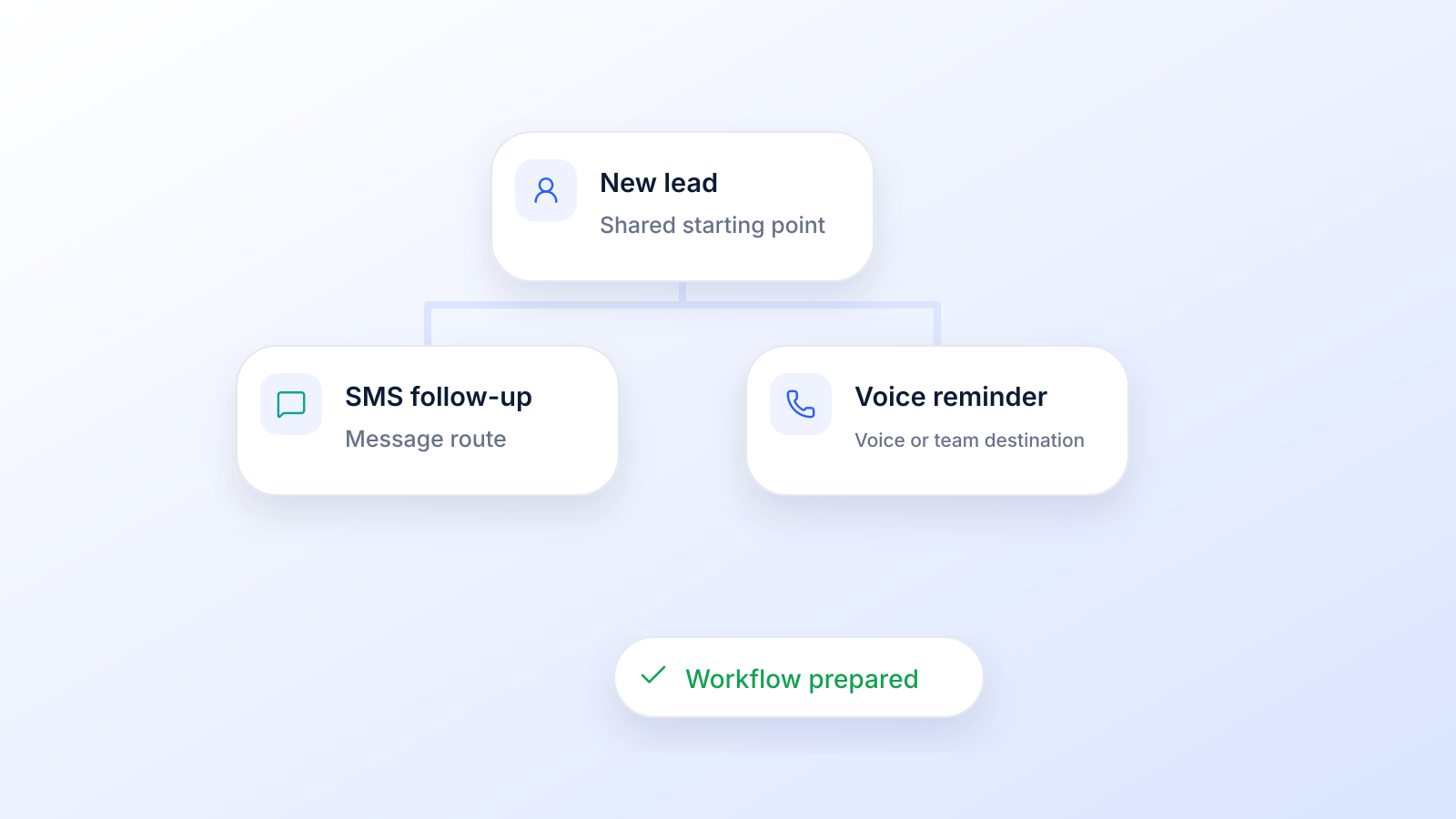
Let's be honest, trying to manually keep track of every customer interaction is a recipe for disaster. Things fall through the cracks, follow-ups get missed, and potential sales vanish into thin air. That's where marketing automation workflows come in.
Think of them as a GPS for your customer interactions. They automatically guide people down a personalized path, delivering the right message at the right moment based on what they do.
What Are Marketing Automation Workflows, Really?
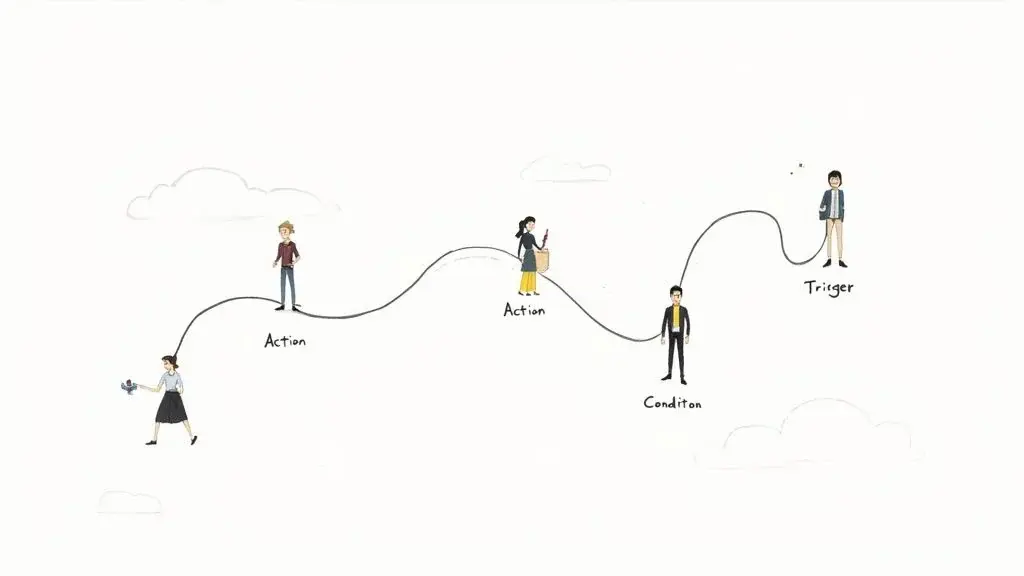
Imagine hiring a brilliant digital assistant who works 24/7. This assistant never forgets to follow up, knows exactly what each person is interested in, and sends perfectly timed messages to nurture leads and close deals. That's what a workflow does for your business.
Instead of manually sending every single email, SMS, or voice message, you build an automated pathway. When a customer steps onto that path (say, by downloading an ebook or visiting your pricing page), the workflow takes over. It guides them from that first touchpoint toward the outcome you want.
This is way more powerful than just blasting out one-off messages. It creates a dynamic conversation that adapts to a user's behavior, making your marketing feel personal and responsive, even when you're communicating with thousands of people at once.
And that personal touch makes a difference. A workflow that reacts to behavior sends fewer, better-timed messages than a one-size-fits-all blast, because each message answers something the person just did. You can see how this works in automated campaigns, or browse drip marketing examples for SMS and voice for more sequences.
The Core Building Blocks of a Workflow
When you boil it down, every marketing automation workflow, no matter how complex, is built from just three simple components. Get these down, and you can map out any customer journey you can dream up.
- Triggers: This is the starting gun. A trigger is a specific event that kicks off a workflow. It could be someone subscribing to your newsletter, abandoning a shopping cart, or clicking a link in an SMS you sent.
- Actions: These are the "what happens next" steps. An action is any task your system performs, like sending a text message, adding a contact to a specific list, waiting a few days, or pinging a sales rep.
- Conditions: Conditions are what make your workflow smart. They're the "if/then" checkpoints that split the path based on what someone does (or doesn't do). For example, if a contact opens an email, then send them a follow-up SMS. If not, send a different reminder email a day later.
A fourth piece is easy to forget: exit rules. Decide up front what takes a person out of the workflow, such as reaching the goal (they bought, booked or registered), replying STOP or unsubscribing, or entering a more relevant workflow. Without exit rules, people keep getting messages that no longer apply to them.
A great marketing automation workflow doesn't just send messages; it listens and reacts. It's the difference between shouting a generic announcement into a crowd and having a meaningful, one-on-one conversation that builds trust and guides decisions.
By mixing and matching these three elements, you can design sophisticated sequences that feel uniquely tailored to each person. This is the foundation for creating the kind of powerful, multi-channel communication strategies that truly move the needle.
Ultimately, these automated systems free up your team to focus on bigger-picture strategy and building genuine customer relationships, all while knowing the crucial follow-up tasks are being handled flawlessly in the background.
Essential Workflows Every Business Needs
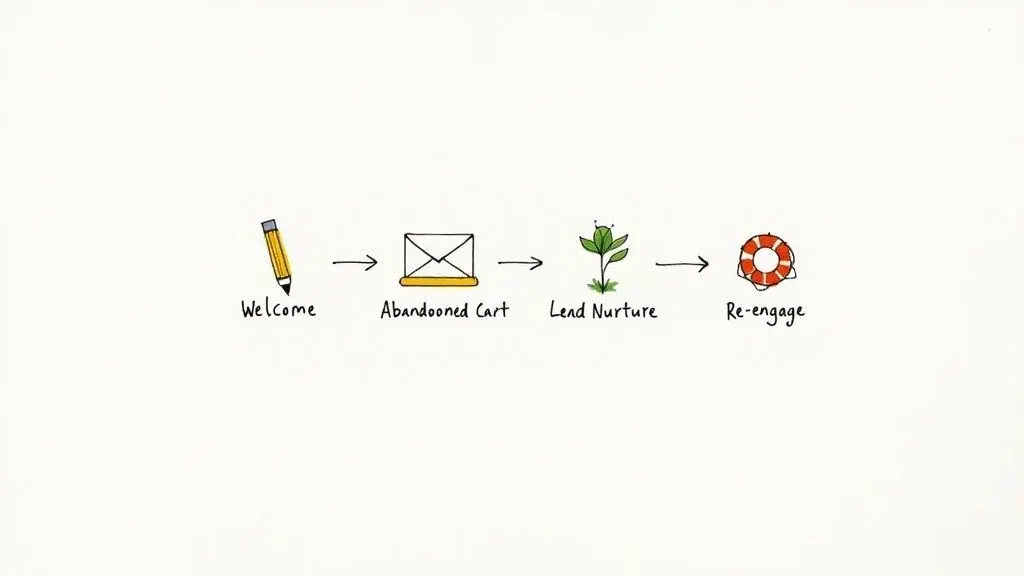
Alright, you get the basic building blocks. Now it's time for the fun part: putting them together. While you can dream up an endless number of marketing automation workflows, there are a handful of core sequences that deliver immediate value.
Think of these as the fundamental plays in your marketing playbook. Getting just one or two of these running can make a huge difference in everything from how a new lead feels about you to keeping long-term customers engaged. They're designed to handle those make-or-break moments in the customer journey so you never miss an opportunity.
To give you a clearer picture, here’s a quick rundown of some of the most common workflows and what they're designed to accomplish.
Common Marketing Workflows and Their Primary Goals
| Workflow Type | Primary Goal | Key Metric to Track |
|---|---|---|
| Welcome Series | Build a strong relationship with new subscribers | Open rates, click-through rates |
| Abandoned Cart | Recover potentially lost sales from online shoppers | Cart recovery rate, conversion rate |
| Lead Nurturing | Educate prospects and guide them toward a purchase | Lead-to-customer conversion rate |
| Re-engagement | Win back inactive subscribers and clean the list | Re-engagement rate, unsubscribe rate |
| Event Reminders | Boost attendance for webinars, appointments, etc. | Attendance rate, no-show rate |
| Sales Follow-up | Nurture warm leads and accelerate the sales cycle | Response rate, meetings booked |
Each of these serves a specific purpose, targeting a different stage of the customer lifecycle to keep people moving forward. Now, let's dive into the specifics of a few must-haves.
The Welcome Series Workflow
You only get one chance to make a first impression, right? A welcome series is your automated handshake, a sequence of messages that goes out the moment someone new joins your list. The goal is simple: introduce your brand, set the right expectations, and start building a real relationship from day one.
This is your chance to make someone feel seen. Instead of a bland, one-off "thanks for subscribing" message, a proper welcome workflow can tell your story, show off your best stuff, or deliver that special discount you promised. It's no surprise these automated messages have some of the highest engagement rates you'll ever see.
A solid Welcome Series usually includes:
- The Instant Payoff: A message that fires off immediately to confirm their subscription and deliver whatever you promised (like a coupon code or a free guide).
- The "About Us" Message: A day or two later, send something that shares your mission or what makes you different from everyone else.
- The Social Connection: A final touch that points them to your social media profiles or shares some glowing customer testimonials to build trust.
The Abandoned Cart Workflow
If you run an ecommerce store, this one is a no-brainer. An abandoned cart workflow kicks in when a shopper adds items to their cart but bounces before checking out. Its goal is pure and powerful: bring them back to finish the purchase and recover revenue that would have otherwise vanished.
Life happens. People get distracted, the dog starts barking, or they just want to shop around. An abandoned cart message is a gentle nudge, not a hard sell. Because the shopper already picked the products, it is one of the simplest workflows to justify. If the reminder goes out by text, the shopper must have agreed to receive marketing texts first; our abandoned cart SMS playbook covers timing and copy.
By simply reminding customers about products they were already interested in, you’re not being annoying; you’re being helpful. You’re closing the gap between interest and action and rescuing sales that were about to disappear for good.
The Lead Nurturing Workflow
Let's be real: most leads aren't ready to buy the second they find you. A lead nurturing workflow is a longer sequence designed to educate prospects, build trust, and gently guide them toward making a purchase when they're ready. It usually starts when someone shows interest (like downloading an ebook or signing up for a webinar) but isn't quite ready to pull out their credit card.
This workflow is all about playing the long game. By sending a steady stream of valuable content (think case studies, how-to guides, or industry insights), you stay on their radar and establish yourself as an expert who's there to help, not just sell. When they finally are ready to buy, you’ll be the first one they call.
The Re-engagement Workflow
Over time, it's natural for some subscribers to go quiet. A re-engagement workflow (or "win-back" campaign) is your tool for waking up these dormant contacts before they're gone for good. This sequence gets triggered when a contact hasn't opened an email or clicked a link for a set period, like 90 days.
Keeping a customer often costs less than finding a new one. This workflow is your last-ditch effort to reignite that spark. You might offer a "we miss you" discount, ask for feedback on why they've been quiet, or simply remind them of the value you offer. It’s a smart way to bring people back into the fold and keep your contact list healthy.
How to Map Your First Automation Workflow
Diving into marketing automation workflows can feel like a huge undertaking, but your first one is way easier to build than you think. The trick is to start small and lock in on a single, clear goal. Don't try to automate your entire customer journey right out of the gate; just pick one specific problem you want to solve.
Think of it like building with LEGOs. You don’t start with the massive, complex castle. You start by snapping a few basic bricks together to create a solid foundation. Once you get the hang of that, you can add more pieces and build something really impressive. Your first workflow is that foundation.
And the time you put into learning this pays off: once a workflow is live, it handles the follow-up every time, so nobody has to remember who needs a reminder or a second message.
Step 1: Define a Single, Clear Objective
Before you even log into any software, ask yourself: what is the one thing I want this workflow to do? A fuzzy goal like "increase engagement" won't cut it. You have to get specific.
Your objective needs to be measurable and focused. Good examples look like this:
- Convert new blog subscribers into first-time buyers.
- Reduce abandoned carts by 10% in the next quarter.
- Increase webinar attendance by reminding everyone who registered.
A sharp, clear goal becomes your North Star. It guides every decision you make while building the workflow and makes sure you’re not just sending messages for the sake of it.
Step 2: Identify Your Target Audience
So, who is this workflow for? You can't create a message that resonates if you don't know who you're talking to. Pinpoint the exact segment of your audience that will enter this automation.
For instance, if your goal is to welcome new subscribers, your audience is anyone who fills out your newsletter signup form. Simple. If you're trying to win back abandoned carts, your audience is anyone who adds an item to their cart but bails before buying. Get crystal clear on the group you're targeting.
Step 3: Map the Customer Path
Now it’s time to sketch out the journey. You don't need fancy software: a whiteboard or even a piece of paper works perfectly. Map out the sequence of events using simple "if/then" logic.
Think of your workflow map as a simple flowchart for a conversation. If the customer does X, we do Y. If they don't do X, we do Z. This basic structure is the heart of all effective marketing automation.
Start with the trigger, the action that kicks everything off. From there, add the actions (like sending an SMS or waiting a day) and any conditions that might create different paths. For a simple welcome series, the map might look like this:
- Trigger: New subscriber joins the list.
- Action: Immediately send a welcome SMS with their discount code.
- Wait: 2 days.
- Action: Send a second message sharing a link to your most popular products.
- Wait: 3 days.
- Action: Send a final message with a customer testimonial to build some trust.
This kind of simple, straight-line path is the perfect starting point. Once you're comfortable with the basics, you can start adding more complex steps, like branches based on whether someone clicks a link in one of your messages. By focusing on these core steps first, you'll have a solid, effective workflow ready to go in no time.
Step 4: Build the Automation and Set Exit Rules
Now move the map into your tool. Set up the trigger, add each action and wait, then add the checks that split the path. Before you switch it on, set the exit rules: what ends the workflow when the goal is reached, and what ends it when someone opts out. A STOP reply or an unsubscribe must stop every remaining step on every channel, not only the channel where it arrived.
If you connect several tools (a form, a CRM and a texting platform, for example), check that the trigger fires only once per contact and that consent travels with the contact. Our guide to an automated lead follow-up system walks through a full setup for new leads.
Step 5: Write the Messages and Test
Write each message for the moment it arrives: the first one confirms what the person did, later ones add something useful. Use personalization fields only when the data is reliable, and say who you are in every text and voicemail. Then send the whole sequence to a test contact, check every wait and branch, and only then turn it on for real contacts.
| Part | Setting |
|---|---|
| Trigger | New subscriber joins the list (with consent recorded) |
| Steps | Welcome SMS with the discount code; popular products; testimonial |
| Timing | Immediately, then 2 days, then 3 days |
| Exit | Last message sent, first purchase, or STOP/unsubscribe |
| Measure | Purchases from the code, opt-outs |
Proven Workflow Examples You Can Steal
Okay, the theory behind marketing automation workflows is one thing, but seeing them in action? That's when the lightbulb really goes on. Instead of staring at a blank screen, let's look at some proven templates that are already getting results for thousands of businesses.
Think of these 4 examples as your personal swipe file. We'll break down the triggers, actions, delays, and logic for each one, giving you a solid blueprint to build your own powerful sequences with confidence.
Before we get into the nitty-gritty, it helps to see the big picture. This simple, five-step map lays out the core stages for turning any goal into a live automation.
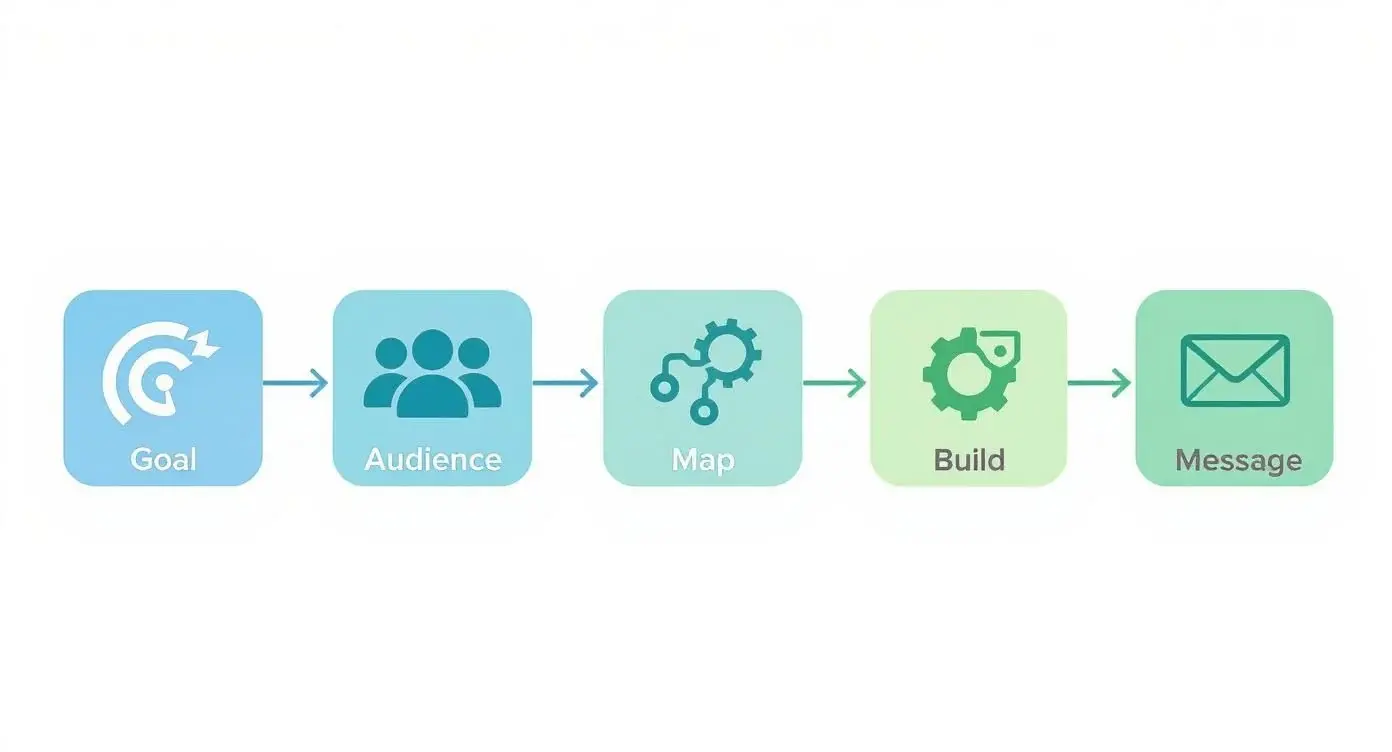
This visual shows the whole journey: from figuring out your goal and audience to mapping the path, building the automation, and writing the messages. It's a universal recipe for success.
| Workflow | Trigger | Steps and timing | Exit when |
|---|---|---|---|
| Sales follow-up | Demo request form submitted | SMS now; email after 24 hours; ringless voicemail after 3 more days | A meeting is booked, or the lead opts out |
| Appointment reminders | Appointment booked | SMS now; SMS 24 hours before; SMS 1 hour before | The appointment takes place or is canceled |
| Event promotion | Contact added to the promotion list | Email now; SMS after 4 days; last-chance email the day before | The contact registers (moves to a reminder flow) |
| Re-engagement | 90 days since the last purchase | Email with an offer; SMS after 7 days; tag "Inactive" after 14 more days | A purchase, or the contact is tagged inactive |
The timings are the ones used in the examples below. They are starting points to test, not benchmarks.
The Persistent Sales Follow-Up Sequence
For any business that relies on sales, the persistent follow-up is probably the single most valuable automation you can build. This workflow makes sure warm leads never fall through the cracks because someone forgot to call back, keeping your brand top-of-mind until they're ready to make a decision.
Goal: Nurture a new lead who filled out a "Request a Demo" form and get them to book a meeting.
Workflow Breakdown:
- Trigger: A contact submits your "Request a Demo" form.
- Immediate Action: Send an instant SMS to confirm you got it. "Hi [FirstName], thanks for requesting a demo of Broadcast! A team member will be in touch shortly. In the meantime, here’s a link to a quick overview video: [link]."
- Wait: Give it 24 hours.
- If they booked a meeting: Perfect, the workflow ends.
- If they have not booked: Time for a gentle nudge.
- Action: Send a follow-up email from the assigned sales rep, complete with a direct link to their calendar. Make it easy for them.
- Wait: Another 3 days.
- If they booked a meeting: Success! End the workflow.
- If they still have not booked: Send a ringless voicemail from the rep (only to leads who agreed to receive it; see the consent section below). "Hey [FirstName], just wanted to follow up on your demo request. Let me know when you have 15 minutes to connect this week."
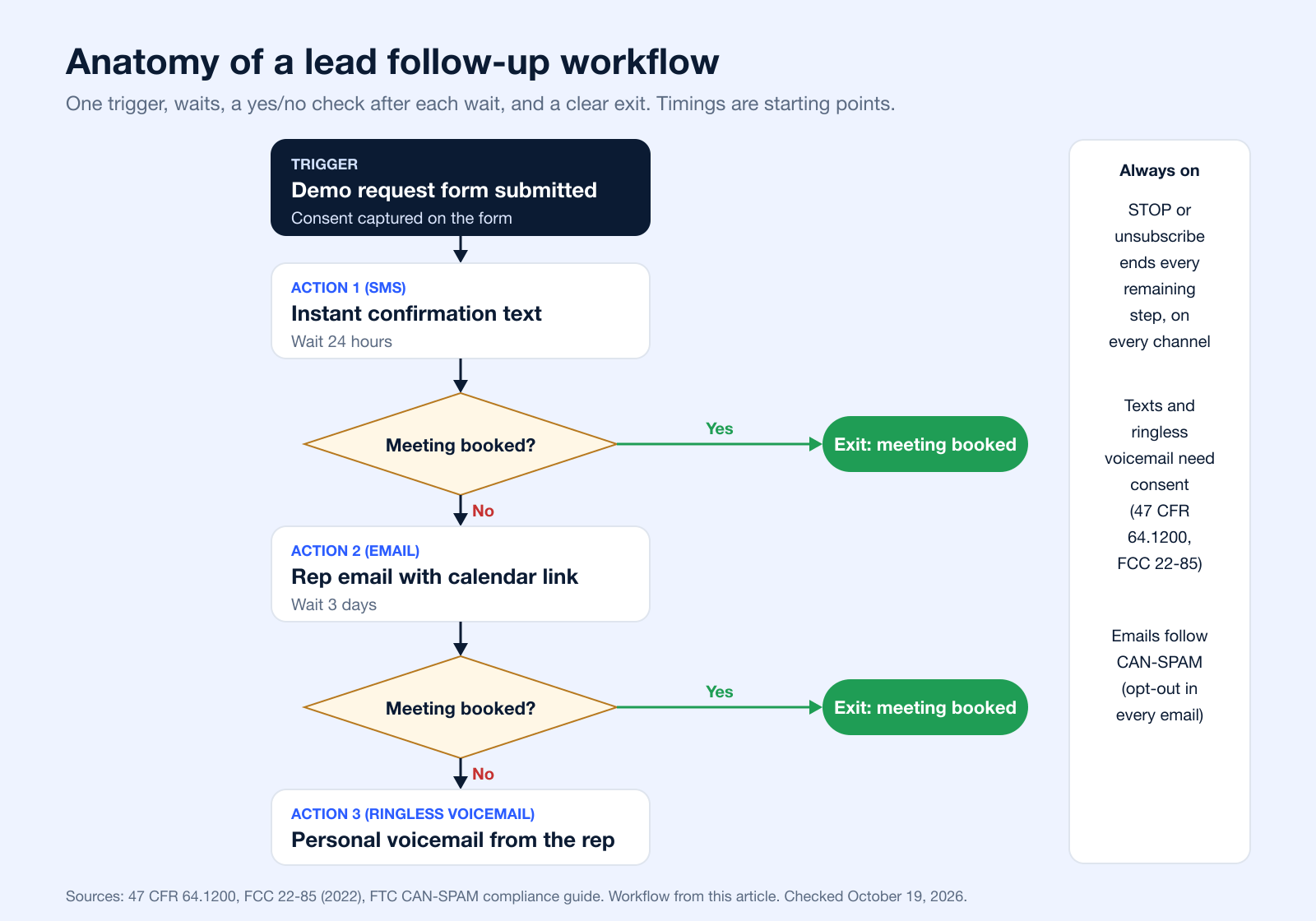
This mix of SMS, email, and ringless voicemail grabs their attention on different channels without being pushy.
The Automated Appointment Reminder Flow
No-shows are a killer for any service business. They waste time and cost money. An automated appointment reminder workflow is a simple fix that can lower your no-show rate and protect your revenue. In health care, a Cochrane review of 8 trials found that text message reminders raised attendance from 67.8% to 78.6% compared with no reminder (Gurol-Urganci et al., Cochrane 2013). See our guide to automated text message reminders for timing and templates.
Goal: Make sure a client who booked an appointment actually shows up.
Workflow Breakdown:
- Trigger: A client books an appointment in your calendar system.
- Immediate Action: Send an SMS confirmation right away. "Hi [FirstName], your appointment with us is confirmed for [Date] at [Time]. We look forward to seeing you!"
- Wait: Until 24 hours before the appointment.
- Action: Send a friendly reminder SMS. "Just a friendly reminder about your appointment tomorrow at [Time]. Please reply YES to confirm or call us at [Number] to reschedule."
- Wait: Until 1 hour before the appointment.
- Action: Send one last, quick SMS. "See you soon! Your appointment is in one hour."
This sequence gives them multiple, well-timed nudges that keep the appointment front and center.
The Engaging Event Promotion Campaign
Got a webinar, workshop, or conference coming up? Driving attendance is everything. This workflow is all about building buzz and getting as many sign-ups as possible by sending timely info and reminders across a few channels.
Goal: Drive registrations and get people to show up for an upcoming webinar.
Workflow Breakdown:
- Trigger: You add a contact to your "Webinar Promotion" list.
- Action: Send the first email invitation with all the juicy details and a clear registration link.
- Wait: 4 days.
- If they registered: Awesome. Move them to the "Registered" list and pull them out of this promo flow. (They'll get a separate reminder sequence later).
- If they have not registered: Send a follow-up SMS. "Don't miss out! Our webinar on [Topic] is next week. Here’s a quick look at what you’ll learn: [link]. Register here: [short link]."
- Wait: 3 more days (now it's one day before the event).
- Action: Send a "last chance" email to create a little friendly urgency.
This flow is smart because it stops bugging people who've already signed up while continuing to nurture those who are still on the fence.
The Strategic Customer Re-Engagement Workflow
Everyone knows it's cheaper to keep a customer than to find a new one. A re-engagement workflow (sometimes called a "win-back" campaign) is your secret weapon for automatically finding and winning back customers who have gone quiet.
Think of a re-engagement workflow as a friendly tap on the shoulder for a customer who has gone quiet. It’s your automated way of saying, "We miss you, and here’s why you should come back."
Goal: Win back customers who haven't bought anything in the last 90 days.
Workflow Breakdown:
- Trigger: A customer's "Last Purchase Date" hits the 90-day mark.
- Action: Send an email with a personal subject line like "Is everything okay?" or "We miss you, [FirstName]!" Inside, offer a special discount code to tempt them back.
- Wait: 7 days.
- If they made a purchase: Mission accomplished. The workflow ends.
- If they have not purchased: Send an SMS with a final, can't-miss offer. "It's been a while! Here’s a 20% OFF coupon just for you, valid for 48 hours: [code]."
- Wait: 14 days.
- If they made a purchase: Great! End the workflow.
- If they still have not purchased: Tag the contact as "Inactive." This helps you clean your list later or target them with different, less frequent campaigns.
For more sequences you can adapt, from welcome series to win-back campaigns, see these drip marketing examples, or learn how to send automated texts step by step.
Integrating Channels for Maximum Impact
Great marketing automation workflows don't just broadcast messages; they start conversations right where your customers are already listening. If you're only using one channel, like email, you're trying to whisper in a crowded room. Your message is bound to get lost in the noise. The real power move? Layering different communication methods into a smart, multi-channel strategy.
When you start blending SMS, voice calls, and ringless voicemail, you create a customer experience that's both more robust and far more responsive. Each channel has its own superpower, and using them together ensures your message doesn't just get delivered; it gets felt. It's about respecting your customer's attention by picking the right tool for the right moment.
Think about it: not every message needs the same level of urgency. A simple order confirmation is a perfect fit for an instant SMS. But a personal follow-up for a high-value lead? That's where a real phone call can make all the difference. This kind of intelligent layering is what separates generic, robotic automation from a communication strategy that actually connects with people.
The Unique Strengths of Each Channel
To build a killer multi-channel workflow, you have to know what each tool does best. A common mistake is using them all interchangeably. The key is to play to their individual strengths to create a sequence that truly drives action.
- SMS for Immediacy: Text messages land on the phone people carry all day; Americans exchanged nearly 2.2 trillion SMS and MMS messages in 2024 (CTIA). Nothing beats them for urgent, time-sensitive info. This is your go-to for appointment reminders, flash sale alerts, shipping updates, and two-factor authentication codes.
- Voice Calls for a Personal Touch: You just can't replace the rapport built by a human voice. Automated voice calls are perfect for those high-value moments, like welcoming a new VIP client, following up on a major purchase, or getting direct feedback from your best customers.
- Ringless Voicemail for Non-Intrusive Updates: This clever channel drops a pre-recorded message straight into someone's voicemail without their phone ever ringing. It’s ideal for updates that are important but not urgent, like a personalized thank-you from a sales rep or a friendly reminder about a deadline. It's personal, without being interruptive. Note that "non-intrusive" does not mean unregulated: the FCC ruled in 2022 that ringless voicemail to a cell phone is a call under the TCPA and needs the same consent as a prerecorded call (FCC 22-85).
Weaving Channels into a Single Workflow
The magic really happens when you stop seeing these channels as separate tools and start weaving them into a single, cohesive workflow. This approach creates a seamless journey for your customer, one that adapts to their engagement and dials up the personal touch when it matters most.
A multi-channel workflow is more than just a sequence of messages; it's an orchestrated conversation. It ensures that if a customer misses a message on one channel, you have another way to connect, making your communication more resilient and effective.
For instance, a sales follow-up workflow could kick off with an SMS confirming a demo request. If the lead doesn't book a meeting within 24 hours, the workflow could automatically send a personalized email. If another 48 hours go by with no action, a ringless voicemail from their assigned rep adds a human element that an email just can't replicate.
This layering creates persistent but respectful follow-up. To connect a CRM or lead form to your follow-up sequence, see how an automated lead follow-up system fits together. Getting your tools talking to each other is the foundation for this kind of advanced strategy. Tools like Zapier are also fantastic for connecting different apps. You can learn more about Broadcast's Zapier integration to see how it can bridge the gaps in your tech stack and help you build a system that works harder to get results.
Consent and Opt-Out Rules for Each Channel
A multi-channel workflow is only as safe as the consent behind each step. In the US, texts, prerecorded voice messages and ringless voicemail follow the Telephone Consumer Protection Act (TCPA) rules, and email follows the CAN-SPAM Act. Check these points before the first message goes out.
| Channel | Main rule | What your workflow needs | Source |
|---|---|---|---|
| SMS/MMS | TCPA (47 CFR 64.1200); carrier rules (CTIA) | Prior express written consent for marketing texts; STOP, END, UNSUBSCRIBE, CANCEL or QUIT ends every remaining step | 47 CFR 64.1200; CTIA |
| Voice broadcast and prerecorded calls | TCPA (47 CFR 64.1200(a) to (c)) | Consent records; business name at the start and a callback number; solicitations only between 8 a.m. and 9 p.m. recipient local time | 47 CFR 64.1200 |
| Ringless voicemail | TCPA; FCC 22-85 (2022) | Same consent as a prerecorded call | FCC 22-85 |
| CAN-SPAM Act | Honest headers and subject lines, a physical postal address, an opt-out in every marketing email, opt-outs honored within 10 business days | FTC guide |
Opt-outs end the whole workflow
People can revoke consent by any reasonable means, such as replying STOP, and the request must be honored within 10 business days at most (47 CFR 64.1200(a)(10), checked October 19, 2026). In a workflow, that means an opt-out on one channel should remove the contact from every remaining text and voice step, not just the next message. Our guides to express written consent and ringless voicemail compliance go deeper.
Email steps follow CAN-SPAM
CAN-SPAM does not require consent before a marketing email, but every commercial email needs a working opt-out, a valid postal address and honest header and subject lines, and each violating email can cost up to $53,088 (FTC). Order confirmations and other transactional messages are exempt from most of these rules.
Measuring And Optimizing Your Workflows
Getting your first marketing automation workflows up and running is a huge step. But here’s the thing: it’s just the beginning. The real magic isn’t in setting it and forgetting it; it’s in constantly tweaking and improving what you’ve built. Think of your live workflow as your starting point, not the finish line.
The goal is to figure out what actually works. It's easy to get caught up in vanity metrics like email opens. Sure, they feel good, but they don't tell you if your workflow is putting money in the bank or moving leads down the pipeline. You need to zero in on the numbers that reflect your real business goals.
Key Metrics That Truly Matter
To see the real impact of your automation, you have to focus on the data that’s tied directly to growth. These are the metrics that paint a clear picture of how your workflow is performing and what it's doing for your bottom line.
- Conversion Rate: This is the big one. What percentage of people actually completed the goal of the workflow? Did they make a purchase, book that demo, or download your guide?
- Lead Velocity Rate: How fast are qualified leads moving through your sales funnel? A good workflow should speed this up, not create bottlenecks.
- Revenue Attribution: Can you draw a straight line from a specific workflow to the revenue it generated? This is how you prove the ROI of your efforts and pinpoint your most profitable sequences.
Keeping an eye on these KPIs is pretty simple with the right tools. If you want to get serious about tracking your performance, exploring robust reporting features is a great place to start.
The Art of A/B Testing Your Workflows
Once you have your baseline numbers, it’s time to start making them better with A/B testing. This is just a simple way of changing one thing at a time to see what your audience responds to. Stop guessing what they want; let the data give you the answer.
A/B testing transforms optimization from a game of chance into a science. It's the most reliable way to turn a good workflow into a great one that consistently delivers measurable results.
Start by testing the big stuff, like when you send a message, the actual SMS content, or your call-to-action. For example, does a reminder sent 24 hours before an appointment get a better response than one sent 48 hours before? You'd be surprised how much small tweaks can move the needle.
Keep each test running long enough to reach a meaningful number of contacts before you pick a winner, and change only one thing per test so you know what made the difference. Watch opt-outs as closely as conversions: a version that converts better but drives more STOP replies is shrinking the list you can reach.
Common Questions About Marketing Workflows
Even with a solid plan, a few questions always seem to pop up when you're in the trenches building marketing automation workflows. Getting straight answers can give you the confidence to push forward and build sequences that actually work.
Let's tackle a few of the most common ones I hear.
How Long Should a Marketing Workflow Be?
The honest answer? It depends entirely on your goal. There’s no magic number here, because every workflow has a different job to do.
A simple welcome series might just need three to five messages over the first week to make a great first impression. On the other hand, if you're nurturing leads for a complex, high-ticket service, that sequence could easily span several months with dozens of perfectly timed touchpoints.
The real key is to map out the customer’s decision-making process. Your job is to provide value at each step without being annoying. A good rule of thumb is to start with the minimum number of steps you think you need, then test and build out from there.
Bottom line: focus on the journey, not a specific number of steps. A workflow should be as long as it needs to be to get someone to the finish line, and not a single step longer.
Can Small Businesses Benefit from Automation?
Absolutely. In fact, marketing automation is a massive equalizer for small businesses. It lets you deliver the kind of consistent, personal follow-up that used to require a huge team and an even bigger budget.
Think about all the repetitive but critical tasks on your plate: lead nurturing, sales follow-ups, appointment reminders. Automating them frees up a ton of your time.
This isn't just about saving a few minutes; it's about reclaiming your day to focus on the stuff that really moves the needle, like strategy, talking to customers, and actually growing the business. The efficiency boost and better lead conversion make it one of the smartest investments a small company can make.
What Is the Difference Between an Autoresponder and a Workflow?
This is a great question, and the distinction is critical. Think of an autoresponder as a straight line. It's a simple, linear sequence of messages triggered by one action, like someone signing up for your newsletter. It sends the exact same messages in the exact same order to everyone, no exceptions.
A marketing automation workflow, however, is more like a dynamic, branching tree. It uses conditional logic (those "if this, then that" rules we've been talking about) to change the path based on what a person actually does.
For example, a workflow can send one message to someone who clicked a link and a completely different one to someone who didn't. This creates a truly personal journey that a basic autoresponder just can't compete with.
What Are Examples of Automated Workflows?
Common marketing examples are a welcome series for new subscribers, abandoned cart reminders, lead nurturing, sales follow-up after a form, appointment reminders, event promotion and re-engagement (win-back) campaigns. The 4 examples above show the trigger, steps, timing and exit for four of them.
What Are Examples of Marketing Automation?
Any marketing task a system does for you when a rule is met: sending a welcome text when someone joins a list, tagging a contact who clicked a link, moving a lead to a sales rep after a demo request, or pausing all messages when someone replies STOP. For SMS-specific setups, see how to send automated texts.
What Are the Top Marketing Automation Tools?
There is no official ranking; the right tool depends on the channels you need (email, SMS, voice), your CRM and your budget. Our comparison of drip campaign software lists the main options, with pricing checked on each vendor's own page.
How Do You Set Up a Marketing Automation Workflow for Lead Follow-Up?
Use the form submission as the trigger, send an instant confirmation, wait (for example 24 hours), check whether the lead booked a meeting, and if not, follow up on a second channel. End the workflow when a meeting is booked or the lead opts out. The sales follow-up example and flowchart above show every step.
Ready to build powerful, multi-channel workflows that engage customers and drive growth? Broadcast gives you the tools to automate SMS, voice, and ringless voicemail campaigns with ease. Start your free trial today and see how simple effective outreach can be.


