
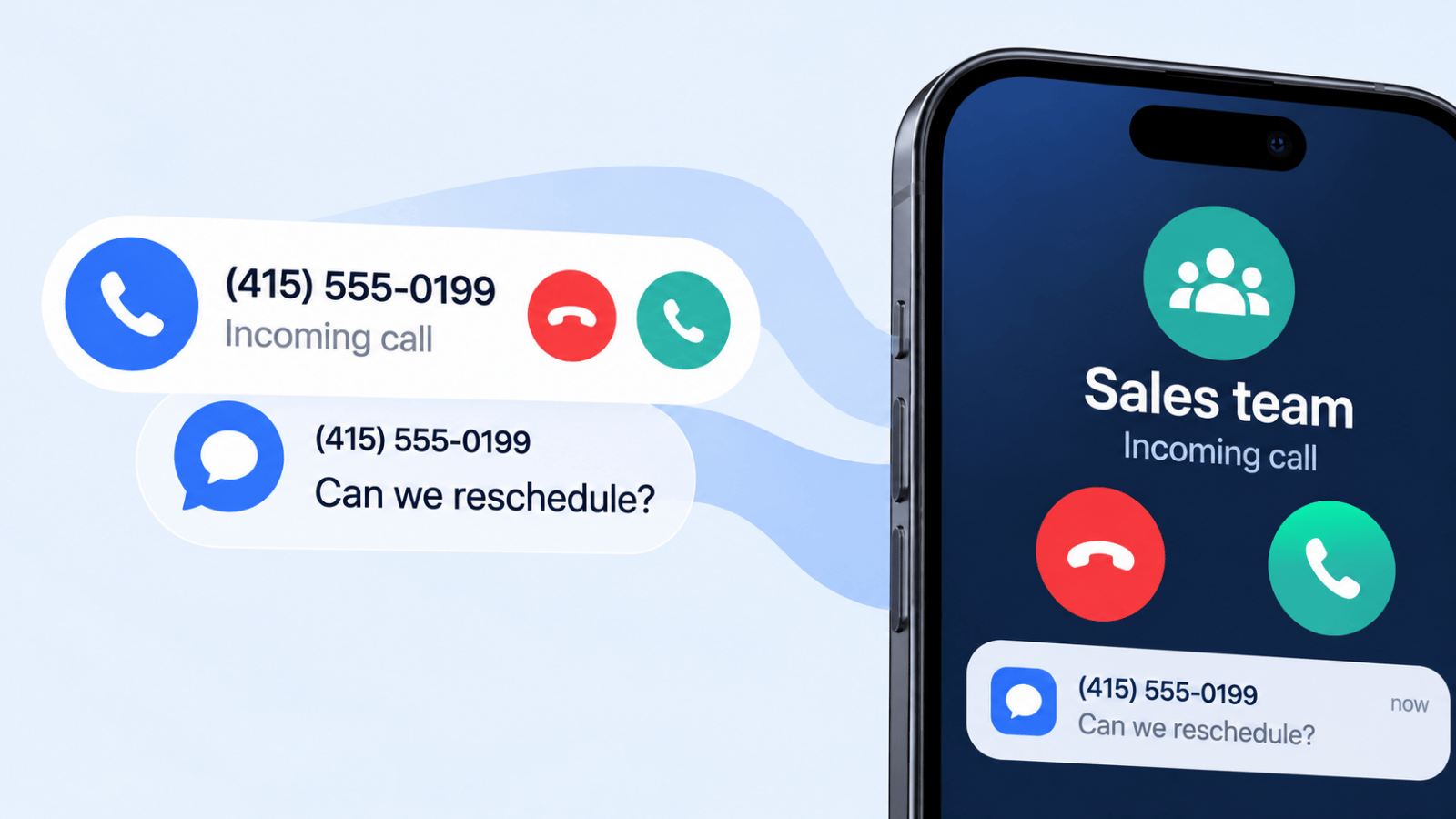
A lot of people search for call and text divert after something has already gone wrong. A lead called the office line after hours. A customer texted the business number, but the message stayed on one employee's phone. A physician, office manager, contractor, or salon owner switched devices for the day and realized business communication was tied to the wrong person, not the business.
That's why forwarding feels useful at first. It looks like a quick patch. Turn on call forwarding, send texts somewhere else, and keep moving. For personal use, that can be enough. For a business, it usually isn't. The moment more than one person needs visibility, accountability, or a clean customer experience, native forwarding starts to show its limits.
What Call and Text Divert Really Means
Call and text divert means redirecting incoming communication away from its original endpoint. For calls, that usually means another phone number, device, extension, or voicemail path. For texts, it can mean showing messages on another approved device, relaying them through an app, or using a business messaging system that routes them somewhere more useful than one handset.
The simple version is familiar. Your office phone rings, but you're out, so calls go to your mobile. Your iPhone receives a text, and that same text also appears on another Apple device. That's convenient. It solves a personal availability problem.
The business version is different. It's less about “How do I make this show up somewhere else?” and more about “Who owns this conversation, who can see it, and what happens next?”
Texting matters here because customers use it constantly. Americans exchanged nearly 2.2 trillion SMS and MMS messages in 2024, according to CTIA's 2025 Annual Survey. If you run a business line, that changes what “reachable” means.
Personal convenience versus business control
For one person, divert is a convenience feature. For a team, it becomes an operations issue.
A solo professional can often get by with:
- One destination device because only one person handles responses
- Simple fallback coverage when traveling or stepping away
- Minimal routing logic because there's no handoff between staff
A business usually needs more:
- Shared visibility so conversations don't disappear with one employee
- Routing rules so billing, support, sales, and urgent issues don't hit the same inbox
- Records and ownership so anyone can see what happened before replying
Practical rule: If a customer interaction affects revenue, service, scheduling, or compliance, it shouldn't live only on one person's phone.
There's also a numbering issue many owners miss. If you're building a business communication setup, start with the number itself. A dedicated business number gives you much more control than trying to repurpose a personal mobile line. If you need a refresher on that setup, this guide on what a DID number is is useful context.
What people expect now
Customers don't care whether your forwarding setup is clever. They care whether someone answers, replies, and follows through.
That's the fundamental divide in call and text divert. For personal use, native features can work. For anything customer-facing, forwarding is only the first layer. The harder question is whether the communication remains professional, trackable, and easy for the right person to manage.
Mastering Call Divert on Any Device
Call diversion is the easier side of this topic because telecom networks have supported it for a long time. On Verizon, for example, you turn on call forwarding by dialing *72 plus the 10-digit destination number, turn it off with *73, and forward only unanswered calls with *71 plus the number (Verizon call forwarding FAQs). Other carriers use their own codes for busy, no-answer, or unreachable conditions, so check your carrier’s support page.
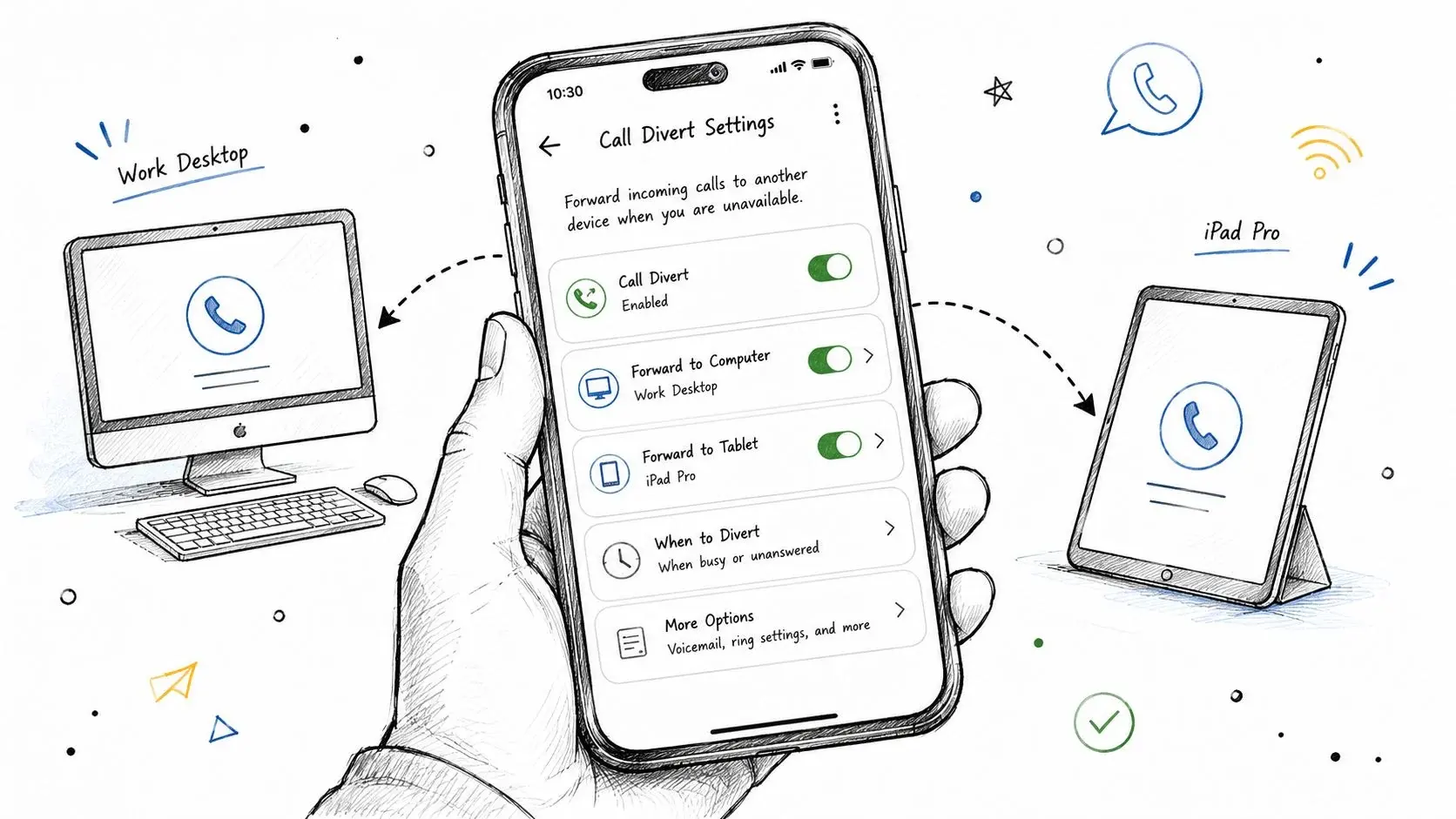
That sounds straightforward, but in practice there are three different layers: carrier feature codes, smartphone settings, and VoIP or virtual number routing.
Use carrier codes first when you need a fast redirect
If your carrier supports standard forwarding codes, they're often the fastest way to reroute calls during travel, outages, or schedule changes.
Example of an unconditional forwarding code *72 plus the destination number
Example of a deactivation code *73
What matters is the logic behind the forward:
- Unconditional forwarding sends every call elsewhere immediately
- Busy forwarding only kicks in when you're already on a call
- No-answer forwarding waits for a ring timeout
- Unreachable forwarding applies when the device or network isn't available
Don’t assume one code works everywhere. Carriers and regions vary, and some services need separate activation by condition. Your carrier’s support page is the reference for the exact codes on your line; Verizon’s call forwarding FAQs are a good example of what to look for.
Native phone settings are easier to manage visually
On iPhone and Android, call forwarding may also be available inside phone settings. The exact path differs by device, carrier, and software version, but the general pattern is the same: open the Phone app settings, look for call settings or supplementary services, then enter the forwarding number and choose the conditions.
This method is easier for people who don't want to memorize codes. It also helps when you need to review whether forwarding is still active.
A few checks matter before you trust it:
- Test each condition separately. Busy, no-answer, and unreachable don't always behave the same.
- Call the forwarded destination from another line. Make sure it rings as expected.
- Check voicemail behavior. Bad setups create voicemail ping-pong between the original line and the forwarded line.
- Confirm caller ID handling. Some systems pass the original caller; others present the forwarded line.
One thing call forwarding will not do: move your texts. Verizon states that Call Forwarding won’t forward text messages, only calls (Verizon). Texts need their own setup, covered in the next section.
VoIP and business numbers handle routing better
Once you move beyond a personal handset, call divert becomes call routing. That's a better model for business use because routing can happen in a dashboard instead of on one phone.
A VoIP or hosted number can usually do more than a traditional mobile line:
- Route by time for after-hours or holiday handling
- Route by team for sales, support, or location-based coverage
- Fail over cleanly if one device or user doesn't answer
- Preserve the business number even when multiple people handle the calls
If you're comparing traditional mobile forwarding with internet-based phone setups, this explanation of what a VoIP number means helps clarify why business routing is usually more flexible than simple carrier forwarding.
Forwarding is a tool. Routing is a system. Personal users need the first. Growing businesses usually need the second.
The Nuances of Text Message Divert
Text divert is a common source of frustration. Calls are built for rerouting. SMS usually isn't. The biggest mistake is assuming texts can be forwarded with the same consistency as voice.
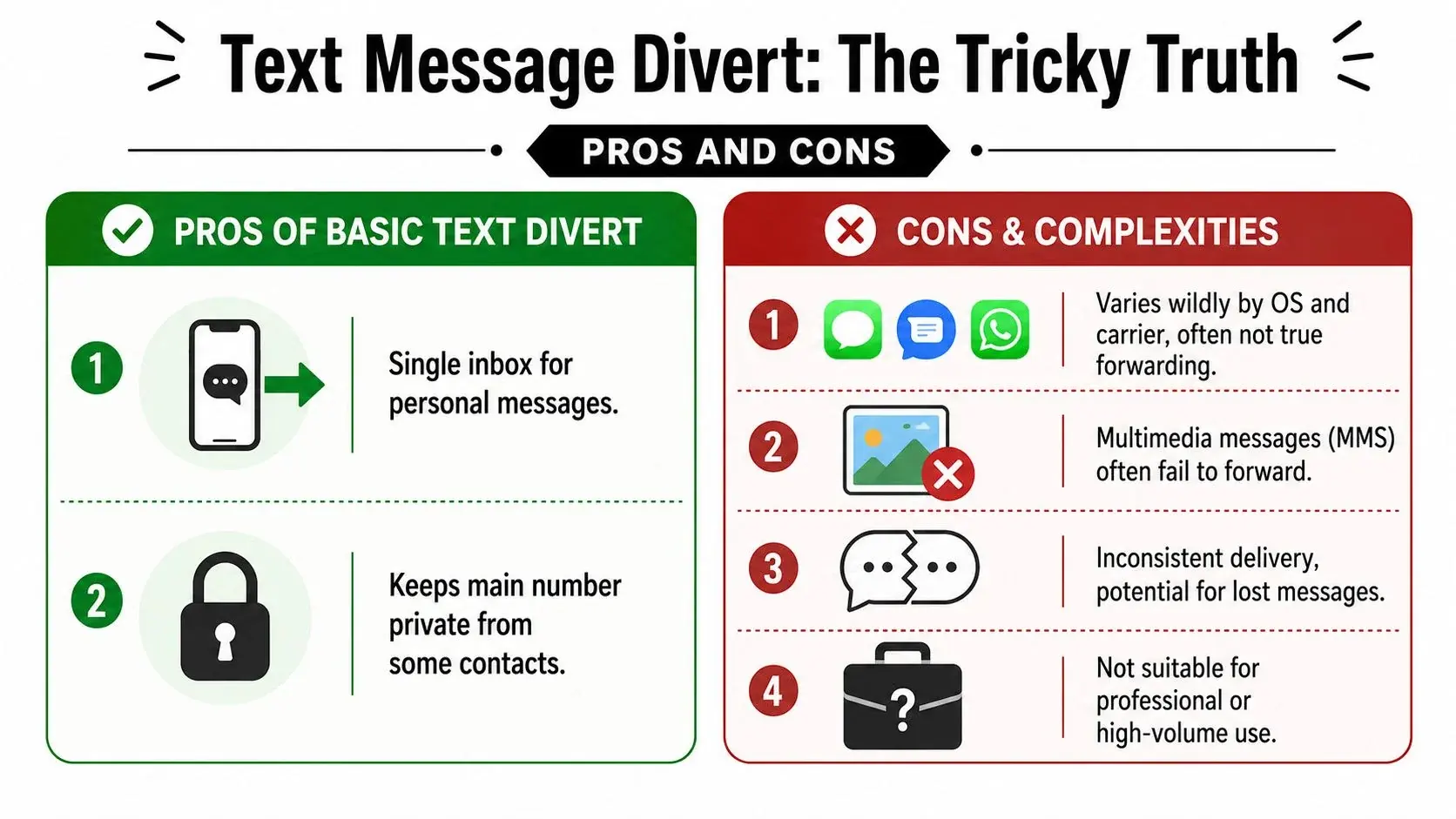
The platform matters more than anything else. The most robust native method is on iPhone, where Apple supports built-in Text Message Forwarding (Settings > Apps > Messages > Text Message Forwarding) for other Apple devices signed in to the same Apple Account (Apple Support). Android generally doesn’t offer a universal native, cross-device SMS divert feature and often depends on third-party forwarding apps or carrier and VoIP workarounds.
iPhone is clean, but only inside Apple's world
If you use an iPhone with other Apple devices, setup is relatively simple:
- Open Settings
- Tap Apps, then Messages
- Choose Text Message Forwarding
- Turn on each Apple device that should send and receive your texts
- If asked, enter the verification code shown on the other device
That works well for personal continuity. If your iPhone is nearby, powered on, and signed in to the same Apple Account, messages can appear where you need them.
The limits show up quickly in business use:
- It's tied to one Apple identity
- It doesn't create team visibility
- It doesn't solve ownership problems
- It doesn't turn SMS into a shared business inbox
Android is more fragmented
Android users often expect a hidden native setting that doesn't exist across the ecosystem. Some manufacturers, carriers, and apps offer partial forwarding options, but there's no universal Android equivalent to Apple's built-in cross-device text forwarding for all users.
That usually leaves three paths:
- Manual forwarding of individual messages
- Third-party forwarding apps with permissions to read and relay SMS
- Carrier or VoIP workflows that handle messaging outside the handset itself
If email is enough as a destination, our guide on how to forward a text message to email covers the options.
Each has trade-offs. Manual forwarding is tedious. Third-party apps can break after OS updates, lose permissions, or get killed by battery optimization. Carrier-based options can be inconsistent and highly region-specific.
If you need dependable text continuity, test after setup and test again after phone updates. SMS forwarding is one of those features that looks stable until a permission change quietly stops it.
Why native text divert often disappoints
The issue isn't only setup difficulty. It's context.
A forwarded or relayed text may arrive without the full conversation history in a format your team can work with. One employee may see a piece of the exchange while another sees the reply later on a different device. Add dual SIM use, device changes, and app-based messaging, and the customer experience gets messy fast.
For personal use, that may be tolerable. For business communication, it creates confusion:
- Who replies
- Which device has the latest message
- Whether the message was delivered
- Whether anyone else can see the thread
That's why text divert is often the first sign that a business has outgrown phone-level fixes.
When Simple Diverting Fails Your Business
A forwarded call can save a sale. A forwarded text can rescue an appointment. But if forwarding becomes your main operating model, the cracks show fast.
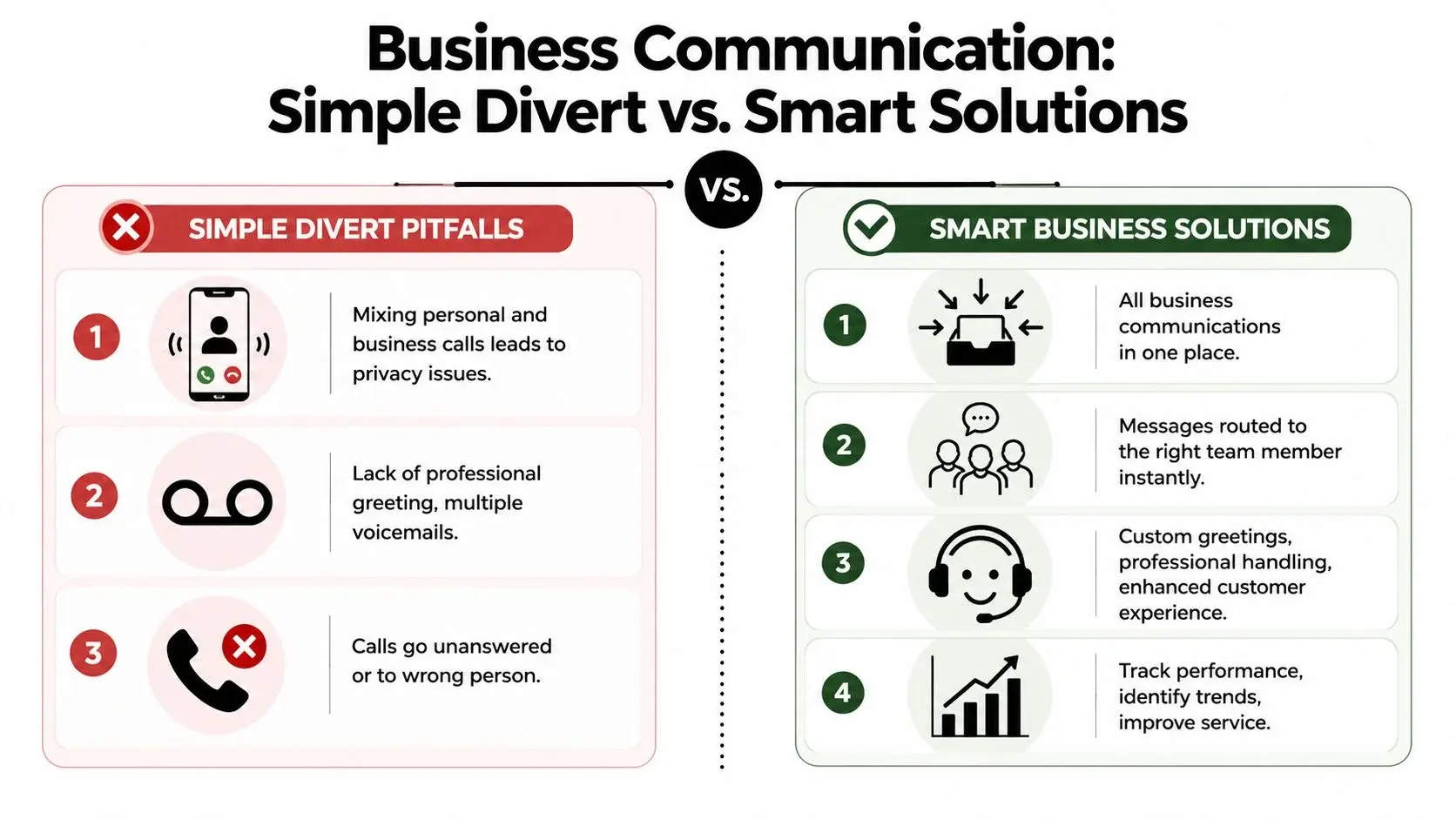
The biggest problem isn't technical. It's organizational. Voice forwarding can bypass call screening and documentation, while SMS divert can create gaps in auditability or message ownership if texts are forwarded to personal devices. That's a major reason businesses are moving toward centralized communication platforms instead of relying on native divert features alone (Numa on call diversion tradeoffs).
Forwarding breaks ownership
If your main number forwards to one employee's mobile, the customer may reach a person, but the business loses control of the conversation.
That creates a chain of problems:
- No shared record when another teammate needs context
- No reliable handoff when the original person is off, sick, or leaves
- No clean separation between personal and business communication
- No consistent greeting or handling standard
A simple example makes the issue obvious. A customer calls a business line and lands in someone's personal voicemail because they were in a meeting. That customer doesn't hear the company name, doesn't know whether they reached the right place, and may never call back.
Text divert creates even bigger blind spots
SMS looks light and informal, so people underestimate the risk. But texts often contain scheduling changes, support questions, pricing discussions, patient communication, or instructions tied to real work.
When those messages divert to unmanaged devices or personal apps, businesses lose:
- Audit trails
- Clear message ownership
- Team visibility
- Confidence that replies happened on time
The moment a business text affects a customer promise, it needs a system of record, not just a forwarding trick.
This matters even more in regulated environments. Healthcare teams, for example, can't treat message routing casually. Even outside regulated sectors, businesses still need internal control over who saw what and when.
Native divert doesn't scale with team growth
Forwarding works best in one-to-one situations. One number, one fallback number, one person responsible.
Business communication is rarely that simple. You may need:
- Sales inquiries routed one way
- Existing customer support routed another
- After-hours coverage handled differently from live business hours
- Location-specific inquiries sent to the right branch or rep
Native forwarding wasn't built for that level of workflow. It can reroute a signal. It can't manage a communication process.
What a centralized platform fixes
A centralized platform changes the job from diverting messages to managing them. Instead of chasing calls and texts across devices, the business works from one controlled environment where communication can be logged, routed, assigned, and followed up consistently.
That's where platforms like Broadcast fit. Rather than relying only on device-level forwarding, a platform can support outbound SMS, voice broadcasting, ringless voicemail, workflow automation, and business-level routing from a dedicated system. That's useful when you need a message to trigger an action, not just land on another phone.
Ringless voicemail is especially relevant here. It handles a common gap in call divert strategies: when live answer rates are inconsistent but you still need outreach to continue. Instead of endlessly forwarding unanswered calls or asking staff to retry manually, teams can use voicemail drops for reminders, follow-ups, or post-call contact attempts as part of a broader workflow.
The shift is simple to describe. Diverting moves communication somewhere else. A platform gives communication structure.
Building Smart Communication Workflows
Most businesses looking into call and text divert aren't really asking for forwarding. They're asking for continuity. They want calls and texts handled during travel, device loss, schedule gaps, and after-hours coverage. Simple forwarding often fails those use cases, which is why many organizations end up needing a more reliable cross-device system for business-critical communication (AutoForwardText on business continuity use cases).
A smarter model than raw forwarding
Think in terms of workflow stages, not just destinations.
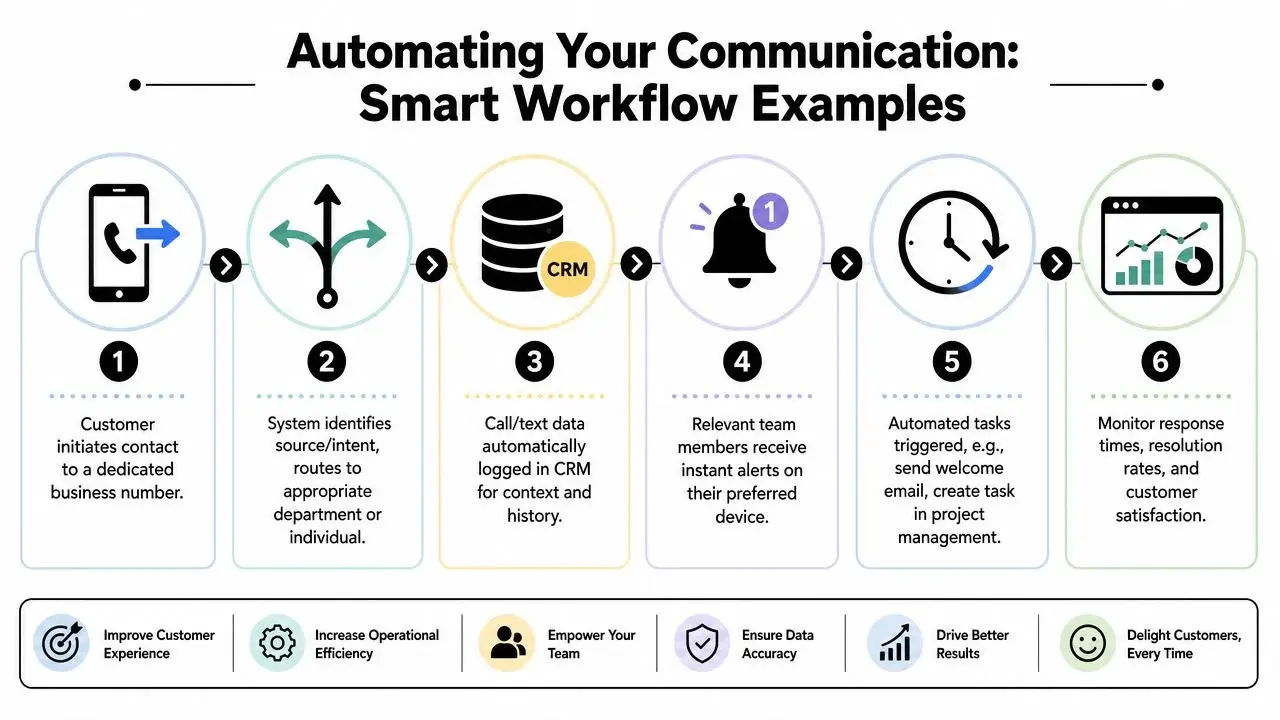
A practical workflow looks like this:
- Use a dedicated business number Keep the public-facing number separate from personal devices so the business retains control.
- Route by intent or availability Send sales calls one way, service issues another, and after-hours traffic into a controlled queue.
- Log the interaction automatically Calls, texts, and voicemail activity should land in the same system or connected CRM.
- Trigger follow-up actions If no one answers, send an acknowledgment text. If a voicemail lands, notify the right team member. If a lead opts in, add them to the next step.
- Use channel mix intentionally Some contacts answer calls. Others respond to SMS. Some will engage better with ringless voicemail as a low-friction reminder.
Where ringless voicemail fits
Ringless voicemail is often treated as a separate campaign tool, but operationally it belongs in the same conversation. It's useful when a live transfer or direct callback isn't the right next step, yet you still want the contact to hear a clear, controlled message.
Good use cases include:
- Appointment reminders when you don't need a live conversation
- Follow-up after missed calls so the customer hears what to do next
- Reactivation outreach for contacts who haven't responded to SMS
- Layered campaigns where voice message, text, and callback routing work together
That's a very different approach from basic divert. You're no longer asking a phone to chase people. You're designing a communication sequence.
A missed call shouldn't be the end of the interaction. It should be the trigger for the next one.
Press-1 and automation beat blind forwarding
One of the most useful upgrades is replacing generic forwarding with interaction-based routing. A press-1 voice flow, for example, can route a caller to the right person, trigger a callback path, or segment interest before a staff member ever gets involved.
The same principle applies to text and outbound sequences. A business number can receive the initial contact, then automation can take over the repetitive work:
- Acknowledge receipt
- Assign the conversation
- Push details into a CRM
- Schedule follow-up
- Escalate if nobody responds
If you're mapping that kind of setup, this resource on marketing automation workflows is a useful reference point for connecting calls, texts, and triggered actions into one operating model.
Security Privacy and Compliance Checklist
Call and text divert can expose information to the wrong device, the wrong person, or the wrong workflow. That risk goes up fast when businesses mix personal phones, unmanaged apps, and sensitive customer communication.
Use this checklist before turning anything on.
Device and access controls
- Use a dedicated business number instead of publishing a personal mobile number for customer contact.
- Limit who receives forwarded communication so only authorized staff can access calls, texts, and voicemail.
- Review device ownership before routing messages to tablets, laptops, or personal phones that the business doesn't manage.
- Audit changes regularly after staffing, role, or device changes.
Warning: If forwarded texts land on a personal device, the business may lose control over message retention, access, and ownership.
Operational safety checks
- Test end to end after setup. Place live calls, send live texts, and confirm the right person receives them.
- Retest after OS updates because permissions and background behavior can change without much notice.
- Check voicemail behavior so customers don't hit a personal greeting or a dead-end loop.
- Document fallback rules for nights, weekends, travel, and outages.
Compliance and messaging discipline
- Keep marketing consent rules in view when using SMS or voice outreach. Forwarding doesn't remove your TCPA obligations.
- Treat patient or sensitive information carefully if you work in healthcare or another regulated industry. HIPAA-related communication should never be casually rerouted to unmanaged devices.
- Prefer centralized records when messages affect appointments, payments, patient communication, service history, or customer commitments.
Convenience is never a substitute for control. If a message matters to the business, it should be handled in a system the business can supervise.
Does call divert also divert text messages?
No. Carrier call forwarding only moves voice calls. Verizon says plainly that Call Forwarding won’t forward text messages you receive, only calls (Verizon). Texts need a separate method, such as Text Message Forwarding on iPhone or a business texting number.
What is SMS divert?
SMS divert means getting text messages that arrive on one number or phone to show up somewhere else: another device, an email inbox, or a shared business inbox. Unlike call divert, there is no standard carrier code for it, so the method depends on your phone and provider.
How do I divert text messages?
On iPhone, go to Settings > Apps > Messages > Text Message Forwarding and turn on the Apple devices that should receive your texts; they must use the same Apple Account (Apple Support). On Android, there is no universal built-in option, so people use forwarding apps or move texting to a business number that several people can manage.
How do I divert both calls and texts?
Set them up separately. Use your carrier’s forwarding code or your phone’s call forwarding setting for calls (on Verizon, *72 plus the number), then a text forwarding method for messages. For a team, a dedicated business number keeps both in one place instead of on one person’s phone.
If simple forwarding is starting to feel brittle, Broadcast is worth a look for teams that need business numbers, outbound SMS, voice broadcasting, ringless voicemail, and automation in one controlled workflow instead of scattered across personal devices.


