
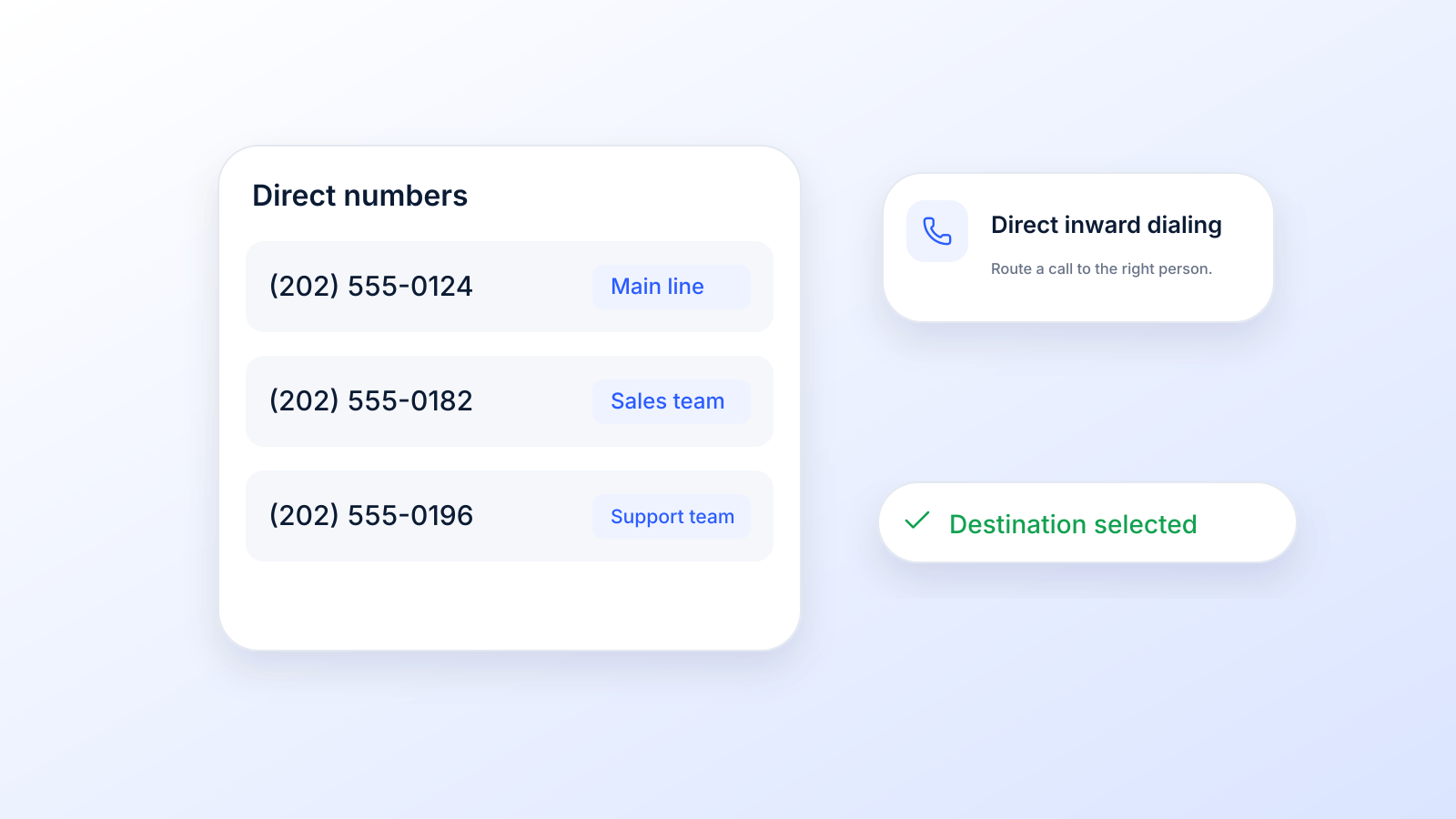
A DID number, short for Direct Inward Dialing, is basically a virtual phone number that funnels calls straight to a specific person or department, completely bypassing an old-school switchboard. Think of it as a private, direct line into your business, making it dead simple for customers to connect with the right person instantly.
Jump to a DID number example, DID vs toll-free, VoIP and other numbers, or the rules for calling and texting from a DID.
What Is a DID Number in Simple Terms
Imagine your company is a huge office building. A general phone number is like the main front desk: every single visitor has to stop there first and ask for directions. It’s slow and inefficient.
A DID number, on the other hand, is like giving each department its own direct entrance. Customers can go straight to sales, support, or a specific team member without any waiting or transfers. It’s a direct path.
This isn’t some brand-new tech. The commonly cited history is that AT&T developed DID in the United States in the 1960s (Wikipedia), but its use has exploded with modern business needs. Today, these virtual numbers are the bedrock of business communication, powering everything from massive customer support centers to highly targeted marketing campaigns.
A DID Number Example
Say a 40-person company has one main number, 212-XXX-1000, answered by a menu ("press 1 for sales"). With DID service, the phone company also assigns the company a block of numbers, for example 212-XXX-1001 through 212-XXX-1040, and gives one to each employee. When a client dials 212-XXX-1023, the call skips the menu and rings that one person’s desk phone, softphone or mobile app.
Behind the scenes, the carrier passes the dialed digits (often just the last four) to the company’s phone system, which uses them to pick the right extension (Wikipedia). The same idea works for a sales line, a support queue or a number printed on one ad. 3CX describes the setup the same way: a SIP or ISDN trunk, a phone system that supports DID, and "a block of phone numbers, which you can map to extensions or devices" (3CX).
- DID meaning: Direct Inward Dialing (sometimes "direct inward dial").
- DDI: the same service is called direct dial-in in Europe and Oceania.
- DOD: direct outward dialing, the outbound counterpart that lets each extension call out directly, often showing its own DID as caller ID.
The Role of VoIP Technology
To really get what makes a DID number tick, you first have to understand what is VoIP technology and how it’s changed the game. VoIP, or Voice over Internet Protocol, is the tech that lets you make phone calls over the internet instead of traditional phone lines.
Most DIDs today run on VoIP, and that’s what gives them their incredible flexibility.
With Twilio, for example, a DID can reach your phone system over a SIP trunk, or ring a VoIP desk phone or softphone directly through SIP registration (Twilio Docs). For the basics of the technology, see our guide to VoIP numbers.
Because they’re virtual, DID numbers aren't chained to a physical location or a specific phone. This means a DID with a New York area code can be answered by an employee in California, on their desk phone, computer, or even a mobile app. Twilio calls this a number "not locked down to a specific phone" that can route a call or text "to any phone or workflow" (Twilio). This single feature opens up a world of possibilities for businesses of any size.
A DID number gives your business the power to create a local presence anywhere in the world, manage multiple conversations efficiently, and connect advanced tools like automated SMS, voice broadcasts, and even ringless voicemail.
DID Number At a Glance
To put it all together, here’s a quick breakdown of the core components of a DID number.
| Attribute | Description |
|---|---|
| Type | A virtual phone number, not tied to a physical line. |
| Function | Routes incoming calls directly to a specific endpoint (person, department, etc.). |
| Technology | Typically operates over a VoIP (Voice over Internet Protocol) system. |
| Key Benefit | Eliminates the need for a manual switchboard, improving efficiency and customer experience. |
| Flexibility | Can be local or toll-free, and can be enabled for voice, SMS and MMS. |
Simply put, DIDs are a fundamental tool for creating a modern, streamlined, and scalable communication system for your business.
How a Call Connects Using a DID Number
When someone dials one of your virtual numbers, a whole sequence of events kicks off behind the scenes. It’s a lightning-fast process that connects them to the right person or department in seconds, all thanks to a clever handoff between old-school phone networks and modern internet-based systems.
Let's walk through what actually happens.
The call starts its journey on the Public Switched Telephone Network (PSTN). Think of this as the classic, global telephone grid that’s been around for decades. When your customer's call hits this network, the DID number they dialed acts like a unique signpost.
The PSTN immediately sees this isn't a standard number tied to a physical phone on a desk. It knows that this specific number is managed by a VoIP provider, so it instantly reroutes the call over to that provider's network. This redirect is the secret sauce that makes DIDs so incredibly flexible.
The Virtual Handoff to Your Team
Once the call lands on your VoIP provider's servers, their system looks up the routing rules you’ve already set for that specific DID. This is where you get to play traffic cop and decide exactly where that call, text message, or even a ringless voicemail drop should go.
For example, let's say you have a DID number on a landing page for a new product. You can program that number to ring every single salesperson's phone at the same time. The first one to pick up gets the lead. Simple, right? But it completely cuts out the need for a receptionist to manually transfer the call, connecting hot prospects to a sales rep in an instant.
This diagram breaks down that simple journey from the customer's phone straight to your employee, all thanks to the DID.
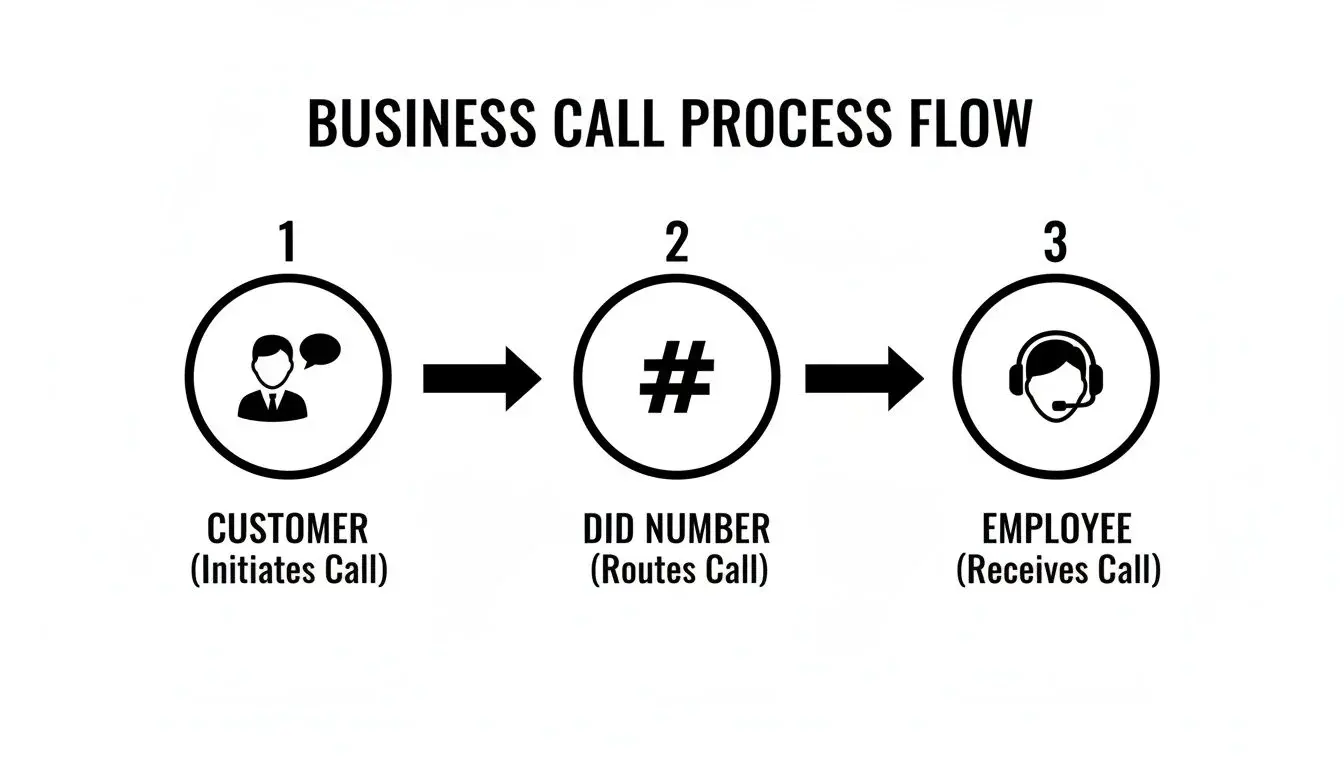
As you can see, the DID number acts like an intelligent routing system. It gets rid of the old-fashioned switchboard and creates a direct, efficient line of communication.
Directing Traffic for Different Campaigns
The real power of DIDs comes alive when you start assigning unique numbers to different parts of your business. This lets you route calls with precision and track everything, turning your phone system into a surprisingly powerful analytics tool.
You can set up different DIDs for all sorts of things:
- A dedicated support line that sends callers directly into your customer service queue.
- A marketing campaign number for a specific ad, which can route callers to a pre-recorded message or a special team.
- A personal line for an executive that forwards to their cell, keeping their private number safe and sound.
- A number for automated services, like a ringless voicemail campaign that shows up as a local caller to the people receiving it.
Each DID number is like a unique digital doorway into your business. You get to decide exactly who or what is behind each door, whether it’s a specific person, an entire department, or an automated marketing message.
This ability to give every number a unique job is what turns a simple phone call into a smart, measurable interaction. By grabbing a block of DIDs, you can scale this strategy across your entire company, managing hundreds of different conversations from one central platform.
Tracking calls by campaign is a use case on its own; our guide to call tracking numbers covers it in detail.
Choosing the Right Type of DID Number
Not all phone numbers are created equal. Picking the right DID number is like choosing the right tool for a specific job: a local number can build instant trust in a new city, while a toll-free number gives you a nationwide presence overnight. Getting this choice right is fundamental to your entire communication strategy.
The number you choose directly shapes how customers see your business and can make or break your campaigns. Let's dig into the main types so you can match the right number to your goals.
Local DIDs for a Hometown Presence
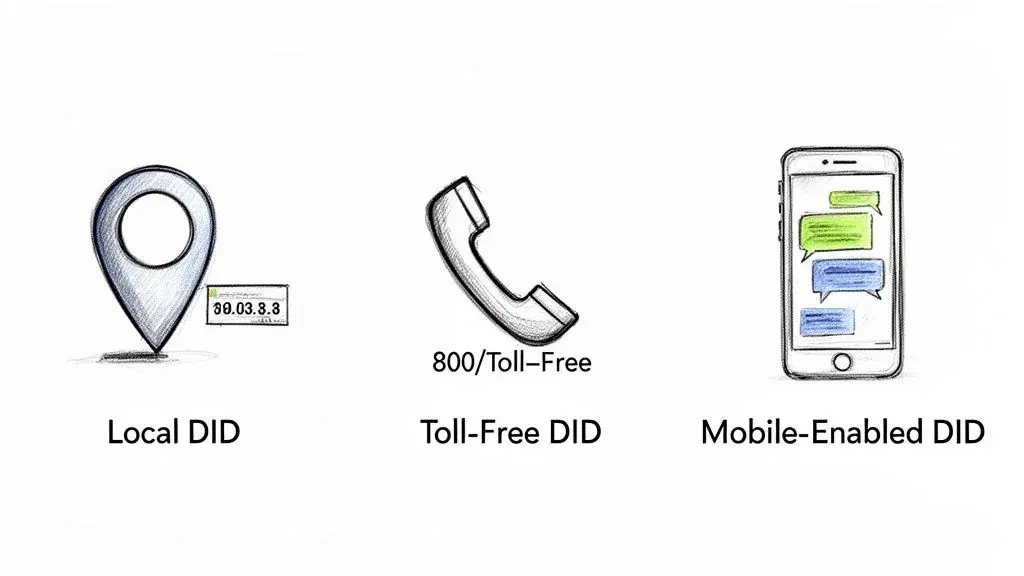
A local DID number is just what it sounds like: a phone number with an area code tied to a specific city or region. It might seem like a small detail, but it’s incredibly powerful for building an immediate sense of familiarity and trust. Think about it: you're far more likely to answer a call from a local area code you recognize.
This makes local DIDs a perfect fit for:
- Sales teams trying to connect with prospects in specific geographic markets.
- Service-based businesses that want to feel like they're just around the corner.
- Event reminders and appointment confirmations that need a personal touch.
When you use a local number for outbound campaigns, like voice broadcasts or ringless voicemail drops, you can see a huge jump in how many people pick up and listen. It changes the dynamic from a cold, corporate outreach to a friendly, local conversation.
A local DID number mirrors a customer's own area code, instantly breaking down the barrier of a distant, faceless company. This single detail is often the difference between a call that gets answered and one that goes straight to voicemail.
Toll-Free DIDs for a National Brand
On the flip side, toll-free DID numbers (the ones starting with 800, 888, 877, 866, 855, 844 or 833, per the FCC) project a completely different image. They signal that your business is established, professional, and operates on a national scale. Calls are free for callers on landlines, and mobile callers only use airtime minutes (none at all on unlimited plans), so they make your business feel serious and accessible.
A toll-free number is your go-to when the goal is to build a credible, nationwide brand. Customers from California to New York can call without a second thought, which is why they're the standard for primary company phone numbers, customer support lines, and sales hotlines advertised across the country.
Toll-free numbers are portable between providers, and the FCC notes that "calls to each toll free number are routed to a particular local telephone number" (FCC). More on how they work in what a toll-free call means.
Mobile-Enabled DIDs for SMS Marketing
Finally, we have mobile-enabled DID numbers. The name is a little misleading: in the U.S. these are usually ordinary local or toll-free numbers that your provider has turned on for texting, not cell phone numbers. A long code is "a standard phone number used to send and receive voice calls and SMS messages" (Twilio), and the FCC confirms toll-free numbers can be "text enabled" (FCC). These numbers are an absolute must-have if you plan to connect with customers through text messages, transforming your DID from a simple phone line into a powerful tool for interactive marketing and support.
While many DIDs can handle voice calls, only text-enabled ones can run SMS marketing campaigns, send automated text alerts, and actually receive replies from your customers. Before a business texts from one, the number also needs approval: an A2P 10DLC registration for a local number or toll-free verification for a toll-free number (see compliance). To learn more, check out our guide on how to determine if a number is mobile or landline.
Comparing DID Number Types for Your Business
Choosing between local, toll-free, and mobile-enabled DIDs really comes down to what you're trying to achieve. Each one has a unique strength. This table breaks down the core benefits to help you decide.
| DID Type | Best For | Key Benefit |
|---|---|---|
| Local DID | Targeted regional outreach, sales prospecting, and building local trust. | A familiar area code for people in that market. |
| Toll-Free DID | Establishing a professional, nationwide brand and encouraging inbound calls. | Credibility and accessibility for customers anywhere in the country. |
| Text-Enabled DID (local or toll-free) | Two-way SMS/MMS marketing, automated text alerts, and customer engagement. | Enables interactive text-based conversations and marketing campaigns. |
Ultimately, you might even use a mix of all three. A local number for your Dallas sales team, a toll-free number for your main support line, and a text-enabled DID for your nationwide SMS promotions. The key is to be strategic and align your choice with your business goals.
DID vs. Toll-Free, VoIP, Virtual and Short Code Numbers
People often use these terms interchangeably. They overlap, but they are not the same thing. Here is how each one relates to a DID.
| Term | What it is | How it relates to a DID | Source |
|---|---|---|---|
| DID (Direct Inward Dialing) | A number that rings straight through to a specific phone at a business, with no menu or extension to dial. | The term itself. | Twilio |
| DDI (direct dial-in) | The European and Oceanian name for the same service. | Same thing, different name. | Wikipedia |
| Toll-free number (TFN) | A number starting with 800, 888, 877, 866, 855, 844 or 833 that is free to call from landlines. | Often sold alongside DIDs; each toll-free number routes to a local number behind it. | FCC |
| VoIP number | A number whose calls travel over the internet instead of a traditional phone line. | VoIP is how most DIDs are delivered today, over a SIP trunk or SIP registration. | Twilio |
| Virtual phone number | A standard number not locked to one phone; it can route calls or texts to any phone or workflow. | A DID is one use of a virtual number. | Twilio |
| Long code (10DLC) | A standard 10-digit number used for voice and SMS. | A local DID used for business texting is a 10DLC number and needs A2P registration. | Twilio |
| Short code | A 5 or 6 digit number for application-to-person texting, approved by carriers. | Texting only; not a DID and cannot take regular calls. | Twilio |
| DOD (direct outward dialing) | The outbound service that lets each extension dial out directly. | The outbound counterpart of DID. | 3CX |
In short: DID describes how a number is routed, VoIP describes how the call travels, and local, toll-free or short code describes the kind of number. If you are still choosing a number, our guide on how to buy a phone number for your business walks through the options.
Using DIDs to Drive Real Business Growth
Alright, let's move past the theory. How do these DID numbers actually make you money?
Think of them less like simple phone numbers and more like strategic tools. When you use them correctly, they have a massive impact on your connection rates, how you track campaigns, and overall customer engagement.
When you start pairing DIDs with automation, you unlock some seriously scalable and effective ways to reach people. Let's dig into how smart businesses are using them to see measurable growth across different channels.
Boosting Connection Rates with Voice Broadcasting
If you're running outbound voice campaigns for things like event reminders or sales follow-ups, the Caller ID you show is everything. An unfamiliar number is easy to ignore. But a local DID number that matches the person's area code? That feels familiar and can build trust.
It's a small change that can improve your answer rates. When a prospect sees a local number pop up, they’re far more likely to pick up the phone, giving your message a real chance to connect. You can learn more about this approach in our guide on voice broadcast software.
Precision Tracking for SMS Marketing
This is where DIDs get really powerful for SMS marketing. By assigning a unique DID number to each of your campaigns, you unlock some amazing analytics.
Imagine you're running two different promos: one on social media and another in your email newsletter. Use a different mobile-enabled DID for each one, and suddenly you can track exactly which channel is driving the most texts, engagement, and revenue.
This takes all the guesswork out of it. You can see which campaigns your audience actually responds to and shift your budget based on real performance data.
DID numbers give small businesses a competitive edge by creating a local presence in major markets and by making every campaign measurable: one number per campaign shows which one drives the most texts and calls.
Improving Callbacks with Ringless Voicemail
Ringless voicemail is a fantastic way to drop a message right into someone's inbox without their phone ever ringing. But the whole strategy lives or dies by the Caller ID you use for the drop. Also known as a voicemail drop, this technique relies on a local DID to appear trustworthy and prompt a callback.
When that voicemail notification shows a familiar local DID, people are way more likely to listen to the message and, most importantly, call you back. That little personal touch turns a passive message into an active lead-gen machine.
- Higher Listening Rates: A local number piques their curiosity and gets them to check the voicemail.
- Increased Callback Volume: That feeling of familiarity builds trust and makes them comfortable calling back.
- Improved Campaign ROI: More callbacks mean more conversations, which directly translates to more sales opportunities.
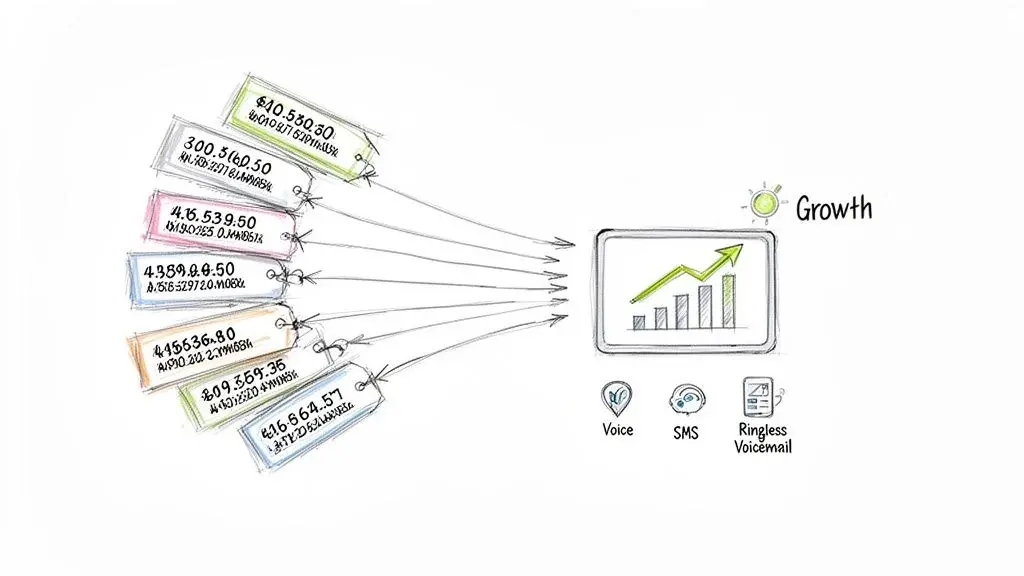
By strategically using DIDs across voice, SMS, and ringless voicemail, you're not just communicating; you're building a growth engine. Each number becomes a dedicated tool for connecting with customers, tracking what works, and scaling your outreach effectively.
How to Get and Manage Your DID Numbers
Getting your DID numbers set up is the first real step to building a smarter way to talk to your customers. It's a pretty simple process, whether you're grabbing brand new numbers or want to bring your existing business line over to a more powerful platform.
Let's walk through how to get your DIDs and manage them like a pro. You've basically got two paths: buying new numbers or porting one you already own. Both are easy and give you the control you need to run targeted campaigns.
Purchasing New DID Numbers
Buying a new DID number is usually the quickest way to get rolling. Platforms like Broadcast let you instantly add numbers right from their system. This gives you total control over what kind of number you get and where it appears to be from.
Here’s how it usually goes down:
- Pick Your Number Type: Are you running a local campaign, or do you need a national toll-free number? Decide if you need a local, toll-free, or mobile-enabled DID based on what you're trying to achieve.
- Choose an Area Code: If you're going local, you can pick an area code to establish a presence in any market you want. This is a game-changer for connecting with people on a local level.
- Activate and Assign: Once you pick it, the number is live instantly. You can immediately assign it to a marketing campaign, a specific team member, or an automated workflow like a ringless voicemail drop.
This is perfect for setting up dedicated numbers for marketing campaigns because it gives you clean, easy-to-read tracking from day one.
Porting Your Existing Business Number
But what if you've already got a business number that your customers know and trust? No problem. You can move it to a new provider through a process called porting. This lets you keep your number while unlocking all the cool features of a modern messaging platform.
Porting is just the fancy term for transferring your phone number from your old carrier to a new one. It means you can upgrade your tech without having to change your contact info everywhere, keeping your brand recognition intact.
To get it done, you'll need to show your new provider proof that you own the number. They'll handle the rest, coordinating the switch with your old carrier. Under FCC rules, simple ports must be processed in one business day, though more complex ports and landline-to-wireless moves can take longer, and your old company cannot refuse to port because you owe a balance. Don't cancel your old service before the port completes (FCC). Once it's ported, you can manage it just like any other DID: set up call forwarding, automated SMS replies, you name it. Step-by-step details are in our guide to porting a number.
Smart Management Practices
Just getting the numbers is the easy part. How you manage them is what really moves the needle.
A great first step is to organize your DIDs by what they do. Assign one number to your Facebook ads, another to your sales reps, and a third to your support queue. Then, set up smart call forwarding rules so calls always get to the right person without a hitch.
Finally, use custom Caller IDs to keep your branding consistent. For example, show a local number you own when you're reaching out to a specific region; it's a small tweak that can improve your answer rates. Never display a number you are not authorized to use (FCC).
Staying Compliant and Ensuring High Deliverability
Using a DID number effectively isn't just about strategy; it's about playing by the rules. If you don't, you risk tanking your number reputation, which can cause carriers to flag your messages as spam and block them from ever reaching your audience. Getting a handle on these regulations is crucial for any long-term success.
The whole system is governed by rules designed to protect consumers, and your business has to follow them. This includes regulations from the mobile carriers themselves and federal laws that dictate exactly how you can communicate with your customers.
Key Compliance Frameworks
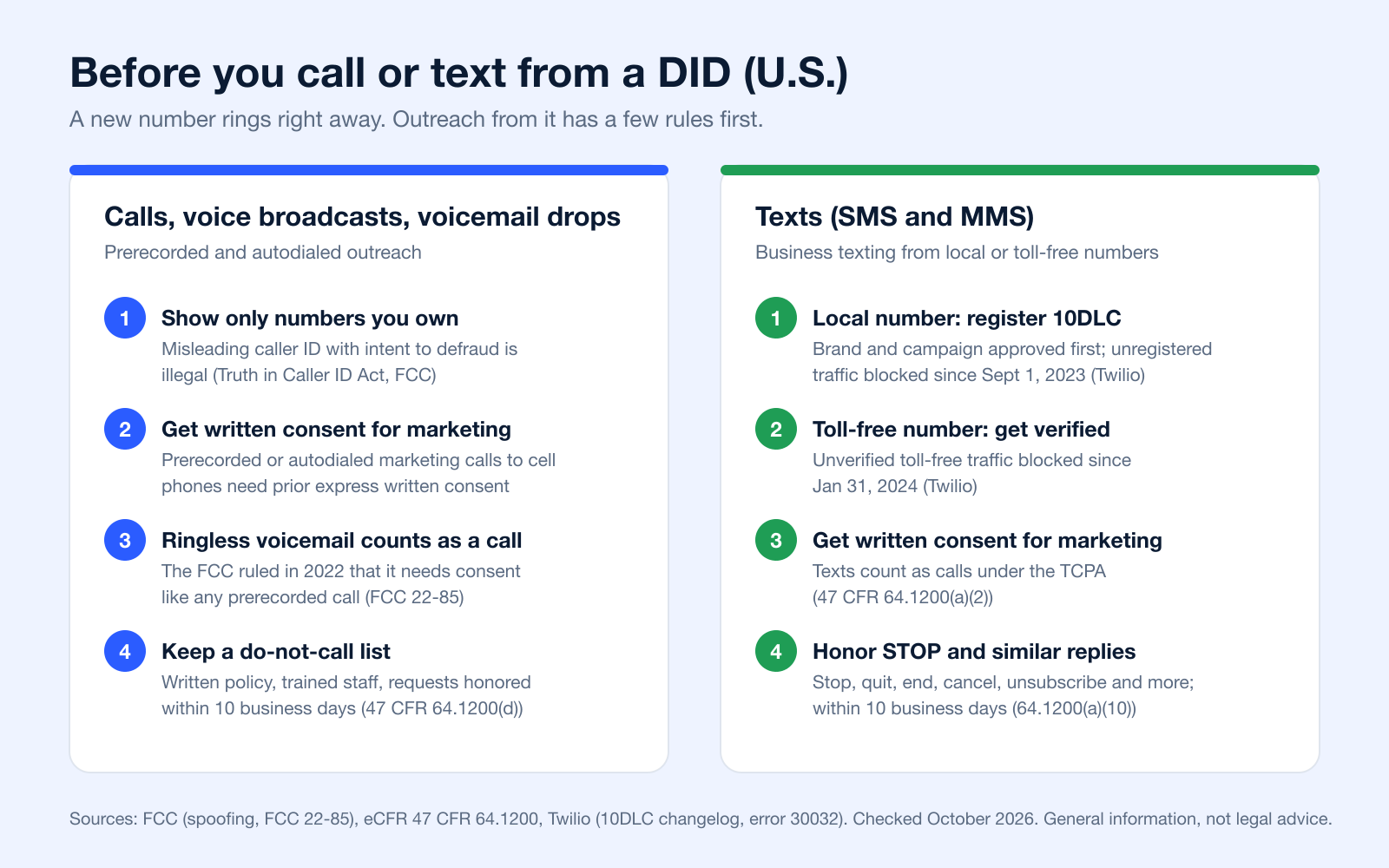
In the U.S., one of the most important frameworks is A2P 10DLC (Application-to-Person 10-Digit Long Code). Think of this as the official system carriers use to register and approve business traffic sent over local numbers: your brand and each campaign are verified through The Campaign Registry. It is not optional. Since September 1, 2023, SMS and MMS sent from unregistered U.S. 10DLC numbers are blocked (Twilio). Toll-free numbers have their own verification process, and unverified toll-free traffic has been blocked since January 31, 2024 (Twilio). Our 10DLC compliance guide covers the steps.
Another massive piece of the puzzle is the Telephone Consumer Protection Act (TCPA). This law sets the ground rules for telemarketing calls, auto-dialed calls, and text messages. Its core principle is simple: consent. Marketing calls and texts sent with an autodialer or a prerecorded voice to cell phones need the person's prior express written consent (47 CFR 64.1200(a)(2)), whether it's a voice broadcast, an SMS campaign, or a ringless voicemail drop (FCC 22-85).
Following A2P 10DLC and TCPA guidelines isn't just about avoiding hefty fines; it's about building a foundation of trust. When customers know you respect their communication preferences, they are far more likely to engage with your brand.
Caller ID Authentication and Call Labeling
Your DIDs also carry a reputation on the voice side. The FCC requires voice providers to use the STIR/SHAKEN framework, which lets the originating carrier "sign" the caller ID on a call so the receiving carrier can verify it, and which supports carriers' blocking and call-labeling decisions (FCC). The FCC also lets phone companies block robocalls by default based on reasonable analytics (FCC). Calling from numbers you own, with consent and steady volumes, is the best way to keep your numbers from being labeled as spam.
Best Practices for High Deliverability
Staying compliant directly leads to better results. It's a straight line. When your number has a good reputation, carriers trust it, and your messages actually get delivered.
Here are a few non-negotiables:
- Obtain Express Written Consent: Always get clear, documented permission before adding someone to your marketing lists. You can dive into a detailed breakdown of what qualifies as express written consent for SMS marketing in our guide.
- Manage a Do Not Call (DNC) List: You have to honor all opt-out requests, and you have to do it quickly. For telemarketing calls, FCC rules require a written do-not-call policy, trained staff, and honoring requests within 10 business days (47 CFR 64.1200(d)). Modern platforms build these safeguards right into their systems, automatically removing contacts who reply with words like "STOP."
- Provide Clear Opt-Out Instructions: Every single marketing message must include simple instructions on how to unsubscribe, like the classic "Reply STOP to end." Replies such as stop, quit, end, revoke, opt out, cancel or unsubscribe revoke consent, and must be honored within 10 business days (47 CFR 64.1200(a)(10)).
Building a compliant communication strategy means picking a platform that puts deliverability and regulatory rules first, ensuring your messages hit their mark every time.
Got Questions About DID Numbers? We've Got Answers.
Jumping into the world of virtual phone numbers can feel a little technical at first. Let's break down some of the most common questions business owners ask when they start using DIDs.
Can I Use One DID Number for Both Calls and Texts?
You bet, as long as the number is text-enabled. Many DID numbers can handle both voice and SMS/MMS. This is huge because it lets you create a single, unified experience for your customers: they can call you and text you on the very same number. For business texting, register the number for A2P 10DLC (local) or complete toll-free verification first.
Is a DID Number the Same as a VoIP Number?
They're closely related, but there's a key difference. Think of it like this: the DID is the actual virtual phone number someone dials to reach you. VoIP (Voice over Internet Protocol) is the technology that makes the call happen over the internet.
So, while not technically the same thing, almost all DIDs today run on VoIP technology to connect your calls.
How Many DID Numbers Should My Business Have?
This really comes down to your goals. You could easily start with just one number for all your general business contact.
But where DIDs really shine is when you start using multiple numbers for specific purposes. For example, you could assign different DIDs to track the ROI of your Facebook ads vs. your Google ads, give direct lines to your sales reps, or even set up local numbers in cities where you want to build a presence.
Can I Send Ringless Voicemail From a DID Number?
Yes, and you absolutely should. Using a DID number is the standard (and most effective) way to deliver ringless voicemail. Just remember the FCC treats ringless voicemail to cell phones as a call that needs consent (FCC 22-85).
Pro tip: Use a DID with a local area code that matches your recipient's. A voicemail from a familiar local number feels way more personal and dramatically increases the chances they'll listen and call you back.
What Does DID Number Stand For?
DID stands for Direct Inward Dialing. A DID number is a phone number that rings straight through to a specific person, team or phone instead of a main line, menu or operator (Twilio). In Europe the same service is often called DDI, direct dial-in.
What Is the Difference Between a TFN and a DID?
A TFN (toll-free number) is a type of number: it starts with 800, 888, 877, 866, 855, 844 or 833 and is free to call from landlines. A DID is a way of routing a number directly to a person or team, and usually means a local number. Each toll-free number is routed to a local number behind it (FCC), so many businesses point a toll-free number at their DIDs. See the comparison table.
What Is a VoIP DID?
A VoIP DID is a DID delivered over the internet instead of a traditional phone line. The carrier hands calls to a gateway that connects the phone network to the VoIP network, and from there to your phone system over a SIP trunk or straight to a VoIP phone or app (Twilio, Wikipedia). Most DIDs sold today are VoIP DIDs.
Can I Get a Free DID Number?
For personal use, yes: the no-charge Google Voice plan gives U.S. users a number "for personal, consumer use" (Google Voice Help). For business, DIDs usually carry a monthly fee per number plus usage, as 3CX notes (3CX). Compare the fees on each provider's own pricing page, including texting registration fees if you plan to send SMS.
What Is DID Management?
DID management is the day-to-day work of running your numbers: keeping an inventory of which number belongs to which person, team or campaign, setting routing and forwarding rules, choosing the caller ID each team shows, keeping texting registrations current, and porting numbers when you change providers. A simple spreadsheet works for a handful of numbers; beyond that, manage them in your phone or messaging platform.
Ready to put DID numbers to work for your business? With Broadcast, you can instantly purchase local or toll-free numbers, run powerful SMS and voice campaigns, and deliver targeted ringless voicemails. Start your free trial today and see how easy it is to scale your outreach.


