
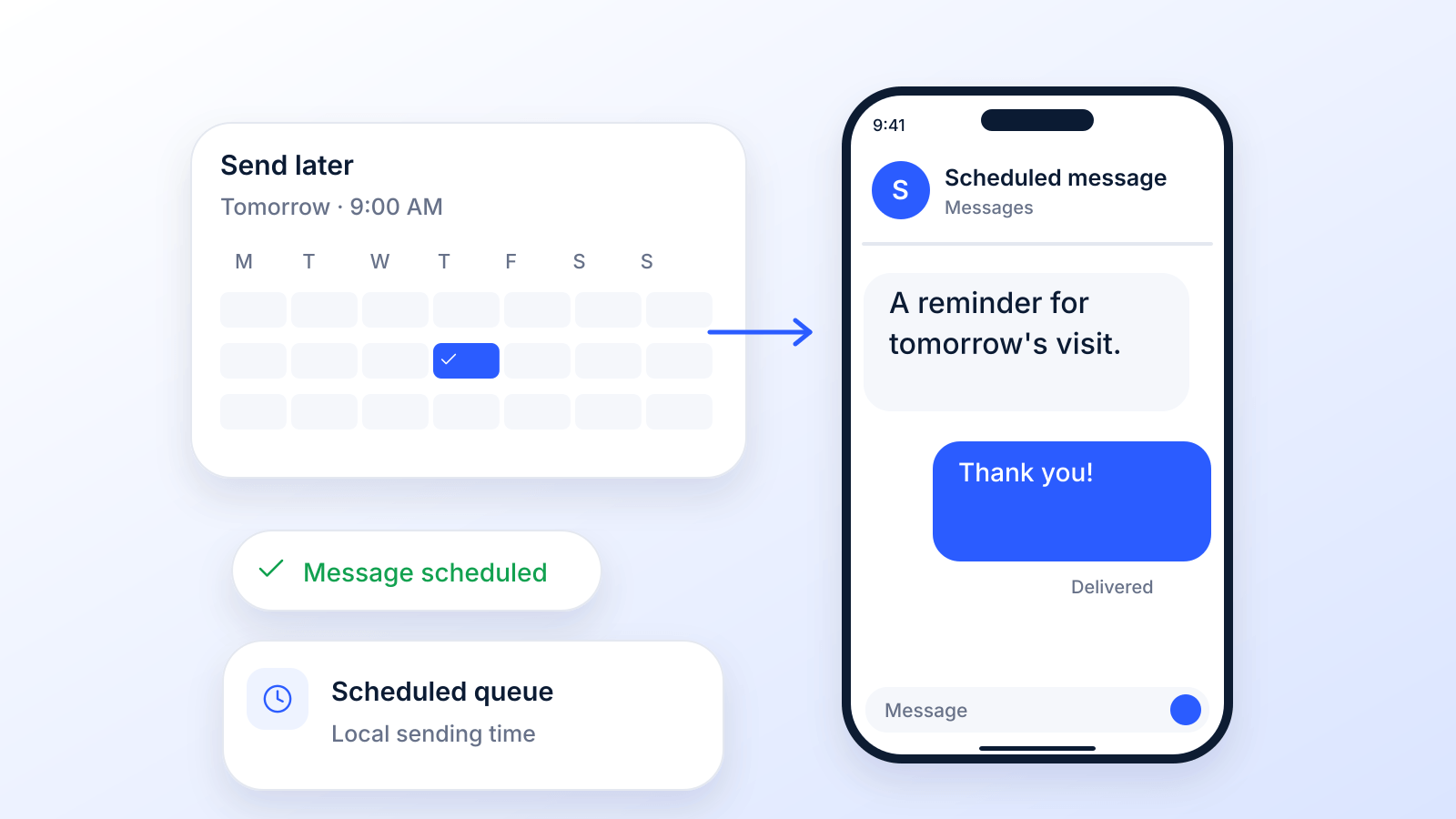
Ever feel like you need a personal assistant just to keep up with sending texts? Appointment reminders, sales follow-ups, special offers: it's a constant juggle. You're stuck stopping what you’re doing, typing out a message, and hitting send at just the right moment.
A scheduled text message app is that assistant. It’s a game-changer that lets you write messages now and have them automatically sent later: tomorrow, next week, or further out, depending on the app. Below you’ll find how to do it on your own phone, which apps add more options, and what a business needs on top.
What Is a Scheduled Text Message App Anyway?
Think of it this way: instead of reacting to your calendar all day, you get to be proactive. You set up your communications in batches, freeing you up to focus on other parts of your business. This simple shift from manual, real-time texting to automated, scheduled messaging is how you get your time back.
More Than Just a Timer
Sure, scheduling is about timing at its core, but the real magic is in the impact. It’s about making sure your message lands exactly when it will be most effective.
An appointment reminder sent 24 hours in advance? Super helpful. One sent a week before? Easily forgotten. Five minutes after the appointment? Completely useless. Scheduling lets you build a reliable communication system that works for you 24/7.
It helps you:
- Slash No-Shows: Automated reminders keep appointments top-of-mind.
- Boost Engagement: Your messages arrive when customers are most likely to actually read and reply.
- Scale Your Outreach: You can talk to hundreds of contacts without hiring more people.
The data backs this up. Americans exchanged nearly 2.2 trillion SMS and MMS messages in 2024, according to the CTIA 2025 Annual Survey. Texting is where your customers already are, and scheduled texts let you meet them there at the right moment.
Moving Beyond SMS with Ringless Voicemail
But why stop at just text? Modern platforms don't. Many now integrate other powerful tools like ringless voicemail, which lets you drop a pre-recorded audio message straight into someone's voicemail box without making their phone ring.
A ringless voicemail drop is a non-intrusive way to deliver a personal touch at scale. Imagine a sales lead getting a friendly, no-pressure voice message from you: it feels personal and stands out from the noise of typical marketing.
When you combine scheduled texts with a ringless voicemail drop, you create a much more complete outreach strategy. You could send a text reminder for an upcoming webinar, then follow up with a ringless voicemail a day later to add that personal touch. One rule applies to both: get consent first. Since 2022 the FCC treats a ringless voicemail as a call under the TCPA, so it needs the same consent as an automated call (FCC 22-85).
This multi-channel approach helps you connect with your audience on their terms, which is always a win. As you can see, the ability to send a scheduled text is really just the beginning.
How to Schedule a Text on iPhone and Android
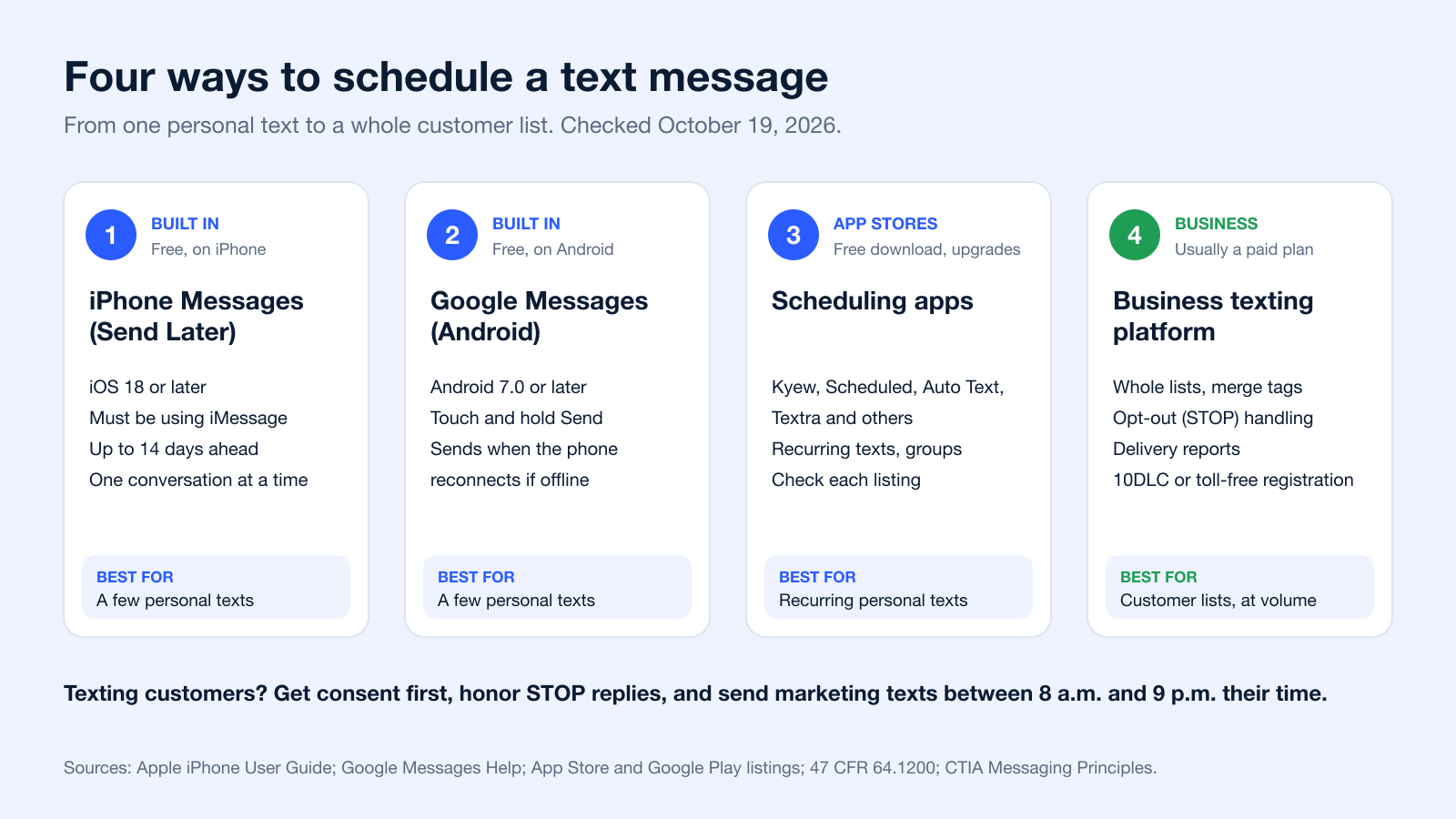
Before you download anything, check what your phone already does. Both iPhone and Android can schedule a single text for free, as long as you know where the option is hidden.
Schedule a text on iPhone (Send Later)
- Open Messages and start or open a conversation.
- Tap the plus (+) button next to the text field, then tap Send Later.
- Pick a date and time, up to 14 days ahead, type your message and tap Send.
Send Later arrived with iOS 18. Apple’s guide adds one condition: "You must be using iMessage. Your recipient can use any device" (Apple iPhone User Guide, checked October 19, 2026).
Schedule a text on Android (Google Messages)
- Open Google Messages and open a conversation.
- Type your message, then touch and hold Send.
- Choose a suggested time or pick a date and time, then tap Send.
Google Messages needs Android 7.0 or later. If your phone is not connected to Wi-Fi or data at the scheduled time, the message goes out when it reconnects. To edit, send now or delete it, tap the schedule icon next to the message (Google Messages Help).
Other Android texting apps have their own scheduling options; check the app’s help pages, since menus differ by phone maker.
Best Scheduled Text Message Apps Compared (2026)
If the built-in option is not enough, for example because you want a text to repeat every week, a scheduling app fills the gap. Here are 7 options, from the free built-in tools to apps on the App Store and Google Play. Every detail comes from Apple’s and Google’s help pages or from each app’s own store listing, checked on October 19, 2026; prices and features change, so check the listing before you subscribe.
| App | Works on | What it does | Price (per the listing) | Source |
|---|---|---|---|---|
| Apple Messages (Send Later) | iPhone, iOS 18 or later | Schedules one iMessage up to 14 days ahead | Free, built in | Apple Support |
| Google Messages | Android 7.0 or later | Schedules one message at a date and time; sends when the phone reconnects | Free, built in | Google Messages Help |
| Kyew | iPhone (iOS 17.6 or later) | Auto Send through Apple’s Shortcuts app, or a notification with the text ready to send in one tap; repeats daily, weekly, monthly or yearly; group or separate messages | Free; in-app purchases (Kyew Plus $4.99 a month or $29.99 a year) | App Store listing |
| Scheduled | iPhone (iOS 16 or later) | Auto-sends iMessage, SMS and email with iOS Shortcuts; reminds you to send on WhatsApp, Telegram and others; recurring messages and sequences | Free; in-app purchases (Premium $1.99 a month, Business $14.99 a month) | App Store listing |
| Reminderbase | iPhone (iOS 15.1 or later) | Text and email reminders from your personal or a custom number, one-off or recurring; contact lists and sign-up links | Free; in-app purchases (plans from $2.99 a month) | App Store listing |
| Auto Text | Android | Schedules and auto-sends SMS and WhatsApp; recurring messages; bulk sends from a CSV or Excel file; auto-replies | Free; contains ads and in-app purchases | Google Play listing |
| Textra SMS | Android | Replacement texting app with scheduled (future) SMS and MMS and a send delay | Free; contains ads and in-app purchases | Google Play listing |
How scheduling apps send on iPhone
On iPhone, the apps above describe two ways of sending in their App Store listings: an automation that runs through Apple’s Shortcuts app, or a notification at the scheduled time with the message ready, so you tap Send yourself. Expect some setup in Shortcuts if you want hands-off sending.
Personal app or business texting platform?
These apps send from your own phone number and are built for personal texts and small groups. Once you are texting customers, you need things a phone app does not cover: consent records, automatic STOP handling, merge tags, delivery reports and a registered business number (10DLC registration for local numbers, or toll-free verification). That is the job of a business texting platform; the next section covers what to look for.
What to Look For in a Scheduled Text Message App
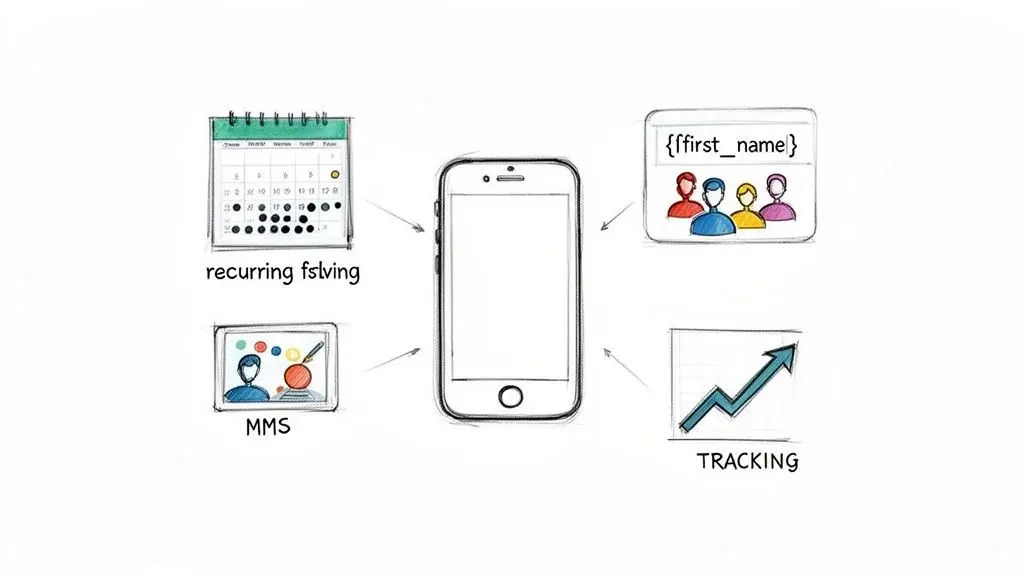
A good scheduled text message app does more than just send texts later. Think of it less like a calendar and more like a smart assistant that helps you grow your business.
Sure, basic scheduling is table stakes. But the real magic happens when you use the advanced features. They all work together to turn a simple message into a perfectly timed, personal, and effective conversation.
This is how you move from just sending texts to delivering a relevant experience that gets people to act: confirming an appointment, making a purchase, or just feeling good about your brand.
Scheduling That Actually Works for Your Business
The heart of any platform is scheduling messages with precision. This is way more than just picking a date and time. Real power comes from having different scheduling options for any situation you can think of.
- One-Time Messages: Perfect for a single event like a flash sale, a holiday greeting, or a one-off announcement. Simple and direct.
- Recurring Messages: This is your workhorse for consistent communication. Think weekly appointment confirmations, monthly billing reminders, or even daily check-ins.
- Trigger-Based Messages: Here’s where the automation really shines. Messages fire off automatically when someone takes an action, like a new contact subscribing to your list or a customer finishing a purchase.
If you’ve ever learned how to schedule emails in Gmail, the concept is pretty similar. You set it up once and trust the tech to handle the delivery.
Make It Personal with Segmentation and Merge Tags
Sending the same generic blast to your whole list is a fast track to getting ignored. The best apps let you personalize your messages, making each person feel like you’re talking just to them.
Merge tags (sometimes called custom fields) are your best friend here. They automatically pull contact info, like a first name, appointment time, or last purchase, and pop it right into your message. "Hey, Jessica" will always beat "Hello, valued customer."
Personalization at scale means sending a hundred texts that each feel like a one-on-one conversation. This simple adjustment can dramatically increase response rates and customer loyalty.
Segmentation takes it a step further. This feature lets you slice your contact list into smaller groups based on things they have in common, like their location, what they’ve bought, or how often they engage.
For example, a gym could create a segment of members who haven't scanned their key fob in 30 days and send them a "We miss you!" offer. That's a lot smarter than sending it to the guy who was there yesterday.
Go Beyond Plain Text with MMS and Ringless Voicemail
Sometimes, 160 characters just doesn't cut it (that is the limit for one SMS segment with standard characters; an emoji drops it to 70, per Twilio). That's where MMS (Multimedia Messaging Service) comes in. It lets you send pictures, GIFs, and short videos. A real estate agent can schedule a text with a striking photo of a new listing. A boutique can show off its new arrivals with an eye-catching image.
Even better, you can layer in ringless voicemail for a more human touch. You might schedule a text reminder for an event and then, the next day, drop a non-intrusive voicemail to follow up. It's a powerful one-two punch that makes your message impossible to miss. If you want to see how this all clicks together, you can check out all the features of our SMS scheduler.
How Real Businesses Use Scheduled Texts to Win
Let's move past the theory. How does a scheduled text message app actually perform out in the wild? From service businesses to online stores, automation is solving real-world problems and bringing in serious revenue.
These aren't just hypotheticals. Think of them as blueprints you can use for your own success.
Take a busy hair salon, for example. Every missed appointment is an empty chair and lost income. By setting up automated reminders 24 hours before each booking, the salon can kill its no-show rate. A simple, friendly text like, "Hi [FirstName], just a reminder about your appointment with Sarah tomorrow at 2 PM. Please reply YES to confirm," does the trick.
Want the full setup, with timing and templates? Our guide to automated text message reminders walks through it step by step.
This one small automation keeps the calendar packed and the revenue flowing. All without a single staff member having to pick up the phone. It's a tiny change that makes a huge difference to the bottom line.
Slashing No-Shows and Keeping Appointments Full
If you run a service-based business, your calendar is your lifeline. Whether you're a healthcare provider, a personal trainer, or a home repair pro, an empty appointment slot is money down the drain. Scheduled reminders are your best defense.
The impact is real. The best evidence comes from healthcare: a Cochrane review of 8 randomized trials (6,615 participants) found that text message reminders raised attendance from 67.8% with no reminder to 78.6%, about as well as phone call reminders, and at lower cost.
Example: A dental office schedules a quick, three-part text sequence for every patient: (1) an instant confirmation text right when the appointment is made; (2) a detailed reminder sent 48 hours before the appointment; (3) a final, quick "See you soon!" message on the morning of the visit.
This simple, hands-off sequence keeps patients in the loop and dramatically reduces no-shows. The clinic gets to serve more people and run a much smoother operation.
Automating Sales Follow-Ups to Close More Deals
In sales, timing is everything. A lead is never hotter than in the moments after they first reach out. But trying to manually follow up with every single person just doesn't scale. A scheduled text app makes sure no lead ever slips through the cracks.
Imagine someone fills out a contact form on your site. An automated text can go out instantly: "Thanks for your interest, [FirstName]! A member of our team will call you shortly. In the meantime, here’s a link to our case studies." That immediate touchpoint keeps them engaged while your team gets ready to call.
From there, you can schedule a series of follow-up texts over the next few days. Share helpful info, answer common questions, or even offer a special deal. This persistent, automated nurturing keeps your brand top-of-mind and seriously boosts your chances of closing the deal.
Need the words? Borrow from these follow-up texts for leads who go quiet.
Driving Revenue with Timed Promotions and Alerts
For e-commerce brands, scheduled texts are a direct line to your cash register. You can create a sense of urgency and excitement that's tough to replicate with email.
Picture a flash sale kicking off at noon on a Friday. You can schedule a text to hit your VIP list at exactly 12:00 PM: "FLASH SALE NOW ON! Get 30% off everything for the next 3 hours only. Shop now: [link]". The immediacy of SMS drives instant traffic and sales.
It’s not just about promotions, either. Shoppers abandon about 70% of online carts on average (Baymard Institute, 50 studies), so a scheduled reminder text shortly after someone leaves items behind can win back sales that would otherwise be lost. Cart reminders are marketing texts, so they need prior express written consent. See our guide to abandoned cart SMS for timing and examples.
Combining SMS with a Ringless Voicemail Drop
For truly powerful outreach, don't limit yourself to just one channel. A strong strategy is combining a scheduled text with a ringless voicemail drop. This one-two punch creates a follow-up sequence that feels personal and is hard to ignore.
Here’s how it works: A marketing agency could send a ringless voicemail to a new lead introducing their services. If the lead hasn't responded 24 hours later, an automated text follows up: "Hi [FirstName], hope you got my voicemail. I'd love to chat for 15 minutes about your marketing goals. When works for you?"
This multi-touch approach makes your outreach far more effective and feel much more human.
Your Checklist for Choosing the Right Platform
Picking the right scheduled text message app can feel overwhelming. With so many options out there, how do you cut through the noise? The truth is, not all platforms are built the same, and the best one for you comes down to what your business actually needs.
Think of this as more than just buying software. You're investing in a core part of how you talk to your customers. So let's walk through the right questions to ask to find a tool that won't just send texts, but will help you grow.
Start with Compliance and Deliverability
Before you get distracted by flashy features, your number one priority has to be compliance. The Telephone Consumer Protection Act (TCPA) has very strict rules for business texting, and getting it wrong is expensive. A solid platform will have compliance baked right in.
This is non-negotiable. Look for:
- Automated Opt-Out Management: The platform absolutely must handle STOP requests automatically. If someone texts STOP, they should be added to a do-not-contact list instantly, without you lifting a finger.
- Clear Consent Records: You need to be able to prove how and when every single subscriber opted in. The system should make this easy to track.
- Number Registration (10DLC or Toll-Free Verification): Getting your numbers properly registered isn't optional anymore. Twilio, for example, has blocked unregistered texts from local (10DLC) numbers to the US since September 1, 2023, and texts from toll-free numbers that are not verified or pending verification since November 8, 2023. Registration is essential for making sure your messages actually get delivered and don't get blocked as spam.
Without these basics, even the best-written message can get you into hot water. A platform that takes compliance seriously is one that's built to protect your business.
Evaluate Integration and Workflow Automation
A texting app that doesn't talk to your other tools is just creating more work and data headaches for you. For this to be truly powerful, it needs to connect smoothly with the software you already use, especially your Customer Relationship Management (CRM) system.
Think of integrations as bridges that stop your data from being trapped on separate islands. When your texting app and CRM are connected, your contacts stay synced, and you can trigger texts based on actions a customer takes in another system.
Look for a platform with strong integration options, particularly through a service like Zapier. A good Zapier connection is like a master key, letting you link your app to thousands of other tools. This is how you automate a workflow where a new lead in your CRM gets a welcome text a minute later, all without you writing a line of code.
Demand Robust Multi-Channel Capabilities
Your customers are everywhere, and they don't just communicate through standard texts. A platform that's truly built for growth will give you options to layer different types of messages for a much more effective campaign.
Your checklist should include:
- SMS & MMS: The basics. You need to be able to send both simple texts and messages with images, videos, or GIFs.
- Ringless Voicemail: This is a game-changer. It lets you drop a personal, pre-recorded message straight into someone's voicemail box without making their phone ring. A ringless voicemail drop adds a human touch that a simple text just can't match.
- Voice Broadcasts: Perfect for sending out an important audio announcement to a large group of people all at once.
The real magic happens when you can combine these into one automated sequence. Imagine sending a ringless voicemail, then automatically following up with a scheduled text message a day later. This layered approach is what gets responses.
Ensure Analytics Are Actionable
Finally, if you can't measure your results, you can't improve them. The app you choose must give you clear, actionable analytics, not just vanity metrics. You need data that tells you what’s working.
With texting, reliable tracking matters because you can't see "opens" the way you can with email. Plain SMS has no read receipts: Apple lists delivery and read receipts only for iMessage and RCS (Apple Support). So the numbers you can trust are the ones your platform measures directly.
Look for essentials like link tracking to see who clicked your offers, delivery reports to make sure your messages are getting through, and response rates to see how engaged your audience is.
Mastering Your Messaging and Staying Compliant
Having a great scheduled text message app is one thing, but how you use it is what really counts. Success boils down to two things: a smart messaging strategy and airtight compliance. Nail this balance, and your texts will not only get opened but will keep your business on the right side of the law.
Let's start with the most important part: compliance. Business texting is heavily regulated, and the fines for getting it wrong are no joke. Before you even think about hitting "send," you need to know the rules of the road.
This begins with consent. Under the TCPA, automated texts to cell phones need the person's prior express consent, and marketing texts need prior express written consent (47 CFR 64.1200). Many businesses collect written consent for every text to stay on the safe side. This is your most critical line of defense; our TCPA compliance guide explains the rules in more detail.
The Pillars of Compliant Messaging
Getting your compliance strategy right isn't rocket science, but it demands attention to detail. It breaks down into three simple actions: get permission, verify your contacts, and respect their choices. If you skip any of these, you're putting your deliverability (and your business) on the line.
This simple flow shows you the must-do steps for every text you send.
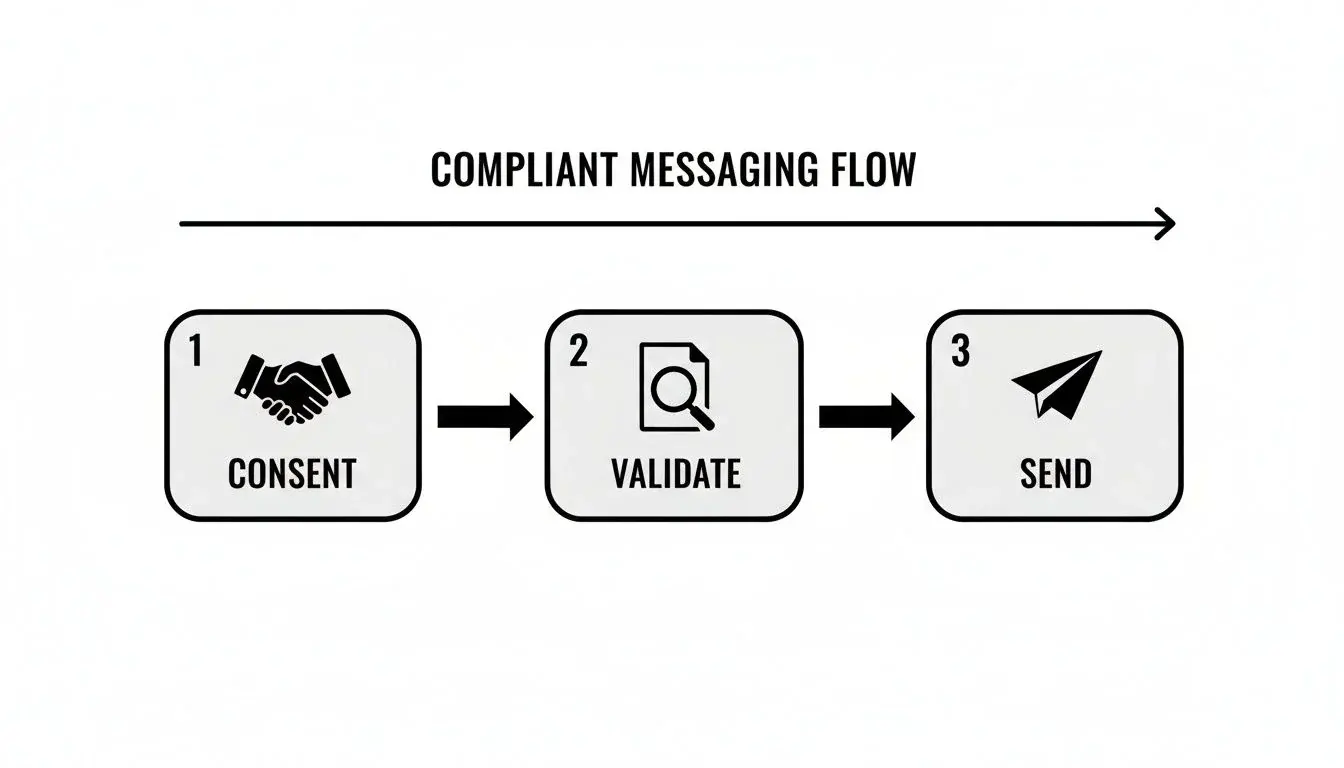
Think of it as the required path from the initial handshake of consent to the final click of "send." Each stage is vital for building trust and making sure your messages actually arrive.
Here’s what that looks like in practice:
- Secure Explicit Opt-Ins: Never just assume you have permission. Use clear methods like keywords ("Text DEALS to 55555") or web forms with language that leaves no doubt.
- Honor Opt-Outs Instantly: Your system has to automatically handle stop words like "STOP," "CANCEL," or "UNSUBSCRIBE." When someone opts out, they're out. FCC rules treat replies such as stop, quit, end, cancel or unsubscribe as a valid opt-out and require you to honor it within 10 business days (47 CFR 64.1200(a)(10)); the FCC revised parts of these rules in September 2026 (FCC 26-67), so check the current text. Carrier guidance allows one confirmation text and nothing after it (CTIA Messaging Principles).
- Validate Phone Numbers: Texting dead numbers is a waste of money and hurts your sender reputation. Use a number validation service to clean up your list, ensuring you're only messaging real, active phones. You can get a deeper dive into carrier rules with our guide to 10DLC compliance.
Crafting Messages That Actually Connect
Once your compliance is squared away, you can get to the fun part: writing messages that people want to read. The goal is to make every scheduled text feel personal and valuable, not like another piece of spam. It all comes down to timing, tone, and a clear call-to-action (CTA).
Who are you texting? Sending a promo at 3 AM is a fantastic way to get blocked. For B2B contacts, stick to business hours. For consumers, evenings or weekends often work much better.
The best scheduled message doesn’t just show up at the right time; it delivers the right content. Keep it short, use their first name, and always tell them what to do next.
A great message has three simple parts:
- A Clear Opener: "Hi [FirstName], it's Sarah from The Dental Spa."
- The Value: "Just a quick reminder about your appointment tomorrow at 2 PM."
- A Simple CTA: "Please reply YES to confirm."
It’s simple, direct, and it just works.
Refining Your Strategy with Analytics
So, how do you know if any of this is actually working? You measure it. Any good texting platform will give you analytics that show you what’s happening with your campaigns. Don't just set it and forget it: use the data to get better.
A/B testing is your best friend here. Send two different versions of a message to small chunks of your audience and see which one wins. Test everything: send times, message copy, even your CTA.
For example, does "Click here" get more engagement than "Shop now"? Does a 10 AM text outperform one sent at 4 PM? The data will give you the answer. By tracking delivery rates, click-throughs, and responses, you can turn your texting program into a well-oiled machine that gets results every time.
Timing and Compliance
Even when you send your messages plays into compliance. Think about the holiday shopping season: Black Friday and Cyber Monday deals only work if they land at the right moment. Scheduling these campaigns is a brilliant way for retailers to hit inboxes at the perfect time.
It also helps you stay compliant. Federal rules bar telephone solicitations, which include marketing texts, before 8 a.m. or after 9 p.m. in the recipient's local time (47 CFR 64.1200(c)(1)), and some states set stricter hours. Scheduling by the recipient's time zone means you don't accidentally blast out a 3 AM promotion.
The golden rule is simple: treat your subscribers' phone numbers with the same respect you'd want for your own. A compliant SMS strategy isn't a barrier to success; it's the foundation for building long-term, profitable customer relationships based on trust and value.
Ultimately, you want every scheduled text to feel like a valuable and welcome heads-up. When you put clear consent, easy opt-outs, and respectful timing first, your messages aren't just seen, they're appreciated. This turns compliance from a chore into a real competitive advantage, helping you build a loyal audience that actually looks forward to what you have to say.
Scaling Your Outreach Beyond Simple SMS
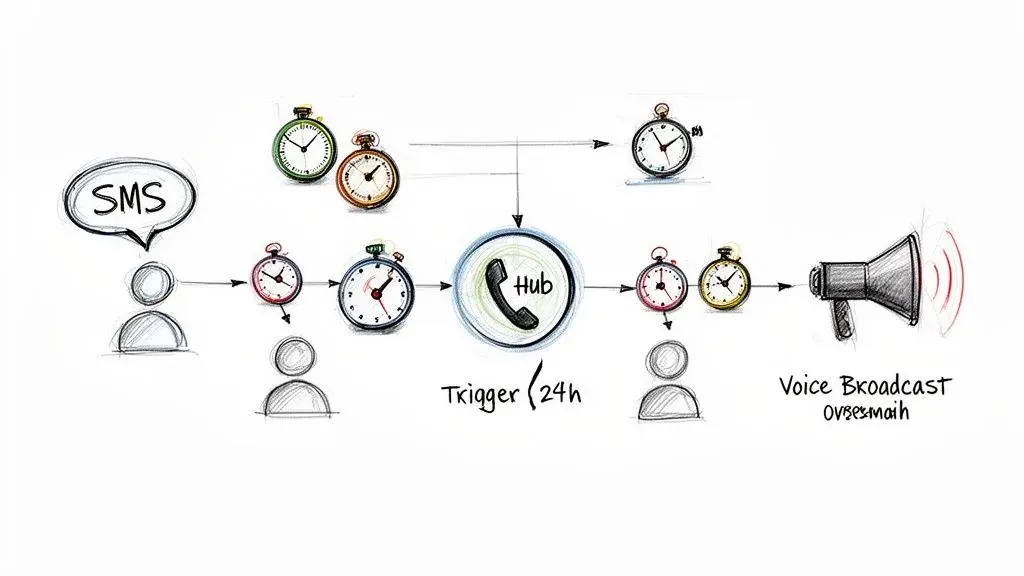
It's time to think bigger than just one scheduled text. Sending a single message is a good start, but the real power comes when you build a complete, automated system that works across multiple channels. This is where you go from simply scheduling messages to creating smart communication flows that do the heavy lifting for you.
Think about it. A lead fills out a form on your website. Instead of just sending one follow-up text and hoping for the best, you can set up a whole sequence. This isn't just about texts; you can mix in ringless voicemail and even voice broadcasts to create a follow-up plan that runs entirely on its own.
Building Your Automated Outreach Machine
The main idea here is to create a follow-up process that never sleeps. It's working for you 24/7. With the right platform, you can set up these complex workflows using timers and triggers, so it's not just about sending messages; it's about reacting to what your audience does, automatically.
Here’s what a simple, but crazy effective, workflow could look like:
- Day 1: A new lead gets a ringless voicemail drop from you with a personal introduction. No ringing, just a message waiting for them.
- Day 2: If you don't hear back, an automatic scheduled text message goes out, mentioning the voicemail you left.
- Day 4: Still nothing? A voice broadcast can deliver a friendly nudge or maybe even a special offer.
Each channel in this sequence needs consent. A voice broadcast uses a prerecorded message, and the FCC treats a ringless voicemail as a call too (FCC 22-85), so both need the same consent as an automated call. Our guide to ringless voicemail compliance covers the details.
This kind of setup means no lead ever falls through the cracks. Every single person gets the attention they need without you having to manually keep track of every conversation.
When you layer different channels like SMS and ringless voicemail, you're creating a much more personal and human experience. This multi-touch approach seriously boosts your chances of getting a response compared to just sending a single text.
How Smart Workflows Drive Real Growth
This is how you scale your outreach, big time, without having to scale your team. A single person can run a system that nurtures thousands of leads, onboards new customers, and keeps existing ones happy with incredible efficiency. Your scheduled text message app becomes the brain of the whole operation.
Take a real estate agent, for example. They could build a workflow that sends new property listings via SMS, follows up with a ringless voicemail to see if they have questions, and then uses a voice broadcast for an urgent reminder about an open house. Every step is triggered by a timer or a specific action, creating a hands-off system that consistently pushes prospects down the funnel.
These automated sequences help you nurture leads, onboard clients, and boost customer retention better than you ever could manually. You’re not just saving a ton of time; you’re building a reliable engine for growth that never calls in sick. This is how a scheduled text message app goes from being a simple tool to your most valuable team member.
Common Questions on Scheduling Texts
When you start diving into text message scheduling, a few questions always pop up. Let's get you some clear, straightforward answers so you can master your outreach.
What Is Ringless Voicemail?
Ringless voicemail is a slick piece of tech that drops a pre-recorded audio message right into someone's voicemail without ever making their phone ring. It feels less intrusive than a call, but legally it is one: since 2022 the FCC treats ringless voicemail as a call under the TCPA, so you need consent first (FCC 22-85).
It’s an absolute powerhouse when you pair it with a scheduled text message app. Imagine sending a ringless voicemail and then following it up with a scheduled text. It's a one-two punch that feels personal and makes sure you get noticed.
Can People Tell if a Text Was Scheduled?
Nope, not really. To the person on the receiving end, a scheduled text looks exactly like one you typed out and sent right at that moment. There's no special tag or notification on their phone. All the scheduling magic happens on your end.
Can I Just Schedule Texts from My Personal Phone?
Sure, you can. On iPhone with iOS 18 or later, use Send Later in Messages (iMessage only, up to 14 days ahead); on Android, touch and hold Send in Google Messages (Android 7.0 or later). See the steps above. But here's the deal: those are for personal chats, not for business.
Using a dedicated scheduled text message app is mission-critical for any business. It gives you a professional business number, keeps you compliant with rules like the TCPA, and offers killer tools for segmentation and analytics that your personal phone just can't touch.
Is It a Good Idea to Mix SMS with Other Channels?
Absolutely. In fact, you should. SMS on its own is incredibly powerful, but when you combine it with something like a ringless voicemail drop, your strategy becomes so much more effective.
A layered approach hits your contacts on multiple fronts, making your message harder to ignore and cranking up your response rates. A voicemail can add that human, personal touch that a text message then perfectly reinforces.
Ready to automate your outreach and scale your communications? Broadcast provides the powerful SMS, ringless voicemail, and voice broadcasting tools you need to connect with your audience effectively and compliantly. Start your free trial today.
What’s the Best Time to Send a Marketing Text?
Ah, the million-dollar question. The honest answer? There's no single "magic hour" that works for everyone. The perfect time depends entirely on your audience and what you're offering.
That said, there are some common starting points to test. Avoid early mornings and late nights; for marketing texts, federal rules set the window at 8 a.m. to 9 p.m. in the recipient's time zone. Many businesses try the mid-day window from 12 PM to 2 PM, catching people on their lunch break, or late afternoon, between 4 PM and 6 PM, as folks are winding down their workday.
The real secret is to test. Send a few campaigns at different times and watch your data. Your audience's engagement will tell you everything you need to know.
What happens if a scheduled text fails to send? This is a crucial question and a major differentiator between personal phones and professional platforms. A failure is usually caused by an invalid number, a carrier block, or a landline.
On a phone, the rules are simpler: Google Messages sends a scheduled text when your phone reconnects if it was offline at the scheduled time (Google Messages Help), but you get no report beyond the usual "not delivered" notice.
This is where a real SMS platform proves its worth. You'll get detailed delivery reports that show the status of every single message. These analytics pinpoint any problems, letting you clean up your contact list and keep your delivery rates high. It’s a level of insight you just can't get from your pocket, ensuring your campaigns actually reach the people they're supposed to.
Can you set up scheduled text messages?
Yes. iPhone (iOS 18 or later) has Send Later in Messages, and Android has scheduled send in Google Messages. For recurring messages, use a scheduling app; for customer lists, a business texting platform. See how to schedule a text.
Is there a free app that will automatically send texts?
Yes. The built-in options are free: Send Later on iPhone and scheduled send in Google Messages. Kyew, Scheduled and Auto Text are free to download with paid upgrades, according to their store listings; on iPhone, their automatic sending runs through Apple’s Shortcuts app. Compare them in the table above.
Can you schedule a text on iPhone to someone who doesn’t have an iPhone?
Apple’s guide says you must be using iMessage for Send Later and adds, "Your recipient can use any device" (Apple iPhone User Guide). Apple does not describe scheduling inside a green-bubble (SMS, MMS or RCS) conversation, so if Send Later does not appear there, use a scheduling app or a business texting platform.
How far ahead can you schedule a text?
On iPhone, up to 14 days with Send Later (Apple). Google’s help page for Google Messages does not state a limit. Third-party apps and business platforms set their own limits; check the listing or help pages.
What is the best app for organizing text messages?
Start with the one you have. On iPhone, Messages can filter unknown senders and spam into separate lists, and sort texts from unknown senders into Transactions and Promotions (Apple iPhone User Guide). In Google Messages, you can archive conversations and restore them later from More > Archived (Google Messages Help). A business with many customer conversations usually needs a shared inbox in a texting platform instead.


