
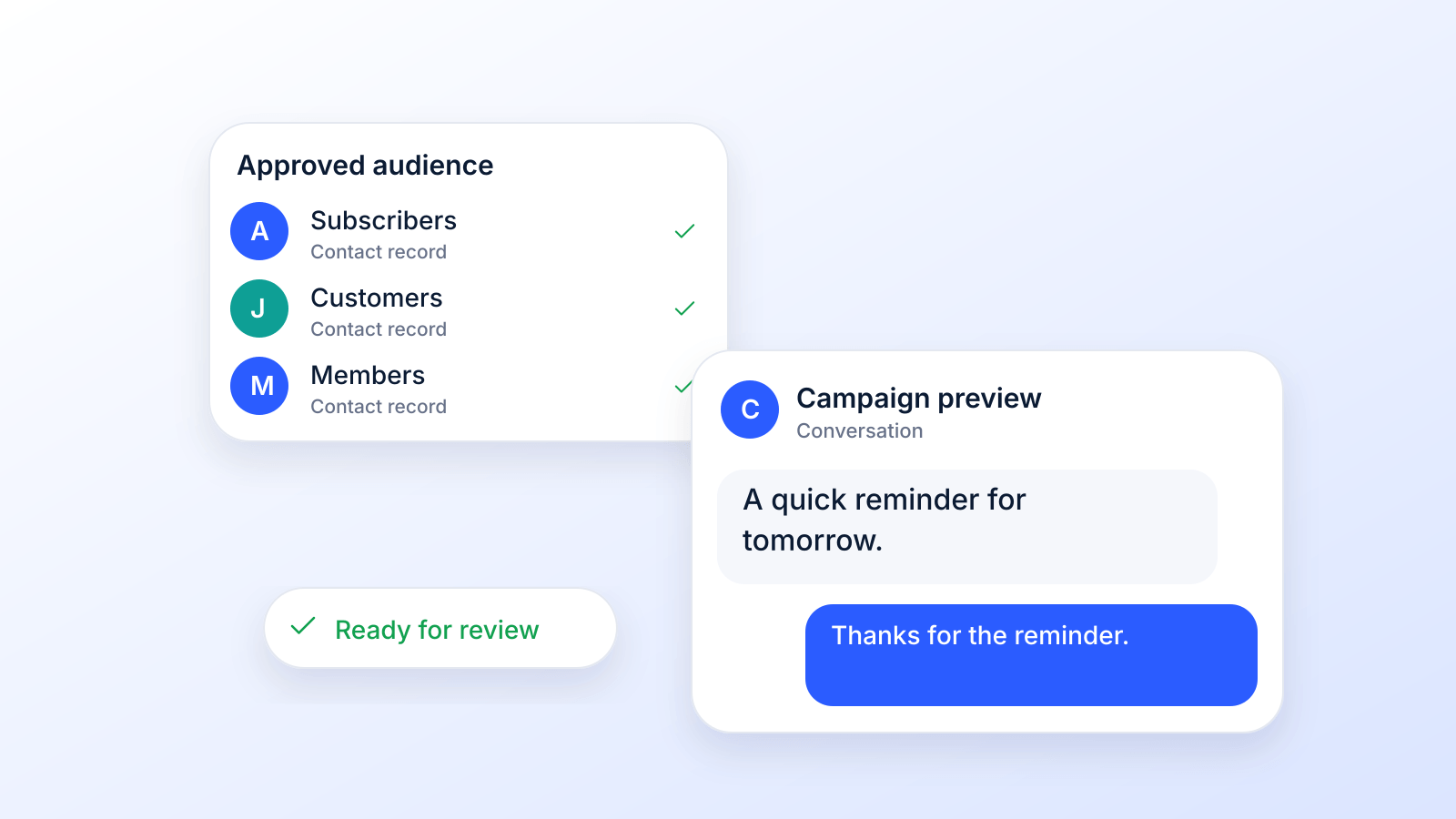
Sending a mass text isn't just about blasting out a message to a list of phone numbers. It's about combining smart tech with a bit of a human touch. You need a dedicated SMS platform to handle the heavy lifting (managing your contacts, personalizing the messages, and keeping everything legal), but the real magic is turning that broadcast into a conversation.
When you get it right, you're connecting directly and instantly with your audience, sparking action in a way that email and social media just can't compete with.
Below: how to send a mass text from your phone or a platform, what makes it actually work, how to write and run the campaign, and answers to common questions. Rules and limits were checked October 19, 2026.
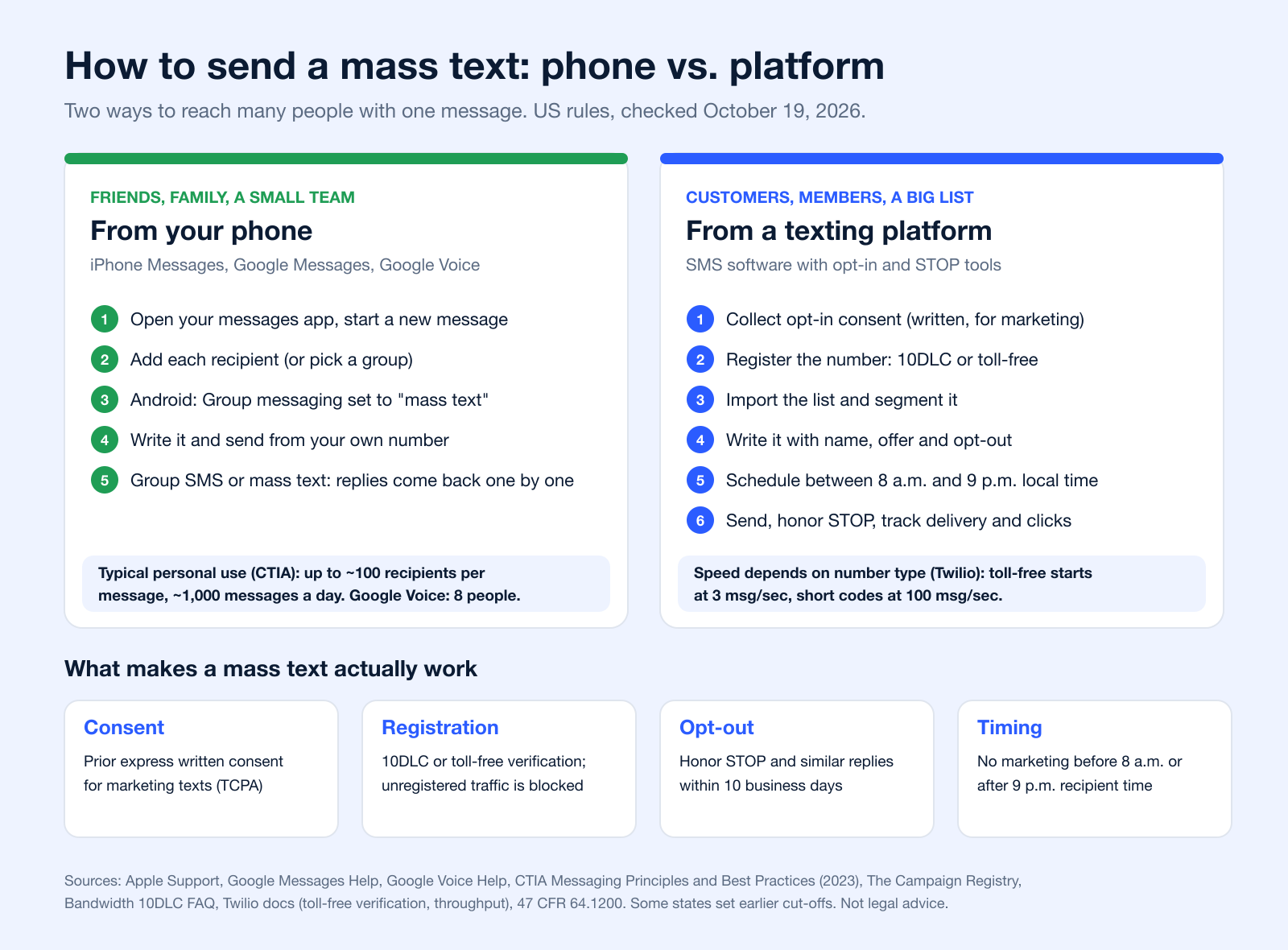
How to Send a Mass Text: Phone vs. Platform
A mass text is one message sent to many people at once. There are two ways to do it, and the right one depends on who you are texting: people you know, or a list of customers or members.
Send a Mass Text From Your Phone (iPhone or Android)
- Open Messages (iPhone) or Google Messages (Android) and start a new message.
- Add every recipient in the To field, or pick an existing group.
- On Android, decide how replies work: Messages settings > Advanced > Group messaging > "mass text" sends an SMS to everyone and brings replies back individually (Google Messages Help).
- Write the message and send. On iPhone, a group goes as iMessage when everyone uses iMessage, otherwise as RCS, MMS or SMS; in a group SMS, "the recipients can't see the other responses from the group" (Apple Support, January 9, 2026).
iPhone has no built-in option to send a message to many people as separate, private texts; see our guide to blind copy text messages for the workarounds. To do the same from a laptop, read how to send bulk text messages from a computer for free.
Know the limits. Google Voice group messages hold up to 8 participants, including you, and Google says Voice "is not intended for bulk messaging" (Google Voice Help). CTIA, the wireless industry group, describes typical personal texting as about 100 unique recipients per message and about 1,000 messages a day, and says a business that texts its customers is a business (A2P) sender whatever the volume (CTIA Messaging Principles and Best Practices, Exhibit I and section 1).
Send a Mass Text From a Texting Platform (Step by Step)
- Collect consent. Marketing texts need prior express written consent; informational texts need consent too (see below).
- Register your number. Local 10-digit numbers need A2P 10DLC brand and campaign registration through your provider (The Campaign Registry); toll-free numbers need toll-free verification before they can send (Twilio).
- Import and segment your list. Remove landlines and numbers that opted out; group contacts by interest, location or purchase history.
- Write the message. Name, a clear offer or update, a call to action, your business name and "Reply STOP to opt out".
- Schedule it. Send marketing texts between 8 a.m. and 9 p.m. in the recipient's time zone.
- Send, then manage replies. Honor STOP right away, answer questions, and track delivery, clicks and opt-outs.
This is what a mass texting service or an SMS broadcast tool does for you. If you want to try one before paying, compare the free group texting options.
Ways to Send a Mass Text Compared
| Method | Best for | Recipients | Replies | Opt-in and STOP tools | Registration | Source |
|---|---|---|---|---|---|---|
| iPhone Messages | Friends, family, a small team | No limit documented by Apple | Group iMessage or MMS: everyone sees replies; group SMS: replies come back individually | No | None (personal number) | Apple Support |
| Google Messages (Android) | Friends, family, a small team | No limit documented by Google | "Mass text" setting: individual replies | No | None (personal number) | Google Messages Help |
| Google Voice (free, US) | Personal conversations | Group messages up to 8 participants, including you | Shared group thread | No; Google says it is not for bulk messaging | None | Google Voice Help |
| Any personal phone (carrier view) | Person-to-person texting | CTIA describes typical personal use as about 100 unique recipients per message and 1,000 messages a day | To your phone | No | None; a business sender is treated as business (A2P) traffic whatever the volume | CTIA (Exhibit I) |
| Texting platform, 10DLC (local number) | Business lists | Your opt-in list; Twilio cites 3 to 180 messages per second by brand and use case | Shared inbox or automations | Yes | A2P 10DLC brand and campaign registration | The Campaign Registry, Twilio |
| Texting platform, toll-free number | Business lists | Starts at 3 messages per second (Twilio) | Shared inbox or automations | Yes | Toll-free verification before sending | Twilio |
| Texting platform, short code | High-volume programs | Starts at 100 messages per second (Twilio) | Keywords and automations | Yes | Short code lease (CSCA) and carrier approval | CSCA, Twilio |
Throughput figures are one provider's published numbers (Twilio) and vary by provider, brand and use case.
What Makes a Mass Text Actually Work
A message that never arrives, or arrives without permission, does not work. Four things decide it:
- Consent. Under the TCPA a text to a cell phone counts as a call (Campbell-Ewald Co. v. Gomez, 2016), and telemarketing texts sent with an autodialer need the recipient's prior express written consent (47 CFR 64.1200(a)(2)). CTIA expects consent for every business message: express written consent for promotional ones (CTIA, section 5.1).
- Registration. Since February 1, 2025, unregistered 10DLC traffic "is being blocked in the industry" (Bandwidth), and toll-free numbers cannot text US numbers until verification is approved (Twilio). See our 10DLC compliance guide.
- Opt-out. A reply such as "stop," "quit," "end," "revoke," "opt out," "cancel," or "unsubscribe" revokes consent and must be honored within 10 business days (47 CFR 64.1200(a)(10)). CTIA recommends stating how to opt out and sending one confirmation, then nothing more.
- Timing. Federal rules bar telephone solicitations before 8 a.m. or after 9 p.m. at the recipient's location (47 CFR 64.1200(c)(1)). Some states, such as Florida and Oklahoma, set an 8 p.m. cut-off for commercial solicitation calls; check whether yours applies to texts.
Why Mass Texting Is a Must-Have Marketing Channel
Before we jump into the "how," let's talk about the "why." Email inboxes are a warzone, and social feeds are beyond saturated. In all that noise, a simple text message cuts through like nothing else. It’s direct, it's personal, and it demands attention.
Just think about your own habits. You almost always check a text when it comes in. Texting is also enormous: Americans exchanged nearly 2.2 trillion SMS and MMS messages in 2024, according to the CTIA 2025 Annual Survey.
This immediacy is what makes texting a powerhouse. It's perfect for everything from flash sale alerts to appointment reminders, as long as the people you text asked to hear from you.
The Psychology of Immediate Connection
The real power of mass texting comes from its ability to create a feeling of urgency and exclusivity. A well-timed text about a sale feels less like an ad and more like an insider tip.
For example, a local boutique could send out a text on a slow Tuesday afternoon: "2-Hour Flash Sale: 30% Off Everything!" That simple message can bring people into the store far faster than an email that might not get opened for days.
The secret sauce of SMS is that it lives in a personal space: your customer's inbox. When you show up there with respect and real value, you build a direct line of trust that makes people act fast.
Mass Texting vs Email Marketing At a Glance
The numbers often quoted for this comparison (a "98% open rate" for SMS, "90 seconds" to respond) come from vendor roundups with no primary study behind them, so here is a comparison of the rules instead, which are verifiable.
| Topic | Mass Texting (SMS) | Email Marketing | Source |
|---|---|---|---|
| Consent before marketing | Prior express written consent for autodialed telemarketing texts | Not required by CAN-SPAM; recipients must be able to opt out | 47 CFR 64.1200, FTC |
| Opt-out deadline | Honor STOP and similar replies within 10 business days | Honor opt-out requests within 10 business days | 47 CFR 64.1200(a)(10), FTC |
| Sender registration | 10DLC registration or toll-free verification | Gmail requires SPF, DKIM and DMARC and one-click unsubscribe for senders of 5,000+ messages a day | TCR, Google |
| Length | 160 characters per SMS (70 with emoji), longer texts split into segments | Long-form content | Twilio |
| Penalties | TCPA: $500 per violation, up to 3x if willful (private lawsuits) | CAN-SPAM: up to $53,088 per email | 47 U.S.C. 227(b)(3), FTC |
| Personal Feel | High | Low to Medium | Editorial view |
While email certainly has its place for longer-form content and newsletters, nothing beats SMS for immediacy and direct engagement.
Practical Applications That Drive Results
The use cases go way beyond retail. Think about service-based businesses like a dental office or an auto shop. Sending automated appointment reminders via text can practically eliminate no-shows overnight. That simple action can save a business thousands of dollars in lost revenue each year.
Likewise, figuring out how to use text messaging to generate leads can turn your SMS list from a simple notification system into a true revenue-generating machine.
The business case is crystal clear: when you absolutely need your message to be seen right now, nothing beats a mass text. It delivers where other channels just can't keep up.
Building Your Compliant Contact List
Before you can even think about sending a mass text, you need a list of people who actually want to hear from you. This is the bedrock of your entire strategy. Building it the right way, with total transparency and consent, is completely non-negotiable.
Trust me, an engaged and compliant list, even a small one, is infinitely more valuable than a massive list of unengaged contacts.
The goal isn't just to hoard phone numbers. It's to cultivate a community of subscribers who are genuinely interested in what you have to say. That journey starts by offering them real value in return for permission to text them.
Gaining Express Written Consent
This is the golden rule of text marketing: you absolutely must secure express written consent. It's not a suggestion; it's a requirement. This means you need clear, documented permission from every single person before you send them a promotional message.
Skip this, and you're staring down the barrel of serious legal trouble, particularly under regulations like the Telephone Consumer Protection Act (TCPA). Consent needs to be crystal clear. If someone gives you their number to enter a contest, they must also explicitly agree to receive marketing texts. No ambiguity allowed.
- Website Forms: Drop a checkbox on your signup or checkout forms. It needs to be unchecked by default, with specific language like, "Yes, I'd like to receive promotional text messages from [Your Brand]."
- Text-to-Join Keywords: When someone texts a keyword like "DEALS" to your number, they're opening the door. Your first automated reply has to confirm their subscription and tell them how to opt out.
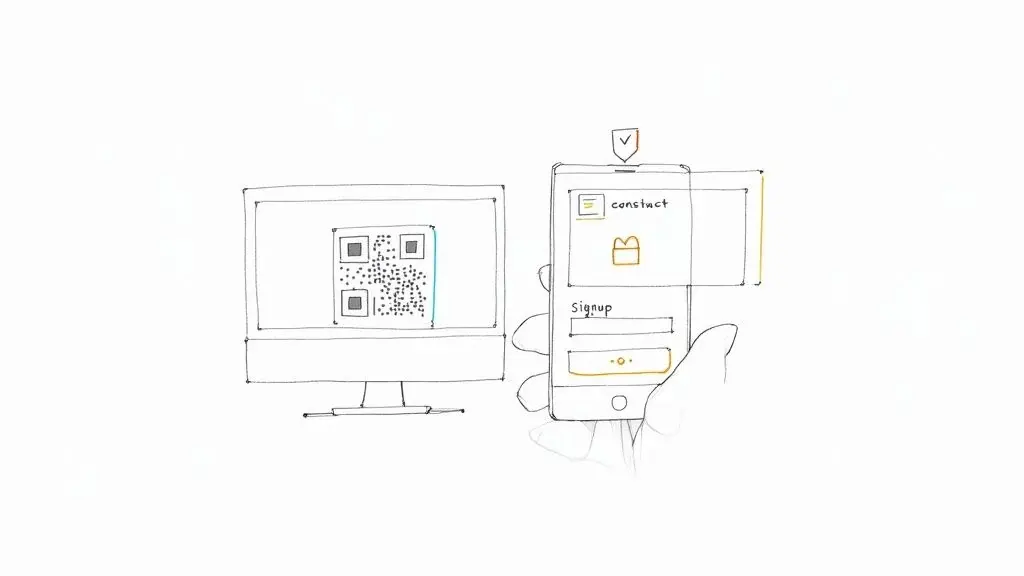
- In-Person Sign-ups: Got a physical location? Use QR codes at events or a tablet at the checkout counter. The sign-up form must plainly state that they're opting into your text list.
Consent rules differ by message type. CTIA asks for consent for informational messages and express written consent for promotional ones (CTIA, section 5.1); the federal rule for autodialed marketing texts is in 47 CFR 64.1200.
That screenshot above? It’s part of an application for a short code. Carriers make you detail the exact opt-in and opt-out message flows. It shows just how seriously they and the regulators take consumer consent. They're making sure every business has a clear, user-friendly system for managing permissions before you can send a single text.
Creative (and Ethical) List-Building Tactics
Getting consent doesn't have to feel like filling out tax forms. The best strategies weave the opt-in process into valuable, positive interactions with your customers.
Imagine a local coffee shop. They could put a small sign with a QR code on each table. A quick scan leads to a simple form offering a 10% discount on their order today for joining the VIP text club. Boom: you've provided immediate value and earned a happy, loyal subscriber.
An e-commerce store could run a giveaway on social media. To enter, people have to follow the page and text a keyword to your number. Just like that, you've added engaged followers directly to your SMS list.
Key Takeaway: Always lead with value. A discount, exclusive content, early access: give people a compelling reason to say yes. This isn't just about staying compliant; it's about building a list of people who are actually excited to see your name pop up on their phone.
Why List Hygiene Is a Must
Your work isn't over once you start collecting numbers. You have to maintain a clean, healthy contact list to get the best deliverability and ROI. This process is called list hygiene, and it’s all about regularly validating and cleaning up your contacts.
People change their numbers all the time. Sometimes, you'll accidentally collect a landline or an invalid number. Sending messages to these dead ends is a waste of money and can seriously damage your sender reputation with mobile carriers.
Scrub your list on a regular basis to:
- Remove Landlines: They can't receive SMS messages anyway.
- Identify Inactive Numbers: Some numbers get deactivated and reassigned.
- Flag Duplicates: Don't annoy people by texting them multiple times.
A clean list translates directly to higher delivery rates, better engagement, and a much more accurate view of how your campaigns are actually performing. If you want to dive deeper into the rules, reviewing a detailed anti-spam policy is a great way to ensure your methods are up to snuff.
Ultimately, a powerful SMS list is built on a foundation of trust. Be transparent, make opting out easy, and respect their inbox. Do that, and you'll create a communication channel that drives real results for your business.
Crafting Messages That Get a Response
Okay, you've got your list of contacts, and you've made sure it's all compliant. Now for the fun part: writing messages that people actually want to read and reply to.
A great mass text shouldn't feel like a mass text at all. It needs to feel like a one-on-one conversation, not a generic blast from a faceless company. The real trick is to be brief but crystal clear, getting your point across in a single glance. The best messages are direct, offer real value, and feel like they were written just for the person reading them.
This isn't just about staying out of the spam folder; it's about earning a trusted spot in your customer's contacts.
The Anatomy of a Perfect Mass Text
Every text that gets results has a few things in common. Once you nail these, you'll see your outreach transform from a simple notification into a serious conversion tool. Think of it as a simple formula: make it personal, make a clear offer, and tell them exactly what to do next.
When you're putting together a mass text, build it on these three pillars:
- Make It Personal: Always use the recipient's first name with a merge tag like
[FirstName]. It’s a tiny detail that makes a world of difference, instantly making the message feel more relevant. - Keep It Concise: A standard SMS is only about 160 characters. Every word has to pull its weight. Get straight to the point and show them the value right away.
- Include a Clear Call-to-Action (CTA): Don't leave them guessing. Tell your audience exactly what to do next, whether it's "Click to shop," "Reply YES," or "Show this text." A clear CTA drives action.
Your goal is to make each person feel like you're texting them and them alone. The moment a message feels like it was written for thousands, you've lost the personal connection that makes SMS so powerful.
Personalization Beyond a First Name
Using a name is a great start, but it's just scratching the surface. Real personalization happens when you use the data you have to make your messages hyper-relevant. This is where you can really separate yourself from the noise.
Think about a pet supply store that segments its list by pet type. Instead of a generic "15% off all pet food" blast, they could send something much more targeted: "Hey [FirstName], treat your favorite feline! Get 15% off all cat food this week only." That small tweak makes the offer feel tailored and way more compelling.
This level of detail usually makes an offer feel more relevant, and relevance is what keeps people from opting out. Personalization isn't just a nice-to-have; it's what people expect from a text.
Writing Compelling Copy and Using Emojis
Your copy should sound like your brand. Avoid stuffy, formal language and industry jargon. Just write like you speak, but keep it professional and easy to understand.
Emojis are also your friend here. They're a fantastic way to inject some personality and visual flair into your texts, helping them pop in a crowded inbox. A well-placed emoji can grab attention and convey emotion faster than words ever could.
Let's look at the difference it makes:
| Plain Text Version | Engaging Version |
|---|---|
| Flash Sale Today: Get 25% off all items in our store. Use link to shop. Offer ends tonight. | Hi [FirstName]! ✨ Our Flash Sale is ON! Get 25% OFF everything today. Shop now before it's gone: [short.link/sale] 🏃♀️ |
See the difference? The second version uses a name, adds emojis for visual punch, includes a shortened link to save precious characters, and creates a sense of urgency.
Message Templates for Common Scenarios
You don't need to reinvent the wheel every time. Having a few go-to templates saves a ton of time and keeps your messaging consistent. You can just tweak them for each specific campaign.
Here are a few ideas to get you started:
1. Promotional Offer "Hey [FirstName], thanks for being a loyal customer! As a thank you, here's 20% off your next purchase. Use code: VIP20 at checkout. [short.link/shop]"
2. Appointment Reminder "Hi [FirstName], this is a friendly reminder of your appointment with Dr. Evans tomorrow, Oct 28th, at 10:30 AM. Please reply C to confirm or call us at 555-1234 to reschedule."
3. Event Notification "Get ready! Our annual Customer Appreciation Event is this Saturday from 12-4 PM. We'll have live music, free food, and exclusive deals. See you there! 🎉 [short.link/event]"
For marketing texts, add your business name and opt-out wording, for example "Reply STOP to opt out", which CTIA recommends (CTIA, section 5.1.3).
For more real-world inspiration, check out this simple texting strategy Leadpages used to achieve impressive conversion rates. It's a great example of how a clear, direct message can drive incredible results. By crafting texts that are thoughtful, personal, and actionable, you’ll do more than just get their attention; you’ll build a lasting relationship.
Executing and Optimizing Your Campaign
Alright, you've built a compliant list and crafted some killer message templates. Now for the fun part: launching your campaign. This is where your strategy gets real. But successfully pulling off a mass text campaign is more than just mashing the "send" button. It's about being smart with your segmentation, timing, and testing to make sure every message hits the mark.
The whole point is to make each text feel like it was sent just for that person, at just the right time. Blasting the same generic message to your entire list is a huge missed opportunity. You'll see way better results when you tailor your sends to specific groups of people, getting the right message to them when they're most likely to act on it.
Smart Segmentation for Higher Relevance
First things first, let's talk segmentation. This is just a fancy way of saying you should divide your contact list into smaller, more focused groups based on things they have in common. When you send a text that's hyper-relevant to a specific segment, you'll see engagement go through the roof because the message actually connects.
For example, an e-commerce store could slice up its list like this:
- Purchase History: Got a new line of running shoes? Send an exclusive offer only to customers who've bought athletic gear before.
- Geographic Location: A restaurant with a few locations can text subscribers in a certain zip code about a local happy hour special. No sense telling someone across town about it.
- Engagement Level: Why not reward your most loyal subscribers? Create a segment of people who always click your links and send them a special "VIP" discount.
This targeted approach stops people from getting message fatigue and makes them feel like you actually get them, instead of just spamming them.
Scheduling and Timing Your Sends
When you send a text is just as critical as what you send. A perfectly good message sent at a terrible time will get ignored or, worse, annoy the person on the other end. You're looking for that sweet spot when your audience is most likely to be on their phones and open to what you have to say.
Every audience is a bit different, but here are some solid starting points:
- Lunch Breaks (12 PM - 2 PM): This is prime phone-scrolling time for most people.
- Commute Times (5 PM - 7 PM): Catching people on their way home can work wonders, especially for weekend event promos or dinner deals.
Just be sure to avoid sending texts super early in the morning or late at night. Respecting people's personal time is a must if you want to keep a healthy subscriber list.
There is also a legal floor: federal rules bar telephone solicitations (texts count as calls) before 8 a.m. or after 9 p.m. at the recipient's location (47 CFR 64.1200(c)(1)), and some states, such as Florida and Oklahoma, set an 8 p.m. cut-off for solicitation calls. Schedule by the recipient's time zone, not yours.
Pro Tip: Never send promotional texts on a whim. Always plan your campaigns around key dates, holidays, or events that make sense for your business. A well-timed message feels helpful; a random one just feels like noise.
A/B Testing Your Way to Success
How do you really know if your message is any good? You test it. A/B testing, or split testing, is where you send two slightly different versions of your message to a small part of your list to see which one performs better.
This data-driven approach removes all the guesswork. You could test things like:
- Different Offers: Does "20% Off" get more clicks than "Free Shipping"?
- Calls-to-Action (CTAs): Does "Shop Now" beat out "See the Deals"?
- Message Tone: Is a fun, emoji-filled text more effective than a direct, no-fluff one?
Try sending each version to about 10% of your target segment. Once you have a clear winner based on click-throughs or sales, you can send that champion message to the remaining 80% with confidence.
A simple workflow for SMS copy that converts has three parts.
Personalization grabs their attention, a shortened link saves space and lets you track clicks, and a clear call-to-action tells them exactly what to do next.
Ensuring High Deliverability
Finally, don't forget the technical details. To make sure your texts actually land in people's inboxes, you have to play by the carriers' rules. Mobile carriers filter business traffic, and using a registered number of the right type is your ticket through.
- Short Codes: These are the 5-6 digit numbers made for high-volume texting, leased through the Common Short Code Administration (CSCA). Twilio lists them as starting at 100 messages per second, but carrier approval takes weeks (Twilio).
- Toll-Free Numbers: You can also text-enable standard 1-800 numbers. They must pass toll-free verification before they can text US numbers (Twilio); Twilio cites 5 to 14 days for approval and a starting speed of 3 messages per second (Twilio).
- Local 10-Digit Numbers (10DLC): The most common business texting number. It needs A2P 10DLC brand and campaign registration through your provider (The Campaign Registry); unregistered traffic has been blocked since February 1, 2025 (Bandwidth). See the 10DLC compliance guide.
When you use a registered or verified number and stick to opt-in best practices, you're signaling to carriers that you're a legitimate sender, which is what keeps your messages from being filtered.
Put Your Text Campaigns on Autopilot
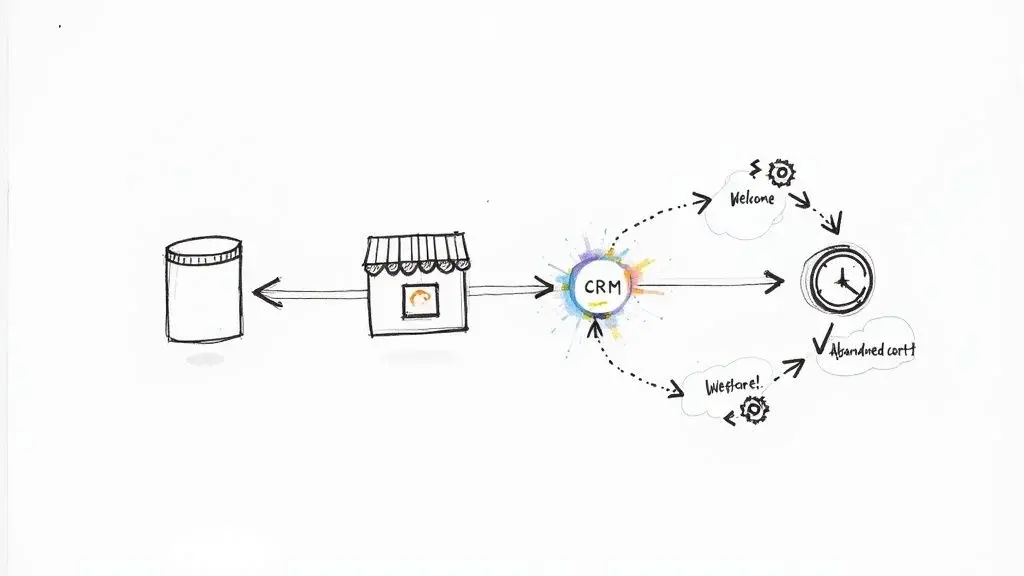
Sending a one-off mass text is great, but the real growth happens when you put your strategy on autopilot. SMS automation is where you stop being a campaign manager and start building a machine that nurtures leads and engages customers 24/7.
This is where you graduate to automated sequences, or drip campaigns, that fire off based on what a customer actually does. Instead of you hitting "send" every time, you build smart workflows that deliver the perfect text at the perfect moment.
Your First Automated Drip Campaign
A drip campaign is just a series of pre-written texts sent automatically over a specific timeline. A welcome series for new subscribers is one of the most powerful and easiest to set up.
Think about it. Someone texts your keyword to join your VIP list. Instead of a single, boring confirmation, you can roll out the red carpet over three days:
- Immediately: "Welcome to the club, [FirstName]! So glad you're here. Your 15% off coupon is: WELCOME15. Enjoy!"
- Day 2: "Hey [FirstName]! Did you know we offer free shipping on all orders over $50? Check out our new arrivals: [short.link]"
- Day 3: "Just a reminder, your 15% off coupon expires tonight! Don't miss out on grabbing something you'll love. Shop now: [short.link]"
This simple flow does so much more than just deliver a coupon. It builds brand familiarity, educates the customer, and creates a little urgency, all without you lifting a finger.
Another killer automation is the abandoned cart text. Imagine a customer leaves a full cart. An hour later, their phone buzzes: "Hey, you left something behind! Complete your order now and get free shipping." These timely nudges are absolute gold for recovering what would have been lost sales.
The Magic of Integrations
This is where things get really fun. The true power of automation is unlocked when your SMS platform starts talking to the other tools you use every day: your CRM, your e-commerce store, and all your other business apps.
These connections, called integrations, let you trigger texts based on a massive range of customer behaviors tracked in your other systems. You're essentially creating a seamless, personalized journey for every single customer.
By integrating your tools, you stop sending generic broadcasts and start having automated, one-on-one conversations at scale. A customer's action in one system instantly triggers a perfectly relevant text message.
For instance, connect your SMS tool to Shopify, and you can automatically text customers when their order ships. Hook it up to a CRM like HubSpot, and you can trigger a follow-up text the second a new lead hits your database.
Platforms like Broadcast offer these direct connections, but they also integrate with tools like Zapier, which acts as a bridge to thousands of other apps.
The possibilities become endless. This is how you transform texting from a simple marketing channel into a core part of a dynamic, automated growth engine for your business.
Measuring Success and Solving Common Problems
Hitting "send" on your mass text campaign is a great feeling, but it's not the finish line. Far from it. The real work (and the real learning) starts now, as you dig into the data and listen to what your audience is telling you with their actions.
This is the part of the process that separates a decent campaign from a truly great one. It’s not just about blasting out a message; it’s about understanding the response. By tracking the right numbers, you get a crystal-clear picture of what worked, what bombed, and exactly how to make your next send even better.
Key Performance Indicators You Must Track
To really understand how your campaign is doing, you have to look past the surface-level stuff. These are the core metrics that tell the full story of your message's journey, from your dashboard all the way to your customer's wallet.
- Delivery Rate: This is the percentage of texts that actually landed on someone's phone. A high, stable rate tells you that your contact list is in good shape and you're not getting flagged by carriers; a sudden drop is the signal to investigate.
- Click-Through Rate (CTR): Of everyone who got the message, what percentage clicked your link? This is the ultimate test of your copy and offer. A strong CTR means you wrote something that sparked genuine curiosity and made people want to act.
- Conversion Rate: This is the big one. It tracks the percentage of people who actually did the thing you wanted them to do, like make a purchase, book an appointment, or fill out a form. This metric directly measures your campaign's return on investment (ROI).
- Opt-Out Rate: What percentage of people unsubscribed after getting your text? A low rate is obviously good, but a sudden spike is a massive red flag that something in your message or strategy is off.
Troubleshooting Common Campaign Issues
Look, even the most buttoned-up campaigns hit a snag sometimes. Don't panic. Just use the data from your KPIs to figure out what's going wrong and tweak your approach. Think of it as a feedback loop that makes every campaign smarter than the last.
High Opt-Out Rate
If you're seeing a flood of people unsubscribing, it's usually a sign of one of two things: message fatigue or irrelevant content. Are you texting them too often? Is the offer just not hitting the mark?
The Fix: First, pump the brakes on your sending frequency. Then, take a hard look at your segmentation. Are the right people really getting the right offers? Instead of a generic store-wide sale text, try sending a targeted "we miss you" offer to customers who haven't bought anything in 90 days.
Low Delivery Rate
When your messages aren't getting delivered, the problem almost always comes down to your contact list or carrier filtering. The mobile carriers are getting incredibly sophisticated at blocking texts that look even remotely like spam.
The Fix: Start by running your list through a phone validation service to scrub out any landlines or dead numbers. Next, review your message content. Ditch any spammy-sounding words ("FREE MONEY!!"), avoid using ALL CAPS, and be careful with generic-looking shortened links. These are all things that can get you flagged.
Also confirm your number is registered (10DLC) or verified (toll-free).
Low Click-Through Rate (CTR)
So, your message got delivered, but nobody clicked. That stings. This almost always means the issue is with your copy, your offer, or your call-to-action (CTA). The message just didn't inspire anyone to do anything.
The Fix: It's time to A/B test. Send two different versions of your message to small, separate chunks of your list. For example, test one offer (20% off) against another (Free Shipping). Or try a more urgent CTA ("Shop Now") versus a softer one ("See the new collection"). The data will show you which message performs better, and you can send that winner to the rest of your subscribers.
Got Questions? We've Got Answers
Even the best-laid plans run into questions once you start hitting 'send'. It's totally normal. Here are some of the most common things people ask when they're getting started with mass texting, covering everything from the legal stuff to the nitty-gritty details.
Is It Legal to Send a Mass Text for Marketing?
Yes, as long as you play by the rules. The biggest one: marketing texts sent with an autodialer need the recipient's prior express written consent under the Telephone Consumer Protection Act (TCPA) rules (47 CFR 64.1200(a)(2)), and carriers expect consent for every business message (CTIA).
You also have to honor opt-outs: a reply such as "STOP" revokes consent and must be honored within 10 business days (47 CFR 64.1200(a)(10)). The TCPA lets people sue for $500 per violation, and a court can triple that for willful or knowing violations (47 U.S.C. 227(b)(3)). This is general information, not legal advice.
The golden rule is simple: only text people who have explicitly asked you to. Building a permission-based list isn't just about compliance; it's the foundation of a successful and respected SMS strategy.
Can I Send Pictures or Videos in a Mass Text?
You bet! When you send messages with multimedia like images, GIFs, or short videos, it's called MMS (Multimedia Messaging Service). The text-only version is just called SMS (Short Message Service).
MMS is awesome for making your campaigns pop. A restaurant could text a mouth-watering photo of a new special, or a boutique could show off a new clothing line. Just keep in mind that MMS messages usually cost a bit more to send than a standard SMS text.
How Many Characters Can I Use in a Text?
A standard SMS message is capped at 160 characters (70 if it contains an emoji or other special characters). If you type more than that, your message is split into segments of 153 characters (67 with emoji), and providers usually charge for each segment (Twilio).
That tight limit really forces you to be sharp and to the point with your copy. It's exactly why tools like URL shorteners are a lifesaver: they help you save precious character space while still letting you track clicks and get people to your website.
What Is a Mass Text?
A mass text is one message sent to many recipients at once. From a phone, it is a group text (or Google Messages' "mass text" setting, where everyone gets the SMS and replies come back individually). From a business, it is an SMS broadcast to an opt-in list through a texting platform.
How Do I Send 1,000 SMS at Once?
Use a texting platform, not your phone. CTIA describes typical personal texting as about 1,000 messages a day and 100 recipients per message (CTIA, Exhibit I), so a 1,000-person blast from a personal phone is far outside normal use. On a platform, speed depends on the number: at Twilio's listed starting rates, 1,000 messages take about 5.5 minutes from a toll-free number (3 per second) and about 10 seconds from a short code (100 per second) (Twilio). Everyone on the list must have opted in.
How Can I Send a Bulk SMS Message?
Sign up for a bulk SMS platform, register your number (10DLC or toll-free verification), upload contacts who gave consent, write the message with opt-out wording and send or schedule it. The step-by-step list above covers each step; to compare providers, see the best mass texting services.
How Can I Send a Mass Text for Free?
From your own phone, a group text or a Google Messages "mass text" costs nothing beyond your plan. Google Voice is free in the US but caps groups at 8 people and is not meant for bulk messaging (Google Voice Help). Business texting services are free only to try (trials or test credits); see free group text messaging services and sending bulk texts from a computer for free.
Can I Send Multiple SMS at Once?
Yes. On a phone, add several recipients to one message; on Android, the "mass text" setting sends each person an individual SMS (Google Messages Help). On an iPhone, a group SMS also returns replies individually (Apple Support). For private one-to-one copies to many people, see blind copy text messages.


