
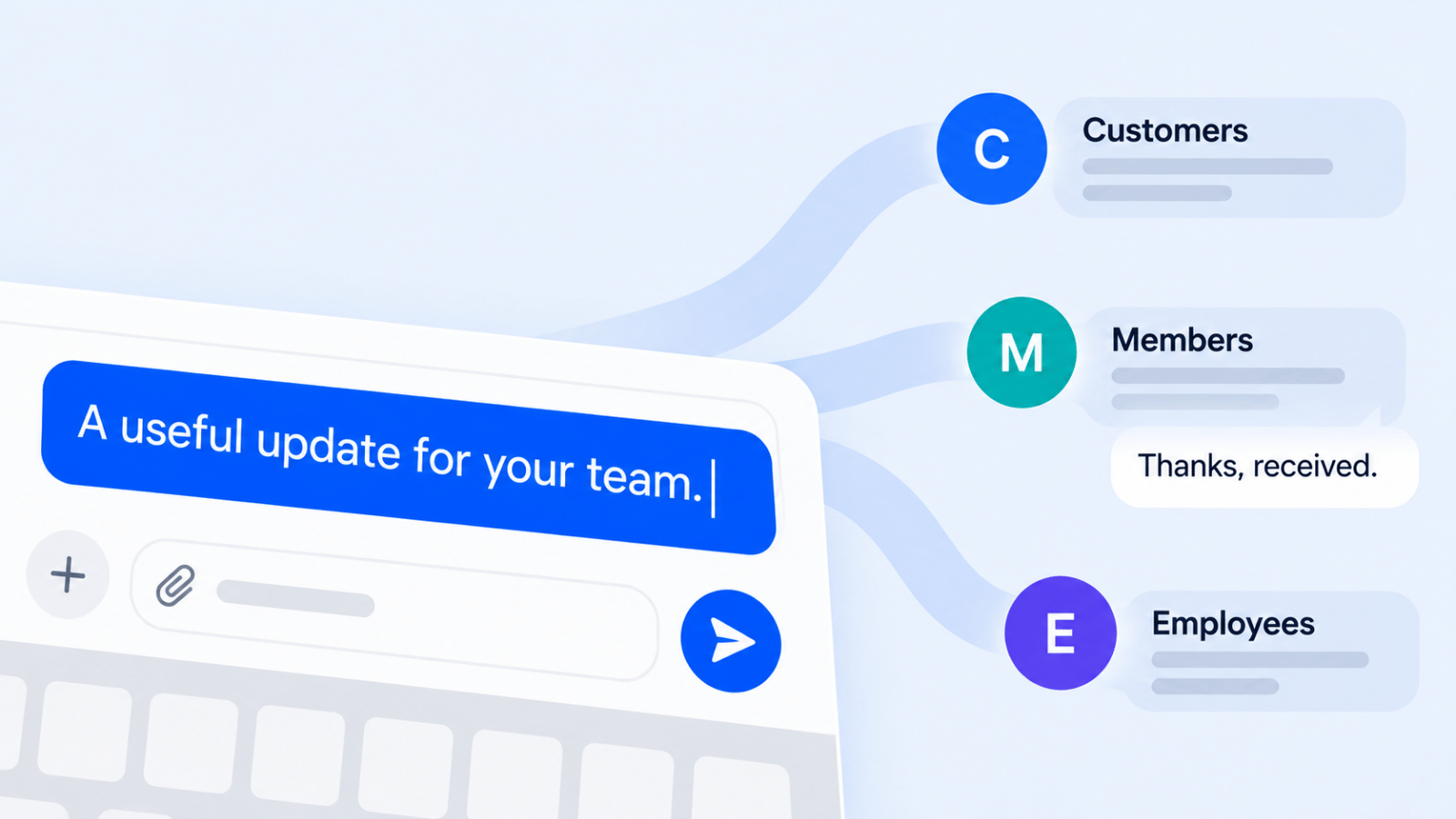
Choosing among the best mass texting services gets easier once you separate text-first tools from platforms that also handle voice broadcasting, ringless voicemail, or broader outbound outreach. That distinction matters because the right choice for a retail promo list is not always the right choice for appointment reminders, follow-up calls, or high-volume notification workflows.
This guide compares both sides of the market: straightforward SMS platforms for promotions and customer conversations, and multi-channel systems for teams that need texting plus voice in one place. Across the vendor pages checked for this guide (October 19, 2026), that split was the biggest decision point; many vendor pages make every tool sound universal, but buyers usually need either simple SMS execution or a platform that can coordinate SMS, voice, and voicemail without creating separate compliance headaches.
Whether you're a healthcare provider, local business, agency, or sales team, the practical questions are the same: How do contacts opt in, how are opt-outs enforced, what registration steps are required, and what does sending cost once carrier fees or voice charges are added? Focus is on those buying decisions rather than repeating feature lists.
Every price and trial below was checked on the vendor's own page (checked October 19, 2026). Jump to the four checks before you buy, the comparison table, the mass calling rules or the FAQ.
How These Mass Texting Services Were Picked
These tools were compared using the criteria that most often change the buying decision in practice:
- Channel coverage: SMS only, or SMS plus MMS, voice broadcasting, and ringless voicemail.
- Ease of launch: How quickly a small team can set up numbers, import contacts, and start compliant campaigns.
- Compliance controls: Opt-in handling, opt-out enforcement, 10DLC or toll-free registration guidance, and suppression management. For U.S. messaging, brands should expect registration requirements shaped by the mobile ecosystem and CTIA messaging standards, not just vendor policy; see the CTIA Messaging Principles and Best Practices and Twilio's A2P 10DLC overview.
- Pricing transparency: Whether pricing is bundled, pay-as-you-go, credit-based, or layered with pass-through carrier surcharges.
- Support for outreach workflows: Two-way inboxes, list-building tools, automation, CRM integrations, and whether the product can support follow-up-heavy campaigns.
- Fit by business type: Some tools are built for marketing teams, others are more useful for reminders, notifications, or outbound call-heavy communication.
What stood out most in comparison was that the cheapest-looking plan is often not the cheapest operating model. MMS can consume multiple credits, carrier surcharges can sit outside the headline price, and voice campaigns can vary by destination and answer type. That is why the sections below focus on where each option fits, where it falls short, and what to verify before sending at scale.
1. Broadcast
Broadcast is the strongest fit here when you need texting and voice in the same workflow rather than bolting together separate tools. It combines SMS, MMS, voice broadcasting, and ringless voicemail in one system, which makes it more relevant than text-only platforms for reminders, follow-up campaigns, outreach sequences, and situations where one channel alone is not enough.
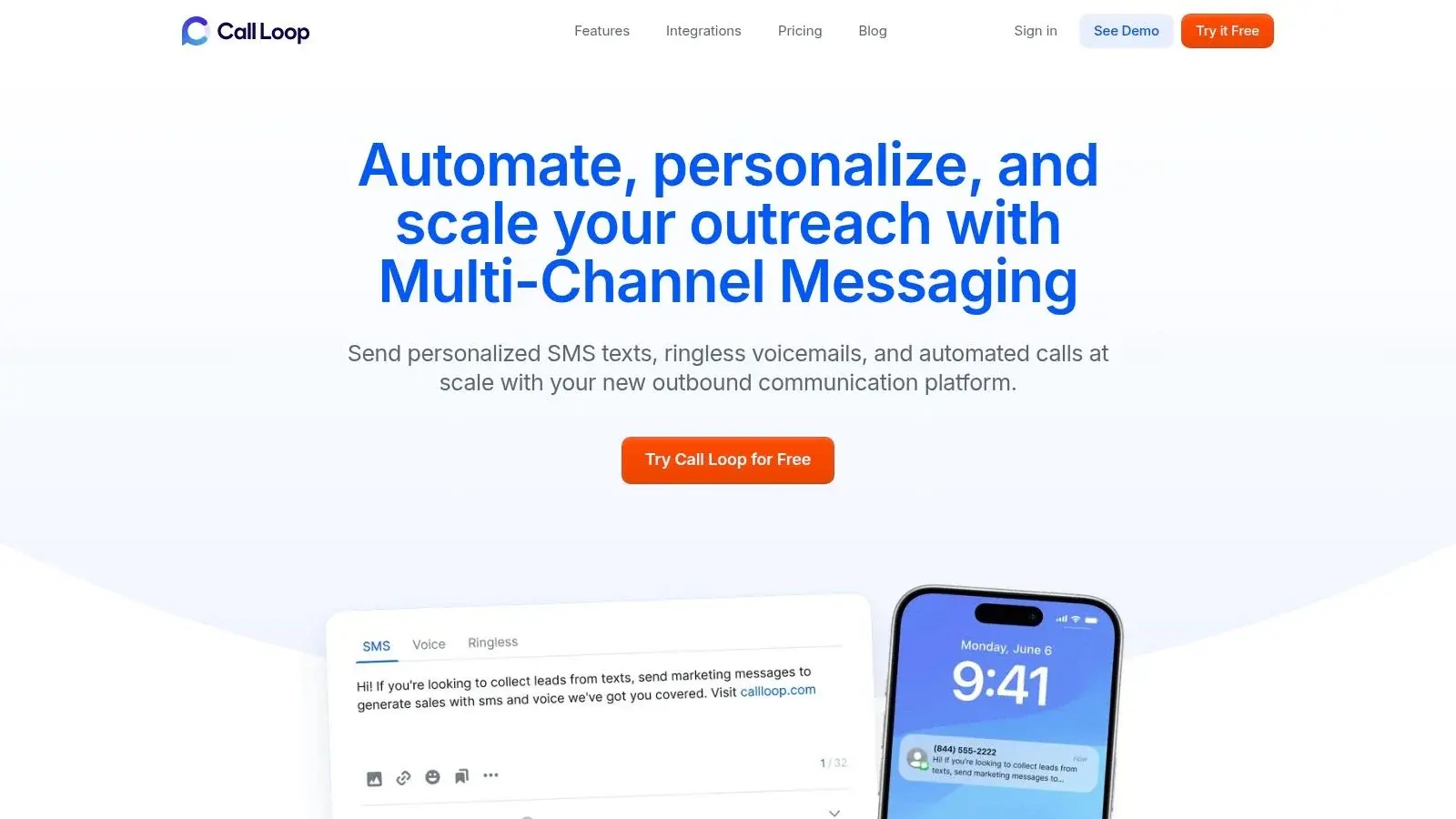
Best when you need SMS + voice in one workflow
A mass calling service is the modern version of broadcast telephony: instead of one person dialing manually, a platform can push a recorded message to a large list quickly. That speed is useful for promotions, reminders, and urgent notices, but it also raises the compliance bar because U.S. consumers are highly sensitive to automated outreach. The FTC's National Do Not Call Registry shows how established consumer protections are, and broad reporting on rising robocall volume helps explain why businesses need tighter consent and suppression discipline before launching voice campaigns; see this CBS News report on robocalls.
Broadcast's advantage is that it can support a mass phone call campaign and a text follow-up inside the same operating environment. That matters because outbound outreach rarely gets a response from a single touchpoint, which is why many teams pair voice with SMS reminders or follow-up texts rather than treating calling as a standalone motion.
This is the main differentiator: most SMS tools can add basic automation, but fewer make it practical to move from text to voicemail to voice broadcast without exporting lists or rebuilding suppression rules. For healthcare and operational reminder use cases, that shared workflow is often more valuable than having the longest feature checklist.
How DNC and consent management work in practice
For buyers considering voice plus text, the key question is not whether a platform mentions compliance, but whether your team can keep consent records, opt-outs, and suppression logic organized across channels. Broadcast highlights list hygiene, opt-in support, toll-free compliance guidance, and DNC management, but buyers should still verify how shared suppression works across SMS, voice, and voicemail campaigns before rollout. If a contact opts out of promotional texts, you do not want that person still receiving outbound voice campaigns because your rules live in separate silos.
That is especially important in regulated or trust-sensitive categories. U.S. senders should review the FCC's TCPA guidance, the CTIA Messaging Principles and Best Practices, and any registration requirements tied to toll-free messaging verification. If your campaigns span countries, also ask whether suppression is managed at the account level, by number, or by workspace, because a global DNC process is only useful when it is enforced consistently across all outbound channels and teams.
Broadcast also markets support for healthcare use cases, and buyers in that category should confirm the exact account configuration, workflow, and agreement requirements needed for protected health information. The company provides guidance on HIPAA-ready texting and calling workflows, which is a better sign than a vague compliance claim with no supporting documentation.
What the pricing model means for SMS, voice, and voicemail campaigns
Broadcast's pricing is easier to evaluate once you think in channels rather than in one blended monthly number. The company publishes plan details and add-on information on its pricing page, while separate product pages explain channel-specific billing such as ringless voicemail pricing. For buyers, the practical takeaway is that SMS, voice broadcasts, and voicemail drops do not behave the same economically.
SMS and MMS costs can change with message length, media use, registration status, and destination. Voice campaigns can change by region, call duration, and whether you are broadcasting a recording versus routing live transfers. Voicemail campaigns may use a successful-delivery billing model, which can be attractive for follow-up sequences but should still be modeled against your expected hit rate. If you send domestically and internationally, ask for a channel-by-channel rate card rather than relying on one headline plan.
Verify three line items before buying: pass-through carrier fees for U.S. messaging, registration-related costs for 10DLC or toll-free traffic, and any destination-based voice rates outside your core market. Teams often underestimate how much regional delivery economics can differ between SMS to the U.S., SMS to Canada, and voice outreach to international numbers.
For businesses building a full outbound workflow, Broadcast also has practical resources on how to send mass text messages on Broadcast. If your team is evaluating outbound calling alongside reminders, see our guide to voice broadcasting software.
Standout strengths and tradeoffs
| Pros | Cons |
|---|---|
| True multi-channel outreach: SMS, MMS, voice broadcasting, and ringless voicemail are available in one platform. | More compliance to manage: Voice and voicemail add legal and operational complexity beyond basic SMS campaigns. |
| Better for follow-up workflows: Useful when you need text-first sequences with escalations to voice or voicemail. | Pricing needs scenario modeling: Buyers should review per-channel costs rather than assume one flat campaign cost. |
| Good fit for regulated reminders and operational messaging: HIPAA-oriented documentation and suppression tooling matter here. | May be more platform than a simple promo sender needs: Text-only marketers may prefer a lighter tool. |
| Integrations and automation depth: Stronger than most lightweight texting tools. |
For teams that need a mass voice messaging service as well as texting, Broadcast is one of the few options on this list that makes that combination feel native rather than tacked on.
Website: Broadcast
2. Salesmsg
Salesmsg is the pick on this list when mass texting is only half of the job and the other half is what happens after someone replies. It is a two-way business texting and calling platform built around real conversations: local and toll-free numbers, a shared team inbox, and CRM integrations that let texts trigger from, and log back to, the systems your team already runs.
That orientation matters because a growing share of "mass texting" buyers are not really shopping for blasts. They are shopping for a way to follow up with leads, confirm appointments, revive quotes, and keep customer threads organized across a team. If that describes your workflow, a broadcast-first tool will feel like the wrong shape, and Salesmsg will feel like it was built for you.
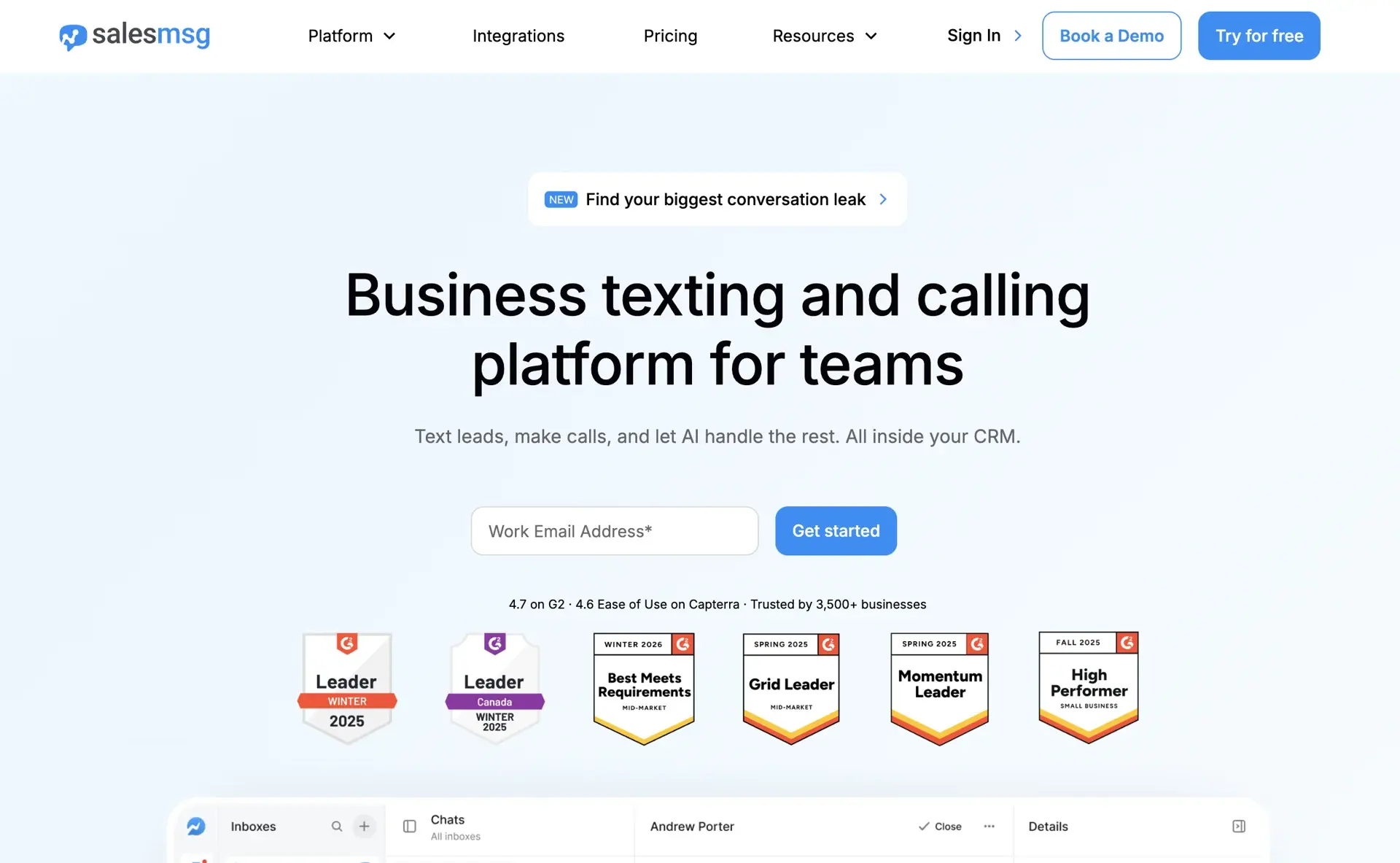
Best for conversational texting tied to your CRM
Salesmsg's core strength is turning texting into a team channel instead of a personal-phone free-for-all. Every message lives in a shared inbox with assignments, so a sales rep, office manager, or support agent can pick up any thread with full context. Contacts text a real local or toll-free number (Salesmsg, checked October 19, 2026).
The CRM depth is the real separator. Salesmsg's HubSpot integration lets texts and sequences fire from HubSpot workflows, logs SMS and call activity to the contact timeline, syncs contact properties both ways and syncs SMS opt-outs to HubSpot, so texting becomes part of your revenue process rather than a disconnected blast tool. Salesmsg also lists integrations with ActiveCampaign, Pipedrive, Salesforce, Keap and Zapier (Salesmsg pricing). Built-in calling on the same number rounds it out: when a text thread needs to become a phone call, it happens in one platform with one contact history.
Broadcasts are still fully supported (segmented campaigns, scheduled sends, keywords, and automation are all there), but they behave like the start of a conversation rather than the end of one.
Where it falls short for voice-heavy campaigns
Salesmsg is not the pick if your program is built around voice broadcasting. Its site now lists ringless voicemail inside broadcasts and multi-step campaigns, plus a power dialer and call routing, but not prerecorded voice broadcasts to a list (Salesmsg, checked October 19, 2026). If your workflow depends on pushing a recorded call to thousands of contacts, or on one suppression system managing SMS blasts and outbound voice broadcasts together, that is the point where a multi-channel tool like Broadcast is the more relevant choice.
The lane is clear: Salesmsg is strongest when texting is conversational and CRM-driven; Broadcast is strongest when outreach spans text, voicemail, and broadcast voice. Plenty of teams run both: broadcasts and voice campaigns in one system, rep-level conversations in the other.
Free trial and real cost considerations
Salesmsg publishes plan details on its pricing page, with credit-based plans and a free trial for testing the interface and integrations before committing. As with every platform on this list, the buying detail to verify is how credits map to your real send pattern: MMS consumes more than SMS, longer messages segment into multiple credits, and U.S. traffic carries 10DLC or toll-free registration requirements plus pass-through carrier fees.
Two Salesmsg-specific line items are worth modeling. First, if your volume is conversation-heavy, check how inbound messages and replies are treated, because two-way traffic changes the economics compared to blast-only sending. Second, if you are running texts from CRM workflows, confirm which plan tier includes the integration depth you need so automation is not an upgrade surprise later.
Pros and Cons
Pros:
- Built for two-way conversations: Shared team inbox, assignments, and threading make texting operational for sales and support teams.
- Deep CRM integrations: HubSpot-native workflows plus ActiveCampaign, Pipedrive, and Zapier connections put texting inside your revenue process.
- Texting and calling on one number: Threads can escalate to calls without switching platforms or losing history.
Cons:
- No voice broadcasting: Salesmsg lists ringless voicemail and a power dialer, but not prerecorded voice broadcasts; broadcast-voice buyers need a multi-channel tool like Broadcast.
- Credit math matters: MMS, segmentation, and carrier surcharges can raise effective cost above the headline plan.
- More platform than a one-off promo sender needs: If you only send occasional blasts, a simpler tool may be cheaper to run.
3. EZ Texting
EZ Texting has established itself as one of the best mass texting services by offering a balanced blend of powerful features and straightforward usability. It caters especially well to small and mid-sized businesses that need a reliable platform to quickly launch and manage SMS campaigns without a significant technical barrier. The service is built around a clear, credit-based system that makes it simple to estimate costs and scale efforts as your contact list grows.
The platform's strength lies in its packaged plans and quick setup process. Users can select a plan based on their list size, get a local textable number, and start using templates and keywords almost immediately. This focus on getting marketers up and running quickly makes it a popular choice for those who want to execute campaigns with minimal friction and maximum efficiency.
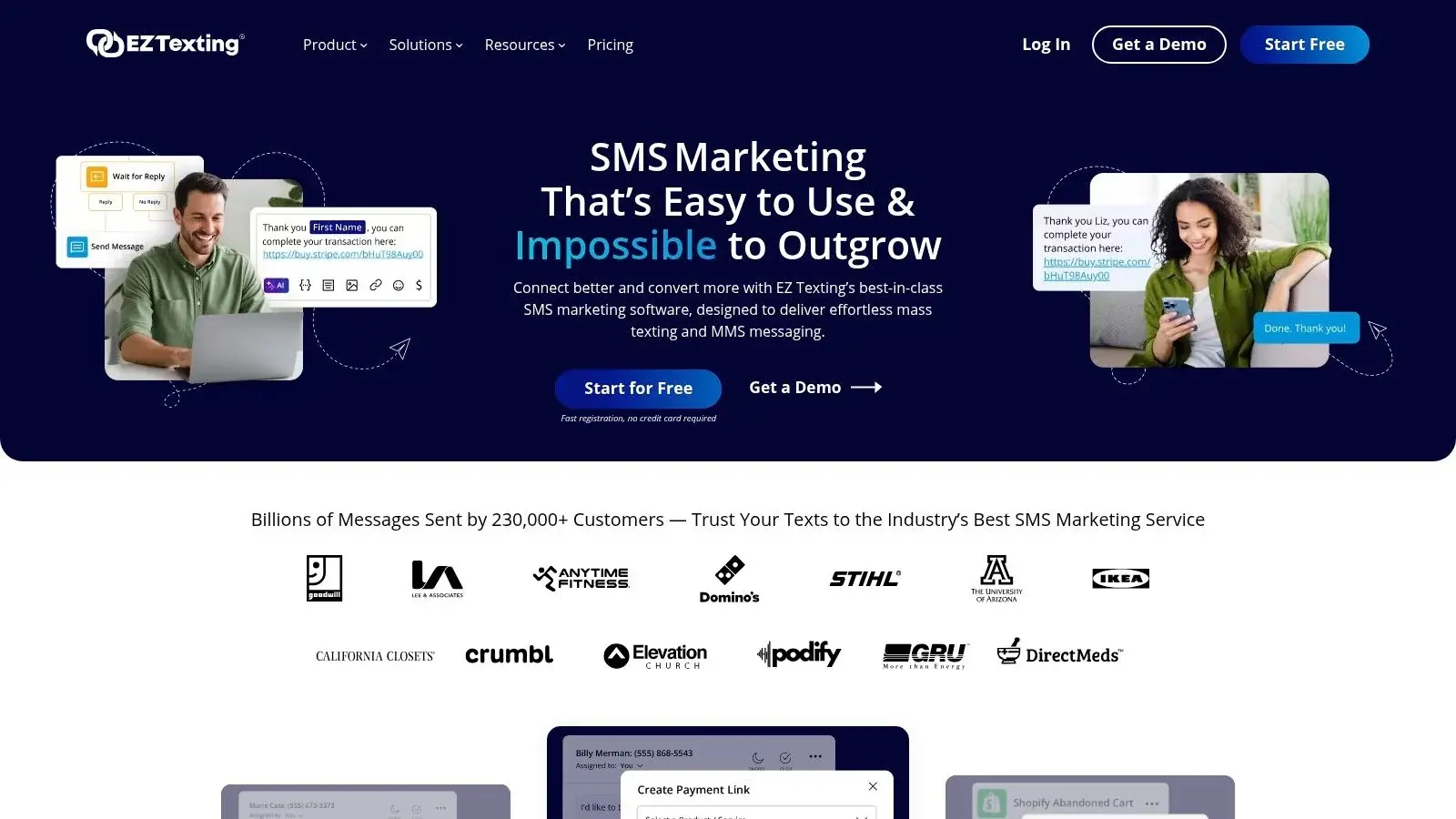
Key Features and Use Cases
EZ Texting provides a suite of tools designed for both marketing outreach and ongoing customer communication. Its features support a variety of business needs, from promotional blasts to appointment reminders.
- Packaged Plans and Keywords: Plans are designed for different list sizes, and each comes with dedicated keywords for easy list building. A local karate studio could use the keyword "KARATE" to sign up students for class reminders and schedule updates.
- MMS and Templates: Send engaging messages with images and GIFs. An e-commerce store can use pre-built templates to quickly send out a flash sale announcement with a product photo, driving immediate traffic.
- Contact Management: Easily segment your audience into groups for targeted messaging. A marketing agency can manage separate client lists, ensuring campaign messages are delivered to the correct audience every time.
- Flexible Plan Management: The platform allows users to easily upgrade, pause, or cancel their plans, providing the flexibility that growing businesses need to adapt to changing marketing budgets.
Pricing and Value
EZ Texting uses a credit-based model where one SMS message typically costs one credit. Plans start with a free trial and paid tiers are structured to accommodate different sending volumes. For example, the "Launch" plan offers a set number of credits per month, with clear rates for overage credits if you exceed your allowance.
A key benefit is that unused credits roll over for one additional billing cycle while your subscription stays active, preventing waste. However, an MMS message consumes three credits, which can increase the cost for media-rich campaigns. The Launch plan also carries a separate $5/month telecom fee for carrier fees, waived on the Boost, Scale and Enterprise plans (EZ Texting pricing). To make the most of your investment, it's wise to explore different strategies available with top-tier SMS blast software.
Pros and Cons
Pros:
- Easy to Start and Scale: Clear entry-level plans and simple upgrade paths make it easy to grow.
- Clear Cost Estimation: The credit model and listed overage rates provide transparent cost guidance.
- Rollover Credits: Monthly plans include credit rollover, offering excellent value and flexibility.
Cons:
- Additional Telecom Fee: The base plan includes a separate carrier fee, slightly increasing the total monthly cost.
- Higher Cost for MMS: Campaigns that rely heavily on images or GIFs will deplete credits faster than SMS-only campaigns.
4. SlickText
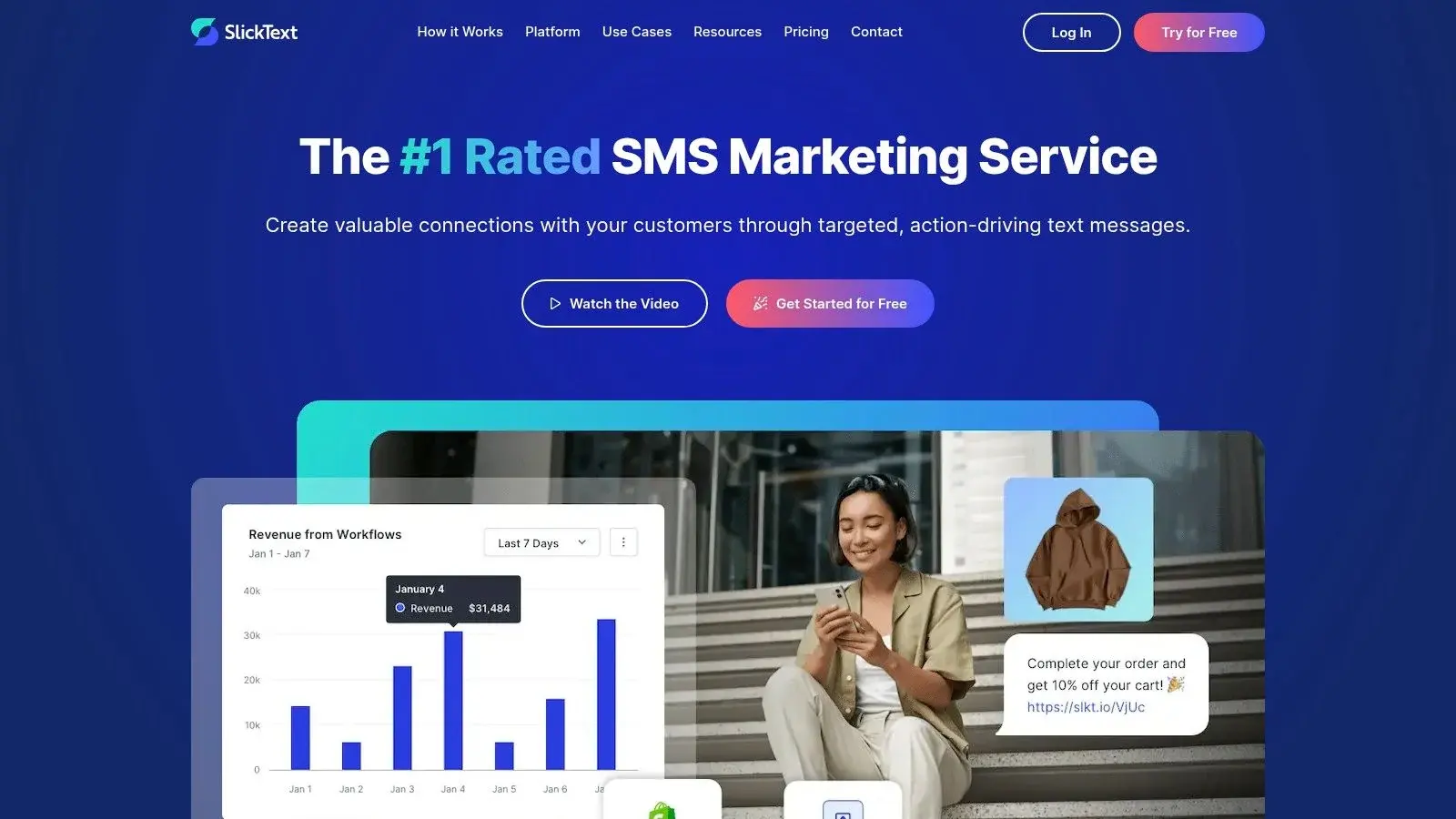
SlickText positions itself as one of the best mass texting services by combining powerful marketing features with a strong emphasis on user-friendliness and responsive customer support. The platform is engineered for businesses that need to launch campaigns quickly without getting bogged down by a complex setup process. It's particularly well-suited for retailers, event organizers, and local businesses aiming to build and engage a mobile audience through straightforward, effective SMS and MMS marketing.
The platform's standout quality is its commitment to a smooth onboarding experience. SlickText says it supports 10DLC, toll-free, short code and RCS sending numbers, and a quick 10DLC registration is important for businesses needing to get their dedicated sending number approved and operational with minimal delay. This focus on getting users started quickly, backed by accessible live support, makes it a reliable choice for teams that value both performance and guidance.
Key Features and Use Cases
SlickText provides a versatile toolkit designed for growing a subscriber list and automating communication, ensuring messages are timely and relevant.
- List Growth Tools: Offers a wide array of tools to capture subscribers, including text-to-join keywords, QR codes, and customizable web forms. A restaurant could use a QR code on its menu to entice diners to sign up for special offers.
- Text Message Scheduling & Automation: Plan campaigns in advance or create automated workflows. A karate studio, for example, could set up an automated birthday message for its students or send drip campaigns with class reminders and tips.
- Two-Way Conversations: A clean, organized inbox allows for real-time, one-on-one conversations with subscribers, which is ideal for customer service inquiries or appointment confirmations.
- Ringless Voicemail Drops: Earlier versions of this guide listed voicemail drops. SlickText's current feature pages and pricing page do not list ringless voicemail (checked October 19, 2026), so confirm with SlickText before you count on it.
- Dedicated Support: All plans include access to live chat, phone, and email support. Higher-tier plans benefit from 1-on-1 onboarding sessions and even a dedicated customer success manager for strategic guidance.
Pricing and Value
SlickText uses a straightforward, credit-based pricing model starting with the Starter plan at $29 per month for 500 credits (SlickText pricing, checked October 19, 2026). A key advantage is that unused credits roll over (one month on monthly plans, one year on annual plans), and incoming texts are free on paid plans. Every plan includes one premium sending number, chosen from 10DLC, toll-free, short code or RCS options. An MMS uses 3 credits per segment. SlickText passes carrier fees through at no additional markup, but these fees are an additional cost on top of the monthly subscription. The free tier is a 14-day trial with no credit card required.
Pros and Cons
Pros:
- Excellent Customer Support: Highly responsive support available via phone, chat, and email for all users.
- Fast Onboarding: Quick 10DLC registration helps businesses start sending compliant messages faster.
- User-Friendly Platform: The interface is clean and intuitive, making campaign creation simple for any skill level.
Cons:
- Carrier Surcharges Add to Cost: Pass-through carrier fees are an extra expense on top of the plan price.
- Advanced Support is Tier-Gated: Dedicated success managers and in-depth onboarding are reserved for higher-volume plans.
5. TextMagic
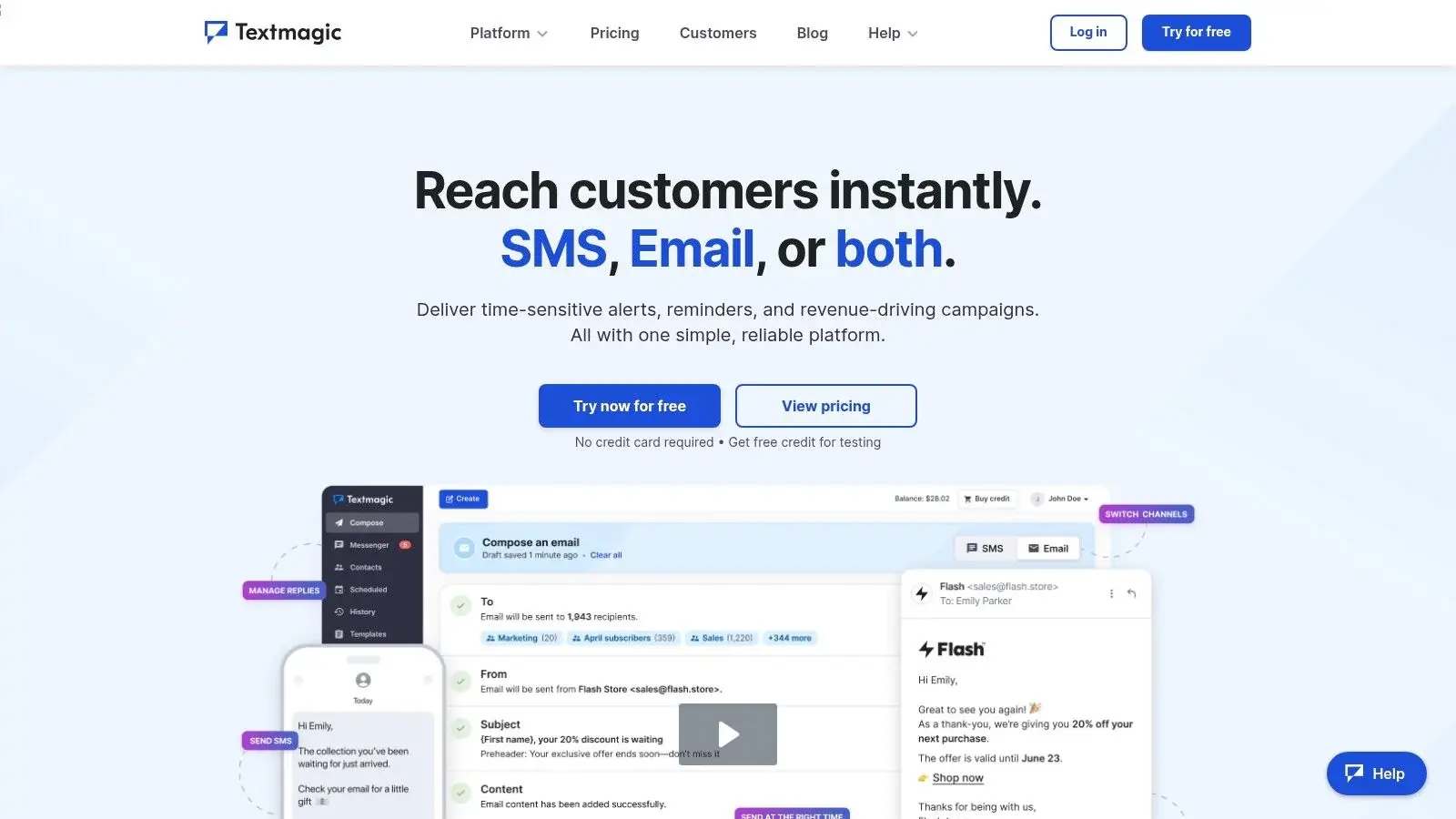
TextMagic carves out its niche among the best mass texting services with a straightforward, pay-as-you-go pricing model. This approach is ideal for businesses that prefer transparent, usage-based billing over fixed monthly subscriptions. Instead of committing to a plan, you purchase credits and use them as needed, providing ultimate flexibility for companies with fluctuating or seasonal messaging volumes. It's a no-contract platform designed for teams that want direct control over their spending without long-term commitments.
The platform’s strength lies in its simplicity and global reach. It’s built for businesses that need a reliable tool to send alerts, notifications, and promotional campaigns without the complexity of enterprise-level software. The clear per-message pricing structure means you always know exactly what you're paying for each text you send.
Key Features and Use Cases
TextMagic offers a comprehensive suite of essential features that cater to a wide range of communication needs, from marketing to operational alerts.
- Pay-As-You-Go Credits: The core model allows you to buy credits that never expire. This is perfect for event organizers sending reminders for a specific conference or an e-commerce store running a flash sale.
- Two-Way Chat: A clean, easy-to-use inbox lets you manage conversations, answer customer questions, and provide support directly via text.
- SMS Templates and Scheduling: Save time by creating message templates for common communications, like appointment reminders or order confirmations, and schedule them to send at the optimal time.
- Email to SMS Gateway: Convert emails into text messages and send them to any mobile phone, a useful feature for integrating SMS into existing email-based workflows or systems (Textmagic email to SMS).
Pricing and Value
TextMagic's pricing is built on prepaid credits, with outbound SMS to the US at $0.049 each (160 plain text characters). Inbound messages are free, and credit never expires. While the core service is pay-as-you-go, a dedicated number costs $10 per month and US local numbers need a 10DLC campaign at $10 per campaign per month, each free for the first month. You can start with a free test balance (Textmagic pricing, checked October 19, 2026).
This model provides excellent value for businesses that want to test SMS marketing without a large upfront investment or for those with unpredictable sending needs. However, for high-volume senders, the per-message cost can become higher than what's offered in bundled subscription plans from other providers. The total cost will also include monthly fees for your dedicated number and any associated 10DLC campaign registration.
Pros and Cons
Pros:
- No Contracts or Monthly Fees: The pay-as-you-go model offers maximum flexibility.
- Transparent Unit Pricing: You know the exact cost of each message, making budget forecasting simple.
- Free Inbound Messages: Encourages two-way communication without adding to your costs.
- Easy to Get Started: Free trial credits allow you to test the platform's functionality risk-free.
Cons:
- Potentially Higher Cost at Scale: High-volume senders may find bundled plans more cost-effective.
- Add-on Costs: Dedicated numbers and campaign registration are additional monthly expenses on top of credit usage.
6. ClickSend
ClickSend establishes itself as a global messaging powerhouse, offering a versatile platform that caters to both marketers and developers. Its strength lies in SMS, MMS and rich messaging (RCS), accessible through a clean web app or an API. In 2026 ClickSend says it is "all-in on SMS": voice, email, fax and post are no longer available to new customers (ClickSend pricing, checked October 19, 2026). That makes it one of the best mass texting services for text-first teams, but no longer a multi-channel hub for new accounts.
The platform is particularly noteworthy for its published pricing, especially for US-based sending. ClickSend lists per-message rates by volume tier and a flat carrier fee per message, which it describes as "a flat average rate based on major carrier pricing". That transparency helps small businesses and marketing agencies forecast campaign costs.
Key Features and Use Cases
ClickSend goes beyond standard bulk SMS, offering a feature set designed for multi-channel engagement and technical flexibility.
- Multi-Channel Messaging: SMS, MMS and RCS from a single platform. Text-to-voice calls and postcards were part of ClickSend's lineup, but voice and post are no longer available to new customers (ClickSend pricing, checked October 19, 2026).
- Developer-Friendly API: A well-documented API allows for deep integration into existing applications, CRMs, and workflows, making it ideal for tech-savvy businesses that require custom solutions.
- Contact Management: The platform provides powerful tools for list management, including segmentation based on custom fields. A fitness studio could segment its list by class type and send targeted updates only to relevant members.
- Global Reach: With its extensive network, ClickSend is an excellent choice for companies with an international customer base, ensuring reliable message delivery across different countries.
Pricing and Value
ClickSend uses a pay-as-you-go model with no subscription, starting from a $20 top-up. ClickSend's published US price list shows $0.0285 per SMS at the entry tier, falling to $0.0093 at the highest volume tier, plus a carrier fee of $0.0041 per SMS (ClickSend US price list, checked October 19, 2026). Inbound messages are free: "Replies are always free" (ClickSend pricing).
While the base rates are low, users must account for the carrier fees on 10DLC, toll-free and short code traffic. ClickSend's published fee helps with budgeting, but these fees are an additional cost. The platform also requires businesses to complete the necessary 10DLC or Toll-Free registration before initiating high-volume campaigns in the US.
Pros and Cons
Pros:
- Competitive Pay-As-You-Go Rates: Low per-message costs for US SMS make it affordable for various budgets.
- Published Carrier Fee: A flat, published carrier fee per message helps businesses forecast total costs.
- Web and API Access: Provides a powerful solution for both non-technical marketers and developers needing custom integrations.
- Messaging Channels: SMS, MMS and RCS in one platform (voice and post no longer offered to new customers).
Cons:
- Carrier Surcharges Add to Cost: While transparent, these fees are still an extra expense on top of the base rate.
- Mandatory Registration for US Sending: The required 10DLC and Toll-Free verification process adds an initial setup step.
How to Choose: What to Compare Before You Buy
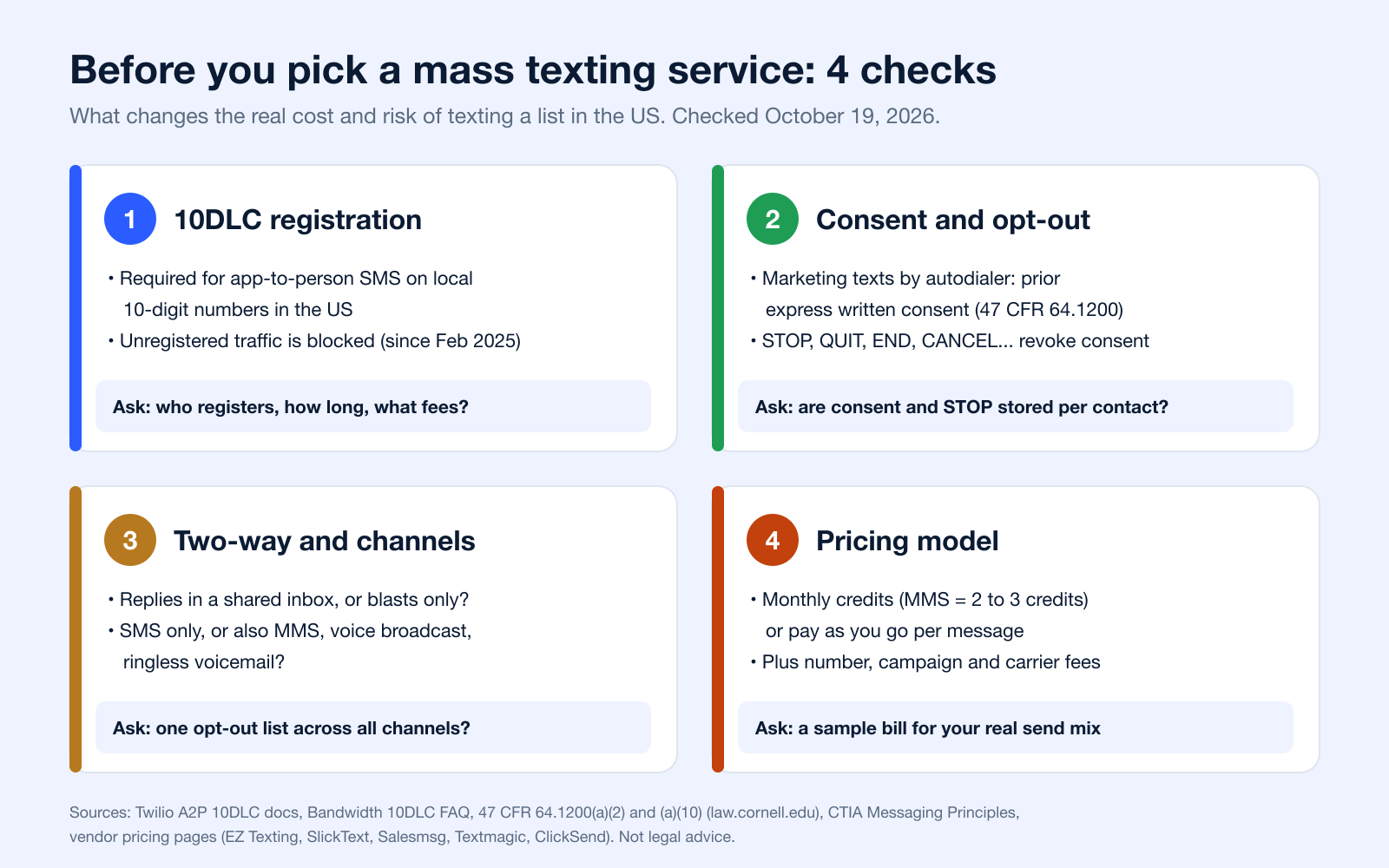
This section is a buyer checklist, not a seventh provider. A review directory can help with research, but it should not be ranked as if it were equivalent to an actual texting platform. Four checks change the real cost and risk of texting a list in the US: registration, consent, two-way handling and the pricing model.
Check 10DLC or toll-free registration
Anyone sending SMS or MMS from an application over a US local 10-digit number must register for A2P 10DLC, and unregistered traffic gets extra carrier fees (Twilio). Brands and campaigns are verified in The Campaign Registry through a provider, and since February 1, 2025, unregistered outbound traffic "is being blocked in the industry" (Bandwidth). Ask each vendor who files the registration, how long approval takes and which fees are passed on: EZ Texting includes A2P registration in its plans, while Textmagic lists $10 per 10DLC campaign per month (EZ Texting, Textmagic). More in our 10DLC compliance guide.
Check consent and opt-out handling
Under the TCPA, a text to a cell phone counts as a call (Campbell-Ewald Co. v. Gomez, 2016). Marketing texts sent with an autodialer need the recipient's prior express written consent, and a reply such as "stop," "quit," "end," "revoke," "opt out," "cancel," or "unsubscribe" revokes consent (47 CFR 64.1200(a)(2) and (a)(10)). The platform should store when and how each contact opted in and stop sending automatically after STOP. See express written consent and TCPA compliance.
Check two-way messaging, not just blasts
Some tools are built for one-way blasts; others route every reply into a shared inbox where a team can answer. If customers will reply to confirm, reschedule or ask questions, test the inbox during the trial. Textmagic, SlickText and ClickSend do not charge for inbound texts (Textmagic, SlickText, ClickSend).
Check the pricing model: credits or pay as you go
Credit plans (EZ Texting, SlickText, Salesmsg) bundle a monthly allowance; an MMS uses 3 credits at EZ Texting and SlickText and 2 at Salesmsg. Pay-as-you-go services (Textmagic, ClickSend) charge per message from a prepaid balance. Either way, add number, campaign and carrier fees. The pricing table below lists each vendor's terms, and our guide to bulk SMS service cost goes deeper.
Compare the channel mix first
Start by deciding whether you need SMS only or a platform that also supports voice broadcasting, text-to-voice, or voicemail drops. If your use case is outreach-heavy and follow-up depends on more than one touchpoint, a multi-channel product deserves extra weight. If your use case is marketing promotions and customer replies, a text-first tool is usually easier to run.
Ask for pricing in the form you will actually use it
Do not settle for a single monthly number if your campaign economics depend on message segments, MMS usage, toll-free verification, 10DLC registration, or international delivery. Ask vendors for examples based on your real send pattern: domestic SMS, MMS share, expected replies, voice minutes, and any international destinations. Pricing transparency is one of the clearest separators between strong and weak options.
Verify compliance operations, not just compliance claims
Every vendor says it takes compliance seriously. The meaningful questions are narrower: How is consent stored? How are STOP requests enforced? Can one suppression list govern both texts and calls? What happens across multiple users or subaccounts? The FCC's robocall and robotext guidance and 10DLC registration expectations are useful benchmarks for what buyers should understand before sending at scale.
Match support level to your team
A small business with one marketer needs a very different product experience from an agency or healthcare organization with approvals, integrations, and list governance. If onboarding help, API support, or compliance guidance will affect launch speed, treat support quality as a buying criterion, not a nice-to-have.
6 Mass Texting Services Compared
| Service | Implementation complexity | Resource requirements | Expected outcomes | Ideal use cases | Key advantages | Source |
|---|---|---|---|---|---|---|
| Broadcast (formerly Call Loop) | Moderate: multi-channel setup (SMS, voice, ringless) and integrations | Moderate: numbers, compliance setup (HIPAA options), integration work | Scalable, multi-channel engagement | SMBs, agencies, healthcare needing compliant multi-channel outreach | Unified SMS/voice/ringless, advanced automation, HIPAA support, deep integrations | Broadcast |
| Salesmsg | Low: shared inbox and CRM setup | Low to moderate: credit-based plans (SMS 1 credit, MMS 2, calling 1 per minute) | Two-way conversations tied to the CRM | Sales and support teams texting leads and customers from HubSpot or another CRM | Shared inbox, HubSpot workflows, calling and ringless voicemail on one platform | Salesmsg |
| EZ Texting | Low: packaged plans and templates for quick start | Low to moderate: credit model; $5/month telecom fee on Launch | Predictable costs and easy scale as lists grow | SMB marketers who want straightforward campaign tools | Clear tiers and overage rates, credit rollover, easy onboarding | EZ Texting |
| SlickText | Low: quick onboarding, 10DLC/toll-free/short code options | Low to moderate: credit plans, carrier fees passed through | Rapid campaign launches with responsive support | Local businesses, events, retailers needing quick SMS programs | Fast launch, phone/chat/email support on all plans, transparent fees | SlickText |
| TextMagic | Low: pay-as-you-go, simple controls | Low: prepaid credits, pay-per-message, monthly number and 10DLC fees | Predictable per-message costs; good for testing and low-volume use | Teams preferring usage-based billing or intermittent sending | No subscription, transparent per-message pricing, free inbound SMS | Textmagic |
| ClickSend | Moderate: API and web UI integration options | Moderate: tiered send rates, flat carrier fee, registration for 10DLC/toll-free | Lower per-message cost at volume and clearer cost forecasting | SMBs/agencies needing SMS via API or web UI | Published US rates and carrier fee, both API and web UI (voice and post closed to new customers) | ClickSend |
| G2 SMS marketing category (research directory, not a texting service) | Low: research platform, no technical setup | Low: time to review listings and comparisons | Better-informed vendor shortlist and purchasing decisions | Buyers evaluating SMS vendors by use case, budget, ratings | User reviews, feature filters, free access | G2 |
The table above keeps this guide's original comparison, corrected with the vendor facts checked on checked October 19, 2026.
Pricing and Free Trials at a Glance
Each price and trial below comes from the vendor's own page. Prices change often, so confirm before you sign up. For truly free options (phone apps), see free group text messaging services.
| Service | Pricing model | Entry price | Free trial | Extra fees and notes | Source |
|---|---|---|---|---|---|
| Broadcast | See pricing page | See pricing page | See pricing page | SMS, voice and ringless voicemail priced by channel | Broadcast pricing |
| Salesmsg | Monthly credits | Basic $25/month | 14 days | SMS 1 credit, MMS 2, calling 1 per minute; 30-day money-back guarantee; carrier fees not stated | Salesmsg pricing |
| EZ Texting | Monthly credits | Launch $25/month ($20 billed annually), 500 credits | 14 days, no credit card | MMS 3 credits; $5/month telecom fee on Launch; registration included | EZ Texting pricing |
| SlickText | Monthly credits | Starter $29/month, 500 credits | 14 days, no credit card | MMS 3 credits per segment; carrier fees passed through at no markup; inbound free | SlickText pricing |
| Textmagic | Pay as you go | $0.049 per US SMS | Free test balance | Number $10/month; 10DLC campaign $10/month (first month free each); inbound free; credit never expires | Textmagic pricing |
| ClickSend | Pay as you go | $0.0285 per US SMS at the entry tier ($20 top-up) | Free trial, no credit card | Carrier fee $0.0041 per SMS; down to $0.0093 per SMS at the top tier; inbound free | ClickSend price list, pricing |
Mass Calling: The Rules for Prerecorded Voice Campaigns
This guide also covers voice: mass calling (voice broadcasting) sends one recorded message to a whole list. In the US, the FCC's TCPA rules treat these calls more strictly than texts or live one-to-one calls. The key points of 47 CFR 64.1200:
- Calls to cell phones using an autodialer or an artificial or prerecorded voice need the called party's prior express consent, unless made for emergency purposes (64.1200(a)(1)(iii)).
- If the call includes an advertisement or is telemarketing, the consent must be prior express written consent (64.1200(a)(2)). Prerecorded telemarketing calls to residential lines also need prior express written consent (64.1200(a)(3)).
- Every prerecorded message must state the identity of the business at the beginning and a telephone number during or after the message (64.1200(b)).
- Telephone solicitations cannot go to residential numbers before 8 a.m. or after 9 p.m. local time, or to numbers on the national Do Not Call Registry (64.1200(c)).
- People can revoke consent by any reasonable method, including an automated opt-out on the call or a "stop" reply to a text (64.1200(a)(10)).
The FCC's consumer guide on robocalls and robotexts explains the same rules for consumers. For the operational side, see our guides to voice broadcasting software, Do Not Call list compliance and ringless voicemail compliance.
Frequently Asked Questions
What is mass calling?
Mass calling is a way to send the same recorded voice message to a large contact list quickly instead of having agents dial one person at a time. Businesses use it for reminders, alerts, promotions, collections, and follow-up campaigns. It overlaps with voice broadcasting and automated calling, but compliance requirements are stricter than for ordinary one-to-one business calls.
How do you mass call someone?
You typically upload a permission-based contact list, record or upload your voice message, choose the caller ID or sending number, set timing rules, and launch the campaign through a voice-enabled platform. Before doing that, verify consent (prerecorded calls to cell phones need prior express consent, and written consent if the call is telemarketing, under 47 CFR 64.1200), suppression rules, and carrier-related restrictions. If your process also includes text reminders, a multi-channel tool is usually easier to manage than separate calling and SMS apps.
Is there a free mass texting service?
Usually not in a form that works well for real business sending. Most "free" options are limited trials or test credits: EZ Texting and SlickText offer 14-day trials, Textmagic a free test balance (EZ Texting, SlickText, Textmagic). For ongoing campaigns, expect to pay for messages, numbers, compliance registration, and sometimes carrier surcharges. See free group text messaging services.
Can one platform manage both texting and voice campaigns while keeping suppression organized?
Yes, but not every platform does it equally well. The key is whether opt-outs and do-not-contact rules can be shared across SMS, MMS, voice, and voicemail workflows instead of being managed in separate silos. This is one reason multi-channel platforms stand out for operational messaging and outreach sequences.
What should I verify before sending high-volume texts in the U.S.?
Check four things: consent, sender registration, opt-out handling, and content rules. Many businesses now need A2P 10DLC registration or toll-free verification before sending at scale, and all campaigns should follow opt-out expectations and content standards reflected in carrier and industry guidance.
Are voice broadcasts or ringless voicemail better than SMS?
Neither is universally better; they solve different problems. SMS is usually better for quick clicks, short reminders, and conversational replies. Voice and voicemail can work well when the message needs urgency, a human tone, or a broader notification format, but they also carry more compliance sensitivity and can cost more depending on destination and campaign type.
How do pricing models usually differ?
Texting platforms commonly use monthly credits or pay-as-you-go messaging, while voice tools often price by minute, by delivered event, or by destination. International sends, MMS usage, and pass-through carrier surcharges can materially change the final bill. Ask every vendor for a sample invoice based on your actual mix of SMS, MMS, voice, and countries.
How do I send 100 texts at once?
For people you know, use your phone: on Android, Google Messages can send a "mass text" that delivers an SMS to everyone and brings replies back individually (Google); on iPhone, a group SMS also returns replies one by one (Apple). For customers or a marketing list, use a mass texting service with opted-in contacts and a registered number. At Textmagic's listed $0.049 per US SMS, 100 texts cost $4.90 before number and campaign fees (Textmagic).
How do I send 1,000 SMS at once?
Import the 1,000 opted-in contacts into a mass texting platform, register your number (10DLC or toll-free), write the message with opt-out instructions and send it as one campaign. At list prices checked on checked October 19, 2026, 1,000 US SMS cost $49 at Textmagic ($0.049 each, plus number and campaign fees) and $32.60 at ClickSend's entry tier ($0.0285 plus a $0.0041 carrier fee each) (Textmagic, ClickSend). Monthly credit plans such as EZ Texting Launch (500 credits) need a larger plan or overage credits. See bulk SMS.
Is mass texting legal?
Yes, when you follow the rules. In the US a text counts as a call under the TCPA (Campbell-Ewald Co. v. Gomez); marketing texts sent with an autodialer need prior express written consent, and STOP-type replies revoke it (47 CFR 64.1200). Business texts from local numbers must be registered for A2P 10DLC (Twilio), and CTIA's Messaging Principles expect clear opt-in and opt-out. This is general information, not legal advice.
What is the best service for sending bulk SMS messages?
It depends on how you send. Pay-as-you-go services (Textmagic, ClickSend) fit irregular or seasonal volume; monthly credit plans (EZ Texting, SlickText) fit steady marketing; Salesmsg fits CRM-driven two-way texting; and a multi-channel platform like Broadcast fits teams that also need voice broadcasting and ringless voicemail. Compare them in the pricing table.
Final Thoughts
The right choice depends on whether your program is text-first or also needs a mass calling service or voice messaging capability built into the same workflow. If your team mainly sends promotions, list-growth campaigns, and customer replies, a simpler SMS platform like Salesmsg, EZ Texting, or SlickText will usually be easier to operate. If your process includes reminders, escalations, or broader outbound follow-up across SMS and voice, Broadcast deserves closer attention (ClickSend no longer offers voice to new customers).
Pay-as-you-go pricing makes the most sense when your sending volume is seasonal, unpredictable, or still in a testing phase. Subscription and credit-based plans tend to work better when volume is steady and you want easier monthly budgeting. Either way, do not compare vendors only on headline plan price; compare by channel, destination, registration costs, MMS usage, and any pass-through fees.
Before you send at scale, verify four non-negotiables: documented consent, the correct 10DLC or toll-free registration path, reliable DNC and opt-out suppression, and the true cost structure for the exact channels you plan to use. The FCC's consumer guidance, the CTIA Messaging Principles, and your vendor's pricing/compliance docs should all line up before launch.
If you want a platform built for both texting and voice outreach rather than just one channel, Broadcast is the most complete fit in this lineup.


