
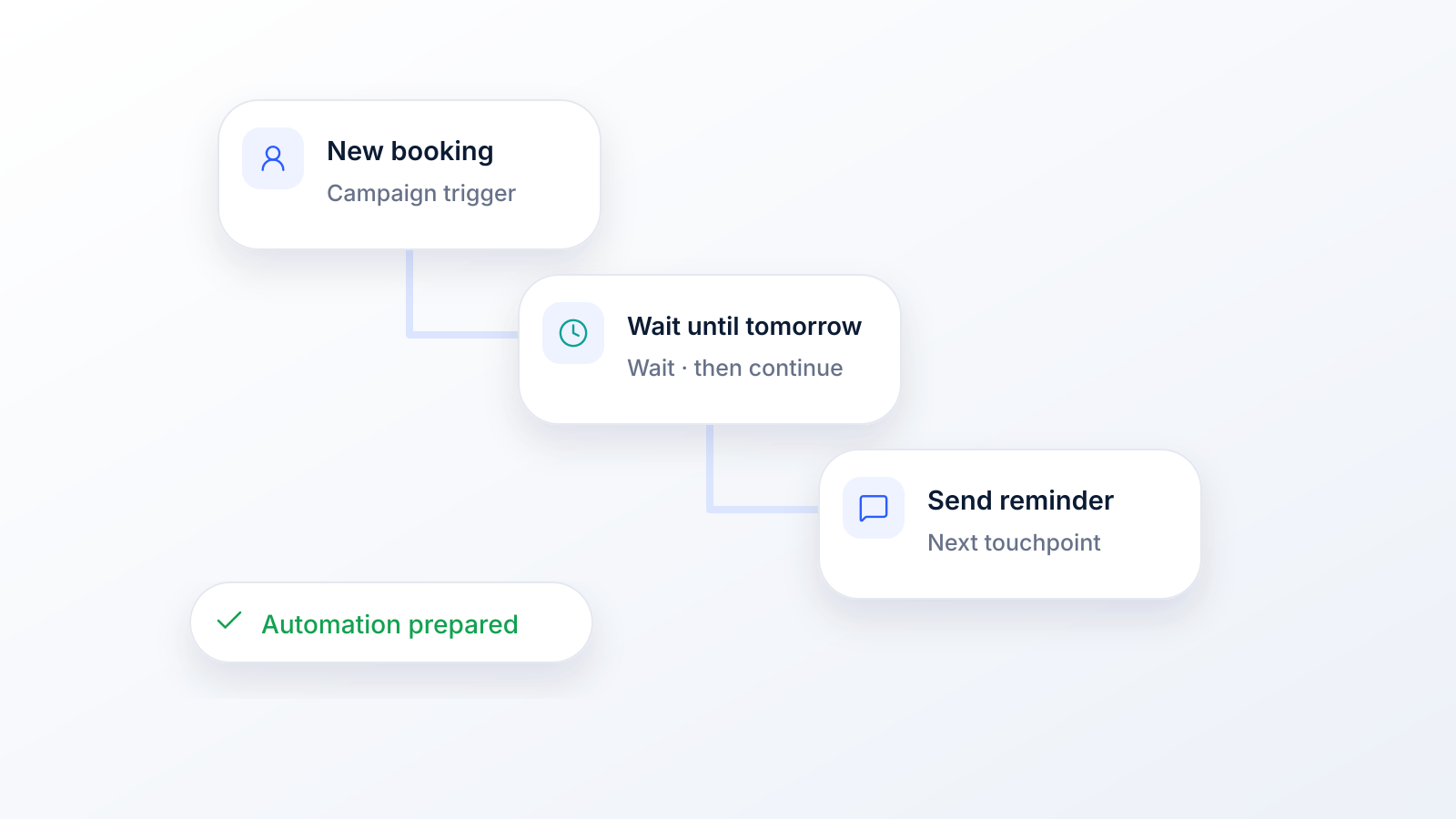
When you break it down, sending automated texts is pretty straightforward. You pick a platform, decide on a trigger (like a new customer signing up), write out your message sequence, and hit "go." It’s a simple concept that lets you connect with people at just the right moment, without you having to lift a finger every time.
Below you will find the steps in order, the rules that apply in the US, and what your own phone can and cannot do.
How to Send Automated Texts, Step by Step
Whatever you automate, from a welcome series to appointment reminders, the setup follows the same 7 steps. The rules column covers the US; other countries have their own consent rules.
| Step | What to do | Rule or limit | Source |
|---|---|---|---|
| 1. Pick the tool | For one message, your phone can schedule it. For texts that go to many customers on a trigger, use a texting platform with sequences, merge tags and opt-out handling. | Phone scheduling works one conversation at a time | Apple Support; Google Messages Help |
| 2. Get a registered business number | Use a local (10DLC) number registered for your brand and campaign, a verified toll-free number, or a short code. | Unregistered 10DLC traffic is blocked across the industry since February 1, 2025; toll-free numbers need verification | Bandwidth 10DLC FAQ; Twilio |
| 3. Collect the right consent | Informational texts (reminders, order updates) need prior express consent. Marketing texts need prior express written consent, which must say that agreeing is not a condition of purchase. | Electronic signatures count, for example a web form checkbox or a keyword text | 47 CFR 64.1200(a), (f)(9) |
| 4. Choose the trigger | A new sign-up, a keyword texted in, a booking, an abandoned cart, a purchase or a date. | Match each trigger to one goal | See the trigger table below |
| 5. Write the sequence | Keep each text short, name your business, personalize with merge tags and say how to opt out (for example "Reply STOP to unsubscribe"). | One SMS holds 160 plain characters, or 70 if it contains an emoji or special characters | Twilio; CTIA |
| 6. Test, then launch | Send every message to yourself: check merge tags, links and that STOP works. | Opt-outs by any reasonable method must be honored within 10 business days; one confirmation text is allowed | 47 CFR 64.1200(a)(10), (a)(12) |
| 7. Send at the right time and measure | Track clicks, replies, conversions and opt-outs, and adjust one thing at a time. | Marketing texts: not before 8 a.m. or after 9 p.m. in the recipient's time zone; some states are stricter | 47 CFR 64.1200(c)(1) |
The sections below go deeper into each step: designing triggers and sequences, consent and opt-outs, testing and measuring, and connecting your other tools.
Automated Texts From Your Own Phone (iPhone and Android)
Many people searching for automated texts just want to send one message later, to a friend or a single client. Your phone can do that without extra software:
| Option | How | Limits | Source |
|---|---|---|---|
| iPhone: Send Later | In Messages, tap the plus button, choose Send Later, pick a date and time, then send | Up to 14 days ahead; iMessage only | Apple Support |
| iPhone: Shortcuts automations | In the Shortcuts app, tap Automation and choose a trigger such as Time of Day | Some automations ask before running unless you allow them to run immediately | Apple Support |
| Android: Google Messages | Type the message, touch and hold Send, pick a date and time, tap Send | Android 7.0 and up; if the phone is offline, it sends when it reconnects | Google Messages Help |
Third-party scheduling apps add recurring messages and auto-send (some use iOS Shortcuts for it); we compare them in our guide to the best scheduled text message apps. To answer incoming texts automatically, see our guide to auto SMS replies.
Phones stop working for business once you text many people: each message is set up by hand, and consumer services are not built for bulk sends. Google, for example, says Google Voice messaging "is not intended for bulk messaging, which can result in messages being reported as spam and blocked" (Google Voice Help).
Why Automated Texting Is a Game Changer
Let's get past the nuts and bolts and talk about what this really means for your business. This isn't just about blasting out messages. It’s about creating conversations that feel timely and relevant, pushing people to take action.
Think of it as the difference between a generic flyer and a personalized note that lands on someone's desk at the exact moment they need it.
With smart automation, you can connect with customers at critical points in their journey. For example, what happens when someone leaves a full shopping cart behind? A perfectly timed text with a small discount can be the gentle nudge they need to finish the purchase. That’s how you turn a potentially lost sale into actual revenue.
From Simple Alerts to Smart Conversations
Automated texting has come a long way. The very first SMS was sent on December 3, 1992, a simple "Merry Christmas" test message from a Vodafone engineer in the UK (BBC). Since then, it has grown into a massive marketing force.
Texting is part of daily life: Americans exchanged nearly 2.2 trillion SMS and MMS messages in 2024, according to the CTIA 2025 Annual Survey. At the same time, automation tools have become far more powerful, doing things that would have seemed impossible just a few years ago.
This explosive growth is happening for a reason: texting gets results that other channels can only dream of.
- It's Instant: Your message gets read almost immediately, cutting through the noise of a packed email inbox.
- Engagement is High: Most people check their texts throughout the day, and a text that matters to them (a reminder, an order update, an offer they asked for) tends to get read and answered.
- You Can Get Personal: Automation lets you tailor messages based on what a person actually does, making your communication feel way more human.
- It's Efficient: Your team is freed up from sending the same message over and over, letting them focus on bigger things.
The real magic of automated texting is how it turns one-way announcements into genuine two-way conversations. You’re not just broadcasting; you’re building relationships at scale, one perfectly timed, relevant message at a time.
Ultimately, figuring out how to send automated texts is about more than just saving a few hours. It’s about creating a system that nurtures your customer relationships, builds loyalty, and directly impacts your bottom line.
Designing Your First Automated SMS Campaign
Alright, you've seen what automated texting can do. Now it's time to roll up your sleeves and actually build your first campaign. A winning strategy isn't just about the messages you fire off; it's about the entire customer journey you're creating. This means doing a bit of planning, writing some thoughtful messages, and having a crystal-clear idea of what you want to accomplish.
The whole thing really boils down to three key stages: figuring out your goals and triggers, building out your message sequences, and then finally, launching the campaign.
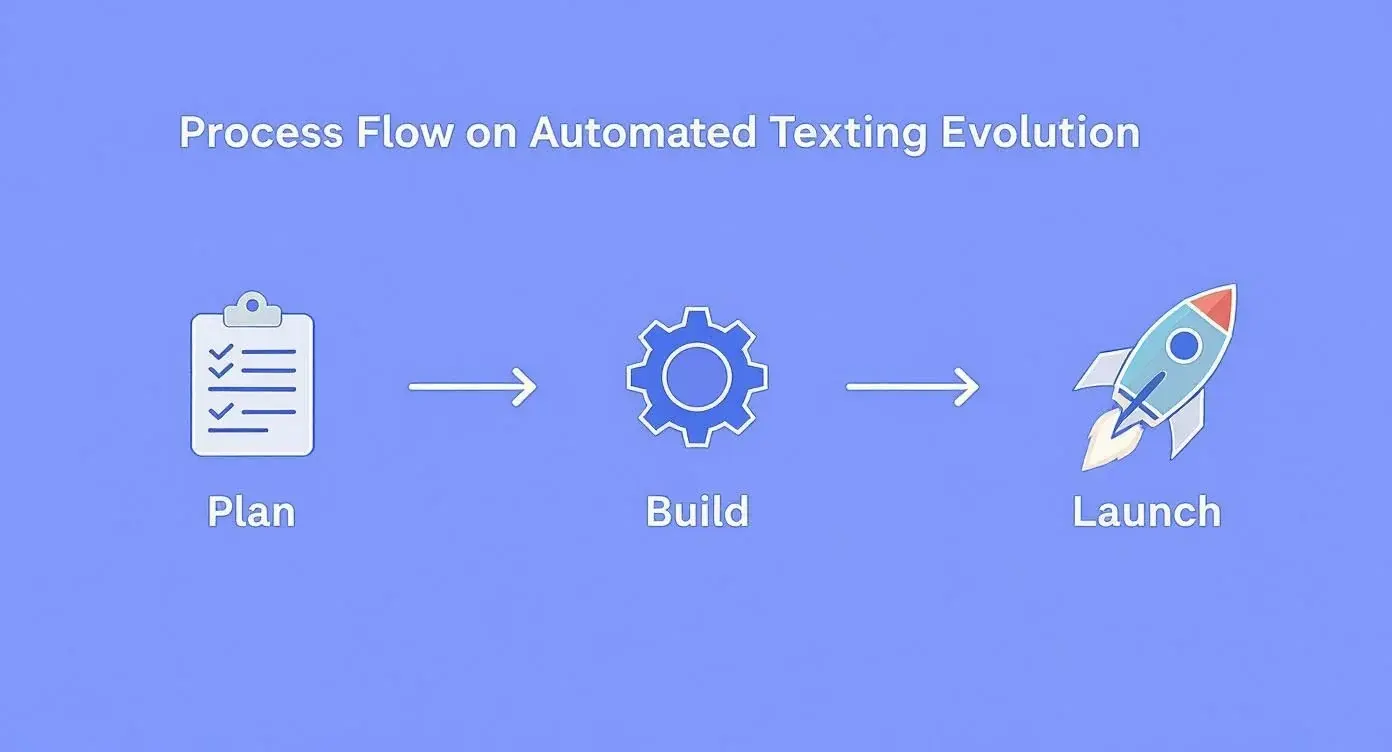
As you can see, a great automated campaign is a deliberate process. It's about moving from a smart strategy to a flawless execution, not just sending random texts.
Identifying the Perfect Trigger
Every automated SMS campaign kicks off with a trigger. Think of a trigger as the specific action or event that starts your automated message sequence. Nailing this is critical because it ensures your message shows up at the most relevant, high-impact moment possible.
Instead of just blasting out generic updates, triggers let you respond directly to what a customer is doing. This flips the script from a one-way monologue to a timely, helpful conversation.
The trick is to find those key moments in the customer lifecycle where an automated message can remove a point of friction, answer a burning question, or just provide a little extra value, all without you having to lift a finger.
So, what are some of the most effective triggers we see people using? Here’s a quick breakdown of the most common ones and how they work in the real world.
Common Triggers for Automated SMS Campaigns
| Trigger Event | Business Use Case | Example Message | Consent usually needed (US) |
|---|---|---|---|
| New Subscriber Sign-Up | Welcome & Onboarding | "Hey [FirstName]! Welcome to the club. So glad you're here. Use code WELCOME15 for 15% off your first order." | Marketing: prior express written consent (the welcome text carries an offer) |
| Abandoned Shopping Cart | E-commerce Sales Recovery | "Looks like you left something behind, [FirstName]! Your cart is waiting for you. Finish your order now before it sells out: [Link]" | Marketing: prior express written consent |
| Appointment Booking | Confirmation & Reminders | "Confirmed! Your appointment with Dr. Smith is on Tuesday, June 25th at 10 AM. See you then!" | Informational: prior express consent |
| Keyword Texted In | Lead Generation & Info Request | "Thanks for your interest in our real estate listings! What type of property are you looking for? (e.g., 3-bed house, 2-bed condo)" | The person texted you first; any marketing that follows needs written consent |
| Post-Purchase Follow-Up | Customer Feedback & Reviews | "Hi [FirstName], thanks for your recent order! How was your experience? Reply with a number from 1-5 (5 being amazing!)." | Informational if there is no offer; with an offer, treat it as marketing |
By matching the right trigger to the right moment, you create a system that feels incredibly personal and responsive, even though it's completely automated.
For the keyword trigger, see how express written consent works when someone texts a keyword to join a list; for booking triggers, our guide to automated text message reminders covers timing and templates.
Crafting Messages That Connect
Once you’ve locked in your trigger, it's time to write the messages. SMS is a personal, direct channel, and your copy needs to match that vibe. Keep it concise, clear, and conversational.
Write for the Small Screen
Let's be real: attention spans are short, and phone screens are small. You have to get straight to the point.
- Lead with the good stuff: Put the most important info right at the beginning.
- Keep it simple: Ditch the corporate jargon and overly formal language. Write like you talk.
- Be brief: Try to stay under 160 characters so your message isn't split into two. That limit is for plain text: one emoji or special character drops it to 70 (Twilio).
Personalize for Impact
Generic, faceless messages are easy to ignore. Using personalization tags like [FirstName] makes your text feel like it was written just for that one person. A simple "Hi [FirstName]," is so much more engaging than a cold, robotic message. It’s a small detail that makes the interaction feel one-on-one.
Create a Natural Message Flow
Your automated campaign shouldn't be a one-and-done message. It should be a sequence: a conversation that unfolds over a bit of time. These sequences, often called drip campaigns or SMS autoresponders, are designed to guide the user on a specific journey.
For instance, a welcome flow for a new subscriber might look something like this:
- Day 1 (Immediate): "Welcome! Here’s your 15% off code."
- Day 2: "Quick tip: Did you know we offer free shipping on all orders over $50?"
- Day 3: "Here's a link to our best-sellers, handpicked for new members like you."
This approach builds the relationship without spamming or overwhelming the new subscriber. If you want to dive deeper into setting up these kinds of sequences, check out how powerful SMS autoresponders can manage all the scheduling and logic for you.
By carefully choosing your triggers and crafting thoughtful message flows, you'll build an automated system that doesn't just save you time; it builds stronger and more profitable relationships with your customers.
Staying Compliant and Building Customer Trust
Diving into automated SMS comes with a few ground rules, and knowing them isn't optional. Getting this part wrong can land you in hot water with some hefty fines, but just as important, it can wreck the relationship you have with your audience. Think of compliance less like a hurdle and more like the foundation for building real, lasting customer trust.
A subscriber who trusts you is infinitely more valuable than one who feels spammed. When people know you respect their inbox and their privacy, they're way more likely to actually read your messages and stick with your brand. It's all about being effective and ethical.
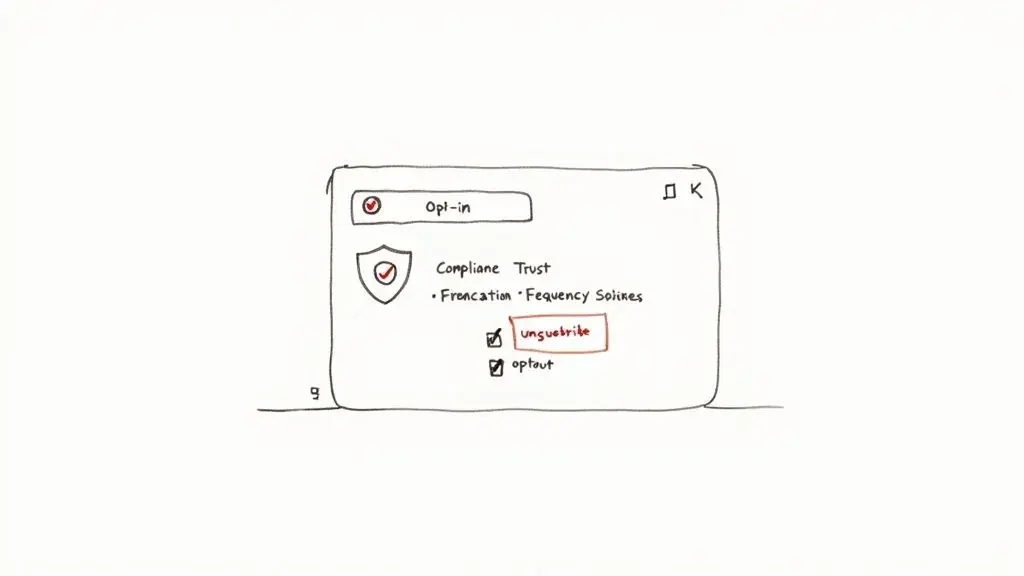
The Golden Rule of SMS Consent
Let’s get straight to the point: the single most critical piece of sending automated texts is getting permission first. This isn't just a friendly suggestion; it's a legal requirement under the Telephone Consumer Protection Act (TCPA) rules in the United States. Automated texts to cell phones need the person's prior express consent, and marketing texts need prior express written consent (47 CFR 64.1200). Keep a record of when and how each person agreed.
So, what does "clear consent" actually look like in the real world?
- Express Written Consent: This is the gold standard. It means someone has knowingly agreed to get automated texts from you. This usually happens when they text a keyword to your number or check an unticked box on a web form.
- No Gray Areas: Your sign-up language needs to be crystal clear. Something like, "By checking this box, you agree to receive automated marketing text messages from [Your Brand] at the number provided. Consent is not a condition of purchase. Reply STOP to unsubscribe," leaves zero room for confusion. The FCC rule requires the "not a condition of purchase" part for written consent, and an electronic signature such as a checkbox counts (47 CFR 64.1200(f)(9)).
Just because you have a customer's phone number from a past purchase doesn't mean you can start blasting them with marketing texts. That's a huge no-no. You need their specific thumbs-up for that type of communication. This upfront clarity is what keeps you out of trouble and ensures you're only talking to people who actually want to hear from you.
Making Opt-Outs Simple and Obvious
Just as important as getting permission to text is making it dead simple for people to take it back. Every automated marketing message should tell subscribers how to opt out; carrier guidance (the CTIA Messaging Principles) asks for it, and FCC rules require you to honor an opt-out made by any reasonable method within 10 business days.
The universal method is honoring keywords like STOP, END, CANCEL, UNSUBSCRIBE, and QUIT; the FCC rule also lists "revoke" and "opt out". When someone sends one of those words, your system must remove them from that list. You may send one final confirmation text, and nothing after it (47 CFR 64.1200(a)(12)).
Your opt-out instructions shouldn't be buried in the fine print or require a treasure map to find. A simple "Reply STOP to unsubscribe" at the end of your texts is standard practice. It shows you respect that the user is in control.
Failing to process an opt-out request is a serious violation. It shatters trust in an instant and can lead to major legal headaches. For a deeper dive into responsible messaging, you can check out a detailed anti-spam policy to guide your strategy.
Building Trust Beyond the Law
While the legal stuff sets the minimum bar, building genuine trust means going the extra mile. It’s about treating your subscribers' phone numbers with the same respect you'd want for your own. That boils down to being transparent and predictable.
Here are a few best practices that build that kind of confidence:
- Set Clear Expectations: When someone signs up, tell them what they’re getting into. How often will you text? What kind of stuff will you send? Let them know from the jump.
- Provide Value, Not Just Pitches: Make your messages genuinely useful. Think exclusive discounts, helpful reminders, or early access, not just a constant stream of "BUY NOW!"
- Respect Quiet Hours: Never send automated marketing texts late at night or super early in the morning. Federal rules bar telephone solicitations before 8 a.m. or after 9 p.m. in the recipient's local time (47 CFR 64.1200(c)(1)), and some states set stricter hours. Stick to reasonable business hours based on your subscribers' time zones.
At the end of the day, every text you send is a chance to either strengthen or weaken your customer relationships. By making consent a priority, respecting opt-outs, and communicating like a human, you'll build a program that sidesteps legal trouble and grows a loyal, engaged audience.
Getting Your Campaigns Live and Optimized
You've done the hard work of designing your campaign, writing your messages, and making sure you're compliant. Awesome. Now it's time to actually launch this thing.
But hold on. Going live isn't just about flipping a switch. It’s more like a pilot's pre-flight check. A few minutes of careful testing right now can save you from embarrassing mistakes and make sure your campaign starts off on the right foot. You want a seamless experience for your customers, and this is how you deliver it.
Your Pre-Flight Checklist Before Hitting 'Send'
Before any automated campaign goes live, run through a quick but essential checklist. This simple process catches the common (and often painful) errors that can sink an otherwise great campaign, like broken links or personalization tags that fail to pull in a customer's name.
Here's what to check:
- Test Every Single Personalization Tag: Send a test message to yourself or someone on your team. Does
[FirstName]actually show up as "John," or does it literally say[FirstName]? Broken tags are a dead giveaway that a message is automated and just feels sloppy. - Click Every Link: Seriously, click every single one. Do they go to the right landing page? Are they being tracked correctly for your analytics? A broken link is a completely wasted opportunity for a sale.
- Verify Your Opt-Out Works: Text "STOP" to your number. Does it work instantly? Do you get a confirmation message? This isn't just a best practice; it's a legal requirement that protects you and respects your subscribers.
- Give it One Last Proofread: Read every message out loud. It's amazing what you'll catch. Hunt down typos, grammar mistakes, and any phrasing that just sounds a bit off. Make sure the tone is spot-on for your brand.
Knocking out this checklist ensures a smooth launch and helps you look professional from that very first text.
Measuring What Truly Matters
Once your campaign is humming along, the real work starts. Sending messages is the easy part. Understanding their impact is what separates the campaigns that fizzle out from the ones that become serious growth drivers.
Don't get lost in a sea of data. Just focus on the Key Performance Indicators (KPIs) that tell you if your strategy is actually working.
Here are the big three to watch:
| Metric | What It Tells You | Why It Matters |
|---|---|---|
| Click-Through Rate (CTR) | The percentage of people who clicked a link in your text. | This is your gut check for how compelling your message is. A low CTR often means your offer isn't strong enough or the call to action is weak. |
| Conversion Rate | The percentage of people who actually did the thing you wanted them to do (like make a purchase). | This is the ultimate success metric. It ties your SMS efforts directly to real business goals, like revenue or new leads. |
| Unsubscribe Rate | The percentage of people who opted out after getting a message. | A high unsubscribe rate is a huge red flag. It’s a sign your content isn't relevant, you're texting too often, or you're just not providing value. |
These metrics tell the story of your campaign’s performance, showing you exactly where you need to tweak things.
You may see claims of "98% open rates" for SMS. Treat them with care: plain SMS has no open tracking (Apple, for example, lists read receipts only for iMessage and RCS, Apple Support), so the numbers you can trust are the ones in the table above: clicks, replies, conversions and opt-outs from your own campaigns. Compare them month over month and against your email results.
The Power of A/B Testing Your Texts
To truly dial in your performance, you have to experiment. A/B testing (or split testing) is just a fancy way of saying you send two slightly different versions of a message to see which one performs better. It’s a simple, data-driven approach that takes all the guesswork out of your strategy.
You can test pretty much anything:
- Message Copy: Try a direct offer ("20% off today") against one that adds a little urgency ("20% off, ends tonight!").
- Call to Action (CTA): Pit "Shop Now" against "See the Deals" to see which phrase gets more clicks.
- Send Times: Does your audience respond better at 10 AM or 5 PM? Send the same message at different times to find out, staying within the 8 a.m. to 9 p.m. window for marketing texts.
- Offers: Test a percentage discount (20% off) against a flat dollar amount ($15 off). Different audiences respond to different incentives.
A simple rule: start small with your tests. Only change one thing at a time (like the wording or the CTA) so you know exactly what caused the shift in performance. A bunch of small, consistent improvements adds up over time.
By continuously launching, measuring, and testing, you turn your automated texting from a "set it and forget it" tool into a dynamic growth channel that gets smarter with every single message you send.
Unlock True Power with Integrations
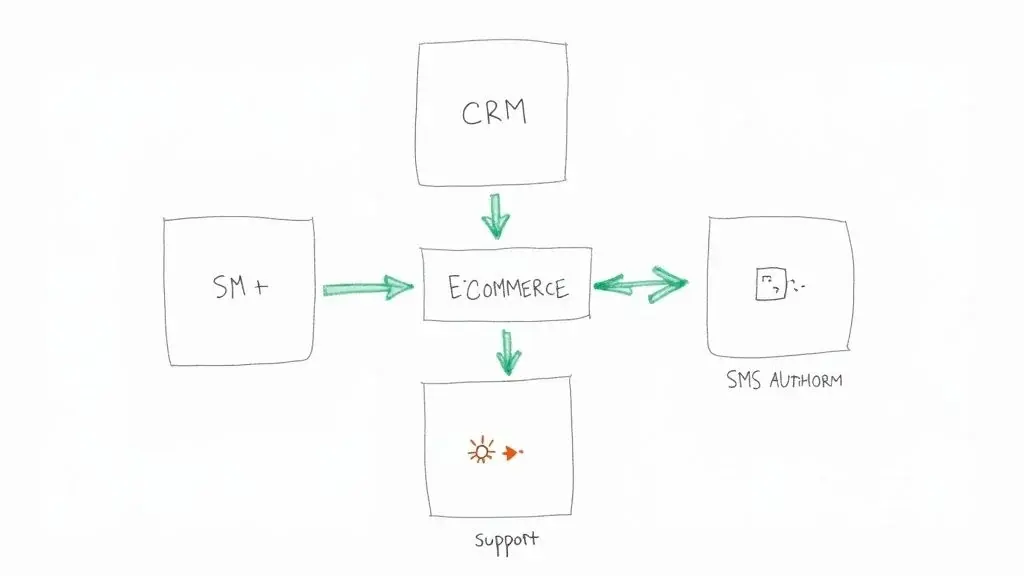
Your automated campaigns are great on their own, but the real magic happens when your texting platform stops being an island. The strongest strategies have one thing in common: they connect SMS with the other tools you use every single day. This creates one cohesive, intelligent system that talks to your customers in real time.
When your systems can talk to each other, you unlock a whole new level of personalization. Imagine your SMS platform knowing the exact moment a customer buys something, gets a support ticket resolved, or even just opens a specific email, and then instantly triggering the perfect text. That's the power we're talking about.
Connect SMS to Your CRM
Your CRM is the heart of your customer data. It knows who your customers are, what they've bought, and their entire history with your brand. By integrating your CRM with your SMS platform, you turn all that static data into dynamic action.
Instead of sending generic blasts, you can trigger incredibly relevant messages based on where a customer is in their journey or what they've purchased in the past. This makes the experience feel like it was crafted just for them.
Here are a few real-world examples:
- Reward Your Best Customers: Set up an automation to send a thank-you text with a special discount the moment a customer's lifetime value crosses a certain dollar amount in your CRM.
- Win Back Lapsed Customers: If a customer hasn't bought anything in 90 days, automatically trigger a friendly "We miss you!" text with an offer to bring them back.
- Personalize the Welcome Experience: Send a series of welcome texts that are tailored to the specific product or service a new customer just signed up for.
This direct line between your CRM and texting tool is what makes every message feel timely and impactful.
Build Custom Workflows with Zapier
What if your tools don't have a direct, built-in integration? No problem. This is where a service like Zapier comes in. Think of Zapier as the universal translator for your apps, letting you connect thousands of different tools without writing a single line of code. It all works on a simple "When this happens, do that" logic.
This completely opens up the possibilities for your text automation. You're no longer stuck with just the triggers your SMS platform offers.
Integrations are like building bridges between your different business tools. A text message can now be the final, crucial step in a workflow that starts on your website, moves through your help desk, and gets logged in your CRM.
For instance, you could build a "Zap" that automatically sends a text whenever:
- A new lead fills out a form on your website.
- A customer's support ticket is marked "resolved."
- Someone registers for your webinar.
- You add a new row with a phone number to a Google Sheet.
The flexibility is almost endless. You can see just how powerful these connections can be by exploring the possibilities of a Zapier integration to automate text messages. Zapier says it connects more than 10,000 apps (Zapier app directory, checked October 19, 2026).
Real-World Integration Scenarios
Let's see how this works in the wild. An e-commerce store could connect its Shopify store to its email and SMS tools. When a customer opens an email about a new product, a Zap could trigger a text message 24 hours later, asking if they have any questions and offering a small discount to nudge them toward a purchase.
A service-based business could connect its Calendly scheduling tool. The moment a client books a meeting, they get an instant confirmation text. Then, 24 hours before the meeting, another automated text goes out as a reminder. Reminders work: a Cochrane review of 8 randomized trials found text reminders raised clinic attendance from 67.8% to 78.6%. For new leads from forms and ads, see how an automated lead follow-up system works.
By integrating your tools, you're not just sending texts; you're building a cohesive, responsive system. This unified approach makes sure you're always delivering the right message at the perfect moment, creating an experience that builds loyalty and drives real growth.
Common Questions About Sending Automated Texts
Jumping into automated texting can bring up a lot of questions. From picking the right tools to figuring out costs and timing your messages just right, there are a lot of moving parts.
This section is designed to cut through the noise and give you clear, straightforward answers to the most common questions.
What Is the Best Software for Sending Automated Texts?
The honest answer? There’s no single "best" software for everyone. It really boils down to what you need to get done. The perfect platform for a local dentist sending appointment reminders is going to look totally different from what a big e-commerce brand needs for its marketing campaigns.
Instead of hunting for one magical platform, start by defining your main goal.
- Is it all about marketing? You’ll want a tool that plays nice with your CRM, lets you create really specific audience segments, and has solid analytics to track every click and conversion.
- Is it for customer support? Look for features like shared inboxes so your team can collaborate, auto-replies for after-hours, and integrations with your help desk software.
- Is it purely for logistics? If you're sending delivery updates or appointment reminders, a simple, reliable platform with dead-simple scheduling is probably all you need.
Once you know what you’re solving for, you can compare features and pricing. Most importantly, always take the free trial for a spin. You need to feel comfortable with the user interface and workflow before you commit.
How Much Does It Cost to Send Automated Text Messages?
The cost can vary quite a bit, depending on the provider, your message volume, and the type of messages you're sending. Most services use either a monthly subscription model (which includes a set number of messages) or a pay-as-you-go plan where you buy message credits upfront.
A key thing to remember is that MMS messages (the ones with pictures, GIFs, or videos) usually cost more than a standard SMS, and a long or emoji-filled SMS can count as several messages. When you’re looking at pricing, keep an eye out for any hidden fees, like charges for a dedicated phone number, number registration or setup costs.
The real question isn't just about the cost, but the return. When a single campaign recovers abandoned carts or cuts no-shows, the service can pay for itself quickly. Measure your own before-and-after numbers to know for sure.
Can I Send Automated Texts from My Personal Phone Number?
While there are apps that might let you do this, you absolutely should not use your personal number for business texting. It’s unprofessional, impossible to scale, and opens you up to serious legal trouble with regulations like the TCPA. It’s just not worth the risk.
Professional platforms are built to handle these challenges. They use approved business numbers (like short codes or registered 10DLC numbers) and give you all the tools you need for managing consent, tracking results, and handling opt-outs legally. Using a dedicated business line keeps everything separate and protects both you and your customers. Consumer services say the same: Google Voice messaging "is not intended for bulk messaging" (Google Voice Help).
What Are the Best Times to Send Automated Marketing Texts?
Respecting your customer's time is everything. Get this wrong, and you’ll lose subscribers fast. As a general rule, stick to normal waking hours, somewhere between 9 AM and 8 PM in the recipient's local time zone. That sits inside the federal limit for marketing texts (no earlier than 8 a.m. or later than 9 p.m. local time, 47 CFR 64.1200(c)(1)), and some states are stricter. A text at 6 AM or 11 PM is a guaranteed way to get an opt-out.
The "best" time, however, really depends on what your message is about.
- Flash sale or limited-time offer? Mid-afternoon on a weekday can be perfect for catching people during a mental break from work.
- Appointment reminder? A common choice is 24 hours in advance, often with a confirmation at booking. Test what works for your customers.
- Promoting a weekend event? Sending a text on Thursday or Friday afternoon works wonders as people start locking in their weekend plans.
Ultimately, the only way to know for sure is to test. Send campaigns at different times, watch your engagement data like a hawk, and let the results (not just guesswork) guide your timing.
How do I send someone an automated message?
For one person, schedule it on your phone: on iPhone, tap the plus button in Messages and choose Send Later (iMessage, up to 14 days ahead); on Android, touch and hold Send in Google Messages and pick a time. For customers, set a trigger in a texting platform so the message goes out on its own when someone signs up, books or buys. See the step-by-step table above.
How do I create an automatic text message?
Write the message once, add merge tags such as the first name, and attach it to a trigger or a schedule: a keyword someone texts in, a form sign-up, a booking, a date, or a fixed delay after the previous message. For replies to incoming texts, an auto-reply does the same job; our guide to auto SMS replies has examples.
How do I get automated text messages from a business?
You opt in. Businesses can only send automated texts to people who agreed: you usually text a keyword (like JOIN) to their number or tick a box on a form. You can stop them at any time by replying STOP, and under FCC rules the business must honor it within 10 business days.
Are automated text messages legal?
Yes, with consent. In the US, automated texts to cell phones need prior express consent, marketing texts need prior express written consent, and opt-outs must be honored (47 CFR 64.1200). Your number also has to be registered (10DLC) or verified (toll-free) before carriers deliver your texts. This is general information, not legal advice.
Ready to create seamless, multi-channel automated campaigns that drive real results? Broadcast provides all the tools you need, from SMS and voice broadcasting to advanced drip campaigns and Zapier integrations, to connect with your audience at the perfect moment. Start your free trial today and see how easy compliant, high-impact outreach can be.


