
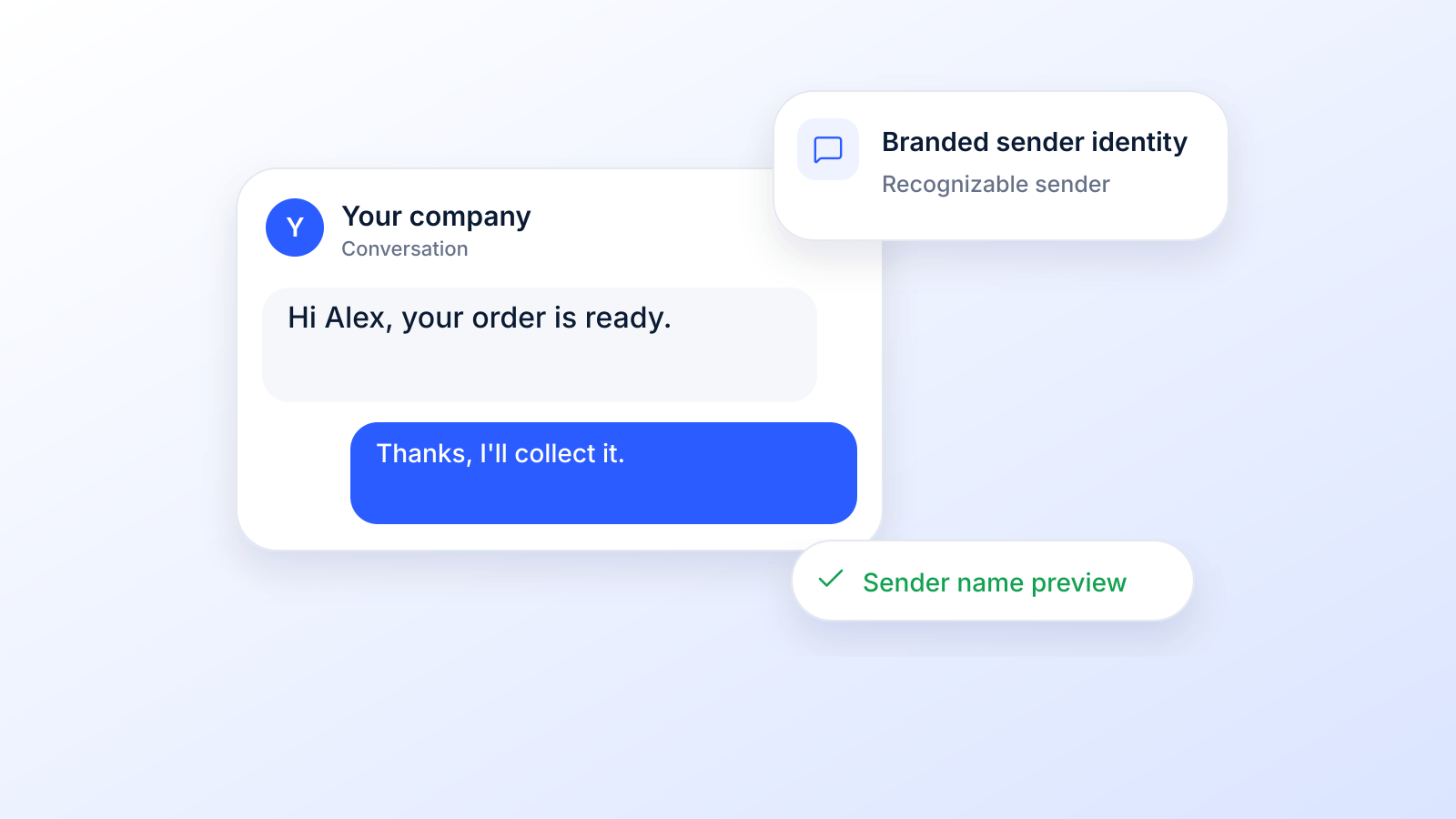
You send a text campaign. The offer is solid. The timing is right. Then the message lands on a customer's phone from a random number they don't recognize, and it gets ignored with every other unknown text.
That's the problem most businesses are trying to fix when they search for how to send SMS online with company name. They don't just want to send a message. They want the message to look legitimate the second it appears on the lock screen.
Using your business name as the sender can do that. But its practical application is more complicated than most guides admit. Carrier rules vary by country. Some markets require registration. Some don't support alphanumeric sender IDs the way people expect. And if your campaign needs replies, a branded sender name can create as many workflow issues as it solves unless you plan the fallback path up front.
Why Your Business Needs a Recognizable SMS Sender Name
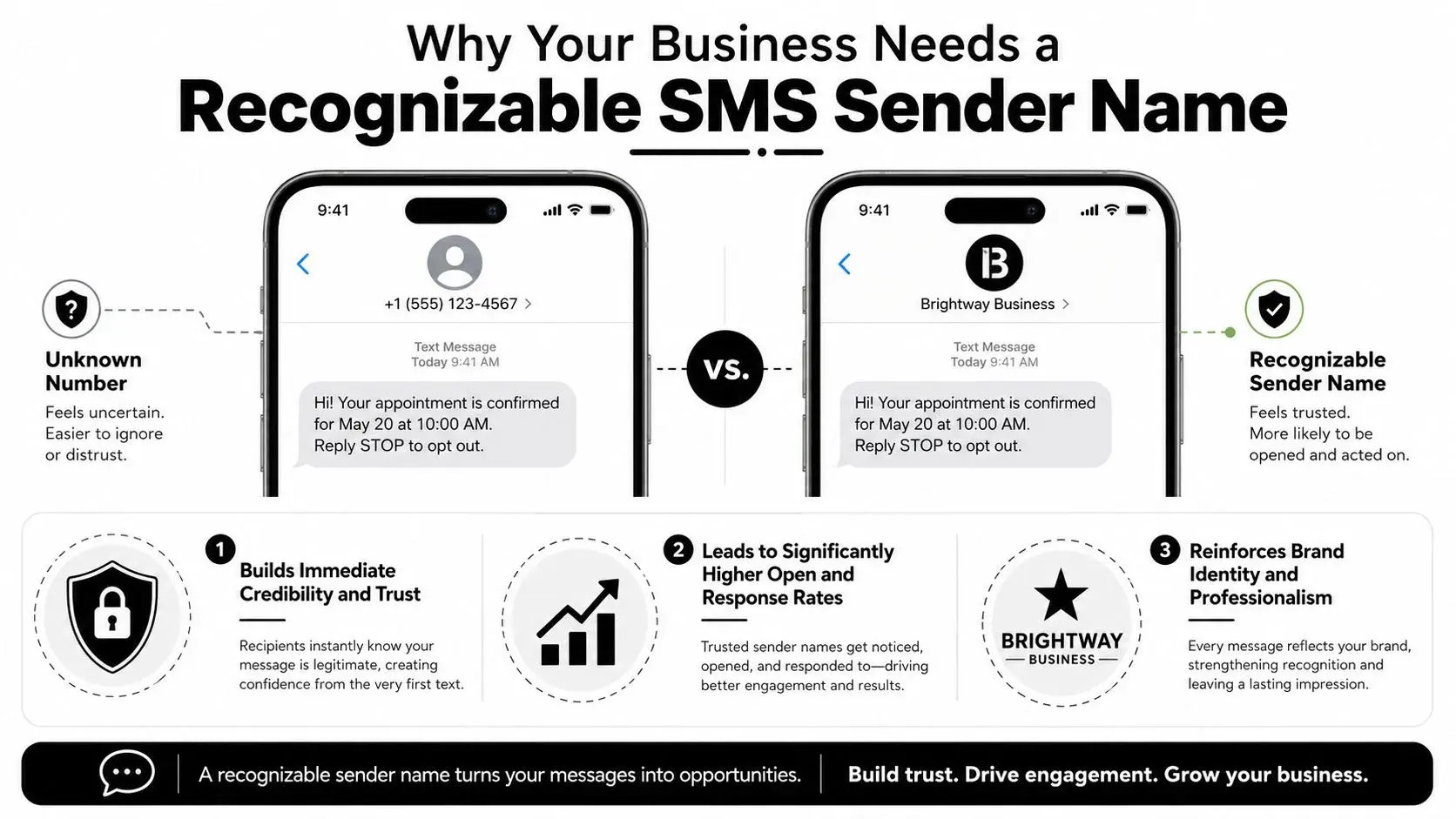
A recognizable sender name changes the first impression of your text before the customer reads a single word. Instead of seeing an unfamiliar number, they see your brand. That matters because trust in SMS is decided fast.
Marketing statistics compiled by Emarsys from vendor sources (Sender, Validity, SimpleTexting, Business.com and Attentive, so treat them as directional) show that SMS messages have a 98% open rate, 90% are read within three minutes, 77% receive a response within 10 minutes, and SMS campaigns achieve a 45% response rate versus 6% for email, with an average click-through rate of 18% for SMS compared with 2.5% for email. The same source also notes that 68% of consumers have spent over $50 on a single item through text messaging (Emarsys SMS marketing statistics).
Why the sender name changes behavior
When businesses send SMS online with company name, they reduce the friction that comes from “Who is this?” That's especially important for reminders, promotions, order updates, event alerts, and customer follow-up where recognition drives action.
A branded sender name also gives your outbound SMS a cleaner, more professional look. For many organizations, that's the difference between appearing established and appearing risky.
Practical rule: If the customer has to think about who sent the message, you've already lost momentum.
Where this fits in a broader communication strategy
A sender name isn't a substitute for good messaging. It's the top layer of trust. The underlying campaign still needs a relevant offer, a clean audience, and a clear next step.
That's why smart teams treat branded SMS as one part of a larger outreach mix alongside email, voice, and follow-up workflows. If you're evaluating channel mix, this guide on SMS vs email marketing gives useful context on when SMS fits better than email and when the two should work together.
Choosing Your Sender Identity: Alphanumeric vs Numbers
A common failure point shows up before the first message goes out. A team picks a branded sender name because it looks cleaner, then expects customers to reply, confirm appointments, ask questions, or text STOP. The sender choice was wrong for the job.
Choose the sender identity based on the response path you need.
What each sender type is good at
An alphanumeric sender ID displays a brand name instead of a phone number. In many markets, that sender name has a short character limit and functions as a one-way identity. Twilio describes alphanumeric sender IDs as one-way messaging with a limit of 11 characters (letters, digits and spaces, not digits only) (Twilio). They are not supported for texts to US or Canadian numbers (Twilio US guidelines, Canada guidelines), so a US business sends from a short code, toll-free or 10DLC number and names the brand inside the message.
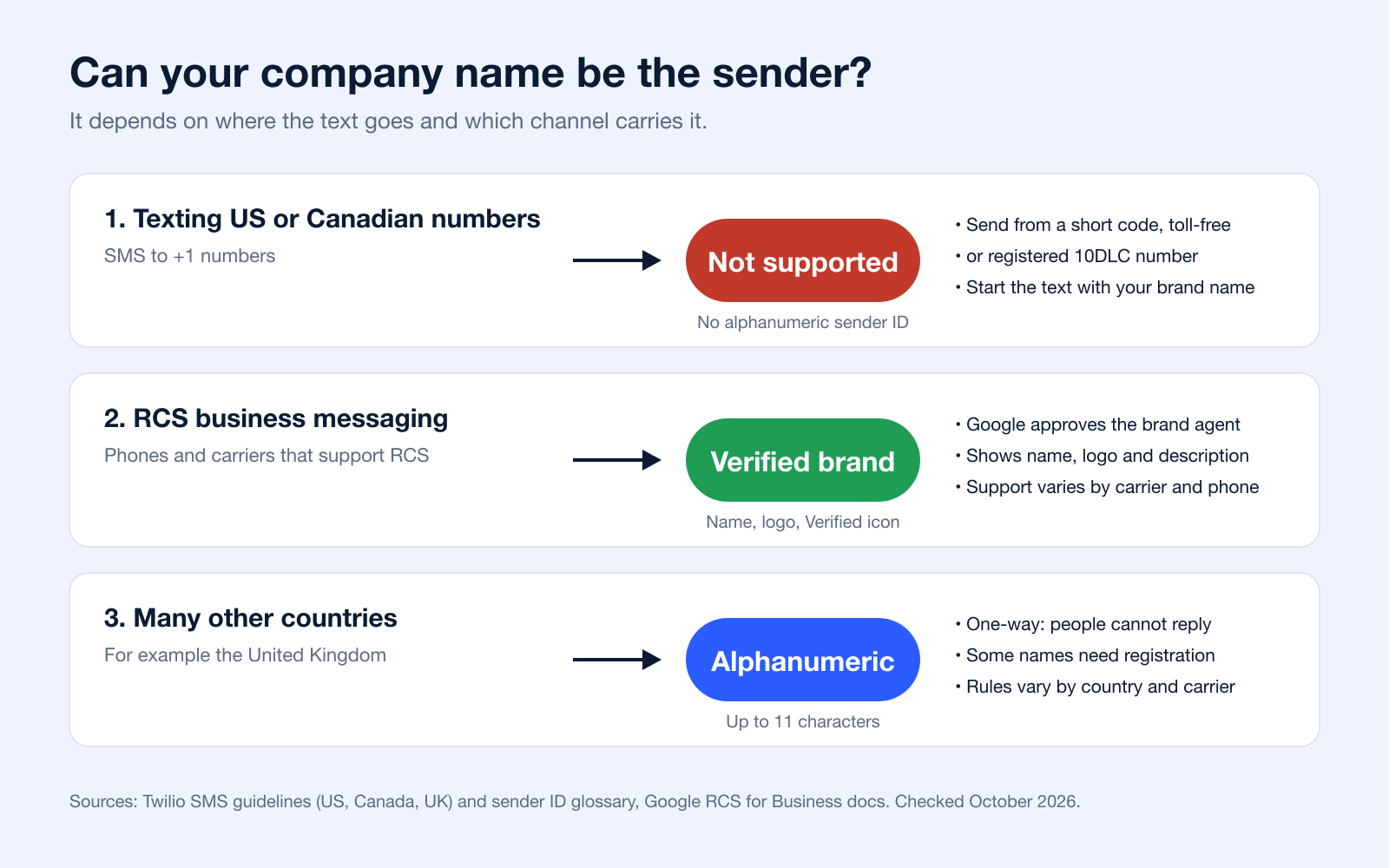
A long code or business number fits campaigns where replies matter. Use it for support, confirmations, lead qualification, reschedules, and any workflow where the customer might answer with more than a click.
A toll-free number usually makes sense when volume is higher but you still want a reply channel. A short code is a better fit for mature programs with consistent throughput, a clear compliance process, and budget for setup.
If your team is sorting out number options, this guide to what a DID number is explains how direct inward dialing fits into a business texting setup.
Sender ID type comparison
| Feature | Alphanumeric ID | 10DLC / Long Code | Toll-Free Number | Short Code |
|---|---|---|---|---|
| Brand visibility | Strong brand display | Moderate | Moderate | Moderate to strong |
| Replies | Usually no direct replies | Yes | Yes | Yes |
| Best use case | Alerts, promos, reminders, outbound notifications | Two-way texting, follow-up, support | Higher-volume two-way outreach | Large-scale messaging programs |
| Setup complexity | Simple in some markets, registration required in others | Registration and use-case compliance matter | Verification matters | Higher setup effort |
| International consistency | Varies by country and carrier; not supported for US or Canadian numbers | Depends on country support | Depends on country support | Limited by program structure |
| Voice capability | No | Often yes | Yes | No |
The trade-off that affects campaign design
Alphanumeric IDs are strong for recognition and weak for conversation. Number-based senders give you a reply path, better opt-out handling, and fewer surprises when a customer tries to engage.
That distinction affects more than SMS formatting. It changes how you build the whole outreach sequence. If the text is meant to drive a quick action, a branded sender can work well. If the text is part of a multi-step follow-up with inbound questions, missed-call callbacks, or ringless voicemail support, use a number so every response has somewhere to go.
This mistake is common in reminder and promo campaigns. The message copy invites a reply, but the sender cannot receive one. Customers text back anyway. The business never sees the response, misses sales or service issues, and creates avoidable compliance risk if opt-out requests are not captured inside the right workflow. CTIA expects senders to honor opt-out requests such as STOP (CTIA Messaging Principles, section 5.1.3).
Build the reply experience first. Then choose the sender identity that can actually support it.
That approach saves rework later. It also keeps your SMS channel aligned with the rest of your communication stack instead of treating branded texting like a cosmetic add-on.
Navigating Global Rules and Carrier Restrictions
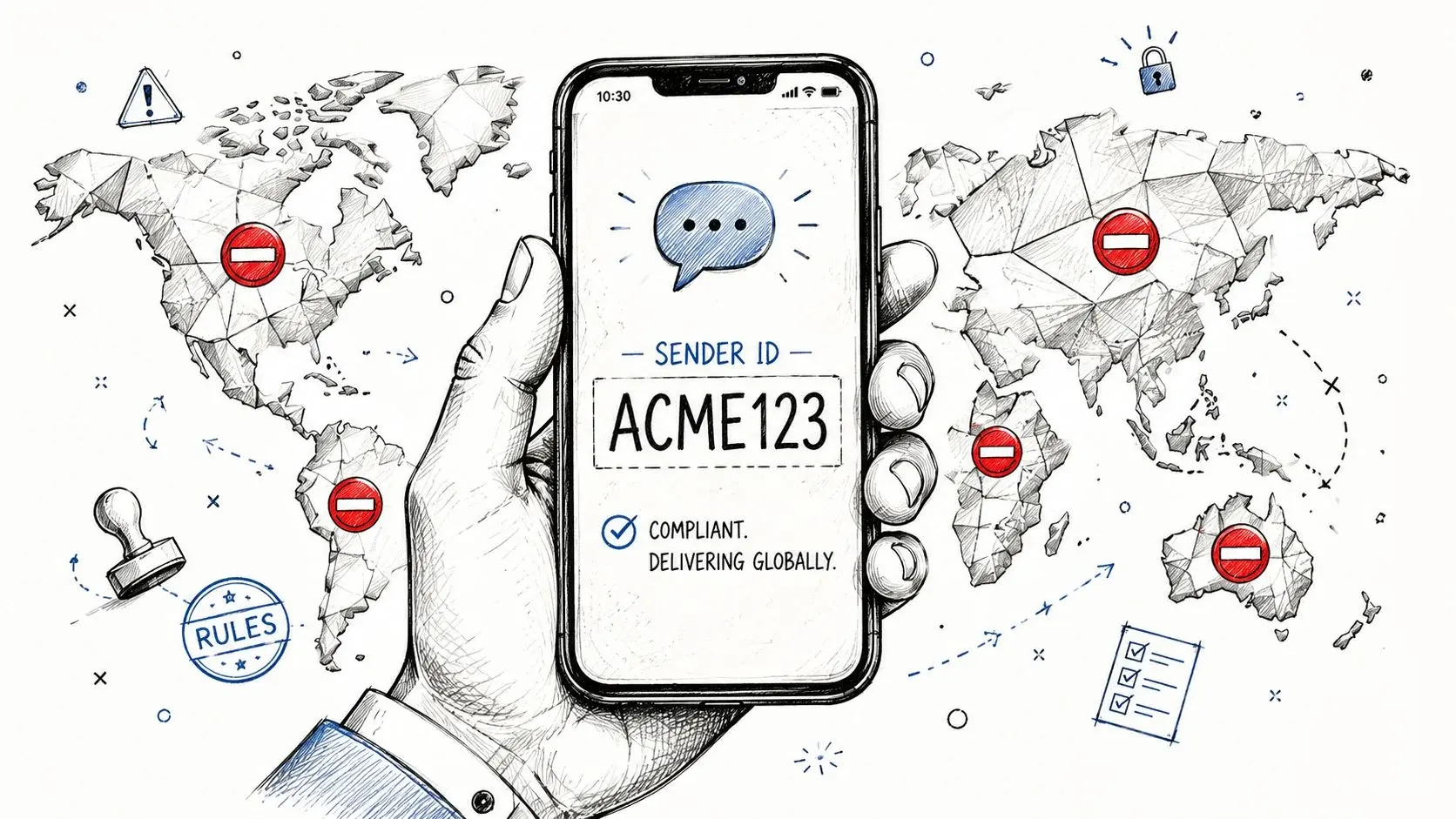
A campaign can look perfect in your dashboard and still fail the moment it crosses a border. The sender name shows in one country, gets replaced in another, and gets blocked entirely on a different route. That is the main problem behind branded SMS.
“Send SMS online with company name” sounds like a display setting. In practice, it is a routing, registration, and compliance decision that affects delivery, reply handling, and customer trust.
Registration is becoming part of the job
Branded sender IDs are now tied to anti-fraud controls in several markets. Australia is a clear example. ACMA says businesses and organisations using branded sender IDs need to work with their telco or messaging provider to register them before 1 July 2026, or messages may appear as “Unverified” and be grouped with other unverified traffic on mobile devices (ACMA sender ID registration requirements).
That changes how teams should plan campaigns. Sender identity is no longer just a branding choice. It affects how carriers classify your traffic and how recipients judge the message before they even read it.
International delivery breaks in predictable ways
The hard part is inconsistency across countries and carriers. Some markets support alphanumeric sender IDs with few barriers. Others require pre-approval, local templates, or a registered brand. Some routes strip the sender name and replace it with a shared code or generic number. Twilio's country-by-country SMS guidance gives a useful reminder that support depends on destination market rules, not on what your platform lets you type into the sender field.
The operational mistakes are also predictable:
- A marketing team launches one global campaign and assumes the same sender will display everywhere.
- A support team sends reminders from a branded sender, then learns customers cannot reply in key markets.
- A US team expects its company name to show as the sender. Alphanumeric sender IDs are not supported for US or Canadian numbers (Twilio), so the brand name has to go in the message itself, and carrier registration of the number matters. If you send in the US, your sender planning should include 10DLC compliance requirements.
This shows up often in reminder programs. A clinic, dealership, or service business sets up branded texts for automatic text reminders, then expands into new countries and discovers the sender identity no longer supports the same workflow. The message still leaves the platform. The customer experience changes, and usually not in a good way.
Build for fallback, not for ideal conditions
The practical fix is simple. Configure the campaign with a branded sender where the route supports it, and pair it with a number-based fallback for markets that require replies, local registration, or stricter carrier controls.
That fallback also matters if SMS is only one part of the outreach sequence. In real programs, text often works alongside email, calls, and ringless voicemail. If the branded sender fails or cannot accept replies, the rest of the sequence needs a working number so inbound questions, opt-outs, and callbacks do not disappear.
A sender strategy that only works under ideal carrier conditions is incomplete. International messaging punishes assumptions fast.
How to Set Up Your Branded SMS Campaign
Most platforms make sender ID setup look like a simple field in a form. The field is easy. However, the key task is choosing the right sender, matching it to the destination market, and making sure the campaign still functions when the sender name isn't available.
Start with the sender and the destination
Before you build the message, confirm three things:
- Where the messages are going
- Whether alphanumeric sender IDs are supported there
- What sender will handle replies if customers need a response path
If your platform supports branded SMS sending, you'll usually add the sender name in account settings or at the campaign level, then submit it for approval if the destination requires registration. After that, choose the sender when you launch the campaign.
If you need a sending interface that supports outbound texting from a browser, send SMS online tools usually let you manage lists, schedule campaigns, personalize content, and track clicks from one place. The platform matters less than whether it supports sender options by market and gives you a fallback number setup.
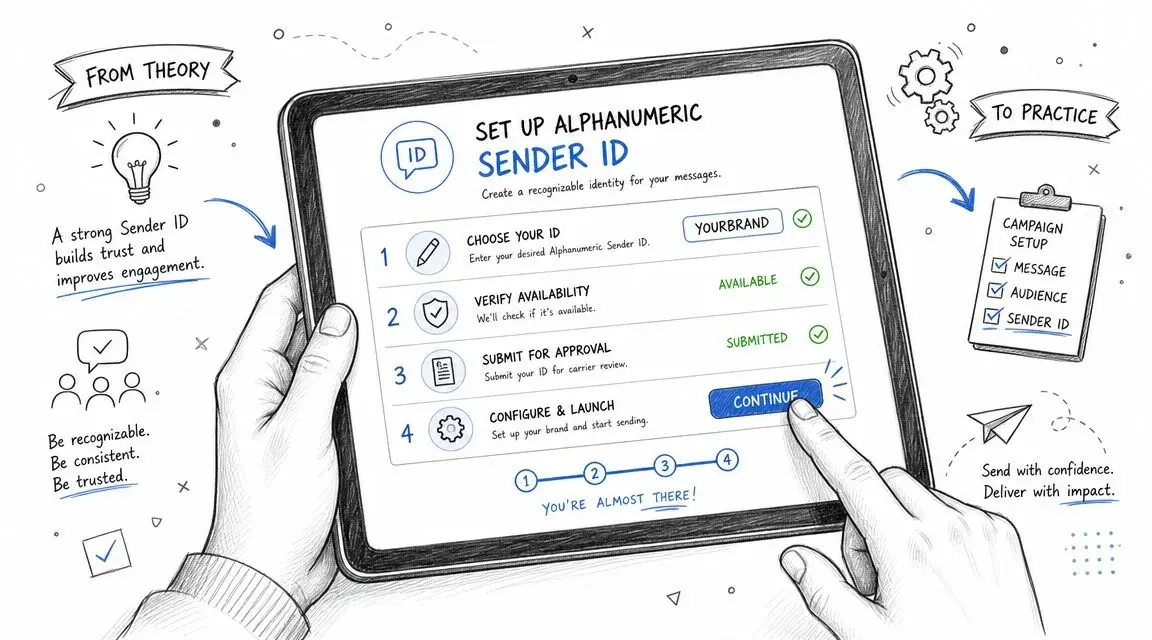
Build the campaign for one-way performance
A branded sender ID is usually strongest in outbound campaigns that don't depend on free-form replies.
Use these tactics:
- Personalize the body: Merge tags for first name, appointment date, location, or account context make the message feel less generic.
- Segment the list: Send one message to active customers, another to leads, another to patients, another to event attendees. Broad blasts underperform when the content is too general.
- Shorten and track links: If the sender can't receive replies, your measurable action is usually the click.
- Schedule by audience context: Promotions, reminders, and follow-ups perform differently based on timing and local habits.
Set the fallback before you hit send
This is the part many teams skip. If the sender name doesn't render in a destination country, what should appear instead? If the customer replies, where should that response go? If the campaign is part of a reminder flow, does the next touch happen by text, voice, or both?
For operational campaigns such as appointments and no-show reduction, examples from automated text message reminders are useful because they show how reminder messaging works best when the contact path is simple and the next action is obvious.
A practical setup often looks like this:
| Campaign type | Primary sender | Fallback | Reply expectation |
|---|---|---|---|
| Promotion | Company-name sender ID | Business number | Low |
| Appointment reminder | Company-name sender ID or business number | Business number | Medium |
| Support update | Business number | Business number | High |
| Event reminder | Company-name sender ID | Business number | Medium |
Keep the workflow realistic
Broadcast is one example of a multi-channel platform that supports SMS outreach with merge tags, segmentation, scheduling, link tracking, validation, and opt-in tools, which is useful when you need branded outbound messaging plus a backup path through voice or ringless voicemail.
That broader workflow matters more than the sender field itself.
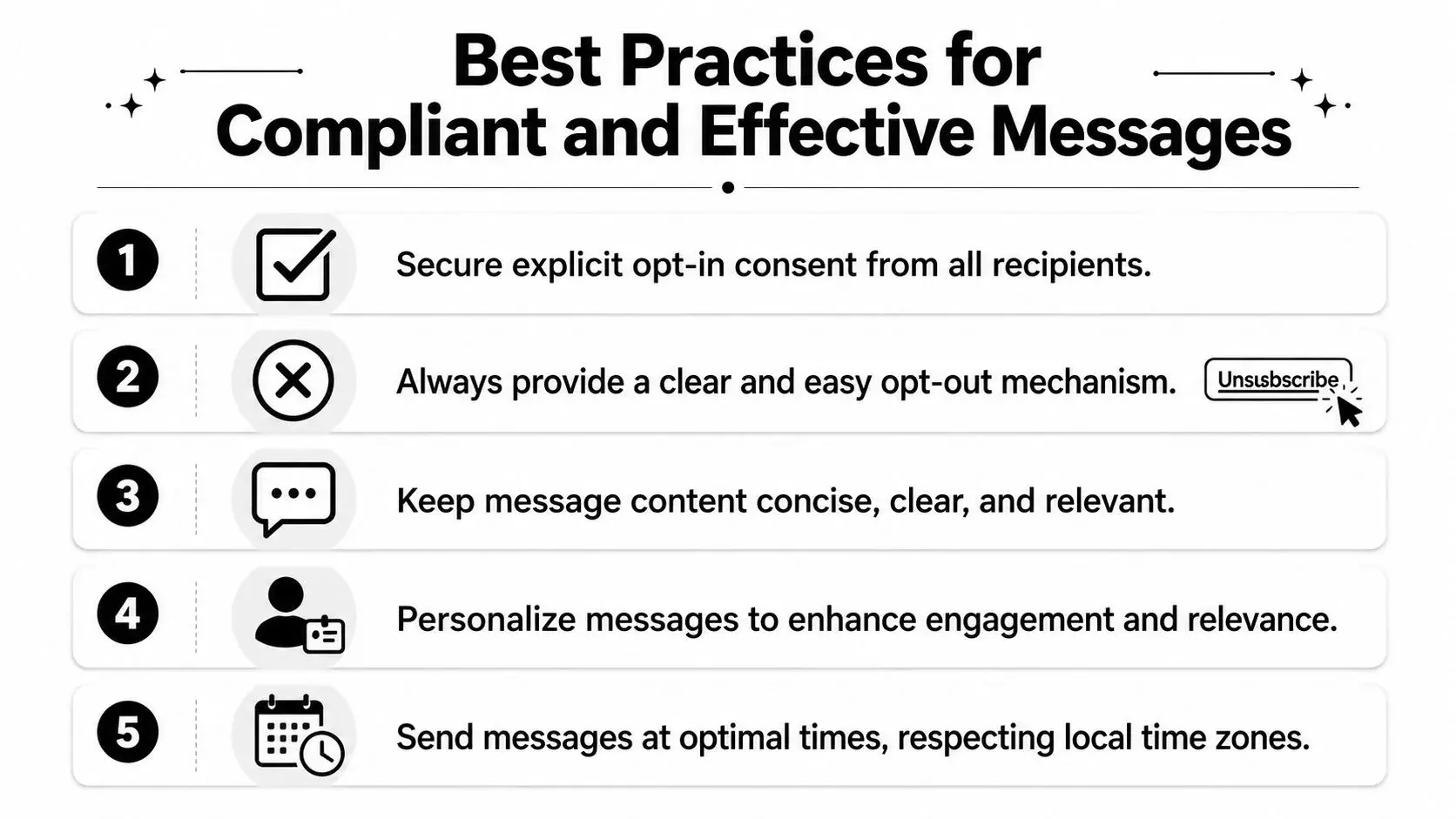
Best Practices for Compliant and Effective Messages
The sender name gets the message noticed. The message itself determines whether the campaign works or creates complaints.
Sender-name branding is only one layer of performance. A business guide from SMSAPI recommends collecting customer numbers legally, obtaining GDPR-compliant permission via opt-in, using scheduling, personalization, analytics, and keeping messages relevant and compliant. It also notes a common pitfall: text sender IDs generally do not support replies, which must be planned for (SMSAPI business SMS guidance).
What works consistently
The campaigns that hold up over time usually follow a few simple rules:
- Use real consent: Only text people who clearly opted in. Purchased lists and vague consent language create risk fast.
- Keep the copy tight: SMS is not the place for paragraph-length persuasion. Say who you are, why you're texting, and what the recipient should do next.
- Personalize where it matters: Name, appointment time, order status, class name, webinar title, or location often matters more than heavy creative wording.
- Respect local time: Timing mistakes don't just lower performance. They trigger complaints.
- Make the next action obvious: Click a link, confirm an appointment, call back, or expect a voicemail follow-up.
A recognizable sender name won't rescue a confusing message, weak consent, or a bad send time.
Good branded SMS habits
Some practical message patterns work better than others.
For promotions: Lead with the offer and put the link near the end. For reminders: Lead with the event, date, or appointment context. For service updates: Lead with what changed, not a generic greeting.
Short examples in plain language:
- Retail offer: “Acme: Your weekend offer is live. Shop now: [link]”
- Appointment reminder: “North Clinic: Reminder for your visit tomorrow at 2 PM. Details: [link]”
- Event follow-up: “Summit Team: Your session starts soon. Join here: [link]”
Pair branded SMS with ringless voicemail when detail matters
Branded SMS is excellent for visibility. Ringless voicemail is useful when you need a more personal explanation without asking the customer to answer a live call.
That combination works well in scenarios like:
- Appointment campaigns: Send a branded reminder first, then a ringless voicemail if the recipient doesn't click or confirm.
- Sales follow-up: Use SMS for the immediate call to action, then voicemail to add tone and context.
- Agency campaigns: Let the text deliver the clickable action while voicemail reinforces urgency for non-responders.
- Healthcare communication: Use concise text for the alert, then a voicemail message where more verbal guidance is appropriate within your compliance rules.
The best multi-channel sequences don't repeat the exact same message across channels. SMS should handle recognition and action. Ringless voicemail should handle nuance, reassurance, or context.
Testing, Troubleshooting, and Multi-Channel Strategy
A campaign can look perfect in the dashboard and still fail in the field. The sender name may show on one carrier, fall back to a number on another, and break the reply path in a market where your team expected two-way messaging.
That is why launch day is too late to test branded SMS.
Test what recipients will really see
Preview screens help with copy review. They do not tell you how carriers and handsets will present the message. Before you send at volume, run live tests across the countries, carriers, and device types that matter to your audience.
Use a short checklist your team can repeat every time:
- Sender display: Does the company name appear correctly?
- Link behavior: Does the tracked link open cleanly on iPhone and Android?
- Message formatting: Does the copy still read well if line breaks or character handling change?
- Fallback behavior: If the sender name is not supported, what replaces it?
- Reply handling: If someone replies, does the message route to a monitored inbox, or does it fail because the sender is one-way?
This work catches the problems that previews miss. It also prevents a common operational mistake. Teams approve creative, then discover after launch that the route they chose cannot support replies or uses a sender format that is blocked in part of the campaign.
Common problems and what usually causes them
Branded SMS issues usually come from setup, routing, or market-specific restrictions. These are the most common failures:
| Problem | Likely cause | Practical fix |
|---|---|---|
| Sender name replaced by a number | The destination market or carrier does not support your chosen sender format | Use an approved local sender or switch that segment to a number |
| Sender shows as unverified | Sender registration is incomplete or rejected | Finish the required registration and confirm approval before launch |
| Customers cannot reply | Alphanumeric sender IDs are one-way in many routes | Send reply-driven campaigns from a number instead |
| Delivery varies by country | Carrier rules and pre-approval requirements differ by destination | Split campaigns by country and assign the right sender type to each |
Test the route, not just the message. Routing decisions determine sender display, reply behavior, and whether the campaign is even allowed to pass in some markets.
Build a sequence instead of a single blast
Branded SMS works best as one step in a larger outreach flow. It gets immediate attention, but it should not carry every job on its own.
A practical sequence looks like this:
- Send the branded SMS first with the core action and a clear link.
- Hold back a follow-up path for non-responders based on clicks, confirmations, or time elapsed.
- Use ringless voicemail next when the message needs more explanation, tone, or reassurance.
- Route responses through a number-based SMS or callback option if the use case requires conversation.
That structure works well for appointment reminders, reactivation campaigns, overdue follow-up, event attendance, and sales outreach. SMS handles recognition and action. Ringless voicemail adds context without asking the recipient to answer a live call.
At Broadcast, we see the same pattern repeatedly. Teams get better results when they stop treating branded SMS as a standalone channel and start building around constraints: country rules, sender registration, one-way versus two-way routing, and follow-up logic. If you need a practical way to combine branded SMS, business texting, voice broadcasting, and ringless voicemail in one workflow, Broadcast gives teams a way to manage segmentation, scheduling, personalization, opt-in handling, and follow-up paths without treating SMS as an isolated channel.
Frequently asked questions
Can I send SMS with my company name as the sender in the US?
No. Alphanumeric sender IDs are not supported for texts to US or Canadian numbers (Twilio US, Twilio Canada). US businesses send from a short code, a toll-free number or a registered 10DLC number, and put the brand name at the start of the message. CTIA also expects the opt-in confirmation message to include the program name or product description (CTIA, section 5.1.2.1). See our guides to short codes and 10DLC compliance.
How can my business name and logo show in a text?
Through RCS business messaging. Google says the messaging app displays the brand agent's name, logo, description, contact information and URLs (Google), and verified brands get a "Verified" icon (Google). iPhone users can receive RCS business messages and can turn them on or off in Settings > Apps > Messages > RCS Messaging (Apple). Support depends on the carrier and the phone, so plan an SMS fallback.
How many characters can an SMS sender name have?
Up to 11. Twilio allows upper- and lowercase letters, digits and spaces, and the sender ID cannot be digits only (Twilio). Some countries add their own rules: in the United Kingdom, for example, protected sender IDs need pre-registration and generic names like "SMS" or "TEXT" are blocked (Twilio UK guidelines).
Can customers reply to a text sent with a company name?
Usually not. Alphanumeric sender IDs are built for one-way messaging (Twilio). If you need replies, confirmations or STOP requests by text, send from a number, and collect consent first (see our opt-in text guide).
Can I send SMS with my company name for free?
For US and Canadian numbers, a company-name sender is not available at any price, so the free step is putting your brand name in the first words of the message. In countries that support alphanumeric sender IDs, cost depends on your provider's per-message pricing, and some names must be registered before use (Twilio UK guidelines). Check the destination country's rules before you pick a tool.


