
Getting a short code isn't a casual setup task. It’s a regulated business messaging project with real cost, carrier scrutiny, and a slower launch path than 10DLC or toll-free. In most cases, businesses should expect roughly 8 to 12 weeks from planning to activation, with carrier review driving most of that timeline, as noted in this Twilio's short code timeline. That review exists for a reason: carriers want proof that your opt-in flow, sample messages, and customer disclosures are compliant before they approve high-volume sending.
How We Evaluated the Short Code Registration Process
The short code workflow follows the order a business experiences it: deciding whether a short code is justified, choosing between random and vanity numbers, checking availability through the registry/provider process, preparing the application package, and getting through carrier review and launch. Ongoing obligations that matter after approval include opt-in documentation, mandatory HELP/STOP handling, and policy alignment.
The decision criteria here are practical. A short code recommendation only makes sense when a team can tolerate an 8-12 week setup cycle, expects sustained message volume, has documented consent flows ready for review, and benefits from either high throughput or memorable branding. If a company needs to launch in days, expects mostly two-way conversations, or is still testing whether customers even want texts, a short code is rarely the right first step.
We also compare short codes against 10DLC and toll-free using five filters: message volume, timeline tolerance, compliance readiness, branding needs, and whether the program depends on conversational replies. That matters because the best messaging number for a retailer running national promotions is not automatically the best choice for a clinic sending appointment reminders or a support team handling one-to-one conversations.
Facts were rechecked on October 19, 2026 against the US Short Code Registry, the CTIA Short Code Monitoring Handbook (v1.9), program brief guides from Microsoft and AWS, and Twilio's published timelines and prices. Provider fees and timelines vary.
Is a Short Code Really What You Need?
Before you start the paperwork, decide whether a dedicated short code matches the stage and scale of your messaging program. A short code is a 5 or 6-digit number built for high-throughput application-to-person messaging. It is excellent when volume is predictable, speed matters, and the program already has a disciplined compliance process.
Where businesses get this wrong is assuming a short code is the "serious" option and everything else is a compromise. In practice, the right choice depends on volume, use case, and operational maturity.
A short code is usually the best fit when you have:
- National or multi-location promotions that need to reach a large audience quickly
- Time-sensitive alerts where throughput and deliverability matter more than conversational feel
- Established opt-in programs with approved terms, privacy disclosures, and message samples already documented
- Branding value in a memorable number, especially for campaigns promoted in ads, packaging, or live events
A business should usually start with 10DLC or toll-free instead when it has:
- Low or moderate monthly volume
- A need to launch quickly rather than wait through carrier review
- Support or sales conversations that work better from a standard 10-digit number
- An early-stage SMS program that is still testing content, cadence, or signup flows
Be especially cautious about leasing a short code for a company that has not yet nailed down its consent language. Paying for the number is the easy part; passing review and staying compliant is what determines whether the investment holds up.
Why Dedicated Short Codes Are the Only Game in Town
Back in the day, some companies would try to save a buck by using "shared" short codes, where a bunch of different businesses all sent texts from the same number. Carriers put a stop to that: AT&T, T-Mobile and Verizon stopped allowing shared short codes for commercial traffic in 2021, and T-Mobile's Code of Conduct says "Shared 10DLC, shortcodes, and Toll-Free numbers are prohibited" (section 4.6). It was a mess for compliance and a spam nightmare.
Today, a dedicated short code is your only real option. This gives your brand exclusive use of that number, which is absolutely vital for building brand recognition and making sure some other company's bad behavior doesn't get your messages blocked. It is the industry standard.
How Short Codes Stack Up Against Other Options
So, a dedicated short code isn't the only way to text your customers. You've also got 10-Digit Long Codes (10DLC) and toll-free numbers. Each one has its place. Short codes are the champions of throughput, starting at about 100 messages per second (Twilio). They're built for those massive, one-to-many broadcasts.
People often assume all business texting numbers are the same. They're not. Short codes are specifically vetted and approved by carriers for high-volume sending, which is why Twilio describes them as having the lowest amount of carrier filtering.
On the other hand, 10DLC and toll-free numbers are much better for conversational, lower-volume texting. They’re cheaper and way faster to get set up, but they just don't have the horsepower for huge blasts. For businesses looking to mix SMS with other channels like ringless voicemail, getting these distinctions right is key to a smart strategy. If you're still on the fence, our deep dive on short codes for SMS can help clear things up.
To give you a clearer picture, let's break down how these options compare.
Business Messaging Options at a Glance
This table gives you a quick side-by-side look at the main players in business texting. It should help you see exactly where short codes fit into the ecosystem and why they're the premium choice for high-volume campaigns.
| Feature | Dedicated Short Code | 10-Digit Long Code (10DLC) | Toll-Free Number |
|---|---|---|---|
| Best For | High-volume marketing, alerts, mass blasts | Conversational, P2P-style messaging | Customer service, support, some marketing |
| Throughput (Speed) | Starts at about 100 MPS (messages per second) | 3 to 180 MPS, by brand and use case | Starts at 3 MPS; can be raised for qualifying senders |
| Setup Time | 8-12 weeks (6 to 10 of them carrier review) | Up to 3 to 5 weeks of vetting | About 5 to 14 days |
| Cost | Highest: $500 to $1,000 a month registry lease, before provider fees | Low (Twilio: $1.15 a month, plus registration fees) | Low (Twilio: $2.15 a month) |
| Number Format | 5-6 digits (e.g., 38470) | 10 digits (local area code) | 10 digits (e.g., 800, 888, 877) |
| Voice Enabled | No (SMS/MMS only) | Yes | Yes |
| Brand Recognition | Excellent; easy to remember and market | Moderate; looks like a personal number | Good; established for business use |
Sources: lease fees from the US Short Code Registry; throughput, approval times and voice from Twilio (2024); number prices from Twilio SMS pricing (checked October 19, 2026). Other providers differ.
The practical threshold is simple: if your program is mostly support, reminders, or sales conversations, short codes are often overkill. If you are running retail promotions across many locations, franchise notices, nonprofit or political outreach at scale, or authentication traffic that cannot bottleneck, the higher bar starts to make sense.
Retail is the clearest example. A brand sending flash-sale announcements to a large opted-in list can justify the speed and memorability. Franchises may need one centrally managed number for broad announcements. Political and nonprofit teams often value fast list-wide sends, though they still need rigorous consent controls. Authentication is more nuanced: if reliability and scale are essential, a short code can make sense, but many companies should compare it against verified toll-free or other approved routes first.
When should a business not lease one yet? Three situations come up constantly: low-volume senders, teams without documented opt-in flows, and brands still testing message-market fit. In those cases, start cheaper and faster, prove subscriber demand, and move up only when throughput or branding becomes the bottleneck.
How to Register a Short Code: Step by Step
Here is the whole short code registration process in order. Your messaging provider files most of it, but every item comes from you. The sections below go deeper on each stage.
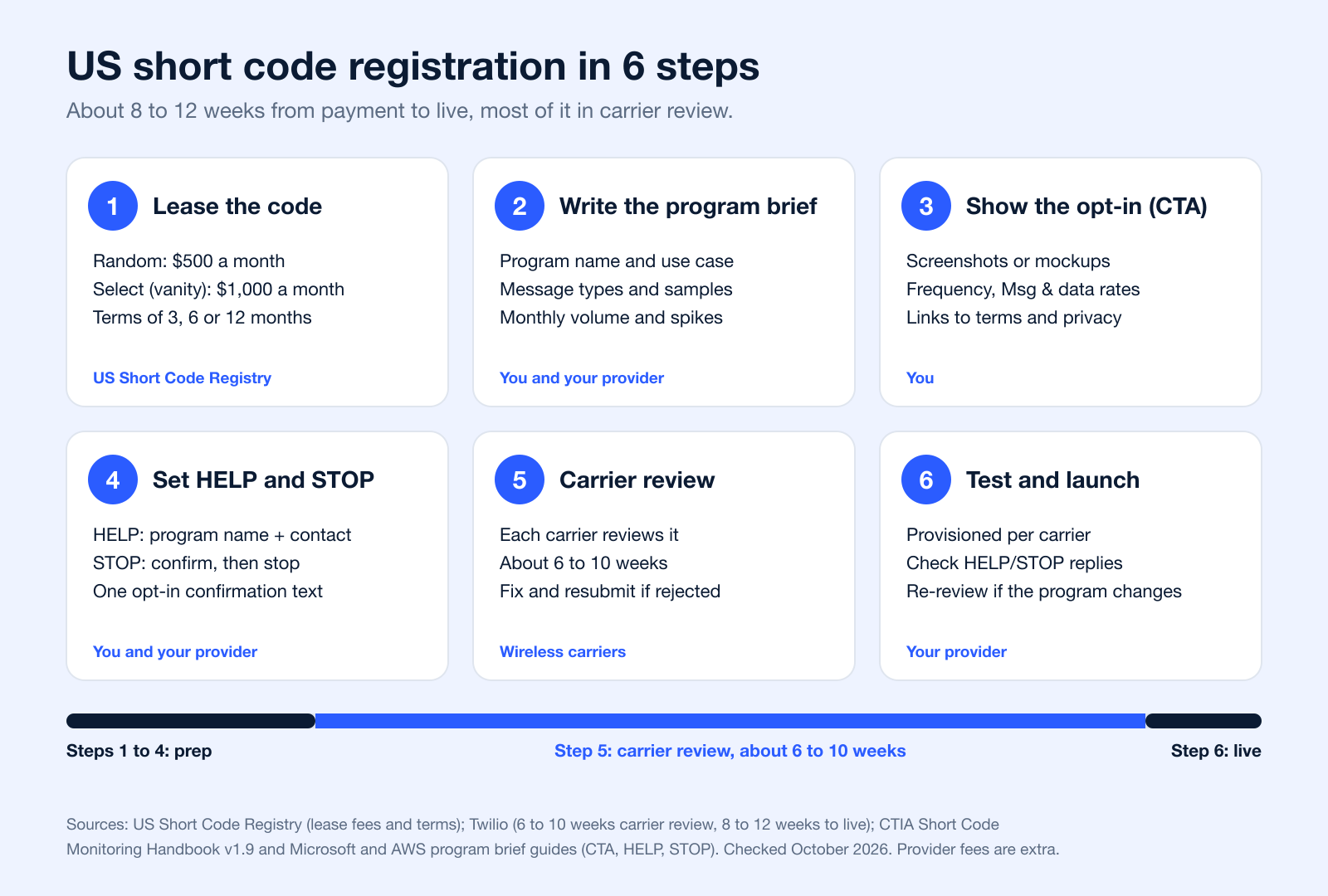
- Lease the code from the US Short Code Registry
The Common Short Code Administration (CSCA), governed by CTIA, runs the US Short Code Registry. You create an account, choose "Apply for New Short Code" and pick a random code ($500 a month) or a select code you choose ($1,000 a month) for 3, 6 or 12 months. Payment for the full term is due within 60 days of the order, and fees are not refunded if carriers reject the program (Short Codes 101). Many providers lease the code for you.
- Write the program brief
The program brief is the application carriers read. It covers the program name (brand plus what it sends), one-way or two-way, transactional or recurring, message samples for every message type, expected messages per user and per month, and traffic spikes (Microsoft program brief guide).
- Document the opt-in call-to-action
Carriers require mockups or screenshots of every place people sign up. Each call-to-action shows the program name, message frequency, "Message and data rates may apply", and links to your terms and privacy policy (Microsoft; CTIA Messaging Principles 5.1.1). Opt-in boxes must be unchecked by default (AWS).
- Write the confirmation, HELP and STOP messages
Recurring programs send one opt-in confirmation. HELP must return the program name and how to reach you; STOP must confirm the opt-out and end messages (CTIA Short Code Monitoring Handbook).
- Publish SMS terms and a privacy policy
Terms include the program name and description, frequency, "Message and data rates may apply" verbatim, customer care contact, "Text STOP to cancel" and a privacy policy link (Microsoft). The privacy policy says SMS opt-in data will not be shared with third parties (AWS).
- Pass carrier review, then test and launch
Each carrier reviews the program; Twilio quotes about 6 to 10 weeks of review and 8 to 12 weeks from payment to live (Twilio). Rejections come with reasons you can fix and resubmit, and fees start once the request goes to carriers (AWS). After provisioning, check that HELP and STOP reply as approved.
Short codes only reach phones in their own country, so each country needs its own code and its own registration (AWS). If you are on the receiving side and want to know how texting a short code works, see how to text a 5-digit number.
The Short Code Application and Approval Journey
The short code application process is easier to manage when you treat it like a staged approval workflow instead of a single form. In the U.S., the registry layer, the messaging provider layer, and the carrier review layer each do different jobs. The registry manages the short code inventory and leasing framework, your provider or aggregator coordinates submission and implementation, and each wireless carrier reviews the campaign for its own compliance standards before traffic goes live. That division of responsibilities is why the process feels slower than other messaging routes.
Step 1: Confirm that your campaign actually qualifies
Start by pressure-testing the use case. A short code is meant for programs that need sustained throughput, clear branding, or broad one-to-many delivery. If the campaign is mostly customer support chats, local appointment reminders, or early-stage outreach, a 10DLC or toll-free program is often the better starting point.
The fastest way to derail an application is to force a marginal use case into a short code request. Carriers want a narrow, defensible explanation of what the program does, who receives messages, and how consent is gathered.
Step 2: Choose random or vanity
Next, decide whether you want a random code or a vanity code. Random codes are assigned from available inventory and are generally the more practical option when speed and cost matter most. Vanity codes are chosen for memorability and branding, but they only work if the specific number you want is available.
If you want a vanity code, providers ask for a prioritized list of codes in case your first choice is taken, and US short codes cannot start with 1 (Microsoft).
Vanity is best treated as a marketing decision, not a technical one. If customers are likely to remember, type, or see the number in ads, packaging, or live events, the premium can be justified. If the number mostly sits behind app flows or transactional traffic, random is often the smarter lease.
Step 3: Check availability through the registry and provider workflow
Businesses typically do not self-assign a number directly from a public pool. Availability is handled through the provider or aggregator working within the U.S. short code registry framework. The administrator for U.S. short codes is the US Short Code Registry, which handles leasing and number administration.
Availability matters most for vanity requests. A random code is usually easier to secure because any open number can work. A vanity request depends on that exact number being open, and if it is not, the team may need to revise campaign creative, keyword promotion, or offline materials before launch.
Step 4: Build the application package
This is the part many teams underestimate. Carriers do not approve a short code because the brand is legitimate; they approve a clearly documented messaging program. Your application package should include:
- Brand and company details
- The exact messaging use case
- Opt-in screenshots or mockups for every signup path
- Sample HELP and STOP responses
- Terms and conditions link
- Privacy policy link
- Sample MT messages for each campaign type
- Evidence of consent language, including disclosures shown at signup
Carrier and industry guidance consistently emphasize opt-in clarity, consumer disclosures, and support for HELP/STOP. The CTIA Messaging Principles, the CTIA Short Code Monitoring Handbook and provider guides such as Microsoft's program brief guidelines show the type of documentation reviewers expect.
Step 5: Submit through your provider or aggregator
For most businesses, the provider is the operational quarterback. They collect the brief, flag weak spots, submit the program, and coordinate follow-up questions. They also handle the technical side of provisioning and testing after approvals come through.
Provider quality really matters. A strong partner will push back on vague message samples, missing privacy language, or unsupported use cases before carriers ever see them. That early pushback usually saves far more time than it costs.
Step 6: Respond to carrier revisions
Each carrier can review the campaign independently, and revision requests are common. Carriers may ask for tighter opt-in wording, clearer frequency disclosures, updated terms, more realistic message samples, or proof that the consent language shown on the signup page matches the application.
If a carrier rejects the application, it gives reasons; you fix the issues and your provider sends the update back for another review (AWS).
This is usually where timelines slip. Not because the rules are mysterious, but because marketing, legal, and product teams often need to revise assets in parallel. Fast approvals tend to come from companies that can produce screenshots, legal links, and message examples quickly without debating fundamentals mid-review.
Step 7: Complete testing and launch
After approvals, the provider activates the code, configures required keyword responses, and runs launch testing. That testing should confirm at minimum that opt-out handling works, HELP replies route users to support, message templates match the approved use case, and traffic behaves correctly across participating carriers.
A launch is not the end of registration discipline. If you materially change the program later, such as adding promotional traffic to a code approved only for transactional alerts, you may need to re-review the campaign through your provider.
Who does what: CSCA, carriers, and providers
The easiest way to understand the process is to separate administration from approval. The U.S. short code administrator manages the registry and leasing framework. Providers or aggregators help businesses request a code, prepare materials, submit the campaign, and implement the messaging setup. Carriers then decide whether the campaign can operate on their networks based on compliance, consumer protection, and messaging use-case standards. For carrier-facing requirements, teams commonly rely on provider documentation such as Sinch short code guidance, while the underlying registry function remains with the official short code administration system.
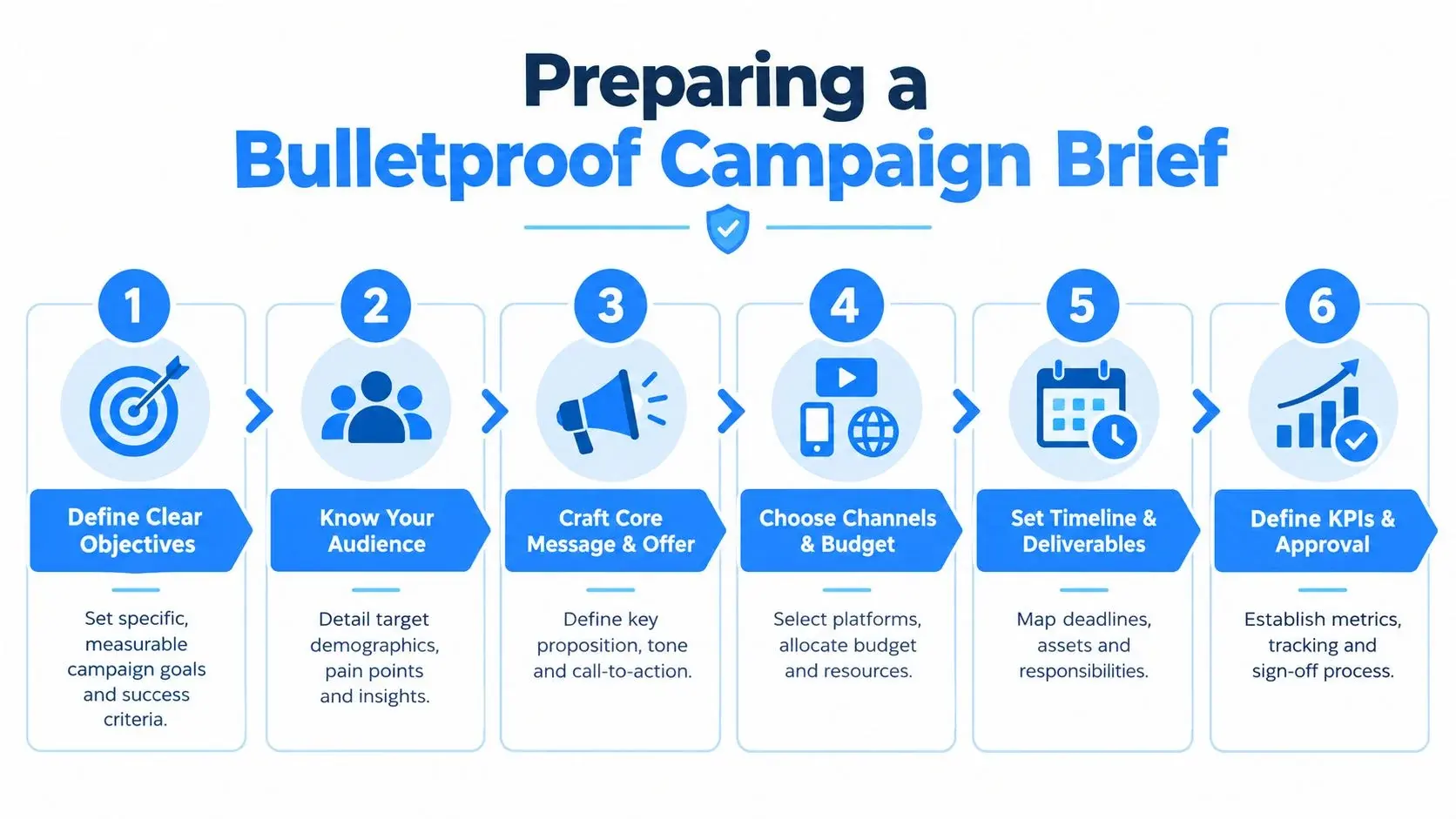
It really simplifies the choice, showing that after you've confirmed your need for high-volume messaging and weighed the options, a short code is the logical next step.
Breaking Down Short Code Costs and Timelines
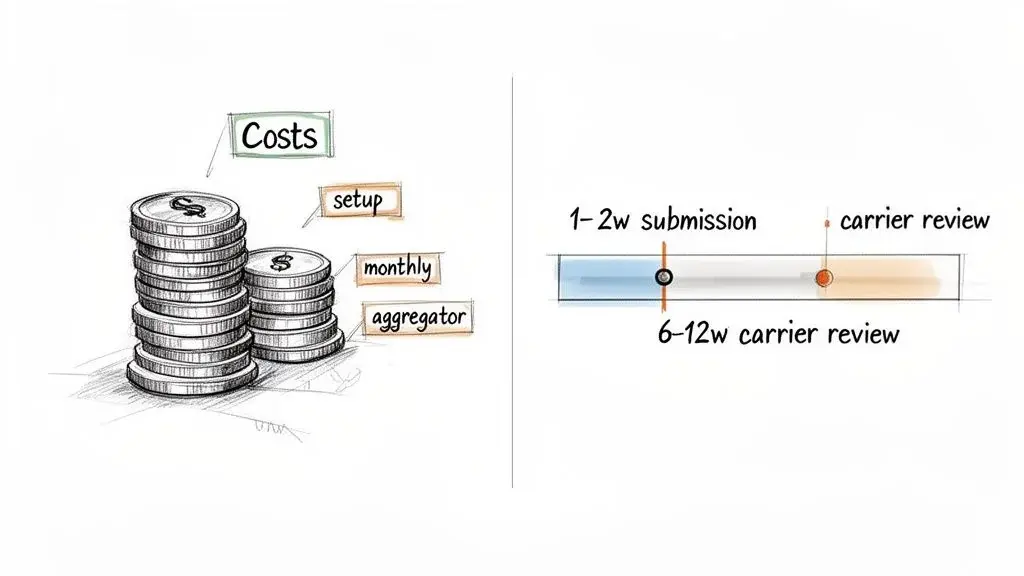
Short code economics make more sense once you think in terms of leasing, not ownership. Businesses do not buy a short code outright. They lease exclusive use of the number for a recurring fee, and they keep that right only while the lease remains active and the program stays compliant. That structure is one reason short codes are best reserved for mature messaging programs rather than experimental campaigns.
What leasing a short code means in practice
Leasing gives your business exclusive use of a 5- or 6-digit code for the term of the agreement, but it does not create permanent ownership rights. The US Short Code Registry charges $500 per month for a random code and $1,000 per month for a select (vanity) code, for terms of 3, 6 or 12 months paid in full within 60 days of the order (US Short Code Registry). Some providers package additional management and support into higher monthly pricing, which is why quotes can land above the base lease.
| Item | What to expect | Source |
|---|---|---|
| Registry lease, random code | $500 a month | US Short Code Registry |
| Registry lease, select (vanity) code | $1,000 a month | US Short Code Registry |
| Lease term and payment | 3, 6 or 12 months, paid in full within 60 days; not refunded if carriers reject | US Short Code Registry |
| Example provider price | Twilio: $1,000 a month random, $1,500 a month vanity, billed quarterly, plus a one-time setup fee | Twilio SMS pricing |
| Per-message cost | Twilio: $0.0083 per SMS segment plus carrier fees (same base rate as 10DLC and toll-free) | Twilio SMS pricing |
| Carrier review | About 6 to 10 weeks | Twilio |
| Payment to live | About 8 to 12 weeks, sometimes longer; no guaranteed time | Twilio; AWS |
Prices checked October 19, 2026. Provider prices and fees change; ask your provider for a written quote.
That difference matters. A long code or toll-free number may cost only a few dollars per month, while a short code carries a much higher fixed commitment because it is designed for throughput, exclusivity, and large-scale brand messaging.
A more realistic cost model
The lease fee is only the first line item. A practical budget should separate at least five categories:
- Lease fee: recurring cost for the random or vanity code
- Provider setup and support: application prep, review handling, provisioning, and launch assistance
- Platform or throughput fees: recurring software, usage, or messaging charges
- Campaign buildout: creative, legal review, landing pages, opt-in assets, and keyword promotion
- Revision-related delay costs: internal labor and postponed campaign launch if carriers request changes
Businesses often underbudget. The published lease may be straightforward, but the total cost depends on how much support the provider gives and how clean your application is on the first pass.
Example budget ranges
A business using a random code should expect at least the base lease of $500 per month, plus provider and platform costs. Provider prices for the lease alone can be higher: Twilio lists $1,000 a month for a random code and $1,500 for a vanity code, billed quarterly, plus a setup fee. For a vanity code, the registry lease starts at $1,000 per month, and provider-managed programs can climb higher depending on support scope and traffic needs. See Twilio SMS pricing for an example of how provider charges sit above raw number access.
When budgeting from scratch, do not present a short code internally as a $500/month decision. Frame it as an ongoing messaging program with lease, platform, compliance, and launch-management costs attached.
How availability affects cost and launch timing
Availability changes both branding flexibility and the approval schedule. Random codes are usually simpler because any open number can satisfy the request. Vanity codes are constrained by inventory. If the preferred number is unavailable, you either choose a new number or rethink how the campaign will be marketed.
That sounds minor, but it can delay launch if the code appears on packaging, signage, paid ads, or franchise materials already in production. Teams can spend more time debating a memorable vanity number than fixing the actual application package. Unless recall is central to the campaign, the random route is often the faster business decision.
Timelines: where the 8-12 weeks really goes
The standard expectation is still about 8 to 12 weeks from payment to live, with carrier review taking the biggest share of that window: Twilio puts carrier review at about 6 to 10 weeks and notes that some cases take longer (Twilio). AWS says there is no guaranteed time because it depends on whether the use case meets carrier requirements (AWS).
A practical timeline usually looks like this (an estimate; only the total and the carrier review range are published by providers):
- Internal prep and provider review: 1-2 weeks
- Carrier review and revisions: 4-10+ weeks
- Testing and launch setup: about 1 week
The shortest projects are usually the simplest ones: a clear use case, one clean opt-in path, polished legal links, and message samples that match the campaign. The slowest projects are usually not slowed by the registry itself but by revision cycles after carriers spot inconsistencies.
International use is a separate project
People often ask if one U.S. short code can cover multiple countries. It cannot. A short code only reaches recipients in the country where it is based, so each country needs its own code (AWS), with separate registrations, approvals and costs. Canada, for example, runs its own registry through the CWTA (CTIA 5.5.4). For more on sending abroad, see our guide to international SMS sending. For a deeper look at managing an SMS short code, it's worth reviewing the core features and requirements.
Crafting a Compliant and Trustworthy SMS Campaign
Getting a short code is a huge step, but it’s only half the job. The challenge, and where the long-term success of your high-volume messaging lives or dies, is building a campaign that carriers trust and your subscribers want to be part of. If you cut corners on compliance, that expensive short code you fought for could get suspended in a heartbeat, making it totally useless.
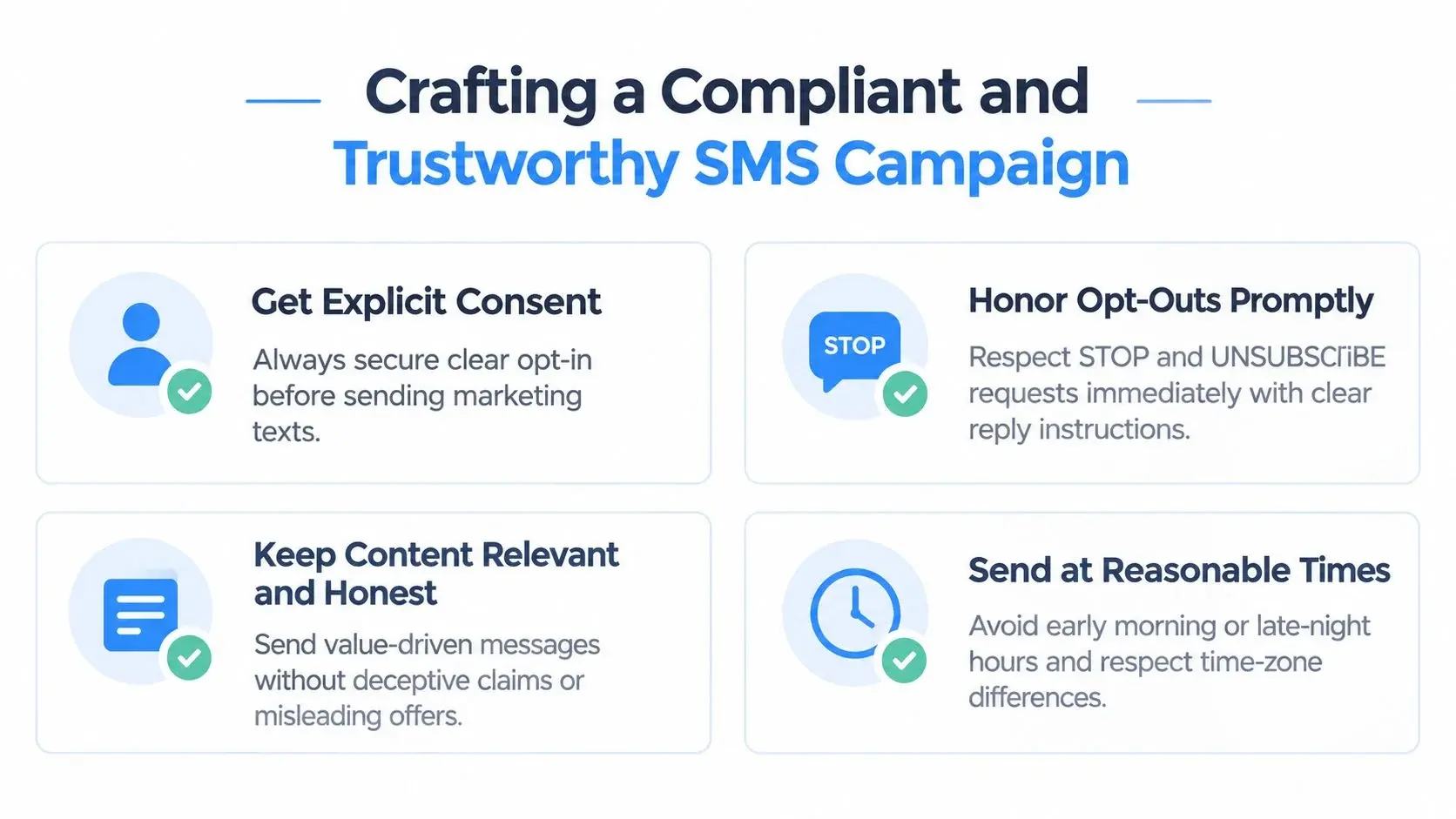
The nuts and bolts of creating a campaign that not only works but is built to last include the absolute non-negotiables that keep your messages flowing and your audience consistently engaged.
The Golden Rule: Clear and Explicit Opt-In
Everything (and I mean everything) in a compliant SMS program comes back to consent. You need explicit, provable permission from every single person you text. No exceptions. Carriers are strict here, and an unclear opt-in process is one of the most common reasons applications stall during the short code registration process.
Your opt-in method has to be crystal clear, whether it's a web form, a text-to-join keyword, or something else. People need to know exactly what they're signing up for.
For opt-in wording and examples, see our guide to opt-in texts.
Every opt-in call-to-action has to nail these points:
- Program Name: Who are the texts from? (e.g., "VIP Deals")
- Message Description: What will they get? (e.g., "weekly offers and sale alerts")
- Message Frequency: How often will you text them? Be honest. (e.g., "up to 4 msgs/month")
- "Msg & Data Rates May Apply" Disclosure: This phrase is mandatory. Use it verbatim.
- Links to T&Cs and Privacy Policy: Give people a direct path to the fine print.
- HELP/STOP Instructions: Tell them how to get help and how to opt out, right from the start.
These points follow CTIA's call-to-action rules (CTIA Messaging Principles 5.1.1). The "Message and data rates may apply" disclosure is required verbatim in short code terms (Microsoft); only free-to-end-user programs are exempt (CTIA Handbook). Enrolling someone in several programs from one opt-in is not allowed.
For instance, a solid web form CTA would read something like: "Enter your number to receive weekly deals from MyBrand. Up to 4 msgs/month. Msg & data rates may apply. Text HELP for help, STOP to cancel. View our Terms and Privacy Policy."
Mandatory Message Flows: HELP and STOP
Every short code program is required by the carriers to support two critical keywords: HELP and STOP. These aren't suggestions; they are automated responses you must have configured before your campaign ever sees the light of day. Think of them as a key checkpoint for any carrier audit.
Think of HELP and STOP as automated customer service reps. They empower the user and build trust, which is exactly what carriers want to see. A broken HELP or STOP response is a major red flag in a carrier audit.
Your HELP message needs to give people a way to find more info, usually by pointing them to a support phone number or email. The STOP message must confirm they’ve been unsubscribed and won't get any more texts. Getting familiar with regulations like the FCC's guidance on robotexts is a good idea to really understand the legal weight behind honoring these requests immediately.
Under FCC rules, a reply of "stop," "quit," "end," "revoke," "opt out," "cancel," or "unsubscribe" revokes consent, and CTIA asks short code programs to act on plain-language opt-outs too (47 CFR 64.1200(a)(10); CTIA Handbook).
Essential Legal Documentation
Don't treat your Terms and Conditions (T&Cs) and Privacy Policy like boilerplate legal text you just copy and paste. Carriers read these documents during your application review, and they're looking for specific language about your SMS program.
Your Privacy Policy is especially important. It should state, in no uncertain terms, that SMS opt-in data and consent will not be shared with third parties (AWS short code guide). Carriers view that kind of data sharing as a deal-breaker. If your standard company policy allows data sharing, create a specific carve-out just for your SMS program.
A simple sentence can do the trick. Something like: "The above excludes text messaging originator opt-in data and consent; this information will not be shared with any non-affiliated third parties."
The Importance of a Clean Subscriber List
Compliance doesn't stop once you get the opt-in. You have to keep your subscriber list clean and healthy to ensure good deliverability over the long haul. That means you need a process for regularly removing inactive numbers and, of course, processing those STOP requests right away.
If carriers see high bounce rates or a sudden spike in STOP requests, it signals that your list might be stale or your content isn't hitting the mark. This can trigger an audit and tank your sender reputation. A well-maintained list gives your messages the best chance of getting delivered, protecting your investment and making every text count.
Evaluating Alternatives to Short Codes
Look, while a dedicated short code is the undisputed king for blasting out massive campaigns, it's not always the right tool for the job. The short code registration process is a long and expensive headache. For a lot of businesses, more flexible options like 10-Digit Long Codes (10DLC) or Toll-Free numbers make way more sense.
The game has changed. It's not just about one-way marketing blasts anymore; it’s about having real, two-way conversations with your customers. 10DLC and Toll-Free numbers really pull ahead, offering a personal touch that a 5-digit short code just can't match.
The Rise of Conversational Messaging with 10DLC
A major development in business texting has been 10-Digit Long Codes (10DLC). These are normal, local phone numbers that carriers have officially approved for business messaging (A2P). They balance the friendly feel of a local number with the compliance of a registered business line.
Think about it: people are just more comfortable getting a text from a recognizable local area code. It feels like a conversation with a real person, not a faceless corporation. This makes 10DLC perfect for things like:
- Personalized Outreach: Sending custom follow-ups, appointment reminders, or customer service check-ins.
- Two-Way Conversations: Actually chatting with customers in real-time to answer questions or offer support.
- Lower Volume Campaigns: When you don't need to fire off hundreds of texts per second, 10DLC is a much more budget-friendly choice.
Plus, getting a 10DLC number set up is faster and cheaper than a short code: Twilio quotes up to 3 to 5 weeks of vetting instead of 8 to 12 weeks (Twilio). For the registration steps, see our 10DLC compliance guide.
Toll-Free Numbers: A Trusted Channel for Support
We all know Toll-Free numbers (like 888, 877, 866) from customer service calls, and that same trust carries over to texting. They're a rock-solid choice for support teams and some marketing efforts, without the cost of a short code. Toll-free messaging starts at 3 messages per second and can be raised for qualifying senders, and approval takes about 5 to 14 days (Twilio).
Just like 10DLC, Toll-Free numbers are text-enabled and built for two-way conversations. They're especially great for support queues where customers can text for help and get quick, reliable answers.
The market is shifting away from a one-size-fits-all model. Many businesses now pair a short code for broadcasts with 10DLC or toll-free numbers for two-way conversations, part of a broader move toward conversational SMS.
Choosing the right number isn't just about picking the fastest one. You've got to weigh your specific needs, budget, and timeline. To make it easier, here’s a quick breakdown of how these options stack up against each other.
Short Code vs 10DLC vs Toll-Free Quick Comparison
| Attribute | Short Code | 10DLC | Toll-Free |
|---|---|---|---|
| Throughput | Very High (starts at about 100 MPS) | Varies (3 to 180 MPS) | Starts at 3 MPS (can be raised) |
| Number Type | 5-6 digit number | 10-digit local number | 10-digit toll-free number |
| Use Case | High-volume marketing, alerts | 2-way conversations, support | Customer service, alerts |
| Cost | Highest ($500 to $1,000 a month registry lease; Twilio $1,000 to $1,500) | Low (Twilio $1.15 a month plus registration fees) | Low (Twilio $2.15 a month) |
| Setup Time | Slowest (8-12 weeks) | Moderate (up to 3 to 5 weeks) | Fast (about 5 to 14 days) |
| Voice-Enabled? | No | Yes | Yes |
| MMS Support? | Yes | Yes | Yes |
Sources: US Short Code Registry (lease); Twilio number type guide (throughput, approval, voice, 2024); Twilio SMS pricing (monthly number prices, checked October 19, 2026).
This table gives you a bird's-eye view, but the best strategies often mix and match.
Combining Channels for Maximum Impact
Smart marketing teams don't put all their eggs in one basket. They build comprehensive outreach plans that blend different messaging types to get the best results. For example, a campaign might kick off with a friendly SMS from a 10DLC number. If there's no reply, it could be followed up with a personalized ringless voicemail drop.
This multi-channel approach lets you connect with customers where they're most comfortable. A ringless voicemail can drop a more personal, detailed message right into someone's inbox without their phone ever ringing, a powerful, non-intrusive follow-up that a short code can't do. By carefully considering the costs, setup times, and your specific goals, you can choose the right number or combination of numbers to win, without just defaulting to the most expensive option on the menu.
Frequently Asked Questions
Do you lease or own a short code?
You lease it. Businesses do not purchase permanent ownership of a U.S. short code; they lease exclusive use of the number for a recurring fee and must maintain compliance to keep using it. The registry charges $500 per month for a random code and $1,000 per month for a select (vanity) code, for 3, 6 or 12 months at a time (US Short Code Registry).
Who manages short code registration in the U.S.?
Administration and approval are split across different parties. The official U.S. registry framework is handled through the US Short Code Registry, while your messaging provider or aggregator usually manages the submission workflow, documentation, and provisioning. Wireless carriers then review the campaign and decide whether it can operate on their networks.
How do you check whether a short code is available?
In practice, businesses usually check availability through their messaging provider as part of the leasing process. Random codes are generally easier to secure because any open number can work. Vanity codes depend on whether that exact number is still available, so an unavailable choice can force a different number or a delayed launch if marketing materials depend on it.
The registry's own site at usshortcodes.com is where codes are leased; vanity requests usually list several codes in order of preference (Microsoft).
What information is required in a short code application?
A strong application includes the brand name, company details, exact use case, opt-in screenshots or mockups, sample mobile-terminated messages, sample HELP and STOP responses, terms and conditions link, privacy policy link, and evidence of the consent language shown to subscribers. Carriers want to see that the actual signup flow matches what the application claims.
How long does short code registration usually take?
Most businesses should plan for about 8 to 12 weeks from payment to launch. Carrier review alone takes about 6 to 10 weeks, and the timeline can stretch if the campaign brief, opt-in disclosures, or message samples need revisions (Twilio).
Is a short code right for every business?
No. A short code is usually worth the higher lease when a business has high message volume, a clear and compliant opt-in flow, patience for a slower launch, and a use case that benefits from high throughput or memorable branding. It is usually the wrong starting point for low-volume teams, companies still testing SMS, or support-heavy programs that would work better on 10DLC or toll-free.
Can you tell who owns a short code just from receiving one text?
Not reliably. Assignment and campaign usage can change over time, and a single message is not enough to confirm current control of a number. If you need to verify a code, check through the official registry or work with a provider rather than guessing from one inbound message.
How do I get a short code for SMS?
Pick a messaging provider that supports short codes, lease a random or select code from the US Short Code Registry (directly or through the provider), submit a program brief with your opt-in, HELP and STOP messages, terms and privacy policy, and wait for carrier approval. The full sequence is in How to Register a Short Code: Step by Step.
How much does it cost to get a short code?
The registry lease is $500 a month for a random code and $1,000 a month for a code you choose, paid for the full 3, 6 or 12-month term (US Short Code Registry). Providers add their own fees: Twilio, for example, lists $1,000 to $1,500 a month billed quarterly plus a setup fee, and charges per message (Twilio SMS pricing).
Why am I not receiving SMS messages from my short code?
If you send from the code, first check that it is live on that subscriber's carrier: provisioning happens carrier by carrier after approval. Also check that the code is used only in its own country (AWS). On the phone side, an iPhone may file texts from new senders under Unknown Senders or Promotions (Apple), Google Messages cannot reply to outbound-only or premium codes (Google), and some phone plans block short code or premium messages. Ask the subscriber to check those filters and their carrier settings.
How do I unblock SMS short codes?
On iPhone, open the Unknown Senders list in Messages and tap Mark as Known (Apple). On Android, premium SMS stays blocked until you allow it in Settings > Apps > Special apps access > Premium SMS (Google). If short codes are blocked on your line, ask your carrier to remove the block. If you replied STOP earlier, text the program's join keyword again to opt back in.
Can several businesses share one short code?
Not for commercial traffic on the major US carriers since 2021. T-Mobile's Code of Conduct says shared short codes "are prohibited" (section 4.6). If a provider offers a keyword on a code it runs, ask how that code and your campaign are registered with the carriers. For more on keywords, see our short codes for SMS guide.
Ready to simplify your outreach? Broadcast provides the tools you need to manage SMS, voice, and ringless voicemail campaigns seamlessly. Start your free trial today and see how easy high-impact messaging can be.


