
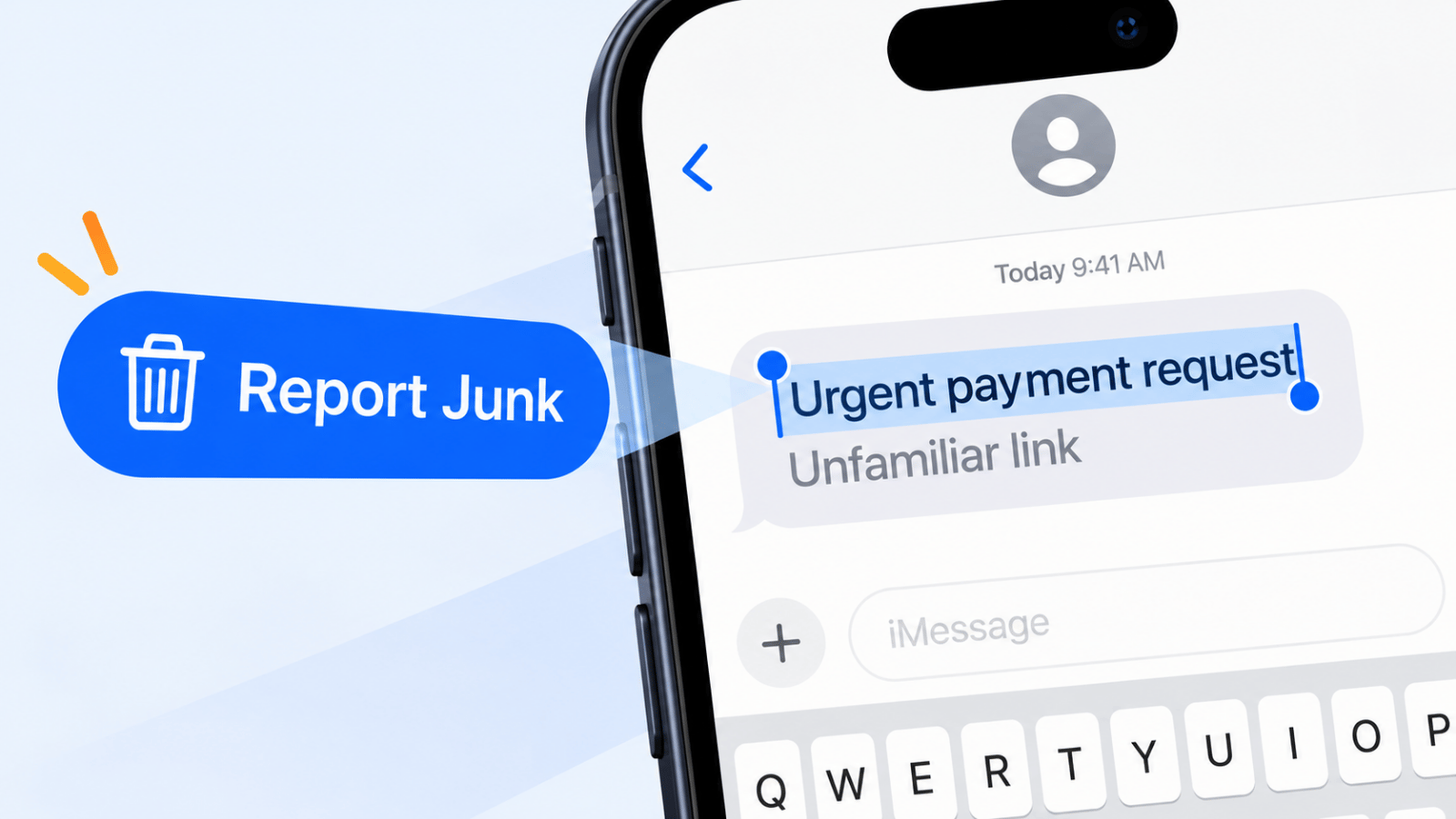
A theory lesson on spam texts is unnecessary; recognizing one quickly enough to avoid clicking is the priority. Focus on the practical task: what fake messages tend to say, the red flags that matter most, and what to do next. That matters because text scams are expensive, not just annoying: consumers reported losing $470 million to scams that started with text messages in 2024, according to the FTC's Consumer Sentinel data.
Quick recognition guide
If a text asks for login details, treat it as phishing. If it says you won something you never entered, treat it as a prize scam. If it demands a small fee to release a package, assume it is fake until you verify it in the carrier app or on the official site. And if a message creates panic first and gives specifics second, that pattern alone should make you stop.
How We Chose These Spam Message Examples
Common message types people run into most often involve impersonation risk and urgency tactics, and they are more likely to lead to financial loss, account takeover, or identity theft; rare edge-case frauds are less relevant.
The list is also grouped around a simple reader question: what would an ordinary person plausibly receive on a normal day? That is why package issues, bank alerts, job offers, and healthcare notices rank highly here. They feel routine, which is exactly why scammers reuse them.
To make the cut, an example had to show a recognizable scam pattern: impersonating a trusted brand or institution, pushing immediate action, using a suspicious link or payment request, or asking for credentials or personal data that a legitimate sender would not request that way. We excluded messages that were merely annoying marketing or poorly written outreach if they did not clearly fit a scam or spam pattern with meaningful consumer risk.
That distinction matters. A text can be unwanted without being fraudulent, and a fraudulent text can look polished enough to fool someone who is in a hurry. The FTC's ranking of the top text scams of 2024 shows how routine these lures look: fake package delivery problems, phony job opportunities, fake fraud alerts, bogus notices about unpaid tolls, and "wrong number" texts that are not wrong numbers.
1. Phishing SMS (Smishing)
Phishing by text, usually called smishing, is one of the most common and dangerous forms of mobile fraud. The scam works by borrowing trust from a recognizable name (a bank, delivery company, payment app, retailer, or government office), then replacing the next step with a fake one: click this link, sign in here, pay this fee, or confirm this code. The Federal Trade Commission warns that unexpected texts asking you to act urgently are a common fraud pattern, especially when they push you to click a link or reply with personal information in its consumer alert on text scams.
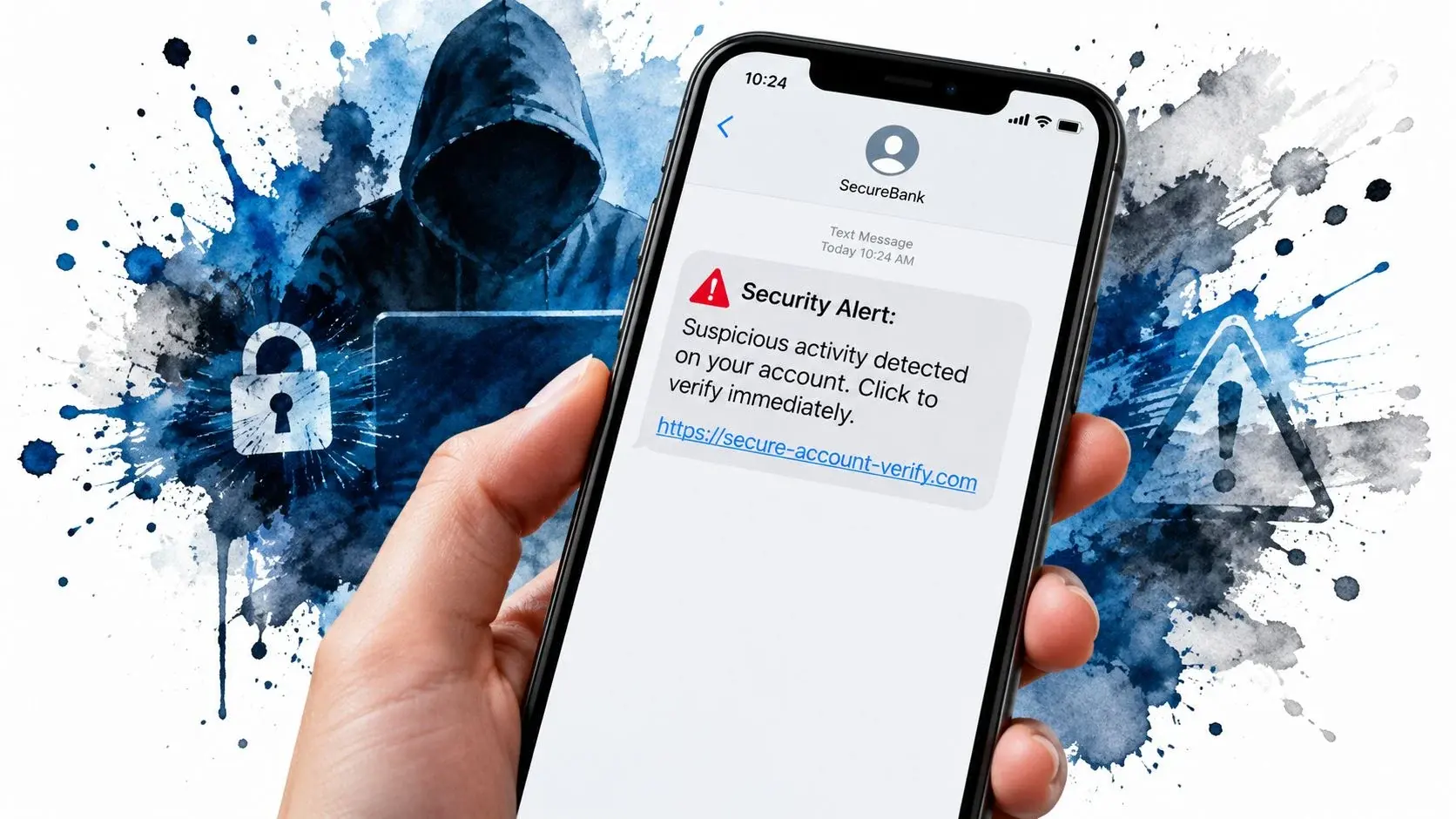
In practice, smishing texts usually try to do one of six things fast: imitate a brand, trigger urgency, move you off-platform, hide the actual destination, collect credentials, or pressure a payment. The wording changes, but the structure repeats. Often the most convincing examples were not the sloppiest ones; they were the texts that sounded boring and administrative.
Anatomy of a Smishing Attack
Chase Fraud Alert: We detected unusual activity on your account ending in 4421. Verify now to avoid suspension: chas3-secure-login.com
Red flags: The sender name may say "Chase," but the domain is not an official Chase domain. The message creates urgency with "avoid suspension," and it pushes you to sign in through a link inside the text rather than through the bank app. A real bank alert may tell you to log in through the official app or call the number on the back of your card, not a random login page.
USPS Notice: Your package is on hold due to an invalid address. Confirm details within 12 hours here: usps-track-help.net/resolve
Red flags: The domain is not an official USPS domain, the deadline is artificial, and the warning is vague. There is no tracking number, no sender-specific order context, and no reason to believe this package is yours. The USPS text scam guidance specifically warns consumers about fake delivery texts that use address problems and tracking issues to drive clicks.
PayPal Security: A new device signed into your account. If this wasn't you, confirm your identity immediately: paypalverify-center.co
Red flags: The domain is wrong, the phrase "confirm your identity" often means credential theft, and the alert is designed to create account panic. Legitimate account warnings usually direct you back to the service's app or verified website, not to a lookalike domain embedded in an SMS.
State Toll Services: Final reminder: unpaid toll balance of $6.42. Pay now to avoid DMV action: toll-balance-fast.com
Red flags: Small balances are a classic trick because they feel easier to pay without checking. The threat escalates quickly from a minor fee to legal or license consequences, and the site is not clearly tied to a real toll authority. The FBI's Internet Crime Complaint Center warned about this exact pattern in an April 2024 public service announcement after receiving more than 2,000 complaints in about a month; its sample text asked for $12.51 to avoid a $50.00 late fee. Unpaid toll notices were also among the FTC's top five text scams of 2024.
A legitimate bank, delivery service, or payment platform usually looks different in three ways. First, the sender identity is stable and recognizable, not an odd shortcode, email-to-text address, or lookalike label. Second, any link points to the official domain, often showing clear brand ownership, and many legitimate alerts tell you to open the official app instead. Third, the call to action is narrower and more verifiable: check your account, review an activity log, or sign in through your normal channel, not "fix this now" through a mystery URL.
The safest move is simple: do not tap the link, do not reply, and verify the claim directly through the company app, saved website, or phone number you already trust. The FTC and FCC both recommend forwarding unwanted scam texts to 7726 (SPAM), then reporting and deleting them; see the FCC's guide to unwanted robocalls and texts for the carrier-reporting workflow. If you are dealing with unwanted messages, learning how to block a text message can provide immediate relief.
2. Prize/Lottery Scam Messages
Prize and lottery scams are a classic form of spam that preys on the excitement of winning something for free. These messages falsely claim the recipient has won a contest, drawing, or giveaway for cash, electronics, or gift cards. Their goal is to trick you into clicking a malicious link, paying fake "processing fees," or surrendering personal information to "claim" a non-existent prize. This type of spam message example is a direct threat to brand trust, as it uses deceptive promotional language that legitimate businesses must avoid.
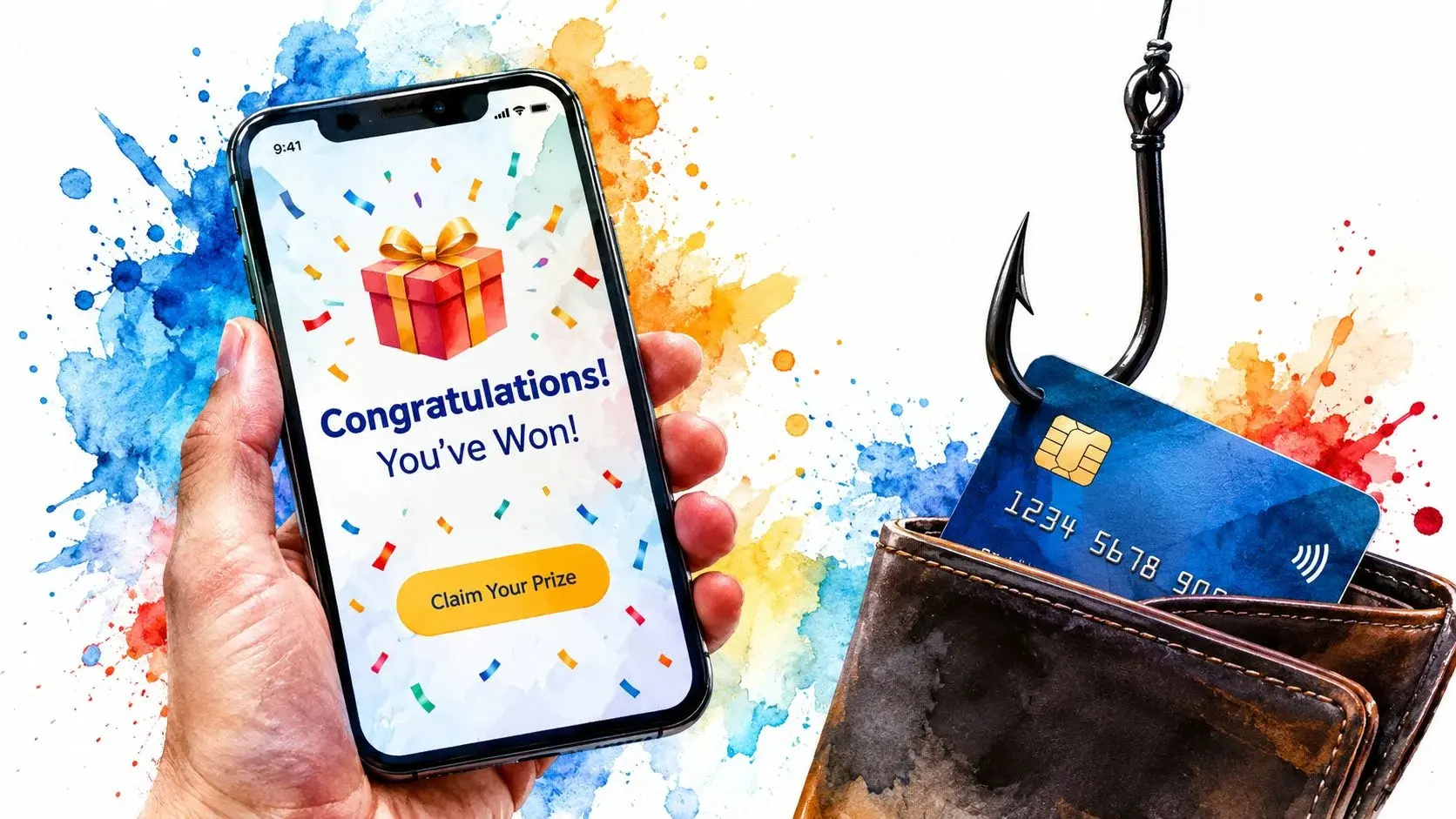
For businesses, it's critical to distinguish your genuine promotions from these scams. If your contest announcements or special offers use vague, overly urgent, or misleading wording, they risk being perceived as spam. This can lead to customers blocking your number, damaging your brand's credibility and hurting the deliverability of all your communications, from marketing texts to appointment reminders.
Anatomy of a Prize/Lottery Scam
These scams operate by creating a sense of unearned victory and urgency, pushing recipients to act before they can think critically. Here are some common examples and what makes them spammy:
- Example text: "Congratulations! You were selected as this month's winner. Claim your $1,000 gift card here: bit.ly/claim-xx" Why it's spammy: The message lacks personalization and context. Legitimate brands only award prizes to people who entered a contest, and they communicate through official channels.
- Example text: "YOU WON! Call 1-8XX-XXX-XXXX within 24 hours to claim your prize or it will be forfeited." Why it's spammy: It omits key details like what the prize is, what company is awarding it, and how the person was selected. The "call now" pressure is a red flag.
- Example text: "[Carrier] Rewards: your account earned a free phone. Verify your details to claim it: carrier-rewards-claim.net" Why it's spammy: While carriers run promotions, they don't typically send unsolicited texts with unverified links. The scam aims to harvest personal data under the guise of "verification."
Key Takeaway: Prize scams thrive on ambiguity and manufactured urgency. To protect your brand, ensure your promotional messages are transparent, targeted, and trustworthy. Only send offers to opted-in subscribers, clearly state the terms, and provide verifiable contact information.
3. Tech Support Scam Messages
Tech support scams prey on fear by sending messages that falsely claim your device is infected with malware, has a security breach, or is experiencing critical system errors. These fraudulent alerts pressure you to call a fake support number or click a malicious link, where scammers posing as support agents will attempt to steal your money, personal information, or gain remote access to your device. This type of spam message example is effective because it creates immense panic, causing people to act impulsively against their better judgment.
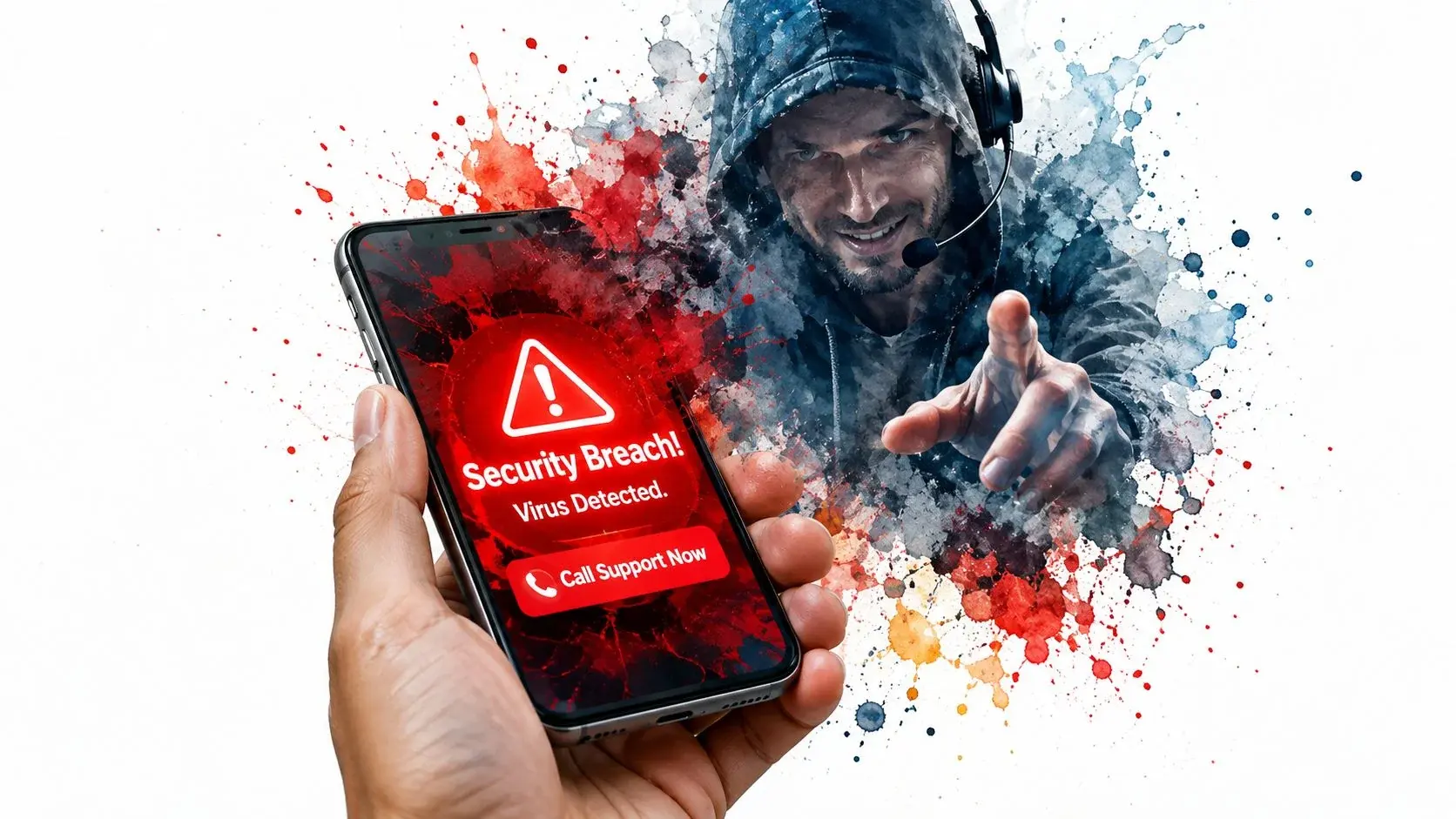
For legitimate IT firms and businesses, it is critical to ensure your support communications are never mistaken for these scams. Messages that use overly aggressive language or demand immediate action without proper context can be flagged by carriers and alarm your customers. This erodes the trust you have worked hard to build and can harm your sender reputation, affecting the deliverability of all your communications.
Anatomy of a Tech Support Scam
Tech support scams use a formula of technical-sounding jargon mixed with high-stakes urgency to manipulate victims. Here are a few common examples and what makes them deceptive:
- Example text: "Apple Security: 5 viruses detected on your iPhone. Call support now at 1-8XX-XXX-XXXX to remove them." Why it's spammy: iPhones don't send threat-count alerts via SMS. The message fabricates a crisis to trick you into calling a scammer-controlled phone number.
- Example text: "Dear user, your Microsoft account will be closed today. Sign in to keep it: microsoft-acct-verify.com" Why it's spammy: The generic greeting and non-Microsoft link are red flags. Scammers are hoping your fear of an account takeover will lead you to a fake login page.
- Example text: "ALERT: your phone was hacked. Your photos and banking apps are exposed. Call our support line now: 1-8XX-XXX-XXXX" Why it's spammy: This message creates intense personal fear by mentioning photos and banking apps. It lacks specifics and pushes you toward an unverified "support" line instead of official channels.
The FTC is blunt about this one: "Legitimate tech companies won't contact you by phone, email, or text message to tell you there's a problem with your computer" (FTC tech support scam guidance).
Key Takeaway: Tech support scams succeed by combining fake authority with manufactured panic. Businesses must establish legitimacy in their own communications by providing clear branding, verified contact information, and avoiding panic-driven language. This ensures your legitimate support messages and even ringless voicemail drops are recognized as authentic and helpful.
4. Fake Delivery/Courier Notifications
Delivery scams work because they borrow from a real habit: many people are waiting for something. A fake shipping text does not need to be brilliant to succeed; it only needs to arrive on a day when a package seems plausible. That is why this category deserves extra attention. The U.S. Postal Inspection Service has repeatedly warned consumers that package-tracking smishing texts are designed to steal personal and financial information through fake redelivery, address-correction, and fee-payment pages in its smishing advisory.
For legitimate businesses sending shipping updates, this is the category where small details matter most. Real delivery notifications usually include account-specific context: an order reference, merchant name, real tracking number, or a prompt to open the official carrier app. Fake ones usually substitute pressure for detail.
Anatomy of a Fake Delivery Notification
Here is a quick pattern library for assessing a delivery text.
UPS Alert: We missed you today. Reschedule your delivery now or your parcel will be returned: ups-delivery-help.com
What it usually means: Failed delivery lure.
Red flags: No real tracking number, no delivery window, and no official UPS domain. The threat of return is there to force quick action. A legitimate UPS alert typically points you to your existing UPS account, references a real package, and uses an official UPS-owned domain or app flow.
DHL Customs: Your parcel has arrived at customs. Pay $2.99 clearance fee immediately to prevent delay: dhl-fees-secure.net
What it usually means: Customs fee or release payment scam.
Red flags: Tiny fee, urgent deadline, and a domain that is not clearly DHL. Scammers favor small amounts because people are more likely to pay first and question later. A real customs-related notice is usually tied to a shipment you can verify, often with a shipment number and fuller sender/receiver details.
USPS Delivery: Address incomplete for package 9400****. Confirm destination here: usps-address-fix.com
What it usually means: Address confirmation scam.
Red flags: Even when a text includes a partial number, the destination domain is still the giveaway. The message pushes you to correct an address through a non-USPS website. Legitimate address issues are more likely to be handled in your official USPS account, retailer order history, or a verified carrier page.
The Postal Inspection Service is specific about USPS: it "will not send customers text messages or e-mails without a customer first requesting the service with a tracking number, and it will NOT contain a link" (USPIS smishing advisory, updated May 2025). A USPS text with a link is a scam by definition. You can report it to spam@uspis.gov with a screenshot that shows the sender and date.
FedEx Tracking Update: Your package status changed. View tracking details now: fedex-tracker-status.info
What it usually means: Generic tracking-update lure.
Red flags: Vague status language, no package context, and a lookalike domain. Fake package delivery problems were the most reported text scam of 2024 in FTC data, because they work on almost anyone who shops online. Real tracking texts usually identify the shipment more specifically and do not rely on mystery domains.
The fastest way to tell fake from legitimate is to check for three details together, not one in isolation: a real tracking number you recognize, an official domain you can verify, and account-specific context that ties the text to an order you placed. A scam message often imitates one of those well enough to seem plausible, but rarely all three.
What to do instead of clicking
- Open the carrier app or type the known website yourself instead of using the text link.
- Check the tracking number inside your retailer order page or shipping confirmation email.
- Do not reply to the text, even with "STOP" if it is clearly fraudulent.
- Forward the message to 7726 and report it using FTC or carrier tools.
- Delete it after reporting, or block the sender if the texts continue.
The FTC's guide to reporting spam texts and the USPS inspection service's package scam warning are good references if you need the official reporting path.
5. Banking/Financial Fraud Alerts (Fake)
Fake financial alerts are a particularly harmful form of spam where scammers impersonate legitimate banks, credit unions, or payment apps. They send urgent messages about supposed unauthorized transactions, frozen accounts, or required security verifications. The goal is to trick you into clicking a malicious link to a fake banking portal or calling a fraudulent phone number, where they steal your login credentials, PINs, and other sensitive financial information. This type of spam message example is effective because it creates intense financial panic, short-circuiting rational thought.
For legitimate businesses in finance or healthcare that handle financial data, these scams set a dangerous precedent. If your legitimate alerts about account activity or payments resemble these fraudulent tactics, customers may ignore them or report you as spam. Maintaining clear, authenticated, and professional communication is essential for protecting your brand's integrity and ensuring critical messages are trusted and received. If you have been a victim of financial deception, start with the FTC's guide on what to do if you were scammed.
Anatomy of a Fake Financial Alert
These fraudulent messages rely on impersonation and fear to prompt immediate, ill-advised action. Here are a few common examples and an analysis of their deceptive methods:
- Example text: "Chase: Did you attempt a $1,249.99 purchase? If not, cancel it here: chase-dispute-center.com" Why it's spammy: The link is not an official Chase URL. It creates panic with a specific, high-dollar transaction to make the threat feel real and urgent.
- Example text: "Your debit card has been locked for suspicious activity. Call 1-8XX-XXX-XXXX to restore access." Why it's spammy: While it mimics a real process, the phone number connects to a scammer, not the bank. The scammer will then ask for your account details and PIN to restore access.
- Example text: "PayPal: your payments are on hold until you confirm your account: paypal-resolution-help.com" Why it's spammy: This message implies your ability to make payments is at risk. The link directs to a replica of PayPal's website designed solely to harvest your credentials.
Key Takeaway: Financial fraud alerts exploit the trust customers have in their banks. Legitimate businesses, especially those in finance and healthcare, must use authenticated and secure channels. Features like multi-factor authentication, branded sender IDs, and clear instructions to visit official websites (never links) are critical. When transmitting sensitive financial or patient data via text, understanding if SMS is encrypted helps maintain compliance and build user confidence.
6. Romance/Catfishing Scam Messages
Romance scams, often called catfishing, are a malicious form of fraud where scammers create fake online identities to build emotional relationships with their targets. Over weeks or months, they cultivate trust and affection via SMS, social media, and dating apps, only to eventually exploit that connection for financial gain. They invent elaborate stories about needing money for medical emergencies, travel, or business investments. This type of spam message example is uniquely cruel as it preys on human emotion and the desire for connection, leading to significant financial and emotional devastation for victims.
While most legitimate businesses aren't operating in the dating space, understanding these tactics is critical. The core of this scam is a betrayal of trust built through communication. If your business's messaging, whether through SMS or even personalized ringless voicemail drops, feels disingenuous or manipulative, it erodes customer trust and can harm your brand's integrity, even if your intentions are good.
Anatomy of a Romance/Catfishing Scam
Catfishing campaigns are a long game, relying on emotional manipulation rather than simple urgency. The messages are designed to build a deep, albeit fake, connection. Here are some common examples and why they work:
- Example text: "Hi, I'm an Army doctor deployed overseas. I saw your profile and felt a real connection. Can we keep talking here?" Why it's spammy: This plays on sympathy and patriotism. The scammer establishes a noble-sounding identity that also conveniently explains why they can't meet in person or video call.
- Example text: "Babe, I'm stuck at the airport and my bank card was blocked. Could you send $800 in gift cards so I can get home to you?" Why it's spammy: This introduces a sudden, high-stakes crisis that creates emotional panic. After building a relationship, the victim feels a strong obligation to help their "partner."
- Example text: "I found a crypto investment that will set us up for life. Put in $5,000 now and we'll build our future together." Why it's spammy: This tactic mixes the emotional connection with the promise of a shared, prosperous future. It frames the request as an investment in "their" future together. The FTC lists the classic signs: the person claims to live or work far away (an oil rig, the military, an international organization), avoids meeting, then asks for money by wire, gift cards, payment apps or crypto. Its rule is simple: "Never send money or gifts to a sweetheart you haven't met in person" (FTC romance scam guidance).
Key Takeaway: Romance scams are built on a foundation of false intimacy and emotional manipulation. For legitimate businesses, the lesson is clear: authentic, transparent communication is the only way to build lasting customer relationships. Trust is your most valuable asset, and it must be earned through honesty, not trickery.
7. Job Offer/Employment Scam Messages
Job offer scams are fraudulent messages that prey on the hopes and needs of job seekers. Scammers offer unrealistic positions with high pay, minimal experience requirements, or convenient work-from-home arrangements. Their goal is to trick victims into sending money for fake training, background checks, or equipment, or to steal personal information for identity theft. This type of spam message example is particularly cruel because it targets people in a vulnerable position.
For legitimate recruiters and staffing agencies, the prevalence of these scams poses a significant risk. If your recruitment communications even slightly resemble these fraudulent tactics, they could be blocked by carriers or ignored by candidates who assume you are a scammer. This not only damages your brand's credibility but also undermines your entire talent acquisition funnel.
Anatomy of a Job Offer Scam
Job scam messages are crafted to exploit a candidate's excitement and lower their guard. They often contain red flags that are easy to spot if you know what to look for.
- Example text: "Hi! HR team here. Remote data entry, $45/hr, no experience needed. Apply today: quick-hire-jobs.net" Why it's spammy: The promised salary is exceptionally high for an entry-level position with no experience. The link leads to a phishing site designed to collect personal data.
- Example text: "Congrats, you're hired! Send $150 for your background check and equipment kit so you can start Monday." Why it's spammy: Legitimate employers never ask candidates to pay for background checks, training, or equipment. This is a direct attempt to steal money.
- Example text: "Amazon Recruiting: your application was approved. Pay the $35 processing fee to confirm your start date: amazon-careers-onboard.com" Why it's spammy: The message impersonates a well-known company to appear credible. The request for a "processing fee" and the non-official link are clear indicators of a scam.
The FTC rule of thumb: "Honest employers, including the federal government, will never ask you to pay to get a job" (FTC job scams guidance). Phony job opportunities were the second most reported text scam of 2024.
Key Takeaway: Job scams thrive on promises of high rewards with low effort and often demand upfront payment. To maintain integrity, legitimate recruiting messages must be professional, transparent, and verifiable. Following a strict anti-spam policy is crucial for building trust with potential candidates and ensuring your messages are delivered and received as authentic communications.
8. Healthcare/Pharmacy Impersonation Scams
Scammers impersonating healthcare providers, pharmacies, or insurance companies exploit the trust and urgency associated with medical matters. They send messages about prescription refills, insurance verification, or appointment confirmations to trick recipients into revealing sensitive personal health information (PHI), financial details, or login credentials. This type of spam message example is especially insidious because it preys on people's health concerns, making them more likely to act without suspicion.
For legitimate healthcare organizations, understanding these fraudulent tactics is critical. Patient communications must be carefully crafted to avoid any resemblance to scams, which could cause patients to ignore vital messages or report them as spam. Maintaining patient trust requires a secure and authenticated communication strategy, especially for HIPAA-covered entities.
Anatomy of a Healthcare Impersonation Scam
These scams use familiar healthcare scenarios to appear authentic and prompt a quick, emotional response. Here are common examples and their telltale signs:
- Example text: "CVS Pharmacy: your prescription is on hold. Confirm your insurance details here: cvs-rx-verify.com" Why it's spammy: Reputable pharmacies rarely ask for insurance confirmation via an unverified link. The link directs to a fake portal designed to steal personal and financial data.
- Example text: "Your health insurance will be canceled in 24 hours. Verify your member ID and SSN to keep coverage: health-plan-verify.net" Why it's spammy: This message creates panic about losing health coverage. Legitimate insurers handle such sensitive requests through secure patient portals or official mail, not unsolicited texts.
- Example text: "Medicare: your card expires soon. Renew now to avoid losing benefits: medicare-renewal-center.com" Why it's spammy: Medicare says it "will never call you to sell you anything"; treat a Medicare text with a renewal link as a scam and check by calling 1-800-MEDICARE. This tactic aims to harvest Social Security numbers and other personal information from vulnerable individuals. Source: Medicare.gov.
Key Takeaway: Healthcare scams succeed by creating a false sense of authority and medical urgency. Legitimate providers must prioritize patient verification and avoid requesting sensitive data through insecure channels like SMS. Building patient communications on a secure, HIPAA-compliant platform with clear authentication protocols is essential for protecting patients and maintaining trust.
9. "Wrong Number" Scam Texts
Some of the most expensive scam texts start with nothing suspicious at all. A stranger writes as if they texted the wrong person, apologizes, and keeps chatting. Over days or weeks the "friendly stranger" becomes a mentor or romantic interest who eventually pitches an investment, often in crypto. The FTC listed "wrong number" texts that aren't as one of the top text scams of 2024, and people report losing everything they "invest", often tens of thousands of dollars.
Anatomy of a "Wrong Number" Scam
Example text: "Hi Sarah, are we still on for dinner Friday?"
Red flags: There is no link and no request, which is the point: the first message only checks that your number is active and that you will answer. If you reply "wrong number," the sender keeps the conversation going, moves it to WhatsApp or another app, and later shares "a trading platform that changed my life."
What to do: Do not reply to texts meant for someone else, even to be polite. Delete them, block the number, and report the ones that pitch money or investments at ReportFraud.ftc.gov.
Comparison of 9 Spam Message Types
Use this as a fast decision aid before you interact with any suspicious message:
- Asked to log in, confirm a password, or verify account details? Treat it as phishing until proven otherwise.
- Told you won money or a prize you do not remember entering? Treat it as a prize scam.
- Asked to pay a small fee to release a package, toll, or delivery? Assume it is a payment lure.
- Pressured to act immediately because of fear, embarrassment, or romance? Slow down and verify outside the text.
One pattern repeats across every category: the scammer wants you to leave your normal verification habit. The moment a message tries to replace your bank app, carrier account, official website, or known phone number with its own shortcut, risk goes up sharply.
| Spam type | What the message usually claims | Strongest red flags | What the scammer wants | Safest next step |
|---|---|---|---|---|
| Phishing SMS (Smishing) | Your account, package, toll, or payment needs urgent action | Lookalike link, vague warning, pressure to click now | Login credentials, personal data, or card details | Open the real app or site directly; do not use the text link |
| Prize/Lottery Scam Messages | You won cash, a phone, gift card, or sweepstakes | You never entered, no specifics, fake claim deadline | Fees, identity details, or click-through traffic | Ignore, report, and verify with the brand only through official channels |
| Tech Support Scam Messages | Your device is infected or your account is compromised | Panic language, fake support number, generic sender | Remote access, payments, or passwords | Contact support through the company's official website or app |
| Fake Delivery/Courier Notifications | Delivery failed, address issue, customs fee, or tracking update | No trusted domain, missing package context, small fee request | Card data, credentials, or personal information | Check tracking in the carrier app or order confirmation instead |
| Banking/Financial Fraud Alerts (Fake) | Suspicious transaction, frozen account, payment failure | Non-bank link, urgent callback request, credential prompt | Banking logins, card info, OTPs, or PINs | Call the number on your card or use the bank app directly |
| Romance/Catfishing Scam Messages | Emotional bond, sudden crisis, travel or medical emergency | Fast intimacy, excuses for not meeting, money request | Wire transfers, gift cards, crypto, or ongoing financial support | Stop sending money, reverse-search details, and report the account |
| Job Offer/Employment Scam Messages | Easy job, high pay, remote role, instant hire | Upfront fee, off-platform interview, unrealistic pay | Money, SSN, bank details, or ID documents | Verify the role on the employer's real careers page |
| Healthcare/Pharmacy Impersonation Scams | Refill issue, insurance verification, appointment problem | PHI request by text, fake portal, fear-based medical urgency | Health data, logins, payment info, or identity details | Contact the provider through the patient portal or listed office number |
| "Wrong Number" Scam Texts | A friendly stranger who texted the wrong person | Stranger keeps chatting, moves to another app, later mentions investing | Crypto or investment deposits | Do not reply; delete, block and report |
| Scam Type | Implementation complexity | Resource requirements | Expected outcomes | Ideal use cases (legitimate) | Key advantages (for Broadcast users) |
|---|---|---|---|---|---|
| Phishing SMS (Smishing) | Low–Moderate | Minimal (spoofed IDs, short links) | Credential theft, account compromise | Authentication messages, verified alerts | Branded sender IDs, double opt-in, compliance markers |
| Prize/Lottery Scam Messages | Low | Minimal (templates, generic links) | Fee scams, PII requests, short-term fraud | Targeted promotions, legitimate contest notifications | Segmentation, clear terms, opt-in verification |
| Tech Support Scam Messages | Moderate | Moderate (fake portals, phone numbers) | Remote access, payment fraud, device compromise | Genuine support alerts, security notifications | Authentication markers, verified support channels, MFA prompts |
| Fake Delivery/Courier Notifications | Low | Minimal (spoofed carrier branding, fake links) | Credential theft, fake fee payments | Order/shipping updates, delivery tracking | Personalization, verified tracking links, order merge tags |
| Banking/Financial Fraud Alerts (Fake) | Moderate | Moderate–High (cloned portals, realistic branding) | Account takeover, financial theft | Fraud alerts, transaction notifications, MFA | Transaction details, secure sender IDs, compliance controls |
| Romance/Catfishing Scam Messages | High | High (time, stolen media, persistent messaging) | Long-term financial loss, emotional harm | Safety alerts, identity verification for social apps | Identity verification, reporting workflows, user education |
| Job Offer/Employment Scam Messages | Low–Moderate | Low (fake postings, payment requests) | Upfront fee loss, PII exposure | Interview reminders, onboarding, legitimate recruiter outreach | Verified domains, transparent job details, official portals |
| Healthcare/Pharmacy Impersonation Scams | Moderate–High | Moderate (targeted patient lists, trusted branding) | Medical/financial identity theft, patient risk | Appointment reminders, prescription notifications, test results | HIPAA-compliant messaging, secure authentication, verified sender IDs |
| "Wrong Number" Scam Texts | Low | Low (bulk texts, scripted chats) | Investment and crypto fraud | Clearly identified first messages from businesses | Brand name in the first message, opt-out instructions |
Real Scam Text Types and the Official Warnings Behind Them
The examples above are illustrative. The table below lists the scam text types that US agencies have warned about, with the official source for each, so you can check the current advice yourself.
| Scam text type | What the text usually says | Official source |
|---|---|---|
| Fake package delivery problem | Package on hold, address issue, small redelivery fee | FTC: top text scams of 2024 (#1); USPIS: USPS texts never contain a link |
| Phony job offer | High pay for easy remote work; pay for training or equipment | FTC: top text scams (#2); FTC job scams |
| Fake bank fraud alert | Did you make this purchase? Reply or call to stop it | FTC: top text scams (#3) |
| Unpaid toll notice | Outstanding toll balance; pay now to avoid a late fee | FTC: top text scams (#4); FBI IC3 PSA, April 12, 2024 |
| "Wrong number" text | Friendly message to the wrong person that turns into an investment pitch | FTC: top text scams (#5) |
| Prize, gift card or coupon | You won; claim it with this link or fee | FTC: recognize and report spam texts |
| Account problem or suspicious activity | Your account is locked; verify your details | FTC: recognize and report spam texts |
| Tech support | Your device is infected; call this number | FTC: tech support scams |
| Romance | Overseas sweetheart with an emergency who needs money | FTC: romance scams |
| Medicare or health coverage | Renew or verify your benefits with this link | Medicare.gov: report fraud |
Spam vs. Scam Texts: What's the Difference?
People use the words interchangeably, but they are not the same thing, and the difference changes what you do next.
| Aspect | Spam text | Scam text |
|---|---|---|
| What it is | Unwanted bulk messages, usually marketing you did not agree to | A message designed to steal money, logins or personal data |
| Who sends it | Sometimes a real business that skipped consent | A criminal pretending to be a business, agency or person |
| Typical example | A store promotion you never signed up for | A fake toll, bank or delivery notice with a link |
| Safe response | If you recognize the brand, reply STOP; otherwise report it | Do not reply or tap; report it, delete it, block the sender |
| Rules involved | FCC: autodialed texts need prior consent; commercial texts need written consent | Fraud; report to the FTC and, if you lost money, FBI IC3 |
Carriers also block some texts before you see them. Since the FCC's 2023 text blocking order (FCC 23-21, March 2023), mobile providers must block texts that claim to come from invalid, unallocated or unused numbers, and from numbers whose owners asked that texts using them be blocked. Scam texts from real, working numbers still get through, which is why reporting matters.
How to Report a Spam or Scam Text
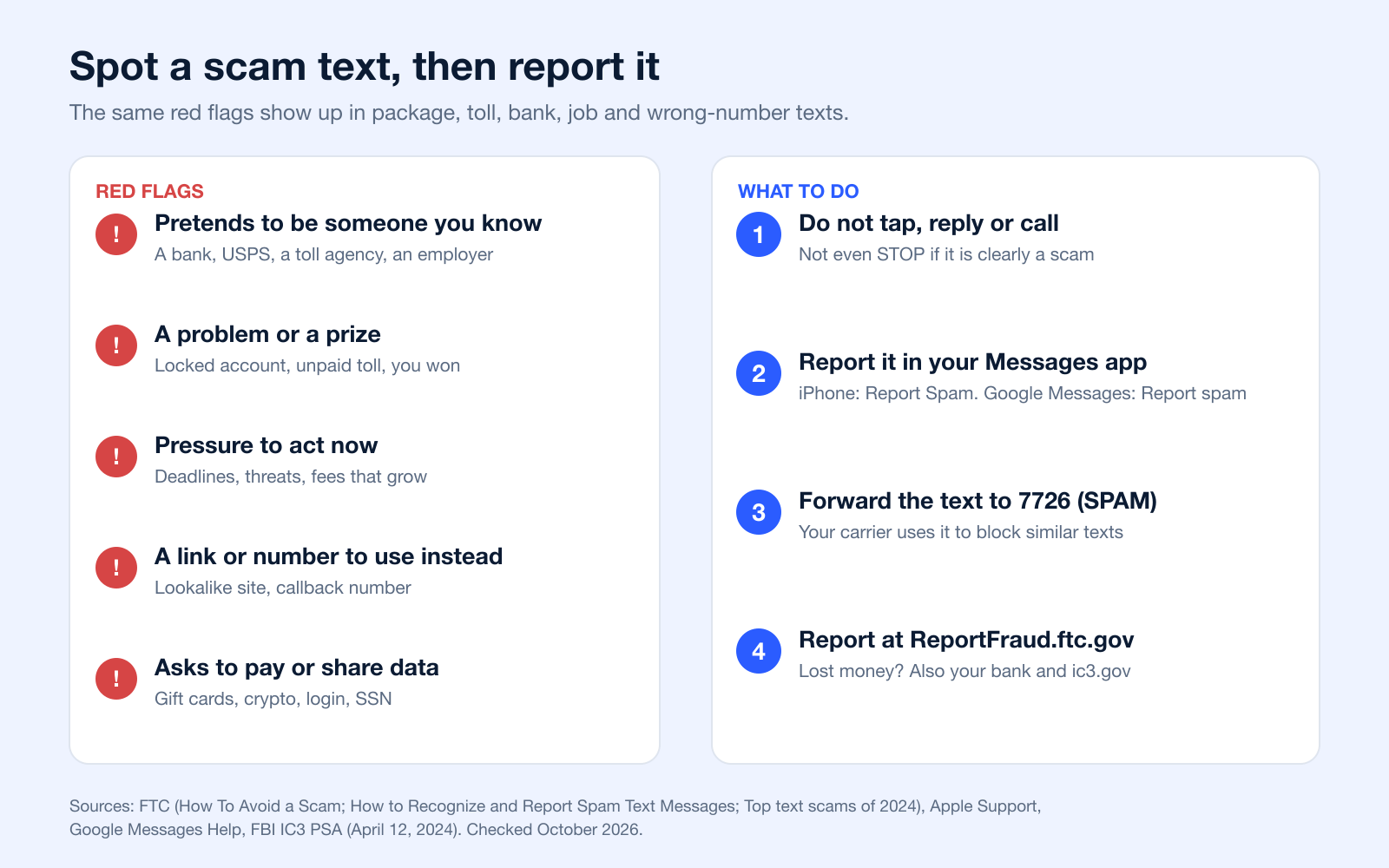
Reporting takes under a minute and helps carriers, phone makers and the FTC block the next wave. The FTC recommends these three channels (FTC spam text guidance):
- Your messaging app. On iPhone, swipe left on the message and tap Delete and Report Spam, or tap the Report Spam link under a message from an unknown sender. In Google Messages, tap Report spam on a suspected spam warning; it lets Google and your carrier know (Apple, Google).
- Your carrier: forward the text to 7726 (it spells SPAM). Your carrier may then ask for the number the text came from.
- The FTC: file a report at ReportFraud.ftc.gov. The FTC uses reports to build cases and spot trends.
Depending on the text, report it to the impersonated organization too:
- Fake USPS texts: email a screenshot to spam@uspis.gov (USPIS).
- Toll texts or any scam where you lost money: file a complaint with the FBI at ic3.gov with the sender's number and the link.
- Medicare texts: call 1-800-MEDICARE (Medicare.gov).
- Bank texts: call the number on the back of your card, not the one in the text.
What to do if you already clicked or replied
Act quickly. The FTC's steps (What To Do if You Were Scammed, June 2026): if you entered a password, change it and turn on two-factor authentication; if you paid by card, bank transfer, Zelle, gift card or crypto, contact that company right away and ask to reverse the payment; if you shared your Social Security number, go to IdentityTheft.gov for a recovery plan. Then report the text as above.
What Legitimate Business Texts Include
If you send texts for a business, the best protection against being mistaken for spam is to look nothing like the examples above. Wireless industry guidelines from CTIA spell out what a legitimate program shows (CTIA Messaging Principles and Best Practices, May 2023):
- Who is texting. The brand or organization name in the message, starting with the first one.
- Consent first. People opted in to this program. Under FCC rules, marketing texts sent with an autodialer need prior written consent (47 CFR 64.1200).
- How to stop. Clear opt-out instructions such as "Reply STOP to opt out." Replies like stop, quit, end, cancel or unsubscribe must be honored.
- How to get help. A HELP reply with the program name and contact details.
- What to expect. Message frequency and "Msg & data rates may apply" in the opt-in confirmation.
- No requests for secrets. The FTC notes that "legitimate companies won't ask for information about your account by text."
More on each piece: opt-in texts, unsubscribe messages, the SMS compliance checklist, and why carriers label numbers as spam risk. To keep your own messages out of spam folders, see SMS deliverability.
How to Block Spam Texts on iPhone or Android
That buzz in your pocket. You check your phone, and it’s a text from a number you don’t recognize. Annoying, right?
Luckily, getting rid of them for good is baked right into your smartphone. Whether you're an iPhone loyalist or an Android fan, you can shut down unwanted senders in a few quick taps, no extra apps needed. This is your go-to move for silencing specific numbers that have started to get on your nerves.
Let's say a random text pops up: "Hey, is this Sarah? We met last week." You aren't Sarah, and you definitely didn't meet this person. Instead of replying or just letting it sit there, you can block them on the spot. It's fast, effective, and gives you immediate peace of mind knowing they can't call or text you from that number again.
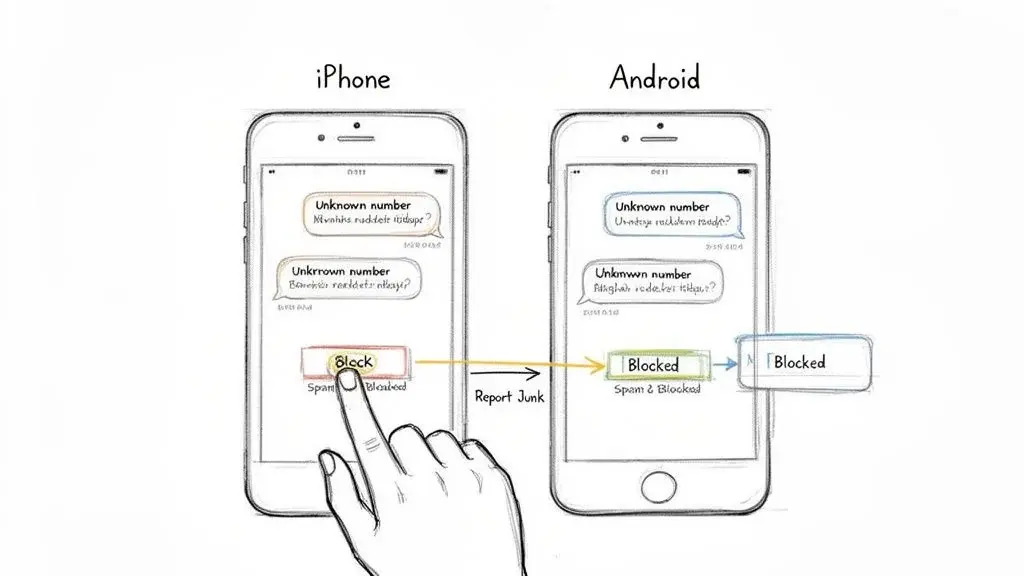
Blocking a Number on Your iPhone
If you’re on an iPhone, the whole process is built right into your Messages app. It's incredibly simple.
When you get a text from an unknown number or someone you're done hearing from, just open the conversation. Tap the person's icon at the top, tap Info, scroll down, then tap Block Contact (Apple iPhone User Guide, iOS 26 and 27, checked October 2026).
For obvious spam, use Report Spam first: swipe left on the message and tap Delete and Report Spam, or tap the Report Spam link under a message from an unknown sender. iMessage reports go to Apple; for SMS, MMS and RCS, Apple says the report is shared with your carrier, depending on your carrier and country. Reporting does not stop the sender, so block the number too.
Apple notes that you cannot report a message after you have replied to it, so report before you answer anything.
Once you tap it, that's it. When you block a contact in Messages, Apple says that contact is also blocked in Phone, FaceTime, Mail and other apps. If you ever need to review or unblock someone, go to Settings > Privacy & Security > Blocked Contacts.
How to Block Texts on Android with Google Messages
For the Android crowd using Google Messages, the process is just as quick and painless. Google has made it incredibly easy to block numbers and report spam without a lot of fuss.
On the Home screen of Google Messages, touch and hold the conversation you want to block, then tap Block and OK (Google Messages Help, checked October 2026). When Google Messages shows a suspected spam or scam warning, you can also tap Report spam.
You have two tools here:
- Block only: This simply stops the number from contacting you again.
- Report spam: Usually the better choice for scams. When Google Messages flags a suspected spam or scam message, tapping Report spam lets Google and your carrier know, which helps shut down spam campaigns (Google Messages Help). The FTC also recommends reporting spam because it gives carriers and tech companies the data they need to fight back.
After you block them, the conversation gets tucked away in your "Spam & blocked" folder. You can get to this folder anytime by tapping your profile icon on the main Messages screen. It keeps your inbox clean but still lets you check on blocked messages or even unblock a number if you have a change of heart.
Put Your Carrier's Security Apps to Work
Most carriers offer dedicated apps that give you way more control than the basic block feature on your phone. These apps are packed with features that go beyond just blocking a single number.
- T-Mobile Scam Shield: This is great for getting a "scam likely" warning on incoming calls, but it also lets you block entire categories of unwanted texts and calls.
- Verizon Call Filter: Similar to T-Mobile's app, this tool helps quiet the noise from spam calls and gives you a direct way to report junk texts right to Verizon so they can investigate.
- AT&T ActiveArmor: This is AT&T's all-in-one security suite. It actively filters calls and texts, automatically flagging or blocking shady senders to protect you from potential fraud.
By turning these on, you’re basically letting your carrier's massive, always-learning database of spam numbers do the heavy lifting for you.
Carrier apps and their features change often, and some features are paid. Check your carrier's own page for what it filters today; for example, Verizon keeps its Call Filter FAQs up to date.
Frequently Asked Questions
How to check if a text message is spam?
Start with the sender, the link, and the request. If the text comes from an unknown number, uses a suspicious domain, or asks for passwords, payment, personal data, or immediate action, treat it as suspicious. The safest check is to ignore the link and verify the claim through the company's official app, website, or phone number you already know.
Is it better to block or delete spam text messages?
Delete is enough for a one-off nuisance message after you report it, especially if there is no sign of ongoing harassment. Block is better when the sender repeats contact, uses different lures, or makes you worry about future scam attempts. In either case, do not engage with the message first.
What do fake text messages look like?
Most fake texts imitate routine life: package issues, bank alerts, toll fees, password resets, job offers, and prescription problems. The giveaway is usually the mismatch between the serious claim and the weak proof: a vague warning, a strange link, bad branding, or a demand that a legitimate company would handle through a secure account instead.
Can you give me some examples of spam messages?
Yes: "Your bank account is locked, verify now," "Your package cannot be delivered until you pay a fee," "You won a prize, claim today," and "We are hiring immediately, send your details for payment setup." The category changes, but the pattern is similar: urgency, impersonation, and a request that benefits the sender rather than you.
Should I reply STOP to a scam text?
Only if you are sure it is legitimate marketing from a real company you recognize. With obvious scams, replying can confirm that your number is active, which may attract more spam. The better move is to report, block, and delete.
Where should I report scam texts?
Forward the message to 7726 so your carrier can review it, report it in your messaging app, then file a report with the FTC at ReportFraud.ftc.gov. If the message impersonates mail delivery, the postal service, banking, or another regulated service, reporting through that organization's official fraud page can also help (for USPS, spam@uspis.gov). If you lost money, also file at ic3.gov.
What is a spam text message?
A spam text is an unwanted message sent in bulk, usually marketing you never agreed to receive. A scam text is a fraud that pretends to be a company, agency or person to get money or personal data. Many messages people call "spam" are really scams. See spam vs. scam texts.
Can text messages be spam?
Yes. Spam is not limited to email. The FTC tracks spam and scam texts, and the most reported ones in 2024 were fake package problems, phony jobs, fake fraud alerts, unpaid toll notices and "wrong number" texts (FTC).
Is spam texting legal?
Generally not without consent. Under FCC rules, texts sent to a mobile phone with an autodialer need the owner's prior consent, and commercial texts need written consent (FCC). Scam texts are fraud regardless of how they are sent. This is general information, not legal advice.
How do I find spam text messages on my phone?
On iPhone, spam filtering is on by default: open Messages, tap the Filters button and choose Spam (or Unknown Senders if you screen them). In Google Messages, tap your profile picture, then Spam & blocked. Check these folders if you are missing a real message, such as a verification code.
What should I do if I clicked a link in a scam text?
Do not enter anything else. If you typed a password, change it and turn on two-factor authentication; if you paid, contact your bank or card issuer now; if you shared your Social Security number, go to IdentityTheft.gov. See the FTC's steps.
Can I Block Texts but Keep Calls From a Number?
This is a common one, but usually the answer is no. On iPhone, Apple says blocking a contact in Messages also blocks them in Phone and FaceTime. On Android it depends on the phone and messaging app, but the built-in block generally covers the whole number.
That includes:
- Text messages (both SMS and MMS)
- Regular phone calls
- Video calls like Apple’s FaceTime
Your phone’s native settings just don't have an option to selectively block texts while letting calls ring through. It's designed to be a complete break.
Final Thoughts
The most useful takeaway is not memorizing every script scammers use. It is knowing the response workflow well enough that the exact wording no longer matters.
- Do not click the link or call the number in the text.
- Verify the claim through official channels such as the company app, saved website, or trusted customer-service number.
- Block or filter the sender if the messages continue or clearly come from a fraudulent source.
- Report the text to your carrier by forwarding it to 7726, and report serious scams through the FTC or the impersonated institution's fraud page using guidance from the FCC and FTC.
- Monitor your accounts if you clicked, replied, submitted information, or made a payment. Change passwords, review recent transactions, and contact the affected provider immediately.
Deleting a message is fine when it is an obvious one-off and you have not interacted with it. Blocking and reporting are better when the sender repeats contact, impersonates a major institution, asks for money or credentials, or targets something sensitive such as banking, healthcare, or identity data. It is better to over-report a convincing fake than to assume a carrier or agency has already seen that exact lure.
For businesses, the lesson is just as important: the clearer and more verifiable your own messaging is, the less likely customers are to mistake it for a scam. Consent, identification, and official link behavior are not just compliance details; they are trust signals.
Related reading: why carriers show "Scam Likely" labels on legitimate calls, and whether SMS is encrypted.
Ready to ensure your messages build trust instead of triggering spam reports? Broadcast provides the compliant-first platform you need, with built-in features for double opt-ins, DNC scrubbing, and easy opt-out management. See how our tools make it simple to apply the best practices we've discussed and connect with your audience safely and effectively.


