
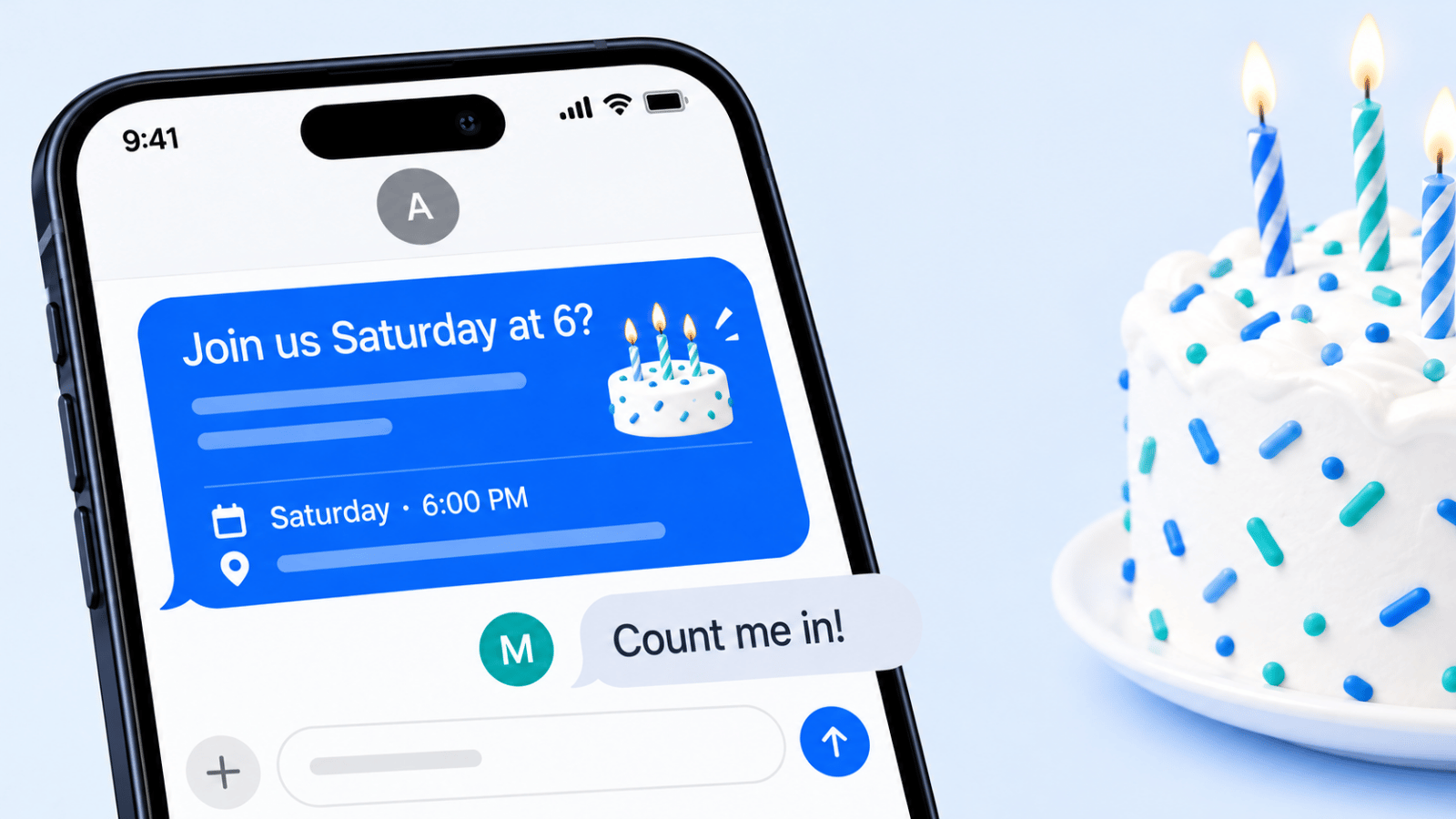
A good birthday invitations text messaging draft does one job well: it tells people exactly what they need to know and makes replying easy. In most cases, the best first text includes five things in one glance: who the party is for, the date, the time, the place, and what you want the guest to do next. If you also match the tone to the relationship (casual for friends, warmer for family, cleaner for colleagues), you remove the guesswork that causes late replies.
Text works especially well for birthday invites because it is where people already talk: Americans exchanged nearly 2.2 trillion SMS and MMS messages in 2024, according to the CTIA 2025 Annual Survey. Shorter invitation texts are easier to answer than decorative ones, especially when the RSVP instruction is only one step.
Quick template picker
- Casual family party or small get-together: Use Simple & Direct
- Close friends, relatives, or VIP guests: Use Personalized & Warm
- Paid, limited-seat, or reservation-based event: Use Early-Bird Incentive
- Large guest list that needs reminders and headcount control: Use Multi-Part Series
- Party where guests may invite others: Use Referral & Social Sharing
- Different groups need different details: Use VIP/Segmented Tiered
- You need meal counts, plus-ones, or quick preferences: Use Interactive & Response-Driven
- Same-day or near-term celebration: Use Last-Minute & Flash
Text is best when speed matters, the guest list already knows you, and the event details are simple enough to fit in a short message. A formal digital invite can still be the better choice for black-tie events, detailed itineraries, or celebrations where you need maps, dress code notes, registry links, and long-form design in one place. If you're planning an outing instead of a home party (a restaurant, a bowling alley, an escape room), say so in the first line so guests know what to expect. Jump straight to wording by age, wording by style, RSVP etiquette and how to text a group.
How These Birthday Invitation Text Messaging Templates Were Chosen
The eight templates were selected based on how people send birthday invites, not on marketing theory alone. The filters were simple: clarity of the first message, how easy it is for a guest to RSVP, whether the tone fits the event type, how much personalization the format allows, and whether the message works as a one-to-one text or as a bulk send through a platform.
Operational reality counts too. A template may sound great, but if it creates messy back-and-forth for plus-ones or makes it hard to identify non-responders, it is less useful in practice. For larger sends, response handling matters as much as wording: the value of a text is not only that it gets seen, but that it makes a usable reply easy.
Finally, the list favors templates that can be adapted for personal parties, parents inviting classmates, adult dinners, and business-hosted birthday events. That balance matters because the same channel can serve very different situations. What works for a 10-year-old's Saturday party is not the same as what works for a restaurant-hosted milestone dinner.
Birthday Invitation Text Wording by Age
The eight templates above are built around how you send. These are built around who the party is for. Each one is our own wording, written as a template: copy it, swap the names, date, time and place, and send. Keep the five essentials (who, date, time, place, RSVP) in every version.
| Occasion | Wording to copy |
|---|---|
| First birthday | Hi [Name]! Our little [Child] is turning ONE. Join us for cake and a lot of mess on Sunday, [Date], 10 AM to noon at our place, [Address]. Please let us know by [RSVP date] if you can come. |
| Toddler or preschool party | Hi [Parent], [Child] is turning 3 and would love for [Guest child] to come play! Saturday, [Date], 9:30 to 11 AM at [Venue]. Parents stay, coffee for the grown-ups. RSVP by [RSVP date]? |
| Kids party, drop-off | Hi [Parent]! [Guest child] is invited to [Child]'s 8th birthday at [Venue], [Address], on Saturday, [Date], 1 to 3 PM. Drop-off is fine. Any allergies we should know about? Please reply YES or NO by [RSVP date]. |
| Whole class | Hi! This is [Your name], [Child]'s mom/dad from Ms. [Teacher]'s class. We're inviting the whole class to [Child]'s 6th birthday on [Date], 2 to 4 PM at [Venue]. Please text me YES or NO by [RSVP date]. Siblings welcome / not able to host siblings. |
| Theme or activity party | Calling all superheroes! [Child] is turning 7. Join us at [Venue] on [Date], 11 AM to 1 PM. Capes welcome, socks required for the trampolines. RSVP to [Your name] at this number by [RSVP date]. |
| Sleepover | Hi [Parent], [Child] is having a birthday sleepover on Friday, [Date], from 6 PM to Saturday 10 AM pickup at [Address]. Pizza, a movie and pancakes. OK for [Guest child] to come? Please let me know by [RSVP date]. |
For kids' parties, the text goes to a parent, so include your own name and your child's, and say whether parents should stay. If you invite only part of a class, text the parents instead of handing out invitations at school, as Emily Post suggests.
| Occasion | Wording to copy |
|---|---|
| Teen party | Hey! I'm turning 15 and having people over Saturday [Date], 7 to 10 PM at my house, [Address]. Pizza and games. Can you come? Text me back by Thursday. |
| Sweet 16 | You're invited to [Name]'s Sweet 16! Saturday, [Date], 7 to 11 PM at [Venue]. Dress code: [Theme]. Please RSVP to [Parent name] at this number by [RSVP date]. |
| 18th birthday | Big one: [Name] is turning 18! Come celebrate on [Date] at [Time] at [Venue]. Food is on us. Let me know by [RSVP date] if you're in. |
| 21st birthday | [Name] is finally 21! Join us [Day, Date] from [Time] at [Bar or restaurant], [Address]. First round is on us. Reply YES or NO by [RSVP date] so we can save a table. ID required at the door. |
| Occasion | Wording to copy |
|---|---|
| 30th birthday | Hard to believe, but I'm turning 30! Celebrating Saturday, [Date], 8 PM at [Venue], [Address]. Would love to have you there. Reply by [RSVP date]? |
| 40th birthday | Hi [Name], we're celebrating [Name]'s 40th with dinner and drinks on [Day, Date] at 7 PM at [Restaurant]. We'd love for you to join us. Please RSVP by [RSVP date] so we can confirm the reservation. |
| 50th birthday | You're invited to celebrate [Name]'s 50th birthday! [Day, Date], 6 to 10 PM at [Venue], [Address]. Dinner, music and plenty of stories. Kindly reply YES or NO by [RSVP date]. |
| 60th, 70th or 80th birthday | Hello [Name], our family is hosting a celebration for [Name]'s 80th birthday on [Day, Date] at 2 PM at [Venue]. It would mean a lot to have you there. Please let [Your name] know by [RSVP date]. Questions? Call or text this number. |
| Your own birthday, low-key | I'm celebrating my birthday with a few friends on [Day] at [Time] at [Place]. Nothing fancy, just good food and good company. I'd love for you to come if you're free. |
| Restaurant, each pays | Birthday dinner for [Name] on [Date] at 7:30 PM at [Restaurant]! Everyone covers their own meal and we'll split [Name]'s. Reply by [RSVP date] so I can book the table for the right number. |
For older relatives, a phone call after the text is a kind touch, and some guests may prefer to answer by phone. Say clearly who is hosting and who to reply to, especially if the text comes from a number they don't have saved.
Birthday Invitation Text Wording by Style
Tone matters as much as details. Pick the style that matches the party, then adjust the bracketed parts.
| Style | Wording to copy |
|---|---|
| Casual | Hey! Birthday drinks for me this Friday at 8 at [Bar]. Come if you can, no need to bring anything. Let me know! |
| Formal | [Host names] request the pleasure of your company at a dinner celebrating [Name]'s [Number]th birthday, [Day, Date] at 7 PM, [Venue], [Address]. Kindly reply by [RSVP date]. |
| Surprise party | Shh, it's a surprise! We're throwing [Name] a surprise party on [Date]. Please arrive by 6:45 PM at [Address]; [Name] gets there at 7. Don't mention it to [Name] and please don't reply in any group chat [Name] is in. RSVP to me directly by [RSVP date]. |
| Virtual party | Join us online for [Name]'s birthday! [Day, Date] at 7 PM [Time zone]. Video link: [Link]. Bring your favorite drink and a story about [Name]. Reply YES so I can send a reminder. |
| Last-minute | Spontaneous plan: celebrating [Name]'s birthday tonight at 8 at [Place]. Short notice, I know! Come by if you're free. Text me so I can save you a seat. |
| Joint birthday | Double celebration! [Name 1] is turning [Age] and [Name 2] is turning [Age]. Join us on [Date], [Time] at [Venue]. One party, two cakes. Please reply YES or NO by [RSVP date]. |
| Adults only | We're celebrating [Name]'s birthday on [Date] at 8 PM at [Address]. This one is adults only, so it's a great excuse for a night out! RSVP by [RSVP date]. |
| No gifts | Join us for [Name]'s birthday on [Date] at [Time] at [Place]. Your company is the only gift needed, really! Please let us know by [RSVP date]. |
| Save the date (big birthday) | Save the date! [Name]'s [Number]th birthday party is on [Day, Date] in [City]. Full invitation with details coming soon. |
Textable Birthday Invitations (Designed Invites)
If you want a designed card instead of plain text, you have two easy options. You can make an image (a card from a design app or a photo with the details on it) and send it in the same text as your wording, so the key details are readable even if the image does not load. See how to send a picture by text message for size limits and fixes.
Or you can use an invitation service that sends by text. Evite sends invitations by text to US and Canadian numbers from its app or website, and the text comes from a short code (Evite Help). Paperless Post lets you send by text or copy a shareable link into a text or group chat; with a pasted link you get fewer tracking features (Paperless Post). For a closer look at how these work, read how Evite works.
1. Simple & Direct Birthday Greeting Template
If you only use one format, use this one. The simple version is the clearest way to send a birthday invitation text message people can read and answer in seconds. It works for friend groups, classmate invites, neighborhood parties, and business-hosted celebrations because it keeps the focus on logistics first: who the party is for, when it happens, where to go, and how to reply.
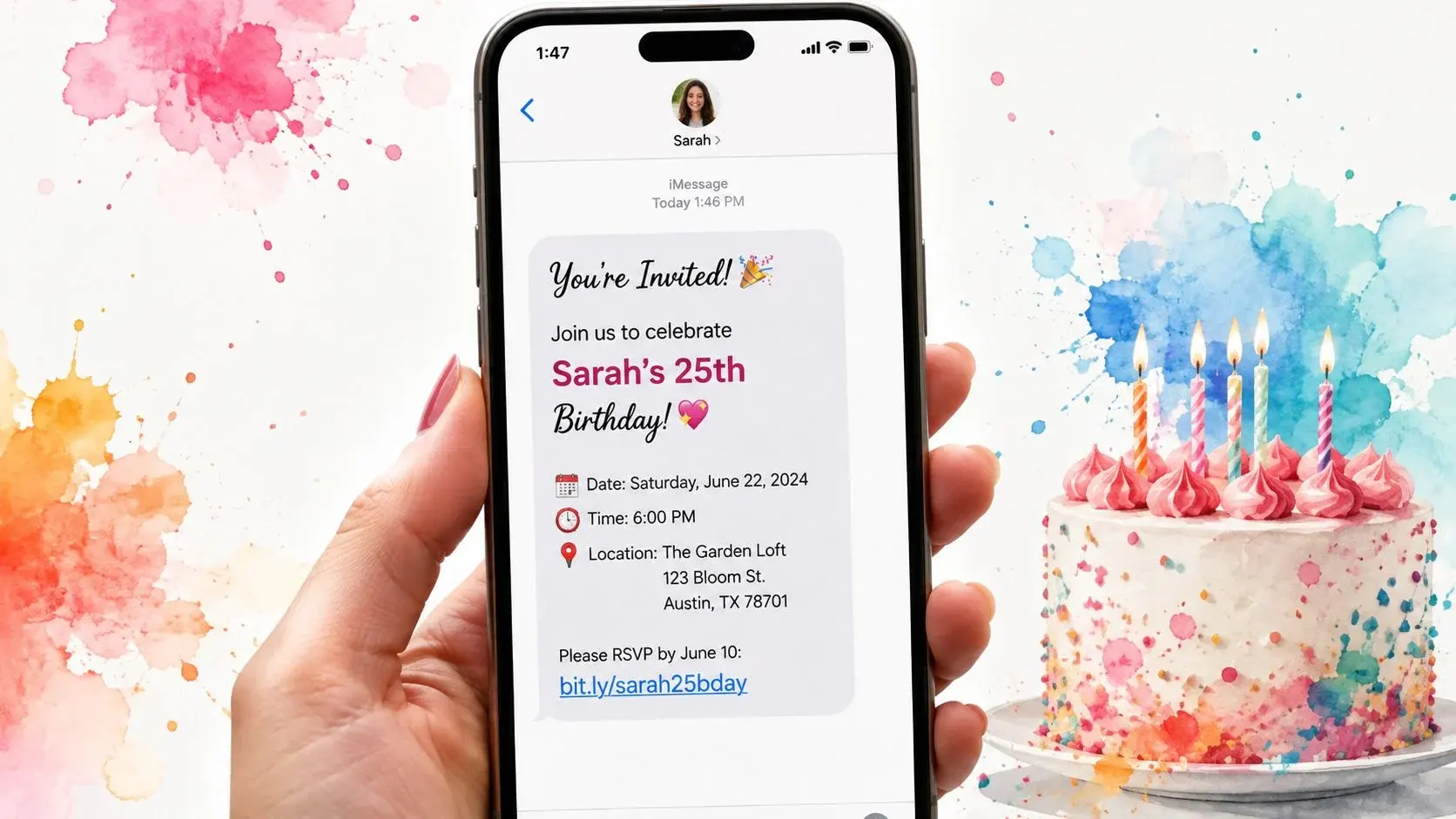
What makes this approach reliable is that it reduces friction. Guests should not have to hunt for the date or wonder whether they are supposed to reply by text or tap a link. Read your message once on a phone screen before sending: if the key details are not obvious in the first two lines, it is probably too long.
What to include in the first text
Every solid birthday invite text should include these five pieces:
- Who the party is for, "Ella's 8th birthday," "Mark's 40th," or "our birthday dinner for Nina"
- Date, include the day of week if possible
- Time, start time at minimum; end time if useful for parents
- Place, venue name, home address, or neighborhood spot
- RSVP action, reply YES/NO, text back by a date, or use a link
If there is one optional sixth item, it is a short note that sets expectations: "pizza and games," "adults only," "bring swimsuits," or "surprise party, please keep it quiet." For etiquette, Emily Post's invitation guidance is still a good reminder that invitations should be clear, timely, and matched to how formal the event is.
Sample messages by party type
Casual friend invite
Hey Sam! I'm having a birthday get-together this Saturday, June 14 at 7 PM at my place, 18 Oak Street. Would love to have you there. Just text me back by Thursday if you can make it.Child's birthday from a parent
Hi Jenna! You're invited to Ava's 6th birthday party on Sunday, March 22 from 2 to 4 PM at Sky Zone, 55 Main St. Please reply YES or NO by March 15 so we can confirm the headcount.Adult milestone birthday
Hi Chris, we're celebrating Daniel's 40th birthday on Friday, September 11 at 6:30 PM at The Terrace Room. We'd be glad to have you join us. Please RSVP by September 1 here: [Link]Short last-minute invite
Hey! A few of us are celebrating Mia's birthday tonight at 8 PM at Harbor Grill. If you can come, text me back and I'll save you a seat.Link-based RSVP version
Hi [First Name], You're invited to celebrate [Guest of Honor]'s birthday on [Date] at [Time] at [Location]. Please RSVP by [RSVP Date] here: [Link]Reply-based RSVP version
It's party time! Join us for [Guest Name]'s birthday on [Date] at [Venue]. Reply YES if you can make it or NO if you can't.How to phrase the invite politely
Many hosts overthink the ask. You do not need sales language; you need warmth and clarity. A few natural lines work better than hype:
- "We'd love for you to come."
- "Hope you can celebrate with us."
- "If you're free, we'd be happy to have you there."
- "Let me know if you can make it."
Here are two examples that sound human instead of promotional:
Hi Leah, I'm celebrating my birthday next Friday at 7 PM at Juniper Cafe. I'd love for you to come if you're free. Just text me back by Tuesday.Hi Mr. and Mrs. Patel, we're hosting Arjun's birthday party on April 6 from 1 to 3 PM at our house. We'd be so happy if Rohan could join us. Please let us know by Wednesday.Common mistakes that confuse guests
The biggest mistakes are small but costly: leaving out the RSVP deadline, forgetting the address, or assuming guests know whether children or plus-ones are included. Hosts also tend to cram theme notes, food details, and gift preferences into the opening text. That usually weakens the message.
A better pattern is: first text for the invitation, second text only if extra details are needed after someone says yes. That keeps the initial invite readable and avoids the "I'll answer later" reaction. If you're sending at scale, tools with personalized SMS features make this much easier because you can keep the base message simple while still inserting names or segment-specific details.
2. Personalized & Warm Birthday Invitation Template
Moving beyond the purely functional, this approach infuses your birthday invitations text messaging with warmth and personality. It combines personalization with a friendly, conversational tone to build an emotional connection, making guests feel individually valued rather than just another number on a contact list. This method is perfect for creating a sense of community and ensuring guests feel wanted at the celebration.
This template excels in situations where the relationship with the recipient is key. Boutique event planners, community-focused businesses like karate studios, and service providers use it to strengthen bonds and boost attendance. The warmth makes the invitation feel less like a mass broadcast and more like a personal note, which can significantly improve response rates and guest sentiment.
Strategic Breakdown & Examples
The goal is to feel personal and inviting while still delivering all the necessary information clearly.
Example 1: Friendly & Inclusive
- Message:
Hey [First Name]! We'd love for you to celebrate [Guest]'s special day with us! 🎂 [Date] at [Time] at [Venue]. Can't wait to see you there! RSVP: [Link]- Analysis: Using the recipient’s
[First Name]immediately grabs attention. Phrases like "We'd love for you to celebrate" and "Can't wait to see you" create a welcoming and inclusive tone. The cake emoji adds a festive touch without sacrificing clarity.
Example 2: VIP Guest Framing
- Message:
[First Name], you're on [Guest Name]'s VIP birthday guest list! Join us [Date] at [Venue]. We're throwing an amazing party! Confirm here: [Link]- Analysis: This message frames the invitation as an exclusive honor, making the recipient feel important. The term "VIP guest list" is a powerful tool for boutique businesses or upscale events, adding a layer of perceived value to the invitation. You can learn more about how to set up this type of messaging by exploring personalized SMS features.
If you're writing for two guests of honor, a dual-party structure needs a slightly different tone so the message does not feel crowded. Give both names equal weight in the first line and say whether gifts are for both. See the joint birthday wording below for a ready-to-copy version.
Key Insight: For a multi-touch campaign, you can follow up with a ringless voicemail a few days before the party. A pre-recorded message from the guest of honor saying, "Hey, it's [Guest Name]! I'm so excited to see you at my party on Saturday!" adds a powerful, personal touch that deepens the connection and builds anticipation.
Hi [First Name], You're invited! Join us to celebrate [Guest of Honor]'s birthday. 🎉 [Date] at [Time] - [Location]. RSVP by [RSVP Date] here: [Link]It's party time! Celebrate [Guest Name]'s birthday on [Date] at [Venue]. Fun, games, and cake await. Reply YES to confirm your spot or NO if you can't make it.3. Early-Bird Incentive Birthday Invitation Template
Driving early commitments is a powerful way to manage event logistics, and the early-bird incentive template does just that. This strategy blends the core invitation with a promotional offer, creating a sense of urgency and rewarding prompt responses. It works by offering a time-limited discount, a special perk, or an exclusive freebie to those who RSVP by a specific date, turning a passive invitation into an active conversion opportunity. This method is excellent for paid events, restaurant parties, or any business-hosted celebration where attendance numbers directly impact planning and revenue.
The value of this approach comes from its ability to accelerate the RSVP process. Instead of waiting until the last minute, guests are motivated to act quickly to claim their reward. This gives event organizers a clearer headcount sooner, which is invaluable for managing catering, staffing, and venue capacity. It’s a favorite tactic for restaurants, ticketed events, and service businesses that want to ensure their birthday promotions are successful.
Strategic Breakdown & Examples
The structure combines a clear invitation with an irresistible, time-sensitive offer.
Example 1: Discount Code Offer
- Message:
Hi [First Name], celebrate with us! Early-bird special: Get 20% off your ticket for [Guest of Honor]'s birthday bash if you RSVP by [Date]. Party: [Date] at [Venue]. Use code: [CODE] → [Link]- Analysis: This message is direct and value-driven. The
[First Name]tag adds personalization, while the unique discount code[CODE]allows for precise tracking of the campaign's success. The shortened link directs users to a payment or RSVP page where the code can be applied.
Example 2: Bonus Perk Offer
- Message:
First 50 confirmations for [Guest Name]'s birthday get free appetizers! 🎉 Party is on [Date] at [Time]. Don't miss out, RSVP now: [Link] Offer expires [Deadline]!- Analysis: This example uses scarcity (limited to the first 50 people) and a clear deadline to create urgency. It’s an effective strategy for venues like restaurants or bars looking to fill seats. The link should lead to a simple RSVP form, and a system like Broadcast can automatically track the number of confirmations.
Key Insight: The early-bird incentive is not just about getting RSVPs; it's about building a predictable attendance pipeline. Once you have your initial list of attendees, you can segment non-responders for a follow-up campaign. Consider sending a ringless voicemail to those who haven't replied a day before the offer expires, gently reminding them of the deadline without an intrusive phone call.
4. Multi-Part Series Birthday Campaign Template
A multi-part sequence is the best fit when one text is unlikely to be enough. That usually means a large guest list, a venue that needs a final count, or an event where plus-ones, meal choices, or family scheduling make people delay their reply. Instead of treating this as a marketing drip, it helps to think of it as a clean RSVP workflow: invite, remind, confirm.
What makes this structure useful is not the number of messages, but the fact that each one has a different job. In practice, reply-based RSVP starts to get messy once you have enough guests that you're manually checking texts for yeses, maybes, and "Can I bring my sister?" A sequence works best when the first message sets a simple response path and the follow-ups only go to the right people.
Initial invite
Use the first text to deliver the core details and one clear response method.
Link-based RSVP
Hi [First Name], you're invited to [Guest]'s birthday party on [Date] at [Time] at [Venue]. Please RSVP by [RSVP Date] here: [Link]Reply-based RSVP
Hey [First Name]! We're celebrating [Guest]'s birthday on [Date] at [Venue]. Reply YES if you can come, NO if you can't, and YES 2 if you're bringing one guest.If you use a link, keep the form short: name, yes/no, plus-one count, and any must-know note like allergies or child attendee name. If you use replies, define the format in the first message so you're not decoding half a dozen versions later.
Reminder to non-responders
Send this only to people who have not answered by the RSVP deadline or 2 to 4 days before the event.
Link-based reminder
Hi [First Name], quick reminder to RSVP for [Guest]'s birthday on [Date]. We're finalizing the guest list today. Please respond here: [Link]Reply-based reminder
Just checking in about [Guest]'s birthday this [Day]. Please text YES, NO, or YES 2 by tonight so we can finish the headcount. Thank you!Segmentation matters. Do not send reminders to people who already replied yes. One well-timed reminder usually does more than a long sequence, and you can write it ahead of time and schedule it: on iPhone with Send Later (up to 14 days ahead, iMessage only) or in Google Messages by touching and holding Send. For recurring events, see our guide to automated text message reminders.
Confirmation text after RSVP
Once someone replies yes, move them into a confirmed list and stop the reminder messages. Then send a short confirmation that reassures them their reply was received.
Confirmation to a guest
You're confirmed for [Guest]'s birthday on [Date] at [Time] at [Venue]. We're excited to see you! If plans change, just reply to this text.Confirmation with final details
Thanks for RSVPing YES for [Guest]'s birthday! See you Saturday at 3 PM at 18 Oak Street. Parking is on the side street and the pool party starts right away, so bring a towel.That confirmation step prevents duplicate replies and cuts down on "Did you get my RSVP?" follow-up texts. It also gives you a natural place to share arrival notes, dress code, gate code, or a reminder that the event is a surprise.
Tracking plus-ones, deadlines, and final headcount
The cleanest setup is to decide three rules before sending: your RSVP deadline, whether plus-ones are allowed, and how guests should indicate them. For reply-based tracking, use a simple format like YES, YES 2, or NO. For link-based tracking, include a dropdown for guest count and a hard RSVP cutoff date.
If the event is larger, keep one source of truth for responses so you do not have confirmations scattered across texts, email, and notes. That is where a platform such as Broadcast becomes useful: you can separate non-responders from confirmed guests and send the right follow-up to each group instead of blasting everyone with the same reminder.
6. VIP/Segmented Tiered Birthday Invitation Template
Elevate your birthday invitations text messaging strategy by segmenting your audience and sending customized messages to different guest categories. This tiered approach recognizes that not all guests are the same; family, close friends, and professional colleagues may require different information, tones, and even different event details. By creating specific messages for each group, you make the invitation feel more personal and relevant, boosting engagement and showing appreciation for each relationship.
This method is particularly effective for larger or more complex events where different groups of guests might have distinct roles or schedules. For instance, you may have an exclusive pre-party for VIPs or family members. Segmentation allows you to deliver this role-specific information cleanly without confusing other guests, ensuring everyone knows exactly where they need to be and when. It’s a go-to for corporate event planners and high-touch businesses that need precision in their communications.
Match the message to the relationship
The reason segmentation works is simple: family usually needs fuller context, friends respond better to energy, and colleagues often prefer a cleaner, more formal tone. That matches long-standing etiquette advice to match the invitation to the occasion and the audience (Emily Post).
Example 1: VIP Family Message
- Message:
Hi [First Name], you're so special to [Guest of Honor]! Join us for an intimate birthday celebration on [Date] at [Venue]. A private family cocktail hour starts at [Time]. RSVP here: [Link]- Analysis: This message uses a warm, personal tone ("you're so special"). It provides exclusive details about a "private family cocktail hour," making the recipient feel included in an inner circle.
Example 2: Friends Group Message
- Message:
[First Name], let's celebrate! 🎉 [Guest of Honor]'s birthday party is on [Date] at [Venue]. Bring your energy and get ready for fun! RSVP: [Link]- Analysis: The tone here is energetic and fun, matching the dynamic of a friendship. It focuses on the party atmosphere ("Bring your energy") rather than formal details.
Example 3: Professional Colleagues Message
- Message:
Hi [Name], you're invited to celebrate [Guest of Honor]'s milestone birthday. Join us on [Date] at [Venue] for light refreshments and good company. RSVP by [Date]: [Link]- Analysis: This message is professional and straightforward. It mentions "light refreshments and good company," setting a clear expectation for a more formal networking-style gathering appropriate for colleagues.
Key Insight: Use custom fields in your contact list (e.g., 'Relationship: Family,' 'Relationship: Friend') to build segments. This allows you to not only send unique initial invites but also create separate automated follow-up cadences. For example, you can send a ringless voicemail to the family segment a few days before the event to share a personal message from the host, while the colleague segment might receive a simple text reminder with parking information.
7. Interactive & Response-Driven Birthday Invitation Template
Moving beyond simple confirmations, interactive birthday invitations text messaging turns a one-way announcement into a two-way conversation. This approach is designed to prompt specific replies or interactions, such as keywords or polls, to gather guest preferences and boost engagement. It makes the invitation process more dynamic and provides valuable information for party planning, from headcount to menu choices.
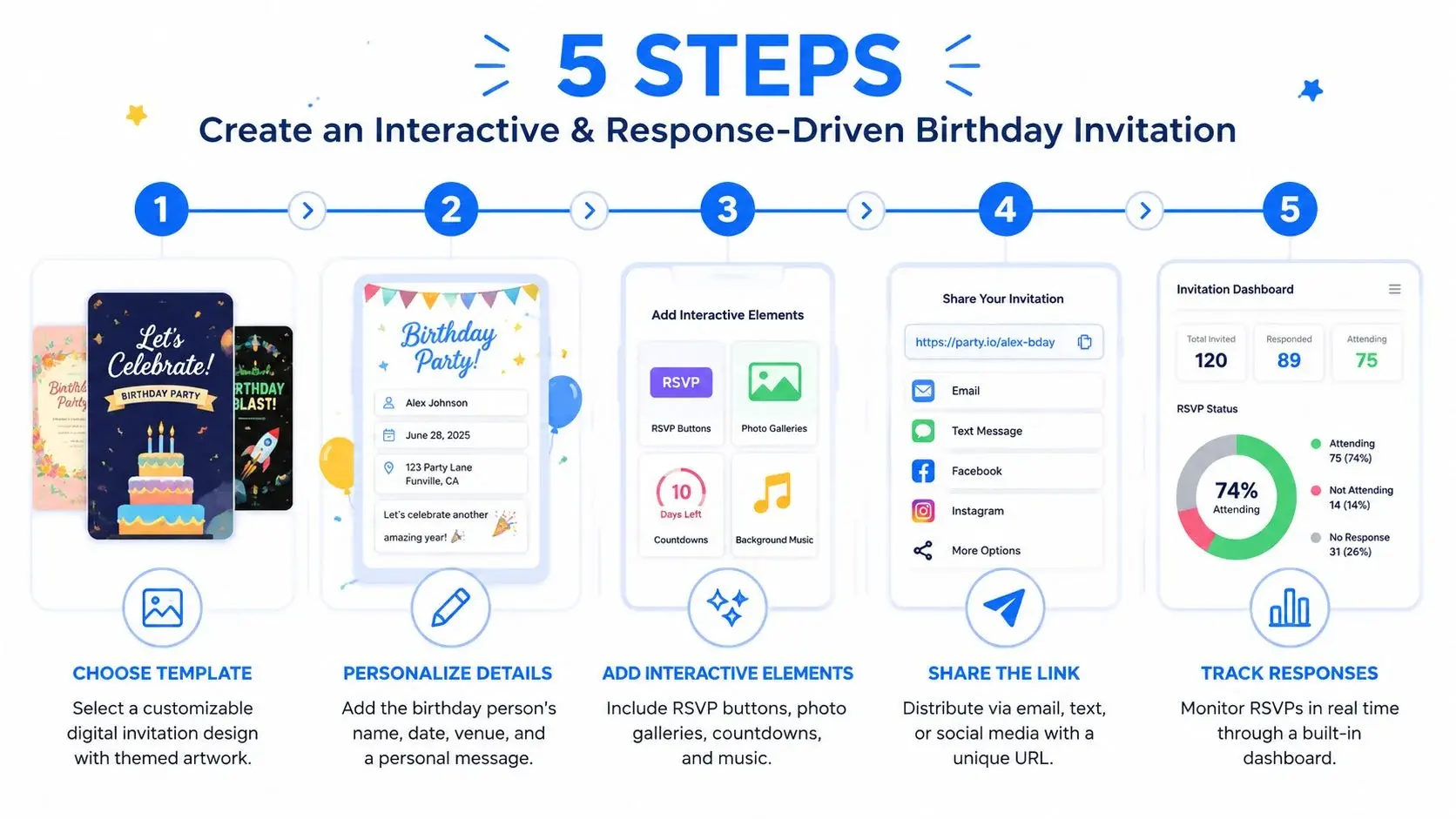
This method is especially effective for events where guest input matters. By asking for an immediate response, you not only get a faster RSVP but also collect data that makes the event better. Tech-savvy planners and businesses aiming for high engagement will find this template turns passive recipients into active participants.
Use simple reply formats guests won't overthink
The more complex the instructions, the lower the completion rate. Hosts sometimes ask guests to reply with names, meal choices, and guest counts in one text; that usually creates cleanup work. Keep the first response dead simple, then ask follow-up questions only after the guest confirms.
Example 1: Keyword-Based RSVP with Guest Count
- Message:
[First Name], you're invited to [Guest Name]'s birthday! [Date] at [Venue]. Text YES to RSVP. Bringing a guest? Reply YES 2 to confirm for two.- Analysis: This message combines the RSVP keyword with an option to specify the number of guests. The instruction "YES 2" is an easy-to-follow format that can be automatically processed by a system like Broadcast to accurately update the guest list.
Example 2: Quick Poll for Guest Preferences
- Message:
Get ready to party for [Guest]'s birthday! Quick poll: Prefer cake or cupcakes? Text CAKE or CUP. Event details: [Date] at [Time]. RSVP here: [Link]- Analysis: This version uses a simple poll to collect preferences while still providing a traditional RSVP link. It’s a great way to build excitement and make guests feel involved in the planning. Setting up an auto-reply that says, "Got it, thanks for voting!" confirms their response was received. If a business sends these texts, CTIA's Messaging Principles and Best Practices expect consent before business messages are sent and a clear way to opt out, stated in the message (sections 4.2 and 5.1.3).
Key Insight: Interactive templates are perfect for segmenting your audience. After receiving keyword responses, you can place contacts into different groups. For example, you can send a follow-up ringless voicemail with party details only to those who replied YES, avoiding contact with those who have already declined.
8. Last-Minute & Flash Birthday Celebration Invitation Template
Sometimes, the best celebrations are spontaneous. This template is built for speed and urgency, turning a last-minute idea into an instant party. It uses the power of immediacy and FOMO (Fear Of Missing Out) to drive extremely quick RSVPs for impromptu events. This method is perfect for situations where extensive planning isn't possible and you need to rally a crowd with minimal notice. Its effectiveness comes from its direct, high-energy approach that creates a sense of excitement and exclusivity.
The core principle behind this strategy is to make responding effortless while conveying genuine urgency. By cutting straight to the point and using powerful, attention-grabbing words, you prompt an immediate decision from your guests. It’s an ideal tactic for bar promotions, pop-up events, and social organizers who thrive on creating spontaneous, memorable experiences.
Strategic Breakdown & Examples
The structure is designed for maximum impact and minimal friction, encouraging instant action.
Example 1: The "Surprise!" Flash Invite
- Message:
🎉 SURPRISE! [Guest Name]'s spontaneous birthday party TONIGHT at [Venue] [Time]! Can you make it? Yes/No: [Link] Hurry!- Analysis: Using
SURPRISE!andTONIGHTin all caps immediately grabs attention and establishes the time-sensitive nature of the event. The simple Yes/No link simplifies the RSVP to a single click, which is critical when recipients have only seconds to decide.
Example 2: The Direct & Urgent Invite
- Message:
[First Name], LAST MINUTE: Celebrate [Guest]'s birthday TODAY at [Time] at [Venue]! Join us! RSVP now: [Link] 🎂- Analysis: This message is direct and personal, starting with the recipient's name and the
LAST MINUTEalert. It clearly presents all essential details and pairs them with a direct call-to-action,RSVP now, pushing for an immediate response. This format for birthday invitations text messaging is highly effective for gathering attendees on short notice.
Key Insight: For very important guests (VIPs), supplement the text with a follow-up ringless voicemail. This allows you to drop a personal, exciting audio message directly into their voicemail box without their phone ever ringing, adding a powerful, personal touch that reinforces the urgency and makes them feel specially invited.
You're invited! Join us to celebrate [Guest]'s birthday bash. 🎉 [Date] at [Time] - [Venue]. RSVP here for all the details: [Link]Hi [First Name], just a friendly reminder about [Guest]'s birthday party this [Day of Week]! We'd love to see you there. Confirm your spot: [Link]Last chance to party! We're finalizing the guest list for [Guest]'s birthday on [Date]. Reply YES or click to confirm your spot now: [Link]Birthday Invitation SMS: 8-Template Comparison
Choose based on three factors: your relationship to the guest, how formal the event feels, and whether you need reliable RSVP tracking. For a casual dinner, a one-text invite is usually enough. For a kids' party, milestone event, or larger guest list, the better choice is often the template that makes follow-up and headcount management easier.
| Use this when | Template | Complexity | RSVP handling | Best outcome | Watch out for |
|---|---|---|---|---|---|
| You're inviting friends or family to a straightforward party at home or a local venue | Simple & Direct Birthday Greeting Template | Low | Easy by reply or link | Fast sends and clear responses | Guests may need a second text for extra details |
| You're inviting close friends, relatives, or valued customers and want the message to feel personal | Personalized & Warm Birthday Invitation Template | Low | Easy, especially with merge tags | Better sentiment and stronger reply quality | Too much warmth without clear logistics can bury the details |
| You have a paid dinner, limited seats, or a venue that needs early numbers | Early-Bird Incentive Birthday Invitation Template | Medium | Best with a link and deadline | Earlier commitments and faster planning | Incentives can feel pushy for purely personal parties |
| You have a larger guest list and need reminders plus a clean final count | Multi-Part Series Birthday Campaign Template | Medium-High | Strong for segmented follow-up | Better response coverage over time | Requires discipline so confirmed guests stop getting reminders |
| You want guests to bring friends to a public-facing or promotional birthday event | Referral & Social Sharing Birthday Invitation Template | High | Depends on referral tracking | Expanded reach and organic growth | Not suitable for private or capacity-limited parties |
| You need different wording for family, friends, VIPs, or colleagues | VIP/Segmented Tiered Birthday Invitation Template | High | Strong if lists are organized | More relevant invites for each group | Setup takes longer and list quality matters |
| You need meal counts, plus-ones, or quick party preferences | Interactive & Response-Driven Birthday Invitation Template | High | Very strong if keywords are simple | Better planning data and higher engagement | Complicated reply instructions create messy data |
| You're pulling together a same-day or next-day celebration | Last-Minute & Flash Birthday Celebration Invitation Template | Low | Quick yes/no responses | Immediate attention and quick turnout | Lower predictability and more declines |
| Template | Implementation complexity | Resource requirements | Expected outcomes | Ideal use cases | Key advantages |
|---|---|---|---|---|---|
| Simple & Direct Birthday Greeting Template | Low | Low: single SMS, basic merge tags | High deliverability and quick RSVPs | Small events, studios, low-budget invites | Clear, fast, low-cost |
| Personalized & Warm Birthday Invitation Template | Low | Medium: custom fields, careful copywriting, possible multi-part SMS | Higher emotional engagement and better-quality RSVPs | VIP lists, corporate celebrations, high-touch events | Builds trust and memorable connections |
| Early-Bird Incentive Birthday Invitation Template | Medium | Medium: discount codes, tracking, offer management | Increased RSVP velocity and conversions (may boost no-shows) | Limited-capacity or paid events | Drives urgency and measurable ROI |
| Multi-Part Series Birthday Campaign Template | High | High: drip automation, scheduling, segmentation, more sends | Higher overall RSVPs through repeated touches | Large or high-value events, corporate programs | Automated, behavior‑based follow-ups increase conversions |
| Referral & Social Sharing Birthday Invitation Template | High | Medium to High: referral links, tracking, incentive fulfillment | Expanded reach and organic guest growth | Social/viral events, youth-oriented parties, acquisition-focused events | Leverages word-of-mouth for exponential reach |
| VIP/Segmented Tiered Birthday Invitation Template | High | High: detailed segmentation, conditional content, custom fields | Higher relevance and segment-specific RSVP rates | Multi-tier guest lists, executive or premium events | Tailored messaging improves response quality |
| Interactive & Response-Driven Birthday Invitation Template | High | High: response handling, keyword rules, data processing | Strong engagement and valuable preference data | Events needing guest preferences (dietary, plus-ones), younger demographics | Two-way interaction and data capture for better planning |
| Last-Minute & Flash Birthday Celebration Invitation Template | Low | Low: single urgent SMS, simple CTA | Fast, time-sensitive RSVPs; lower predictability | Surprise parties, flash gatherings, nightlife events | Creates FOMO and immediate action |
RSVP and Reminder Etiquette for Text Invitations
Checklist Before You Hit Send
- Who: the guest of honor and the age, if it is a milestone
- Date, with the day of the week
- Start time, and end time for kids' parties
- Place: venue name and full address (plus gate code or parking note if needed)
- RSVP by: a specific date, and how to reply (YES or NO, or a link)
- Contact: your name, if the guest might not have your number saved
- Optional: dress code, adults only, plus-ones, gifts, food allergies
When to Send the Invite and When to Remind
| Step | When | Source |
|---|---|---|
| Send the invite (casual party) | Same day to 2 weeks before | Emily Post: invitation timing |
| Send the invite (dinner or bigger party) | A few days to 3 weeks before; earlier when the list is large or the event matters | Emily Post: invitation timing |
| Save the date (destination or milestone) | Earlier than the invite, so guests can plan travel | Common practice |
| RSVP deadline | Leave yourself time for the headcount, for example a week before for a venue | Common practice |
| Guests reply | Within a day or two, and by the RSVP date at the latest | Emily Post: how to RSVP |
| Reminder to non-responders | At the RSVP date, or 2 to 4 days before the party | This guide (section 4) |
| Day-before reminder to confirmed guests | The day before, with the address and any arrival notes | Common practice |
Remind politely and only once or twice. Send the reminder to people who have not answered, not to the whole list, and keep it light:
| Situation | Wording to copy |
|---|---|
| No reply yet | Hi [Name]! Just checking if you can make it to [Name]'s birthday on [Day]. No pressure either way, I'm finalizing numbers by [Date]. |
| Day before | Looking forward to tomorrow! [Name]'s party is at [Time] at [Address]. Parking is [Note]. See you there! |
| Change of plans | Quick update for [Name]'s party: we've moved it to [New time/place] because of [Reason]. Everything else is the same. Sorry for the change! |
| Thank-you after the party | Thank you for coming to [Name]'s birthday! It meant a lot to have you there. |
How Guests Can Reply
If you received the invite, reply the way the host asked (a text, a link, or a call) and do it soon. A few replies that work:
- "Yes! We'll be there. Thanks for the invite. Anything we can bring?"
- "Thanks so much for thinking of us. We can't make it this time, but have a wonderful birthday!"
- "Thank you! Can I let you know by Wednesday? I'm checking on work."
- "Count us in: 2 adults and 1 child. [Child] has a nut allergy."
For more ways to answer, see how to RSVP by text message.
How to Send a Birthday Invitation Text to a Group
Once you have the wording, decide how it goes out. A group text is quick, but it puts everyone in one conversation and shows every member to the rest of the group. Individual texts take longer but keep each guest's number private and each reply separate.
| Option | What guests see | Good for | Watch out for | Source |
|---|---|---|---|---|
| Group text (iMessage, RCS or MMS) | Everyone in the group and every reply | Friends who already know each other | Shares everyone's contact with the group; "reply all" chatter; someone may forward it to the guest of honor | Apple, Google |
| Individual texts | Only you | Kids' parties, mixed groups, surprise parties | Takes longer; copy and paste the same text | Basic phone feature |
| Android "mass text" setting | Only you; replies come back to you one by one | Android users sending to many people | Sent as SMS, so no photos; switch the setting back afterward | Google Messages Help |
| Group SMS on iPhone | Replies come back as individual texts; recipients don't see other replies | When some guests are not on iMessage | No photos or videos in group SMS | Apple |
| Invitation service by text (Evite, Paperless Post) | Their own invite and RSVP page | Bigger parties, tracking RSVPs | Text comes from the service's number, not yours | Evite, Paperless Post |
A few facts that help you choose:
- On iPhone, a group becomes iMessage only when every member uses an Apple device with iMessage on. If anyone is not, it goes as group MMS or SMS, and with iOS 18 or later it can go as group RCS (Apple).
- In group iMessage and group MMS, members see all responses from the group. In group SMS, replies come back as individual texts (Apple).
- People can leave a group iMessage only if there are at least three other people and everyone uses an Apple device; otherwise they can only mute it with Hide Alerts (Apple). So a big group text can mean a lot of notifications for guests.
- In Google Messages you can't remove someone from an SMS or MMS group, only from an RCS group (Google).
For a surprise party, never add guests to a group the guest of honor might see. If you need to message many people without a group, read about blind copy (BCC) for text messages.
For Businesses: Birthday Parties and Event Reminders
Party venues, studios, restaurants and kids' activity centers send the same kinds of texts at a larger scale: booking confirmations, RSVP reminders and day-before details. CTIA's Messaging Principles and Best Practices treat texts a business sends to many customers as non-consumer messaging, which is expected to have the recipient's consent and a clear way to opt out. Personal invites from your own phone to friends are consumer messaging. If you run events for customers, see how SMS reminders work in Broadcast, and our guide to automated text message reminders.
Frequently Asked Questions
How do I text a birthday invite?
Start with the basics in one message: who the party is for, date, time, location, and how to RSVP. Then add one friendly line such as "We'd love to see you" or "Hope you can make it." The best texts feel clear first and warm second.
What is a good text message invitation for a birthday party?
A good example is: "Hi Maya, you're invited to Leo's birthday party on Saturday, May 9 from 2 to 4 PM at 12 Pine Street. Please reply YES or NO by May 1." It is short, specific, and easy to answer.
What should I include in a birthday invitation text?
Include the guest of honor, the date, the time, the place, and the RSVP action. If relevant, add one practical detail such as whether parents should stay, whether it is adults only, or whether guests can bring one person.
How do I invite someone to a birthday party through text without sounding awkward?
Keep the tone natural and direct. A line like "I'd love for you to come if you're free" sounds much better than making the text overly formal or overly enthusiastic. In most cases, plain language feels more genuine than hype.
How should RSVP by text work?
Pick one system and state it clearly. For smaller parties, "Reply YES or NO by Wednesday" is enough. For larger events, a short RSVP link or a defined format like YES, NO, or YES 2 helps you track plus-ones and headcount without a lot of follow-up confusion.
Is text better than email for birthday invitations?
For speed and visibility, often yes. Most people check texts all day, and Americans exchanged nearly 2.2 trillion SMS and MMS messages in 2024 (CTIA). Email can still be better when the event needs longer design, multiple links, or detailed formal information.
How Far in Advance Should I Text a Birthday Invitation?
For a casual party, anywhere from the same day to two weeks before; for a dinner or larger party, a few days to three weeks before, and earlier if the guest list is big (Emily Post). For kids' weekend parties, about two weeks gives parents time to plan.
Is It Rude to Send a Birthday Invitation by Text?
No, not for most birthdays. Informal parties can be invited by phone or email, and a text is the modern version of that. For a formal milestone event, a designed invitation (sent by text or mail) fits better, and older relatives may appreciate a call too.
How Do I Send Birthday Invitations by Text With RSVP?
Write one clear RSVP instruction with a date: "Please reply YES or NO by May 2." For plus-ones, ask for "YES 2". For larger parties, an invitation service or an RSVP form link collects the answers in one place. See RSVP and reminder etiquette above.
Can I Send a Birthday Invitation on WhatsApp?
Yes. Every template in this guide works in WhatsApp or any other messaging app. The same group rules apply: a group chat shows members to each other, so send individual messages when guests don't know each other.
How Do I Word a Surprise Party Invitation Text?
Say "surprise" in the first words, give an arrival time earlier than the guest of honor's, and ask guests to reply to you directly, not in a group chat. There is a ready-to-copy version in the wording by style table.
From Invitation to Celebration: Mastering Your Outreach Strategy
Moving from a simple idea to a successful event hinges on effective communication. Use eight distinct templates for birthday invitations text messaging, since a one-size-fits-all approach falls short. The true power lies in selecting the right strategy for your specific goals, whether it's a straightforward reminder or a multi-part campaign designed to build excitement and drive action.
The journey from a simple greeting to a segmented VIP offer shows the versatility of SMS. Personalization transforms a generic message into a personal touchpoint, incentives can motivate quick RSVPs, and sequencing messages creates a narrative that keeps your event top-of-mind. The key insight is that your outreach should be as thoughtfully planned as the event itself. Each message is an opportunity to reinforce value, confirm details, and make your guests feel wanted.
Key Takeaways for Effective Text Message Invitations
- Strategy First, Message Second: Before you write a single word, define your objective. Are you aiming for maximum attendance, creating an exclusive feel, or confirming a casual get-together? Your goal determines whether a Simple & Direct template suffices or if a Multi-Part Series is necessary.
- Personalization is Paramount: Using merge tags for names is the baseline. True engagement comes from segmentation. Sending a special offer to your VIPs or a unique message to first-time attendees makes a significant impact on how your invitation is received.
- Timing Creates Momentum: The sequence and timing of your messages, from the initial invite to the final "see you soon" reminder, are critical. A well-paced campaign builds anticipation instead of causing annoyance.
- Expand Beyond Text: While birthday invitations text messaging is efficient, don't forget the power of a multi-channel approach. Integrating a ringless voicemail drop adds a personal and memorable element. Imagine a guest receiving a final reminder not as a text, but as a direct-to-voicemail audio message from the host expressing their excitement. This tactic elevates the experience from a notification to a heartfelt invitation.
By putting these principles into practice, you shift from merely sending information to orchestrating a successful event from the very first touchpoint. The strategies outlined here provide a replicable framework to not only boost attendance but also to build stronger relationships with your audience. You are now equipped to craft compelling, effective, and memorable birthday outreach campaigns that resonate with recipients and deliver outstanding results.
Ready to put these strategies into action? Broadcast makes it simple to set up automated text message campaigns, personalize your outreach with merge tags, and even deliver ringless voicemail drops. Start building better event communication and see the difference it makes by exploring Broadcast today.


