
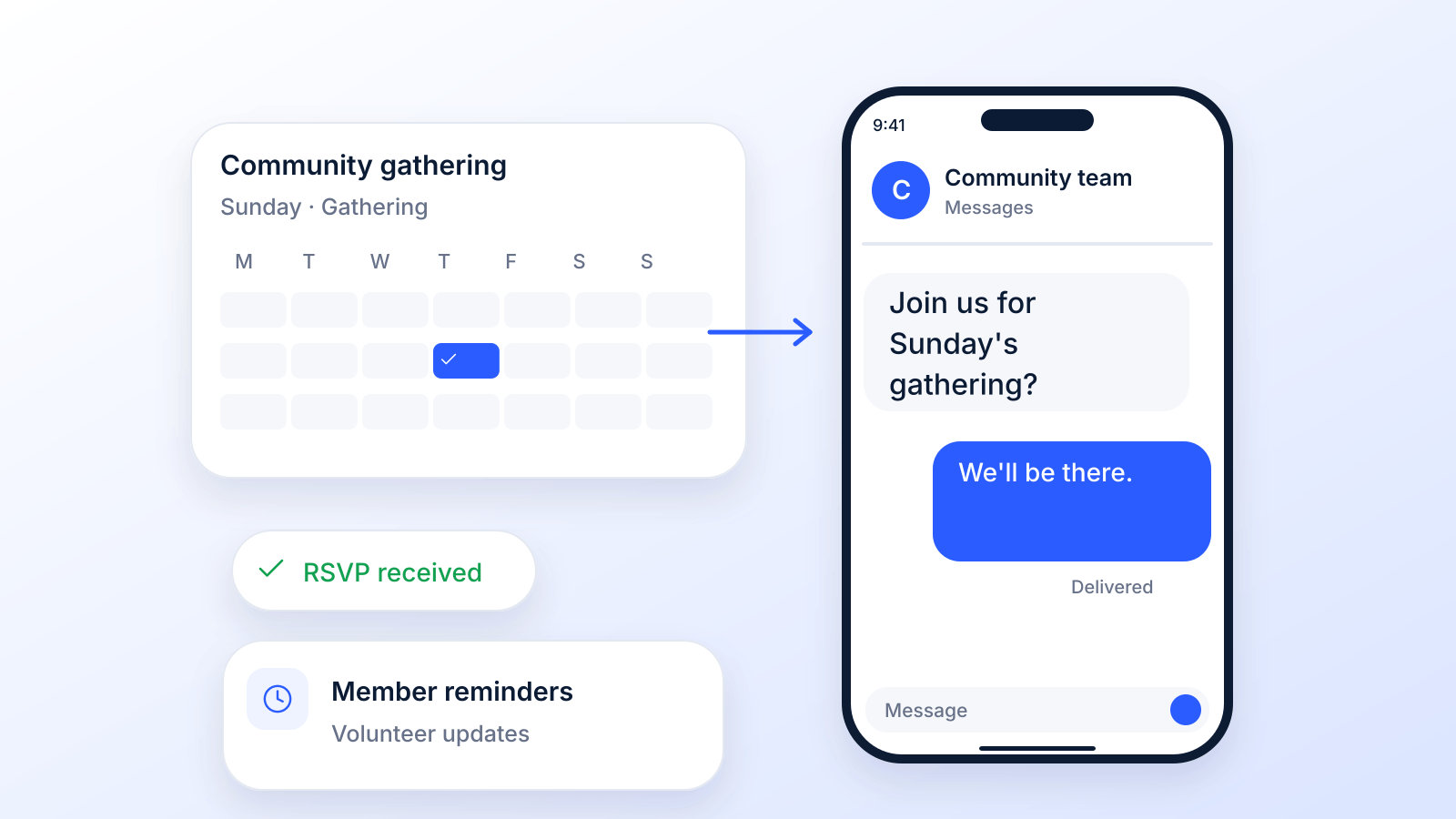
A church text messaging service is a tool that lets ministry leaders send messages straight to their congregation's phones. It’s less like a notice on a crowded community board and more like a friendly, personal tap on the shoulder.
Why Texting Is the Modern Church Connection
Let's be real. It's getting harder to cut through the noise. Email inboxes are overflowing, and Sunday bulletins often get left behind in the pews. You need a way to get important messages to your people where they’ll actually see them. This is where a church text messaging service completely changes the game.
The real power here is how immediate and visible texting is. While other messages fight for attention, a text message gets right through. This isn’t just for announcements; it’s about building a stronger, more connected church family.
Moving Beyond Sunday Announcements
A healthy church community isn’t just built on Sunday mornings; it thrives on connection all week long. Texting is the perfect way to create those consistent, meaningful touchpoints.
Here are just a few ways texting keeps the momentum going between services:
- Mid-week Encouragement: A simple text with a verse or a thought from the last sermon can be a huge spiritual lift.
- Urgent Prayer Requests: When a member is in crisis, a text can get your prayer chain moving in seconds, surrounding them with immediate support.
- Event Reminders: Get more people to show up for youth group, small group studies, and outreach events with a quick reminder sent right to their phones.
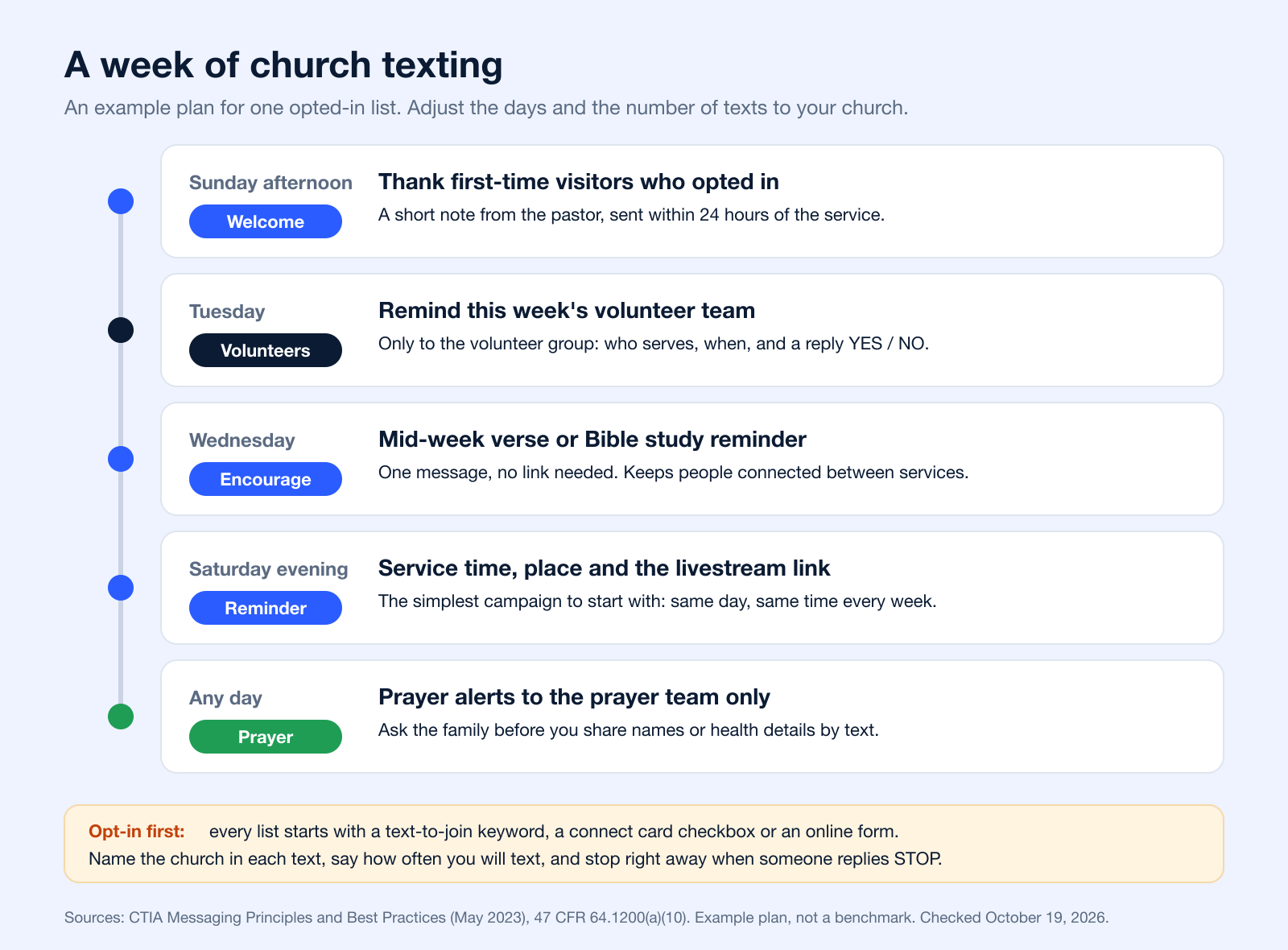
Here is what that can look like in a normal week. Each text has one job, and each one goes only to the group it is for.
Texts tend to get seen because they land in the same app people use to talk with family and friends, not in a crowded inbox or a social feed. If you are weighing texting against your email newsletter, our comparison of SMS vs email marketing explains where each channel fits.
What the Data Actually Says About Texting
The verified numbers are big enough without exaggeration. Americans exchanged nearly 2.2 trillion text messages (SMS and MMS) in 2024, according to the wireless industry group CTIA (CTIA 2025 Annual Survey Highlights). And 98% of U.S. adults own a cellphone, 91% a smartphone (Pew Research Center), so a text reaches almost everyone on your list, including members who never open email.
Texting also invites a reply, which a bulletin or a newsletter cannot do. A member can answer "Praying", RSVP with YES, or ask a question, and the conversation stays in the same thread. It works across generations too, because it runs on basic text messaging that comes with every cellphone, with no app to install.
A quick comparison shows just how different these channels are for ministry.
Modern Church Communication At a Glance
Here’s a quick look at how today's primary communication channels stack up for ministry outreach, highlighting where texting delivers unmatched value.
| Communication Channel | Who It Reaches | Speed of Connection | Best For |
|---|---|---|---|
| Text Messaging | Everyone on your opted-in list, on the phone they already carry | Immediate (within 3 min) | Urgent alerts, prayer requests, event reminders, and personal check-ins. |
| Email Newsletters | Subscribers who open and read email; easy to miss in a busy inbox | Hours to Days | Weekly updates, long-form content, and detailed announcements. |
| Social Media | Followers the platform chooses to show your post to | Varies (algorithm-dependent) | Community building, sharing photos/videos, and public-facing events. |
| Printed Bulletins | Varies (only reaches those physically present and attentive) | Delayed (weekly) | Sunday-specific information, order of service, and welcome messages. |
As you can see, when speed and visibility are what you need, texting is the most direct option you have.
When you start using a service for mass texting, you're doing more than just sending information. You are opening up new doors for real-time fellowship, care, and involvement that will strengthen your entire church family.
This strategy is a proven winner for nonprofits of all kinds. You can dive deeper into how a mass texting service benefits nonprofits.
Bottom line: a church text messaging service isn’t a "nice-to-have" anymore. It's an essential part of effective, modern ministry.
Expanding Your Outreach with Ringless Voicemail
Texting is great, no doubt. It's perfect for quick updates and back-and-forth conversations. But what about those moments when a message from your ministry needs a more personal, human touch? This is where a fantastic tool called ringless voicemail comes in, adding a whole new layer to your church's outreach.
Think about it. Your pastor wants to share a heartfelt prayer or a special invitation for Easter service. An impersonal text just doesn't feel right. Instead, imagine delivering their actual voice directly into a member's voicemail inbox, without their phone ever ringing. It’s the modern-day equivalent of leaving a warm, personal message of encouragement without interrupting their family dinner or workday. This technique, sometimes called a voicemail drop, is a powerful way to add a human element to your digital communications.
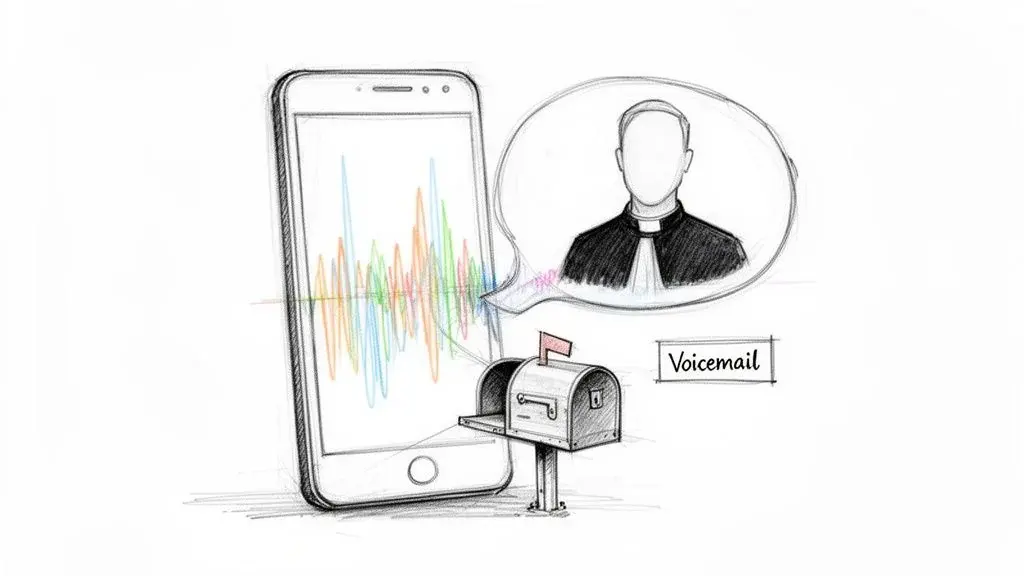
This kind of non-intrusive outreach creates a powerful connection that text messages alone often can't match. It closes the distance between the speed of digital messaging and the warmth of a personal phone call.
How Ringless Voicemail Works in Ministry
The idea is simple but incredibly effective. Ringless voicemail technology places your recorded message directly in the recipient’s voicemail box. The result? Your member gets a voicemail notification without their phone ringing, letting them listen whenever it’s convenient for them. This method is also referred to as a direct to voicemail service.
One rule to know: since November 2022, the FCC treats a ringless voicemail to a cell phone as a call under the Telephone Consumer Protection Act (FCC 22-85). In practice, that means you need the member’s consent before you send one, the same as for an automated text. Our ringless voicemail compliance guide covers the details.
For churches, this opens up some really unique ways to connect on a deeper level. Hearing a familiar, caring voice from your church leadership can mean the world to someone, offering comfort and a real sense of belonging. If you're curious about the nuts and bolts, we've got a guide that digs into the question: what is ringless voicemail?
A ringless voicemail feels less like a mass broadcast and more like a personal message left just for you. It’s a way to show individual care on a large scale, making every member feel seen and valued.
This personal touch really shines in specific ministry situations where a simple text might feel too cold or just get lost in the noise.
Unique Benefits for Church Communication
When you pair ringless voicemail with your text messaging, you build a much stronger, more complete communication plan. Each tool has its own strengths, and using them together means you can handle just about any communication need your ministry has.
Here are some of the biggest benefits of adding ringless voice drops to your toolkit:
- Personal Connection: The tone and emotion in your pastor's voice carry so much more weight for a prayer or word of encouragement than plain text ever could.
- Non-Intrusive Outreach: You can deliver meaningful messages without interrupting someone's busy day. It's all about respecting their time and attention.
- Higher Engagement: For sensitive follow-ups or special invitations, a personal voicemail feels more significant and is far less likely to be ignored.
- Welcoming New Visitors: A warm, friendly welcome message from the pastor, delivered as a ringless voicemail, can leave a fantastic and lasting first impression on new guests.
Modern platforms make this technology surprisingly easy to use. A good ringless voicemail service will deliver messages right to inboxes, charging only for successful drops, and work for both mobile and landline numbers. You can also schedule drops in advance and have unlimited recordings. It’s a cost-effective and powerful way for any ministry, big or small, to add that crucial personal touch to their church text messaging service.
What to Look for in a Church Texting Service
Most searches for a church texting service come down to one question: which features actually matter for a ministry? Use this checklist when you compare platforms, and ask each vendor to show you the feature, not just list it.
| Feature | Why it matters for a church | What to ask the vendor |
|---|---|---|
| Groups and lists | Youth, volunteers, prayer team and visitors each get only the texts meant for them | Can one person belong to several groups without getting duplicates? |
| Text-to-join keywords | The simplest way to collect opt-ins from the pulpit or a slide | Can each ministry have its own keyword and welcome message? |
| Two-way texting | Members can reply "Praying", RSVP or ask a question | Where do replies go, and who on staff sees them? |
| Scheduling | Saturday reminders and mid-week devotionals go out on time | Can you schedule recurring messages by time zone? |
| Pictures and video (MMS) | Event flyers, retreat photos, a short invite from the pastor | What file sizes are supported, and does an MMS cost more credits? |
| Multi-user access | Staff and trusted volunteers can help without full account access | Can permissions be limited to specific groups? |
| Opt-out handling | STOP and similar replies must end texts right away | Are STOP, END, CANCEL, QUIT and UNSUBSCRIBE handled automatically? |
| Number registration | Unregistered business texting is blocked by carriers | Does the vendor handle 10DLC registration or toll-free verification for you? |
| Voice options | A pastor’s voice for pastoral care and big announcements | Are voice broadcasts and ringless voicemail included or separate? |
| Pricing model | Church budgets need predictable costs | Credits, monthly plan or tiers? What happens to unused credits? |
If you want to see how specific platforms compare on these points, our roundup of the best mass texting services lists the main options with pricing from each vendor’s own page.
Setting Up Your Service in 5 Simple Steps
Getting your church’s text messaging service off the ground is a lot simpler than you might think. This isn't about becoming a tech guru overnight; it's about following a clear, five-step path to better connection with your community.
We’ve cut through the jargon to give you a practical roadmap for launching your ministry texting with confidence.
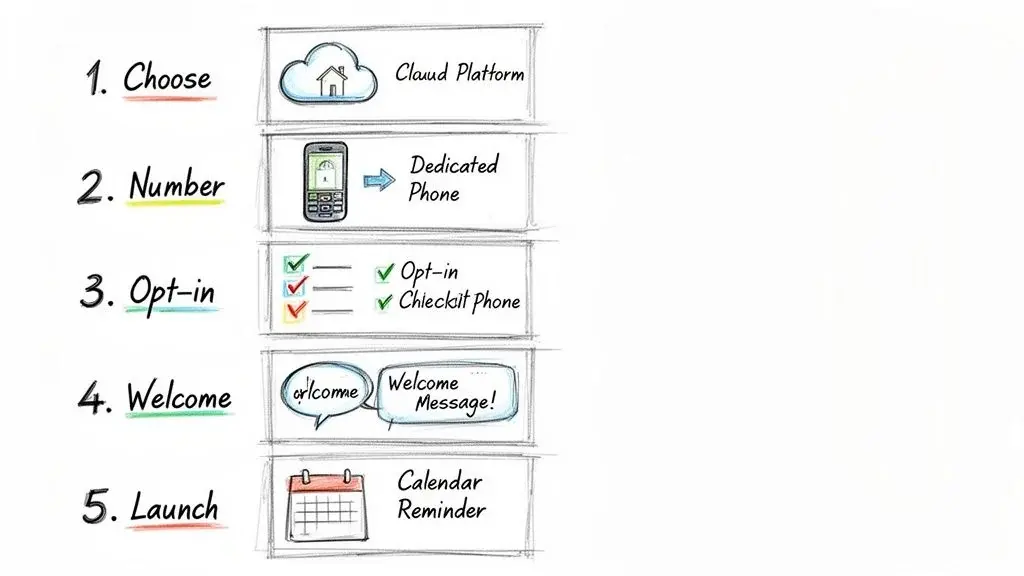
Let’s walk through everything from picking the right tools to sending that first message, so you can start building community right away.
Step 1: Choose the Right Platform
Your first decision is the most critical: picking a platform that actually fits your church's needs and budget. Look for a service with features you'll use from day one, like group messaging for different ministries, two-way texting for real conversations, and scheduling to plan ahead.
But don’t just think about today. Will you need ringless voicemail for more personal pastoral messages down the road? How well does it connect with the other software your church already relies on, such as your church management system or online giving tool? Ask each vendor which integrations exist today and how contacts and opt-outs stay in sync.
Step 2: Secure Your Dedicated Phone Number
Once you’ve found a platform, you need a phone number. Most services will let you choose between a local 10-digit number or a toll-free one (like an 888 or 877 number). A local number often feels more personal and familiar, which can build trust and encourage more people to reply.
Before that number can send texts from a platform, it has to be registered with the carriers. Local numbers go through A2P 10DLC registration: since September 1, 2023, texts from unregistered 10DLC numbers to U.S. phones are blocked (Twilio). Toll-free numbers need toll-free verification instead; unverified toll-free traffic has been blocked since January 31, 2024 (Twilio error 30032). Nonprofits can register under special use cases (Twilio A2P 10DLC overview). Most texting platforms handle the paperwork; our 10DLC compliance guide explains the steps.
This number becomes your church's official texting identity. It’s what your members will save in their phones and what you’ll print on all your opt-in materials. A consistent, dedicated number is the key to looking professional and trustworthy.
Step 3: Build Your Contact List Compliantly
Now it's time to invite people to join your texting community. The golden rule here is simple: you must have explicit permission to text someone. The easiest way to get this is with a text-to-join keyword.
For example, you could ask your congregation to text "GRACE" to your church's new number. This automatically signs them up.
- Sunday Announcements: Announce your keyword and number from the pulpit.
- Welcome Cards: Add a small section to your visitor cards for people to opt-in.
- Website Banners: Put a clear call-to-action right on your church’s homepage.
This method works for every ministry. A youth pastor can give students their own keyword for daily devotionals, and a small group leader can use another for weekly reminders, so each list stays separate from day one. Keywords are a core feature of any text-to-join tool, and our guide to keyword text messaging has more ideas.
Step 4: Craft a Welcoming First Message
That first automated message someone gets after opting in is huge. It confirms they’re connected and sets the tone for every message that follows. A great welcome text does three things: confirms the subscription, tells them what to expect, and gives clear opt-out instructions.
"Welcome to Grace Community's text alerts! We're so glad you're connected. Expect 1-2 msgs/week with encouragement & event reminders. Reply STOP to unsubscribe. God bless!"
A simple message like this builds trust and manages expectations right from the start.
Carriers expect this confirmation. CTIA’s messaging guidelines say the first text after someone opts in should include the program name, a way to get help (a phone number or HELP), how to opt out, how often you will text, and any message charges, which is why many churches add "Msg & data rates may apply" (CTIA Messaging Principles, 5.1.2.1).
Step 5: Plan Your First Simple Campaign
Don’t try to boil the ocean. Start with a simple, high-value campaign that delivers an immediate win, like a weekly service reminder. This gives your congregation something useful right away and helps you get comfortable using the platform.
Schedule a text to go out every Saturday evening: "Hey [First Name]! Just a friendly reminder that service is tomorrow at 10 AM. We can't wait to worship with you! You can find directions here: [link]."
This one small act keeps your church top-of-mind and can genuinely help increase attendance. It’s the perfect way to get your texting ministry started on a strong footing.
Proven Message Templates for Every Ministry Need
So, you're on board with church text messaging. That’s the easy part. The harder question is, what do you actually say?
Staring at that blank message box can be intimidating. But the good news is you don’t have to reinvent the wheel. The most powerful texts your church can send are often simple, to the point, and come straight from the heart.
We’ve put together a collection of proven, copy-and-paste templates to get you started immediately. Think of these as your practical toolkit: a way to save time while sending messages that genuinely strengthen your church family.
Weekly Service and Event Reminders
Consistency builds community. Sometimes, a simple reminder is the exact nudge someone needs to make gathering with their church a priority. The key is to keep them friendly and encouraging.
Weekend Service Reminder:
"Hey [First Name]! Just a friendly reminder that service is tomorrow at 10 AM. We can't wait to worship with you! You can find directions or watch online here: [Link]"
Mid-Week Bible Study Reminder:
"Hi [First Name], don't forget about our mid-week study tonight at 7 PM in the fellowship hall. We're diving into Chapter 3. See you there!"
Special Event Reminder:
"Get excited! Our annual Family Fun Day is this Saturday from 11 AM - 2 PM. There will be games, food, and fun for all ages. Hope to see your family there!"
New Visitor Welcome Sequence
A visitor's first impression doesn't stop when they walk out the door. A thoughtful text message makes them feel seen and valued, which dramatically increases the chance they’ll come back.
Initial Thank You (Send within 24 hours):
"Hi [First Name], this is Pastor John from Grace Community. We were so honored to have you with us this morning! We hope you felt welcomed. If you have any questions, feel free to text this number."
Mid-Week Check-In (Send 2-3 days later):
"Hello again, [First Name]! We hope you're having a great week. We'd love to hear about your experience on Sunday. If you have a moment, here's a quick 2-question survey: [Link]"
Invitation to Connect (Send ~1 week later):
"We're having a Newcomers' Lunch this Sunday right after service, and we'd love for you to join us. It’s a great, casual way to meet some people. Hope you can make it!"
Volunteer Coordination and Appreciation
Your volunteers are the absolute lifeblood of your ministry. Texting is the perfect tool to keep them organized, informed, and feeling appreciated for all they do.
Shift Reminder:
"Friendly reminder for our awesome Children's Ministry volunteers: you are scheduled to serve this Sunday at the 9 AM service. Thank you for making a difference!"
Urgent Need Request:
"Hi team, we have an urgent need for 2 more volunteers to help with parking for our Easter service. Can you help? Reply YES if you're available. Thank you!"
Volunteer Appreciation:
"We just wanted to say a huge THANK YOU to everyone who served at the food pantry yesterday. You are a blessing to our community! We couldn't do it without you."
Urgent Prayer Requests and Pastoral Care
When a need pops up, texting lets you get your prayer warriors on the case in an instant. It's also an incredible way to show personal care from your leadership team.
"A text message can be a lifeline. For someone feeling isolated, a simple 'We're praying for you' message can be a powerful reminder that they are loved and not alone. It’s ministry in its purest form."
Prayer Chain Alert:
"PRAYER ALERT: Please join us in praying for the Smith family. John is going into surgery this morning. Pray for peace and for the surgeons' hands. (Please reply with 'Praying')"
A note on privacy: ask the person or their family before you share a name or a health detail by text, and keep detailed prayer requests to your prayer team list rather than the whole church.
Pastoral Check-In (using Ringless Voicemail): For those moments that need a more personal touch, a ringless voicemail drop from the pastor can be incredibly powerful. A pre-recorded message like, "Hey [First Name], it's Pastor Steve. I was just thinking about you and wanted you to know I’m praying for you this week. Hope you’re doing well," delivers that human connection without being intrusive.
Donation Appeals and Giving Updates
Text-to-give campaigns make generosity incredibly simple and immediate. These messages are most effective when they tie the act of giving directly to the impact it creates.
General Donation Appeal:
"Help us reach our goal! We're raising funds for our summer youth camp. Every gift helps send a student to experience a life-changing week. Give securely here: [Link]"
Impact Update:
"Because of your generosity, we were able to provide 500 meals to families in need last month! Thank you for being the hands and feet of Jesus in our city."
Messages like these work best when they are short, personal and sent to the right group. Most churches give through an online giving page, so a giving text is usually just a clear reason to give plus a link.
For more ready-to-send wording, see our text message examples. Using these templates is your first step toward that kind of connection.
Keeping Your Ministry Communications Safe and Compliant
Using text messaging to connect with your congregation is an incredible opportunity. But with that opportunity comes a big responsibility to be both ethical and legal in how you communicate.
The word "compliance" can sound a little stiff or corporate, I get it. But really, it all comes down to one simple idea that’s at the heart of any ministry: respect.
You wouldn't just walk into someone's home uninvited, right? The same principle applies to their text message inbox. Thinking this way is the key to building real trust with your people through texting and protects both your members and your ministry.
The Cornerstone of Compliance: Consent
Before you send a single message, get clear permission. For most church texting, the safest standard is a written opt-in: a keyword someone texts, a checkbox on a form, or a signed card. It’s basically the digital version of someone raising their hand and saying, "Yes, please keep me in the loop!" The exact rule depends on what you send, as the table below shows.
| Message type | Church example | Federal rule (TCPA) | Carrier guidelines (CTIA) |
|---|---|---|---|
| Conversational | A member texts a question and you reply | A reply to someone who texted you first | No extra permission when the person starts the conversation |
| Informational | Service reminders, volunteer schedules, prayer alerts | Automated texts to a cell phone need prior express consent (47 CFR 64.1200(a)(1)); the FCC says it may be oral for informational texts | The person agrees to texts for that purpose when they give you the number |
| Promotional or fundraising | Giving appeals, ticketed events, bookstore sales | Ads and telemarketing need prior express written consent, but calls and texts by or for a tax-exempt nonprofit need prior express consent (47 CFR 64.1200(a)(2)) | Promotional texts: the person should agree in writing |
| Ringless voicemail | A recorded message from the pastor | A call under the TCPA (FCC 22-85); prerecorded messages to a cell phone need consent | Not covered by the texting guidelines |
Because carriers can block texts that do not follow their guidelines, and because the line between informational and fundraising texts is not always clear, many churches collect one written opt-in that names every kind of message they plan to send. Sources: 47 CFR 64.1200, FCC consumer guide on robocalls and texts, CTIA Messaging Principles (May 2023), Exhibit II. Checked October 19, 2026.
Thankfully, getting this permission is pretty straightforward. Here are a few of the most effective ways we've seen churches do it:
- Text-to-Join Keywords: Asking people to text a keyword like "CONNECT" or "GRACE" to your church's number is the clearest form of consent you can get.
- Online Forms: Simply add a checkbox to your digital connect card or event sign-up forms where people can specifically agree to receive texts.
- Paper Forms: You can do the same thing on physical welcome cards in your pews. Just add a line for their phone number and a box they can check to opt-in.
Starting with this step builds your entire texting ministry on a solid foundation of trust. If you want to dig deeper into the specifics, our guide on what counts as express written consent breaks it all down for you.
Always Identify Yourself and Offer an Exit
Okay, so you've got permission. Now what? Two simple habits will keep your texting healthy and compliant from here on out.
First, always identify your church in every message. A new member or visitor might not have your number saved yet, so starting with something like "Hi from Grace Community Church..." prevents any confusion.
Second, give people a clear and easy way to opt out. Including a phrase like "Reply STOP to unsubscribe" in your messages isn’t just a good idea; carriers expect it, and federal rules say a reply such as STOP, QUIT, END, CANCEL or UNSUBSCRIBE revokes consent and must be honored within 10 business days at most (47 CFR 64.1200(a)(10)). Most platforms stop texts right away. This puts your members in control and shows them you respect their choice to listen or not.
Think of it this way: clear identification and an easy opt-out are like having a friendly welcome mat and an open front door. You're making it clear who you are and letting people know they are free to leave anytime, which paradoxically makes them more comfortable staying.
Building Trust in a Connected World
Following these rules isn't just about avoiding trouble. It's about being a good steward of the relationships you're trying to build.
With 91% of U.S. adults owning a smartphone (Pew Research Center), texting is an incredibly direct line for building community. When you respect people’s consent and communicate with transparency, you make sure this powerful tool strengthens your ministry’s integrity and drives genuine involvement.
How to Know If Your Church Texting Is Actually Working
So, you’re sending out texts. That’s step one. But how do you know if it’s making a real difference?
Sending messages is easy. Understanding their impact is what sparks real growth and connection in your ministry. This is where we move past just sending and praying and start looking at the numbers that tell the story of your community's engagement.
The goal isn't to get bogged down in corporate-style analytics. It's about gaining real-world insight. Are your messages hitting home? The data has the answers.
Moving Beyond "Send and Pray"
Thinking about metrics can feel a little impersonal, but it’s actually the opposite. When you understand what’s working, you can serve your people far better. Are your event reminders getting clicked? Are prayer requests being seen and acted on?
Start with your delivery rate. This shows you how many of your messages successfully landed on your members’ phones. If nearly all of them arrive, great! Your contact list is in good shape. If the rate drops, it’s probably time to do a little spring cleaning on old or incorrect numbers, and to check that your number’s registration is approved. Our guide to why text messages are not delivered lists the usual causes.
Next up is your click-through rate (CTR). This one is huge, especially when you send a link for event registration, a donation page, or a sermon video. If you text 200 people and 50 click the link, your CTR is 25%. This tells you exactly how compelling your message and your offer were.
The Numbers That Show Real Connection
While delivery and clicks are a great start, the most meaningful data for a church comes from genuine, two-way interaction. This is where you actually see community being built, one text at a time.
One of the most important metrics you can track is the response rate. This is simply the percentage of people who reply to your texts. If you send a prayer request and ask folks to reply "Praying," this number shows you how many people are actively engaging with the needs of their church family. A high response rate is a fantastic sign of a healthy, connected community.
Another powerful, but often forgotten, metric is the opt-out rate. Sure, you never want to see people leave your list. But a low, steady opt-out rate is a strong signal that your congregation finds your messages valuable and that you’re not overdoing it on the frequency. Watch for spikes after a particular message: they tell you what people did not want.
Tracking these numbers helps you listen to your congregation at scale. A sudden spike in response to a devotional text, or a high click-rate on a volunteer sign-up, gives you direct feedback on what your community needs and cares about most.
Using Data to Guide Your Ministry
This data isn't just for fancy reports; it’s for making smarter, more impactful decisions. By looking at these simple metrics, you can fine-tune every part of your outreach.
Here’s a quick look at the most important numbers and what they mean for your church's texting strategy.
Key Metrics for Your Church Texting Strategy
| Metric | What It Measures | Why It Matters for Your Ministry |
|---|---|---|
| Delivery Rate | The percentage of messages successfully delivered. | Shows your contact list is healthy and people are actually getting your texts. |
| Click-Through Rate (CTR) | The percentage of people who clicked a link in your text. | Reveals how effective your call to action is for event sign-ups, sermon links, or giving. |
| Response Rate | The percentage of members who reply to your message. | The ultimate sign of two-way conversation and active community engagement. |
| Opt-Out Rate | The percentage of people who unsubscribe. | Helps you know if your content is relevant and if your sending frequency feels right. |
Think about it this way: if you notice your CTR for event reminders is highest on Saturday mornings, you've just discovered the perfect time to send those texts. If a message with a warm, personal tone gets a much higher response rate, it tells you your congregation values that connection.
This is how data stops being a set of numbers and starts being a powerful tool for serving your people better.
Common Questions About Church Texting Services
Jumping into any new communication tool for your church is a big decision. It’s totally normal to have a few questions pop up about how it all works in practice.
We've heard them all. To make sure you feel confident moving forward, here are some straightforward answers to the most common questions church leaders ask us.
Can We Send Pictures or Videos in Our Texts?
Yes, absolutely! And honestly, this is where things get really exciting.
Standard texts (SMS, or Short Message Service) are plain text: one SMS holds up to 160 characters, or 70 if the message includes an emoji or other special characters, and longer texts are split into segments (Twilio). Most services also offer MMS (Multimedia Messaging Service), which lets you send pictures, short videos, GIFs, and even audio files.
This is a game-changer for engagement. Think about it. You can send a vibrant photo from the youth retreat, a quick video invitation from your pastor for the Easter service, or a picture celebrating that you just hit a missions fundraising goal. Visuals grab attention and share emotion in a way text just can't, making your messages stick.
A picture of smiling volunteers at the food drive or a short clip of the choir practicing for Christmas does more than just inform. It invites your people to feel connected to the life of the church all week long.
What Is the Typical Cost of a Church Text Messaging Service?
Pricing can look a little different from one provider to the next, so it's smart to know the main options to find what fits your ministry's budget. Most services fall into one of these buckets:
- Pay-As-You-Go: You buy a bundle of "credits" upfront and use them as you send texts. This is a great starting point for churches with occasional texting needs.
- Monthly Subscription: You pay a flat fee each month for a certain number of texts or contacts. This works well for most churches because it gives you predictable costs for regular communication.
- Tiered Plans: Most platforms offer different plan levels based on how many contacts you have or how many messages you send. This lets you start small and scale up as your ministry and your texting list grow.
When you're comparing prices, remember to look past the sticker price. Check if features like two-way texting, MMS capabilities, and ringless voicemail are included.
Can Our Volunteers Help Manage the Account?
Yes, and you should definitely look for a service that allows this.
Any solid church texting platform should offer multi-user access with different permission levels. What that means is you can give trusted volunteers and staff members their own logins to help out, but without handing over the keys to the entire kingdom.
For example, your youth leader could have permission to send messages only to the "Youth Group" list. Your head usher could manage the "Volunteer Team" group. This spreads the work around, prevents one person from getting overwhelmed, and makes sure the right people are sending the right messages, while you keep an eye on everything.
Do churches need permission to text members?
Yes. Automated texts to cell phones need the person’s prior consent, and carriers expect every number on your list to have opted in. For fundraising or promotional texts, get a written opt-in. See the consent table in the compliance section above, and our guide on what counts as express written consent.
Does a church have to register its texting number?
Yes, if you text from a business platform. Local numbers need A2P 10DLC registration and toll-free numbers need toll-free verification; unregistered traffic is blocked. Your texting provider usually submits the registration for you, with your church’s legal name and tax ID.
What is the best texting service for churches?
There is no single best one. The right service has groups, keywords, two-way texting, scheduling, multi-user permissions and automatic opt-out handling at a price your church can plan for. Use the checklist in the section on what to look for, and compare options in our list of the best mass texting services.
What should a church follow-up text say?
Thank the visitor by name, say who is texting, and offer one easy next step, such as replying with a question or joining a newcomers’ lunch. Send it within a day of the visit, and only if they gave you their number to be contacted. The New Visitor Welcome Sequence above has three ready-to-send examples.
Can a church send a recorded voice call to the whole congregation?
Yes, with a voice broadcast. Federal rules let a tax-exempt nonprofit send prerecorded calls to residential lines without written consent if it makes no more than three such calls in any 30-day period and honors opt-out requests (47 CFR 64.1200(a)(3)); calls to cell phones need the person’s prior consent. Every recorded message must name the church at the start and give a callback number. Our guide to voice broadcasting software explains how it works.
Ready to build a more connected and engaged church community? Broadcast provides all the tools you need, from SMS and MMS to ringless voicemail, in one simple, powerful platform. Start connecting with your congregation today.


